

IP Blacklist Check: What Your Results Actually Mean (and What to Do Next)
You ran an IP blacklist check, and four listings came back red. Your stomach dropped. Here's the thing: three of those are almost certainly noise - obscure lists that Gmail and Outlook don't even glance at. The fourth might matter. This guide triages which listings are serious, which to ignore completely, and exactly how to get delisted when it counts.
Quick Triage
Before we go deep:
- Just want to check? Use MXToolbox (scans 100+ DNSBLs) or WhatIsMyIPAddress (auto-fills your IP, checks 50 lists).
- Listed on Spamhaus? That's the one that matters most. Jump to the delisting section below.
- Listed on UCEPROTECT or something you've never heard of? Noise. Don't panic - keep reading.
Best Free IP Blacklist Checkers
All the major checkers are free. The difference is how many DNSBLs they scan and how they present results.
| Tool | DNSBLs Checked | Best For | Price |
|---|---|---|---|
| MXToolbox | 100+ | Broadest scan | Free |
| WhatIsMyIPAddress | 50 | Auto-fills your IP | Free |
| IPVoid | 80+ | Reputation services | Free |
| Spamhaus Lookup | Spamhaus blocklists (IP + domain) | Definitive Spamhaus check | Free |
| DNS Checker | 50+ | Checking IPs, domains, and emails | Free |
MXToolbox is the go-to for most people - it casts the widest net and gives you a clean pass/fail for each list. WhatIsMyIPAddress is handy when you don't know your sending IP offhand, since it auto-detects. For the authoritative answer on whether you're in Spamhaus specifically, use their direct lookup tool.
IPVoid and DNS Checker overlap with MXToolbox on most lists. Running two gives you solid coverage. Running all five is overkill unless you're troubleshooting a specific bounce-back message that cites an unusual DNSBL.
Which Blacklists Actually Matter
Most articles won't tell you this: major mailbox providers rely primarily on their own internal reputation systems plus authentication checks (SPF, DKIM, DMARC). External DNSBLs matter more for corporate mail gateways running Barracuda, Proofpoint, or Mimecast.
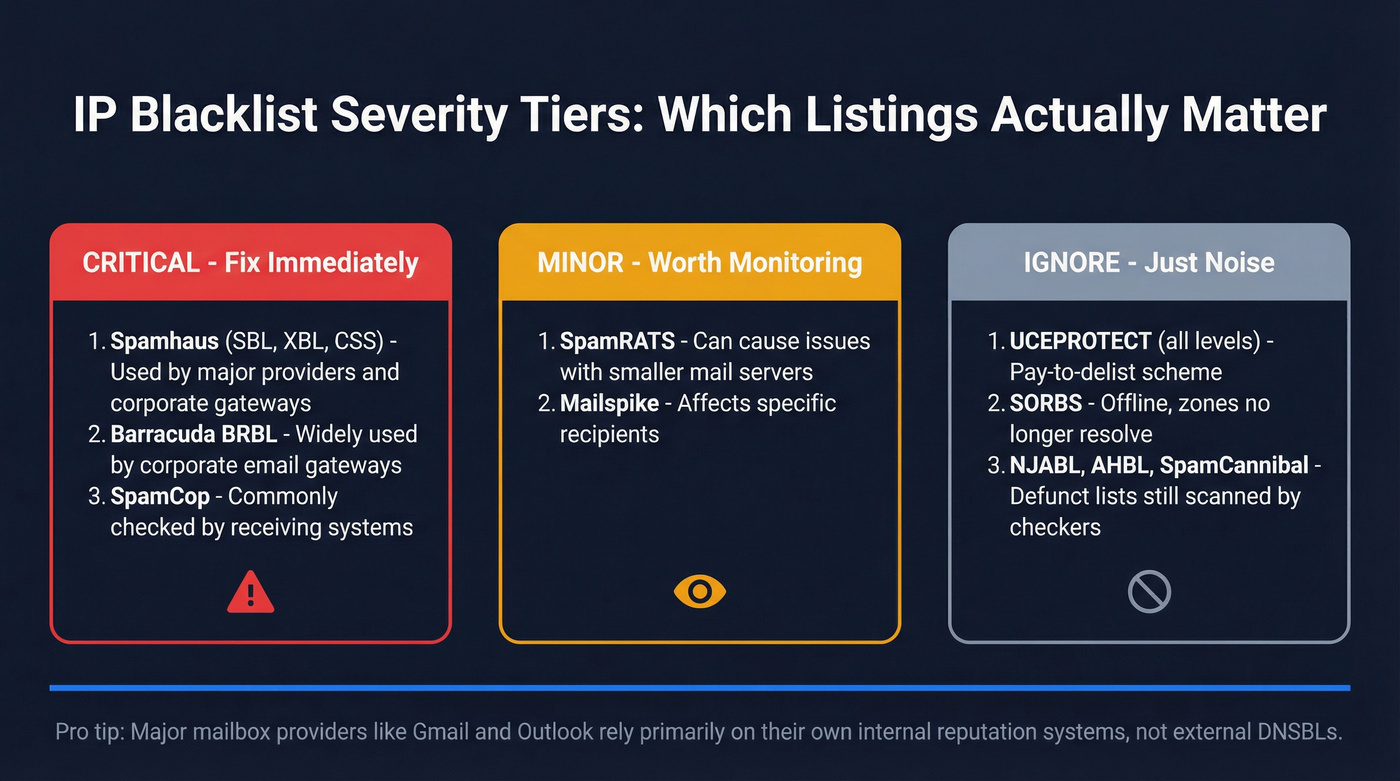
Critical - fix immediately:
- Spamhaus (SBL, XBL, CSS) - the gold standard. If you're here, major providers and corporate gateways will reject or heavily filter your mail.
- Barracuda BRBL - widely used by corporate email gateways.
- SpamCop - commonly checked by receiving systems.
Minor - worth monitoring:
- SpamRATS, Mailspike - can cause issues with specific recipients and smaller mail servers.
Ignore:
- UCEPROTECT (all levels) - more on this below.
- SORBS - listed as offline, and many zones no longer resolve. If a checker flags it, disregard.
- Defunct lists still appearing in checker results:
dnsbl.njabl.org,dnsbl.ahbl.org,bl.spamcannibal.org. These are offline but checkers still scan them. A "listing" here means nothing.
One important distinction: AbuseIPDB is an abuse-report database, not an email DNSBL. Being reported there means someone flagged your IP for malicious activity like port scanning or brute force attempts, but it doesn't directly affect email delivery the way email-focused DNSBLs do.
Spamhaus Listings Decoded
Spamhaus runs multiple lists, and each one means something different:
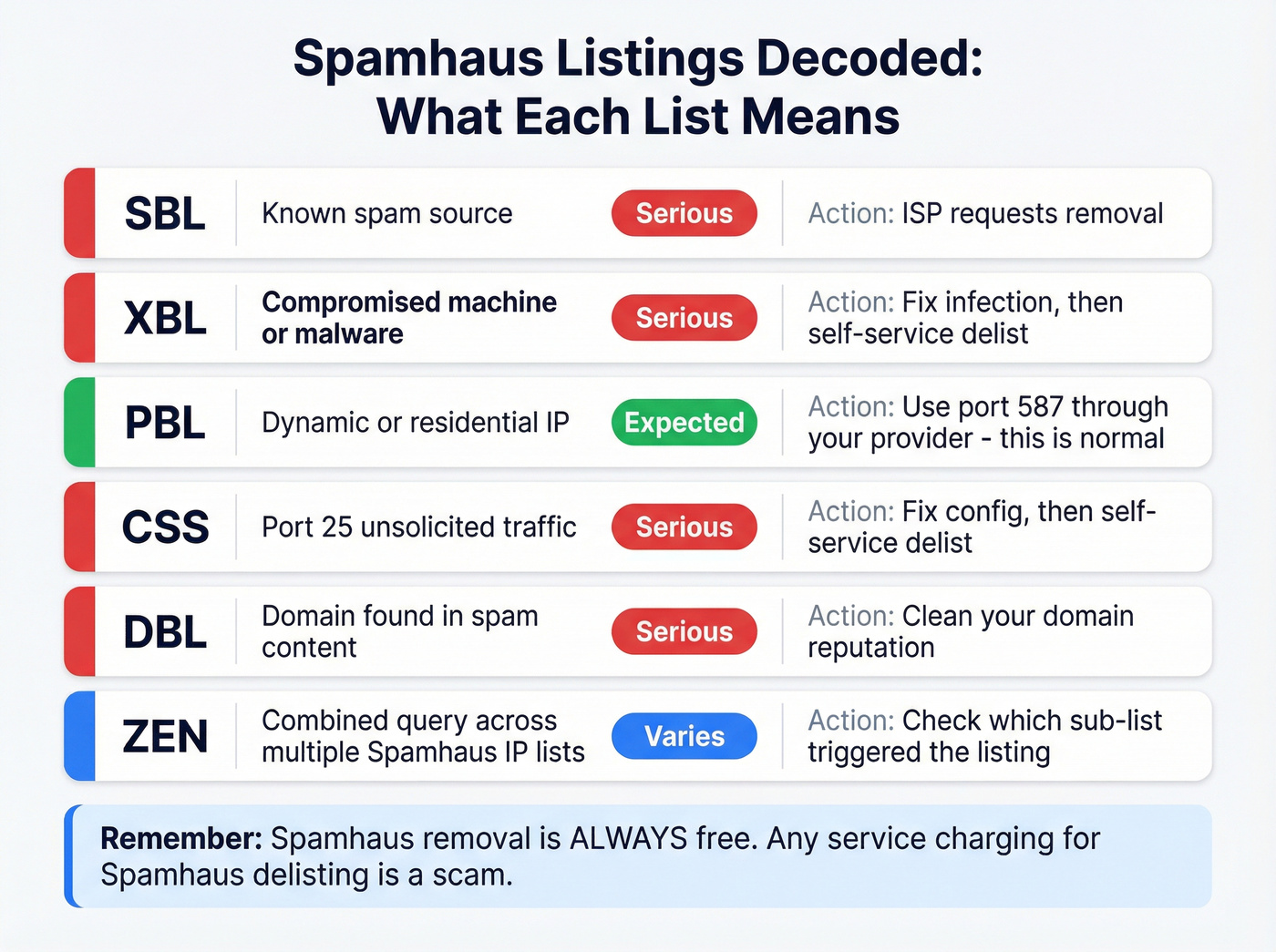
| List | What It Means | Severity | Action |
|---|---|---|---|
| SBL | Known spam source | Serious | ISP requests removal |
| XBL | Compromised machine/malware | Serious | Fix infection, then delist |
| PBL | Dynamic/residential IP | Expected | Use port 587, not port 25 |
| CSS | Port-25 unsolicited traffic | Serious | Fix config, then delist |
| DBL | Domain in spam content | Serious | Clean domain reputation |
| ZEN | Combined query (multiple Spamhaus IP lists) | Varies | Check which sub-list triggered |
The PBL listing trips people up the most. If your home IP shows up on PBL, that's by design - residential IPs aren't supposed to send email directly. It doesn't mean you've been flagged as a spammer.
Spamhaus is crystal clear: there's never any charge for removal. Any service offering paid Spamhaus delisting is a scam. (If you need the full playbook, see our Spamhaus delisting guide.)
The UCEPROTECT Problem
UCEPROTECT charges 249 CHF for manual/express delisting. That alone tells you everything about their business model.
Comcast Business has told customers directly that UCEPROTECT's pay-to-delist approach is "not an RBL industry standard practice." OVH doesn't pay them. InMotion Hosting has confirmed that Gmail and Microsoft don't use UCEPROTECT for delivery decisions. The consensus on r/msp is the same - sysadmins overwhelmingly treat UCEPROTECT as irrelevant.
UCEPROTECT operates three levels: L1 lists individual IPs, L2 lists entire network ranges, and L3 lists entire ASNs. A single bad actor on your hosting provider's network can get thousands of innocent IPs "listed" at L2 or L3. It's collateral damage by design.
Our recommendation: ignore UCEPROTECT listings unless you're getting specific bounce-back messages that cite it by name. Even then, the fix is asking the recipient's mail admin to stop using UCEPROTECT - not paying the fee. Automatic delisting typically happens within about a week.

Most IP blacklistings trace back to one thing: sending to bad email addresses. High bounce rates trigger spam traps, wreck your sender reputation, and land you on Spamhaus. Prospeo's 5-step verification and 98% email accuracy keep bounce rates under 4% - so your IP stays clean.
Stop fixing blacklist damage. Start preventing it with verified data.
Why Your IP Is Blacklisted
If you're on a list that actually matters, here are the usual suspects.
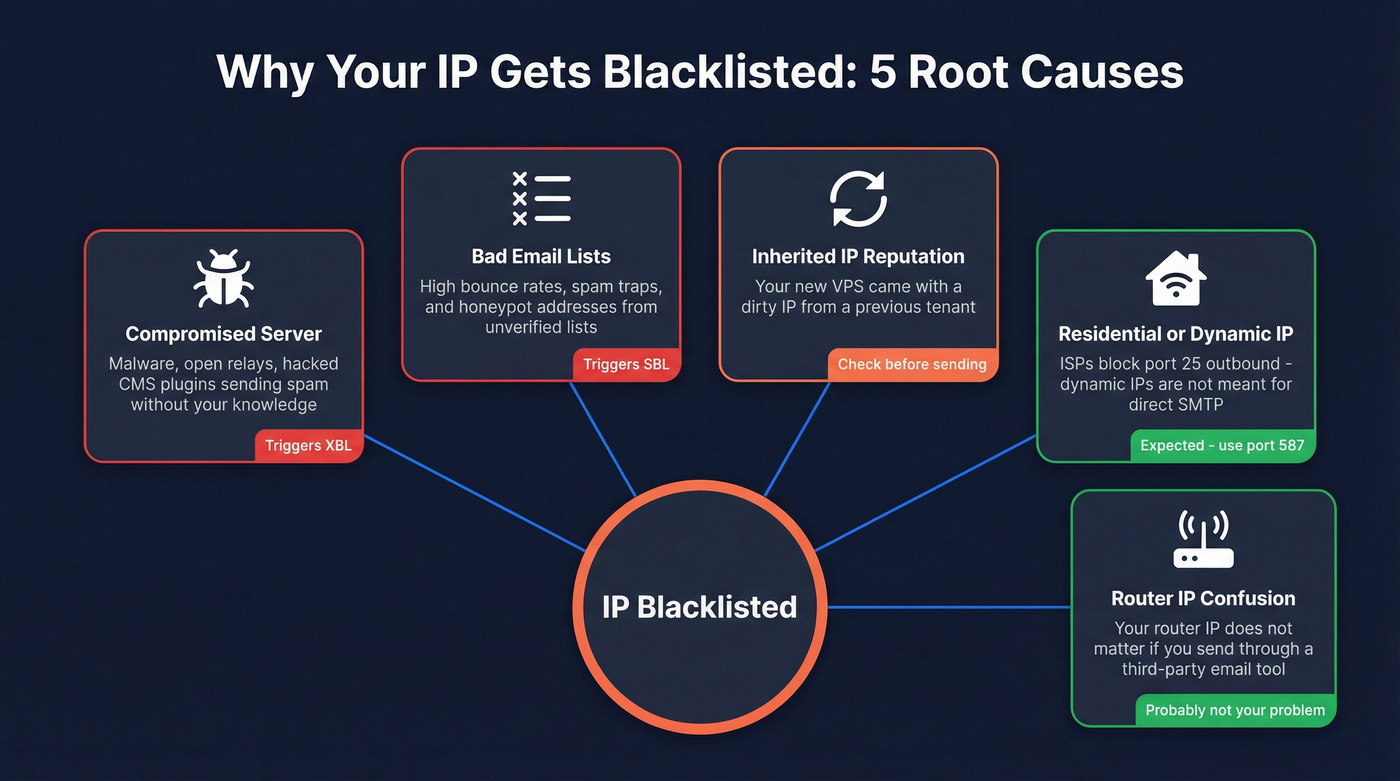
Compromised server or malware. The classic XBL trigger. An infected machine on your network sends spam without your knowledge. Check for open relays, compromised CMS plugins (WordPress is notorious), and unauthorized SMTP traffic.
Sending to bad lists. High bounce rates signal to blacklist operators that you're not maintaining your list. Hit enough spam traps or honeypot addresses and you'll land on a serious blocklist. We've seen teams with perfectly good intentions end up on Spamhaus simply because they scraped a list from a conference and never verified it - that's all it takes. (If you're seeing this pattern, start with bounce rate benchmarks and fixes and spam trap remediation.)
Inherited IP reputation. IP addresses get reassigned, and reputation carries over. A brand-new VPS can come with a dirty IP from a previous tenant. One OVH customer discovered their IP was listed on UCEPROTECT L3, but the real issue turned out to be TLS handshake failures, not the blacklist at all.
Dynamic/residential IP. ISPs block port 25 outbound for a reason - dynamic IPs are treated as "not meant for direct SMTP." If you're trying to send email from a home connection, use port 587 through your email provider's servers instead.
Router IP confusion. A common question on r/email: "My router's IP is blacklisted - does that affect my cold emails?" If you're sending through a third-party tool like Instantly or Mailchimp, your router's IP is irrelevant. The sending infrastructure's IP is what matters. (For the bigger picture, see our email deliverability guide.)
How to Get Delisted

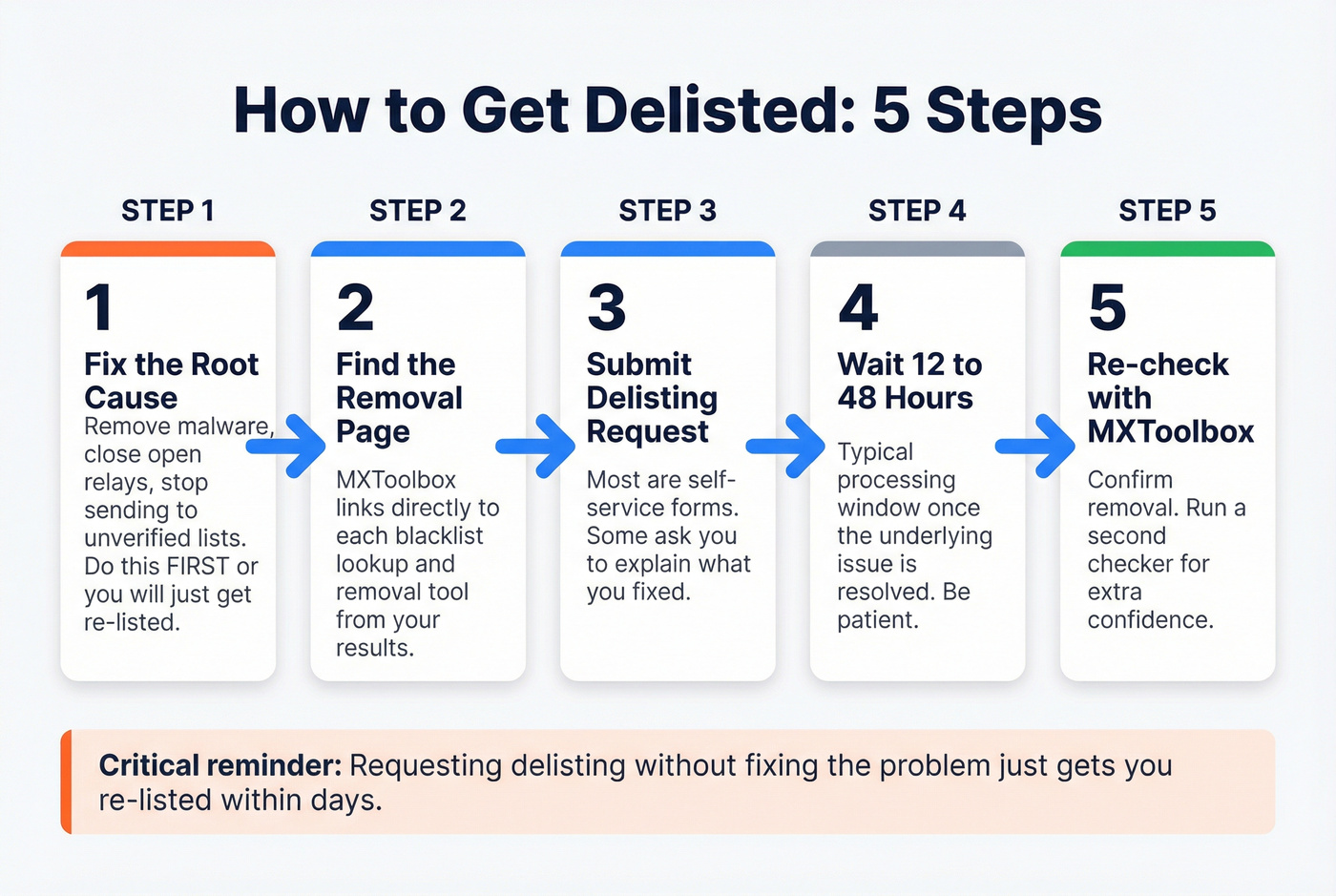
General Steps
- Fix the root cause first. Remove malware, close open relays, stop sending to unverified lists. Requesting delisting without fixing the problem just gets you re-listed.
- Find the specific blacklist's removal page. MXToolbox links directly to each list's lookup/removal tool from your results.
- Submit the delisting request. Most are self-service forms. Some require you to explain what you fixed.
- Wait 12-48 hours. That's a typical processing window once the underlying issue is resolved.
- Re-check with MXToolbox to confirm removal.
Spamhaus Delisting
For SBL listings, your ISP should request removal via the link on the listing page - Spamhaus works with ISPs, not individual senders, for SBL. XBL and CSS listings are self-service: fix the configuration issue, then follow the removal steps on Spamhaus's site. Removals are always free.
SpamRATS Delisting
SpamRATS requires a valid reverse DNS (PTR) record. Per OVH's delisting guide: create an A record for your mail server hostname, configure the PTR record to match, verify with dig -x [your-IP], then submit the SpamRATS removal form.
UCEPROTECT
Don't pay. Automatic delisting happens within roughly one week. If you need to send mail in the meantime, try routing through IPv6 - UCEPROTECT doesn't blacklist IPv6 addresses. And if a specific recipient is bouncing your mail because of UCEPROTECT, ask their mail admin to stop using it as an RBL source.
Monitor Your Actual Reputation
Blacklist checkers show symptoms. Provider-specific tools show the disease. The vast majority of email deliverability issues trace back to infrastructure problems - not blacklist listings. (If you want a tool-by-tool breakdown, see our guide to email reputation tools.)
Skip third-party inbox placement tests. One cold email practitioner described running countless A/B tests and multiple inbox placement tests and seeing virtually no difference, calling them "gimmicky." Provider-specific tools give you actionable data; inbox placement scores give you false confidence.
Gmail Postmaster Tools (v2)
Gmail retired the old Postmaster Tools in late 2025. The updated experience dropped the IP Reputation and Domain Reputation dashboards entirely. Postmaster Tools v2 now focuses on compliance status for bulk sender requirements, authentication health (SPF/DKIM/DMARC pass rates), spam and feedback loop rates, encryption/TLS, and delivery errors.
Microsoft SNDS
Microsoft's Smart Network Data Services covers Outlook, Hotmail, Live, and MSN. It's IP-based and generally requires dedicated IP ownership verified through WHOIS.
The SmartScreen filter uses a color system: green means less than 10% of your mail is flagged as spam, yellow is 10-90%, red is over 90%. For complaint rates, under 0.1% is healthy, 0.1-0.5% is concerning, and above 0.5% needs immediate attention. Trap hits should be zero.
Two limitations worth knowing: SNDS only covers consumer Microsoft domains (not Office 365 or Exchange Online business accounts), and you need at least 100 messages per day before data appears.
Prevent Blacklisting in the First Place
Prevention is cheaper than remediation. Every time.
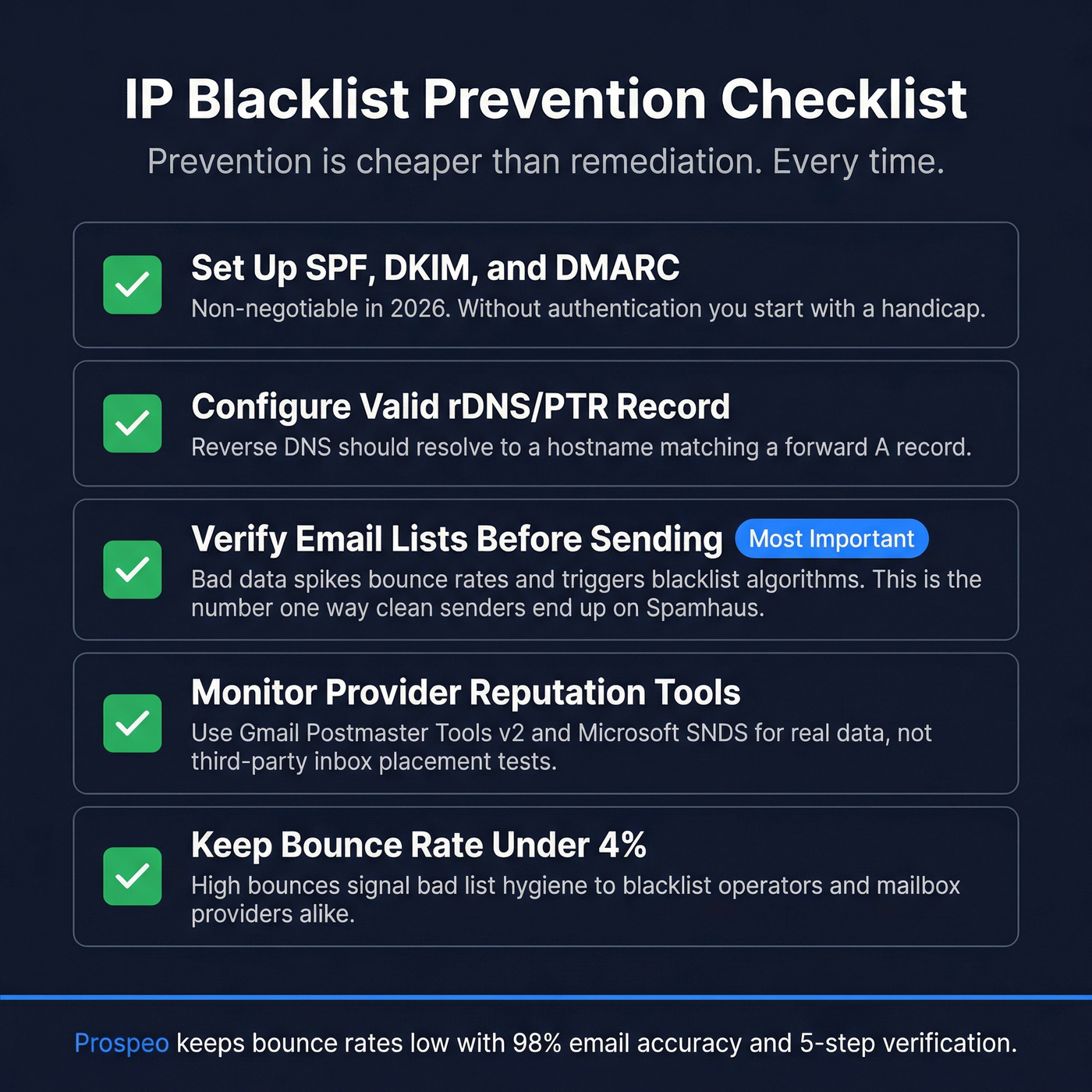
Set up SPF, DKIM, and DMARC. Non-negotiable in 2026. Without proper authentication, you're starting with a handicap regardless of your IP reputation. (If you're troubleshooting alignment issues, see DMARC alignment.)
Configure a valid rDNS/PTR record. Your sending IP's reverse DNS should resolve to a hostname that matches a forward A record. Many receiving servers check this before accepting mail.
Verify your email lists before sending. This is the one most legitimate senders get wrong. Bad data - invalid addresses, spam traps, honeypot addresses - spikes your bounce rate, which triggers blacklist algorithms. It's the #1 way clean senders end up on Spamhaus. Prospeo's 5-step verification catches spam traps and honeypots before they damage your sender reputation, with 98% email accuracy across 143M+ verified addresses. The free tier gives you 75 verifications per month - enough to spot-check any list before you hit send. (For more on safe sending practices, see our guide on the best way to send bulk email without getting blacklisted.)

Keep bounce rates under 2%. Above that threshold, you're on the radar. (More detail: email bounce rate and how to improve sender reputation.)
Don't send from residential or dynamic IPs. Use a proper mail server or relay service. Port 587 with authentication, not port 25.
Warm up new IPs gradually. Don't blast 50,000 emails from a fresh IP on day one. Start with hundreds, build to thousands over 2-4 weeks. (Related: email velocity.)
Let's be honest about something: most people who run an IP blacklist lookup are solving the wrong problem. If your deal sizes are modest and you're sending fewer than 5,000 emails a month, your deliverability issues are almost certainly list quality and authentication - not blacklisting. Fix your data first. The blacklist problem usually fixes itself.
Scraped a conference list and never verified it? That's exactly how clean IPs end up on blocklists. Prospeo refreshes 300M+ profiles every 7 days, removes spam traps and honeypots, and delivers emails at $0.01 each - so you never send to a dead address again.
One unverified list can blacklist your IP. Don't risk it.
FAQ
Does being on a blacklist mean my emails are bouncing?
Not necessarily. Most blacklists are niche lists that Gmail and Outlook don't consult. Only listings on Spamhaus or Barracuda are likely to cause real delivery failures. Check your bounce-back messages - they'll cite the specific DNSBL causing the rejection, telling you exactly where to focus.
How do I check if my IP is blacklisted?
Use MXToolbox, which scans over 100 DNSBLs in one pass, or WhatIsMyIPAddress, which auto-detects your IP and checks 50 lists. For the most authoritative Spamhaus result, run a direct lookup at check.spamhaus.org. Running two different checkers gives solid coverage without overkill.
How long does it take to get delisted?
Most lists process removal requests within 12-48 hours after you fix the underlying issue. UCEPROTECT automatically delists after approximately one week without any action on your part. The key is resolving the root cause first - requesting removal without fixing the problem just gets you re-listed.
Should I pay to get removed from a blacklist?
No. Legitimate blacklists like Spamhaus never charge for removal - that's straight from their official FAQ. Any paid delisting offer is either a scam or a controversial operator like UCEPROTECT (249 CHF). OVH and Comcast both reject UCEPROTECT's pay-to-delist model.
Can bad email lists cause IP blacklisting?
Yes - it's one of the most common causes for legitimate senders. Sending to invalid addresses, spam traps, and honeypots spikes your bounce rate and triggers blacklist algorithms. Verifying your list before sending is the single most effective prevention step. Prospeo runs 5-step verification with spam-trap and honeypot removal, and the free tier covers 75 verifications per month.