CRM Automatic Email Logging: What Actually Works in 2026 (and What Doesn't)
You open your CRM to prep for a follow-up call, and the last three emails with this prospect are missing. Your rep swears they sent them. They did - the CRM just never captured them. This isn't a rare glitch. It's the default experience for most sales teams, and it's exactly why CRM automatic email logging has become a top priority for revenue operations.
Salesforce's State of Sales report puts it bluntly: reps spend only 34.2% of their time actually selling. Manual email logging is one of the biggest culprits eating the other 65.8%. For an active sales rep, automated email capture saves roughly 30-60 minutes per day - time that goes straight back to pipeline.
Every major CRM now claims automatic logging. Almost none are truly automatic out of the box. There's always a toggle to flip, an extension to install, a plan tier to upgrade to, or a retention policy that quietly deletes your data after six months. The gap between "we support email logging" and "emails reliably show up on the right contact record without anyone touching anything" is enormous. What follows is a CRM-by-CRM breakdown of how email logging actually works - the setup, the pricing, the gotchas vendors won't tell you - so you can pick the right approach without wasting a month on trials.
What You Need (Quick Version)
If you don't want to read 4,000 words, here's the cheat sheet by team size:

- Solo / freelancer: Streak. Free email tracking, $49/mo for full CRM features. It lives inside Gmail - zero context-switching.
- Small team (2-10): Close CRM ($29/user/mo) for zero-config two-way sync, or HubSpot Free if budget is truly zero.
- Mid-market (10-50): Pipedrive ($14.90/user/mo on Growth) or Freshsales ($39/user/mo for AI features). Both handle email sync well without enterprise complexity.
- Enterprise / regulated: Salesforce + a third-party tool like RevenueGrid or Riva. EAC alone won't cut it for compliance or permanent storage.
- DIY / lightweight: Less Annoying CRM ($15/user/mo) for simplicity, or an Airtable + TaskRobin setup if you want full control over your email capture logic without CRM overhead.
One thing before you jump into configuration: auto-logging matches incoming emails to existing contact records. If those records have outdated emails or wrong company associations, you're logging garbage. Clean your data first (see data quality basics if you need a framework).
What Automatic Email Logging in a CRM Actually Means
There's a distinction most vendors blur: email tracking vs. email logging.

Email tracking monitors opens and clicks. It tells you someone read your message at 2:47 PM. Email logging saves the full email content - subject line, body, attachments (sometimes) - to a CRM contact record. Tracking is an engagement signal. Logging is a permanent activity history your whole team can reference.

The architecture matters too. Aurinko identifies two approaches to CRM email integration: recreating the inbox inside the CRM (bad) vs. automated activity capture with Gmail/Outlook add-ons (good). The first approach tries to replace your email client - and users hate it. Nobody wants a worse version of Gmail embedded in Salesforce. The second approach lets reps stay in their preferred email client while the CRM quietly captures everything in the background.
Here's the thing: most teams don't have an email logging problem - they have a CRM data quality problem. You can configure the most elegant auto-logging setup in the world, and it'll still fail if half your contact records have the wrong email address. Fix the data first, then worry about the plumbing (this ties directly to B2B contact data decay over time).

You just read it yourself: auto-logging breaks when CRM records have outdated emails. Prospeo enriches your HubSpot and Salesforce contacts with 50+ fresh data points at a 92% match rate - refreshed every 7 days, not every 6 weeks.
Fix the data first. The logging will finally work.
How Every Major CRM Handles Email Logging
Salesforce (Einstein Activity Capture)
Salesforce's native email logging solution is Einstein Activity Capture (EAC), and it's a case study in "technically works, practically frustrating."

Here's the core problem: EAC stores emails on a separate AWS server, not directly in Salesforce. The community calls these "ghost records" - and the name fits. They appear in the activity timeline, but they're not standard Salesforce objects. You can't use them in reports. You can't trigger Flows from them. You can't build dashboards around them. You can't query them via SOQL or export them. And by default, they disappear after 6 months.
For financial services teams that need 7-year retention, that's a non-starter.
You can extend retention with the Salesforce Inbox add-on at $25/user/mo, but that's a band-aid on an architectural limitation.
What gets auto-logged:
- Emails tied to known leads/contacts
- Emails sent directly from Salesforce
- Calendar events synced via EAC
- Emails selected from Outlook/Gmail side panels
What never gets auto-logged:
- Emails from unconnected mailboxes
- Emails with addresses not matching any Salesforce record
- Emails outside the retention window
- Internal/filtered emails excluded by admin
- Attachments exceeding size limits

Salesforce's Summer '25 release changes things - partially. A Salesforce EAC architect confirmed on Reddit that this release now syncs emails as core EmailMessage objects, which means they're usable in Flows and reporting. That's a massive improvement. But migration for existing EAC customers is still pending, and production rollout is happening in waves. If you're on EAC today, you're likely still dealing with ghost records until your org gets migrated.
Third-party alternatives worth knowing:
- Match My Email (~$15-25/user/mo): Stores data permanently as native Salesforce records. Supports reporting and Flows out of the box.
- RevenueGrid: Permanent storage, full sync control, historical backfill for past emails.
- Riva: Policy-driven governance designed for regulated industries - healthcare, financial services, legal.
If you're on Salesforce and email logging matters to your workflow, budget for a third-party tool. Native EAC is getting better, but it's not there yet for most teams. (Related: if your ops team is trying to route inbound messages into lead creation, see Auto-Create Salesforce Leads from Email.)
HubSpot
HubSpot's email logging is free on all plans. That's the headline. Here are the gotchas nobody reads in the docs:
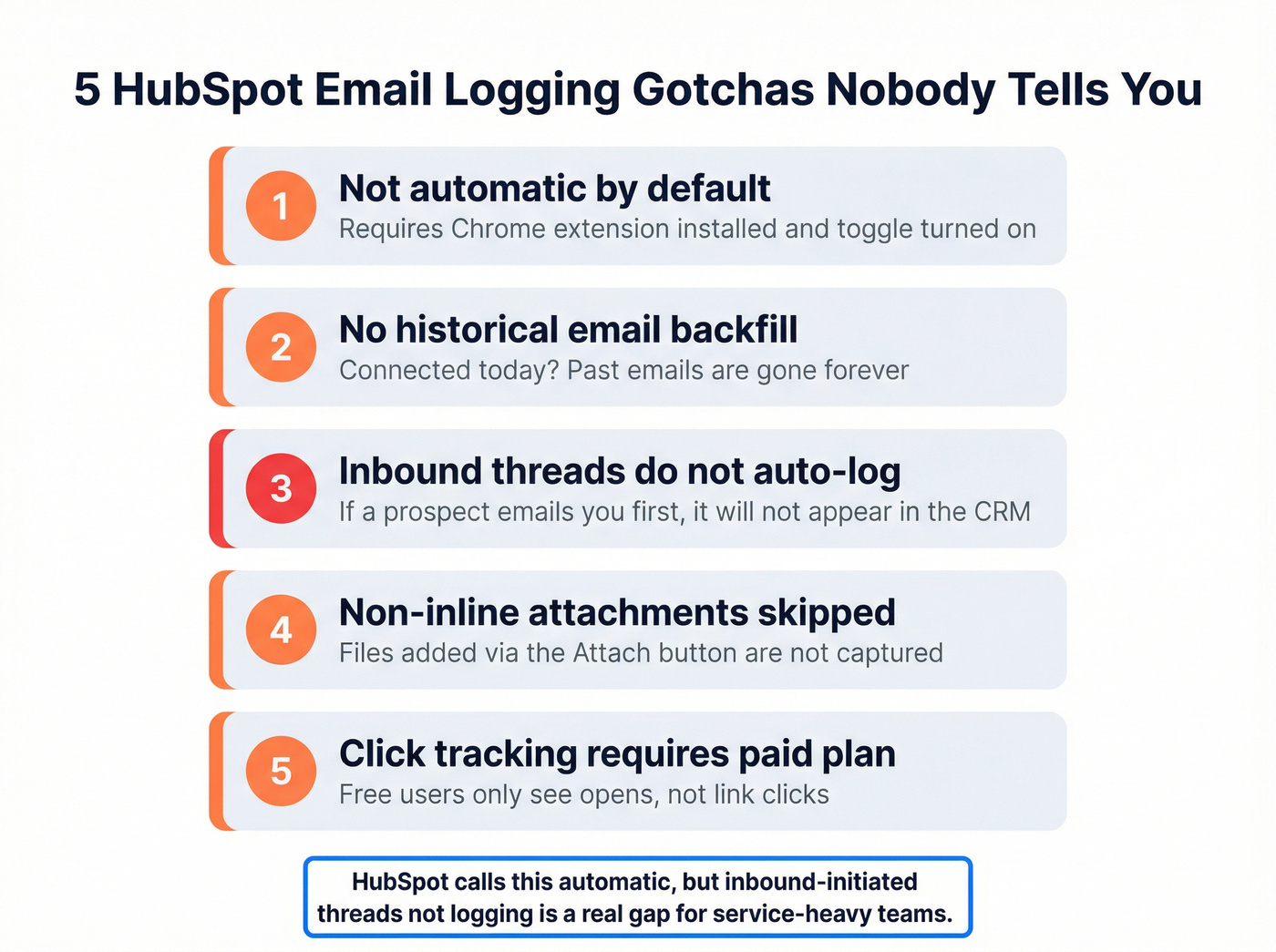
Gotcha #1: It's not automatic by default. You need the HubSpot Sales Chrome extension installed, and the logging toggle must be turned on. If a rep doesn't install the extension - or accidentally disables logging - nothing gets captured.
Gotcha #2: Historical emails don't retroactively log. Connected your inbox today? Great. Every email from the last six months? Gone. You'd need to manually forward them.
Gotcha #3: Inbound-initiated chains don't auto-log. If a prospect emails you first, that thread doesn't automatically appear in the CRM. This is "expected behavior" per HubSpot's own community forums. The workaround: forward the chain to [portalID]@forward.hubspot.com. It works, but it's manual - which defeats the purpose. Forwarding chains to other departments also breaks logging entirely - the new team loses the tracking thread.
Gotcha #4: Non-inline attachments don't log. Files added via the Attach button? Not captured. Only inline images make it through.
Gotcha #5: Click tracking requires paid Sales Hub. Free users only see opens. (If you're evaluating tracking accuracy and tradeoffs, compare against the broader landscape in Best Email Open Tracker.)
The fact that HubSpot calls this "automatic" when inbound-initiated threads don't log is genuinely frustrating. For teams where customers frequently initiate conversations - support-heavy SaaS, professional services, agencies - this is a real gap.
That said, HubSpot's GDPR tools are solid. If data privacy settings are enabled, emails can only be logged for contacts with an assigned legal basis for processing. That's a nice compliance guardrail most CRMs don't offer natively.
Pricing: Free for logging. Sales Hub Starter at $15/user/mo for click tracking and additional features.
Close CRM
I watched a 6-person SDR team at a B2B SaaS company switch from HubSpot to Close specifically because of email logging. Their complaint: too many threads falling through the cracks, too many manual forwards. They migrated on a Monday, had email sync running by Tuesday, and within a week their logged email coverage went from roughly 60% to near 100%. The ops lead told me it was the fastest ROI decision they'd made all year.
Close uses built-in two-way OAuth sync for Gmail and Outlook - no polling intervals, no manual BCCs, no extensions to install. Every message associated with a matched contact appears in the timeline instantly. Outbound emails sent via Close show up in your regular Sent folder. It's the closest thing to "zero-touch" activity capture I've seen in a CRM.
The unified inbox is the real differentiator: email, SMS, phone call records, and tasks all live in one timeline per lead. For teams running multi-channel outreach, that single view is worth the price alone. Close also supports automatic call logging, so reps get a complete picture of every touchpoint without switching tools.
Skip this if: You need native calendar sync (Close requires Zapier for that) or you're an enterprise team needing complex workflow automation. Close is built for velocity teams, not 200-person orgs.
Pricing: ~$29/user/mo (Startup) to ~$149/user/mo (Enterprise). Email sync included on all paid plans.
Close is the most underrated option for teams that just want email logging to work. No drama, no ghost records, no extensions to babysit.
Pipedrive
Pipedrive's email sync is solid once you're on the right plan - but the tier gating catches people off guard.
- Email sync requires Growth plan ($14.90/user/mo) or higher - the Essential tier doesn't include it.
- Advanced plan: 1 email account connection. Enterprise: up to 5.
- Supports Gmail, Office 365, Exchange, and any IMAP provider.
- AI email tools available on higher tiers: summarization, suggested replies, email drafting. Admin must enable them.
- Automatic linking to deals, leads, and contacts based on email address.
The risk to watch: If multiple users sync the same shared inbox, you'll get duplicate emails in the CRM. Pipedrive doesn't deduplicate automatically. For teams with shared inboxes (support@, sales@), this gets messy fast.
Skip this if you're on the Essential plan and assumed email sync was included. It's not. If you're comparing platforms, start with Best Pipedrive Alternatives and then narrow by your logging requirements.
Pricing: $14.90/user/mo (Growth) to $99/user/mo (Enterprise).
Zoho CRM
Zoho supports IMAP (recommended), POP, and API integration for email sync. It works with Gmail, Office 365, Outlook, and most other providers. Two-way real-time sync means emails sent from Gmail appear in the CRM and vice versa.
Pro tip that'll save you an hour of troubleshooting: When connecting Microsoft 365, select "Office 365" - not "Outlook." Choosing Outlook triggers a different server configuration that causes sync mismatches. This trips up nearly everyone.
You can exclude internal company domains to keep internal chatter out of your CRM timeline. Email sharing options (Private, Public, Custom) give admins granular control over who sees what.
Pricing: Standard at $14/user/mo includes basic email integration. SalesInbox - Zoho's advanced email prioritization feature - requires Enterprise at $40/user/mo.
Freshsales
Freshsales is the sleeper pick for teams that want AI features without enterprise pricing. Research shows AI-assisted CRM automation can save reps 2-5 hours per week and boost CRM usage by up to 87% - Freshsales is one of the most accessible ways to get there (more on the ops side in Reduce Sales Admin Time With AI).
The free plan supports up to 3 users but doesn't include email sync. Growth at $9/user/mo adds email integration. The sweet spot is Pro at $39/user/mo, which unlocks Freddy AI - Freshworks' AI copilot that summarizes email threads, drafts personalized follow-ups, and suggests next best actions.
The built-in phone system with automatic call logging is a standout feature - you can log calls alongside emails, giving reps a unified activity timeline without stitching together separate tools.
Limitations: The native integration library is thinner than HubSpot's or Salesforce's, and customer support is English-only. If you're running a complex tech stack, you'll lean on Zapier more than you'd like.
Pricing: Free (3 users), $9/user/mo (Growth), $39/user/mo (Pro), $59/user/mo (Enterprise).
Streak and Copper
Streak lives entirely inside Gmail. The free tier gives you email and link tracking plus snippets, but no CRM pipeline features. Paid plans start at $49/user/mo and include automatic email sharing - every email associated with a deal, contact, or company is shared across your team without anyone clicking anything. If your entire team lives in Gmail and you want the lowest-friction setup possible, Streak is it.
Copper is built for Google Workspace shops. Automatic email logging for Gmail users, with pricing from $25 to $119/user/mo. It's a solid choice if you're already deep in the Google ecosystem, but it doesn't do much for Outlook teams.
Both are niche picks - great for their specific audiences, irrelevant for everyone else.
A Note on DIY and Lightweight Approaches
Not every team needs a full-featured CRM for email logging. Less Annoying CRM ($15/user/mo) offers dead-simple email logging via BCC or forwarding - no OAuth setup, no extensions, no tier gating. It's designed for teams that find the major CRMs overwhelming.
For the truly technical, an Airtable + TaskRobin setup lets you build custom email capture workflows: TaskRobin routes emails into Airtable records based on rules you define. More work upfront, but you get complete control over what gets logged, where, and how.
CRM Email Logging Comparison Table
If you're comparing on price alone, Freshsales wins. If zero-config email capture matters most, look at the Auto-Log Method column - OAuth two-way sync (Close) and Gmail-native (Streak) require the least babysitting. The Key Limitation column is where most buying decisions actually get made.
All prices are per user/month, billed annually. Verified as of early 2026.
| CRM | Auto-Log Method | Price / Min. Tier | Starting Price | Key Limitation |
|---|---|---|---|---|
| Salesforce | EAC (AWS-based) | All editions (Inbox add-on $25) | ~$25/user/mo | Ghost records, 6-mo retention |
| HubSpot | Chrome extension | Free (all plans) | $0 | Inbound chains don't auto-log |
| Close | OAuth two-way sync | Startup | ~$29/user/mo | No native calendar sync |
| Pipedrive | Email sync | Growth | $14.90/user/mo | No sync on Essential plan |
| Zoho | IMAP/POP/API | Standard | $14/user/mo | SalesInbox needs Enterprise |
| Freshsales | Built-in sync | Growth | $9/user/mo | Limited integrations |
| Streak | Gmail-native | Pro | $49/user/mo | Gmail-only |
| Copper | Google Workspace | Basic | $25/user/mo | Google Workspace only |
Close wins on simplicity. HubSpot wins on price. Freshsales wins on AI value per dollar. Salesforce wins on ecosystem breadth - but loses badly on native email logging quality. For most mid-market teams, Pipedrive or Close will deliver the best balance of features and sanity.
The Data Quality Prerequisite
Here's a pattern that plays out constantly: a team spends two weeks configuring email logging, gets it working perfectly, and then realizes half their emails are logging to the wrong contacts - or not logging at all - because the underlying CRM data is garbage.
Automated email capture matches incoming messages to existing contact records by email address. If a prospect changed jobs six months ago and your CRM still has their old email, that logged conversation either vanishes into the void or attaches to a stale record nobody checks.

Gartner reports fewer than half of sales leaders feel confident in their forecasting accuracy. Gaps in activity data - including missing email logs caused by bad contact records - play a major role. Nucleus Research puts CRM ROI at $8.71 for every $1 spent, but that number assumes the data inside the CRM is actually clean.
Before configuring email logging, run your CRM through an enrichment pass. Prospeo's CRM enrichment returns 50+ verified data points per contact with a 98% email accuracy rate, data refreshed every 7 days, and native integrations with Salesforce and HubSpot. Enrich records in bulk before flipping on auto-logging. The difference between logging against verified records and logging against stale ones is the difference between a CRM your team trusts and one they ignore (use a repeatable hygiene SOP like How to Keep CRM Data Clean).
GDPR and Compliance - What Auto-Logging Means for Regulated Teams
GDPR applies to all businesses processing EU resident data, regardless of where your company is based. If you're auto-logging emails from prospects in Berlin or Paris, this section matters.
Three principles directly impact how you configure email logging:
Purpose limitation: If you record an email to confirm an order, you shouldn't automatically add it to marketing campaigns. Auto-logged emails need a defined purpose, and that purpose constrains what you can do with the data downstream.
Data minimization: Collect only what's necessary. Logging every email from every contact forever isn't minimization - it's hoarding.
Storage limitation: Auto-logged emails shouldn't be kept indefinitely. Your CRM should support automated retention rules with deletion schedules. This is where Salesforce EAC's 6-month default retention actually aligns with GDPR better than you'd think - though financial services teams needing 7-year retention face the opposite problem.
Quick compliance checklist:
- Establish a lawful basis for processing (usually legitimate interest or contract performance)
- Configure automated retention policies with deletion schedules
- Ensure data breach notification capability within 72 hours
- Support data subject rights: access, rectification, and erasure within 30 days
- Enable audit logging for all email capture activities
CRM-specific GDPR features:
- HubSpot: Built-in consent tracking. Data privacy settings restrict logging to contacts with an assigned legal basis.
- Zoho: AES encryption, audit logs, customizable consent forms.
- Pipedrive: Data Processing Addendums available, sub-processor lists published, supports data subject requests.
- Copper: GDPR-aligned data processing built for Google Workspace environments.
If you're in a regulated industry, don't rely on your CRM's default settings. Every one of these requires manual configuration to be truly compliant. (For outbound-specific guidance, see GDPR for Sales and Marketing.)
Best Practices for CRM Automatic Email Logging
1. Start with the zero-touch philosophy. Automate email capture in the background. Don't mandate manual entry. Rushed, low-quality entries from mandate-driven logging undermine your entire data strategy. If reps have to remember to click "log," your adoption rate will crater (this is one of the classic manual data entry problems).
2. Test your logging before trusting it. Send test emails from an external account (personal Gmail, a colleague's address) and verify they appear on the correct CRM contact record. We've seen teams go months assuming logging was working, only to discover a broken OAuth connection killed it weeks ago.
3. Set up exclusion filters. Internal domains, automated notifications (Jira tickets, Slack digests, calendar invites) - all of this clutters your CRM timeline if you don't filter it out. Every major CRM supports domain-level exclusions. Use them.
4. Configure retention policies aligned with your industry. Healthcare and financial services need years of retention. SaaS startups probably don't need emails from 2019. Match your retention to your compliance requirements, not your CRM's default.
5. Audit logged data monthly. Check for gaps (contacts with no logged activity despite active deals), duplicates (same email logged twice from shared inboxes), and mismatched records (emails attached to the wrong contact). A 15-minute monthly audit prevents months of bad data accumulating silently.

6. Keep contact records clean. Stale records break email matching, and broken matching means your logging setup is silently failing. Run enrichment passes before enabling auto-logging and on a regular schedule afterward.
7. Extend activity logging beyond email. Capturing email activity is valuable, but the best teams also log calls, meeting notes, and social touches in the same timeline. Tools like Close and Freshsales that automatically log calls alongside emails give reps a complete interaction history without manual data entry.
Every CRM on this list matches emails to existing contact records. When 30% of B2B emails decay annually, that means 30% of your activity history silently disappears. Prospeo's 98% verified emails and 7-day refresh cycle keep your records current at $0.01 per email.
Stop logging emails to dead records. Start with accurate data.
FAQ
What's the difference between email tracking and email logging?
Email tracking monitors opens and clicks - it tells you if someone read your message. Email logging saves the full email content to a CRM contact record, creating a permanent activity history your whole team can reference. Tracking measures engagement; logging builds a shared record of every customer interaction.
Does automatic email logging work with both Gmail and Outlook?
Every major CRM supports both Gmail and Outlook for email logging. Some - like Zoho and Pipedrive - also support generic IMAP providers. Gmail typically uses OAuth, while Outlook often requires Exchange or Microsoft 365 configuration. Always test both inbound and outbound directions after setup.
Is automatic email logging GDPR compliant?
It can be, but not by default. You need a lawful basis for processing (usually legitimate interest or contract performance), automated retention policies, and the ability to fulfill data subject access and erasure requests within 30 days. HubSpot, Zoho, and Pipedrive all offer GDPR tools, but you must configure them yourself.
How do I fix emails logging to the wrong CRM contacts?
Email logging matches on email address - if a contact's email is outdated, the log either fails silently or attaches to the wrong record. Run a bulk enrichment pass to verify and update contact emails before enabling auto-logging. Regular data hygiene prevents mismatches before they happen.
Can I automatically log calls alongside emails in my CRM?
Yes - Close and Freshsales both include built-in phone systems that log call recordings, duration, and notes directly to the contact timeline. For Salesforce or HubSpot, you'll typically need a third-party dialer integration. Having both email and call activity in one place gives reps full context before every conversation.