


The Best Pipedrive Alternatives in 2026 (and how to choose fast)
$15-$40 per seat sounds fine... until your "CRM" bill becomes the plan plus 3-5 add-ons plus a couple must-have integrations. Then you hit an automation limit and someone suggests upgrading "just one tier." That's when pipedrive alternatives start looking like the smartest decision you'll make all quarter.
You're not really shopping for a new pipeline view. You're shopping for a workflow that doesn't fall apart the moment you add SMS, sequences, or reporting.
And you want to choose fast, without getting tricked by sticker pricing.
Why teams switch from Pipedrive in 2026 (real triggers)
Pipedrive's still one of the easiest CRMs to adopt. The pipeline UI's clean, reps don't fight it, and you can be productive fast.
The problem shows up after month two.
Once you need real follow-up, multi-channel outreach, or anything that looks like lifecycle marketing, the add-on menu starts to feel like a toll road. The churn theme you see over and over is simple: "they nickel and dime you for everything."
That line isn't just about price. It's the feeling that every time you try to mature your process, you're pushed into another paid module (Campaigns, LeadBooster, Web Visitors, Projects, Smart Docs...). Campaigns is the one people cite most: you start paying, then the "better campaigns" tier costs more.
The second trigger's even more practical: Pipedrive doesn't do SMS/follow-up the way modern small teams actually work. In CRM community threads, the pattern's consistent: SMS is the primary channel for a lot of local services, agencies, and high-velocity SMB sales teams, and Pipedrive turns that into an integration project.
And "we'll integrate later" is how CRM projects die.
Common switch triggers I've seen in the wild:
- SMS is core to your motion (and you're tired of stitching together texting + logging + sequences).
- You want marketing + sales in one place without paying for a pile of add-ons.
- You live in Google Workspace and want the CRM to behave like an extension of Gmail, not a separate universe.
- You're scaling reporting + automation and keep hitting tier gates.
- Your total cost is drifting: per-seat growth + add-ons + automation limits + "one more tool" for enrichment or dialer.
Here's the part most "alternatives" posts won't say: Pipedrive's still excellent when your only job is moving deals across a simple pipeline. If you're a 1-5 person team, low outbound volume, and you don't need SMS or sequences, switching's busywork. Keep Pipedrive, tighten your stages, and go sell.
Hot take: if your average deal's below roughly five figures and you're not running structured outbound, you don't need a "platform CRM." You need a pipeline you'll actually use daily. Overbuying is the fastest way to end up back in spreadsheets.
Our picks (TL;DR): the best Pipedrive alternatives
If Pipedrive's add-ons and SMS gap are what's pushing you to switch, start with these five.

Salesmate - Best if SMS + calling is non-negotiable. Starts at $23/user/mo and gives you a real texting/calling-first workflow. Tradeoff: you'll spend time tuning sequences + automation so it matches your process.
Close - Best outbound-first CRM (dialer, SMS, sequences, workflows). Practical team starting point is $35/seat/mo (annual). Tradeoff: it's built for selling, not for "marketing suite" teams.
Prospeo - Best "pipeline rebuild" companion after you switch CRMs: verified emails + verified mobiles to feed whatever CRM you choose. Free tier includes 75 emails + 100 extension credits/mo. How it fits: use it to keep your new CRM full of verified contacts from day one.
Nutshell - Best if you want bundled marketing without the HubSpot tax. Foundation is $19/user/mo (monthly) or $13/user/mo (annual). Tradeoff: SMS is an add-on (Engagement Pro), so model the real cost.
Freshsales - Best value if you want a modern CRM with sequences without paying suite pricing. Paid plans start at $9/user/mo (annual), and it's free for up to 3 users. Tradeoff: sequences + multiple pipelines are gated at Pro.
One hard rule: SMS is your primary channel -> don't "integrate later." Pick a CRM that treats texting/calling as a first-class citizen on day one, or you'll rebuild the same mess in a new tool.


New CRM, same garbage contacts? That's how switches fail. Prospeo gives you 143M+ verified emails at 98% accuracy and 125M+ verified mobiles - so whatever Pipedrive alternative you pick, your pipeline starts clean.
Don't migrate bad data into a better CRM. Start with verified contacts.
Pipedrive alternatives by use case: SMS, marketing, Google Workspace, enterprise
Most CRM comparisons fail because they assume everyone needs the same thing. You don't. You need the CRM that matches your motion.
Quick "by team size" shortcut (use this before you overthink it)
- 1-5 users: prioritize speed + adoption. Close or Freshsales beat "platform" CRMs almost every time.
- 6-20 users: prioritize automation + reporting without surprise metering. Salesmate, Nutshell, HubSpot (if you'll use the suite).
- 20-50 users: prioritize permissions, governance, and clean data flows. HubSpot Pro/Ent, Salesforce, Dynamics.
- 50+ users: prioritize admin model + integrations + data governance. Salesforce or Dynamics, with a dedicated RevOps owner.

If SMS/calling is the center of your workflow
Pick Salesmate or Close.
- Choose Salesmate if you want a more classic SMB CRM feel with built-in calling/texting economics and solid automation.
- Choose Close if your team lives in outbound: dialer sessions, sequences, inbox, tasks, and fast follow-up.
Avoid this path if you're trying to run "marketing + sales + service" in one database and you need deep lifecycle reporting across teams. You'll end up duct-taping tools together again.
If you want bundled marketing (and you're tired of add-ons)
Pick Nutshell.
It's the most straightforward "sales CRM + marketing basics" bundle in this list, and the pricing's refreshingly explicit.
Avoid this path if your motion's pure outbound and you want a dialer-first cockpit. You'll be happier in Close.
If you live in Google Workspace
Pick Copper or NetHunt.
- Copper is the Google Workspace CRM archetype: simple, clean, and built for teams that basically run their business in Gmail and Calendar.
- NetHunt is for Gmail power users who want the CRM to feel native and don't mind metered automation.
Avoid this path if you have a real database (thousands of contacts) and you hate tier pressure. Copper's Starter contact cap can force upgrades fast.
If you need enterprise customization, governance, and complex workflows
Pick Salesforce Sales Cloud or Microsoft Dynamics 365 Sales.
These aren't "Pipedrive but better." They're platforms. You'll get deeper permissions, objects, and customization, and you'll pay in implementation time and admin overhead, especially once you start threading in CPQ, territory rules, and multi-team reporting.
Avoid this path if you don't have an admin (or a partner) lined up. Buying Salesforce/Dynamics without ownership is how you end up with an expensive, half-configured CRM nobody trusts.
Edge cases (the stuff that actually derails CRM choices)
- You sell on WhatsApp/IG DMs: pick a CRM that plays nicely with messaging tools and logging. NetHunt is the most inbox-native feel here. Warning: if you don't define logging rules, your pipeline becomes a rumor mill.
- You need quotes, proposals, and e-signature baked into the flow: prioritize a CRM that supports quoting/docs cleanly (or budget for a doc tool like PandaDoc). Warning: quoting is where "simple CRM" setups break.
- You want flat-fee / "unlimited users" pricing: Bitrix24 is the classic pick. Warning: you're buying a bundle suite, not a best-in-class CRM.
- You run lots of automations (routing, lifecycle tasks, sequences): avoid metered-action models unless you've modeled volume. Warning: action limits punish success.

Every CRM on this list is only as good as the data inside it. Prospeo enriches your contacts with 50+ data points at a 92% match rate - emails, direct dials, intent signals - for roughly $0.01 per lead.
Fill your new CRM with contacts that actually pick up the phone.
The true cost of switching: seats, add-ons, metered automation, onboarding
The sticker price is the least important number in a CRM decision.

The real cost is what you pay to get the workflow you actually want: sequences, automation, SMS, reporting, enrichment, and integrations. We've watched teams "save money" switching CRMs and then quietly re-buy the same capabilities as add-ons and side tools, which is frustrating because it was predictable if you'd modeled the first 90 days honestly.
Here's a simple calculator-style way to model true cost.
Step 1: Count seats the way the vendor counts seats
Some CRMs are "every human is a paid seat." Others let you mix seat types.
HubSpot's the classic gotcha here. The seat-based pricing model applies to new accounts and subscriptions created after March 5, 2026. That matters because you can end up paying for Sales Hub seats for sellers, plus other seat types for ops/CS, depending on your setup.
Step 2: List the add-ons you'll need in the first 90 days
Don't model "maybe later." Model reality.
Typical add-ons that change the bill:
- SMS/calling (usage-based minutes/messages, phone numbers)
- Marketing automation / email marketing
- Lead capture (chat, forms, routing)
- Reporting upgrades
- Data enrichment / verification
- Integration automation (Zapier/Make tasks, native connectors)
This is exactly why Pipedrive churn happens: the plan's fine, then the add-ons stack.
Step 3: Watch for metered automation (it's a silent tax)
Metered automation means you don't just pay per seat, you pay per volume of actions.
NetHunt's explicit about this with "Actions" packs (example: 5,000 actions for $20/mo). monday.com does it with automation action limits per tier. These models punish successful teams because usage grows with pipeline, and the bill grows right along with it.
Credit systems that count "automation actions" the same way regardless of complexity are a tax on RevOps teams.
Step 4: Include onboarding/implementation fees (especially for HubSpot)
HubSpot's onboarding fees are real money:
- Professional onboarding: $1,500
- Enterprise onboarding: $3,500
You can justify them if you're going all-in. You can't ignore them when you're comparing to Pipedrive.
Step 5: Add migration labor (internal time is still cost)
Even if the vendor doesn't charge you, you'll pay in:
- Admin time to map fields and rebuild pipelines
- Rep downtime during cutover
- Reporting rebuild
- Integration fixes
A practical rule: for a 5-15 seat team, budget 20-60 hours of ops/admin time for a clean migration. For 20-50 seats, budget 80-200 hours once you include testing and parallel run.
A worked "spreadsheet" example (copy this math)
Let's model a realistic 10-rep team switching off Pipedrive because they need sequences + SMS + better automation.
Assumptions
- 10 paid seats
- You want sequences and basic automation on day one
- You need SMS/calling usage (light-to-medium)
- You'll run one integration tool (Zapier/Make) for glue
Option 1: Pipedrive-style stack (plan + add-ons)
- CRM seats: 10 x $30 = $300/mo
- Add-ons (lead capture, campaigns, docs/projects, etc.): $150-$400/mo
- SMS integration + logging tool: $50-$200/mo
- Integration automation (Zapier/Make): $30-$100/mo Estimated monthly total: $530-$1,000/mo (and it creeps upward as you add "one more thing")
Option 2: Close (outbound-first)
- CRM seats: 10 x $35 = $350/mo
- Calling/SMS usage: $50-$250/mo (depends on volume)
- Integration automation: $30-$100/mo Estimated monthly total: $430-$700/mo
Where teams get burned: buying Close and then trying to bolt on a full marketing suite.
Option 3: HubSpot (suite route)
- Starter: looks cheap, but most teams jump tiers once they want real workflows/reporting
- Professional seats: 10 x $90 = $900/mo
- Onboarding: $1,500 one-time Estimated monthly total: $900/mo + onboarding
Where teams get burned: paying for suite power they never operationalize.
The point isn't that one number's "right." The point is you should be able to explain your CRM bill in one sentence. If you can't, you're about to get surprised.
Pricing table: compare Pipedrive alternatives fast
This table isn't exhaustive. It's designed to get you to a shortlist of 2-3 tools fast, then you can demo with intent.
| Tool | Best for | Practical starting price (annual) | Key gate |
|---|---|---|---|
| Salesmate | SMS + calling | $23/user/mo | Sequences = Pro |
| Close | Outbound teams | $35/seat/mo | Workflows = Growth |
| Nutshell | CRM + marketing | $13/user/mo | SMS add-on |
| Freshsales | Value + sequences | $9/user/mo | Free <=3 users |
| Copper | Google Workspace | $9/seat/mo | Starter cap = 1,000 contacts |
| NetHunt | Gmail-native CRM | $24/user/mo | Metered actions |
| Insightly | CRM + projects | $29/user/mo | Marketing automation separate |
| HubSpot Sales Hub | Suite workflows | $90/seat/mo | Onboarding fees |
Quick clarifiers (the landmines people miss):
- Close: Solo's cheaper, but it's a 1-user plan. Teams should price from Essentials ($35).
- Freshsales: the free plan's real, but most teams budget from $9/user/mo once they're past 3 users.
- HubSpot: Starter isn't the decision. Professional is the decision, and onboarding's part of the bill.
- Copper: the Starter 1,000-contact cap's the upgrade trigger, not "features."
Automation/integration examples (steal these)
If you want your new CRM to feel alive in week one, automate the boring parts:
- Salesmate: new inbound lead -> auto-assign by territory -> create SMS task + first-call task -> start a 5-step follow-up sequence.
- Close: missed call disposition -> auto-create a same-day SMS + next-day call task -> move deal stage if reply received.
- Nutshell: form fill -> create lead + tag source -> enroll in a short nurture -> notify owner in Slack.
- Freshsales: stage change to "Proposal" -> create checklist tasks (quote, legal, follow-up) -> reminder if no activity in 48 hours.
- Copper: new Google Calendar meeting -> auto-create opportunity + log notes template -> follow-up task 2 hours after meeting ends.
- NetHunt: Gmail label "Interested" -> create deal + assign owner -> run a lightweight sequence (and track action usage).
- HubSpot: lifecycle stage change -> route to SDR -> create tasks + enroll in sequence -> update dashboards automatically.
Data layer (optional but recommended)
This isn't a CRM. It's how you keep your new CRM from becoming an empty shell.
| Tool | Best for | Pricing signal | Why it matters |
|---|---|---|---|
| Prospeo | Verified data | Free + ~$39-$300/mo | 98% email accuracy + 7-day refresh |
The best Pipedrive alternatives (mini reviews)
Below are the tools worth serious consideration, grouped by depth tier. Formats vary on purpose, because you don't need the same explanation 12 times.
A quick credibility sidebar: on Gartner Peer Insights' alternatives view, Salesforce Sales Cloud is 4.4 (1,925 ratings), Microsoft Dynamics 365 Sales is 4.4 (556), HubSpot Sales Hub is 4.4 (458), Zoho CRM is 4.4 (552), and Insightly CRM is 4.2 (720).
Salesmate (Tier 1) - SMS + calling-first switch
Format: anecdote-led
In CRM community threads, the "Pipedrive + SMS" story's consistent: multiple integrations, inconsistent logging, and reps quietly giving up because it's slower than just texting from their phone. When teams finally admit SMS isn't a side feature, it's the workflow, the decision gets easy.
I've seen this play out in a 12-person home services sales team: they had Pipedrive, a texting app, and a half-broken Zap that logged maybe 60% of conversations. Two reps stopped logging texts entirely, managers lost visibility, and the "CRM problem" turned into a coaching problem. They switched to a texting-first CRM, and the biggest win wasn't features, it was that the activity timeline stopped lying.
Salesmate treats calling and texting like first-class objects, not an afterthought. Pricing's clean: $23 / $39 / $63 per user/month (Basic/Pro/Business). If you're serious about follow-up, you'll land on Pro because sequences start there.
Model usage: phone numbers are about $1.10/month, and calling/SMS runs on top-ups. That's fair pricing, just don't pretend it's $23 all-in if you're sending thousands of reminders.
Skip this if you want deep marketing automation in the same product. Salesmate's a sales execution CRM, not a full marketing suite.
Pricing signal: $23-$63/user/mo + usage.
Close (Tier 1) - outbound-first CRM: dialer/SMS/workflows
Format: why it wins / tradeoff / pricing
Why it wins: Close is the fastest path from "we need a CRM" to "reps are actually doing outbound consistently." Dialer, SMS, email, sequences, and task flow are the product. You don't spend weeks wiring a Frankenstack.
Tradeoff: Close is built for selling. If your org wants a marketing suite, deep service workflows, or heavy customization, you'll hit edges fast.
Pricing: Solo is $9/seat/mo (annual) but it's a 1-user plan. Most teams start at Essentials ($35/seat/mo annual). Growth ($99/seat/mo annual) is where you get automated workflows and power dialing. Calling/SMS is usage-based; the trial includes $5 credits.
Skip this if your pipeline depends on complex objects and permissions. That's Salesforce/Dynamics territory.
Prospeo (Tier 1) - The B2B data platform built for accuracy
Format: narrative mini-review
Most CRM migrations fail for one boring reason: the new system launches with weak inputs. Bad emails wreck deliverability, missing mobiles kill connect rates, and reps stop trusting the database.
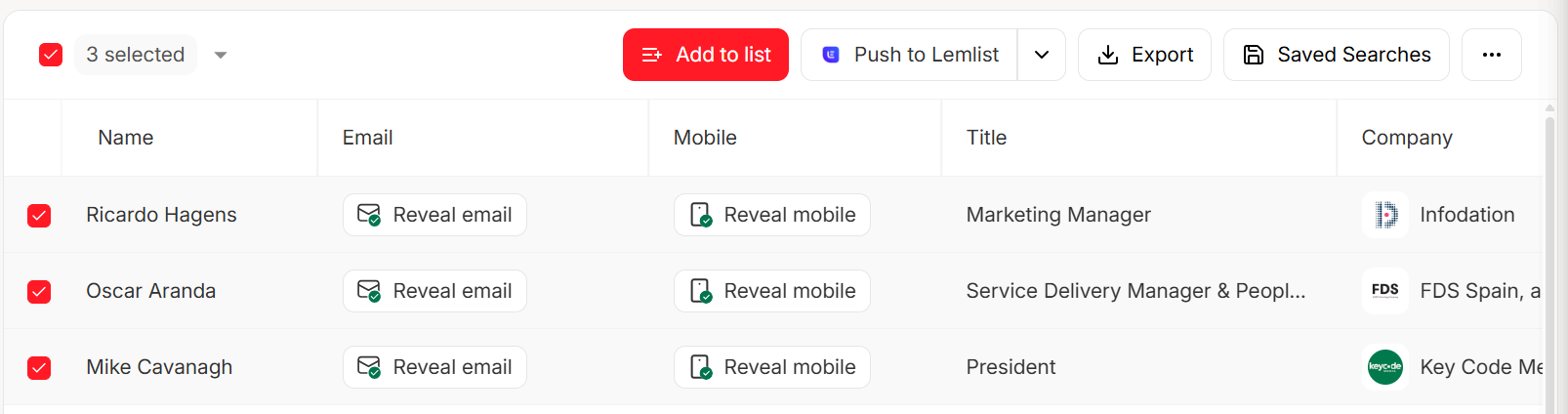
Prospeo fixes that. It's the B2B data platform built for accuracy, with 98% verified email accuracy and a 7-day refresh cycle (the industry average is 6 weeks). You get 300M+ professional profiles, 143M+ verified emails, and 125M+ verified mobile numbers, plus CRM/CSV enrichment that returns 50+ data points per contact with an 83% enrichment match rate and 92% API match rate.
Look, this is the unsexy part of CRM switching that decides whether the project works: if your first two weeks are full of bounced emails and dead numbers, reps learn the new CRM can't be trusted and they start running their own side lists again. Prospeo's the cleanest way to avoid that spiral while you're rebuilding sequences, routing, and dashboards.
Pricing signal: free tier (75 emails + 100 extension credits/mo), paid plans ~$39-$300/mo.
Nutshell (Tier 1) - bundled marketing + clearer pricing
Format: use this if / skip this if
Use this if you want a CRM that doesn't turn into an add-on scavenger hunt. Nutshell bundles a lot of practical marketing and engagement features with the CRM (forms, webchat, landing pages, email marketing basics, attribution reporting) and keeps pricing straightforward. Foundation is $19/user/mo monthly or $13/user/mo annual.
If you need SMS, Nutshell's path is Engagement Pro at $16/user/mo (includes Nutshell SMS + WhatsApp/FB/IG DMs integrations). If you want more advanced marketing automation, Marketing Pro is $49/month.
Skip this if you're an outbound-heavy team that wants a dialer-first cockpit. Close will feel sharper and faster.
Pricing signal: CRM tiers range $13-$79/user/mo (annual) plus add-ons.

Freshsales (Tier 2)
Format: tight pros/cons + hard stance
Freshsales is the value pick that doesn't feel cheap. It's free for up to 3 users, then Growth is $9/user/mo (annual), Pro $39, Enterprise $59. The UI's modern, the basics are strong, and it's a clean step up from pipeline-only CRMs when you want sequences.
The catch is simple: Sales Sequences and multiple sales pipelines are in Pro.
Skip this if SMS is your primary channel and you want native texting/calling workflows. You'll spend your first month stitching tools together.
Pricing signal: $0-$59/user/mo (annual).
Copper (Tier 2)
Format: who it's for + gotcha
Copper is the CRM for teams that live in Gmail and Calendar and want the CRM to stay out of the way. It's light, fast, and relationship-oriented, great for agencies, consultancies, and service businesses that sell through conversations.
Pricing runs Starter $9/seat/mo (annual), Basic $23, Professional $59, Business $99. The real gotcha is contact limits: 1,000 / 2,500 / 15,000 / unlimited by tier. If you're importing a real database, you'll upgrade early.
Skip this if you have thousands of contacts and you hate paying to "unlock" your own database.
Pricing signal: $9-$99/seat/mo (annual) with contact caps.
NetHunt (Tier 2)
Format: why it wins + warning
NetHunt is the Gmail-native CRM option for teams that want CRM inside their inbox workflow. It's strong for small teams that live in email and want lightweight automation without feeling like they're switching contexts all day.
The warning is metered automation. NetHunt sells Actions packs (for example, 5,000 actions for $20/mo). If you don't model volume, you'll get surprised the moment you scale sequences, routing, and follow-ups.
Skip this if you plan to automate heavily and you don't want a second meter to manage.
Pricing signal: $24-$34/user/mo on annual plans (Basic/Basic Plus); higher tiers are custom, with Business/Business Plus shown at $60/$84 per user/month on monthly billing, plus actions.
HubSpot Sales Hub (Tier 2)
Format: decisive recommendation
HubSpot is powerful because it's not just CRM, it's CRM plus marketing plus service plus ops, all sharing the same data model. That's also why it gets expensive.
Starter is $9/seat/mo (annual), but Professional is the real fork: $90/seat/mo (annual) plus $1,500 onboarding. Enterprise is $150/seat/mo plus $3,500 onboarding. For new accounts after March 5, 2026, seat types add complexity, so budget time to design access properly.
Skip this if you only want a clean pipeline and follow-up. You'll pay for suite power you won't use.
Pricing signal: $9-$150/seat/mo + onboarding on Pro/Ent.
monday CRM (Tier 2)
Format: use/skip with one qualifier
monday CRM is great if your team already likes monday-style boards and you want a highly visual, customizable workflow. It's strong for lightweight pipelines, internal collaboration, and "CRM as a process board."
Automation limits are the trap: lower tiers cap actions hard, and you'll jump tiers once you automate routing and follow-ups.
Skip this if you need lots of automation at scale on a tight budget. You'll hit ceilings fast.
Pricing signal: roughly $12-$19/user/mo (annual) with seat minimums and action limits.
Insightly (Tier 2)
Format: cost reality check
Insightly is a solid pick when you want CRM plus project-ish structure and broader process tracking. CRM pricing is straightforward at $29 / $49 / $99 per user/mo (annual), and it fits teams that need more than a pipeline without going full enterprise.
The cost reality is in the add-ons: Marketing Automation is priced per account ($99 / $499 / $999 per account/mo), and AppConnect can require a $3,000 technical setup. If you need those pieces, Insightly stops being mid-market priced quickly.
Skip this if you're trying to keep total cost predictable. Add-ons dominate TCO here.
Pricing signal: $29-$99/user/mo + $99-$999/account/mo add-ons.
Zoho CRM (Tier 2)
Format: value with a clear warning
Zoho CRM is the lots-of-features-for-the-money option, and it's widely deployed. It's a strong choice when you want a broad platform without paying HubSpot/Salesforce pricing.
Budgeting is the annoying part: editions, bundles, and limits require attention. One practical cap that matters: mass email limits are tiered (Standard 500/day, Pro 1000/day, Enterprise 2000/day). If you plan to run high-volume outreach inside Zoho, you'll feel those limits immediately.
Skip this if you want a simple buying decision and a simple admin model. Zoho rewards power users, not minimalists.
Pricing signal: roughly $20-$60/user/mo (annual-equivalent), depending on edition/bundles.
Tier 3 cluster: Salesforce, Dynamics, Zendesk Sell, Vtiger, Bitrix24
Format: quick mentions; 2 sentences max each
Salesforce Sales Cloud - The enterprise default with endless customization, and it's 4.4 (1,925) on Gartner Peer Insights. Pricing usually runs $25-$165/user/mo; implementation/admin is the real cost.
Microsoft Dynamics 365 Sales - Strong if you're already in Microsoft's ecosystem and want tight governance; it's 4.4 (556) on Gartner Peer Insights. Expect $65-$135/user/mo plus partner or internal implementation time.
Zendesk Sell - Best when your world already revolves around Zendesk and you want sales to plug into support context. Pricing is usually $25-$149/user/mo depending on tier.
Vtiger - A budget-friendly all-in-one-ish CRM that shows up a lot in SMB shortlists. Pricing tends to be $12-$42/user/mo.
Bitrix24 - Popular for its bundled collaboration and suite feel. Bitrix24 often prices as flat-fee tiers for teams; treat it as a bundle suite more than a pure CRM (roughly $50-$250+/mo depending on tier and team needs).
Migration checklist: move off Pipedrive without breaking your pipeline
Switching CRMs is easy to start and painful to finish. The teams that do it cleanly treat it like a controlled cutover, not a big bang.
Here's the checklist we use.
Export the right objects (not just deals)
From Pipedrive, export:
- Deals
- People
- Organizations
- Activities (calls, meetings, tasks)
- Notes and email history (where possible)
If you skip activities, your reps will feel like they lost their brain.
Map custom fields before you import anything
Field mapping pitfalls that break migrations:
- Multi-select fields turning into free-text
- Currency fields losing formatting
- Owner fields not matching user IDs
- Pipeline stage names not matching exactly (causes reporting chaos)
Create a mapping sheet: Pipedrive field -> new CRM field -> type -> required? -> default value.
Recreate pipelines and stages (then rebuild automations/sequences)
Do this in order:
- Recreate pipelines/stages
- Recreate lead statuses
- Rebuild automations (routing, task creation, stage-based triggers)
- Rebuild sequences/cadences (and check opt-out logic)
Teams migrate data perfectly and still fail because follow-up automation didn't get rebuilt.
Verify templates and deliverability before you turn reps loose
Before you send anything:
- Verify email templates render correctly
- Confirm tracking domains (if used)
- Send internal tests
- Make sure unsubscribe links work
Test reporting, then run parallel for 1-2 weeks
Reporting is where migrations go to die.
- Rebuild your core dashboards (pipeline, stage conversion, activity, forecast)
- Validate numbers against Pipedrive
- Run both systems in parallel for 1-2 weeks
- Freeze changes to pipelines during the parallel run (or you'll chase ghosts)
If you do parallel run plus verified/enriched imports, the cutover feels boring.
Boring is the goal.

FAQ (Pipedrive alternatives)
What's the best Pipedrive alternative for SMS and calling?
Salesmate and Close are the best picks for most SMB teams because SMS and calling are native workflows, not a bolt-on integration, and you can be productive in under a week. Expect to start around $23/user/mo (Salesmate) or $35/seat/mo annual (Close), plus usage.
Why does HubSpot get expensive compared to Pipedrive?
HubSpot gets expensive when you move to Professional, which is $90/seat/mo (annual) plus a $1,500 onboarding fee, and you may need multiple seat types for different roles. You're paying for a suite data model and workflows, not just a pipeline.
What does "metered automation actions" mean (and which CRMs do it)?
Metered automation means you pay or upgrade based on automation volume (actions), not just seats, so costs rise as your pipeline scales. NetHunt sells Actions packs (e.g., 5,000 actions for $20/mo), and monday CRM enforces action limits per tier.
What's a good free tool to rebuild your pipeline data after switching CRMs?
Prospeo's free tier is a strong starting point because it includes 75 email credits plus 100 extension credits per month, with 98% verified email accuracy and a 7-day refresh cycle. Use it to verify and enrich contacts before import so sequences don't start with bounces.
After switching CRMs, how do I rebuild pipeline fast without bad data?
Verify and enrich contacts before you import, then only enroll verified emails and mobiles into sequences so reps aren't burning time on dead records. A practical target is keeping bounce rates under 4% in the first month, then expanding lists once deliverability's stable.
Summary: picking the right Pipedrive alternative in 2026
If you're leaving because of add-ons, automation gates, or the SMS gap, don't just swap one pipeline tool for another and hope it works out. Shortlist based on your motion (SMS-first, outbound-first, marketing bundle, Google Workspace, or enterprise), model true cost for the first 90 days, and launch the new system with verified data so reps trust it immediately.
That's how pipedrive alternatives turn into an actual upgrade, not just a different logo on the same problems.