

CRM Features That Actually Move Revenue (and the Ones You Can Skip)
Your VP of Sales is staring at a pipeline report that doesn't match what reps said on the forecast call. Marketing swears they sent 4,000 MQLs last quarter, but the CRM shows 1,200. Meanwhile, you're paying for a platform with 47 features, and your team uses maybe nine.
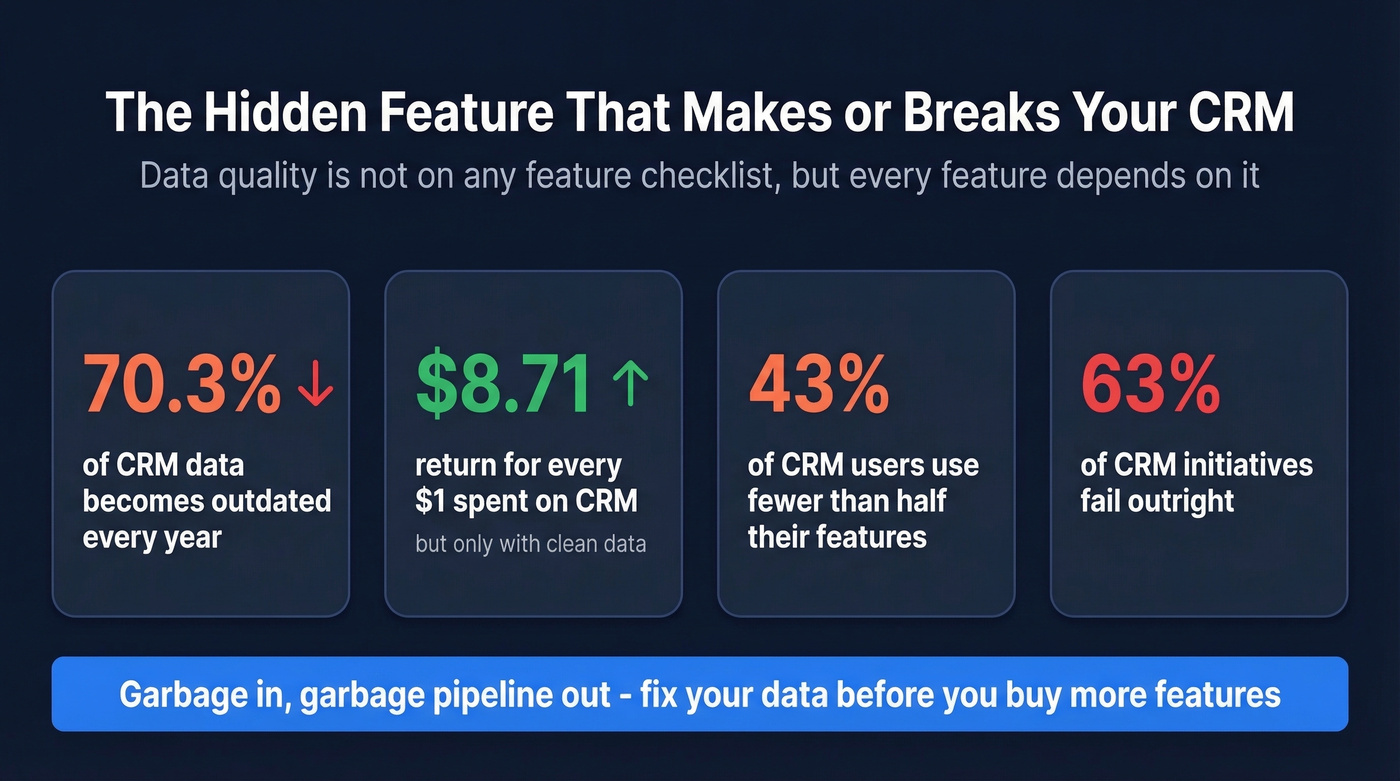
That's not unusual. 43% of CRM users use fewer than half the features they're paying for, and 63% of CRM initiatives fail outright. The problem isn't picking the wrong CRM - it's caring about the wrong features.
With the CRM market projected to hit $248 billion by 2033, the feature arms race is only accelerating. Let's cut through it.
What You Actually Need
If you're under 50 employees, you need five things: contact management, pipeline tracking, email integration, basic automation, and reporting. That's it. Even a basic CRM with just these capabilities will outperform a bloated platform your team refuses to open. Don't let a vendor's sales rep convince you otherwise.
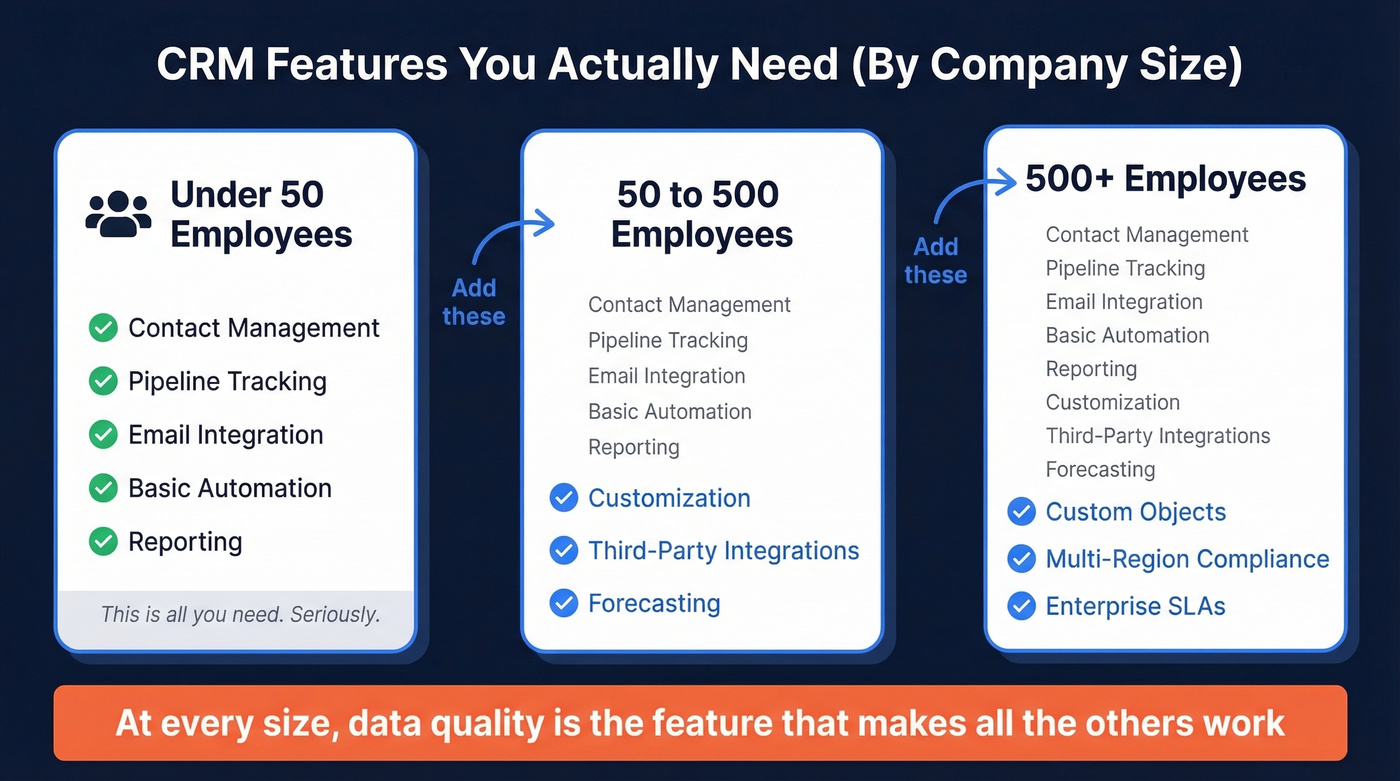
At 50-500 employees, add customization, third-party integrations, and forecasting. At 500+, you'll need custom objects, multi-region compliance, and enterprise SLAs.
Regardless of size, data quality is the feature nobody puts on the checklist - but every other feature depends on it. A CRM returning $8.71 for every $1 spent only delivers that ROI when the data inside it is accurate. Garbage in, garbage pipeline out.
Core CRM Features Every Team Needs
These six are non-negotiable. If your CRM doesn't do these well, nothing else matters - not AI, not integrations, not the fancy dashboard your CEO wants.
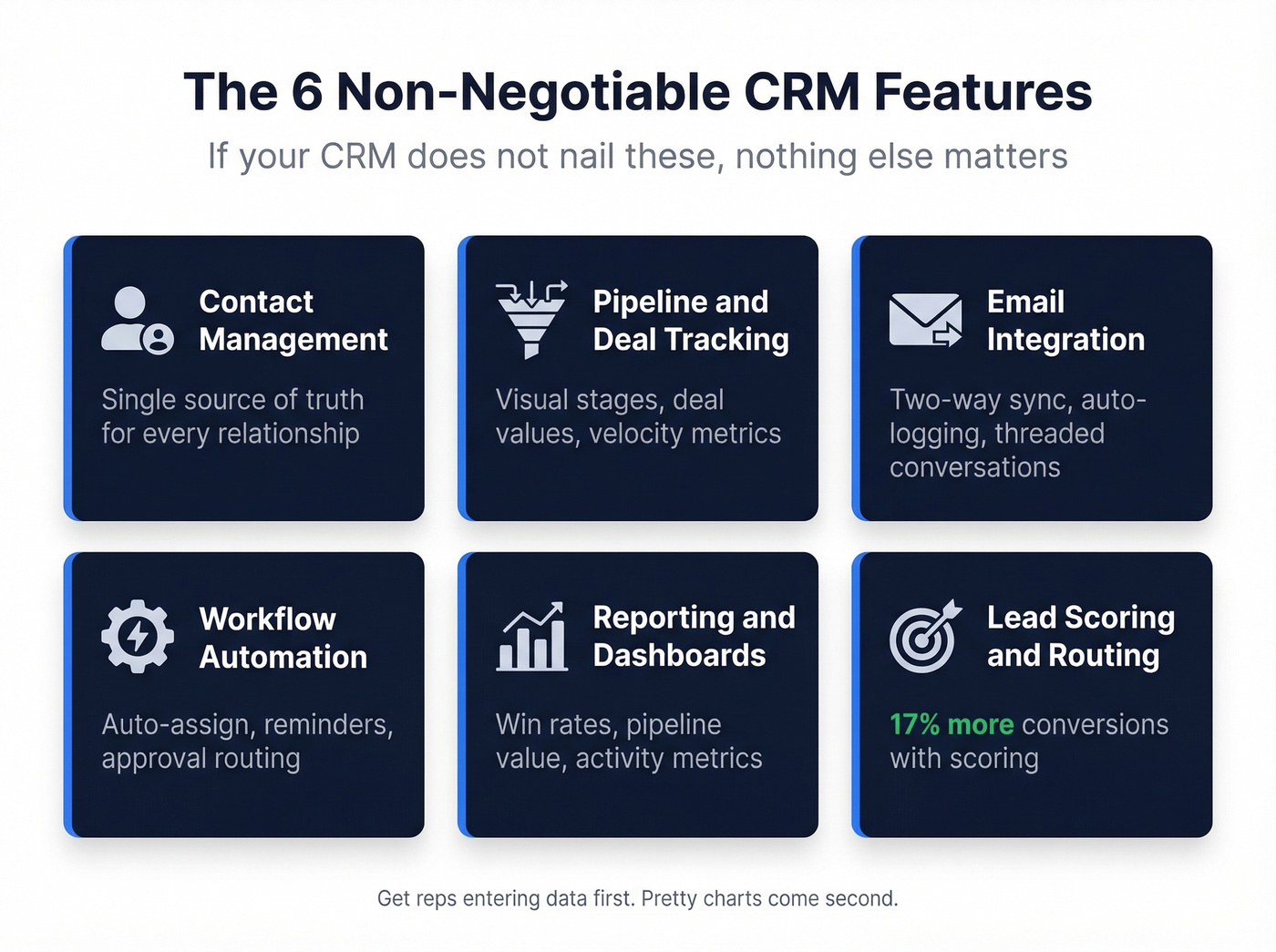
Contact Management
Every CRM exists to be a single source of truth for contacts, companies, and the relationships between them. The data model matters more than people realize. Whether your CRM separates leads from contacts from accounts the way Salesforce does, or merges them into a simpler structure like Close or Pipedrive, that choice determines how your team works day-to-day.
Look for deduplication, merge logic, activity timelines per contact, and segmentation by any field. If reps are toggling between spreadsheets and the CRM, contact management has already failed.
Pipeline & Deal Tracking
A visual pipeline with drag-and-drop stages, deal values, and expected close dates. The best implementations let you customize stages per team - your enterprise pipeline shouldn't look like your SMB pipeline - and track stage velocity so you spot where deals stall before they die quietly.
Skip CRMs that force a single pipeline structure. By the time you're at 20 reps, you'll need at least two or three. If you’re seeing inconsistent stage movement, it’s usually one of the classic sales pipeline challenges in disguise.
Email Integration
Two-way sync with Gmail or Outlook is table stakes. Every email a rep sends should auto-log to the contact record without anyone thinking about it. Beyond sync, look for open/click tracking, templates, and the ability to send sequences directly from the CRM.
The gap we see most often: CRMs that sync emails but don't thread them properly, leaving you with 40 individual records instead of a readable conversation. Test this during your trial. It's the kind of thing that looks fine in a demo and breaks immediately with real data.
Workflow Automation
Trigger-based actions save hours per rep per week. Auto-assign leads by territory, send follow-up reminders when a deal sits in a stage too long, create tasks when a deal moves forward, route discount approvals above a threshold.
Here's the thing - automation is only as good as your data hygiene. If half your contact records are missing industry or company size, your territory assignment rules break on day one. We've seen this happen more times than we can count.
If you want to go deeper on what to automate first, start with proven sales prospecting techniques and build workflows around those behaviors.
Reporting & Dashboards
Real-time analytics, custom reports, and dashboards you can build without calling your admin. At minimum: pipeline value by stage, win/loss rates by rep, activity metrics, and revenue forecasting. Salesforce is the gold standard here, but HubSpot and Zoho have closed the gap for mid-market teams.
The trap: spending weeks building the perfect dashboard before your team has adopted the CRM. Get reps entering data first. Pretty charts come second. If you’re trying to standardize what “good” looks like, use a simple sales operations metrics scorecard.
Lead Scoring & Routing
Capture leads from forms, ads, and inbound channels. Route them to the right rep automatically. Score them based on fit and engagement so reps prioritize the ones most likely to close - companies using lead scoring see up to a 17% increase in conversions.
Basic scoring with job title, company size, and email engagement gets you 80% of the value. Don't over-engineer this with 47 criteria. Your reps won't trust a score they can't explain. If you need a clean framework, use a dedicated lead scoring model and keep it explainable.
Advanced Capabilities Worth Paying For
These become essential as your team scales. The key question for each: does this solve a problem you have right now, or one you think you might have someday? If it's the latter, wait.
Third-Party Integrations
Integrations break into three tiers. Native integrations live inside your CRM - Salesforce's AppExchange, HubSpot's marketplace. These are the most reliable.
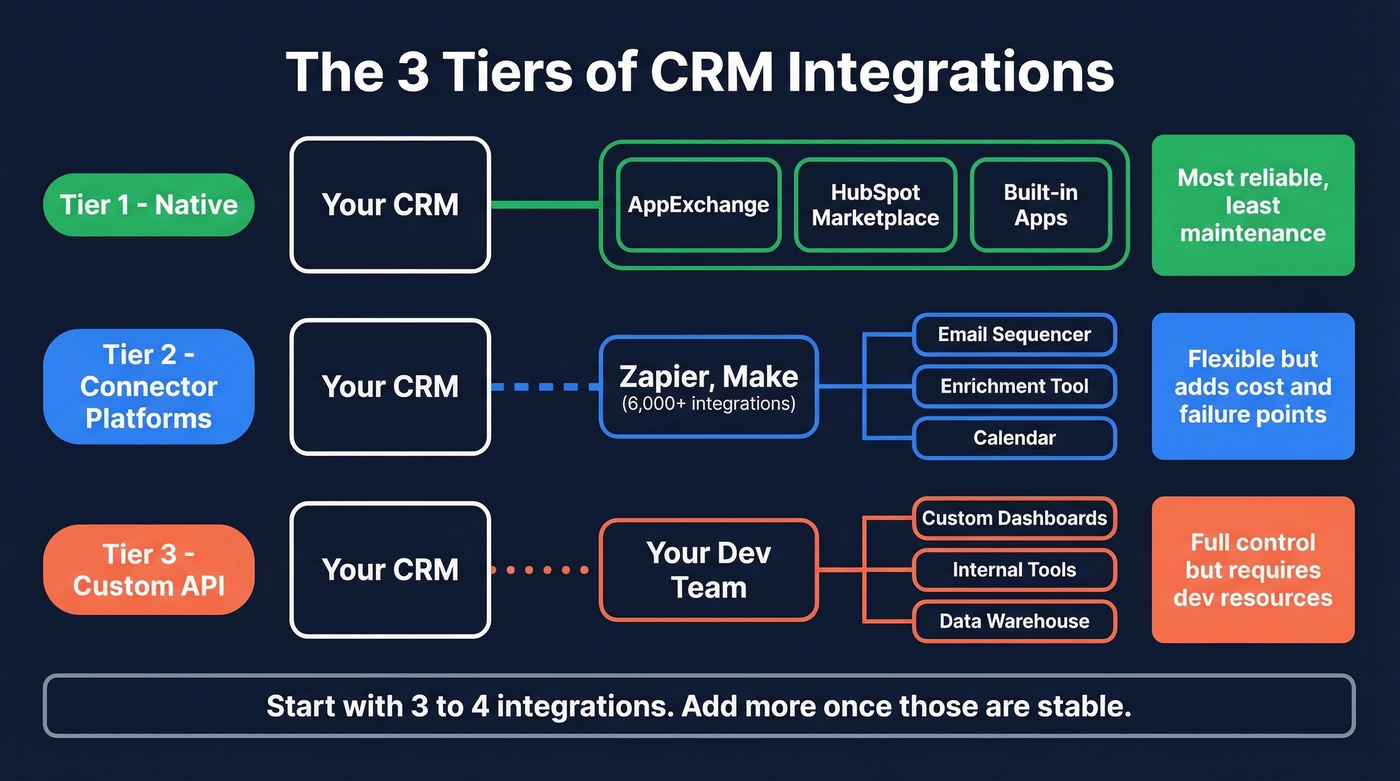
Connector platforms like Zapier (with 6,000+ integrations) and Make act as a middle layer - flexible but they add cost and a potential failure point. Custom API integrations give you full control but require dev resources.
Prioritize what you'll use daily: your email sequencer, data enrichment tool, conversation intelligence platform, and calendar. The mistake we see most often is teams connecting 15 tools on day one and spending the next quarter debugging sync issues. Start with three or four. Add more once those are stable. If you’re mapping the stack, this is the same playbook as any connect outreach tool to CRM project.
Customer Service & Support
For teams where the CRM also serves support, you need ticketing, case routing, and self-service portals. Salesforce Service Cloud and Dynamics 365 lead here. HubSpot's Service Hub handles it for mid-market teams. Healthcare organizations need HIPAA-compliant case management with full audit trails; SaaS companies need subscription tracking tied to support tickets so renewal risk surfaces automatically.
Real talk: most B2B teams under 200 employees don't need their CRM and helpdesk in the same platform. A dedicated tool like Intercom or Zendesk, integrated via API, usually outperforms a CRM's bolted-on service module.
Customization & Data Model
No-code custom fields are standard everywhere. Custom objects - the ability to create entirely new data structures like "Partnerships" or "Subscriptions" - are the real divider. Salesforce, HubSpot Pro+, and Dynamics 365 offer this. Most lightweight CRMs don't.
The data model determines which features work for your specific workflow. Complex B2B deals with multiple stakeholders, procurement stages, and legal reviews demand a CRM that can model that complexity. Straightforward sales motions benefit from a simpler model that keeps things clean.
Mobile Access
Everyone thinks they need this. Most people never open the app.
The exception: field sales. Real estate agents visiting properties, medical device reps in hospitals, anyone regularly away from a desk. For them, offline sync is critical - spotty connectivity at a job site shouldn't mean lost notes. Push notifications for deal updates and one-tap call logging round out the must-haves. If your team is desk-bound, skip the mobile tier and save the budget.
Security & Compliance
Role-based permissions, audit trails, and data residency controls. If you're selling into healthcare, finance, or the EU under GDPR, this isn't optional - it's a deal-breaker. SOC 2 compliance is increasingly baseline for any CRM handling customer data.
Enterprise teams should also evaluate field-level security, IP restrictions, and single sign-on. These sound boring until your security team blocks the CRM rollout because it doesn't meet their requirements.
Sales Forecasting
Weighted pipeline forecasting - deal value multiplied by probability at each stage - is the minimum. AI-assisted projections that factor in rep activity, deal velocity, and historical patterns deliver the real value, but only if your data is clean enough to train on.
Quota tracking tied to forecasting lets managers see gaps in real time instead of discovering them at quarter's end. Useless for a 5-person team, indispensable for a 50-person one. If you’re evaluating tools specifically for this, compare dedicated sales forecasting solutions before defaulting to your CRM add-on.

You just read it: automation breaks when contact records are missing data. Prospeo enriches your CRM with 50+ data points per contact at a 92% match rate - verified emails, direct dials, company intel. Native integrations with Salesforce and HubSpot mean every record stays fresh on a 7-day cycle.
Stop building workflows on top of broken data.
AI in CRM: Real vs. Hype
AI in CRM is about 80% marketing and 20% reality for most teams right now. 90% of UK business leaders say they use AI regularly, but only 16% have integrated it into their CRM. That gap tells you everything.
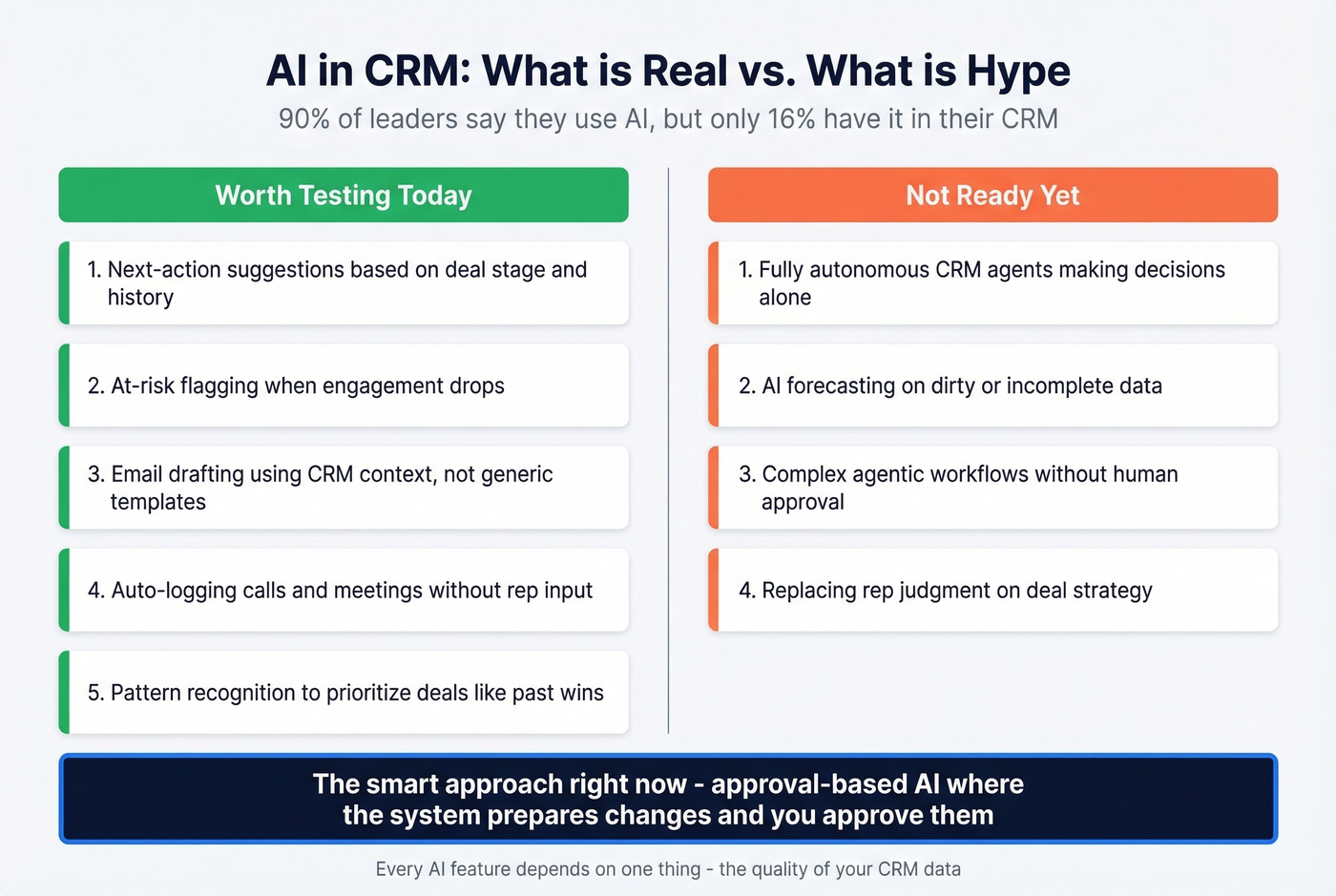
CRM AI breaks into three types: generative (drafting emails, meeting summaries), predictive (forecasting, lead scoring, at-risk account flagging), and agentic (autonomous actions like scheduling meetings or updating records). Capsule CRM's capability checklist cuts through the noise well - here are five things worth testing during your trial:
- Next-action suggestions based on deal stage and historical patterns
- At-risk flagging when engagement drops or follow-ups are missed
- Email drafting that uses CRM context, not generic templates
- Auto-logging calls, meetings, and messages without rep input
- Pattern recognition to prioritize opportunities similar to closed-won deals
Salesforce packed 50+ AI features into its Winter '25 release alone, a depth highlighted in Forrester's CRM coverage. Microsoft's Dynamics 365 is growing 24% year-over-year. Zoho's AI, while improving, still lags the leaders in depth.
The emerging frontier is agentic AI - systems that don't just suggest actions but take them autonomously. The smart approach right now is "approval-based AI" where the system prepares changes and you approve them. Fully autonomous CRM agents aren't something most teams should trust yet.
And every AI feature depends on one thing: the quality of your CRM data. A model trained on stale contacts, duplicates, and missing fields will give you confidently wrong answers.
The Feature Nobody Lists: Data Quality
70.3% of CRM data becomes outdated every year. People change jobs, companies get acquired, phone numbers rotate. Sales and marketing teams lose roughly 550 hours and $32,000 per rep per year chasing bad data. And 44% of companies lose over 10% of annual revenue to inaccurate CRM records.
Reddit threads on CRM selection consistently surface the same complaint: feature bloat. One loan originator described "drowning in bloated mortgage-specific CRMs" - a frustration that crosses every industry. But the deeper issue isn't too many features. It's that none of those features work when the underlying data is wrong.
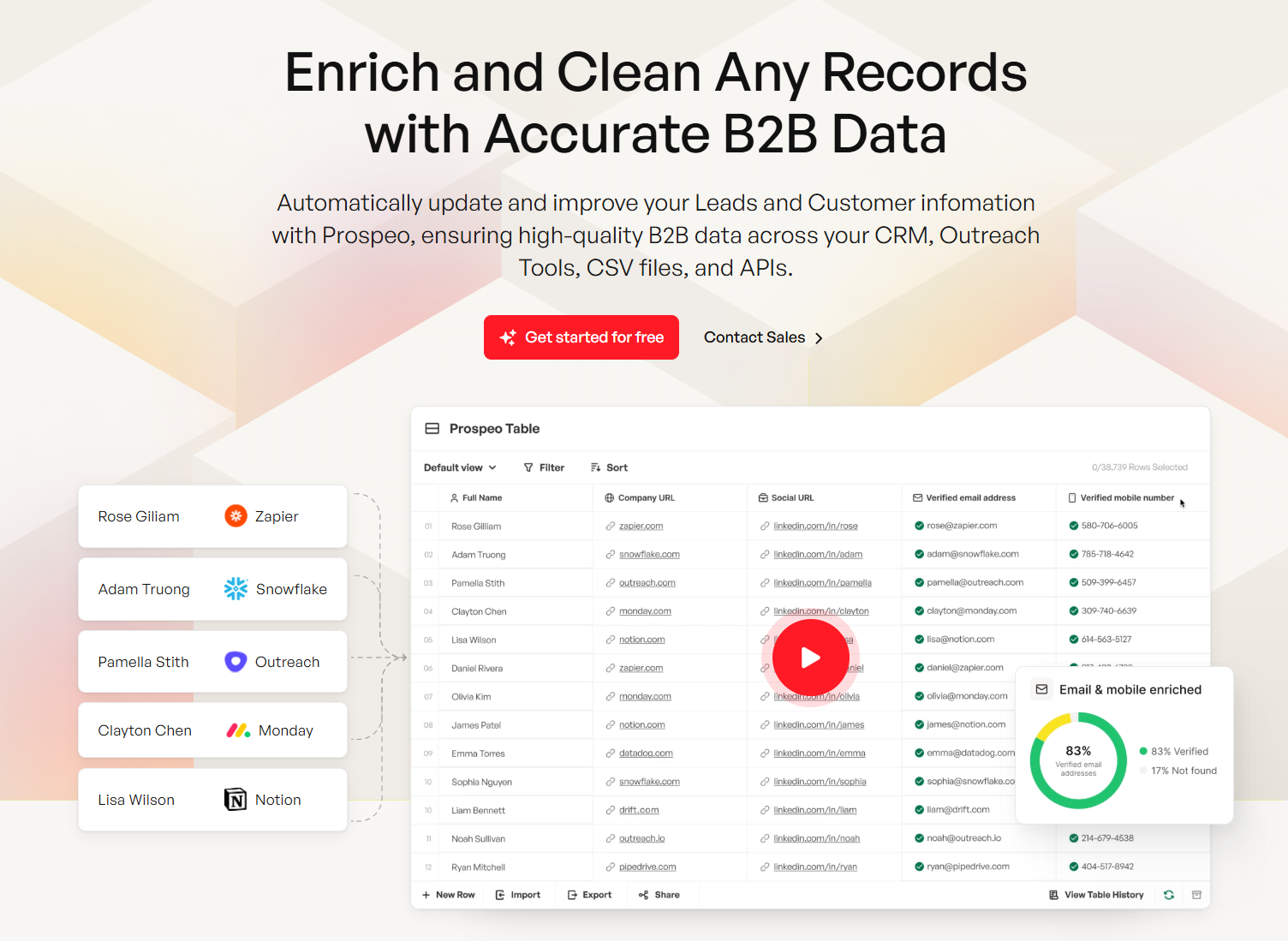
This is where enrichment tools earn their keep. Prospeo integrates natively with Salesforce and HubSpot, enriching contact records with 98%-accurate emails and verified direct dials on a 7-day refresh cycle. The industry average is six weeks, which means most CRMs run on data that's already decaying by the time reps touch it. Enrichment returns 50+ data points per contact with an 83% match rate, so the records your team works from stay current without manual updates. If you’re comparing vendors, start with the landscape of data enrichment services.
You can buy the most expensive CRM on the market, configure every workflow perfectly, and still watch it fail because nobody invested in keeping the data clean. Enrichment isn't a nice-to-have. It's the infrastructure that makes every other feature work.
CRM Features by Company Size
| Feature Priority | SMB (<50) | Mid-Market (50-500) | Enterprise (500+) |
|---|---|---|---|
| Must-haves | Contacts, pipeline, email, automation, reports | + Forecasting, integrations, customization | + Custom objects, compliance, SLAs |
| Pricing range | $10-50/user/mo | $50-150/user/mo | $100-300/user/mo |
| Implementation | 1-2 weeks | 4-8 weeks | 3-12 months |
| IT requirement | None (founder-led) | Part-time admin | Dedicated team |
| CRM examples | HubSpot Free, Pipedrive | Zoho, HubSpot Pro | Salesforce, Dynamics 365 |
A $20/user/month CRM can cost $200/user/month after implementation, training, integrations, and ongoing admin. Total cost of ownership runs 3-10x the sticker price for enterprise deployments. That's the number your CFO needs before you sign anything.
Company size isn't really about features - it's a proxy for IT capacity, admin overhead, and learning curve tolerance. The sweet spot is 50-250 employees: big enough to need real functionality, small enough that an enterprise platform will slow you down. For SMBs, the constraint is adoption, not capabilities. A simple tool with 90% adoption beats a powerful one with 40% adoption every single time. If you’re still sanity-checking options, it helps to scan a few examples of a CRM by segment.
And regardless of tier, budget for data quality alongside your CRM. At roughly $0.01 per enriched email, keeping records current costs a fraction of one bad quarter built on stale contacts.
Every CRM feature on this list - pipeline tracking, lead scoring, reporting - depends on one thing: accurate contact data. Prospeo delivers 98% email accuracy and 125M+ verified mobiles at $0.01 per email. No contracts. Teams using Prospeo book 26% more meetings than ZoomInfo users.
Make every CRM feature actually work by fixing what feeds them.
FAQ
How many CRM features do I actually need?
Most teams use 8-12 effectively. Start with the six core capabilities - contacts, pipeline, email sync, automation, reporting, lead scoring - then add advanced functionality only when a specific workflow demands it. Feature count matters far less than adoption rate.
What's the single most important CRM feature?
Contact management as a single source of truth. Every other capability - pipeline tracking, forecasting, AI - depends on accurate, complete records underneath. Without clean data, even the best CRM delivers wrong answers confidently.
Is AI in CRM worth it in 2026?
Only if your data is clean. Test AI capabilities with your real records during a trial, not a demo dataset. If suggestions feel off, it's usually a data quality problem. Enrichment tools that refresh records weekly give AI models something reliable to train on.
How much does a CRM actually cost?
SMB plans run $10-50/user/month; enterprise tiers hit $100-300. But total cost of ownership - implementation, training, integrations, admin - multiplies the sticker price by 3-10x. Budget $200/user/month as a realistic mid-market estimate.
How do I keep CRM data accurate?
Automate enrichment on a weekly refresh cycle, enforce deduplication rules, and set mandatory fields on key objects. Without active enrichment, 70% of your data goes stale annually - no amount of rep discipline fixes that at scale.