

The 12 Best Customer Contact Management Software in 2026
CRM adoption exceeds 90% among mid-sized companies. The problem isn't the tools - it's that teams buy a full CRM when all they needed was a clean, reliable contact manager. One Reddit user nailed it: they'd been using Sage ACT! "basically as a contact management program, not a full blown CRM," and every search kept returning bloated enterprise solutions that felt like overkill.
That frustration is real, and we've heard it from dozens of teams. Customer contact management software is supposed to solve a simple problem: give you a solid contact database, a way to verify that your data isn't rotting, and a straightforward workflow for follow-ups (useful if you're building repeatable sales follow-ups). Here are 12 tools ranked by what they actually do well, not by how many features they cram into a pricing page.
Our Picks (TL;DR)
| Scenario | Pick | Why |
|---|---|---|
| Simplicity | Less Annoying CRM | $15/mo, 4.9/5 G2, simple by design |
| Contact data accuracy | Prospeo | 98% verified emails, 7-day refresh |
| Free starting point | HubSpot CRM | 1,000 free contacts, huge ecosystem |
| Outgrowing spreadsheets | Folk | Notion-like feel, fast extension |
| Tightest budget | Bigin by Zoho | $7/user/mo, surprisingly capable |
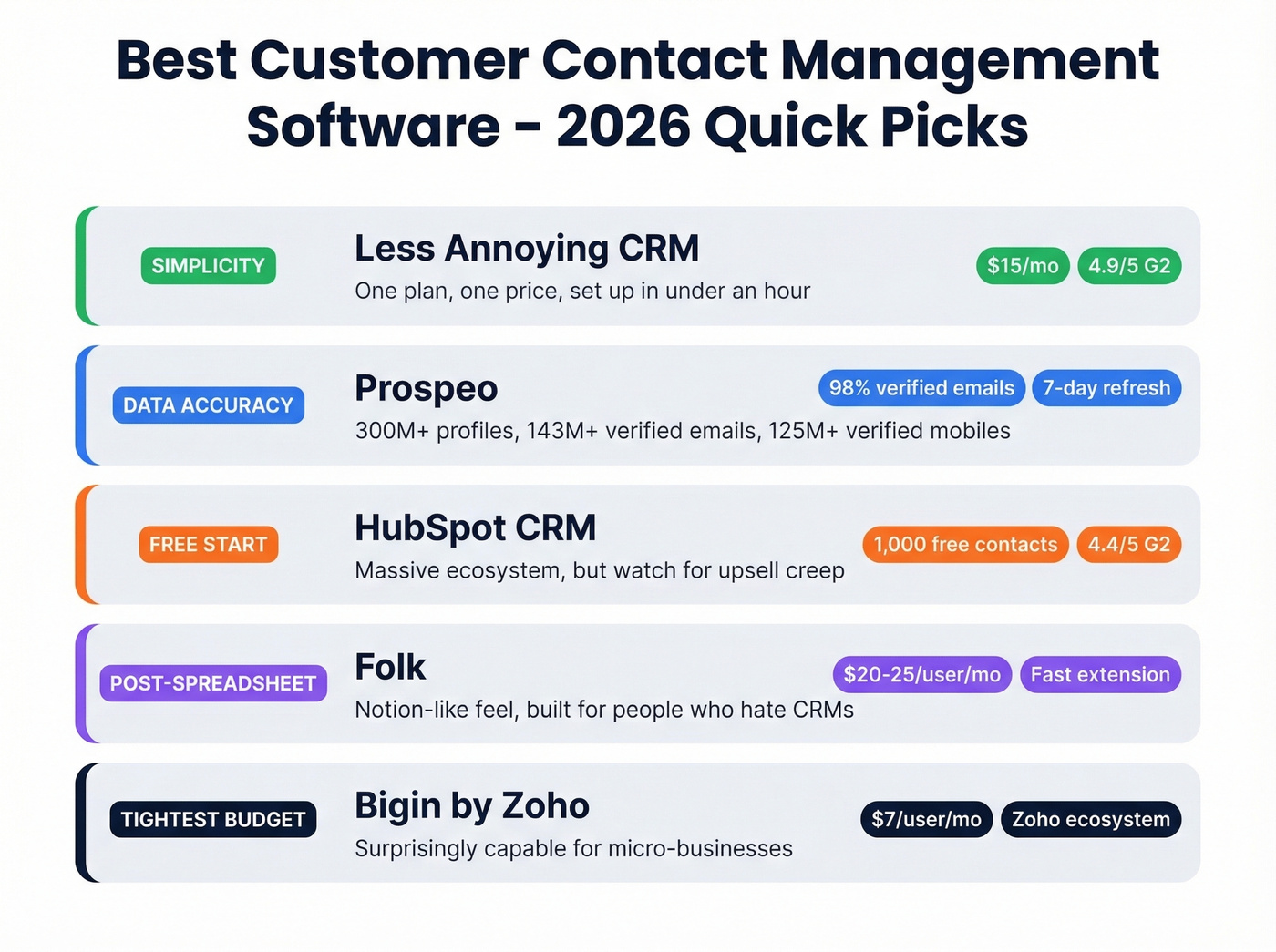
Let's break down why each one earned its spot - and the nine others worth considering.
Contact Manager vs. Full CRM
PCMag frames it well: contact management is a subset of CRM. A CRM tries to track every customer interaction and tie it into pipeline, marketing automation, and sometimes supply chain. A contact manager stores people, lets you search and tag them, and maybe sends a reminder to follow up. For most small teams, deploying a full CRM isn't just a software purchase - it's a process overhaul with weeks of implementation time that kills momentum before you close a single deal.
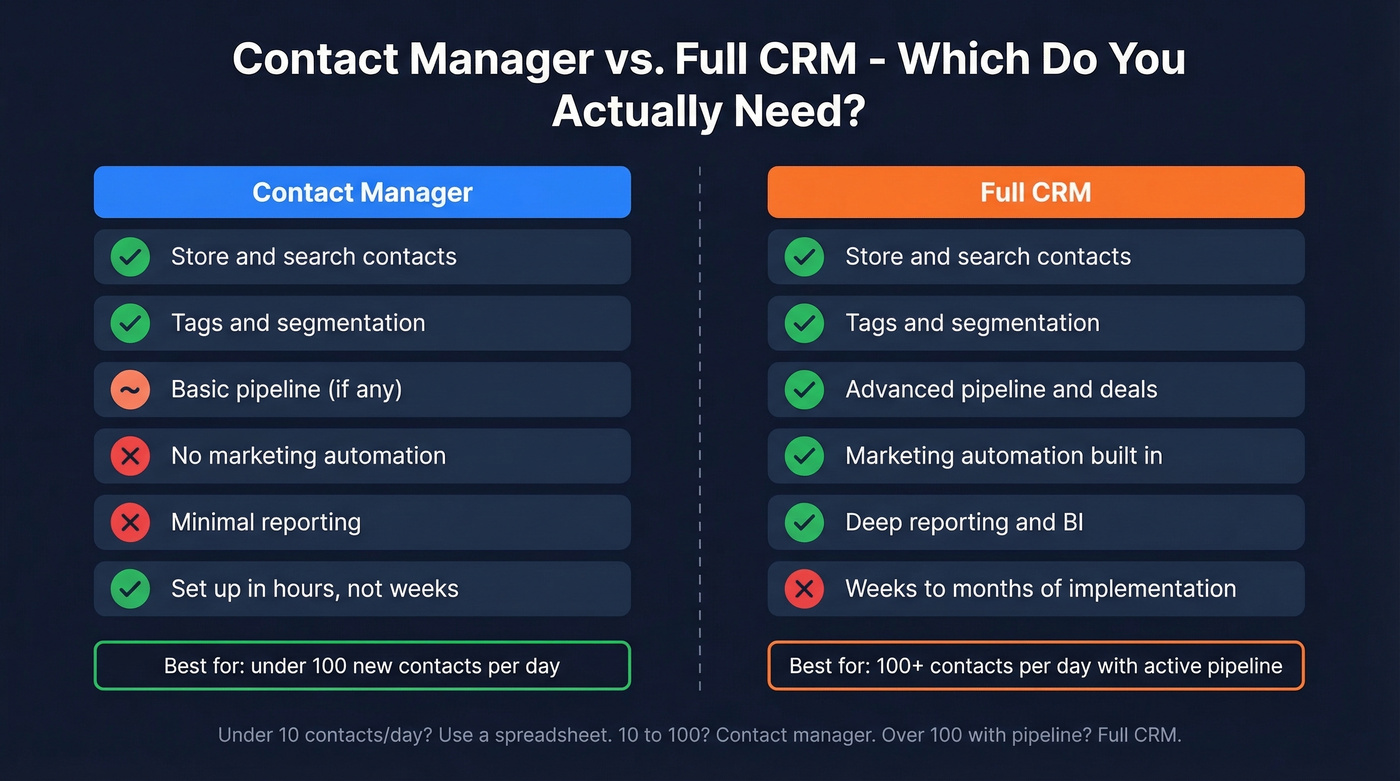
Here's a quick decision heuristic. Fewer than 10 new contacts a day? A spreadsheet works. Between 10 and 100, you need a dedicated contact manager (or compare options in our contact management software roundup). Over 100 with an active pipeline? That's CRM territory.
| Capability | Contact Manager | Full CRM |
|---|---|---|
| Store contacts | ✓ | ✓ |
| Tags & segmentation | ✓ | ✓ |
| Pipeline & deals | Basic or none | Advanced |
| Marketing automation | No | Yes |
| Reporting & BI | Minimal | Deep |
| Implementation time | Hours | Weeks to months |
One reality check: most tools that advertise "social integrations" are really just importing profile data, not syncing messages. The API restrictions are tight, and Reddit threads consistently flag this gap. Don't buy a tool expecting two-way social sync.
And if you're running shared contacts in Microsoft 365 at any real scale, you've probably already hit the wall: failed syncs, dropped permissions, contacts vanishing. That's exactly why dedicated tools exist.
What Should It Cost?
Beyond the per-seat price, think about total cost of ownership - implementation time, add-ons, and the cost of migrating if you outgrow a tool.
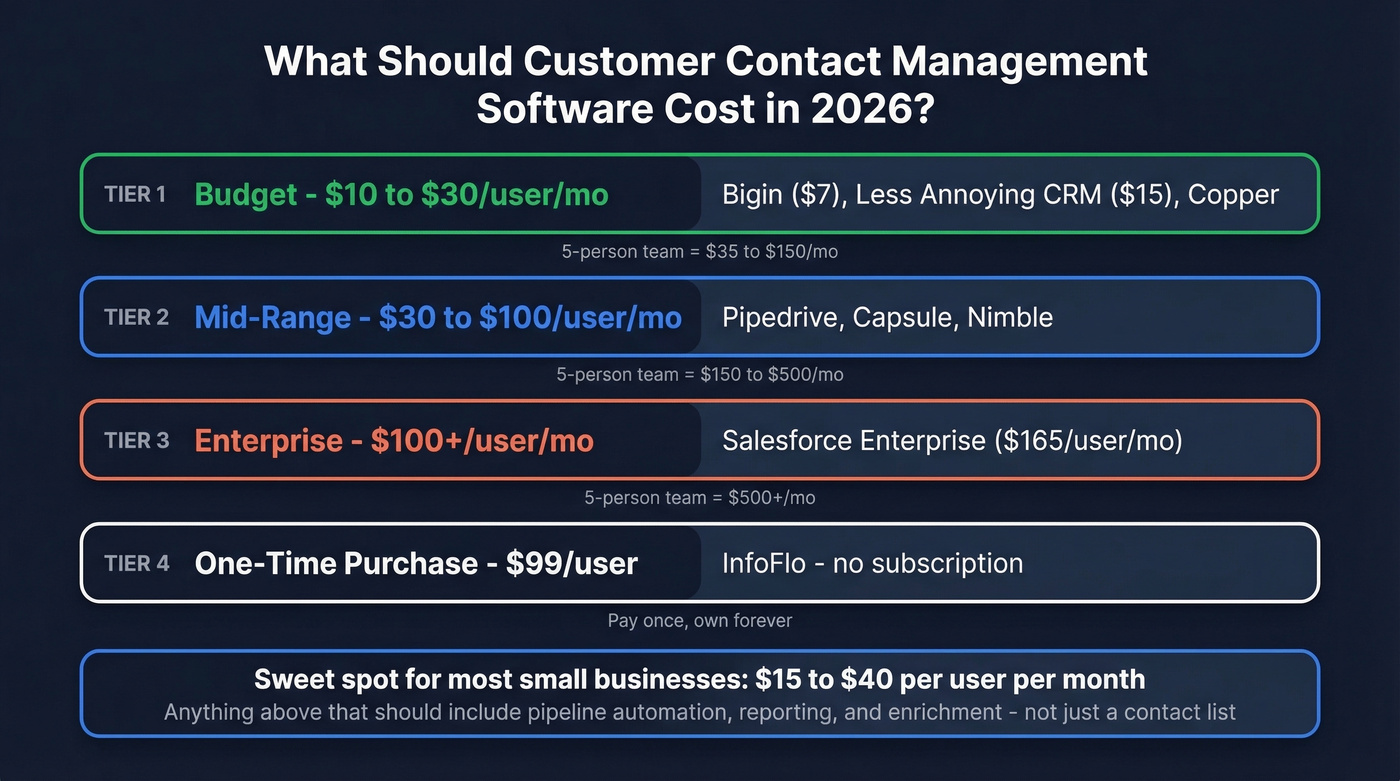
| Tier | Price Range | Examples |
|---|---|---|
| Budget | $10-30/user/mo | Bigin, Less Annoying CRM, Copper |
| Mid-range | $30-100/user/mo | Pipedrive, Capsule, Nimble |
| Enterprise | $100+/user/mo | Salesforce (Enterprise at $165/user/mo) |
| One-time | $99/user, no subscription | InfoFlo |
For a 5-person team, you're looking at $35-150/month on the low end, $150-500/month mid-range, and $500+ for enterprise. The sweet spot for most small businesses is $15-40/user/month. Anything above that, you'd better be getting pipeline automation, reporting, and enrichment - not just a contact list.

Most contact management tools store data - they don't verify it. With 25-30% of contact data decaying every year, your database is rotting while you read this. Prospeo enriches your CRM with 98% accurate emails and 125M+ verified mobiles, refreshed every 7 days - not every 6 weeks.
Stop managing contacts that don't exist anymore.
The 12 Best Tools Ranked
Less Annoying CRM - Best for Simplicity
Less Annoying CRM does exactly what the name promises. One plan. $15/user/month. That's it.
It's earned a 4.9/5 on G2, and G2 named it "Easiest to Use" for good reason. The interface looks like it was designed by someone who's actually used a CRM and hated the experience. You get contact management, a simple pipeline, task tracking, and a calendar - nothing more. The 30-day free trial gives you enough time to see if it sticks, and in our experience teams get fully operational in under an hour.
The tradeoff is obvious: if you need marketing automation, advanced reporting, or deep customization, you'll outgrow it. But for solopreneurs and small teams who just need to stop losing track of contacts, it's hard to beat.

Prospeo - Best for Data Accuracy
Your contact manager is only as good as the data inside it. If a quarter of your emails bounce and half your phone numbers are dead, it doesn't matter how pretty the interface is (and if bounces are a recurring issue, see our email bounce rate benchmarks and fixes).
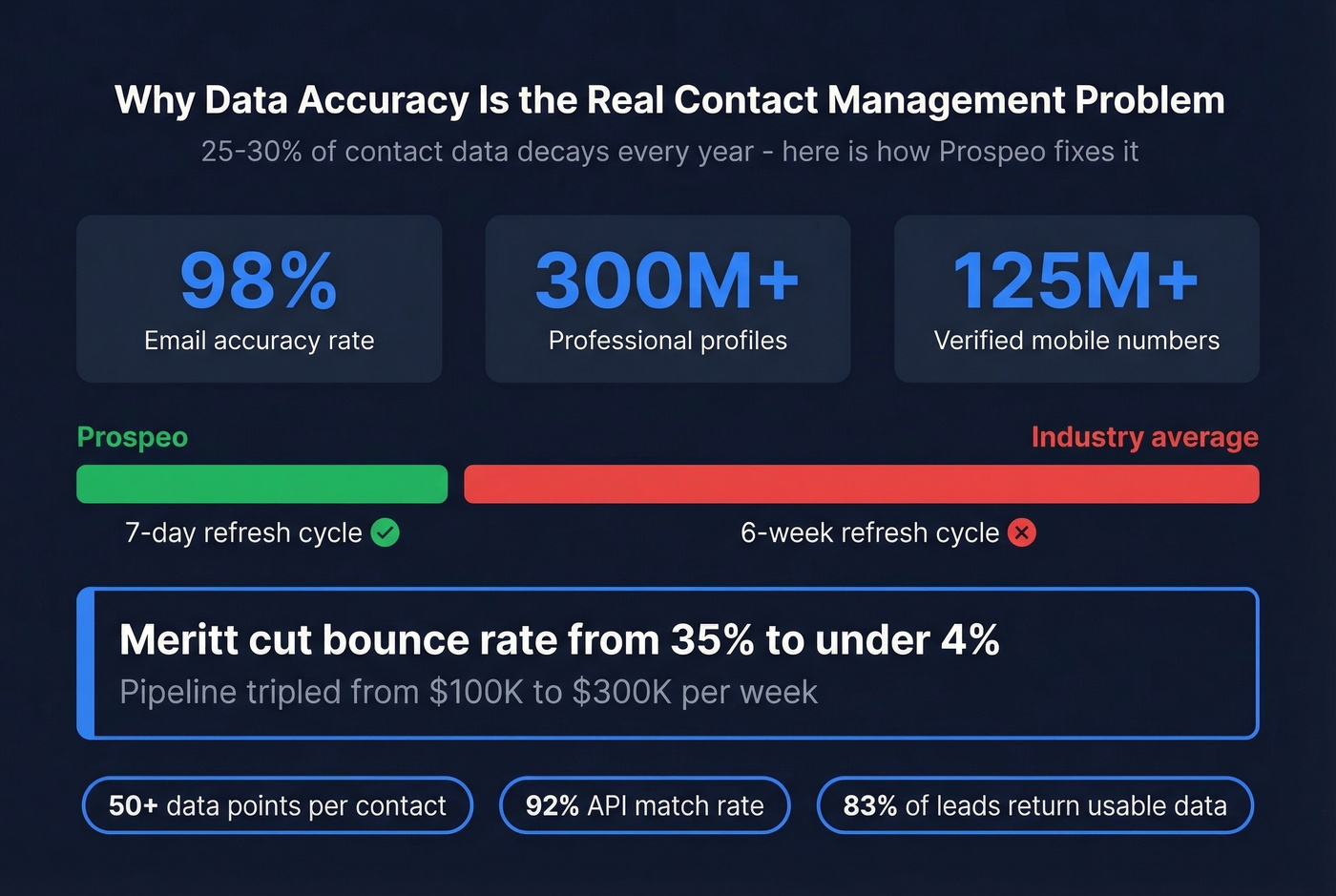
Prospeo's database covers 300M+ professional profiles with 143M+ verified emails and 125M+ verified mobile numbers. The 98% email accuracy rate matters because 25-30% of contact data decays annually - and Prospeo refreshes every 7 days versus the 6-week industry average. Meritt used Prospeo for enrichment and cut their bounce rate from 35% to under 4%, which tripled their pipeline from $100K to $300K per week.
The CRM enrichment feature returns 50+ data points per contact at a 92% API match rate, with 83% of leads returning usable contact data. Upload a CSV or connect directly to HubSpot, Salesforce, Zapier, or Make, and Prospeo fills in the gaps (more on data enrichment services if you're comparing approaches). Beyond verification, it tracks buyer intent across 15,000 topics - useful for prioritizing which contacts to reach first. The Chrome extension with 40,000+ users lets you pull verified contact info from any website or professional profile in one click.
Skip this if you already have clean, verified data and just need a place to store it. Prospeo complements your CRM - it's the data accuracy layer that makes everything else work. Pricing starts free with 75 emails and 100 extension credits per month. Paid plans run about $0.01 per email with no contracts.

HubSpot CRM - Best Free Starting Point
HubSpot's free tier supports up to 1,000 contacts, and it's genuinely useful - not a crippled demo. The ecosystem is massive: marketing, service, and operations hubs all connect natively. At 4.4/5 on G2 with over 13,500 reviews, it's one of the most battle-tested CRMs on the market (and if you're weighing options, our examples of a CRM guide can help).
The catch? G2 reviewers consistently flag upsell pressure from HubSpot's sales and support teams. Paid plans start at $15/seat/month billed annually, but costs climb fast once you add paid hubs and advanced features. We've watched teams start free, add a few paid seats, bolt on marketing tools, and suddenly they're spending $2,000/month wondering how they got there. Go in with a budget ceiling and stick to it.
Pipedrive - Best for Pipeline Teams
Pipedrive is for sales teams that think in deals and stages. Its drag-and-drop pipeline is the best visual deal tracker in this price range, full stop. If you need marketing automation or deep contact enrichment built in, look elsewhere - Pipedrive is a sales tool, not a marketing platform (for common pitfalls, see sales pipeline challenges).
Pipedrive restructured its plans in 2025, so ignore older reviews mentioning previous tier names. The current lineup: Lite at $14/seat/month, Growth at $39, Premium at $59, and Ultimate at $79, all billed annually. The 14-day free trial doesn't require a credit card. At 4.3/5 on G2 with nearly 3,000 reviews, it earns consistent praise for its clean UI. The Lite plan caps at 2,500 leads and deals per user, which is fine for small teams but worth knowing upfront. Add-ons like LeadBooster at $32.50/month can push costs up quickly.

Folk - Best for Outgrowing Spreadsheets
Folk is what happens when someone builds a CRM for people who hate CRMs. If your team migrated from Notion to a spreadsheet to another spreadsheet and you're still losing track of contacts, Folk is the next step.
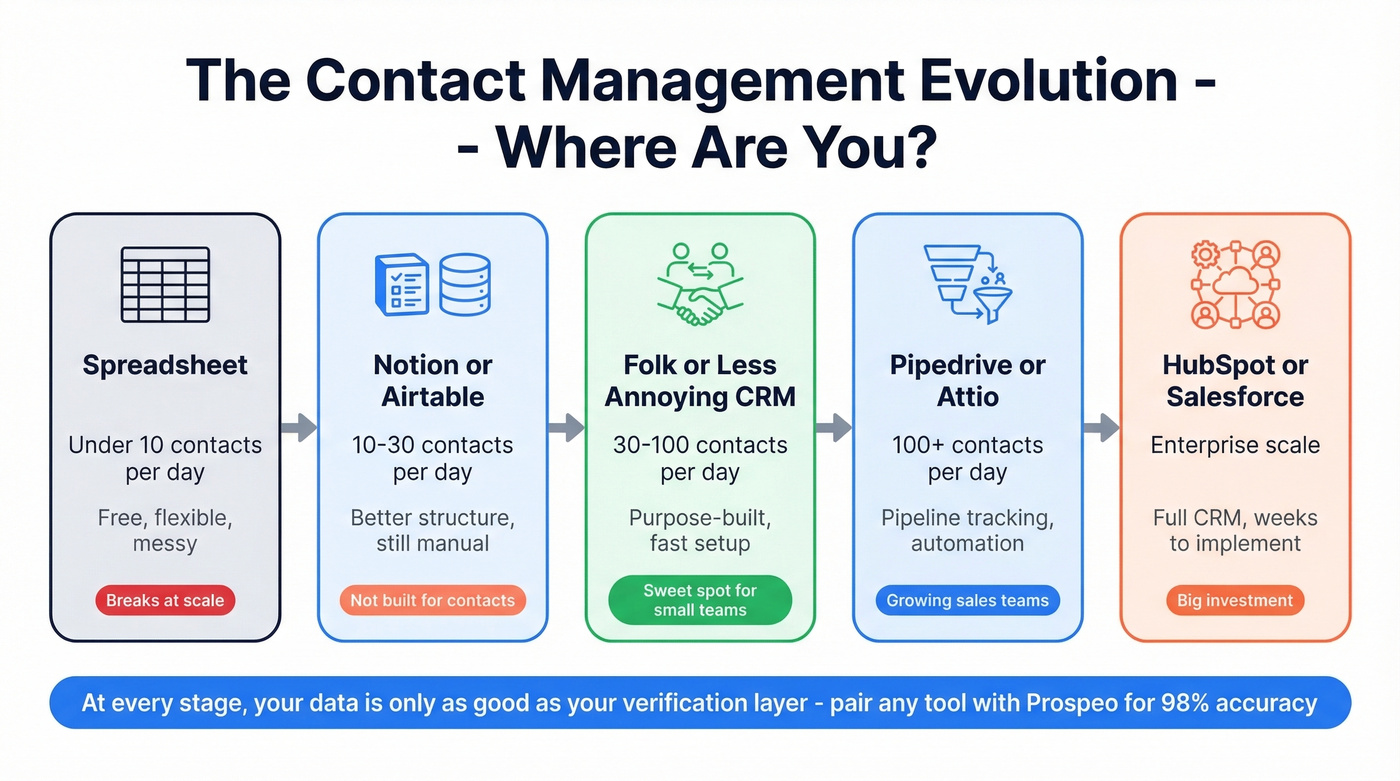
Pricing runs around $20-25/user/month. The Chrome extension is noticeably faster than Attio's, and Folk includes a built-in email finding feature that can replace a separate tool like RocketReach. One detail that matters more than you'd think: you can manually edit "last interaction" dates in Folk. In Attio, that field only updates via email sync - a small thing that drives some users crazy. The Notion-to-Folk migration path is real, and the interface feels familiar to anyone who's lived in Notion but needs the contact-specific features like reminders, tags, and pipeline views that Notion can't do natively.
Attio - The Trending Pick
Attio earned G2's "Top Trending" badge, and the hype is mostly justified. AI-enriched fields automatically pull in company data, and the meeting integrations are slick - calendar events auto-link to contact records without manual entry.
A free tier exists for small teams, with paid plans running around $30-50/user/month. The feature set is deeper than Folk's, with richer reporting and more automation options. The tradeoff: it's more complex to set up, and that "last interaction" field isn't manually editable, which limits flexibility for teams tracking offline conversations. For startups that want a modern CRM with room to grow, Attio is a strong option in the "not HubSpot, not Salesforce" category.
Bigin by Zoho - Best Budget Option
At $7/user/month billed annually, Bigin is one of the cheapest legitimate contact management tools on this list. It handles contacts, deals, and basic pipeline tracking - and you get the Zoho ecosystem without the weight of full Zoho CRM. For micro-businesses running 1-5 people, it's hard to beat the value. The limitation is predictable: advanced reporting and deep third-party integrations outside the Zoho world are thin.
Nimble - Best for Relationships
Nimble's single plan runs $24.90/user/month. The standout feature is stay-in-touch reminders that surface contacts you haven't engaged with recently, which directly addresses the Reddit request for "randomized daily outreach" workflows.
Social profile enrichment pulls in public data automatically. For consultants, recruiters, and anyone whose business runs on maintaining warm relationships, Nimble is purpose-built. It won't manage a complex sales pipeline, but that's not what it's for.
Capsule CRM - Growing Teams
Capsule sits in the middle ground between Less Annoying CRM's simplicity and Pipedrive's sales focus. Pricing starts around $18/user/month and scales up to around $75/user/month on higher tiers. You get stronger customization than Less Annoying CRM - custom fields, workflows, and sales automation - plus enrichment on higher-tier plans that fills in company data automatically. If you've outgrown a simple contact manager but don't want a deal-only tool, Capsule is a solid step up.
Freshsales - All-in-One on a Budget
Freshsales starts at $9/user/month billed annually, with a free plan and a 21-day trial. It's part of the Freshworks ecosystem, so if you're already using Freshdesk or Freshmarketer, everything connects natively. Built-in phone and email features mean fewer third-party tools, and AI-powered lead scoring on paid plans helps prioritize outreach (especially if you're formalizing lead scoring). The depth of each individual feature doesn't match dedicated alternatives, but for a single platform covering contacts, calls, and campaigns under $10/user, it's strong value.
Copper - Google Workspace Teams
Starting at $12/seat/month, Copper is built for teams whose entire workflow runs through Gmail and Google Calendar. It reduces the context-switching that kills adoption in other CRMs. The downside: Copper's value drops sharply if you ever move off Google.
InfoFlo - No Subscriptions
InfoFlo charges $99/user as a one-time purchase - the only non-subscription option on this list. If you fundamentally object to monthly fees and want to own your software outright, InfoFlo is one of the few real choices in the contact management space. Don't expect modern integrations or a polished UI, but the data is yours, on your terms.
Pricing Comparison
Here's every tool side by side. For most small teams, the $15-40/user/month range delivers the best balance of features and simplicity.
| Tool | Starting Price | Free Plan? | G2 Rating | Best For |
|---|---|---|---|---|
| Less Annoying CRM | $15/user/mo | 30-day trial | 4.9/5 | Simplicity |
| Prospeo | Free (75 emails/mo) | Yes | - | Data accuracy |
| HubSpot CRM | $0 (free tier) | Yes | 4.4/5 | Free starting point |
| Pipedrive | $14/seat/mo | 14-day trial | 4.3/5 | Pipeline management |
| Folk | ~$20-25/user/mo | Limited | - | Startups |
| Attio | ~$30-50/user/mo | Yes | - | Modern, trending |
| Bigin by Zoho | $7/user/mo | Yes | - | Budget |
| Nimble | $24.90/user/mo | Trial | - | Relationships |
| Capsule CRM | ~$18/user/mo | - | - | Growing teams |
| Freshsales | $9/user/mo | Yes | - | All-in-one budget |
| Copper | $12/seat/mo | - | - | Google Workspace |
| InfoFlo | $99/user (one-time) | No | - | No subscriptions |
Five Mistakes to Avoid
1. Importing messy data. This is the #1 killer. Before importing contacts into any tool on this list, batch-verify your entire list and flag invalid records before they damage your sender reputation (see how to improve sender reputation). Contact data decays 25-30% per year - if you haven't cleaned your list in six months, assume a quarter of it is garbage.
2. Trying to do everything at once. Start with three habits: add notes after every call, set a follow-up task, and track one pipeline. Expand after 30 days.
3. Leaving defaults untouched. Rename your pipeline stages. Hide unused fields. Tailor your dashboard. Every tool on this list ships with generic defaults that don't match your workflow.
4. Ignoring team adoption. Assign a CRM champion - one person who owns the setup, trains the team, and shows small wins early. Without this, adoption dies within weeks.
5. Forgetting data decay. Your database is rotting right now. People change jobs, companies rebrand, emails go stale. Build a quarterly verification habit or automate it with an enrichment tool that refreshes on a schedule.
Here's the thing: if your average deal size is under five figures, you probably don't need a CRM at all. A simple contact manager paired with a verification tool will outperform a bloated CRM that nobody on your team actually uses. The best customer contact management software is the one your team opens every day - and that's almost never the most expensive option.
Meritt cut their bounce rate from 35% to under 4% and tripled weekly pipeline to $300K - just by swapping in Prospeo's verified data. At $0.01 per email with no contracts, it costs less than a single bounced opportunity.
Feed your contact manager data you can actually trust.
FAQ
What is customer contact management software?
It's a tool that stores and organizes your contacts - names, emails, phone numbers, notes, and tags - without the complexity of a full CRM. Most small teams only need this contact management layer and can add pipeline tracking, marketing automation, and reporting later as they scale past 20-30 active deals.
What's the best free option?
HubSpot CRM offers the most capable free tier with up to 1,000 contacts, basic pipeline tracking, and email integration. Bigin by Zoho and Freshsales also have free plans. For contact data verification specifically, Prospeo's free tier gives you 75 verified emails and 100 Chrome extension credits per month - useful alongside any contact manager. InfoFlo's one-time $99/user purchase is the only true zero-subscription option.
How much should a small team expect to pay?
Budget tools run $7-30/user/month, and most small teams land in the $15-40 range. A 5-person team typically spends $75-200/month. Enterprise platforms like Salesforce start at $165/user/month. InfoFlo is the outlier at $99/user as a one-time purchase with no recurring fees.
How do I keep my contact database accurate?
Batch-verify emails before every import and run a quarterly re-verification cycle. Tag contacts by source and last-verified date, and remove hard bounces immediately. With 25-30% annual data decay, a tool that refreshes records on a weekly cycle prevents your database from degrading silently.
Do I need a CRM as a solopreneur?
Probably not a full CRM. A simple contact manager like Less Annoying CRM at $15/month - or even a well-structured spreadsheet paired with a verification tool - handles most solopreneur needs. Graduate to a CRM when you're managing more than 20-30 active deals or hiring your first salesperson.