

Email Address Patterns: Rules, Formats, and How to Find Them
You just guessed j.smith@acme.com, john.smith@acme.com, and jsmith@acme.com - sent all three - and two bounced. Your sender reputation took a hit, your sequence stalled, and you still don't have the right address. Getting an email address pattern wrong seems minor until it costs you deliverability.
Here's how email patterns actually work, and how to stop guessing.
With 376 billion emails sent daily and climbing, email addresses remain the backbone of business communication. But "email address pattern" means different things depending on who you are. IT admins need a naming convention. Sales reps need to crack how a target company structures addresses. Developers need to validate form input. We're covering all three.
What You Need (Quick Version)
- Choosing a naming convention for your company? Go with
first.last@domain.com. It's the most common, the most professional, and the easiest for external contacts to guess. The corporate patterns section below covers collision-handling strategies. - Trying to find a specific company's email pattern? Stop guessing formats and bouncing emails. Use Prospeo's email finder - it finds and verifies the actual address in one step, with 98% accuracy. Free to start.
- Building a form or validating email input? Use a permissive regex, then verify with a real tool. The validation section has copy-paste patterns for JS, Python, and PHP.
Email Address Structure Explained
Every email address follows the same anatomy: local-part@domain. Two pieces separated by an @ symbol.
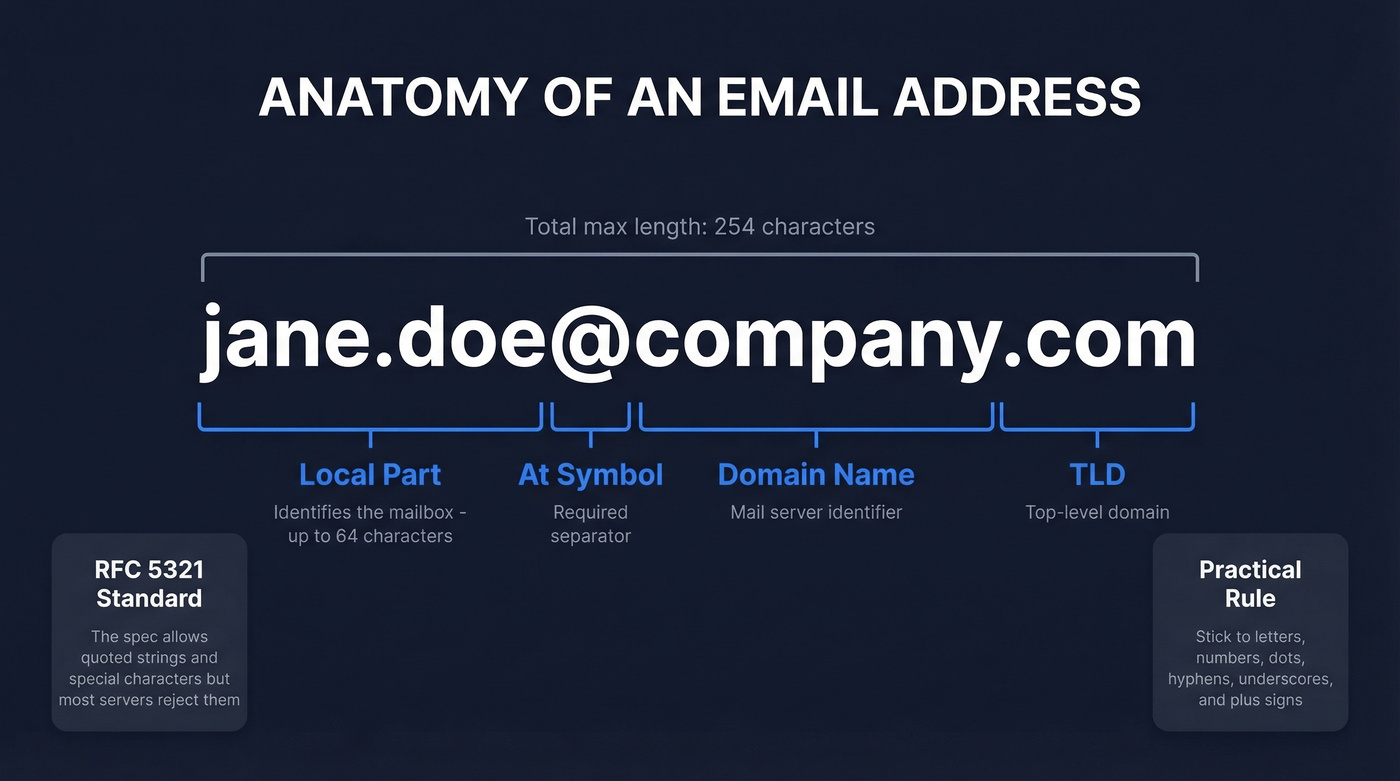
The local-part - everything before the @ - identifies the specific mailbox and can run up to 64 characters per RFC 5321. The domain part - everything after the @ - identifies the mail server and can stretch to 253 characters. Total address limit: 254 characters.
The RFCs technically allow quoted strings, special characters, and even spaces in the local-part. Almost nobody uses them, and many mail servers reject them outright. That gap between "what the spec allows" and "what actually works" is where most confusion lives.
Email Address Pattern Rules
Valid vs. Invalid Examples
The local-part allows letters, numbers, and a set of special characters: . + - _ % and others. But there are constraints. You can't start or end with a period, and consecutive periods (..) are invalid outside of quoted strings. On the domain side, labels max out at 63 characters, hyphens can't lead or trail a label, and there must be at least one TLD.
Technically, the local-part is case-sensitive per the RFC. Practically, most systems treat it as case-insensitive. Send to John.Doe@gmail.com or john.doe@gmail.com - same inbox.
| Address | Valid? | Why |
|---|---|---|
jane.doe@company.com |
✅ | Standard format |
jane+sales@company.com |
✅ | Plus addressing |
j_doe@company.co.uk |
✅ | Underscore, multi-part TLD |
.jane@company.com |
❌ | Leading period |
jane..doe@company.com |
❌ | Consecutive periods |
jane@-company.com |
❌ | Leading hyphen in domain |
jane@company |
❌ | No TLD |
jane doe@company.com |
❌ | Unquoted space |
"jane doe"@company.com |
✅ | Quoted string (rare) |
Provider-Specific Quirks
Apple accounts for 46.56% of email opens and Gmail 25.45% as of early 2026 (per Litmus data) - so the quirks of these two clients affect the majority of your recipients.
Gmail ignores dots entirely in the local-part. That means j.a.n.e@gmail.com and jane@gmail.com hit the same inbox. It supports plus addressing (jane+newsletter@gmail.com) for filtering and caps usernames at 30 characters.
If you're validating input or guessing patterns, these quirks matter. What works for Gmail won't necessarily work everywhere.

Guessing email patterns tanks your sender reputation - two bounces from three guesses is a 66% failure rate. Prospeo's 5-step verification across 300M+ profiles means you get the actual address, not a format guess. 98% accuracy at $0.01 per email.
Replace pattern-guessing with verified emails in one click.
Common Corporate Email Patterns
The Format Comparison
| Pattern | Example | Pros | Cons | Collision Risk |
|---|---|---|---|---|
first.last |
jane.doe@co.com | Readable, professional, easy to guess | Breaks with common names | Medium |
firstlast |
janedoe@co.com | Simple, no special chars | Hard to read at a glance | Medium |
first_last |
jane_doe@co.com | Readable | Underscore feels dated | Medium |
flast |
jdoe@co.com | Short | Ambiguous, many collisions | High |
firstl |
janed@co.com | Short | Ambiguous | High |
first |
jane@co.com | Clean, modern | Unusable past ~50 employees | Very high |
first.mi.last |
jane.m.doe@co.com | Fewest collisions | Long, hard to guess externally | Low |
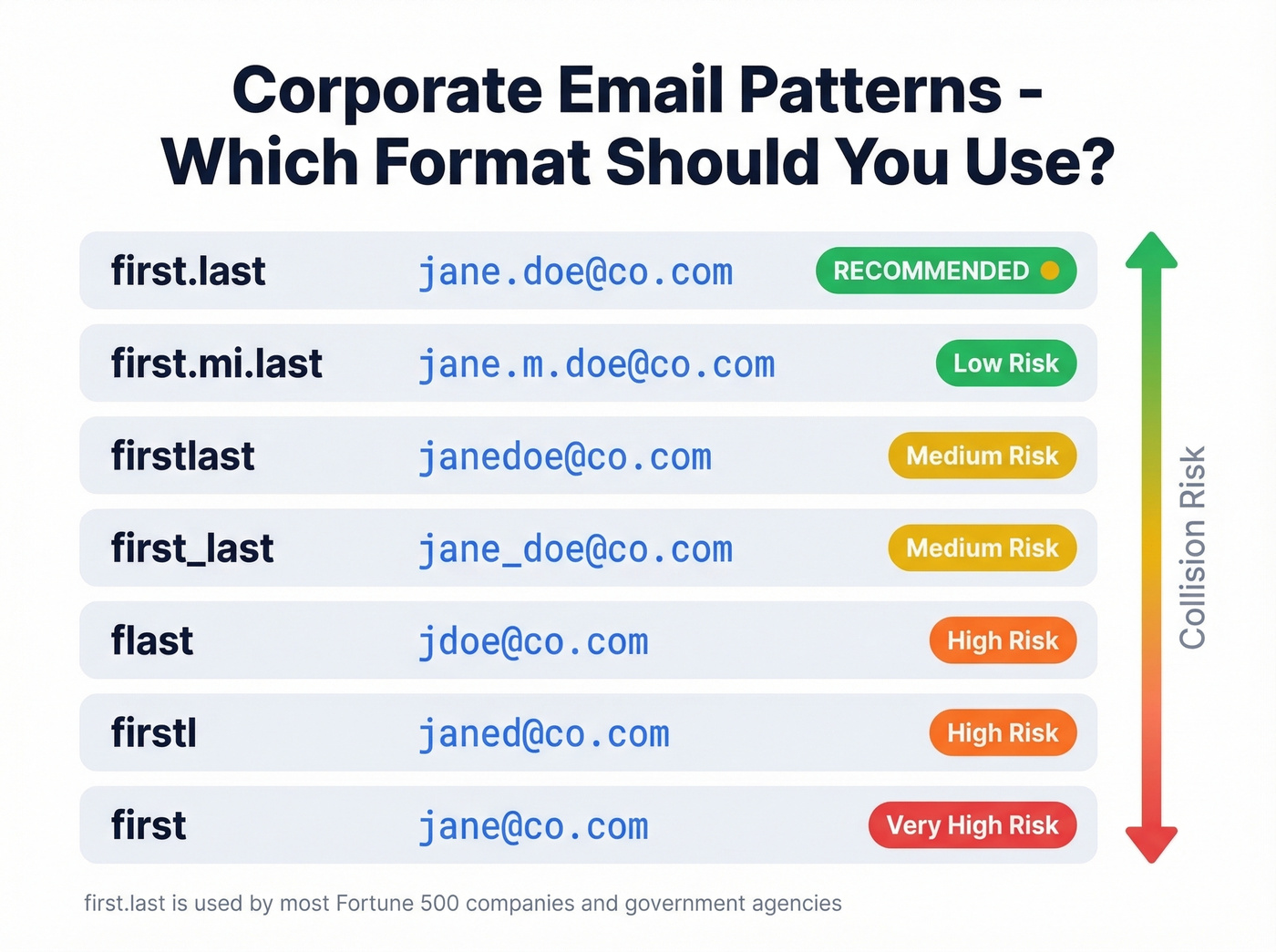
The first.last format is the clear default for a reason: it's readable, professional, and easy for external contacts to guess. Washington State's official email naming standard codifies exactly this - FirstName.LastName@agency.wa.gov - with middle initials as the first fallback for duplicates. Their standard also supports plus addressing (First.Last+tag@agency.wa.gov), a smart detail most corporate policies miss.
Handling Name Collisions
Here's the thing: every company eventually hires its fourth Sarah Johnson. The collision-handling strategy matters more than the initial format choice.
The most common approaches are adding a middle initial (sarah.m.johnson@) or appending a number (sarah.johnson2@). Washington State's policy explicitly allows both, and it also permits shortening names when the local-part would exceed 64 characters. Numbers feel impersonal but scale cleanly. Middle initials feel professional but don't solve the "two Sarah M. Johnsons" problem. Pick one, document it, and enforce it before you hit 500 employees.
How to Find a Company's Email Pattern
The Manual Approach (and Why It's Risky)
You can try to reverse-engineer a company's naming convention manually - check their website for staff emails, look at public directories, or test common formats. This works sometimes. It's also slow, unreliable, and actively dangerous for your sender reputation.
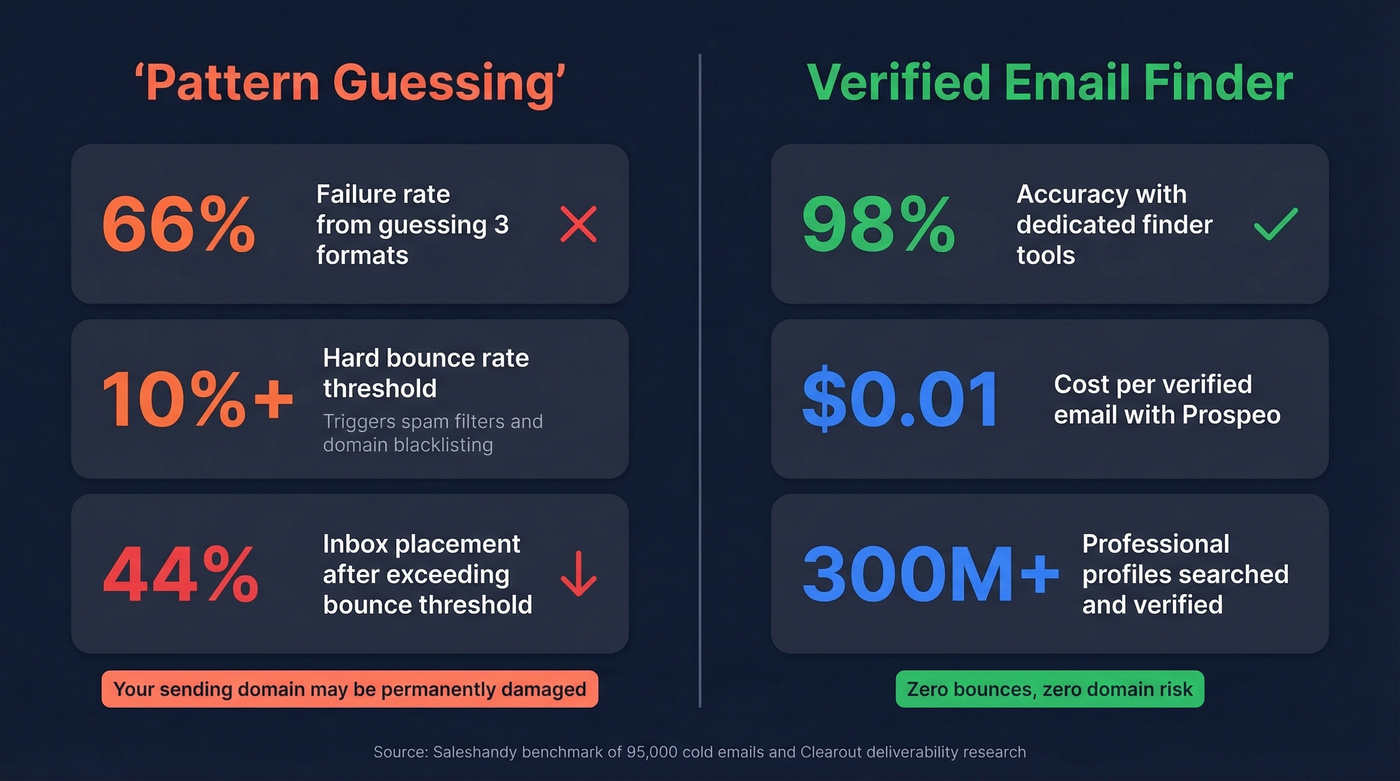
A Saleshandy test across 95,000 cold emails found accuracy ranged from 79% to 98% depending on the tool. The manual approach performs far worse. Exceed a 10% hard bounce rate and your inbox placement can drop to as low as 44%. We've seen teams burn through entire sending domains by guessing email patterns manually - it's the most expensive "free" strategy in outbound.
Look, if you're closing deals under $10k, you almost certainly can't afford the deliverability damage from pattern-guessing. The math doesn't work. Spend $30-$50/month on a proper finder tool and protect your domain (and follow a real email deliverability playbook).
Email Finder Tools
The smarter approach is to skip pattern-guessing entirely and use a tool that finds the verified address directly.
Prospeo
Prospeo finds the actual verified email address from 300M+ professional profiles. Search by company domain, name, or use 30+ filters to build targeted lists, with results that have passed a 5-step verification process including catch-all handling, spam-trap removal, and honeypot filtering. The 98% email accuracy rate is backed by proprietary infrastructure that doesn't rely on third-party providers, and data refreshes every 7 days versus the 6-week industry average. At roughly $0.01 per email with a free tier of 75 emails per month, it's a fraction of what you'd pay for bounced emails elsewhere.
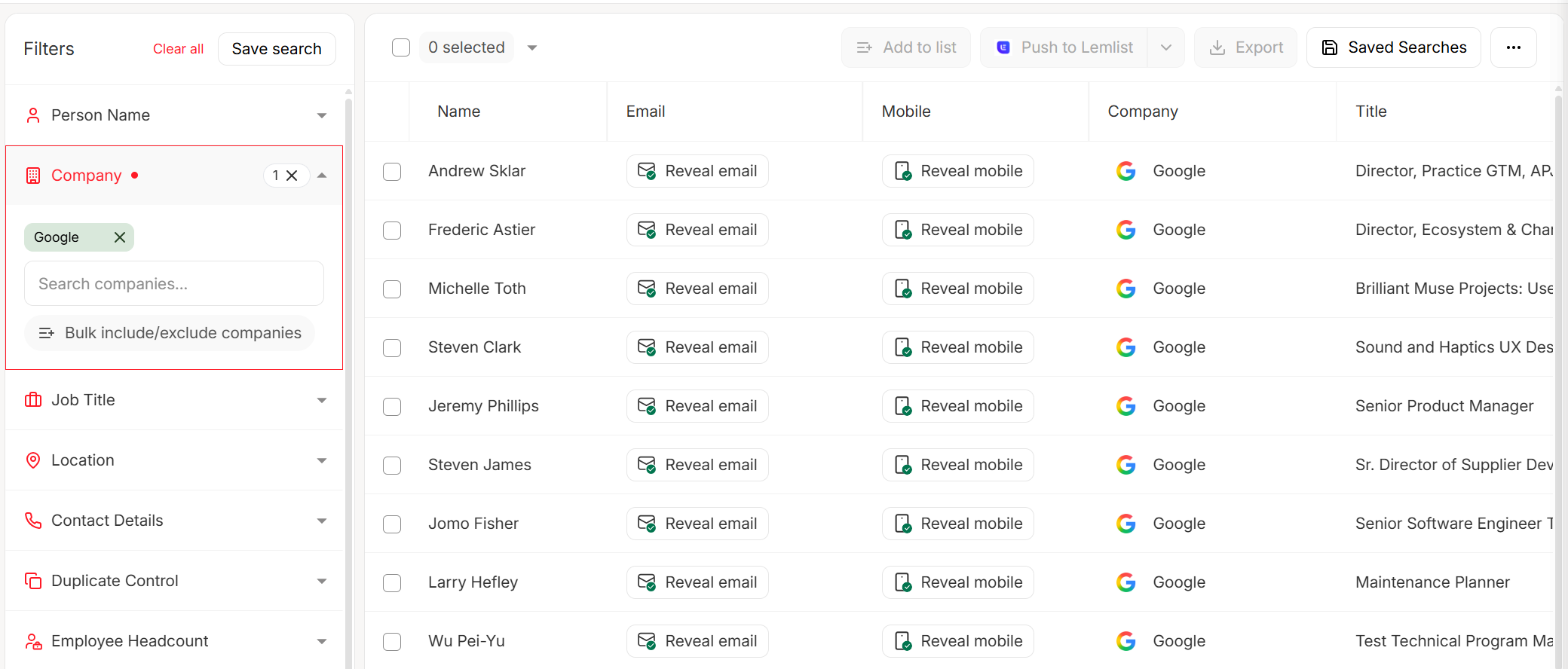
Search by company domain or upload a CSV of names, get verified emails back, then push them directly to Lemlist, Instantly, or your CRM (or pair it with a solid contact management software setup).
You don't need to crack a company's naming convention when you can look up the verified address directly. Prospeo searches 300M+ profiles with 30+ filters - by domain, name, job title, or intent signals - and returns emails that have passed catch-all handling, spam-trap removal, and honeypot filtering.
Skip the pattern research. Get the real email in seconds.
Hunter
Hunter built its reputation on email pattern detection - enter a domain and it shows you the most common format along with confidence scores. It's a solid tool for identifying the convention itself, though you'll still want to verify individual addresses before sending. Free tier gives you 25 searches/month, paid plans start around $49/mo. The catch: Hunter surfaces the pattern but doesn't always verify the specific mailbox exists, so you're still guessing on individual contacts. (If you're comparing options, see our Hunter alternatives.)
Apollo
Apollo's database covers 275M+ contacts and bundles email search with sequencing, dialer, and CRM features. Useful if you want an all-in-one stack, but overkill if you just need verified emails. Free tier is generous with limited credits, paid plans run $49-99/mo per user. Apollo's email accuracy tested at 91% in the Saleshandy benchmark - solid but below the 98% bar set by dedicated email-finding tools.
Other options worth knowing about: Wiza offers pay-as-you-go pricing at $0.15 per email for low-volume prospecting. ZeroBounce runs about $16 per 2,000 verifications and NeverBounce starts at roughly $0.008 per verification on pay-as-you-go - both worth considering if you already have a list and just need verification rather than discovery. If you’re shopping specifically for discovery, start with these email search tools and email ID finder comparisons.
Skip these if you're doing high-volume outbound, though. Pay-per-verification tools get expensive fast once you're past a few hundred contacts per week.
Email Validation with Regex
Why "Perfect Regex" Is a Trap
The Stack Overflow thread on email regex has been viewed millions of times, and the top answer basically says: don't try to write a fully RFC 5322-compliant regex. The compliant version is hundreds of characters long, nearly impossible to maintain, and still doesn't tell you whether the mailbox actually exists.
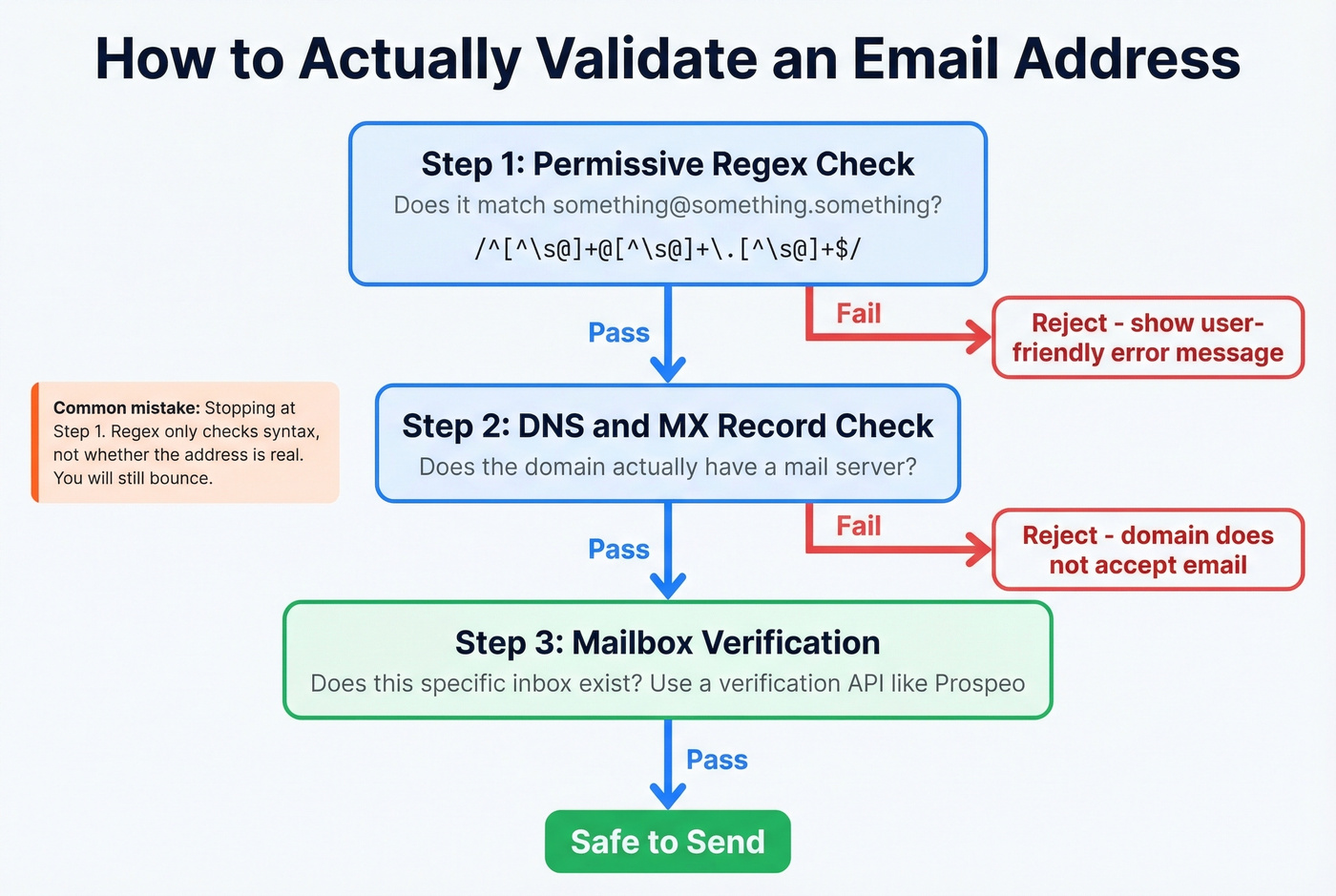
The consensus on r/webdev and Stack Overflow alike is clear: a "perfect" regex rejects valid addresses (which annoys users) and accepts invalid ones (which doesn't help you). Syntax validation and mailbox existence are two completely different problems.
Patterns You Can Actually Use
For most applications, use a permissive pattern that catches obvious garbage without rejecting edge cases:
JavaScript / General purpose:
const emailRegex = /^[^\s@]+@[^\s@]+\.[^\s@]+$/;
Python:
pattern = r'^[^\s@]+@[^\s@]+\.[^\s@]+$'
re.match(pattern, email)
PHP (built-in, recommended):
filter_var($email, FILTER_VALIDATE_EMAIL);
The permissive regex checks three things: no whitespace, exactly one @, and at least one dot in the domain. Layer length checks on top - local-part <= 64, domain <= 253, total <= 254 - and you've covered the structural basics.
The Full Validation Workflow
Regex is step one. For anything beyond a signup form, you need all four layers:
- Syntax check - regex catches malformed addresses
- Domain/MX verification - confirms the domain has mail servers
- Mailbox existence check - SMTP-level verification that the address accepts mail
- Quality scoring - flags catch-all domains, role-based addresses, and disposable emails
If you're sending cold outbound, skipping steps 2-4 is like checking that a phone number has 10 digits without ever dialing it. (For a deeper workflow, see how to check if an email exists and how to check if email will bounce.)
Common Email Format Mistakes
The most frequent input errors are surprisingly mundane. From UX StackExchange research on form validation:
- Trailing periods after the domain
- Commas instead of dots
- Semicolons or apostrophes instead of
@ - Spaces in the middle or at the end
- Bracketed notes like "(office)" tacked onto the address
All preventable with basic client-side checks.
On the deliverability side, the risks go deeper. Sending to disposable emails, spam traps, or role-based addresses like info@ or sales@ will tank your sender reputation fast. Spam traps are particularly insidious - they look like real addresses but exist solely to catch senders with dirty lists.
The fix: validate syntax on input, verify deliverability before sending, and clean your lists regularly. Most bounce-rate disasters come from skipping step two. If you’re already seeing issues, start with email bounce rate benchmarks and a plan to improve sender reputation.
FAQ
What's the most common email address pattern for businesses?
first.last@company.com dominates across businesses of all sizes. It's readable, professional, and easy to guess. Most organizations add a middle initial or number suffix for duplicate names.
Are email addresses case-sensitive?
Technically yes per RFC 5321, but practically no - nearly every provider treats the local-part as case-insensitive. Safely lowercase all addresses in your systems to avoid duplicate records.
What's the maximum email address length?
254 characters total. The local-part caps at 64 characters, the domain at 253. In practice, most business emails are well under 50 characters.
How do I find someone's email if I only know their name and company?
Use a dedicated finder tool rather than guessing formats. Prospeo lets you search by name and company domain across 300M+ professional profiles, returning verified addresses in seconds - the free tier includes 75 emails per month. Hunter and Apollo are other options, though their accuracy benchmarks are lower.
What's plus addressing?
Plus addressing lets you add +tag after your username (e.g., jane+newsletter@gmail.com) to create variations that all deliver to the same inbox. Gmail supports it natively. It's useful for filtering and tracking which services share your address.