

Friendly Follow-Up Email: 8 Templates That Get Replies (2026)
A study of 16.5 million cold emails found the highest reply rate - 8.4% - comes from the initial email. Every follow-up after that gets diminishing returns, and sending four or more messages in a sequence more than triples unsubscribe and spam complaint rates. The friendly follow-up email isn't about persistence. It's about saying the right thing, at the right time, exactly once or twice.
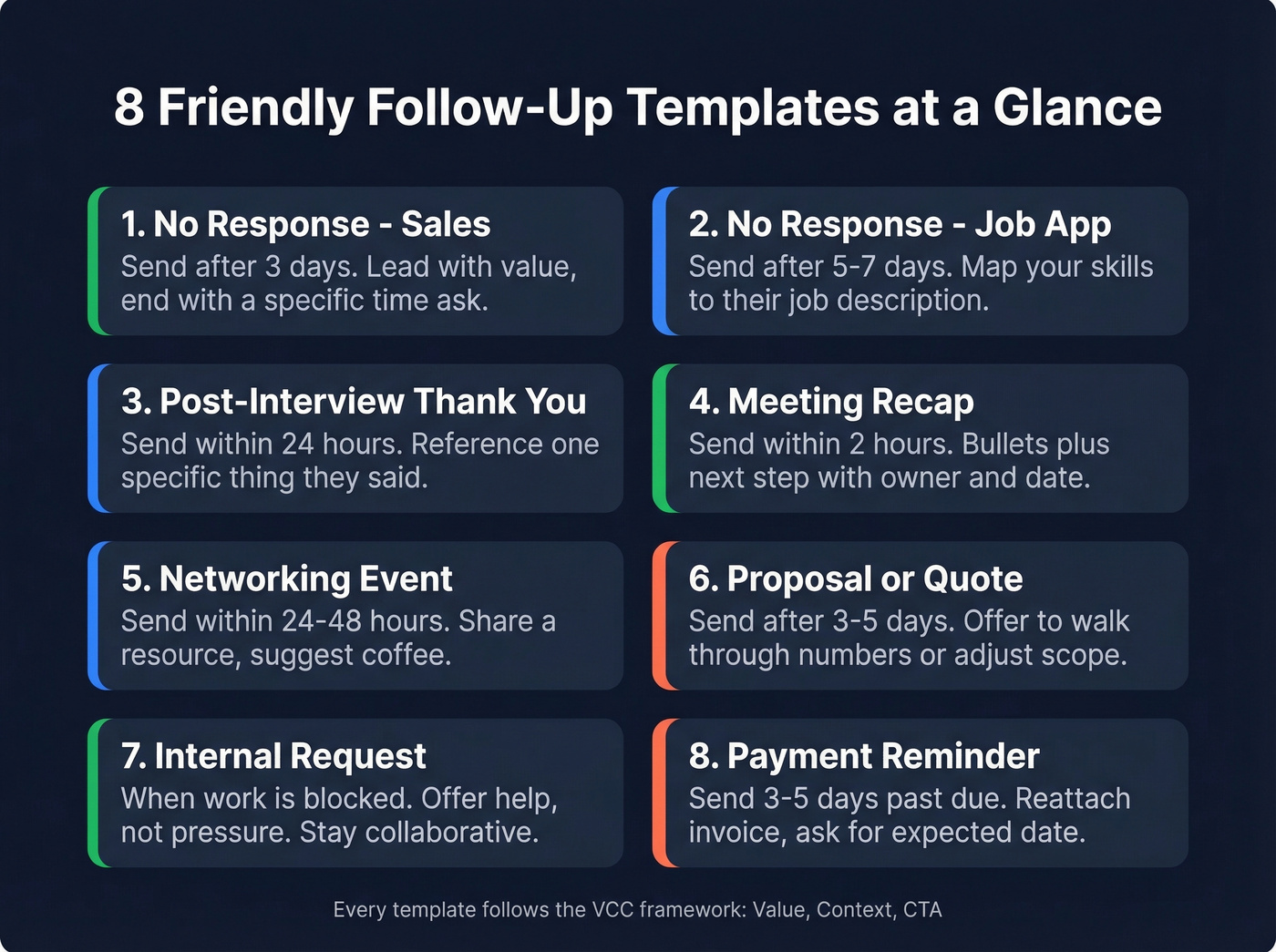
The Quick Version
- Cadence: 3 days, then 5 days, then 7 days. Max three follow-ups.
- Retire this phrase forever: "Just following up." Replace it with a reason to reply.
- Company size changes the math. SMBs start at a 9.2% reply rate, drop to 8% after the first follow-up, then bounce to 8.4% on the second. Enterprise contacts are allergic to persistence - one follow-up is often your ceiling.
- The silent killer: If the email address is invalid, your perfectly crafted follow-up bounces into the void and damages your sender reputation.
Why Polite Follow-Ups Work
The Zeigarnik effect explains it: people remember unfinished tasks better than completed ones. A follow-up reopens that loop. Every message should follow the VCC framework - Value, Context, CTA. Lead with something useful, remind them why you're writing, make the next step obvious. (If you want a tighter definition of a real CTA, see call to action.)
Outreach data compiled by Luru puts the baseline response rate at 8.5%. You're not fighting bad odds. You're fighting inbox noise.
Say This, Not That
The words you choose signal whether you're adding value or just taking up space. Here's a cheat sheet we keep pinned in our own outreach playbook:
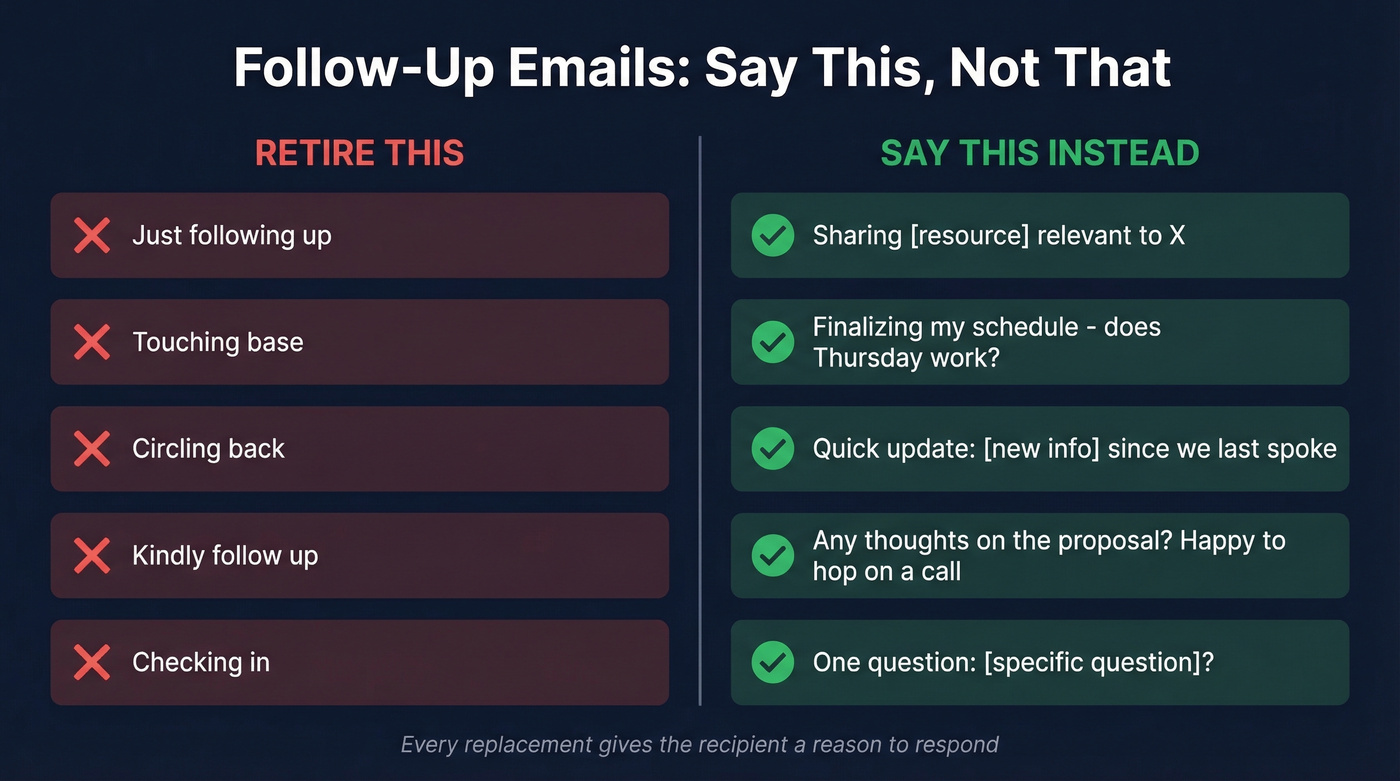
| Retire This | Say This Instead |
|---|---|
| "Just following up" | "Sharing [resource] relevant to X" |
| "Touching base" | "Finalizing my schedule - does Thursday work?" |
| "Circling back" | "Quick update: [new info] since we last spoke" |
| "Kindly follow up" | "Any thoughts on the proposal? Happy to hop on a call" |
| "Checking in" | "One question: [specific question]?" |
Every replacement gives the recipient a reason to respond - a resource, a date, new information, or a direct question. "Just following up" gives them nothing. And "kindly" reads as condescending in modern business English. Drop it entirely. (More options: How to Say Just Checking In Professionally.)

You just read that the biggest follow-up killer is bad data. If your email bounces, your subject line, timing, and template are all irrelevant. Prospeo verifies every email through a 5-step process - 98% accuracy, refreshed every 7 days - so your friendly follow-up actually reaches the inbox.
Stop crafting perfect follow-ups for invalid email addresses.
8 Templates That Get Replies
1. No Response - Sales
When to use: 3 business days after initial outreach.
Hi [First Name], I shared [specific thing] last week - wanted to flag one detail relevant to [their challenge]. [One sentence of value.] Worth 10 minutes this week? - [Your Name]
A field sales rep on r/sales shared a trick that consistently works: frame your follow-up as a scheduling constraint. "I'm finalizing my schedule for next week - does Thursday work?" gives the recipient a concrete reason to reply now instead of later. We've tested this framing ourselves, and it outperforms open-ended asks almost every time. (If you're building a full sequence, borrow from these sales follow-up templates.)
2. No Response - Job Application
When to use: 5-7 business days after applying.
Hi [Hiring Manager], I applied for the [Role] position and wanted to reiterate my interest. My background in [specific skill] maps directly to [something from the JD]. Happy to chat whenever works. Best, [Your Name]
3. Post-Interview Thank You
When to use: Within 24 hours of the interview.
Hi [Interviewer], Thanks for the conversation today. Your point about [specific challenge] stuck with me - it's exactly the kind of problem I tackled at [previous company] when we [brief result]. Looking forward to next steps. - [Your Name]
4. Meeting Recap
When to use: Same day, within 2 hours.
Hi [Name], Great speaking today. Quick recap: [2-3 bullets of what was discussed]. Next step: [action + owner + date]. Let me know if I missed anything. - [Your Name]
5. Networking Event
When to use: 24-48 hours after the event.
Hi [Name], Great meeting you at [Event]. Your take on [topic] was sharp - here's [resource] that builds on it. Coffee sometime? - [Your Name]
Skip this template if you can't remember a single specific thing the person said. Three paragraphs recapping the event won't save you. One real detail proves you were paying attention. Everything else is filler.
6. Proposal or Quote
When to use: 3-5 business days after sending.
Hi [Name], Wanted to check if you reviewed the proposal from [date]. Happy to walk through the numbers or adjust scope if priorities shifted. What works best? - [Your Name]
7. Internal Request
When to use: A colleague hasn't responded and it's blocking your work.
Hi [Name], I know you're swamped - [project] is blocked until I get [deliverable]. I've blocked tomorrow afternoon to work on it if you can get it over by then. Anything I can do to help? - [Your Name]
The key with internal follow-ups is offering support, not applying pressure. A casual follow-up to a colleague should feel collaborative, not like a passive-aggressive escalation. If you find yourself writing "per my last email," step away from the keyboard.
8. Payment Reminder
When to use: 3-5 days past due.
Hi [Name], Invoice #[number] for [amount] was due on [date] - reattached for convenience. If already processed, ignore this. Otherwise, could you share the expected payment date? Thanks, [Your Name]
Subject Lines That Get Opened
No response:
- "Quick question about [topic]"
- "[Name], any thoughts?"
- "I forgot to mention..."
After a trigger event:
- "Ideas for [their recent launch]"
- "Saw [specific news] - thought of you"
General follow-up:
- "Next steps on [project]"
- "[Name] recommended we chat"
- "10 min this week?"
Avoid using the word "follow-up" in the subject line. It adds no value and is easy to ignore. HubSpot's follow-up templates lean on personalization and questions - that's the right instinct. (For more ideas, swipe from these email subject line examples.)
Timing, Cadence, and When to Stop
Silence is normal. HBR frames it well - people don't respond on your timeline, if at all.
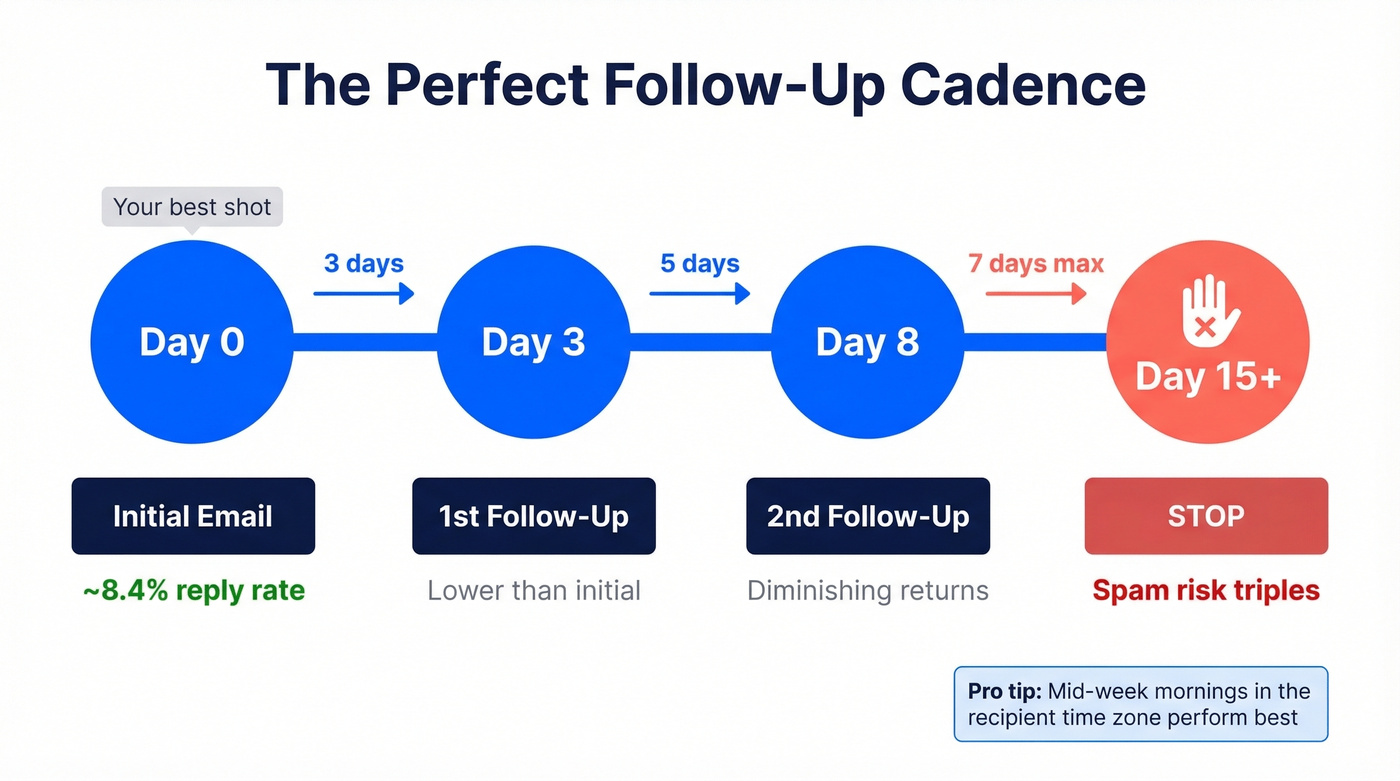
| Touch | Wait | Expected Reply Rate |
|---|---|---|
| Initial email | - | ~8.4% |
| 1st follow-up | 3 days | Lower than initial |
| 2nd follow-up | 5 days | Diminishing |
| 3rd+ | Don't | Unsubscribe/spam risk triples |
Mid-week mornings in the recipient's local time zone tend to perform best. In our experience, the 3-day window consistently outperforms longer gaps - waiting a full week lets the conversation go cold. Two follow-ups is the ceiling for most contexts. After that, you're not being persistent. You're noise. (If you want a deeper timing breakdown, see best time to send cold emails.)
Mistakes Killing Your Reply Rate
The fastest way to tank a follow-up is skipping the CTA. "Let me know your thoughts" isn't a call to action - "Does Thursday at 2pm work?" is. Give people a binary choice, not an open-ended prompt.
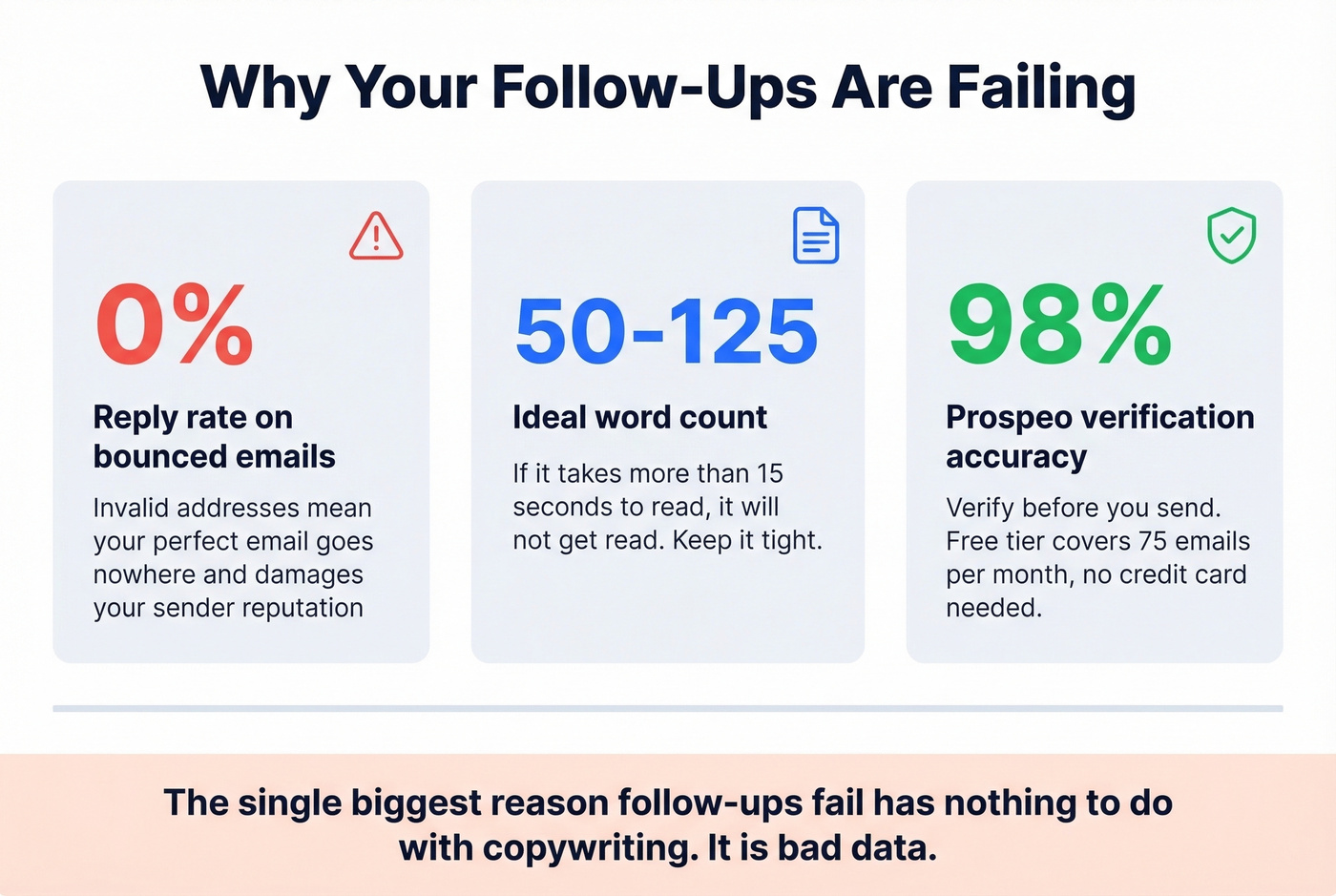
Length matters more than you think. Keep follow-ups between 50 and 125 words. If it takes more than 15 seconds to read, it won't get read. (If you want to tighten your copy, use this email copywriting guide.)
Here's the thing, though: the single biggest reason follow-ups fail has nothing to do with copywriting. It's bad data. You can write the friendliest email in the world, but if the address is invalid, it bounces. Worse, repeated bounces destroy your sender reputation and tank deliverability for every future email you send - not just the one that bounced. Prospeo verifies emails with 98% accuracy and offers a free tier of 75 verifications per month, no credit card required. Run your list through it before hitting send. (Related: email bounce rate benchmarks and fixes, plus an email deliverability guide to protect your domain.)
Two follow-ups is your ceiling. That means every send has to count - right person, right address, right time. Prospeo gives you 143M+ verified emails at $0.01 each so you never waste a follow-up on a dead address or damage your sender reputation with bounces.
Make every follow-up land with emails that are actually real.
FAQ
How long should I wait before following up?
Three business days for sales and general contexts. After an interview or meeting, follow up within 24 hours while the conversation's fresh. For proposals and quotes, 3-5 business days gives the recipient time to review without losing momentum.
How many follow-ups is too many?
Two to three maximum. Data from 16.5M emails shows four or more follow-ups more than triples unsubscribe and spam complaint rates. After three touches, move on or try a different channel entirely.
Is "just a friendly follow up" a good opening line?
No. It tells the recipient nothing new and wastes your most valuable real estate - that first sentence. Replace it with a specific reason to reply: a resource, a question, or new information. Emails with a concrete value hook in the opening line outperform generic openers consistently.
How do I make sure my follow-up actually reaches the inbox?
Verify the email address before sending. Invalid addresses cause bounces that damage your sender domain reputation, lowering deliverability for all future emails. Tools like Prospeo let you verify addresses at 98% accuracy before you hit send - the free tier covers 75 emails per month, which is enough to clean a small outbound list before every campaign.