

How Many Emails Can You Send Before Gmail Considers You Spam?
You warmed up a fresh Google Workspace inbox, loaded your first sequence, and hit send on 200 emails. By noon, half are landing in spam. The cap says 2,000 - so what went wrong?
Volume isn't what got you flagged. Reputation is.
Most people fixate on Gmail's daily sending limit as the line between inbox and spam folder. It's not. Gmail's spam filtering runs on engagement signals, authentication, and complaint rates - and it can flag you well before you approach any hard cap. Let's break down the actual numbers, the thresholds that matter, and what to do about them.
Gmail Sending Limits at a Glance
Gmail enforces hard daily caps, but the "safe" range for cold outreach is far lower than those caps suggest.
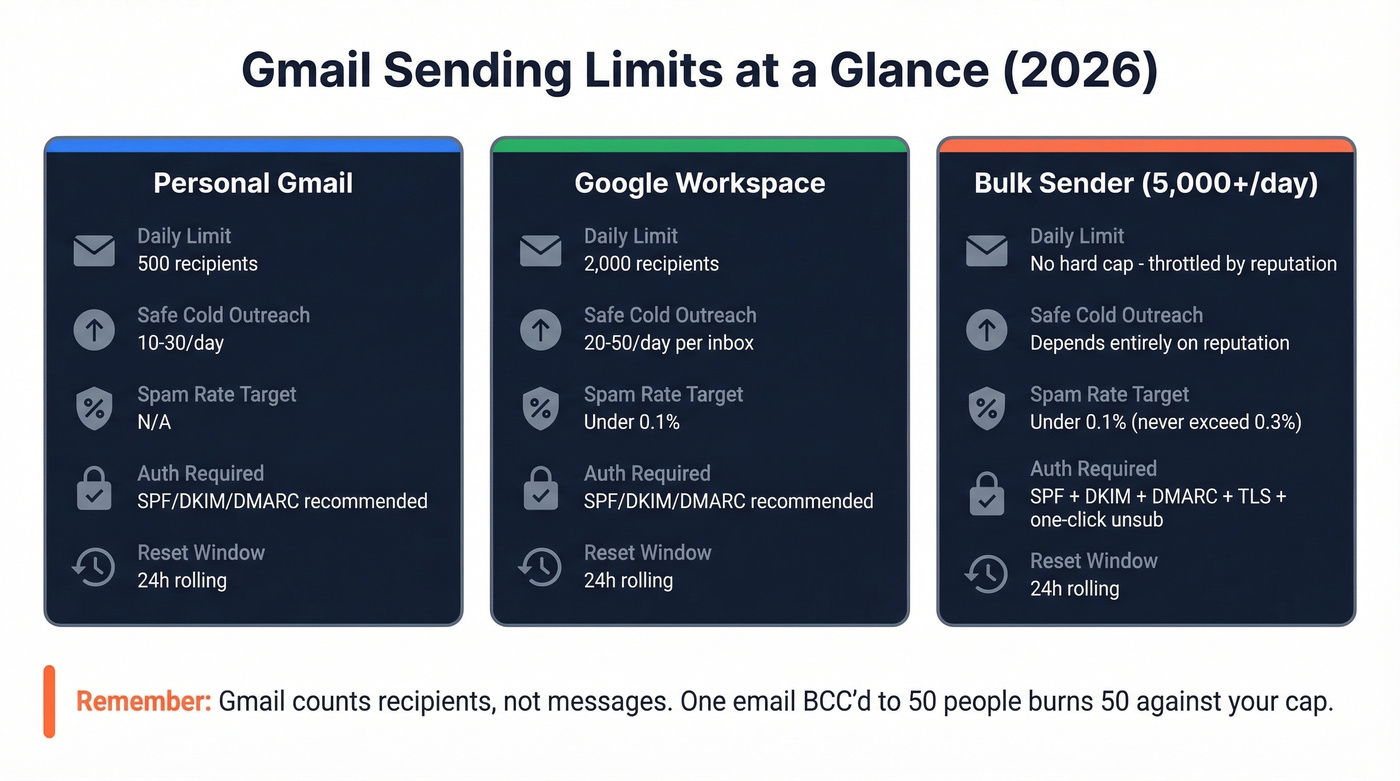
| Gmail (Personal) | Google Workspace | Bulk Sender (5,000+/day to Gmail) | |
|---|---|---|---|
| Daily recipient limit | 500 | 2,000 | No hard cap - throttled by reputation |
| Reset window | Rolling 24 hours | Rolling 24 hours | Rolling 24 hours |
| Spam rate target | N/A | < 0.1% (never exceed 0.3%) | < 0.1% (never exceed 0.3%) |
| Authentication | SPF/DKIM/DMARC recommended | SPF/DKIM/DMARC recommended | SPF + DKIM + DMARC alignment (p=none minimum) + TLS + one-click unsubscribe |
| Classification | - | - | Permanent after you cross 5,000/day; doesn't revert if you lower volume |
Safe cold outreach range: 10-30/day for personal Gmail, 20-50/day per Workspace inbox. (If you need to scale safely, follow an email velocity plan.)
Three things most people miss. First, these limits run on a rolling 24-hour window - not a midnight reset. Second, Gmail counts recipients, not messages: one email BCC'd to 50 people burns 50 against your cap. Third, out-of-office and vacation auto-replies count toward your recipient limit too, a detail that catches people off guard during holiday campaigns.
New Google Workspace trial accounts face tighter restrictions than you'd expect. Trial accounts don't get the full 2,000/day limit until the account is paid, has cumulatively spent $100, and 60 days have passed since meeting that payment threshold. In practice, brand-new accounts start out limited to around 100-200/day until reputation and account history build.
The "50 Emails/Day" Myth
Search any cold email forum and you'll find the "50 emails per day per inbox" rule repeated like gospel. There's no Google documentation backing it. A popular r/coldemail thread dug into this and found the number traces back to vendors and agencies, not Google's anti-abuse team. It's a conservative heuristic that became canon through repetition - useful as a starting point, but not a technical limit.
Here's the thing: if your average deal size is under five figures, you probably don't need to obsess over pushing volume. Twenty highly targeted, well-written emails per day will outperform 200 spray-and-pray sends every time. The teams we've worked with that maintain the best deliverability are the ones sending fewer, better emails - not the ones gaming daily limits. (If you want frameworks that increase replies without increasing volume, use these sales follow-up templates.)
What Actually Triggers Gmail's Spam Filter
Gmail runs a layered ML system evaluating authentication, domain reputation, content patterns, and sending consistency. But the heaviest weight goes to real-time user behavior.

The negative signals that hurt fastest: spam complaints, delete-without-reading, spam-trap hits, and sudden volume spikes. One spam complaint out of 10 emails gives you a 10% complaint rate. At low volumes, the math is brutal.
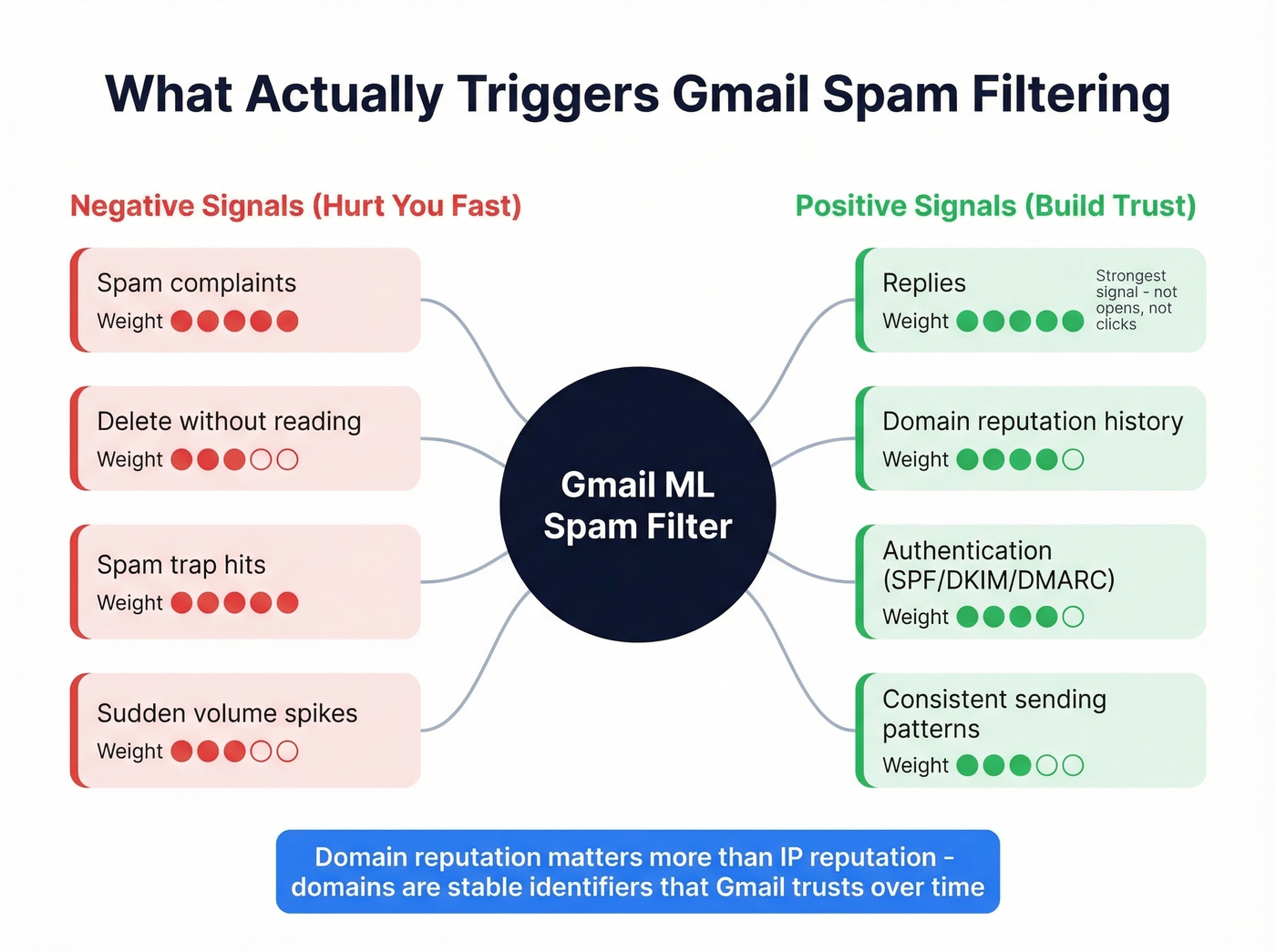
The strongest positive signal? Replies. Not opens - Apple Mail Privacy Protection, used by roughly 46% of email clients, inflates open rates to the point of uselessness. Not clicks. Actual replies. (For more on writing emails that drive responses, see emails that get responses.)
Gmail tends to weight domain reputation more heavily than IP reputation because IPs can be shared or rotated while domains are stable identifiers. A clean domain with strong engagement history can send at higher volumes than a fresh one ever could. One in six legitimate marketing emails never reaches the inbox, according to Validity's 2026 deliverability report. Gmail's inbox placement runs about 87.2% - better than Microsoft's 75.6% - but that number drops fast when your reputation slips. And even mail that avoids spam can land in Gmail's Promotions tab: technically delivered, but far less visible for cold outreach. (If you're troubleshooting, start with this email deliverability guide.)

Gmail flags you at 0.3% complaint rate - but one bounced email at low volume can wreck your math. Prospeo's 5-step verification catches spam traps, honeypots, and catch-all domains that basic verifiers miss. 98% email accuracy. Under $0.01 per verified address.
Stop warming up inboxes with bad data. Verify first.
Spam Complaint Rate Thresholds
Google's bulk sender guidelines set the targets: keep your spam complaint rate below 0.1%. Never hit 0.3%. Once you cross 0.3%, you lose access to Gmail's mitigation support until you maintain compliance for seven consecutive days.
If you send 5,000+ emails per day to Gmail addresses, you're permanently classified as a bulk sender - and that classification doesn't revert. Enforcement isn't just spam-folder placement. Non-compliance triggers temporary rate limiting (4.7.x errors) and can escalate to permanent rejection (5.7.x errors). (If you're unsure what "bulk" means in different contexts, see bulk email threshold.)
For context, one newsletter sender on r/Emailmarketing reported a ~0.12% spam rate and their tool flagged it as high. Klaviyo flags anything above 0.01% as high in its dashboard - far stricter than Gmail's own 0.1% target. The tools are often more conservative than Gmail itself.
How to Warm Up a New Gmail Account
Warm-up takes 4-8 weeks. There's no shortcut.
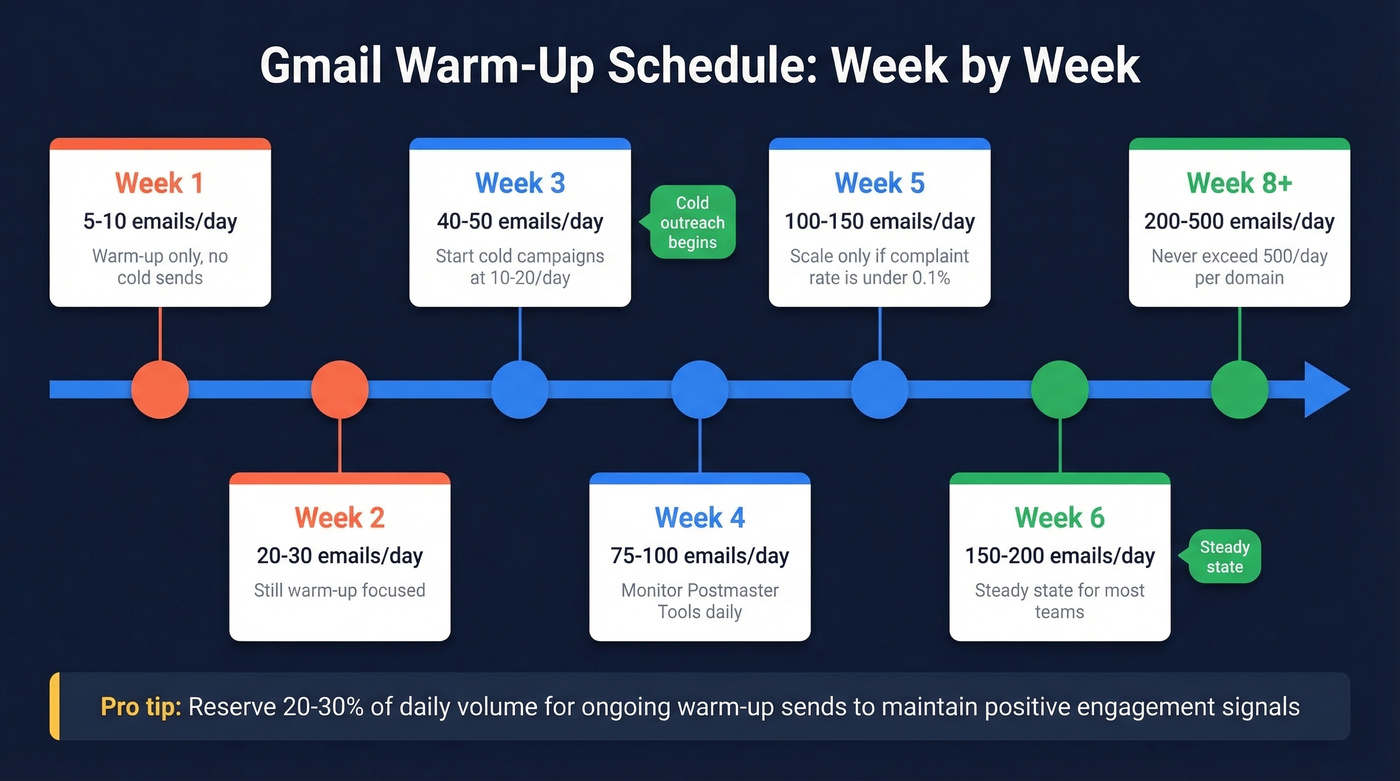
| Week | Emails/Day | Notes |
|---|---|---|
| 1 | 5-10 | Warm-up only, no cold sends |
| 2 | 20-30 | Still warm-up focused |
| 3 | 40-50 | Start cold campaigns at 10-20/day |
| 4 | 75-100 | Monitor Postmaster Tools |
| 5 | 100-150 | Scale if complaint rate < 0.1% |
| 6 | 150-200 | Steady state for most teams |
| 8+ | 200-500 | Never exceed 500/day per domain |
After warm-up, reserve 20-30% of your daily volume for ongoing warm-up sends. This maintains the positive engagement signals Gmail needs to keep trusting you. (For tooling options, compare unlimited email warmup tools.)
One critical mistake: warming up with bouncing contacts. If your warm-up list is full of invalid addresses, you're training Gmail to distrust you from day one. Verify your list before warm-up sends - Prospeo's 5-step verification catches spam traps and catch-all domains that basic verifiers miss, so your warm-up builds trust instead of destroying it. (If you’re diagnosing failures, start with email bounce rate benchmarks and fixes.)
Clean Your List Before You Send
A poster on r/coldemail described their deliverability plummeting overnight after what they believed was a spam-trap hit. Recovery was painful: paused sends, list scrubbing, and slow re-warming over weeks.
Basic verifiers catch hard bounces, but they miss the threats that actually destroy your reputation - spam traps, honeypots, and catch-all domains that silently tank your sender score. Keep your bounce rate under 2%. That's the threshold where damage starts compounding. (If you suspect traps, follow a spam trap removal process.)
In our experience, teams that verify every list before sending - not just new lists, but re-verify aged lists every 30 days - almost never hit deliverability crises. The ones who skip verification are the ones filing support tickets about sudden spam placement. Stack Optimize, for example, built to $1M ARR while maintaining 94%+ client deliverability and under 3% bounce rates across all their accounts, with zero domain flags. That kind of consistency doesn't happen by accident; it happens because every list gets verified before it touches an inbox. (If you're evaluating vendors, see bouncer alternatives.)

Stack Optimize maintained 94%+ deliverability and under 3% bounce rates across every client account - zero domain flags. The difference? Every list was verified through Prospeo before a single email left the inbox. 143M+ verified emails, refreshed every 7 days.
Build lists that land in inboxes, not spam folders.
Monitor With Google Postmaster Tools
Google Postmaster Tools is free and shows you how Gmail views your domain. Setup takes five minutes: add your domain, publish the TXT verification record, and verify. You'll see spam rate, domain reputation, authentication status, and compliance data - updated with a 24-48 hour lag. You need roughly 100+ daily messages to Gmail recipients before meaningful data appears.
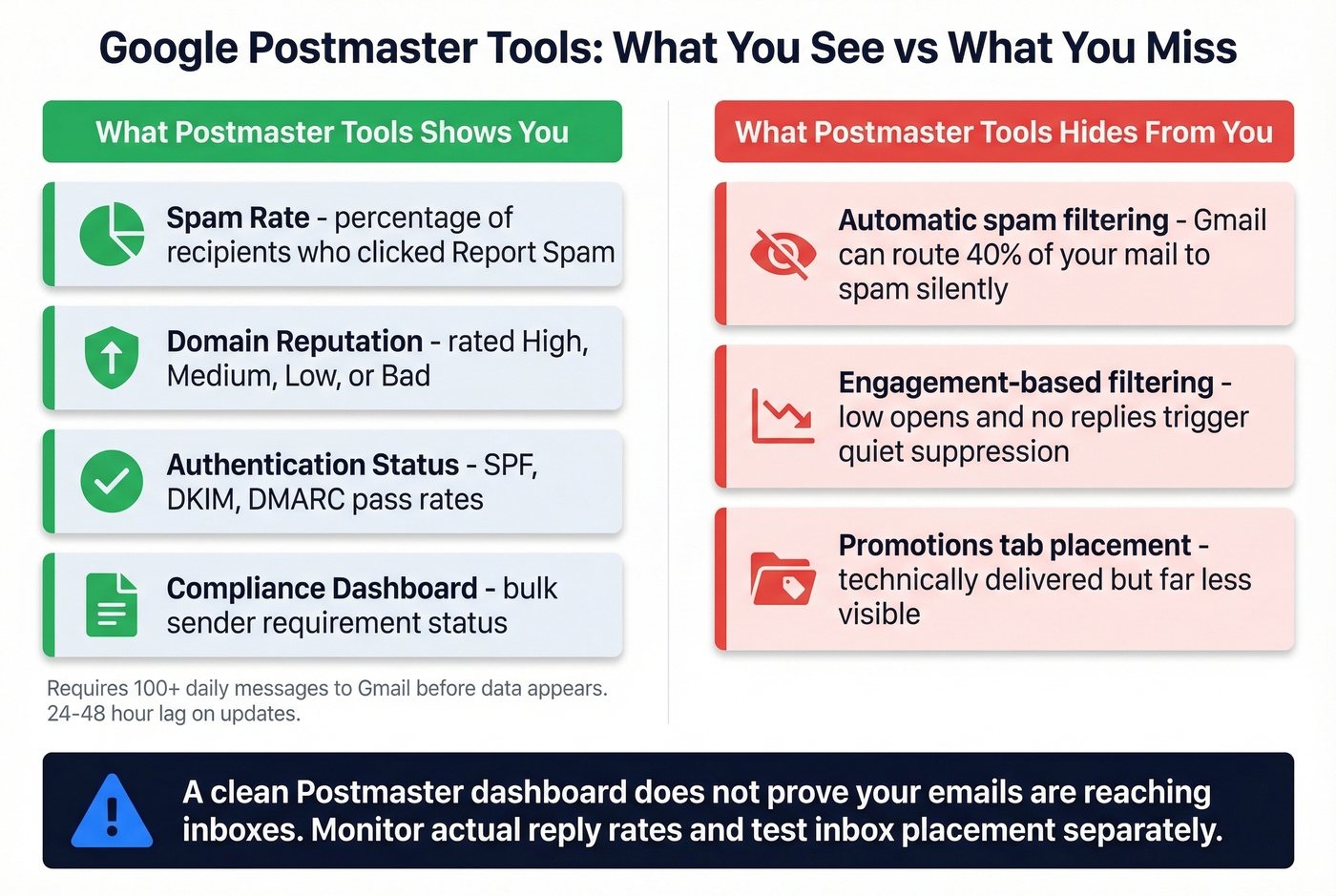
The critical limitation most people don't realize: Postmaster Tools only measures manual "Report spam" clicks from recipients. It doesn't show automatic spam-folder filtering. You can have a 0.02% reported spam rate while Gmail quietly routes 40% of your mail to spam based on engagement signals. Don't treat a clean Postmaster dashboard as proof your emails are reaching inboxes. (To tighten authentication, use this guide on DMARC alignment.)
Recovery from a damaged reputation follows a consistent pattern: pause sends, suppress disengaged contacts, clean your list aggressively, then restart at low volume with high-engagement recipients only. Expect 2-4 weeks before reputation metrics improve. (For a step-by-step, see how to improve sender reputation.)
FAQ
What happens when you hit Gmail's daily sending limit?
Gmail temporarily disables sending for approximately 24 hours. The rolling window resets gradually - not at midnight. Repeated violations extend the lockout and can trigger account-level restrictions.
Does Gmail count recipients or messages toward the limit?
Recipients. One email sent to 50 people counts as 50 against your daily cap. BCC recipients and auto-replies from recipients also count toward the total.
How many emails per day is safe for cold outreach on Gmail?
For cold outreach, 20-50 emails per day per Google Workspace inbox keeps you well under spam thresholds. Personal Gmail accounts should stay at 10-30/day. Reputation and engagement matter more than raw volume - exceeding these ranges without strong sender history risks spam placement.
Can email verification prevent spam placement?
Yes. Verification removes spam traps, invalid addresses, and catch-all domains that spike bounce rates and destroy sender reputation. Keeping bounce rates under 2% is critical, and re-verifying aged lists every 30 days prevents decay from catching you off guard.
How long does it take to recover from a damaged Gmail reputation?
Expect 2-4 weeks minimum. The recovery process requires pausing all sends, scrubbing disengaged and invalid contacts, then restarting at low volume (5-10/day) with only your highest-engagement recipients. Monitor Google Postmaster Tools daily during recovery.