

How to Find a Person's Email Address in 2026 (7 Ways)
You found the perfect prospect - name, title, company. No email anywhere on the page. Now what?
Most guides treat "find an email" as the finish line. It's not. Knowing how to find a person's email address that doesn't bounce and torch your sender reputation is the actual problem. 8 out of 10 email finder tools charge full price for emails that bounce. We've watched teams burn through three sending domains in a quarter because they trusted unverified data. So let's set the real standard: find a verified, deliverable address - or don't bother sending.
Here's the thing: if your average deal size is under $5K, you don't need a $15K/year data platform. A focused email finder with built-in verification will outperform bloated all-in-one tools nine times out of ten.
Quick Comparison
These five tools consistently deliver across real outbound campaigns. The table gives you the short answer; the breakdowns below give you the full picture.
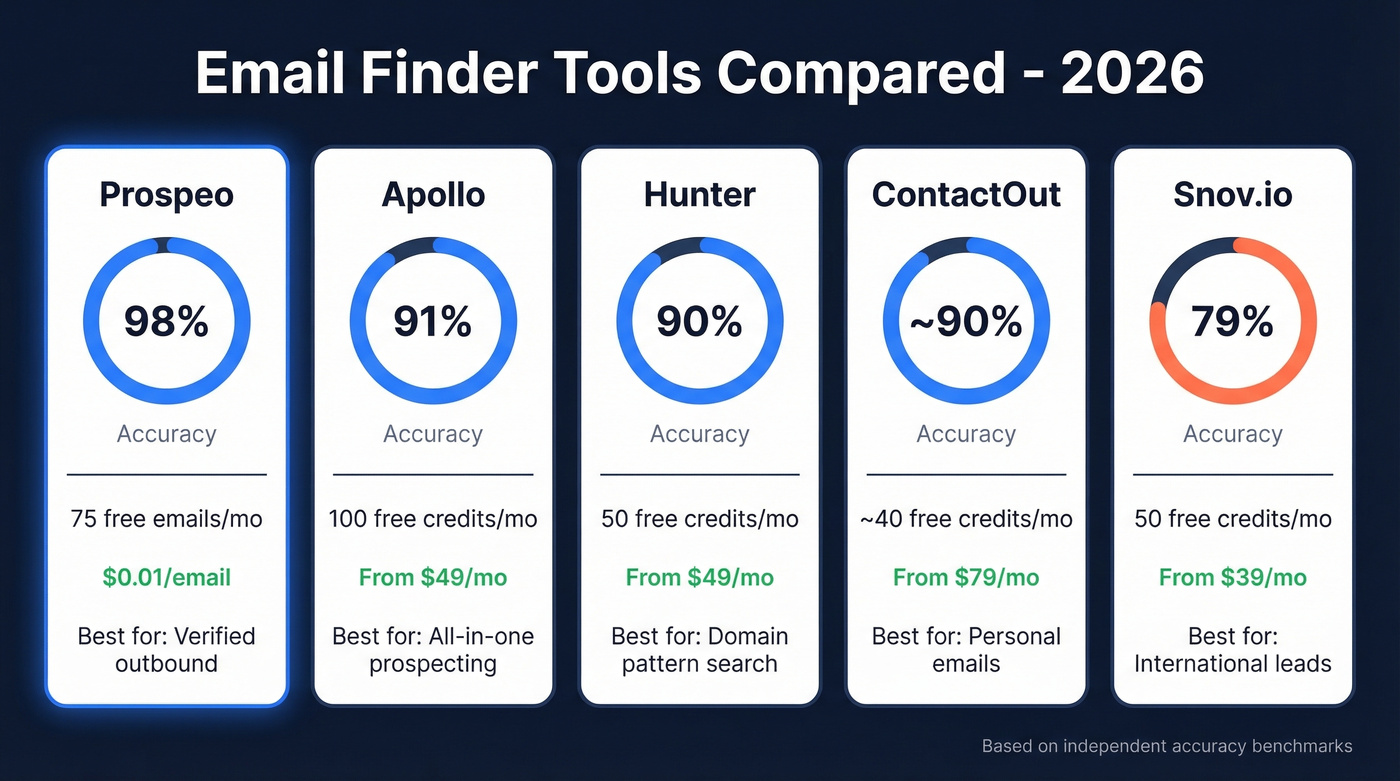
| Tool | Accuracy | Free Tier | Paid From | Best For |
|---|---|---|---|---|
| Hunter | 90% | 50 credits/mo | $49/mo | Domain pattern search |
| Apollo | 91% | 100 credits/mo | ~$49/mo | All-in-one prospecting |
| Snov.io | 79% | 50 credits/mo | $39/mo | International leads |
| ContactOut | ~90% | ~40 credits/mo | ~$79/mo | Personal emails |
Email Finder Tools (The Fast Way)
Tools are the fastest path from "I need this person's email" to "I have it, verified, in my sequencer." Whether you're looking up someone by name or scraping an entire company domain, the right tool makes the difference. But they aren't all equal.
Prospeo
Prospeo runs a 5-step verification process with catch-all handling, spam-trap removal, and honeypot filtering - all before the email ever hits your list. That's not a bolt-on feature; it's the core architecture. The result is 98% email accuracy across 143M+ verified addresses, refreshed on a 7-day cycle while the industry average sits at six weeks.
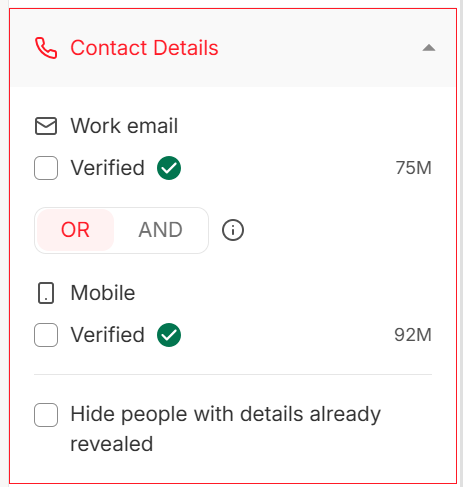
The Chrome extension with 40,000+ users lets you pull verified emails from any website or professional profile in one click. At roughly $0.01 per email on paid plans, the unit economics are hard to beat. The free tier gives you 75 emails/month plus 100 Chrome extension credits/month - enough to test whether the accuracy holds up on your specific ICP.
Pair it with Smartlead, Instantly, or Lemlist for sequencing, and you've got a complete outbound stack without paying for features you'll never touch. Skip Prospeo only if you need a full-stack sales engagement platform with built-in sequences and a dialer under one roof.
Hunter.io
The cleanest domain search on the market. Type in a domain, get back every published email pattern with confidence scores and the original sources, including discovery dates. Transparent in a way most tools aren't. If you're wondering how to find an email address by name and company, Hunter's pattern-matching approach is one of the most intuitive starting points.
The downside? A smaller database than Apollo or Prospeo. Reddit threads consistently flag this - Hunter's verification is solid, but the pool of findable emails is more limited. If your prospect isn't indexed, you're stuck.

50 free credits/month. Paid plans start at $49/mo for 1,000 credits. Accuracy sits around 90% in independent tests. Best for teams that prospect company-by-company rather than building massive lists. (If you're comparing options, see our breakdown of Hunter alternatives.)
Apollo
We watched a team switch to Apollo for its generous free tier and all-in-one pitch - database, sequences, dialer, intent signals. Three weeks in, their bounce rate was north of 15% on older contacts. The database covers 275M+ contacts and scored 91% accuracy in the Saleshandy benchmark, so the breadth is genuinely impressive. But breadth without freshness creates problems.
The consensus on r/agency is blunt:
"Data feels bad sometimes... lots of bounces on older contacts."
100 free credits/month. Paid plans from ~$49/mo per user. If you use Apollo, run every list through a separate verifier before sending. That's not optional. (More on managing email bounce rate if you're troubleshooting.)
Snov.io
A solid mid-range option at $39/mo for 1,000 credits. Includes a built-in email verifier, drip campaigns, and a Chrome extension. Reddit users note it performs better than average outside North America, making it the go-to for international leads. The 79% accuracy score is the lowest on this list, so always verify before sending.
ContactOut
One recruiter on Reddit tested multiple providers and chose ContactOut specifically for stronger personal email coverage and lower bounce rates versus Apollo and Lusha. If you're recruiting or selling to founders who don't use corporate domains, ContactOut's personal email data justifies the ~$79/mo price tag. Free tier gives you around 40 credits/month.
Others Worth Knowing
Skrapp - 50-100 free credits/month depending on plan, $49/mo paid. 93% accuracy. Straightforward finder without feature bloat.
RocketReach - 5 free lookups/month, which is almost useless for evaluation. ~$50/mo paid, 83% accuracy.
GetProspect - Quietly one of the better performers at 95% accuracy. Free plan includes 50 valid emails and 100 verifications, $49/mo paid.
Voila Norbert - $49/mo for 1,000 leads. Reliable as a secondary source, not differentiated enough to be a first choice.
Findymail - $49/mo for 1,000 finder credits. Built for outbound sales teams with a solid verification layer.
Google Search Operators (Free)
When you need one email and don't want to sign up for anything, Google operators are your best friend. Copy-paste ready:
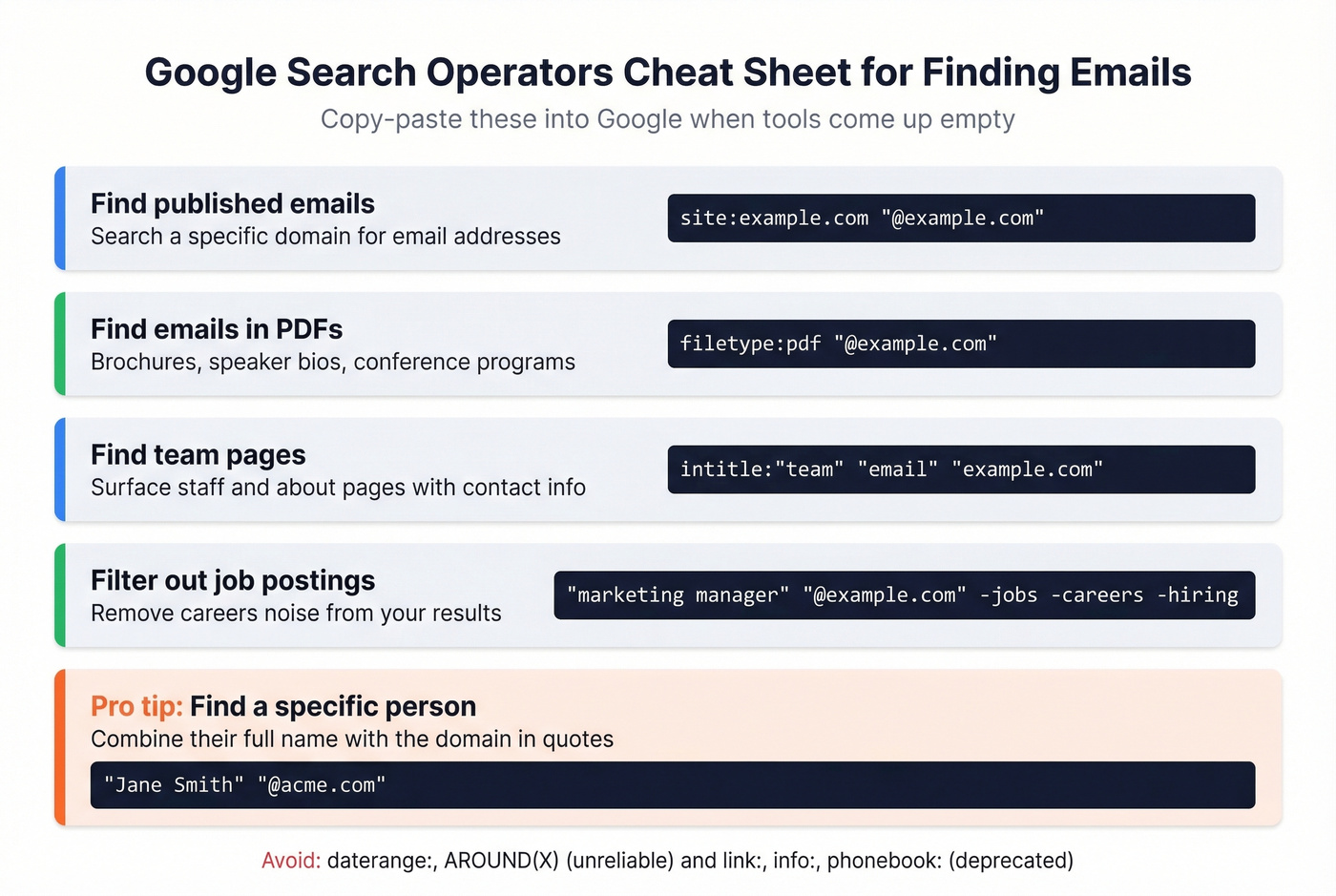
Find published emails on a specific domain:
site:example.com "@example.com"
Find emails buried in PDFs like brochures, speaker bios, and conference programs:
filetype:pdf "@example.com"
Surface team or staff pages:
intitle:"team" "email" "example.com"
Filter out job postings that pollute results:
"marketing manager" "@example.com" -jobs -careers -hiring
If you're trying to locate an address by name, combine the person's full name with the company domain in quotes - for example, "Jane Smith" "@acme.com". This narrows results dramatically.
The operators site:, intitle:, inurl:, filetype:, quoted strings, and negation (-) are all reliable and well-documented by Google. Avoid daterange: and AROUND(X) - they're unreliable. And link:, info:, and phonebook: are fully deprecated.
The limitation is obvious: this doesn't scale. Use operators for one-off lookups when a tool doesn't return results, then move on.
Email Permutation (Guess + Verify)
If you know someone's name and company domain, you can guess their email pattern. This is the manual approach when tools come up empty. Most companies use one of a handful of formats:
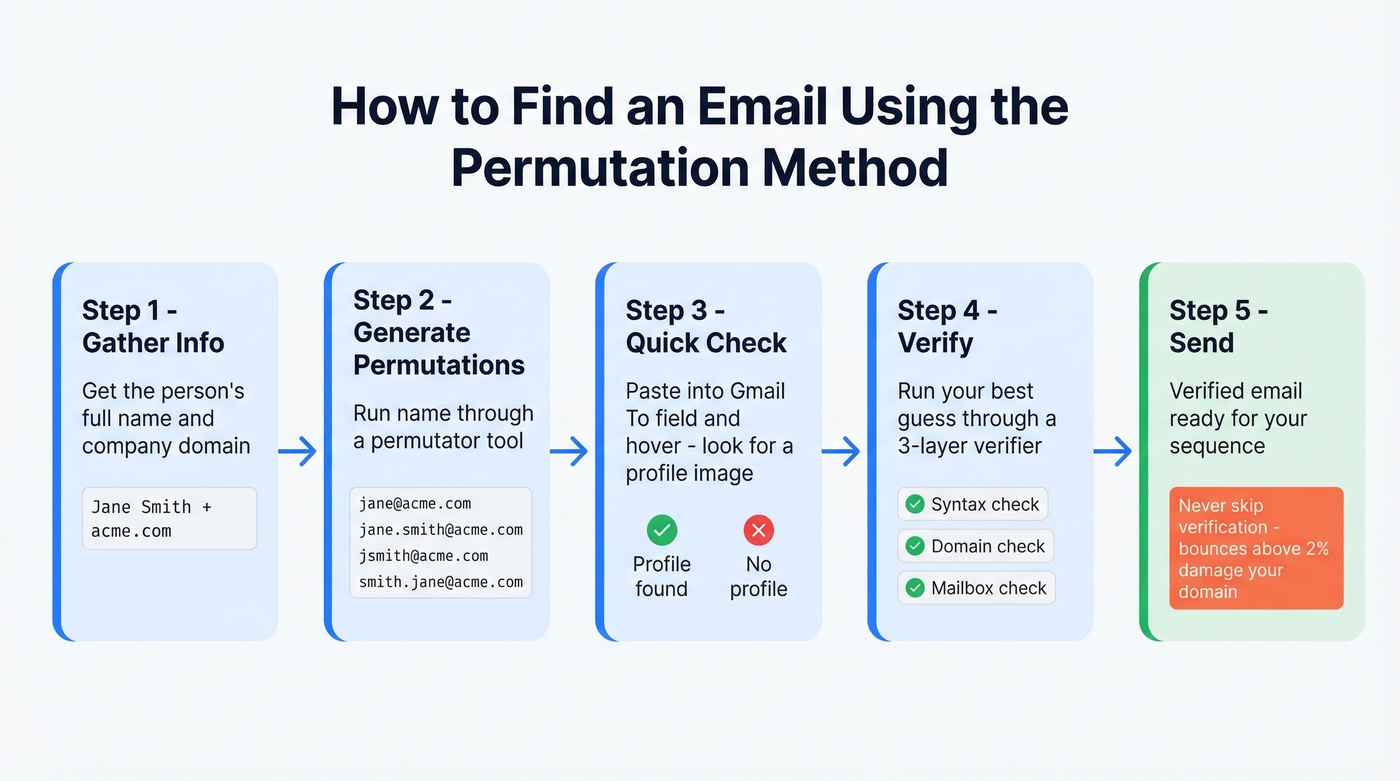
firstname@company.comfirstname.lastname@company.comfirstinitiallastname@company.comlastname.firstname@company.com
A permutator tool generates every plausible combination from a name and domain. You'll get a dozen or more variations. The trick is figuring out which one is real without sending to all of them - because blasting every permutation will spike your bounce rate and flag your domain.

Here's a quick validation hack: paste the permutations into Gmail's "To:" field and hover over each one. If a profile image appears, that's a strong signal you've found the right address. It's not foolproof, but it's free and takes 30 seconds. (If you want more options, see our guide on name to email.)
For anything beyond a one-off, run your best guess through a proper verifier before hitting send.

You just read about tools that range from 79% to 93% accuracy. Prospeo hits 98% across 143M+ verified emails - with a 5-step verification process that catches spam traps, honeypots, and catch-all domains before they torch your sender reputation. At $0.01 per email, one bounced send costs more than 100 verified lookups.
Find any person's verified email address in seconds, not hours.
Other Free Methods
These are useful for one-off lookups when tools come up empty:
- Company website team/about pages - surprisingly effective for small companies that list staff emails directly, and often the fastest way to find contact details for a specific organization
- Social media bios - founders and freelancers often publish their email in Twitter/X or Instagram bios
- WHOIS/ICANN lookup - domain registration records sometimes expose admin emails, especially for smaller businesses
- Newsletter sign-up pages - the "from" address on a company newsletter often follows the same pattern as employee emails
- Community profiles - check GitHub, Stack Overflow, or industry Slack communities where people list contact info
If you need more than five emails, use a tool. (For more no-cost options, see free lead generation tools.)
Verify Before You Send
Finding an email is half the job. The other half is making sure it actually works. In our testing, lists that skipped verification consistently bounced above 8% - enough to crater a sending domain in days.
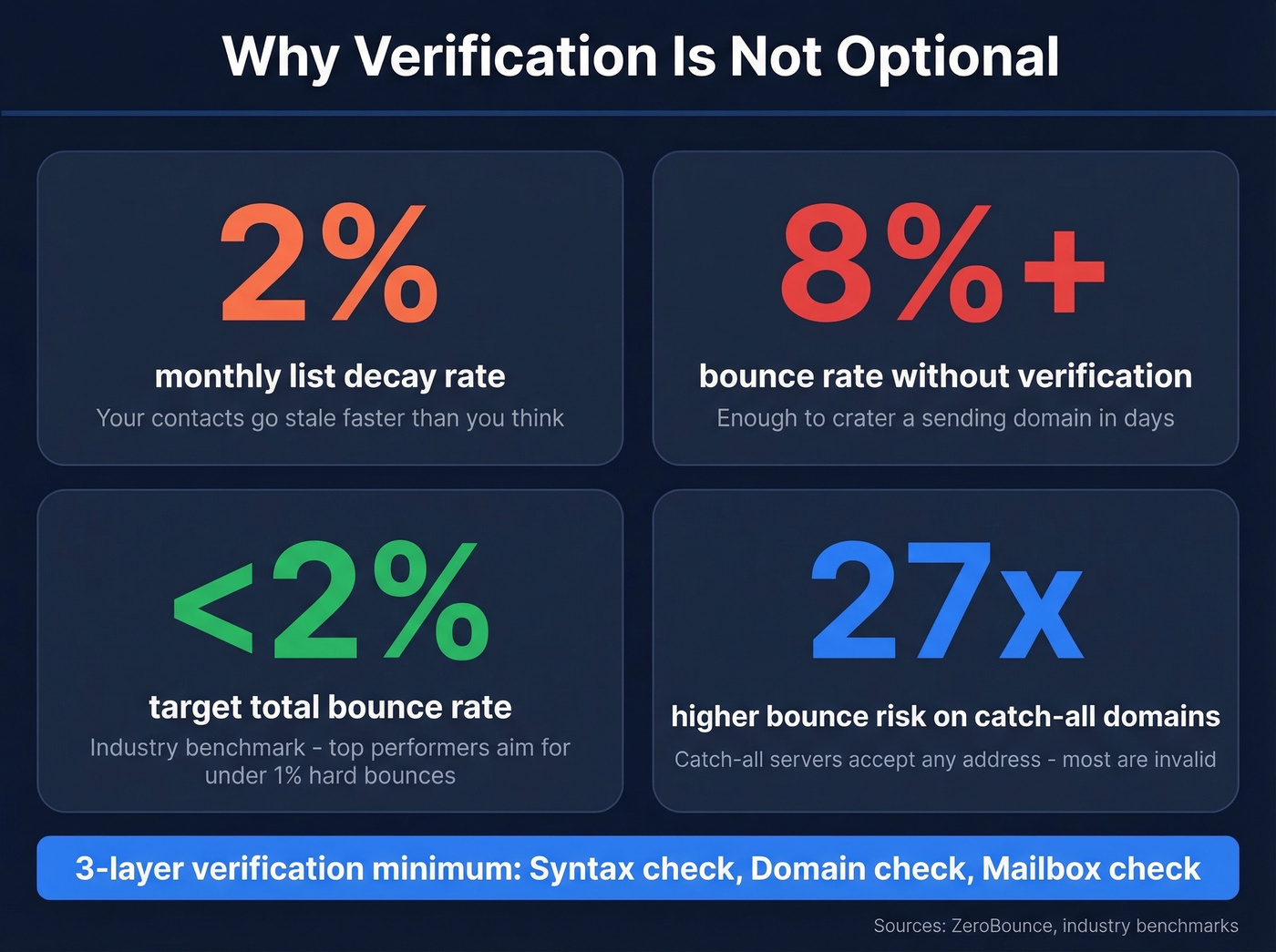
The industry benchmark is clear: keep total bounces below 2%. Top performers target hard bounces under 1%. Exceed these thresholds and inbox providers start routing your messages to spam - not just for the bad addresses, but for everyone on your list.
Email data goes stale at roughly 2% per month. After 8 weeks, 2.3% of a typical contact list is outdated. Catch-all domains - servers that accept mail to any address - are 27x more likely to produce bounces than standard addresses. If your list is heavy on catch-all domains, your risk multiplies fast.
Three-layer verification is the minimum. Syntax check: is the format valid? Domain check: does the mail server exist? Mailbox check: does this specific address accept mail? Standalone verifiers like NeverBounce, ZeroBounce, and MillionVerifier handle this well, typically at $1-$8 per 1,000 verifications. (If you want a deeper workflow, see how to check if an email exists.)
Is This Legal?
Yes, with guardrails. The rules depend on where your recipient sits.
In the US (CAN-SPAM): Cold email is legal. You don't need prior consent. But you must follow seven requirements: truthful headers, non-deceptive subject lines, identify the message as an ad, include your physical address, provide an unsubscribe mechanism, honor opt-outs within 10 business days, and take responsibility for third-party senders. Penalties reach $53,088 per email - per the FTC, not per campaign.
In the EU (GDPR): The bar is higher. You need a lawful basis - for B2B outreach, "legitimate interest" is the standard argument, but it requires a documented balancing test. Fines reach EUR 20M or 4% of global revenue.
At the state level: Multiple new US state privacy laws took effect in 2025-2026 and are now being enforced, and CCPA/CPRA requires "notice at collection" for California residents.
Real talk: use legitimate interest for B2B outreach, always include an unsubscribe link, honor opt-outs within 10 days, and keep records of your lawful basis. Do those four things and you're operating within the lines. (Related: Is It Illegal to Buy Email Lists?)
Land in the Inbox
A verified email is worthless if your message hits spam. Deliverability is the last mile, and we've seen fresh domains get blacklisted within 48 hours of high-volume sends.
SPF, DKIM, and DMARC are non-negotiable. If these aren't configured on your sending domain, stop everything and fix them first. Nothing else matters until authentication is in place. (If you’re auditing setup, start with how to verify DKIM is working.)
Warm new domains for 2+ weeks - start at 5-10 emails/day and scale gradually. Cap at roughly 50 emails/day per inbox, which is the consensus on r/coldemail. Use multiple inboxes to scale volume without spiking per-inbox send rates. Pause at 0.1% complaint rate - if recipients are marking you as spam, something's wrong with your targeting, messaging, or list quality.
The whole workflow matters. Bad data from step one cascades into bounces, complaints, and domain damage at step five. Start with verified emails and you've already eliminated the biggest risk. (For the full system, see our email deliverability guide.)
Every method in this guide - Google operators, permutators, pattern guessing - exists because most tools return stale data. Prospeo refreshes every record on a 7-day cycle while the industry average sits at six weeks. That's why teams using Prospeo see bounce rates under 4% instead of the 15%+ you'll get from outdated databases.
Stop verifying emails manually. Start with data that's already fresh.
FAQ
How can I find someone's email address by name?
Use an email finder tool like Prospeo or Hunter - enter the person's name and company domain and get a verified address in seconds. For free alternatives, try Google search operators combining the full name with the company domain in quotes, or check company about pages and social media bios.
Can I find someone's email for free?
Yes. Google search operators, company websites, and social media bios work for one-off lookups at zero cost. Most email finder tools also offer free tiers - Prospeo gives 75 emails/month, Hunter offers 50 credits/month. Free methods don't scale past a handful of lookups.
How accurate are email finder tools?
Accuracy ranges from 79% to 98% depending on the tool and data freshness. Prospeo leads at 98%, followed by GetProspect at 95% and Apollo at 91%. Always verify before sending - a single bad batch can push your bounce rate past 2% and damage sender reputation for weeks.
Is it legal to find and email someone?
In the US, cold email is legal under CAN-SPAM if you include a physical address, an unsubscribe link, and honor opt-outs within 10 days. In the EU, GDPR requires a lawful basis like legitimate interest. Follow the rules and you're fine.
What's the difference between finding and verifying an email?
Finding generates a probable email address from a name and domain. Verifying confirms the mailbox exists and accepts mail through syntax, domain, and mailbox-level checks. Skipping verification means you're guessing - and guesses bounce at 8%+ in our testing.