

Mass Email Templates You Can Copy, Paste, and Send Today
You've got 8,000 contacts, a product launch next week, and no idea whether your emails will actually reach anyone's inbox. That anxiety is justified - roughly 70% of emails show at least one spam-related issue before they ever leave the outbox. A template without a deliverability system behind it is just formatted spam.
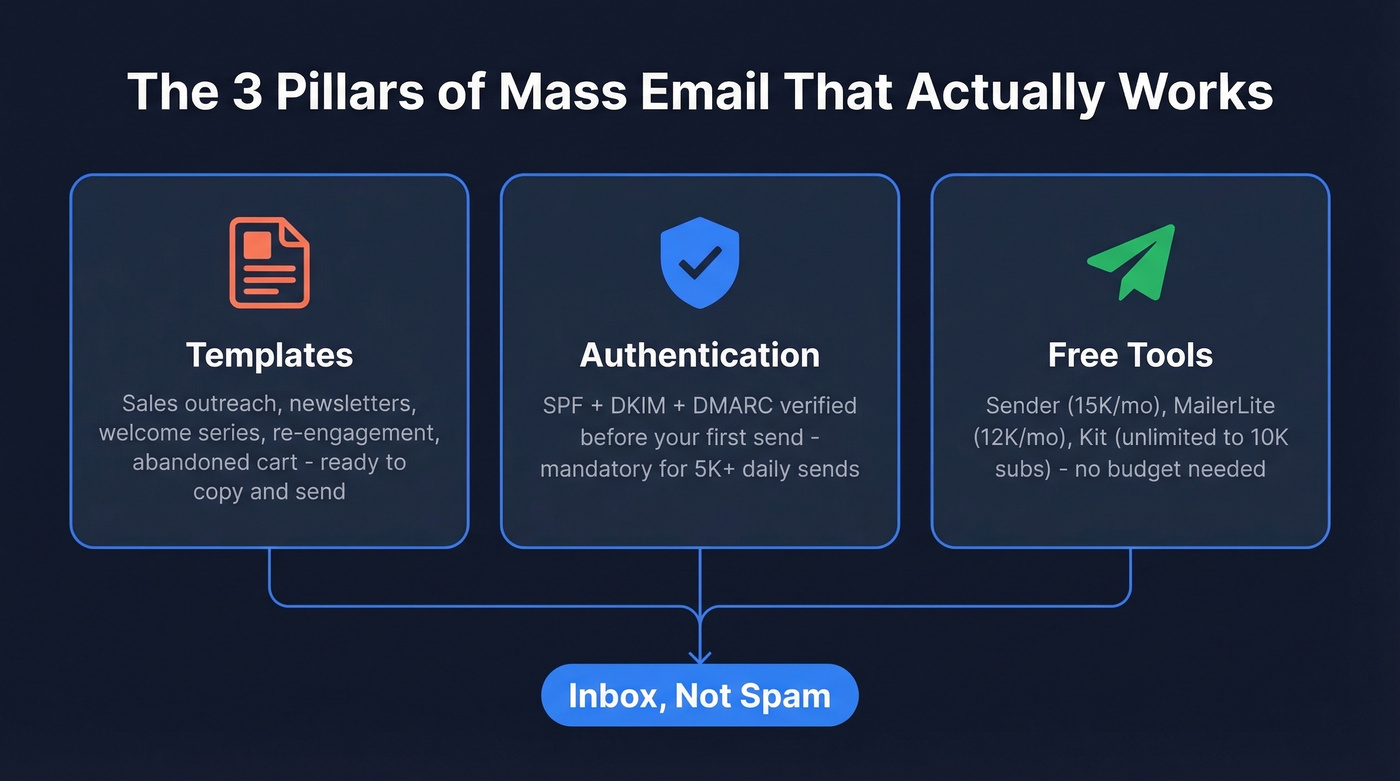
We're going to fix that. Below you'll find ready-to-send mass email templates for every common scenario, the compliance checklist that keeps you out of spam folders, and the free tools to send everything without spending a dime.
What You Need (Quick Version)
- Templates for every scenario - sales outreach, newsletters, welcome series, re-engagement, abandoned cart. Copy them below and customize.
- Authenticate your domain before you send. If you're a bulk sender (5,000+ emails/day), SPF + DKIM + DMARC are mandatory. Under that threshold, SPF or DKIM must pass, and DMARC is still a smart move.
- Free tools that cover most use cases: Sender (15K emails/mo free), MailerLite (12K/mo free), Kit (unlimited sends to 10K subscribers free).
Copy-and-Paste Templates for Every Scenario
These templates are ready to drop into any ESP. Swap the bracketed fields, adjust the tone, send. Every template includes a subject line, body copy, personalization tokens, and a compliant unsubscribe line.
Cold Outreach / Sales
One sales rep on Reddit described replacing an Excel VBA macro that sent 1,000 personalized emails per day - duct tape and prayers. These templates replace that entire workflow. Paste them into GMass or whatever sequencer you're running, and each mass email example below is structured so you can adapt it to your industry in under five minutes.
Template 1: The Value-First Intro
Subject: Quick question about {{company}}'s {{pain_point}}
Hi {{first_name}},
I noticed {{company}} is {{specific observation - e.g., hiring 3 SDRs, expanding into EMEA, launching a new product line}}. Teams in that stage usually run into {{pain point}}.
We help companies like {{similar_company}} solve that - they saw {{specific outcome, e.g., 40% faster pipeline velocity}} within 90 days.
Worth a 15-minute call this week?
Best, {{your_name}}
You're receiving this because {{reason}}. Unsubscribe
Template 2: The Trigger Event
Subject: Congrats on {{achievement}}, {{first_name}}
Hi {{first_name}},
Saw the news about {{trigger event - funding round, acquisition, new role}}. Congrats.
When {{similar_company}} hit that milestone, they needed {{solution category}} fast. We helped them {{outcome}} in {{timeframe}}.
Happy to share what worked. Free Thursday afternoon?
{{your_name}}
Keep subject lines under 30 characters when possible. Mailjet's engagement data shows 71.5% of consumers check email on their phone first, and that's where long subject lines get truncated into nothing.
Newsletter / Content Roundup
Subject: This week: {{headline topic}}
Hey {{first_name}},
From the blog: {{Blog post title + 1-sentence summary + link}}
Feature of the week: {{New feature or product update + why it matters}}
Founder's note: {{2-3 sentences - personal, human, not corporate}}
Reply and tell me: {{One question to drive engagement}}
P.S. - Add {{sender_email}} to your contacts to keep this out of spam. Takes 5 seconds.
That safelist nudge in the P.S. isn't fluff. It genuinely improves inbox placement over time.
Welcome Series (3-Email Sequence)
Email 1 - Immediately after signup:
Subject: You're in - here's your {{resource/discount}}
Welcome to {{brand}}, {{first_name}}. Here's the {{free resource / discount code / onboarding link}} we promised.
Expect to hear from us {{frequency}} with {{content type}}. Never too much, always useful.
Email 2 (Day 3): Origin story or mission - 2-3 sentences, one differentiator with proof.
Email 3 (Day 5): Customer success story - problem, solution, result, CTA.
Product Launch
Subject: It's here: {{product_name}}
{{first_name}}, we've been building {{product_name}} for {{timeframe}}, and it's live today.
What it does: {{One sentence.}} Why it matters for you: {{One sentence tied to their use case.}}
{{CTA button: "See it now" or "Get early access"}}
Available until {{deadline}} at {{launch price}}.
Re-Engagement / Win-Back
Subject: Still interested, {{first_name}}?
We noticed you haven't opened our last few emails. No hard feelings - inboxes are brutal.
If you'd still like to hear from us, just {{CTA - click here / reply "yes" / update preferences}}.
If not, we'll stop emailing in 7 days. Either way, thanks for being here.
Abandoned Cart Reminder
Send the first reminder within one hour of cart abandonment, then follow a three-email sequence: reminder, social proof, incentive.
Email 1 - Within 1 hour:
Subject: You left something behind
Hi {{first_name}}, your {{product_name}} is still in your cart.
{{Product image + price}}
{{CTA: "Complete your order"}}
Email 2 (24 hours): Add social proof - reviews, ratings, "bestseller" badge. Remind them the cart is saved.
Email 3 (48 hours): Offer a time-limited discount. Create urgency with a 24-hour expiration.
Subject Lines That Get Opens
47% of recipients decide whether to open based on the subject line alone. Here are formulas that consistently perform:
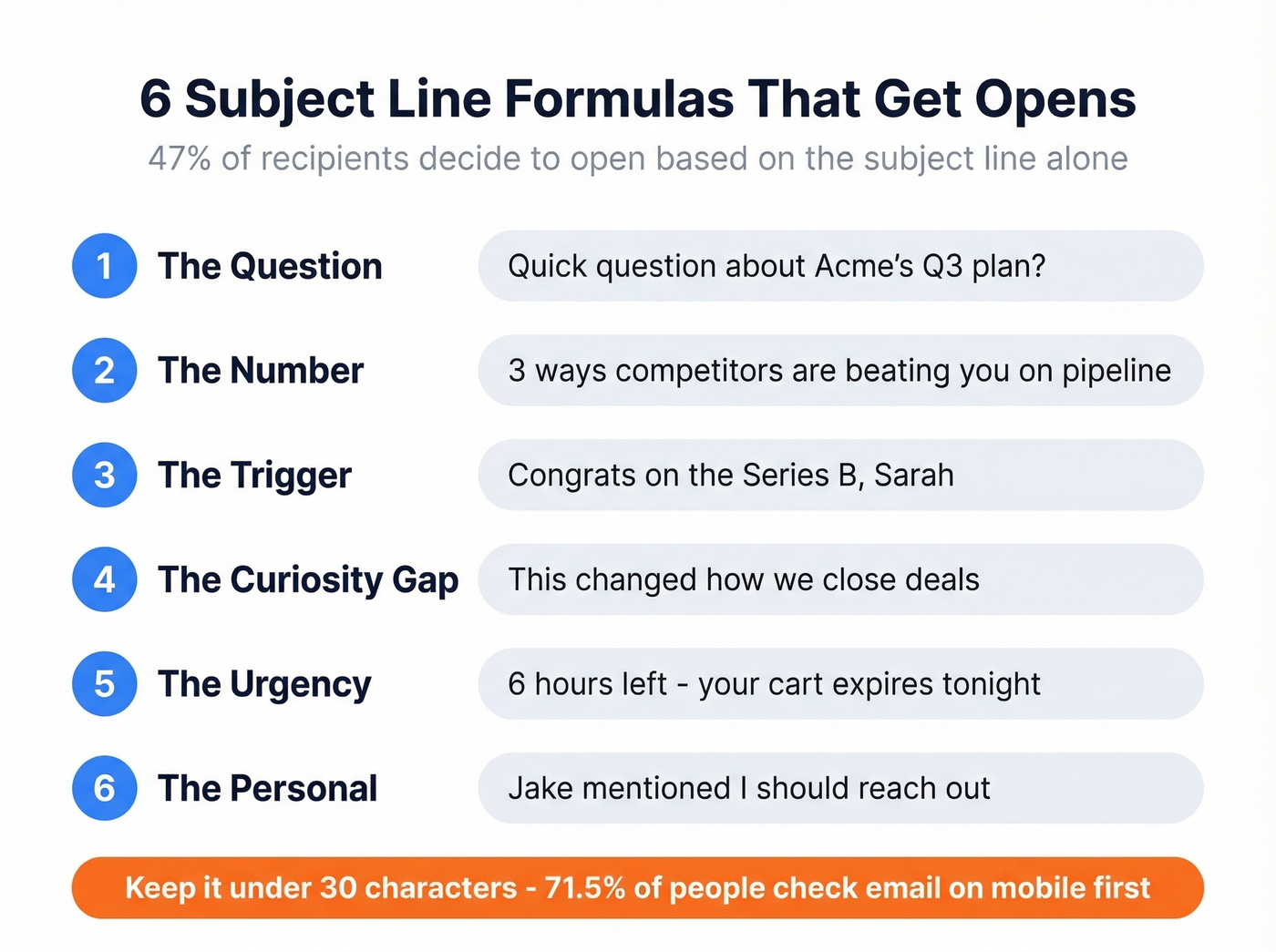
- The question: "Quick question about {{company}}'s Q3 plan?"
- The number: "3 ways {{competitor}} is beating you on {{metric}}"
- The trigger: "Congrats on {{event}}, {{first_name}}"
- The curiosity gap: "This changed how we {{outcome}}"
- The urgency: "{{X}} hours left - your cart expires tonight"
- The personal: "{{mutual_connection}} said I should reach out"
Aim for 25-30 characters. Anything longer gets truncated on mobile, and mobile is where most opens happen. For more ideas, pull from these subject line formulas and swipe-ready email subject line examples.
Personalization Beyond {{first_name}}
Everyone does {{first_name}}. It's table stakes. The teams getting 3x response rate lifts are doing something different.
Here's the workflow we've seen outperform basic merge fields consistently: scrape a prospect's recent public content - a post, an announcement, whatever's available - feed it into GPT-4o mini with a prompt like "Write a one-sentence personalized opener referencing this content," then export the result as a {{custom_message}} field in your CSV. Merge that into the first line of your email template.

With global email volume projected to hit 408.2 billion messages by 2027, generic blasts don't cut it anymore. Even a single custom sentence in the opening line separates you from the hundreds of "Hi {{first_name}}, I hope this email finds you well" messages your prospect deletes every week. Let's be honest - if you wouldn't open it yourself, neither will they. If you want a deeper playbook, use these personalized outreach principles and build repeatable personalized drip campaigns.

Those templates above will land in spam if your contact list is full of bad emails. Prospeo's 5-step verification delivers 98% email accuracy - teams using our data see bounce rates drop from 35% to under 4%.
Stop formatting spam. Start sending to verified inboxes.
Compliance & Deliverability Checklist
This isn't optional. Google and Yahoo started enforcing bulk sender requirements in February 2024. Microsoft followed in May 2025. If you're sending 5,000+ emails per day, here's what you need:
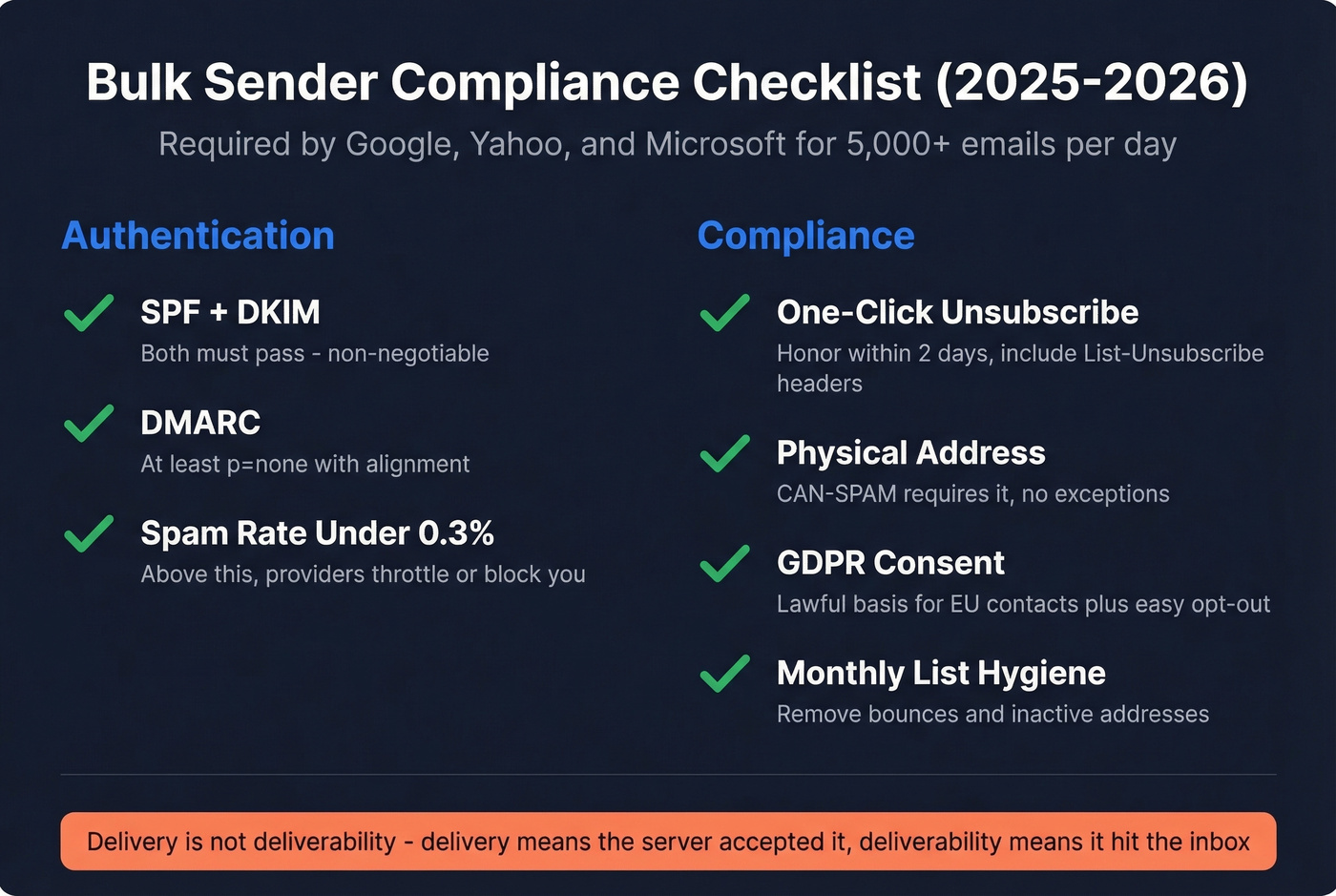
- SPF + DKIM: Both must pass. Non-negotiable for bulk senders. (Use these SPF record examples if you’re setting it up from scratch.)
- DMARC: At least
p=nonewith SPF or DKIM alignment. Set it up before your first send. If you’re unsure about alignment, read DMARC alignment. - Spam complaint rate: Keep it under 0.3%. Above that, mailbox providers throttle or block you.
- One-click unsubscribe: Required in every email. Must be honored within 2 days. Include both
List-UnsubscribeandList-Unsubscribe-Postheaders. - Physical address: CAN-SPAM requires it. No exceptions.
- GDPR consent: If you're emailing EU contacts, you need a lawful basis for marketing outreach and an easy opt-out.
- List hygiene: Remove bounced and inactive addresses monthly. Track and fix your email bounce rate before it snowballs.
Here's the thing most people miss: delivery and deliverability aren't the same. Delivery means the server accepted your email. Deliverability means it landed in the inbox, not spam or promotions. If you want the full system, start with an email deliverability guide and keep an eye on email reputation tools.
Skip the expensive platform if your deal size is small. If your average deal is under $5K, you probably don't need a $1,000/month email tool. But you absolutely need clean data. You lose about $0.11 for every undelivered email. Multiply that across 8,000 contacts with a 15% bounce rate and you're burning $132 in waste before you account for any results. Verify first, send second.
Technical Rendering Tips
Gmail clips emails over 102KB of HTML - you'll see a "view entire message" link that kills engagement. Keep your code lean.
Outlook ignores modern CSS entirely, so use tables and inline CSS for core layout instead of flexbox or grid. Set your container width to 600px for clean rendering across desktop and mobile. Make tap targets at least 44x44pt - Apple's guideline, but it applies everywhere because small buttons mean missed clicks on mobile. Maintain a 4.5:1 contrast ratio for normal text per WCAG standards. And always preview in at least three email clients before sending. What looks perfect in Gmail can break completely in Outlook.
Benchmarks: What "Good" Looks Like
| Metric | All Industries | Ecommerce | Education | Nonprofits |
|---|---|---|---|---|
| Open Rate | 35.63% | 29.81% | 35.64% | 40.04% |
| Click Rate | 2.62% | 1.74% | 3.02% | 3.27% |
| Unsub Rate | 0.22% | 0.19% | 0.18% | 0.18% |
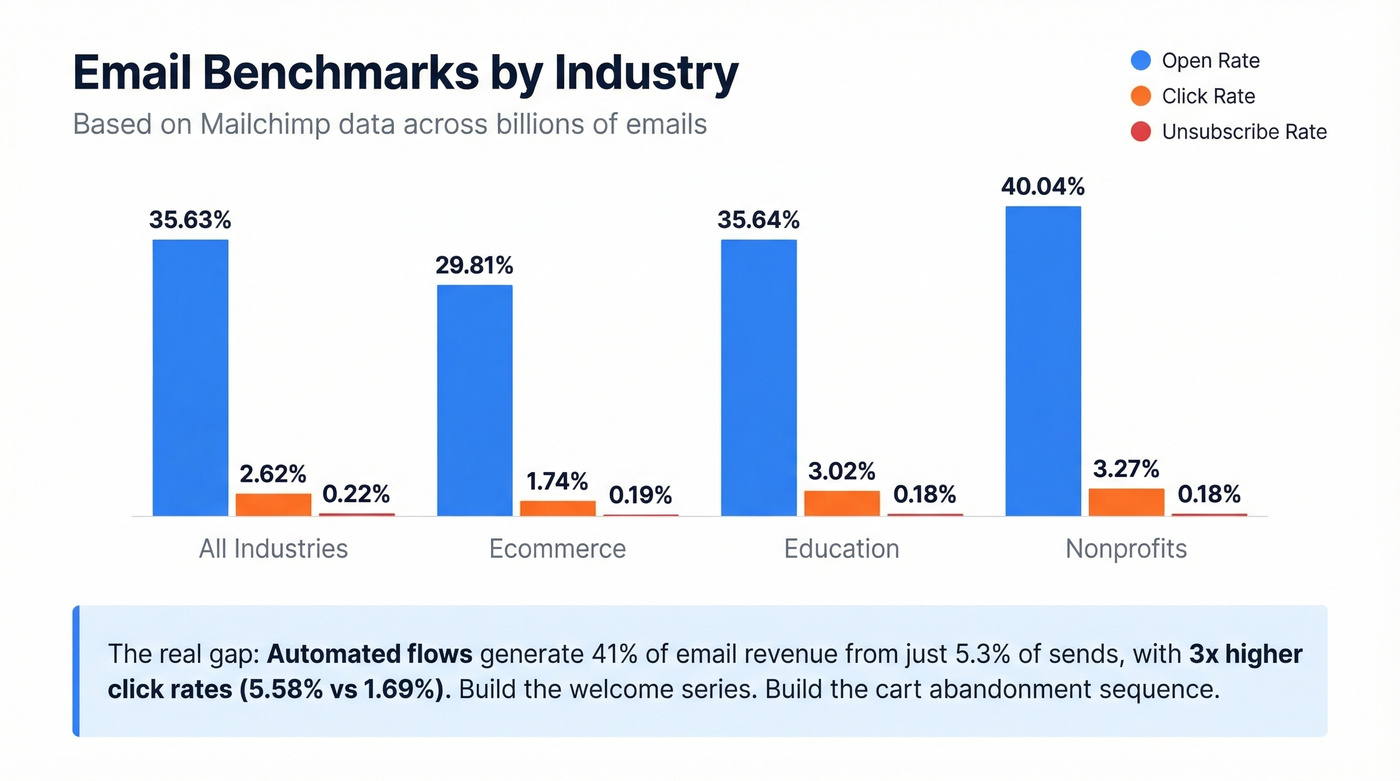
Based on Mailchimp cross-industry benchmarks, billions of emails to lists of 1,000+ subscribers.
The real insight isn't in the table - it's in the gap between campaigns and automated flows. Klaviyo's 2026 data across 183,000+ ecommerce customers shows automated flows generate 41% of total email revenue from just 5.3% of sends, with 3x higher click rates (5.58% vs 1.69%). The top 10% of flows hit revenue per recipient of $7.79 and click rates above 10%.
If you're only sending one-off blasts, you're leaving most of the value on the table. Build the welcome series. Build the cart abandonment sequence. The bulk email templates above give you the starting point.
Best Free Tools for Sending
We've run campaigns through most of these free tiers. Here's what actually holds up:
| Tool | Free Plan | Paid From | Best For |
|---|---|---|---|
| Sender | 15K/mo, 2,500 subs | $7/mo | Best free tier overall |
| Kit | Unlimited, 10K subs | $25/mo | Creators & newsletters |
| MailerLite | 12K/mo, 500 subs | $10/mo | Small teams + automation |
| Brevo | 300/day, 100K contacts | $15/mo | Large contact lists |
| Prospeo | 75 email verifications/mo + 100 Chrome extension credits | ~$0.01/email | Verify before you send |
| Mailjet | 200/day, 1,500 contacts | $17/mo | Transactional + marketing |
| Omnisend | 500/mo, 250 contacts | $16/mo | Ecommerce |
| GMass | Free trial | ~$20/mo | Gmail power users |
| Amazon SES | - | $0.10/1K emails | Developers / high volume |
Prospeo isn't an ESP - it's the step before the ESP. Run your list through its 5-step verification to remove invalid addresses, spam traps, and honeypots, then export a clean list to whichever sending platform you choose. Starting with verified data means you're not burning sender reputation on your first campaign. If you’re comparing options, start with these data enrichment services and a shortlist of free lead generation tools.
For most teams under 2,500 contacts, Sender's free tier is the obvious starting point. Creators with a bigger list should look at Kit's unlimited sends to 10K subscribers - hard to beat. And if you're a developer comfortable with API calls, Amazon SES at $0.10 per thousand emails is the cheapest volume play available.
FAQ
How many emails can I send for free?
Sender offers 15,000/month to 2,500 subscribers. Kit allows unlimited sends to 10,000 subscribers. Brevo gives 300/day with up to 100,000 stored contacts. Pick based on list size, not just send volume.
Do bulk emails need an unsubscribe link?
Yes, always. CAN-SPAM, GDPR, and bulk sender rules from Google, Yahoo, and Microsoft all require one-click unsubscribe honored within two business days. Every template in this guide includes one.
How do I keep email blasts out of spam?
Authenticate with SPF, DKIM, and DMARC (required for bulk senders). Keep complaints under 0.3%. Clean your list regularly - Prospeo's 5-step verification catches spam traps and invalid addresses before they damage your sender reputation.
Are automated sequences better than one-off blasts?
Significantly. Automated flows generate 41% of email revenue from just 5.3% of sends, with 3x higher click rates than campaigns. Start with a welcome series and cart abandonment - the templates above give you both.
Can I see a mass email example before building my own?
Every template in this guide is a complete example you can copy and customize. Start with the one closest to your use case - cold outreach, newsletter, welcome series, or cart abandonment - swap the bracketed fields, and send a test to yourself before going live.
Personalization beyond {{first_name}} requires real data. Prospeo returns 50+ data points per contact - job title, company size, tech stack, funding stage - so every merge field in your mass email template pulls from verified intel, not guesswork.
Fill every personalization token with data your prospects won't ignore.