The 2026 Playbook for Personalized Sales Presentations (That Scale)
Most "personalized" sales decks are just a logo swap.
Real personalization is simpler (and harder): tailor the decision the buying committee's trying to make, then prove it with the fewest slides possible. That's the whole game with personalized sales presentations: make the first minute feel unmistakably about their change and their stakes, without turning every deck into a one-off art project.
Here's the thing: if your deck can't be forwarded internally without you on the call, it isn't doing its job.
What you need (quick version)
Use this as your default workflow for personalized sales presentations:

The mini-framework:
- Verified account brief (10 min) -> 5 bullets that matter to this buying committee
- Modular deck (15 min) -> swap 2-3 modules, don't rebuild the whole thing
- Measured delivery (5 min) -> track slide 1-3 drop-off and internal sharing
If you only do 3 things...
- Personalize the first 3 slides. Everything else can be modular. If slide 1-3 doesn't feel specific, you lose attention fast.
- Anchor to their goals, not your features. Salesforce found that 86% of buyers are more likely to buy when companies understand their goals, and 59% say reps don't take time to understand their business.
- Set one boundary rule: never use PII-style personalization (home address, personal phone, family details, etc.). Contextual beats intrusive, and it scales without risk.
One more rule I trust: Gartner's "active/course-changing personalization" is the bar. Active personalization makes customers 2.3x more likely to confidently complete critical purchase decisions.
What to use for the "account brief" layer: in our experience, the fastest way to stop guessing is to pull a verified stakeholder list plus enrichment so your brief is based on current data, not stale CRM fields. Prospeo's built for exactly that.

What counts as a personalized sales presentation (and what doesn't)
A personalized sales presentation is a deck (or interactive doc) where the buyer can tell - within 30 seconds - that you understand their situation and you're guiding them to a decision.
That means you're speaking to a committee, not a champion. Finance wants payback and risk control. Security wants auditability. The day-to-day owner wants fewer steps and fewer fires.
The trap is thinking personalization equals "customizing slides."
Customizing slides is surface-level: logo, company name, generic industry slide, maybe a screenshot of their website.
Customizing decisions (POV) is what converts: you take a stance on what's changing in their world, what it costs to do nothing, and which tradeoff they should choose.
Do / don't (fast gut-check)
Do:
- Tie the problem to their metrics (pipeline coverage, churn, cycle time, utilization, risk)
- Use contextual proof (closest-peer logos, similar workflow, similar constraints)
- Make the "next step" concrete (a mutual action plan, not "let's circle back")
Don't:
- Swap in 12 "custom" slides that say nothing new
- Overfit to one stakeholder and ignore the rest of the committee
- Use creepy personalization signals that trigger privacy concern ("we know too much")
The personalization ladder (impact vs effort vs risk)
Personalization has a tipping point. Too light and you're forgettable. Too deep (especially with PII cues) and you trigger privacy concern - or you create a deck so specific it breaks the moment your assumptions are wrong.

A 3x2 experiment (personalization level x privacy concern) with 360 participants tested an "intrusiveness ladder" from generic to contextual to PII-based personalization. The result is the only rule you need: when privacy concern is activated, PII-based personalization backfires. Moderate contextual personalization wins because it feels relevant without feeling invasive.
So: contextual beats intrusive. Every time.
Impact / effort / risk table
| Level | What it looks like | Impact | Effort | Risk |
|---|---|---|---|---|
| Generic | Same deck for all | Low | Low | Low |
| Light | Name/logo + note | Med | Low | Med |
| Contextual | 2-3 tailored slides | High | Med | Low |
| Decision POV | Tailored POV + MAP | Very high | Med | Low |
| PII / "creepy" | Personal data cues | Unstable | High | High |
What to do at each level (so you don't guess)
- Light: personalize the opener line + one "why now" hypothesis. Example: "You're scaling outbound into EMEA; routing and compliance get messy fast."
- Contextual: tailor slides 1-3 + swap in the closest-peer proof module + adjust ROI inputs to their team size.
- Decision POV: add one "winners/losers" slide (what changes if they act vs don't) and end with a dated MAP. This is where deals move.
- PII/creepy: don't. If you can't explain the signal in one sentence without sounding weird, it doesn't belong in a sales deck.
Use this / skip this guidance
Use contextual personalization when:
- You've got a real ICP and repeatable use cases
- You need speed (most teams do)
- You're selling to regulated or privacy-sensitive orgs
Skip PII-based personalization when:
- You can't explain how you got the info in one sentence without sounding weird
- You're selling into security, HR, legal, or public sector
- You're relying on scraped personal details instead of business context

Your first 3 slides need real intel - not stale CRM fields. Prospeo enriches every stakeholder with 50+ data points, 98% email accuracy, and data refreshed every 7 days so your account brief is current the moment you build your deck.
Stop personalizing presentations with outdated data.
Build a modular deck system for personalized sales presentations (so you're not rebuilding at 11pm)
Teams burn weeks "improving the deck," then end up with 37 versions floating around Slack and someone's desktop. Then leadership discovers an outdated pricing slide is still in circulation.
Enablement threads on Reddit nail the failure mode: local copies = version-control chaos. Marketing ships a master. Sales downloads it. Everyone edits it. Nobody knows what's current.
The fix isn't "more training." It's a modular system with governance.
I get irrationally annoyed when I see a team buy a big enablement platform before they can answer one basic question: "Which deck version is the real one?"
The system: core deck + 6-8 swappable modules
Core deck (locked, owned by enablement/marketing):
- Title + agenda (keep it light)
- Product overview (high-level)
- Standard proof slides (top logos, security posture, support model)
- Standard pricing/packaging slide (if you show pricing at all)
- Standard next steps / MAP template

Swappable modules (owned by RevOps/enablement, editable by reps): Pick 6-8 modules max so reps can find the right one fast.
Modules that actually get used:
- Industry-specific problem framing (SaaS, fintech, healthcare, manufacturing)
- Role-specific stakes (CFO, RevOps, IT/Sec, VP Sales) with role-based messaging that matches how each stakeholder evaluates risk and ROI
- Use-case module (lead routing, enrichment, onboarding, forecasting, etc.)
- ROI model (simple, defensible)
- Implementation plan (timeline + owners)
- Objections appendix (security, procurement, integrations, change mgmt)
- Competitive POV (only if you can defend it)
- Case study deep dive (one per segment)
Governance checklist (the part that makes it work)
Single source of truth
- One canonical deck library (not "ask in Slack")
- Clear naming:
Core Deck vX.Y+Module: Industry - SaaS vX.Y
Locked master + editable modules
- Lock brand, typography, core messaging
- Allow reps to edit only the "personalization zones"
Release cadence
- Monthly module refresh (small changes)
- Quarterly core refresh (bigger changes)
Approval rules
- Reps can personalize slides 1-3 and the ROI assumptions
- Anything else gets a quick enablement review (async is fine)
Telemetry
- Track which modules get used and which never leave the library
- Kill modules that don't get pulled for 60 days
Slide-by-slide: what to personalize (and what stays standard)
Most sales decks should land at 10-15 slides, and you need to navigate non-linearly because buyers jump around (implementation, security, ROI) mid-conversation. Guy Kawasaki's 10/20/30 rule is also a useful forcing function: keep it tight, keep it readable, and don't hide behind tiny font.
Below is the outline I'd standardize for a modular system - plus exactly what to personalize.
Opening (Slides 1-3): industry + role stakes + "why now" (must be tailored)
Slide 1: The change
- Personalize: the macro shift that's relevant to their world (regulation, buyer behavior, cost pressure, consolidation, AI workflow changes)
- Keep standard: your brand + one-sentence positioning

Slide 2: The stakes for their role
- Personalize: stakes by persona (CFO: payback + risk; VP Sales: pipeline + rep productivity; IT: control + auditability). This is where persona-based messaging matters most: each role needs a different "so what," even when the product's the same.
- Keep standard: your "we help teams do X" framing
Slide 3: Why now (their trigger)
- Personalize: one trigger you can defend (headcount growth, new region, tool sprawl, new compliance requirement, new GTM motion)
- Rule: don't invent triggers. If you're guessing, label it as a hypothesis and ask.
Examples you can steal (openers, ROI, MAP)
3 example Slide 1 openers (copy/paste and edit):
SaaS (RevOps / VP Sales): "Pipeline creation isn't the bottleneck anymore - pipeline conversion is. Teams that fix routing, enrichment, and follow-up speed win the quarter; everyone else just adds more SDRs."
Fintech (CFO / Risk): "In fintech, growth now gets evaluated through a risk lens. The winners are the teams that can prove controls and ROI in the same conversation - without slowing down sales cycles."
Healthcare (Ops / IT/Security): "Healthcare teams are being asked to modernize workflows while tightening privacy and auditability. The winning approach is automation that reduces manual work and increases control."
2 simple ROI tables (keep them readable live):
ROI table A (time saved -> cost saved):
| Input | Current | With us | Monthly impact | |---|---:|---:|---:| | Reps | 25 | 25 | - | | Admin time per rep/week | 2.0 hrs | 0.75 hrs | 125 hrs saved | | Loaded hourly cost | $80 | $80 | $10,000 saved |
ROI table B (conversion lift -> revenue):
| Input | Current | With us | Monthly impact | |---|---:|---:|---:| | MQL -> SQL | 18% | 22% | +4 pts | | MQL volume | 2,000 | 2,000 | - | | Avg ACV | $12,000 | $12,000 | - | | Close rate (SQL -> Won) | 20% | 20% | - | | Result | - | - | ~$192k ARR lift |
2 MAP asks that actually get forwarded:
- "If this direction makes sense, let's lock a 30-minute decision meeting next week with RevOps + IT/Security. I'll send a one-page MAP with owners and dates - tell me what I missed."
- "Next step is a 14-day pilot with success criteria agreed up front. If we hit the criteria, we move to rollout; if we miss, we stop. Can we align on criteria today?"
Two micro-teardowns (Dock-style: Overview -> Why it works -> Key takeaway)
Teardown #1: "Trend -> evidence -> winners/losers -> gap -> solution" (Zuora-style)
- Overview: Open with a market shift, prove it with evidence, show who wins/loses, then position your product as the bridge.
- Why it works: It gives the buyer a narrative they can repeat internally: "The world changed, here's proof, here's the risk of doing nothing."
- Key takeaway: Your first 3 slides should feel like a point of view, not a product intro.
Teardown #2: "What if you could...?" vision first (Google Business Messages-style)
- Overview: Lead with a simple vision statement ("What if you could...?"), then backfill proof and mechanics later.
- Why it works: It creates emotional clarity before details. Buyers lean in because they can picture the outcome.
- Key takeaway: Use this when the buyer's stuck in tool comparisons. Vision breaks the stalemate.
If you need a story spine, use Raskin's arc
Andy Raskin's narrative arc maps cleanly to a modular deck:
- Big change (Slide 1)
- Winners/losers (Slide 2)
- Promised land (Slide 3-4)
- How to get there (problem -> solution -> implementation)
- Proof (closest-peer case + ROI + risk controls)
It keeps you out of the "feature tour" trap.
Non-linear jump map (what to do when they interrupt)
| Buyer question | Jump to | How to handle it (one sentence) |
|---|---|---|
| "What's the ROI?" | ROI module | Confirm 2-3 inputs live; don't defend a spreadsheet. |
| "How long does implementation take?" | Implementation plan | Give phases + owners; call out dependencies early. |
| "Will security approve this?" | Security appendix | Lead with controls + auditability, not buzzwords. |
| "How is this different from X?" | Competitive POV module | Pick one tradeoff you win and stick to it. |
| "Can you work with our stack?" | Architecture/integrations slide | Name the 2-3 systems that matter and show the data flow. |
Mobile-first rules (because buyers open decks on phones)
Storydoc reports 32% of presentations are opened on mobile. If your first slide is unreadable on a phone, your personalization doesn't matter.
Mobile rules that fix this:
- Use 24pt+ font for key lines on slides 1-3
- Prefer single-column layouts (no tiny two-column grids)
- Avoid dense tables; if you need a table, make it 3-4 rows max
- Put the "so what" in the first line, not in speaker notes
Personalization at scale: the 30-minute workflow + automation blueprint
Personalization scales when you treat it like an assembly line, not an art project.
A high-volume workflow that actually holds up in the real world looks like this: duplicate a template, inject a tight company brief and one ROI table, export, send, then watch engagement so you know whether to push for a decision meeting or go back to discovery. It's not glamorous, but it keeps reps from spending their entire Tuesday "making slides" and calling it pipeline.
The 30-minute workflow (per account)
Minute 0-10: Build the 1-page account brief
- Firmographics: size, region, growth signals
- Tech context: stack signals that matter to your product
- Buying committee: likely stakeholders + titles (see buying committees dynamics)
- 2-3 hypotheses: "we think your bottleneck is X because Y"
- One "why now" trigger you can defend
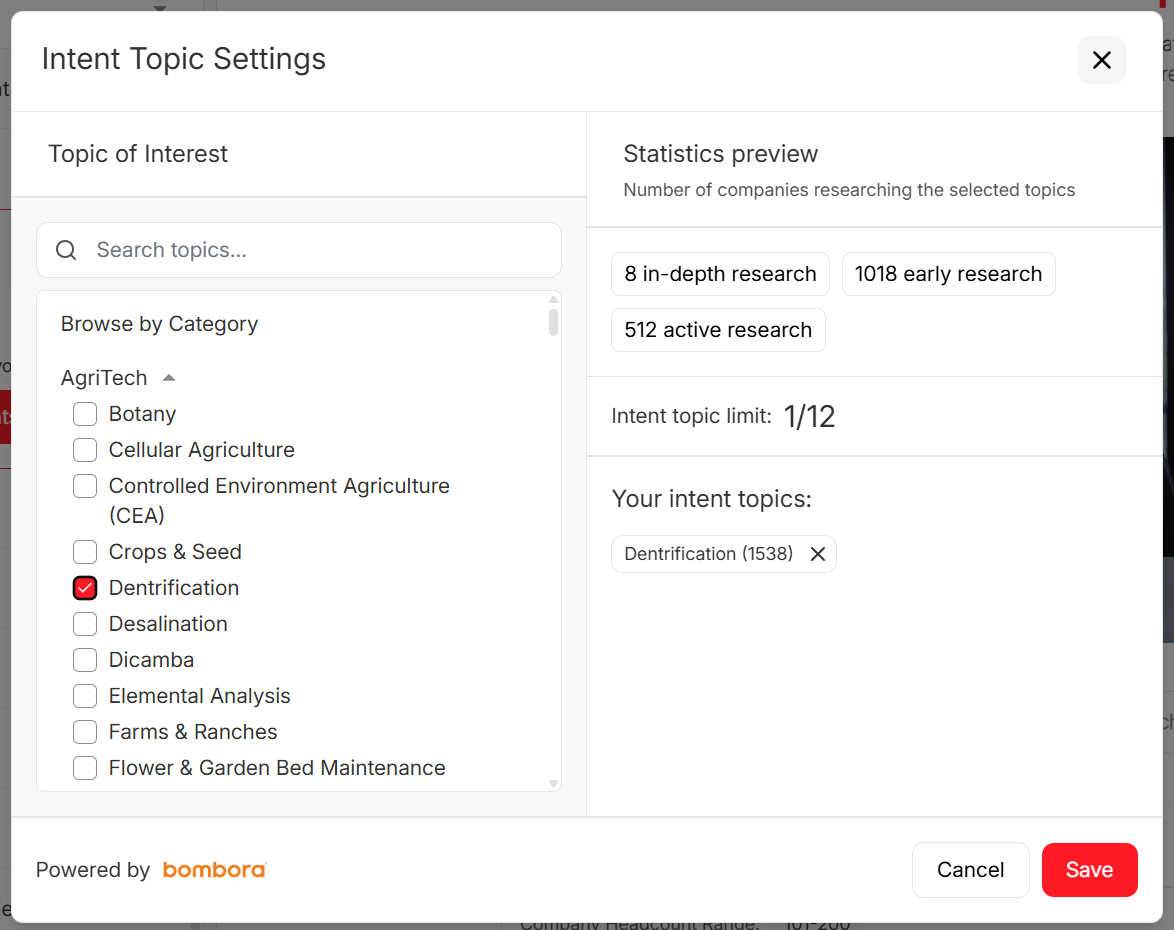
Use intent topics to choose the "why now" angle at the category level (for example, "data enrichment," "pipeline hygiene"), not personal behavior. If you want a clean example of how to apply this, see: https://prospeo.io/intent-data
Minute 10-25: Assemble the deck
- Start from your locked core deck
- Swap in 2-3 modules:
- Industry/role stakes (slides 1-3)
- Proof module (closest peers)
- ROI assumptions (light edits)
Minute 25-30: Package + send
- Export to the right format (PDF for forwarding, interactive link for tracking)
- Write a 4-6 sentence note that references:
- their goal
- your hypothesis
- the MAP ask
Speed matters because deals decay. Outreach shared a benchmark that's hard to ignore: opportunities closed within 50 days run a 47% win rate; after that, win rates drop to 20% or lower.
Delivery modes that win in 2026 (live + async + follow-up assets)
Live decks still matter. But in 2026, the winning motion is live + async + packaged follow-up.
Live (meeting-led)
Use live when:
- there's real discovery happening in the room
- stakeholders disagree and you need to help them align
- you're navigating non-linearly (jumping to ROI, security, implementation)
Rule: don't "present." Drive a decision conversation.
Async (pre-read or post-call)
Async wins when:
- the committee can't all attend
- your champion needs forwarding ammo
- you want measurable engagement data
Loom's the simplest way to add a human layer without scheduling another call. Intercom shared that its Loom outbound motion drove a 19% reply-rate increase and $120k outbound earned, with videos made in ~2 minutes.
Best combo: deck link + 90-second Loom that tells them what to look at and why it matters.
Follow-up assets (deal acceleration kit)
After the call, send a small bundle:
- the deck (PDF or interactive)
- the mutual action plan (as a doc they can edit)
- one proof asset (case study or 1-pager)
- security/procurement appendix only if asked
If you dump 12 attachments, you're not being helpful - you're creating homework.
The 24-hour follow-up checklist (the part that closes deals)
Within 24 hours, send:
- Deck link/PDF + "Here are the 3 slides to focus on"
- MAP with owners + dates (and one open question: "What did I miss?")
- One proof asset that matches their KPI
- Decision meeting ask: propose 2 time slots and the attendee list
This cadence is boring.
It also works.
How to measure personalized sales presentations (benchmarks + fixes)
If you can't measure it, you're just decorating.
Storydoc's dataset across 1.3M sessions gives you practical benchmarks:
- 31% of bounces happen in the first 10 seconds
- another 15% bounce within the first minute
- 82% of viewers who reach slide 3 finish the deck
- combining a personal note (name/logo/first name/personal message) with a few tailored slides drives +47% engagement
- customized decks are shared internally 2.3x more often
That's why "personalize first 3 slides" isn't a vibe. It's math.
The metrics dashboard I'd run
Engagement
- Open rate (did they view it?)
- Time to first view (same day vs a week later)
- Slide 1-3 completion rate
- Total completion rate
- Revisit rate (did they come back?)
Virality inside the account
- Unique viewers (proxy for committee reach)
- Internal shares / forwards
- Which slides get re-opened (usually ROI, implementation, security)
Pipeline outcomes
- Time from first send -> next meeting
- Time from discovery -> decision meeting
- Cycle time vs your baseline (watch the 50-day threshold)
- Win rate by "personalization level" (light vs contextual vs POV)
If a metric is low, change X (playbook)
- High bounce in first 10 seconds -> slide 1 is generic. Replace it with "change + stakes" for their role/industry.
- Drop-off before slide 3 -> you're leading with product. Move problem framing earlier and make it about their goals.
- Low internal sharing -> your deck isn't forwardable. Add a one-slide executive summary and a clean ROI table.
- High engagement, no next step -> your MAP is weak. Put dates and owners on it and ask for a decision meeting.
- Security slide gets the most views -> stop hiding security in an appendix for that segment. Bring it forward earlier.
Mistakes that make personalization backfire (and the safe rules)
Personalization isn't automatically good. Gartner's survey of 1,464 buyers and consumers found 53% had negative experiences with personalization. Those negative experiences correlate with 3.2x higher regret and 44% lower likelihood to purchase again.
Why it backfires
The pattern's consistent:
- People feel overwhelmed (too much information, too many asks)
- People feel time pressure (the deck pushes them faster than they're ready to move)
If your "personalized" deck is 28 slides, 9 appendices, and 14 charts, you didn't personalize. You overloaded.
How to keep it safe (and still convert)
Rule 1: Personalize decisions, not trivia
- Good: "Your RevOps team is spending 12 hours/week reconciling lead sources."
- Bad: "Congrats on your recent marathon."
Rule 2: Use contextual signals, not PII cues
- Good: industry benchmarks, public company initiatives, tech stack context
- Bad: personal phone numbers, home locations, personal social details
Rule 3: Make personalization course-changing Gartner's "active/course-changing personalization" is the north star. In deck terms:
- you change what they prioritize
- you simplify the tradeoff
- you give them a MAP they can run internally
Rule 4: Keep the deck small 10-15 slides is plenty. Use appendices and jump non-linearly.
Tool stack map (buy vs DIY) for personalized presentations
Tooling should support the workflow - not become the workflow.
Real talk: most teams don't need an enablement suite to build this motion. For smaller deal sizes, you almost never need Seismic-level complexity. You need accurate data, a modular deck, and engagement measurement. Everything else is optional.
Stack diagram (simple, complete)
Data & enrichment -> Deck builder -> Interactive deck analytics -> Async video
-> Deal room -> Enablement suite (optional) -> Conversation intelligence
-> CRM (foundation)
Deck creation (PowerPoint/Google Slides, Gamma)
PowerPoint / Google Slides
- Best for: governed modular decks, team-wide consistency, easy handoffs
- Not for: engagement analytics without extra tooling
- Price: effectively free-to-low cost via Microsoft/Google workspace licensing
Gamma
- Best for: turning notes/transcripts into a clean first draft fast -- Not for: teams without templates (AI decks drift off-brand quickly)
- Price: ~$10-$25/user/month
Interactive decks (Storydoc)
Storydoc's the pick when you care about measurement and internal sharing. It's web-first and built around engagement analytics, so you can see where buyers drop and what gets forwarded.
- Price: ~$1,000-$6,000/year for small teams, scaling with seats/features
Async video (Loom)
Loom works because it adds human context to an async deck. The failure mode is obvious: reps ramble for 6 minutes and nobody watches.
Keep it to 60-120 seconds:
what you heard
what you recommend
the MAP ask
Price: $15/user/month billed annually
Deal rooms (Dock/Trumpet/Accord)
Deal rooms package the deck, MAP, security docs, and follow-ups in one place. Dock's library is also a strong swipe file for structure and proof placement.
- Dock: ~$1,200-$6,000/year depending on seats and features
- Trumpet / Accord: often start ~$3,000-$12,000/year for small teams and scale up with seats/features
Enablement suites (Highspot/Seismic/Showpad)
These shine when you have lots of reps, lots of content, and real compliance needs. They're overkill if you don't have an enablement owner.
- Price: ~$50,000-$250,000+/year depending on seats and modules
Conversation intelligence (Gong/Chorus)
Gong (or Chorus) keeps personalization honest. Pull real buyer language, objections, and competitor mentions from calls, then feed that back into modules (proof, ROI assumptions, security objections). It's also a practical way to build a library of persona-based messaging patterns from real calls - what CFOs push back on, what IT needs to hear, and what RevOps forwards internally.
- Price: ~$1,200-$1,800/seat/year plus platform fees
CRM (HubSpot/Salesforce)
CRMs are the foundation for merge fields, dynamic variables, and clean handoffs. The catch: personalization tokens are only as good as your data hygiene.
- Price: typically ~$20-$150/user/month depending on tier, plus add-ons
If you want one external reference point for deck craft basics, Zendesk's sales presentation tips are a decent checklist: Zendesk's sales presentation tips.
Contextual personalization wins - but only if you know who's on the buying committee and what's changed. Prospeo gives you verified contacts, job changes, intent signals across 15,000 topics, and org-level filters so every slide speaks to the right stakeholder.
Know the committee before you build the deck.
Personalized sales presentations don't need to be a creative-writing exercise. Make the first 3 slides unmistakably about their change and their stakes, modularize everything else, and measure slide-3 completion plus internal sharing. Keep personalization contextual (never PII cues), and end every deck with a MAP that a buyer can forward without rewriting.
FAQ
What should I personalize first in a sales presentation?
Personalize slides 1-3 first: the change in their world, the stakes for their role, and why now. If those slides feel generic, buyers bounce early, and Storydoc's benchmarks show most drop-off happens in the first minute.
How long should a personalized sales deck be?
Keep it to 10-15 slides, with appendices for security, procurement, and deep technical detail. That length stays tight while still supporting non-linear navigation when buyers jump to ROI or implementation.
What's the difference between contextual personalization and "creepy" personalization?
Contextual personalization uses business-relevant signals (industry, role, workflow, public company context). "Creepy" personalization uses PII cues or overly intimate details; the 3x2 experiment with 360 participants showed PII-based personalization backfires when privacy concern is activated.
How do you measure whether a personalized deck worked?
Track slide 1-3 completion, total completion, internal sharing, and revisit rate, then tie those to next-step conversion and cycle time. Use Storydoc's 1.3M-session benchmarks as a baseline.