

How to Set Up a Pipedrive Sales Pipeline That Actually Works
Pipedrive has a best-in-class pipeline UI for small-to-mid sales teams. But a beautiful Kanban board doesn't fix a broken process - and most teams get the setup wrong in the first week. Stages are too granular, deal rotting isn't turned on, and contacts are imported without verification. Here's how to avoid all of that, from stage design to the data feeding your deals.
The Quick Version
Start with 5-7 stages, turn on deal rotting on day one, and automate your follow-ups. Lite runs around $24/user/month for the basics; Growth is around $49 and unlocks Forecast view and Sequences. Verify emails before you import anything - your pipeline is only as good as the contacts feeding it.
What Pipedrive's Pipeline Actually Is
Pipedrive is a CRM built around one idea: activity-based selling. The entire product revolves around a Kanban-style pipeline view where deals move left to right through your sales process. It's visual, drag-and-drop, and intuitive - which is why over 100,000 companies use it and it holds a 4.3/5 on G2 from 2,900+ reviews.
Where HubSpot is marketing-first and Salesforce is everything-first, Pipedrive is sales-first. That focus is its biggest strength and its biggest constraint.
How to Set Up Your Pipeline Stages
Pipedrive ships with five default stages: Qualified, Contact Made, Demo Scheduled, Proposal Made, Negotiations Started. Customize them with clear exit criteria - the specific conditions a deal must meet before moving forward.
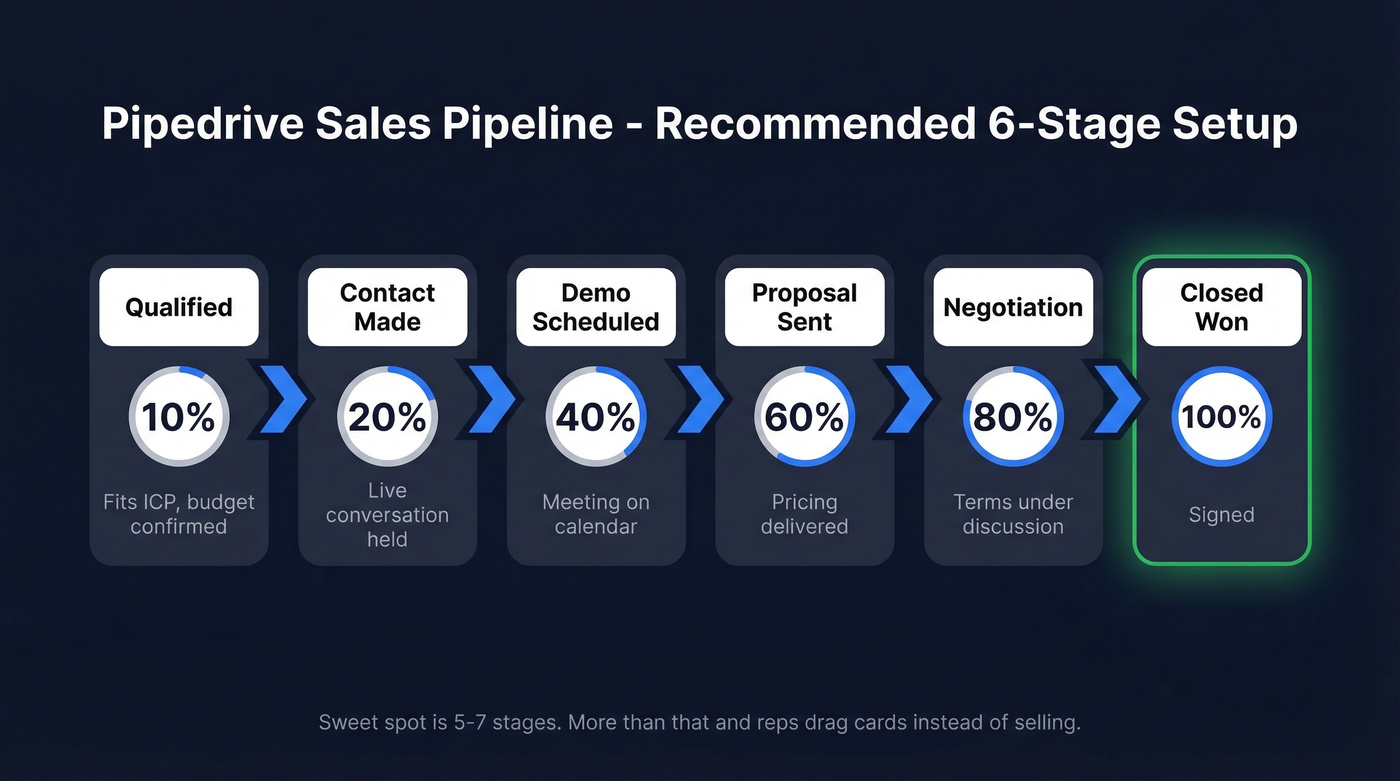
The sweet spot is 5-7 stages. We've seen teams build 12-stage pipelines thinking more granularity means more visibility. It doesn't. It means reps drag cards instead of selling.
| Stage | Probability | Exit Criteria |
|---|---|---|
| Qualified | 10% | Fits ICP, budget confirmed |
| Contact Made | 20% | Live conversation held |
| Demo Scheduled | 40% | Meeting on calendar |
| Proposal Sent | 60% | Pricing delivered |
| Negotiation | 80% | Terms under discussion |
| Closed Won | 100% | Signed |
Assign probabilities so Pipedrive's weighted forecasting and probable revenue calculations actually mean something. Without them, your forecast is wishful thinking.
Features to Configure on Day One
Deal rotting. This flags deals sitting idle past your threshold. It's the single best feature for pipeline hygiene - enable it before you've got 50 zombie deals clogging the board.
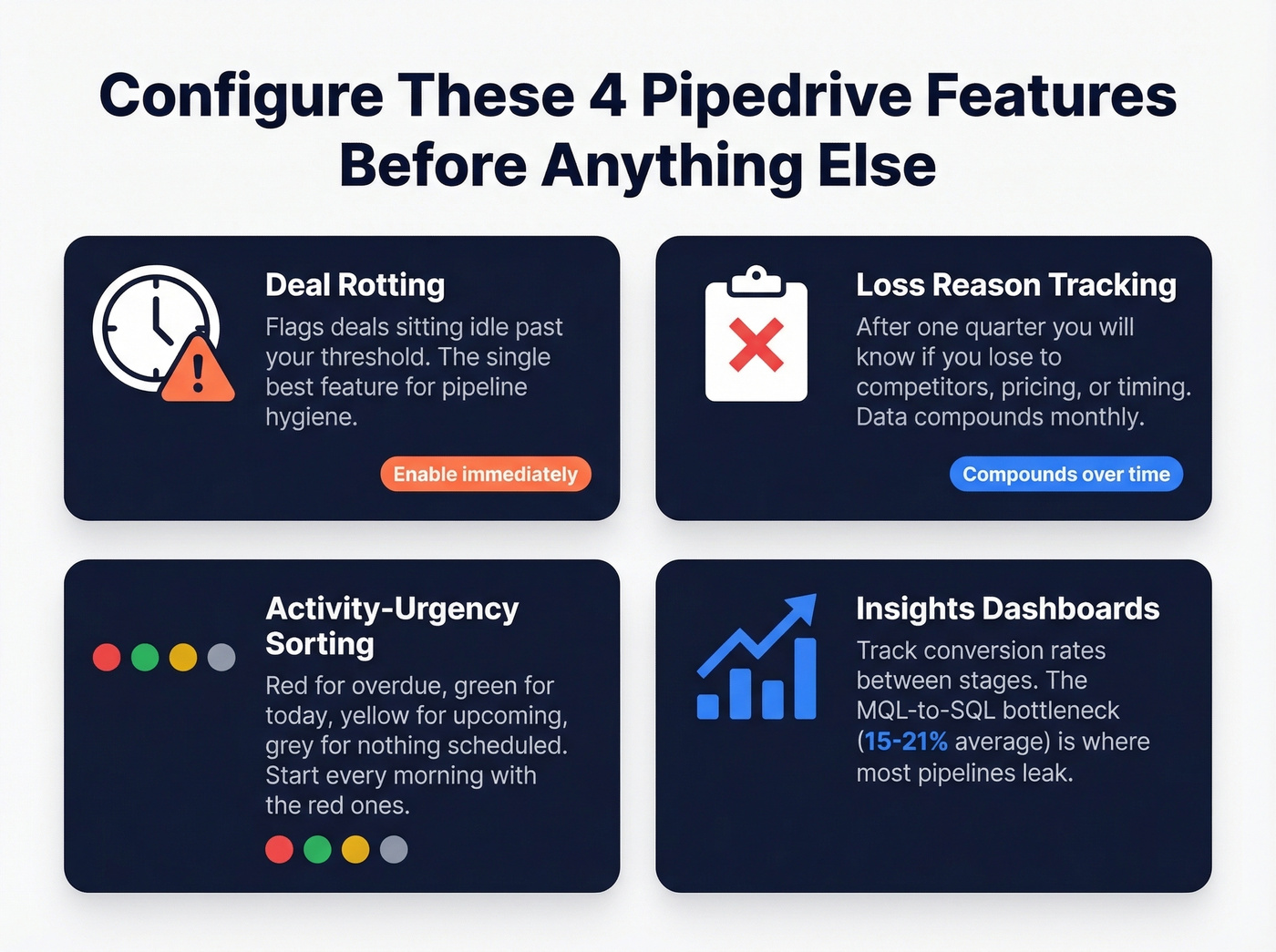
Loss reason tracking. After a quarter, you'll have data showing whether you're losing to competitors, pricing, or timing. That data compounds in value every month.
Activity-urgency sorting. Red for overdue, green for today, yellow for upcoming, grey for no activity. Your reps should start every morning with the red ones.
Insights dashboards. Configure conversion rate reports between stages. The MQL-to-SQL bottleneck - 15-21% industry average - is where most pipelines leak. Pipedrive's reporting is solid for SMB teams, though at larger scale many teams add a BI tool (and start caring a lot more about sales operations metrics). One thing to know: you can't have more than ten filter conditions on a single view, so plan your segments accordingly.

A beautiful Pipedrive pipeline means nothing if 40% of your emails bounce. Prospeo's 98% email accuracy and 7-day data refresh cycle ensure every contact entering your pipeline is real and current - so your sequences actually reach buyers.
Clean your list before it kills your domain reputation.
Automations That Save Hours
Pipedrive's automation engine uses simple if/then logic. Only global admins can create automations by default, so sort permissions first.
The scheduling killer. When a deal hits "Demo Scheduled," auto-send a Calendly link and create a follow-up task if no meeting's booked within 24 hours. This eliminates 3-4 scheduling emails per deal, which adds up fast when you're running 30+ active opportunities. If you need copy that doesn't sound robotic, keep a set of sales follow-up templates handy.
The CS handoff. A closed deal should never sit waiting for someone to notice it. Set up a workflow that auto-creates a Customer Success deal the moment a rep marks "Closed Won" and assigns the right owner. Teams using this cut onboarding kickoff time by nearly 24 hours.
For regulated industries, location-based triggers are worth the setup time. One team automated jurisdiction-specific compliance tasks for EU clients and reported a 21% reduction in deal-to-close cycle.
Pipeline Benchmarks Worth Tracking
You can't improve what you don't measure. Here are practical benchmarks for B2B SaaS teams:
| Metric | Benchmark |
|---|---|
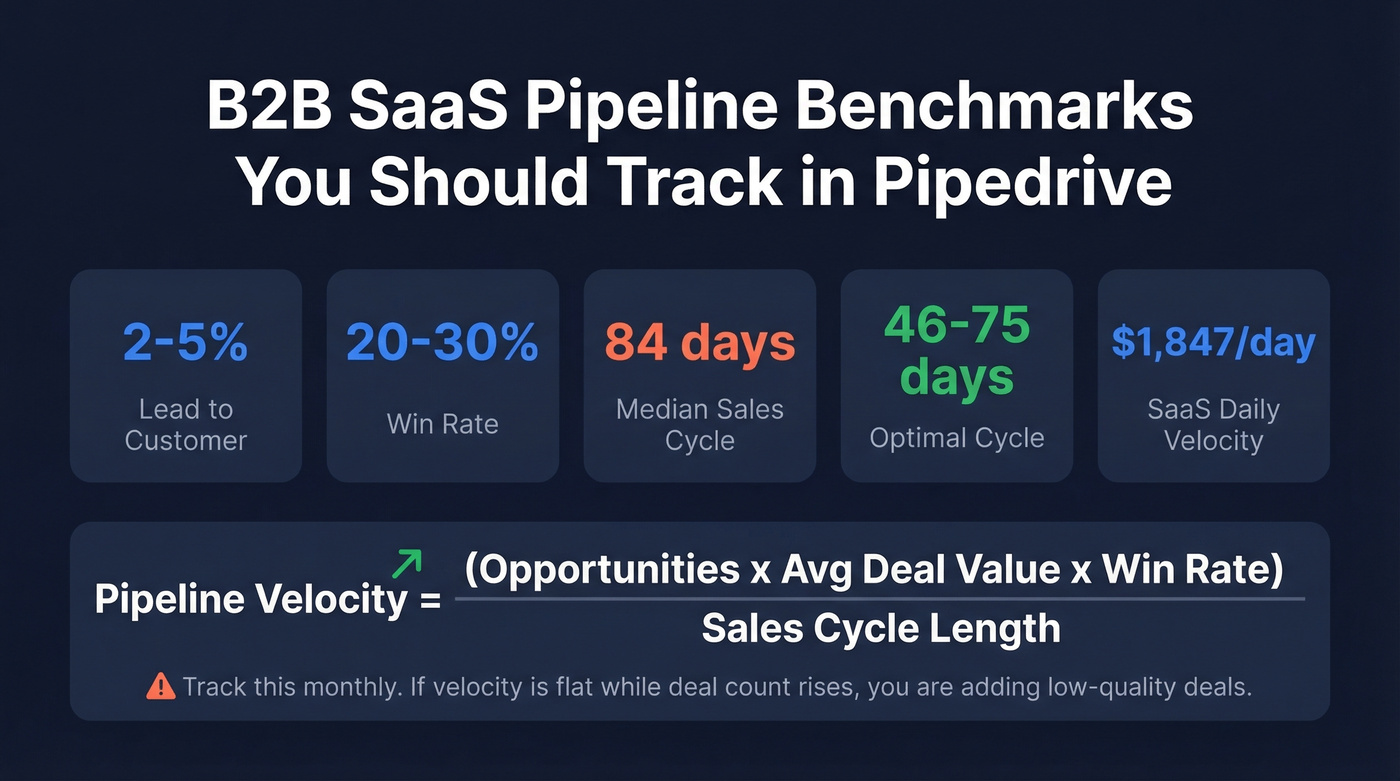
| Lead-to-customer | 2-5% |
| Win rate | 20-30% |
| Median sales cycle | 84 days |
| Optimal cycle | 46-75 days |
| SaaS daily velocity | $1,847/day |
The metric that ties everything together is pipeline velocity: (Opportunities x Avg Deal Value x Win Rate) / Sales Cycle Length. Track this monthly in Pipedrive's Insights dashboards. If velocity's flat while deal count rises, you're adding low-quality deals. (If you want more context, compare against broader sales pipeline benchmarks and track pipeline health over time.)
Mistakes That Kill Pipelines
Here's the thing: 40-60% of buying processes end in no decision. Not "lost to a competitor." Just... nothing. These zombie deals inflate coverage numbers and make forecasts useless.
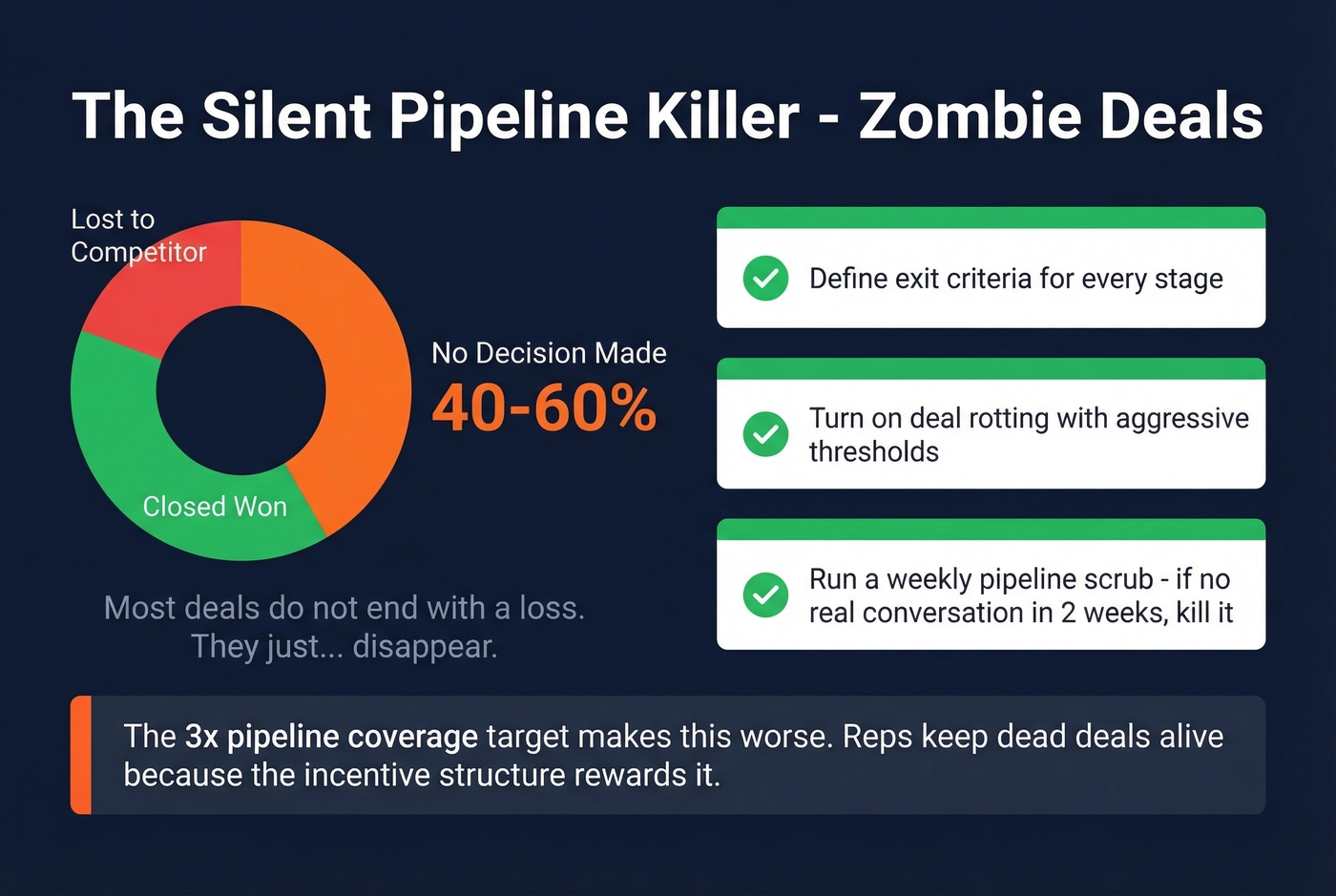
The 3x pipeline coverage target is probably making this worse. When reps need to show 3x their quota in pipeline, they keep dead deals alive because the incentive structure rewards it. Everyone knows this. Few teams fix it.
The fix is boring but effective: define exit criteria for every stage, turn on deal rotting with aggressive thresholds, and run a weekly pipeline scrub. If a deal hasn't had a meaningful conversation in two weeks, it's not a deal. Kill it. (If this is a recurring issue, it usually points to broader sales pipeline challenges and a need for sales process optimization.)
One Pipedrive user on Reddit described a common gap: email tracking works great for active deals, but ongoing client relationships without a discrete deal feel manual. A dedicated "Account Management" pipeline is the best workaround for that.
Pipedrive Plans and Pricing (2026)
| Plan | Price/User/Mo | Key Unlock |
|---|---|---|
| Lite | ~$24 | Pipeline basics, 2FA |
| Growth | ~$49 | Forecast view, Sequences |
| Premium | ~$79 | LeadBooster, custom scoring |
| Ultimate | ~$99 | Highest limits + lead gen add-on included |
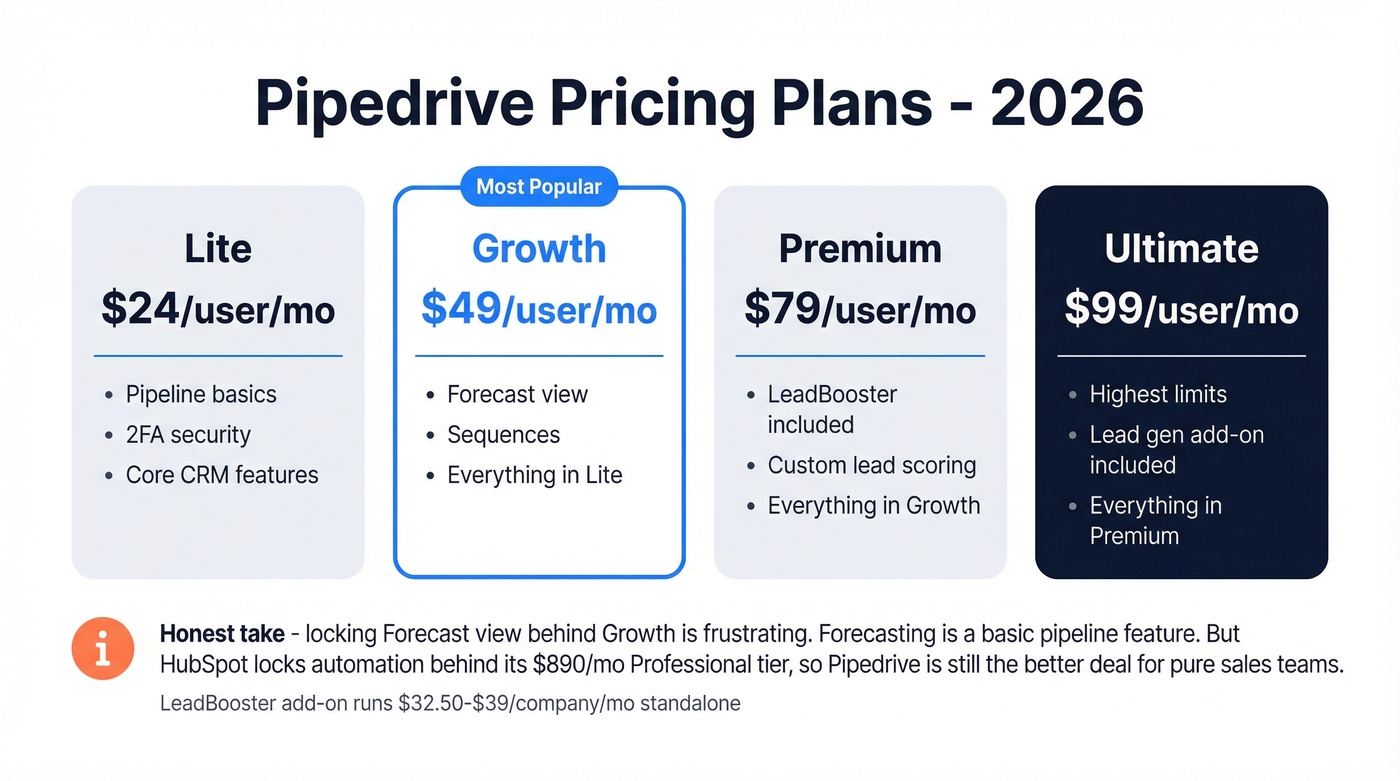
The LeadBooster add-on - Chatbot, Live Chat, Prospector, Web Forms - runs $32.50-$39 per company/month standalone and bundles into Premium. Let's be honest: locking the Forecast view behind the Growth plan is frustrating. Forecasting is a basic pipeline feature, not a premium one. That said, HubSpot locks automation behind its ~$890/month Professional tier, so Pipedrive's still the better deal for pure sales teams.
Feeding Your Pipeline With Clean Data
Picture this: your SDR adds 200 contacts from a purchased list into Pipedrive. They launch a sequence. Within 48 hours, 40% bounce. Your domain reputation tanks, and now even the good emails land in spam. We've watched this play out more times than we'd like to admit.
Pipedrive manages deals brilliantly, but it doesn't verify the contacts entering those deals. Run your list through Prospeo's bulk verification before importing - 98% email accuracy with a 7-day data refresh cycle that keeps records current. The free tier gives you 75 emails per month, enough to see what clean data does to your bounce rate before committing. If you're diagnosing deliverability issues, start with email bounce rate and then work through a full email deliverability guide.
Pipedrive tracks your deals. Prospeo fills them with verified contacts. Use 30+ filters to find decision-makers who match your ICP, then push them straight into Pipedrive with verified emails and direct dials - starting at $0.01 per email.
Stop feeding your pipeline with garbage data from purchased lists.