

Sales Appointment Request Emails That Actually Get Meetings Booked
You sent 200 emails last week and booked one meeting. That's not a failure - that's roughly the math. About 1% of cold emails result in a booked meeting, the average reply rate sits at 3.43%, and 42% of replies come from follow-ups most reps never bother sending. The gap between reps who book consistently and reps who don't isn't talent. It's structure, brevity, and follow-through.
Your sales appointment request email doesn't need more words. It needs fewer.
Anatomy of a Meeting Request Email
Every high-performing appointment email has four components, and nothing else:
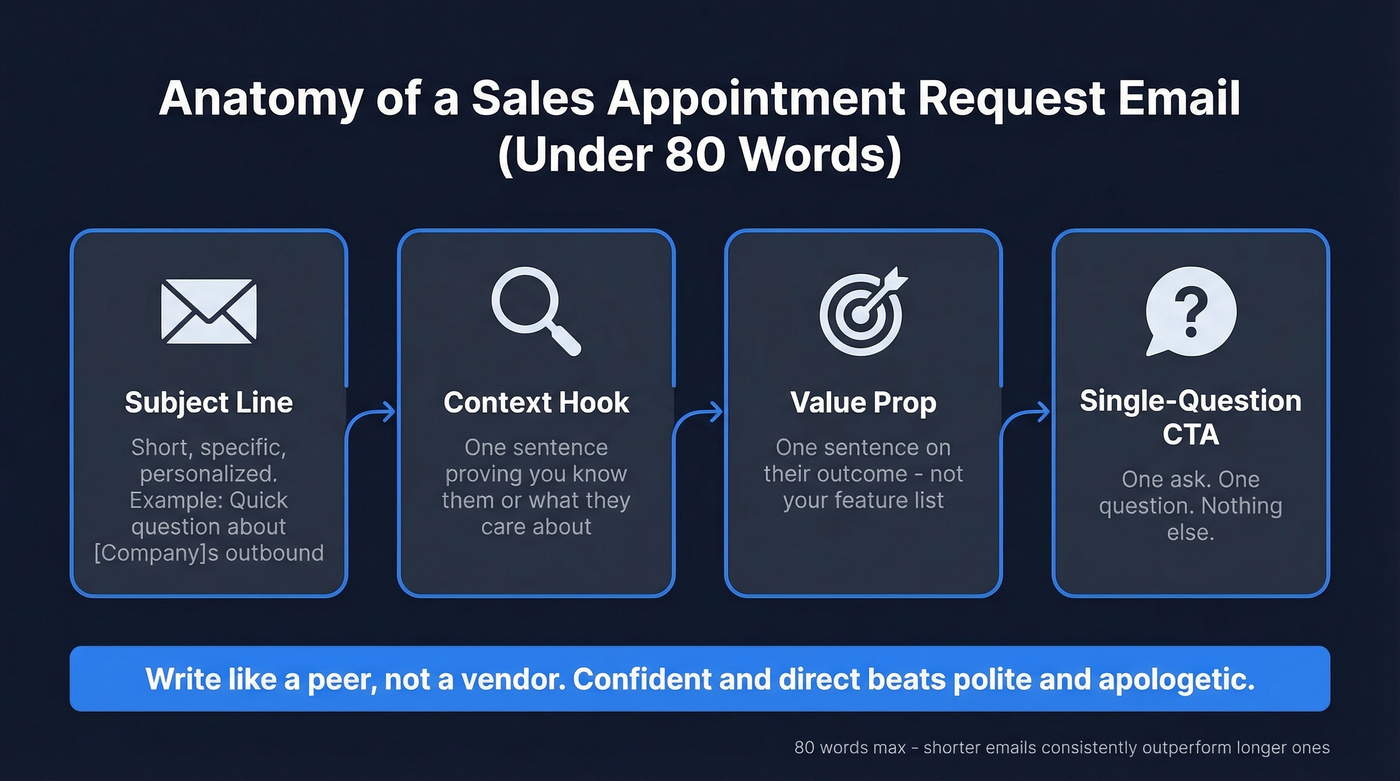
- Subject line - Short, specific, personalized. "Quick question about [company]'s outbound" beats "Exciting opportunity" every single time. (If you need ideas, steal from these email subject line examples.)
- Context hook - One sentence proving you know who they are or what they care about.
- Value prop - One sentence on what's in it for them. Not your feature list - their outcome.
- Single-question CTA - One ask. Not two. Not a paragraph. One question. (More rules and examples in this guide to email call to action.)
Write like a peer, not a vendor. Confident and direct beats polite and apologetic every time. The whole thing should land under 80 words - shorter emails consistently outperform longer ones per Instantly's 2026 benchmark data. An SDR on r/sales described booking 6-7 meetings per week using this exact framework and once booked 12 meetings in a single day from one template.
No links. No attachments. No multiple CTAs. Just the question.
Subject lines that work: "[Company] + [outcome]" / "Quick question about [specific thing]" / "[Mutual connection] suggested I reach out" (More cold email subject line examples here.)
Five Templates You Can Send Today
These cover cold outreach and warm re-engagement, each labeled by scenario. Treat them as starting points - swap in your own data and personalization before hitting send. If you want more variations, pull from these sales follow-up templates.
Template 1: Cold First Touch
Subject: [Their company] + [your outcome]
Hi [Name], noticed [specific observation about their company]. Most [role]s I talk to are dealing with [pain point] - we helped [similar company] cut that by [metric].
Worth a 15-minute call this week, or bad timing?
Template 2: Warm Follow-Up After Interest
Subject: Re: [original thread or topic]
Hi [Name], saw you [specific action]. That usually means [pain point] is on your radar.
Happy to walk through how we approach it - Tuesday or Wednesday work? Or book here if easier.
Template 3: The Nudge (Done Right)
Most nudge emails are terrible. They say "just bumping this to the top of your inbox," which translates to "I have nothing new to say." Here's what actually works: give them an easy out. Paradoxically, offering to back off increases replies.
Subject: Re: [original subject]
[Name], if [pain point] isn't a priority right now, no worries - just say the word and I'll back off. Otherwise, does Thursday afternoon work?
Template 4: Breakup
Subject: Closing the loop
Hi [Name], I've reached out a few times and haven't heard back - totally get it, timing could be off. I'll close this out on my end.
If things change, book here anytime.
Template 5: Long-Term Re-Engagement
This one works because of the "[new result or feature]" line - it gives you a legitimate reason to reappear in their inbox months later without feeling stale.
Subject: [Name], quick update
Hi [Name], we last connected in [month]. Since then, we've [new result or feature]. Thought it might be relevant given [their situation].
Worth revisiting? Tuesday 10am or Wednesday 2pm - or just reply and I'll work around you.
Every template uses the hybrid CTA: propose specific times and offer a scheduling link as a fallback. That's deliberate - and here's why.

Your templates are dialed in. But sending them to unverified emails tanks your sender reputation and kills the sequence before it starts. Prospeo's 143M+ verified emails with 98% accuracy mean every appointment request actually lands in a real inbox - not a bounce log.
Stop burning your domain on bad data. Verify before you send.
Should You Send a Scheduling Link?
You got a "Sure, let's chat" reply. You sent your Calendly link. Then silence.
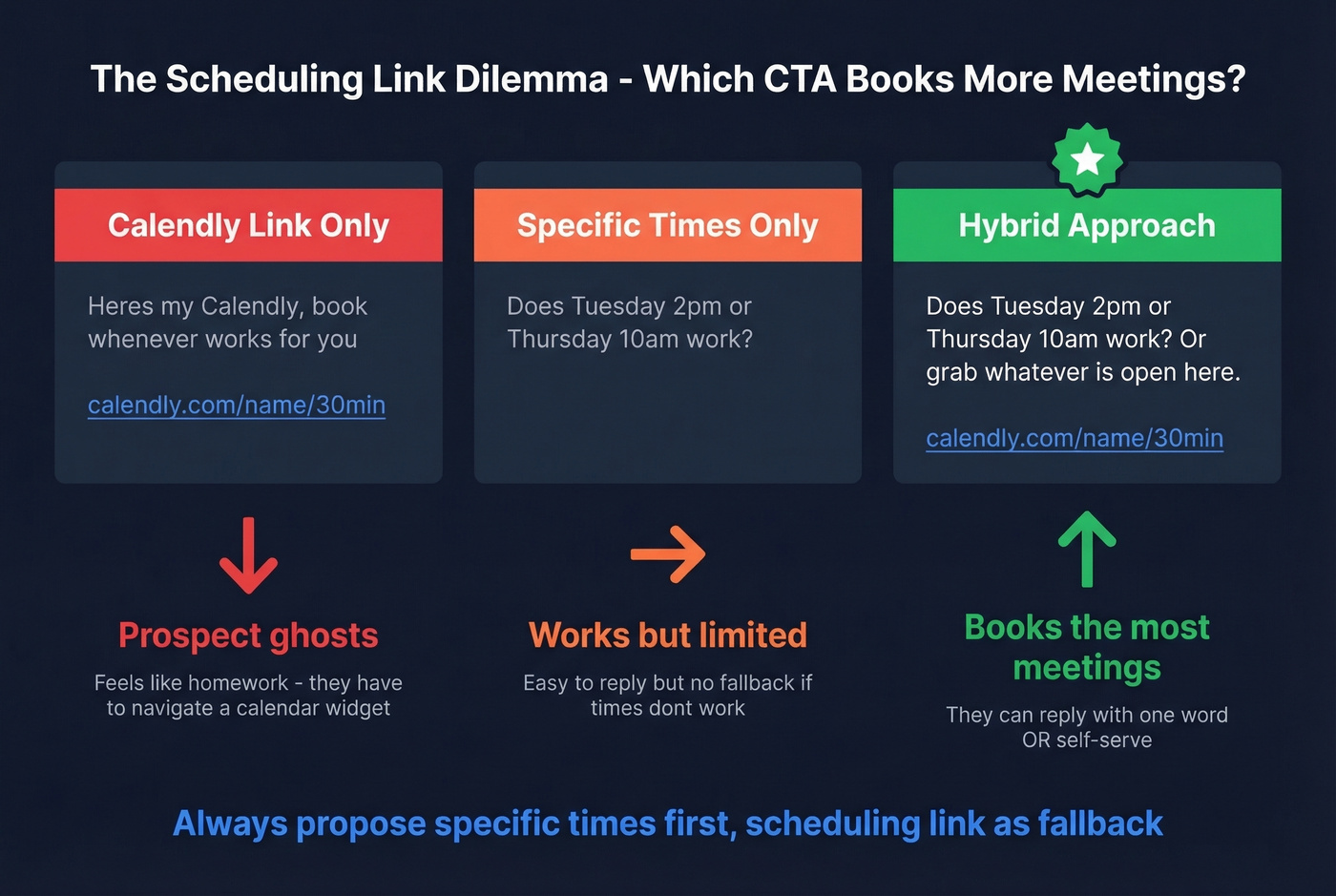
This is one of the most common frustrations on r/sales - prospects ghost the moment they see a booking page. The fix is simple: propose two specific times in the email body, then include the scheduling link as a fallback. "Does Tuesday 2pm or Thursday 10am work? Or grab whatever's open [here]." They can reply with one word instead of navigating a calendar widget. We've found this hybrid approach books more meetings than either tactic alone.
The Follow-Up Sequence Most Reps Skip
58% of replies come from the first email. That means 42% come from follow-ups - and most reps send one or two before giving up. (If you want a deeper playbook, start with this B2B cold email sequence.)
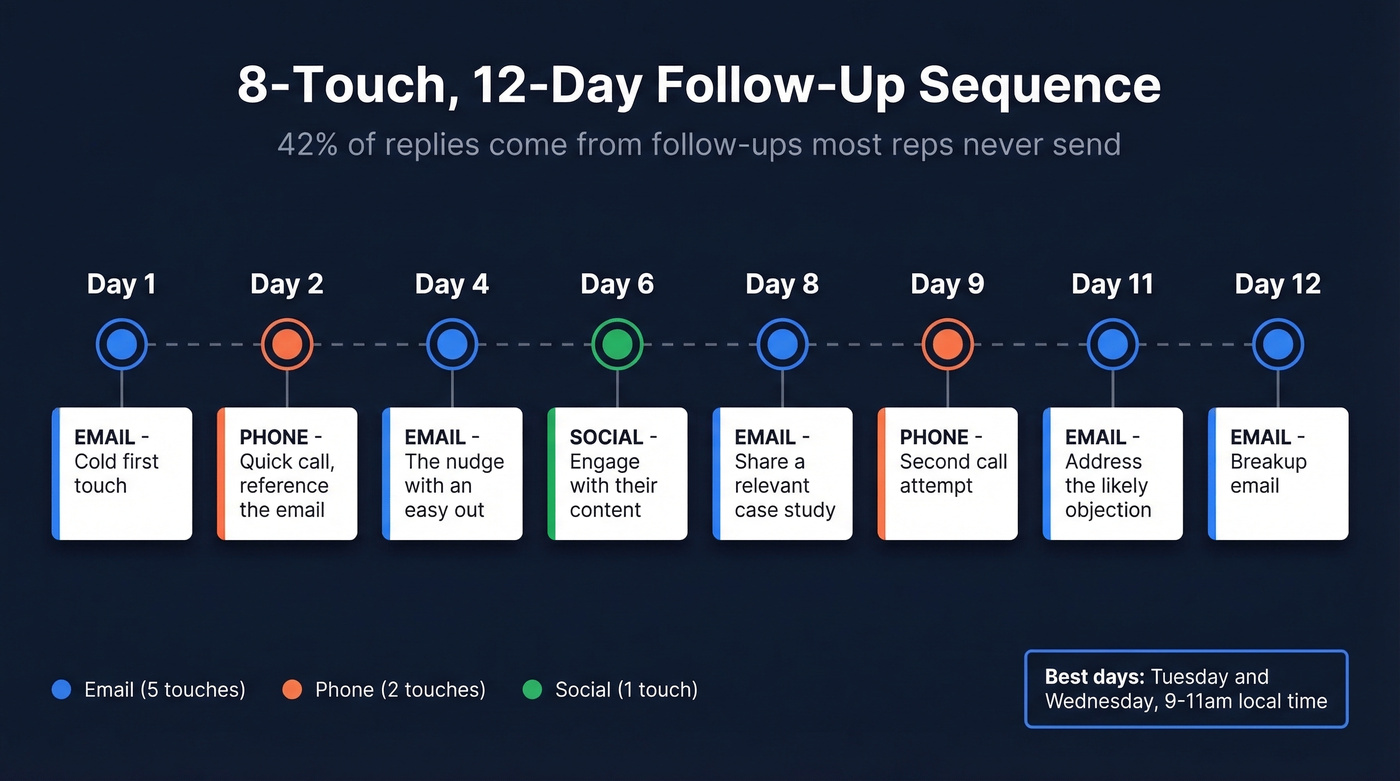
Here's an 8-touch, 12-day sequence:
| Day | Channel | Action |
|---|---|---|
| 1 | Cold first touch (Template 1) | |
| 2 | Phone | Quick call, reference the email |
| 4 | Nudge (Template 3) | |
| 6 | Social | Engage with their content |
| 8 | Share a relevant case study | |
| 9 | Phone | Second call attempt |
| 11 | Address the likely objection | |
| 12 | Breakup (Template 4) |
Send on Tuesday or Wednesday - those are peak reply days. Aim for 9-11am in the prospect's local time zone. Even better: time your first touch to a trigger like a job change, a new post, or a new hire in the department you sell to. (More on timing in best time to send cold emails.)
One more thing worth knowing: step-2 emails that feel like casual replies outperform formal follow-ups by roughly 30%. Drop the signature block, skip the greeting, write like you're bumping a thread with a friend.
Mistakes That Kill Your Reply Rate
Here's the thing: if your deal sizes are under five figures, you don't need a 15-tool sales stack. You need clean data, a tight sequence, and the discipline to follow up. Everything else is procrastination disguised as strategy. (If you're rebuilding your outbound motion, these sales prospecting techniques help.)
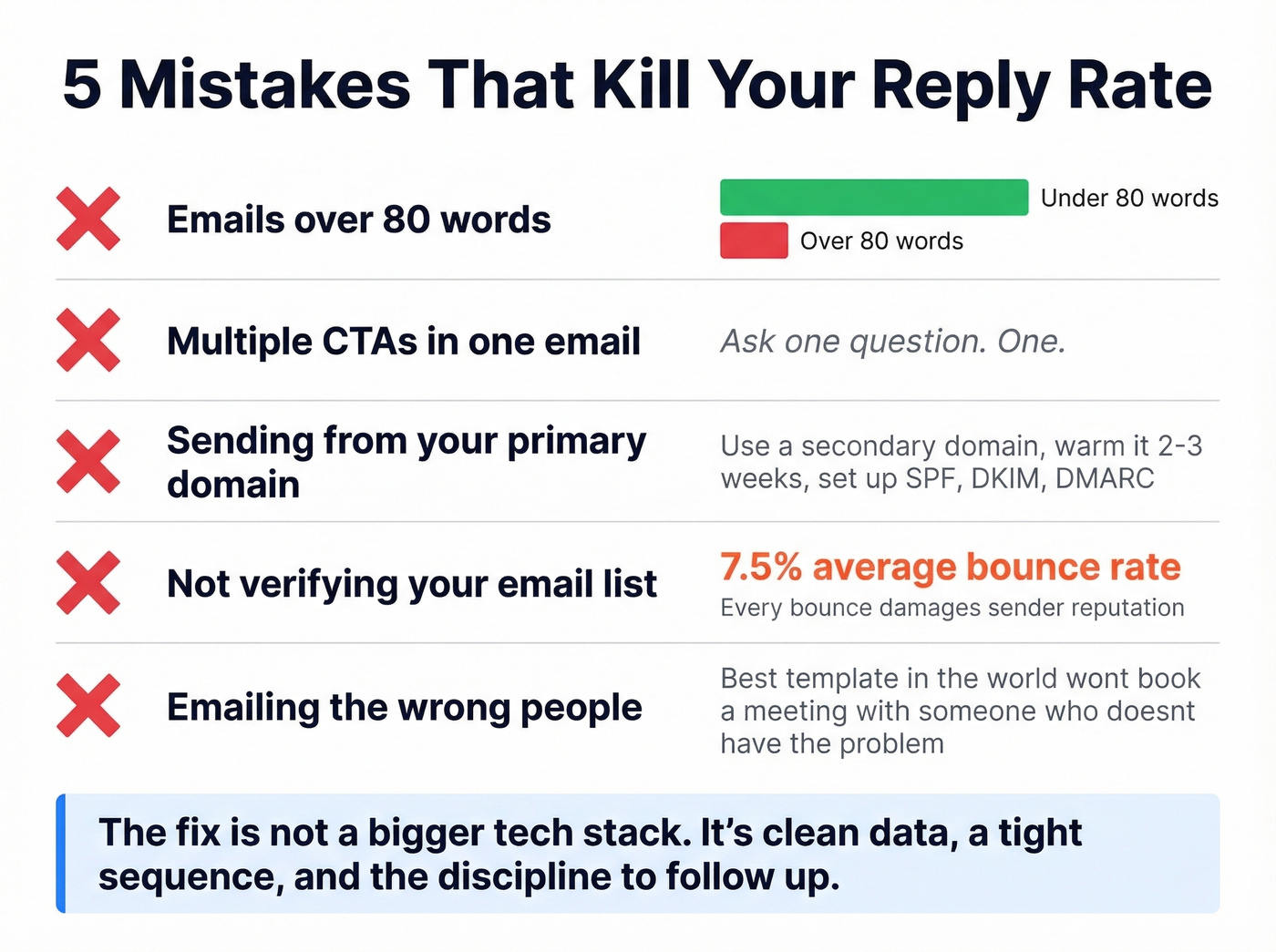
- Emails over 80 words. Cut the preamble, the feature list, the "I hope this finds you well." All of it.
- Multiple CTAs. Ask one question. One.
- Sending from your primary domain without warmup. Use a secondary domain, warm it for 2-3 weeks, authenticate DNS with SPF, DKIM, and DMARC. (If you're troubleshooting, use this email deliverability guide.)
- Not verifying your list. The industry average bounce rate is 7.5%, and every bounce damages sender reputation. Prospeo's real-time verification catches invalid addresses before you hit send, with 98% accuracy across 143M+ verified emails.
- Emailing the wrong people. The best template in the world won't book a meeting with someone who doesn't have the problem you solve. (Use an ideal customer profile to stop guessing.)
Let's be honest - most reps fire off one appointment request and wonder why nothing happens. Build the full sequence before you send email one. Stick to Tuesday-Wednesday, 9-11am local, and commit to all eight touches.
That 8-touch sequence only works if you're reaching the right person with a valid email. Prospeo refreshes every record every 7 days - so the VP who changed jobs last week already has updated contact data. At $0.01 per email, building a clean list costs less than one ghosted meeting.
Build the list your follow-up sequence deserves.
FAQ
How many follow-ups should I send after an appointment request?
Send 4-7 follow-ups minimum across a 10-14 day window, mixing email, phone, and social touches. 42% of replies come from follow-ups, so stopping after one or two emails leaves meetings on the table.
What's a good reply rate for appointment-setting emails?
The average cold email reply rate is 3.43%, with top-performing campaigns hitting 5.5%+. Volume and follow-up cadence matter as much as copy - most reps quit too early.
Can I use a template as-is?
You can start with any template, but personalization separates booked meetings from ignored ones. Swap in the prospect's company name, a specific pain point, and a relevant metric - generic emails rarely clear a 3% reply rate.
How do I prevent my appointment emails from bouncing?
Verify every address before sending. The industry average bounce rate is 7.5%, and bounces destroy sender reputation fast. A 5-step verification process that includes catch-all handling and spam-trap removal keeps bounce rates under 4% for most teams.