

Sales Team Automation: The No-BS Guide for 2026
Your reps spend 30% of their time actually selling. The rest disappears into CRM updates, note-taking, and chasing down contact info. Even worse: 43% of sales reps burn 10-20 hours per week on admin alone - that's half the workweek gone before a single prospect hears a pitch.
Sales team automation exists to claw that time back. But most teams implement it wrong. They buy 15 tools, wire them together with duct tape, and wonder why nothing improved. Cold outbound reply rates commonly land around 2%, and that's before accounting for bounces from stale data.
Here's the short version: you need a CRM, a sequencer, and a verified data source - not 30 tools. Automate CRM logging, follow-ups, and lead routing first. Start with clean data or you're just automating failure at scale.
What Sales Automation Actually Means
Sales team automation means using software to handle the repetitive, low-judgment tasks that eat your reps' days - data entry, follow-up scheduling, lead routing, contact enrichment. It doesn't mean buying a dozen platforms and hoping they talk to each other.
29% of sales pros say reducing their tech stack would actually make them more efficient. The goal isn't more software. It's fewer manual steps between "found a prospect" and "booked a meeting."
The ROI Case (With Real Numbers)
Organizations using sales automation report a 14.5% increase in sales productivity and a 12.2% reduction in marketing overhead. Teams with advanced automation achieve 23% higher win rates compared to those running basic setups.
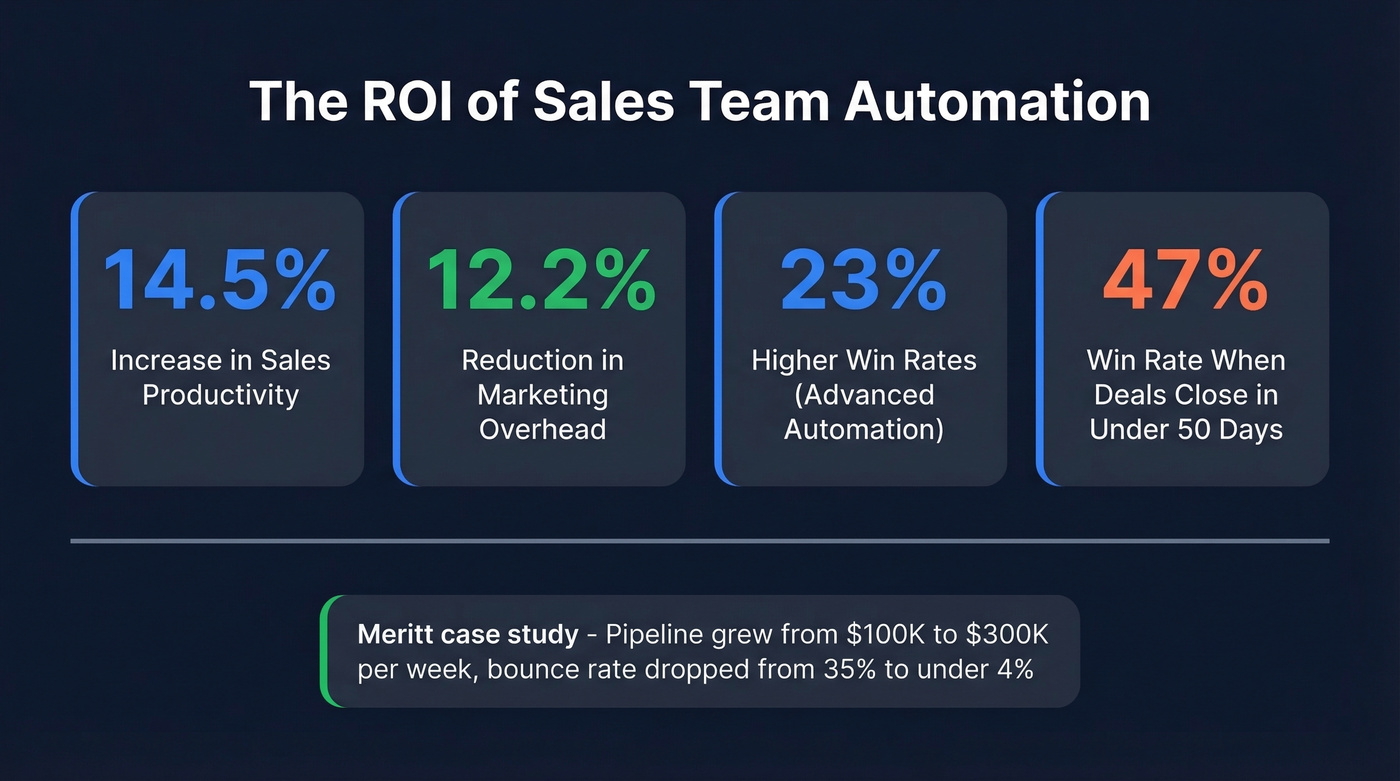
Speed matters too. Opportunities closed within 50 days carry a 47% win rate - let deals drag past that threshold and win rates drop to roughly 20%. Every manual step that slows your pipeline is costing you closed revenue, and the math gets ugly fast when you multiply that drag across a 10-person team running 200+ deals.
Proof point: Meritt, a mid-market sales org, tripled their pipeline from $100K to $300K per week after switching to verified contact data through Prospeo. Their bounce rate dropped from 35% to under 4%. Automation amplifies whatever reality you're starting with - clean data means compounding gains, stale data means compounding waste.

7 Automations Every Sales Team Needs
1. CRM auto-logging. Calls, emails, meetings - all captured without reps touching a field. This alone saves about 5 hours per rep per week.
2. Lead scoring and routing. When a prospect hits 3+ pricing page views, auto-route them to the right rep. Hot leads sitting in a queue is money evaporating. (If you want a deeper setup, start with a solid lead scoring model.)
3. Email sequence automation. Follow-up cadences that fire based on prospect behavior, not rep memory. 38% of reps never follow up after initial contact - sequences prevent that failure mode entirely. If you need copy that fits automated cadences, use these sales follow-up templates.
4. Meeting scheduling. Calendar links with round-robin assignment. Leads contacted within 5 minutes are 10x more likely to convert, so eliminate the back-and-forth email dance.
5. Follow-up triggers. Deal goes dark for 7+ days? Fire a re-engagement sequence. Stalls 14+ days? Alert the manager. Don't let pipeline rot silently. (This is also where pipeline health metrics keep you honest.)
6. Data enrichment and verification. Auto-enrich new leads with verified emails and phone numbers. Stale contact data is the silent killer of outbound - most teams don't catch it until bounce rates spike and domain reputation tanks. If you're evaluating vendors, start with these data enrichment services.
7. Pipeline alerts. Deal stage regression, stalled opportunities, forecast risk - surface these automatically so managers act on signals, not gut feel. If forecasting is a pain point, compare sales forecasting solutions.
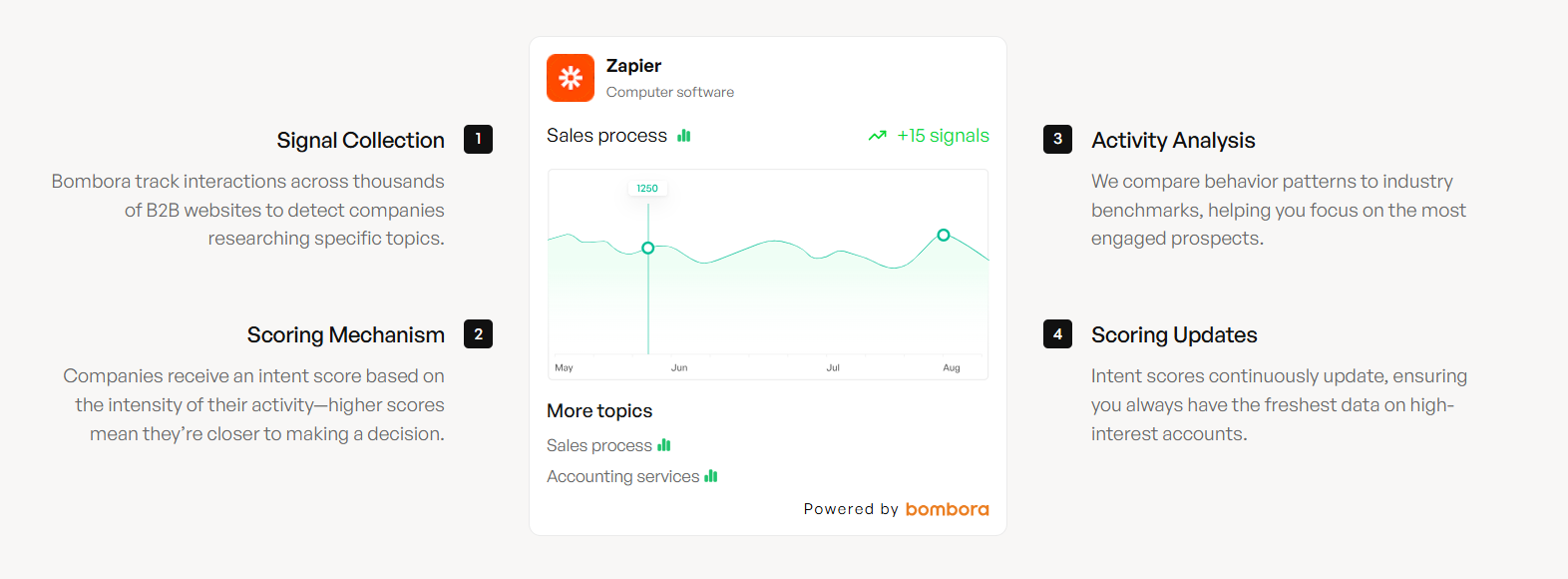
Look, if your average deal size is under $10K, you probably don't need a $40K/year data platform or an enterprise sequencer. A free CRM tier, a $39/month sequencer, and verified contact data will outperform a bloated stack that nobody fully adopts. (If you're still mapping your stack, these SDR tools comparisons can help.)

You just read that 43% of reps lose half their week to admin. Automation fixes the workflow - but stale data breaks everything downstream. Prospeo's 7-day refresh cycle and 98% email accuracy mean your sequences actually reach real buyers, not dead inboxes.
Stop automating failure. Start with data that's 6x fresher than the industry average.
The Tool Stack: 3 Things, Not 30
The 3-Layer Framework
You need three layers: a CRM to track deals, a sequencer to run outreach, and a data source to feed both with accurate contacts. Everything else is optional until you've nailed these three. If you need examples to sanity-check your CRM choice, see these examples of a CRM.
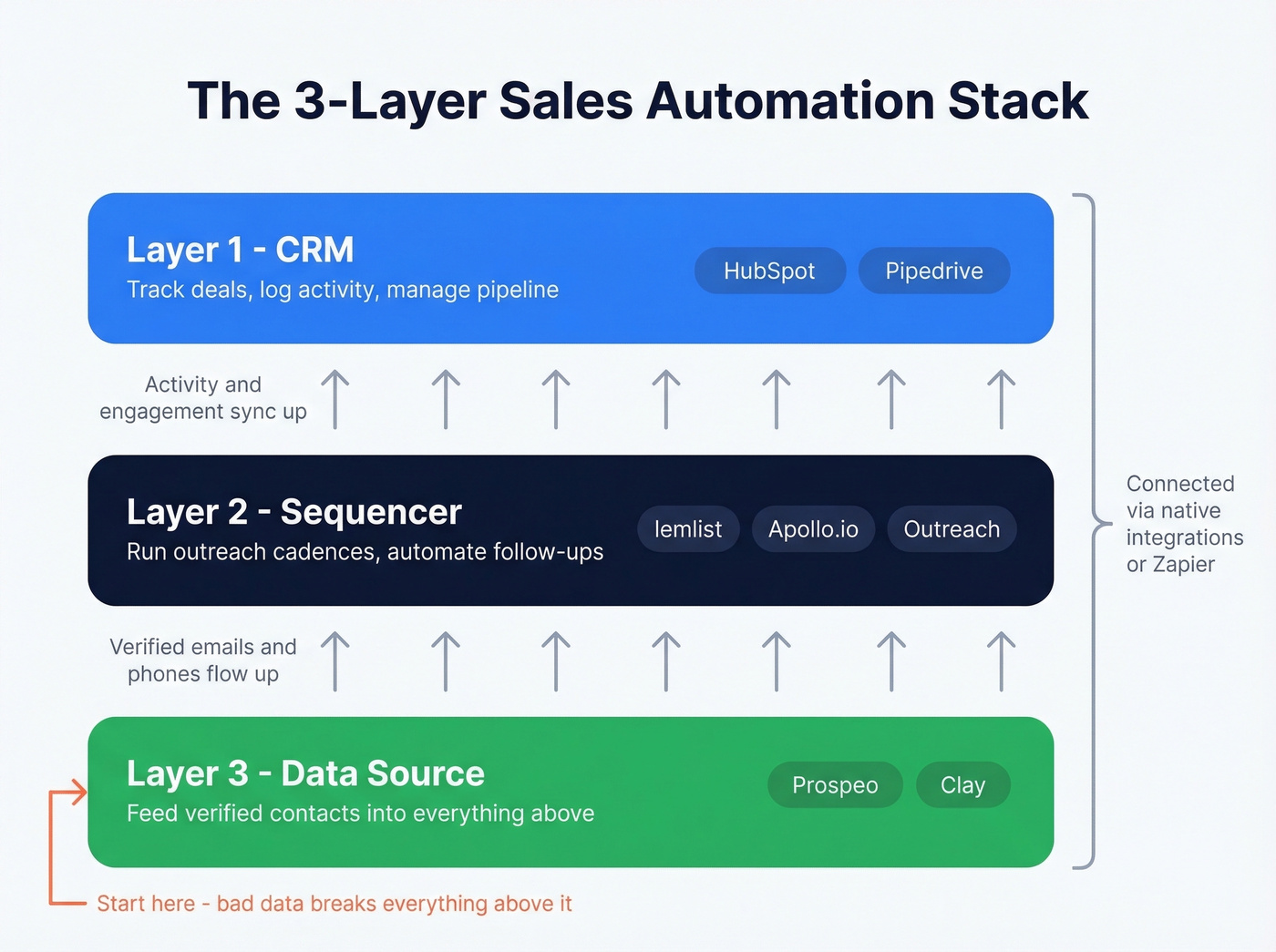
Most teams fail not because they lack tools, but because they buy too many and adopt none fully. The consensus on r/sales backs this up - thread after thread of reps complaining about "tool fatigue" and managers wondering why adoption stalled.
Quick Comparison
| Layer | Tool | Starting Price | Best For |
|---|---|---|---|
| CRM | HubSpot Sales Hub | $20/seat/mo (Pro: $100 + $1,500 onboarding) | Growing teams |
| CRM | Pipedrive | ~$14-99/seat/mo | Simplicity-first teams |
| Sequencer | lemlist | ~$39/user/mo | SMB multichannel |
| Sequencer | Apollo.io | Free; paid ~$59-119/user/mo | Mid-market outbound |
| Sequencer | Outreach | Not public (enterprise pricing) | Enterprise cadences |
| Data | Prospeo | Free tier (75 emails/mo); ~$0.01/verified email | Verified emails + phones |
| Data | Clay | Free; paid ~$149/mo | GTM engineering |
| Workflow | Zapier | Free; paid from $19.99/mo | Gluing your stack |
That HubSpot $1,500 onboarding fee for Professional is a real cost most comparison articles conveniently forget. And Outreach still won't publish pricing - they're optimizing for enterprise deal sizes, not for helping you decide.

Why the Data Layer Matters Most
Here's the thing: we've seen teams spend $30-50K/year on a database and still bounce 25% of their outbound. The sequencer works fine. The CRM is configured correctly. But the contacts feeding the machine are six weeks stale, and everything downstream breaks.
Prospeo runs a 7-day data refresh cycle - the industry average is six weeks. That freshness gap is enormous when you're running automated sequences at scale. Stale emails bounce, bounces tank your domain reputation, and suddenly your entire outbound motion is broken. At roughly 90% cheaper than ZoomInfo with 98% email accuracy, the data layer isn't glamorous, but it's the foundation everything else sits on. (If deliverability is already shaky, start with an email deliverability guide before scaling volume.)
Meritt tripled their pipeline to $300K/week and crushed bounce rates to under 4% - because their 3-layer stack started with verified contacts. At $0.01 per email, Prospeo costs 90% less than ZoomInfo while delivering 98% accuracy and 125M+ verified mobile numbers.
Build your automation stack on the data layer that actually holds up at scale.
How to Implement in 4 Steps
1. Audit. Map every repetitive task your reps do weekly. Rank by time wasted. CRM data entry and follow-up scheduling almost always top the list - start there. If you're stuck, use these sales activities examples to spot what to automate.
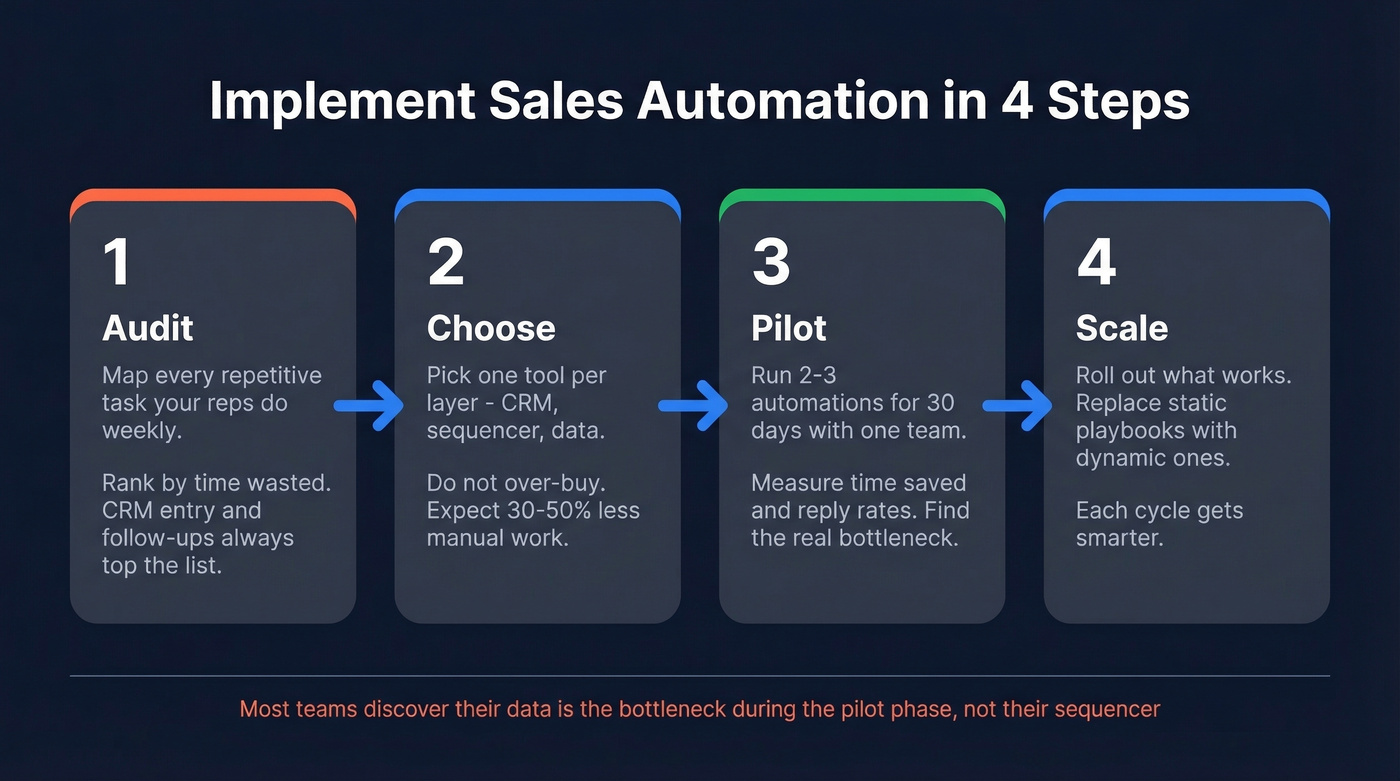
2. Choose. Pick one tool per layer: CRM, sequencer, data. Don't over-buy. A 30-50% reduction in manual workload is realistic with even basic automation, but only if reps actually adopt the tools. If you manage a distributed team, prioritize tools with async workflows and shared visibility - keeping everyone aligned across time zones matters more than feature count.
3. Pilot. Run 2-3 automations for 30 days with one rep or team. Measure time saved and reply rates. In our experience, the pilot phase is where most teams discover their data is the bottleneck, not their sequencer. That realization alone saves thousands in misallocated tool spend. (If you're building outbound from scratch, borrow from these sales prospecting techniques.)
4. Scale. Roll out what works. Replace static playbooks - the kind with screenshots of retired UIs and outdated objection scripts - with dynamic ones that adapt to deal stage and buyer signals. This is where automation compounds: each cycle gets smarter, and adding shared deal rooms or team-wide pipeline dashboards starts to pay off.
Choosing the Right Platform
Before you commit to any stack, pressure-test it against three criteria. Skip this step and you'll end up ripping out tools six months later.
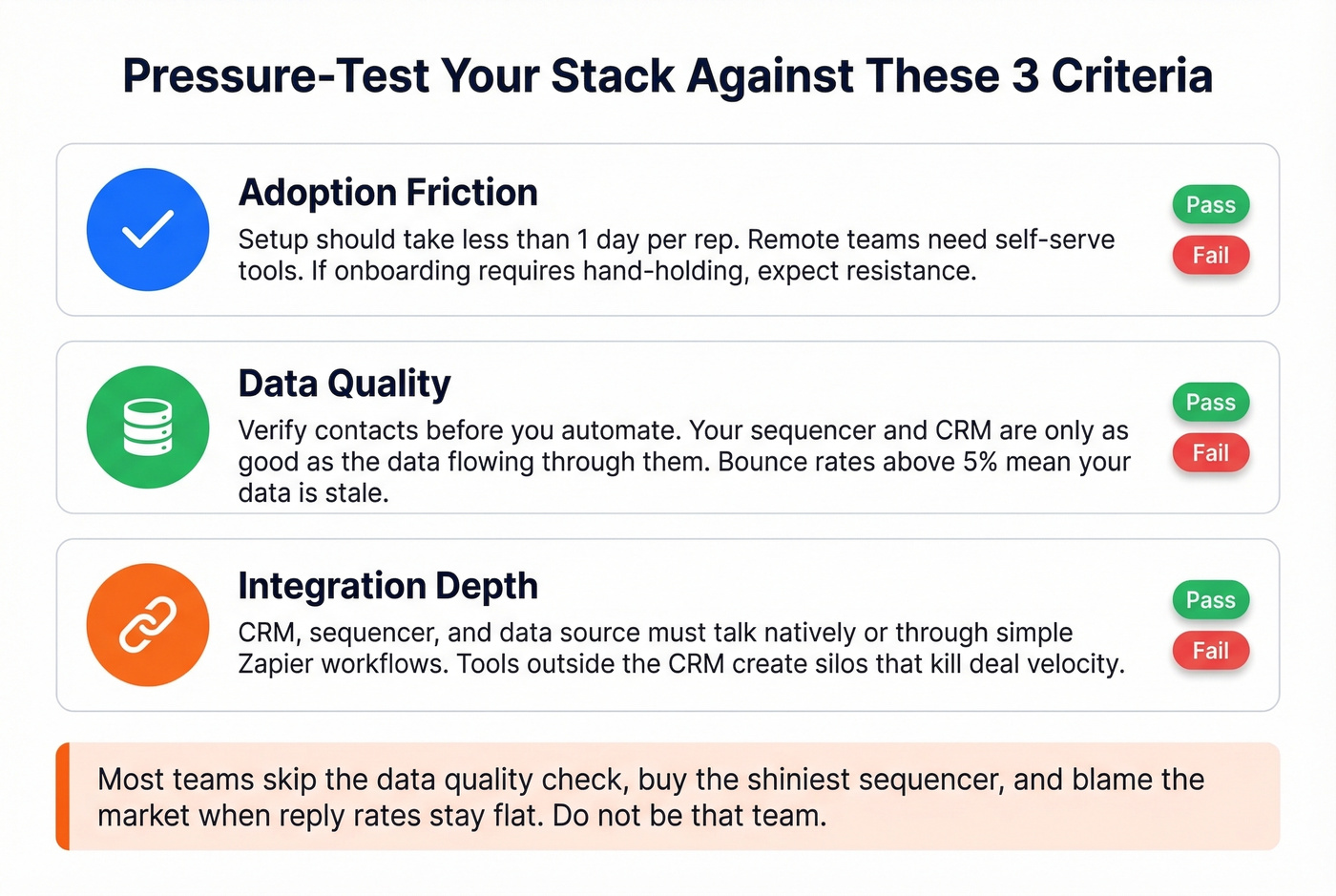
Adoption friction. If setup takes more than a day per rep, expect resistance. Remote-first teams especially need self-serve tools - you can't walk someone through onboarding over their shoulder when they're three time zones away.
Data quality. Your sequencer and CRM are only as useful as the contacts flowing through them. Verify before you automate. We can't stress this enough. If you're seeing issues, start by tracking your email bounce rate.
Integration depth. Your CRM, sequencer, and data source need to talk to each other natively or through a simple Zapier workflow. Communication tools that live outside the CRM create information silos that kill deal velocity.
Let's be honest: most teams skip the data quality check, buy the shiniest sequencer, and then blame "the market" when reply rates stay flat. Don't be that team.
FAQ
What should a sales team automate first?
CRM data entry and call logging. It's the biggest time sink and the easiest to eliminate with any modern CRM's native automation features. Most teams reclaim 5+ hours per rep per week from this single change.
How much does sales team automation cost for a small team?
A functional stack starts under $100/month: a free CRM tier, a sequencer at ~$39/user, and a free data tier for verified emails. Scale up as pipeline grows - you're getting real automation without enterprise overhead.
Does automation actually improve reply rates?
Only if your contact data is accurate. Teams using verified data sources keep bounce rates under 5% and see 26-35% more booked meetings compared to those running on stale databases. Automation without data hygiene just sends bad emails faster.
What's the best setup for remote sales teams?
A CRM with shared pipeline views, a sequencer with team-level analytics, and a communication layer like Slack or Teams covers most needs. The key is surfacing deal context where reps already work, rather than forcing them into another dashboard they'll ignore.