

Team Email Sequences: The Complete Playbook for 2026
Three reps on your team emailed the same VP of Engineering last Tuesday. One sent a cold intro. Another sent a "checking in" follow-up to a conversation that never happened. The third sent a case study. The VP replied to none of them - but did screenshot the thread and post it on social media.
That's what happens when team email sequences are a solo-rep activity instead of a shared system. Sales reps spend 21% of their workweek writing and sending emails, and over 60% of follow-ups never get sent at all. The problem isn't effort. It's that most teams treat sequences like personal playlists instead of shared infrastructure. We're talking about sales sequences here - behavior-triggered, rep-controlled outreach - not automated drip campaigns.
What You Need (Quick Version)
If you're short on time, here's the playbook in three bullets:
- Governance first. Build a shared sequence library organized by a persona matrix before any rep writes a single email. Standardization is what makes performance measurable - without it, you're guessing.
- Shorter sequences win. A study of 16.5M emails found that one-touch campaigns hit 8.4% reply rates. Stop defaulting to 10-step cadences that annoy prospects and spike spam complaints.
Why Individual Sequences Break at Team Scale
Here's what happens when every rep builds their own sequences: chaos that looks like productivity.
Reps waste hours on creation instead of selling. Measuring what actually works becomes close to impossible. That's not a minor inconvenience - it's a structural failure in your revenue engine.
The collision problem is worse than most leaders realize. Roughly 40-60% of teams with five or more reps have experienced duplicate outreach to the same prospect. It's not just embarrassing. When a prospect gets three different emails from your company in the same week with three different value props, you look disorganized. Because you are.

Then there's the time drain. Without shared libraries, reps spend 5-10 hours per week building, tweaking, and reinventing sequences from scratch. That's a quarter of their selling time gone - not to prospecting, not to calls, not to closing. To writing emails that someone else on the team already wrote last month.
The fix isn't "better reps." It's better systems.
The 6 Core Sequence Types Every Team Needs
Not all sequences are created equal, and your team shouldn't treat them that way. Here's the benchmark data broken down by sequence type (the first four rows draw from Outreach's aggregate customer base; the last two are estimated ranges based on industry norms):

| Sequence Type | Goal | Typical Length | Expected Reply Rate | Expected Meeting Rate |
|---|---|---|---|---|
| Cold outbound | New pipeline | 3-5 emails | 8-15% | 1-3% |
| Warm inbound | Convert hand-raisers | 4-6 emails | 20-30% | 8-12% |
| Customer expansion | Upsell/cross-sell | 3-5 emails | 25-40% | 15-20% |
| Win-back/nurture | Re-engage cold leads | 4-6 emails | 10-18% | 2-5% |
| Event follow-up* | Post-webinar/conference | 2-3 emails | 15-25% | 5-10% |
| Referral request* | Generate introductions | 2-3 emails | 20-35% | 10-15% |
\Estimated ranges*
Cold outbound is the workhorse - and the hardest to get right. Four to five emails is the sweet spot; enough to establish presence without triggering spam complaints. Your first email does the heavy lifting, so front-load your best value prop.
Warm inbound converts people who already raised their hand. Speed matters more than cleverness here - respond within five minutes and your conversion rate jumps dramatically. The sequence should reinforce whatever drew them in, not start from scratch.
Customer expansion is the most underused sequence type. Your existing customers already trust you, which is why reply rates hit 25-40%. Build sequences around usage milestones, contract renewal windows, and product launches.
Win-back/nurture targets prospects who went cold. The trick: acknowledge the gap. "We spoke three months ago and the timing wasn't right" works far better than pretending the previous conversation never happened.
Event follow-up has a 48-hour shelf life. If your post-conference sequence fires a week later, you've already lost the context advantage. Keep it to 2-3 touches and reference something specific from the event.
Referral request sequences are pure gold when done right. Two emails max - one ask, one gentle reminder. Anything more feels pushy. Personalize heavily: mention the specific person you'd like an intro to.
Across all types, the averages tell a sobering story: 27.2% open rate, 2.9% reply rate, 2.8% bounce rate. That 2.9% includes every poorly optimized sequence dragging the number down. Your team should target well above that - cold outbound should aim for at least 12% reply rates.

Your team email sequences hit 2.9% reply rates when reps prospect with bad data. Prospeo's 98% verified emails and 7-day refresh cycle mean your carefully built sequences actually reach real inboxes - not bounces that torch your domain reputation.
Fix the data layer and watch your sequence reply rates double.
Build a Governance Framework for Shared Sequences
This section separates teams that scale from teams that stall. Governance sounds bureaucratic. It's not. It's the difference between measurable, improvable outreach and a mess of one-off experiments nobody can learn from.
The Persona Matrix
The persona matrix is the best framework I've seen for organizing shared outreach cadences across a team.

Put your buyer personas across the horizontal axis - VP of Sales, Director of Marketing, Head of Operations, whatever your ICP includes. On the vertical axis, place "High Touch" and "Low Touch." Each cell in that grid gets its own sequence.
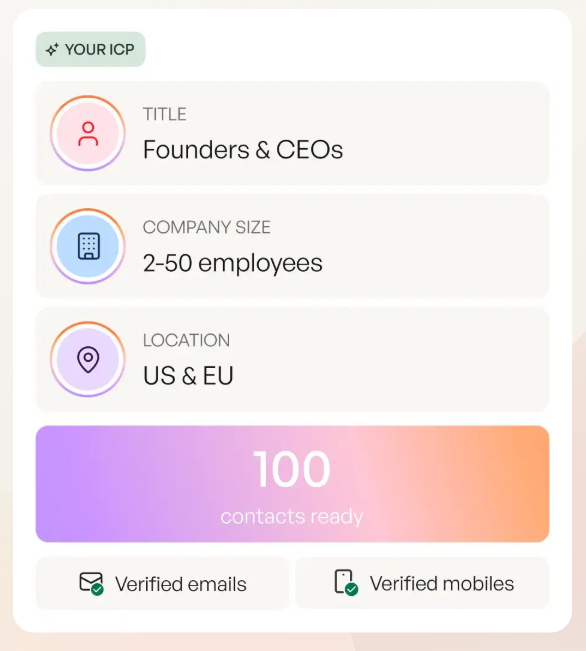
A high-touch sequence for an economic buyer looks completely different from a low-touch sequence for a technical evaluator. The economic buyer cares about ROI and business outcomes. The technical evaluator wants integration details and security documentation. Sending the wrong sequence to the wrong persona isn't just ineffective - it signals that you didn't do your homework.
For buying committees with multiple stakeholders, customize sequences by role. The CFO gets the cost-savings angle. The CTO gets the technical architecture story. The end user gets the "your life gets easier" pitch. Same company, different sequences, coordinated timing.
The Content Committee Model
Here's a concept fewer than one in five sales teams have adopted, and it's the single highest-leverage governance move you can make.
Pull together a cross-functional group of your top-performing reps. This isn't a democracy - it's a meritocracy. The reps who consistently hit quota and get replies are the ones who should be shaping your sequence library.
The committee meets monthly for minor tweaks - subject line adjustments, CTA experiments, timing changes. Every six months, they do a complete overhaul of all sequences. Markets shift. Messaging gets stale. What worked in Q1 won't necessarily work in Q3.
The balance to strike: playbooks should provide adaptable templates and proven language, not rigid scripts. Reps need room to personalize 2-3 sentences per email. But the structure, the value props, the CTAs - those come from the committee. Deciding which reps own which sequences and who can edit them should also be the committee's call.
Collision Prevention and Unenrollment
Three practical mechanisms to prevent the "three reps emailing the same VP" disaster:

Shared do-not-contact lists. SmartReach.io has this built in as a core feature. If your tool doesn't, build one manually in your CRM and enforce it.
Territory rules. This sounds obvious, but I've seen teams with "territory rules" that only apply to named accounts, leaving the entire mid-market as a free-for-all. Define rules for every segment.
Enrollment tracking. HubSpot's "Now in Sequence" contact property lets you filter out anyone already enrolled. Before any rep enrolls a contact, they check this property. Simple, effective, and surprisingly rare in practice.
Equally important: set automatic unenrollment triggers. At minimum, unenroll contacts when they reply or when a meeting is booked. Without these triggers, reps send awkward follow-ups to prospects who already responded - or worse, to prospects who already said no. Review unenrollment rules monthly as part of your Content Committee cadence.
How to Set Up Shared Sequence Libraries
Email Sequence Sharing and Permissions
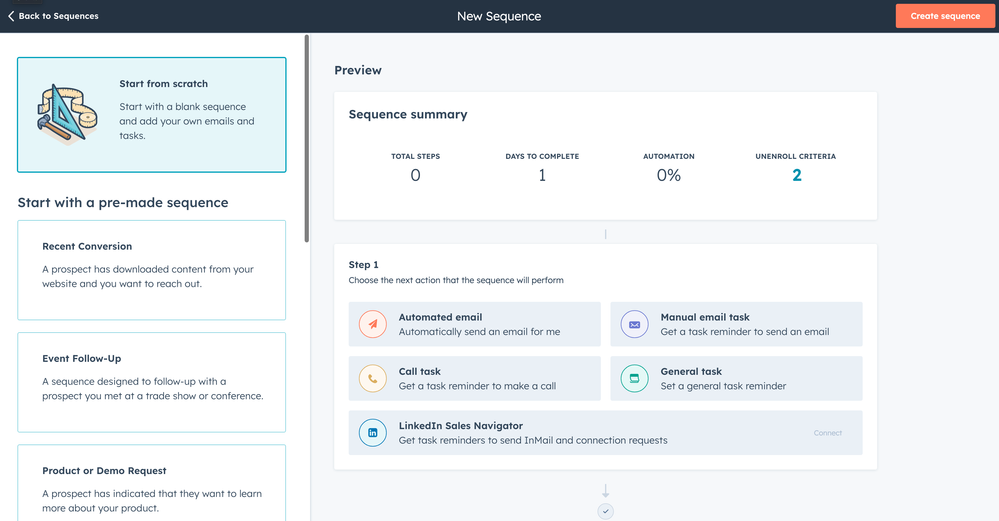
HubSpot offers three sharing levels for sequences: "Only me," "Everyone," or "Specific users and teams." This matters more than it sounds.
"Everyone" is tempting but dangerous - you don't want a new rep accidentally modifying your top-performing cold outbound sequence. "Specific users and teams" gives you control: the Content Committee gets edit access, everyone else gets use-only access. This layered approach keeps your best-performing cadences intact while still making them accessible to the full team.
Bulk sharing is supported, so you can apply permissions across multiple sequences at once. You'll need Sales Hub Professional or Enterprise for this - Starter doesn't include sequence sharing. Use the Owner dropdown to filter sequences by creator when your library grows past 20-30 sequences.
Naming Conventions, Threading, and Organization
A tip from the HubSpot Community that saves hours: map out your entire sequence flow on a whiteboard before you build anything in the tool. Craft all email templates first. Then assemble.

For naming conventions, use a consistent structure: [Persona]-[Touch Level]-[Sequence Type]-[Version]. So: VP-Sales-HighTouch-ColdOutbound-v3. Ugly? Yes. Searchable and sortable? Absolutely. When you've got 40 sequences in your library, "Follow Up Sequence 2" tells you nothing.
Once your library grows past a dozen sequences, organize them into folders by persona or sequence type. Most platforms support folders, and using them prevents the "everything in one flat list" problem that kills adoption on larger teams. A folder structure like Cold Outbound > VP Sales > High Touch mirrors your persona matrix and makes the library self-documenting.
One team-level decision to make early: email threading. Threaded sequences keep follow-ups in the same email chain, which works well for warm leads who already know you. But threading locks you into the original subject line, killing your ability to A/B test. For cold outbound, use unthreaded emails - you get more control over subject lines and each touch gets a fresh shot at the inbox.
Also, be mindful of task load when enrolling many contacts simultaneously. Manual steps (calls, social touches) generate notifications that can flood a rep's inbox. Stagger enrollments across the week rather than dumping 200 contacts into a sequence on Monday morning.
Sequence Design That Actually Works in 2026
Shorter Sequences Win (The Data Says So)
Cold email reply rates dropped 15% year-over-year (6.8% in 2023 to 5.8% in 2024), and open rates fell from 46% to 31-32% over the first half of 2024. The margin for error on sequence design is shrinking fast.
Most teams are still building 8-12 step sequences because some blog post from 2019 told them to. The data says otherwise.
An analysis of 16.5M emails across 93 business domains found that one-touch campaigns - a single email with no follow-ups - hit the highest reply rate at 8.4%. Your first follow-up boosts reply rates by up to 49%, which makes it worth sending. But the second follow-up brings 20% fewer responses. By the fourth follow-up, response rates drop 55%.
It gets worse. Spam complaints grow with each touch: 0.5% on the first email, 1.6% by the fourth. Unsubscribe rates spike at follow-up #3 (0.8%) and #4 (2%). You're not just getting diminishing returns - you're actively damaging your sender reputation.
If your average deal size sits below $10k, you probably don't need more than three emails in a cold sequence. The math doesn't support burning domain reputation on a deal that small. Save the 7-step cadences for enterprise targets where one meeting can be worth $50k+.
Here's a cold outbound template that works as a starting point for your Content Committee:
Subject: [Specific pain point] at [Company]
Hi [First Name],
[One sentence showing you researched them - reference a recent hire, funding round, or tech stack change.]
We help [similar companies] [specific outcome with number]. [One sentence on how.]
Worth a 10-minute call this week?
[Your name]
Keep it under 8 sentences. No attachments. No "I hope this email finds you well."
The Multi-Channel Cadence Framework
Email-only sequences leave half your responses on the table. Multi-channel sequences deliver 2x higher response rates. Here's a proven 21-day cadence:
- Day 1: Email (cold intro)
- Day 3: Social touch (comment, connect)
- Day 5: Phone call
- Day 7: Video message
- Day 10: Email (follow-up)
- Day 14: Social touch
- Day 17: Phone call
- Day 21: Breakup email
It can take up to 9 attempts to connect with a prospect. Don't treat these attempts as separate activities - they're all part of one coordinated campaign with one goal.
One warning: manual steps (phone calls, social touches) create bottlenecks. When reps don't keep up with tasks, prospects get stuck in "Sequence Purgatory" - they're technically in a sequence, but nothing's happening. Monitor task completion rates weekly.
Timing and Volume Strategy
Some counterintuitive patterns from the data:
Best send day: Thursday (6.87% reply rate). Monday is the worst at 5.29%. Everybody sends on Monday morning. Don't be everybody.
Best send time: Evenings between 8-11 PM peak at 6.52%. Mornings (7-11 AM) are also strong. The afternoon dead zone is real.
Smaller campaigns outperform. Campaigns targeting under 100 recipients hit 5.5% reply rates. Reaching 1-2 contacts per company brings reply rates up to 7.8%; blasting 10+ people at the same company drops it to 3.8%.
Email length of 6-8 sentences gets the best results - 42.67% open rate, 6.9% reply rate. Keep it under 200 words.
One surprising finding: turning off open-rate tracking pixels brought 3% higher response rates. Email clients are increasingly flagging tracking pixels, and removing them improves deliverability. You lose open-rate data but gain actual replies. That's a trade worth making.
A/B Testing Sequences as a Team
Individual reps A/B testing on their own is noise. Team-level A/B testing is signal.
The framework is simple: test one variable at a time with 100-200+ recipients per variant. Anything less and you're reading tea leaves, not data.
Subject lines are the highest-leverage variable. Personalized subject lines boost open rates by 26-50%. Lines under 30 characters achieve 35% higher open rates. Pain-point subject lines perform 202% better than generic alternatives. Start here.
CTAs are the second-highest leverage. A single CTA boosts clicks by 371% compared to multiple competing CTAs. Lower-commitment asks ("Worth a 10-minute chat?") consistently outperform high-commitment ones ("Let's schedule a 30-minute demo").
The compound effect is real. Systematic A/B testing increases email click-through rates by up to 127%. That's not from one test - it's from a culture of continuous testing. Use a hypothesis framework: "If I shorten the subject line to under 30 characters, then open rates will increase by at least 10%." Document every test, every result. The Content Committee reviews findings monthly and rolls winners into the shared library.
Onboarding New Reps to Your Sequence Library
Most companies throw new reps into sequences on day three and wonder why ramp takes 6-9 months.
Only 37% of companies have onboarding programs exceeding one month. And 62% of businesses believe their own onboarding process is ineffective. That's a damning combination.
Here's a 30-60-90 framework applied specifically to sequences:
Days 1-30: Foundation. New reps learn which sequence maps to which persona. They shadow top performers. By day 30, they should be able to: identify the right sequence for any given prospect, personalize 2-3 sentences per email without breaking the template structure, and demonstrate clean CRM enrollment (no duplicates, correct properties tagged). Walk them through your sequence folders so they understand how the library is structured before they start using it.
Days 31-60: Supervised execution. Reps run sequences with manager review on the first 50 enrollments. Weekly check-ins on reply rates, bounce rates, and task completion. Course-correct early.
Days 61-90: Autonomy. Full quota, full sequence access, full accountability. By now, they should be contributing test ideas to the Content Committee.
Effective onboarding cuts average ramp time by 3.4 months. We've seen this firsthand - GreyScout doubled their sales team from 2 to 5 reps and cut ramp time from 8-10 weeks to 4 weeks by giving new reps clean, verified data on day one. When reps trust the data, they trust the sequences.
Best Tools for Team Email Sequences in 2026
Here's the pricing comparison nobody else publishes:
| Tool | Starting Price | Best For | Team Features | Limits |
|---|---|---|---|---|
| HubSpot Sales Hub | $20/seat/mo (Starter) | CRM-native teams | Shared libraries, bulk perms | 5K sequences, 500 emails/day |
| Prospeo | Free (75 emails/mo) | Data quality foundation | CRM enrichment, 98% accuracy | Credit-based |
| Outreach | ~$100-150/user/mo | Enterprise (50+ reps) | Persona matrix, governance | Custom |
| Salesloft | ~$100-150/user/mo | Enterprise coaching | Manager call review | Custom |
| Apollo.io | Free; $59/user/mo | Mid-market teams | 275M+ contacts, built-in | Varies by plan |
| Instantly | $37.90/mo | High-volume cold email | Unlimited accounts, warmup | Varies by plan |
| Lemlist | EUR55/mo | Personalization | Multi-channel, images | Varies by plan |
| SmartReach.io | $29/mo | Budget anti-collision | Shared DNC lists | Varies by plan |
| Reply.io | $50-99/mo | Multi-channel | Email + calls + social | Varies by plan |
| Woodpecker | $29/mo | Small team cold email | Auto-rotation, dashboard | Varies by plan |
| Yesware | $19/mo (free tier) | Gmail/Outlook native | Email tracking, templates | Varies by plan |
| Saleshandy | $25/mo | Budget cold email | Unified inbox, rotation | Varies by plan |
| Klenty | ~$60/mo | Sales engagement | Cadence automation | Varies by plan |
| Mailshake | $29/mo | Simple sequences | Email + phone dialer | Varies by plan |
For Enterprise Teams (50+ Reps): Outreach or Salesloft
If you've got 50+ reps, Outreach and Salesloft are the only tools with real governance infrastructure. Outreach's persona matrix support, content committee workflows, and sequence-level analytics are built for scale. Salesloft's edge is coaching - managers can review calls, provide feedback, and track each rep's progress in real time.
The catch: neither publishes pricing. You'll talk to sales, negotiate, and probably land somewhere around $100-150/user/month for enterprise tiers. For a 50-seat team, that's $60-90k/year before add-ons. If that number made you wince, it should.
For Growth Teams (10-50 Reps): HubSpot Sales Hub Professional
If your CRM is already HubSpot, this is the obvious choice. The three sharing levels ("Only me," "Everyone," "Specific users and teams") give you real governance without a separate tool. You get 5,000 sequences per account, 500 emails per user per day on Professional (1,000 on Enterprise), and workflow-based enrollment on Enterprise.
HubSpot Professional runs about $400/month. Not cheap, but you're getting CRM + sequences + reporting in one platform. The "Now in Sequence" property alone saves hours of collision-prevention work.
For Small Teams and Agencies (1-10 Reps): Instantly or Lemlist
Small teams need volume and personalization without enterprise overhead. Instantly starts at $37.90/mo and gives you unlimited email accounts with built-in warmup - ideal for agencies running multiple client domains. Lemlist starts at EUR55/mo and wins on personalization with image and video customization in sequences.
Neither solves the data problem. You still need verified emails before anything enters a sequence. Pair either with Prospeo as your data layer - it integrates natively with both Instantly and Lemlist, and pricing starts free. SmartReach.io at $29/mo is the budget option if anti-collision features are your top priority.
Skip Klenty and Mailshake if you're already on HubSpot - the overlap isn't worth the extra subscription.
Data Quality - The Foundation Nobody Talks About
Every section above assumes one thing: that the emails you're sending actually reach real inboxes. If they don't, none of it matters.
The healthy baseline for bounce rates is around 2.8%. But I've seen teams running at 30-40% bounce rates and wondering why their sequences "don't work." At those levels, you're not just wasting rep effort - you're actively destroying your domain reputation, which drags down deliverability for every rep on the team.
The proof points are dramatic. Snyk's 50 AEs were prospecting 4-6 hours per week with bounce rates between 35-40%. After switching to verified data, bounces dropped under 5%, AE-sourced pipeline jumped 180%, and they generated 200+ new opportunities per month. Meritt tripled their pipeline from $100K to $300K per week after dropping bounce rates from 35% to under 4%. Stack Optimize built an entire agency to $1M ARR with deliverability at 94%+, bounce rates under 3%, and zero domain flags across all clients.

The takeaway: verify every email before it enters a sequence. A 5-step verification process that includes catch-all domain handling, spam-trap removal, and honeypot filtering is the minimum standard. Look for a data provider with a refresh cycle measured in days, not weeks - the email that was valid when you built your list needs to still be valid when your sequence fires.
If you want a deeper SOP, use an email verification list workflow and keep a data quality scorecard for your sources.
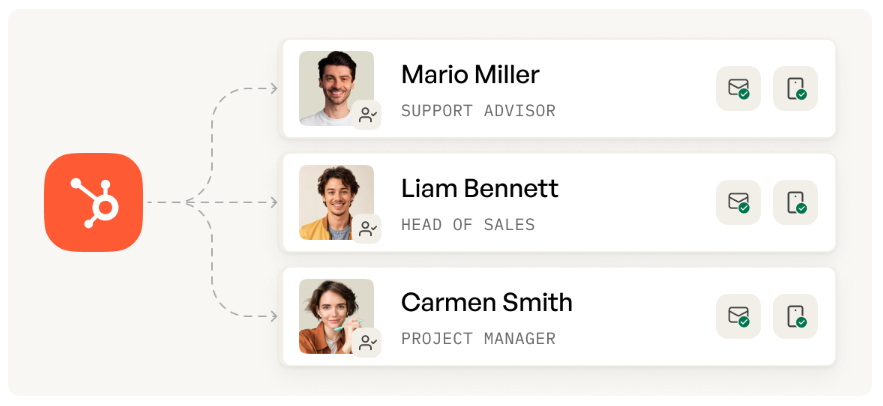
Reps waste 5-10 hours a week building sequences with contacts they scraped together from stale databases. Prospeo gives your entire team 300M+ verified profiles with 30+ filters - so your persona matrix maps directly to real, reachable buyers.
Stop sending coordinated sequences to outdated emails.
FAQ
How many emails should a team sequence include?
For cold outbound, 3-5 touches maximum. One-touch campaigns hit 8.4% reply rates; the first follow-up adds real value (49% boost), but each subsequent touch delivers diminishing returns while increasing spam complaints. Save longer sequences for warm inbound and customer expansion.
How do you prevent multiple reps from emailing the same prospect?
Use shared do-not-contact lists, territory rules in your CRM, and enrollment tracking (like HubSpot's "Now in Sequence" property) to filter out already-enrolled contacts. Set automatic unenrollment triggers on reply and meeting booked.
What's a good reply rate for team email sequences?
Cold outbound: 8-15%. Warm inbound: 20-30%. Customer expansion: 25-40%. If you're below 8% on cold outbound, your messaging or data quality needs work - verify contacts before enrollment to rule out the data problem first.
How do you onboard new reps to existing sequences?
Use a 30-60-90 framework. By day 30, reps should identify the right sequence per persona, personalize 2-3 sentences per email, and demonstrate clean CRM enrollment. Effective onboarding cuts ramp time by 3.4 months.
How important is email verification for shared sequences?
Critical. A 35% bounce rate doesn't just kill one sequence - it tanks your domain reputation and drags down deliverability for every rep on the team. Verify every contact before enrollment using a provider with at least 98% accuracy and a weekly refresh cycle.