

Teaser Email Subject Lines: 50+ Formulas, Examples & Preview Text Pairings
You draft "Something big is coming," hit send to 10,000 subscribers, and pull a 12% open rate. That's 8,800 people who never opened it. With 376.4 billion emails sent daily and 47% of recipients deciding to open based on the subject line alone, your teaser email subject lines aren't a detail - they're the entire campaign.
You've seen those "85+ subject lines!" posts. You copy a few, open rate doesn't move. That's because a list without the reasoning behind it is just decoration. We've organized every example here by the psychological formula that makes it work - treat it as a swipe file you'll actually use. If you want more non-teaser options, pull ideas from these email subject line examples.
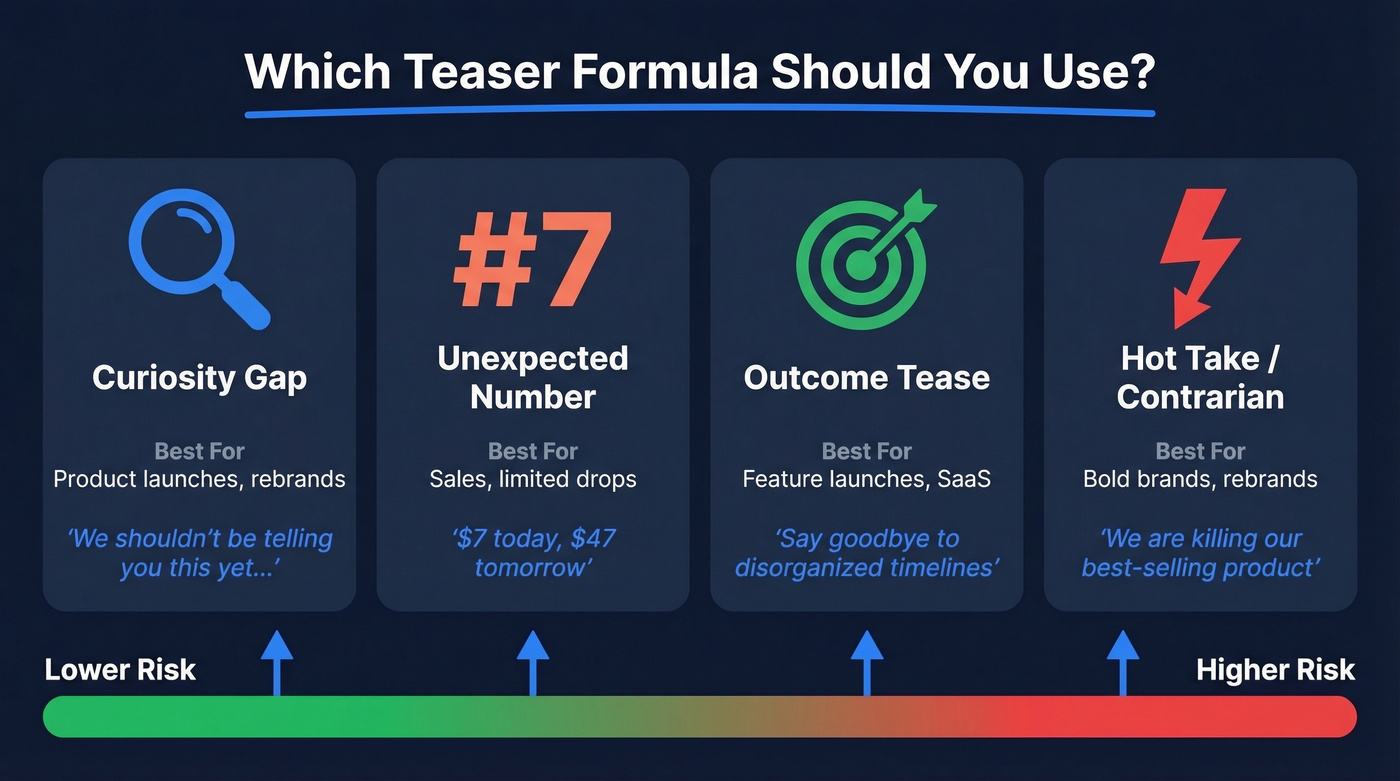
Which Formula to Use When
| Formula | Best For | Example |
|---|---|---|
| Curiosity Gap | Product launches, rebrands | "We shouldn't be telling you this yet..." |
| Unexpected Number | Sales, limited drops | "$7 today, $47 tomorrow" |
| Outcome Tease | Feature launches, SaaS | "Say goodbye to disorganized timelines" |
| Hot Take / Contrarian | Bold brands, rebrands | "We're killing our best-selling product" |
50+ Teaser Subject Lines by Formula
Curiosity Gap
Curiosity subject lines typically lift open rates 5-20% over direct alternatives. They work by opening a loop the reader can only close by opening the email.
- "Get ready: We're working on something big" - Bose used this to perfection. Vague enough to intrigue, branded enough to trust.
- "We shouldn't be telling you this yet..." - The "leaked secret" frame triggers FOMO without a single urgency word.
- "Pre-order iPhone 15 Pro and iPhone 15" - Apple skips the mystery and lets the product name do the work. When the product is the hook, say so.
- "New Ray-Ban Meta Skyler | Preorder now" - Ray-Ban + Meta let the collab speak for itself. No mystery needed when the partnership is the news.
- "Something's changing on March 12"
- "You're not ready for this"
- "Open this before Friday"
- "Psst. Look what we made."
- "A sneak peek (just for you)"
- "We've been keeping a secret"
- "What if your mornings started like this?"
- "One word: finally."
The best curiosity gaps hint at a category without revealing the product. "We've been keeping a secret" outperforms "We've been keeping a secret about our new shoe line" because the second version closes the loop before anyone clicks. If you want a deeper breakdown of the psychology behind it, start with Curiosity Gap.
Unexpected Number
Urgency subject lines see 22% higher open rates than those without. Numbers sharpen that urgency into something concrete.
- "$7 today, $47 tomorrow" - Price contrast creates instant stakes.
- "Only 100 available for preorders"
- "3 days. That's it."
- "We made 50. They're almost gone."
- "24 hours to lock in your price"
- "1 new feature. 10x the speed."
- "87% of our waitlist won't get in"
- "2 spots left for early access"
Mix ecommerce scarcity ("Only 100 available") with SaaS specificity ("1 new feature. 10x the speed."). The number anchors the tease in something real.
Outcome Tease
This is the workhorse formula for announcement emails and feature launches where the benefit is the hook, not the mystery. In B2B, outcome-tease subject lines usually beat pure mystery because they promise a tangible payoff without feeling manipulative. REI kept it simple with "Coming soon: Gear up get out sale" - the outcome is the entire pitch. "Never miss a follow-up again" works for SaaS because it names the exact pain being solved. If you're writing coming soon emails or product announcements for a B2B audience, lean heavily on this formula. (For more B2B-specific angles, see prospecting email subject lines.)
- "Say goodbye to disorganized timelines"
- "Your mornings are about to get easier"
- "The report you've been asking for"
- "Faster prospecting starts Tuesday"
- "Coming soon: the integration you requested"
- "We fixed the one thing you hated"
- "Half the clicks. Same results."
- "Ready for what's next?"
Hot Take / Contrarian
Highest-risk, highest-reward. Skip this formula entirely unless your brand voice can back it up.
- "We're killing our best-selling product" - Shocking enough to stop the scroll. Only works if the email explains why.
- "This email will self-destruct"
- "We lied to you"
- "Forget everything we told you last month"
- "Coming Soon - Fall-Winter 2026 Workwear: Louis Vuitton x Timberland" - An unexpected collab where the partnership itself is the contrarian element.
- "We're raising our prices (and you'll thank us)"
- "Stop using our old product"
- "The feature nobody asked for"
Contrarian teasers only work when they're rare. Use them too often and your audience stops believing the shock.
Pair Every Subject Line with Preview Text
Here's the thing: preview text is the most underused lever in teaser campaigns. A subject line without preview text is a movie trailer with no audio - you're wasting half your inbox real estate. If you're testing preheaders systematically, use this email preview text A/B testing guide.
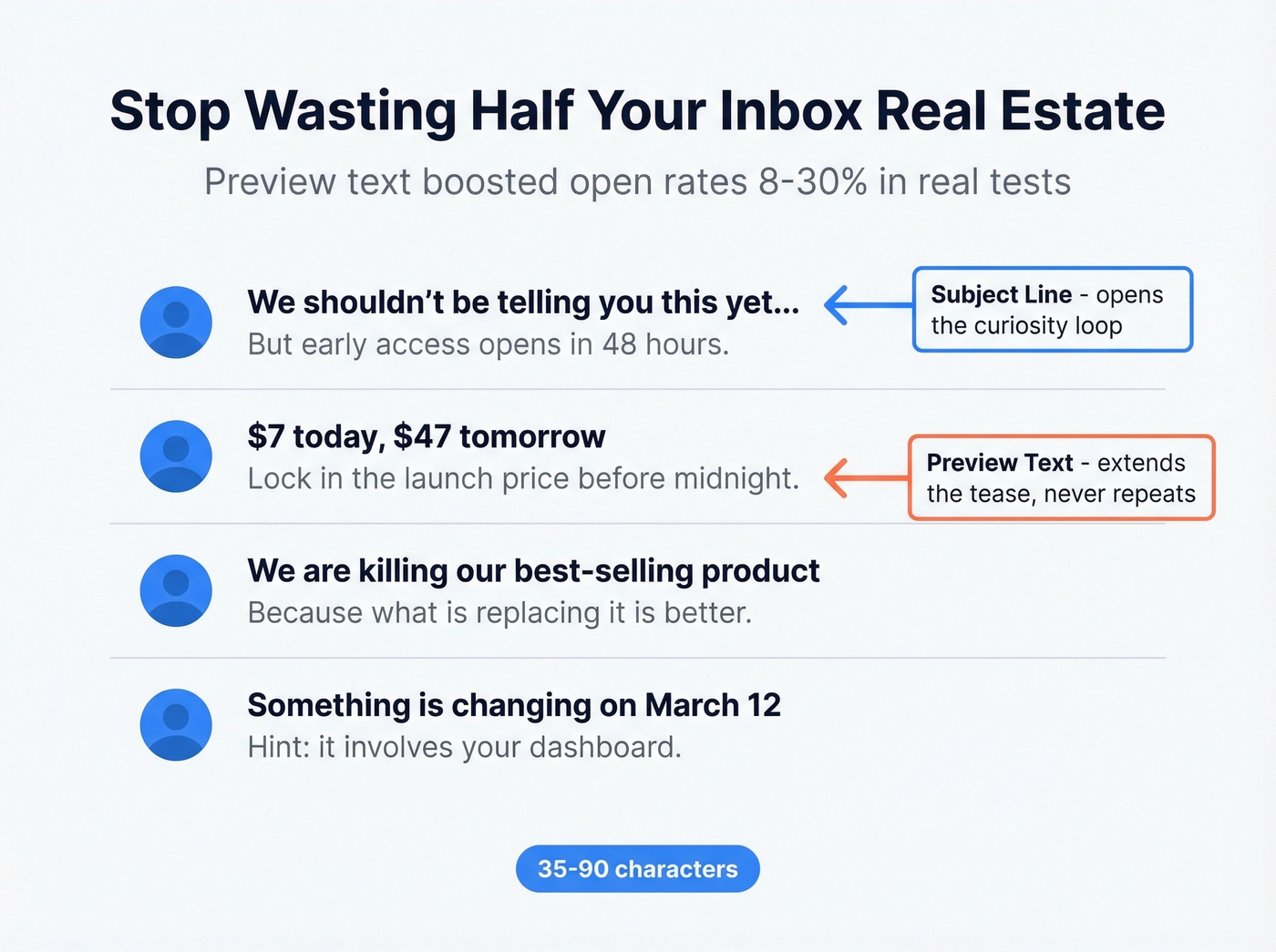
Autoplicity saw an 8% increase in open rates when they started using preview text. WeddingWire saw a 30% lift in click-through rates. Keep your email preheader between 35-90 characters and make sure it doesn't just repeat the subject line - it should extend the tease.
| Subject Line | Preview Text |
|---|---|
| "We shouldn't be telling you this yet..." | "But early access opens in 48 hours." |
| "$7 today, $47 tomorrow" | "Lock in the launch price before midnight." |
| "We're killing our best-selling product" | "Because what's replacing it is better." |
| "Something's changing on March 12" | "Hint: it involves your dashboard." |
Inside the email itself, pair the copy with a visual tease - a blurred product photo, countdown timer, or silhouette image. That reinforces the curiosity loop and gives readers a reason to scroll past the fold.

You just crafted the perfect teaser subject line. Now imagine sending it to an email that bounces. Prospeo's 98% email accuracy and 5-step verification mean your teaser campaigns actually reach real inboxes - not spam traps, honeypots, or dead addresses.
Stop wasting killer subject lines on bad data.
Ideal Subject Line Length
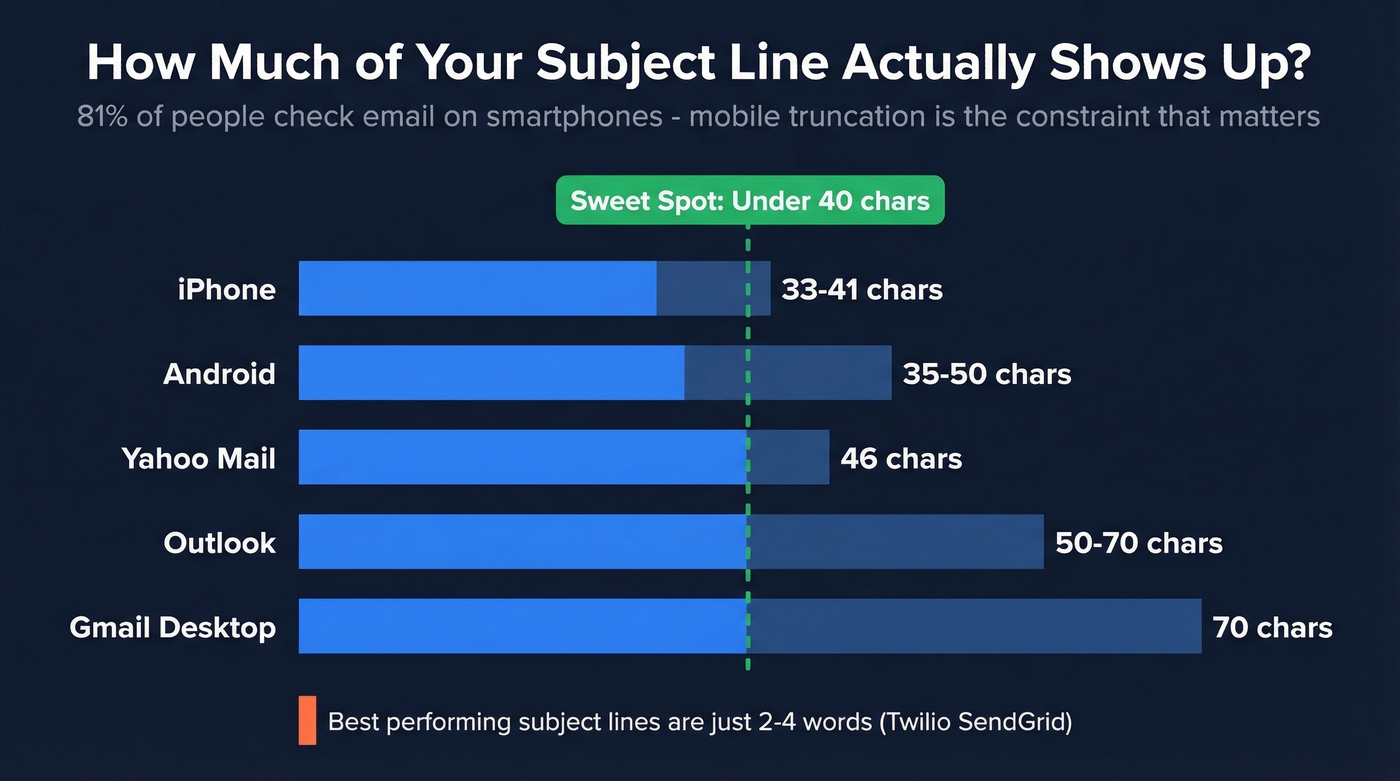
Twilio SendGrid's Cyber Week data found the average subject line runs 6 words, but the best-performing ones were 2-4 words. With 81% of people checking email on smartphones, mobile truncation is the constraint that matters most. Target under 40 characters. If your tease gets cut off on an iPhone, you've lost the tease. For more patterns that consistently win, compare against subject lines that get opened.
| Device / Client | Character Limit |
|---|---|
| iPhone | 33-41 chars |
| Android | 35-50 chars |
| Gmail (desktop) | ~70 chars |
| Outlook | 50-70 chars |
| Yahoo Mail | ~46 chars |
Mistakes That Kill Open Rates
Your marketing manager sends "EXCLUSIVE: Don't miss this!!!" - half the list never sees it because Gmail routed it to Spam. On r/copywriting, a marketer described receiving a cold email with the subject line "action required" and called it "insanely rude" - said it triggered anxiety and made them want to avoid the company entirely. If you're troubleshooting inbox placement, start with an email deliverability guide and a quick email spam checker.
Fake urgency is the fastest way to get spam-reported.
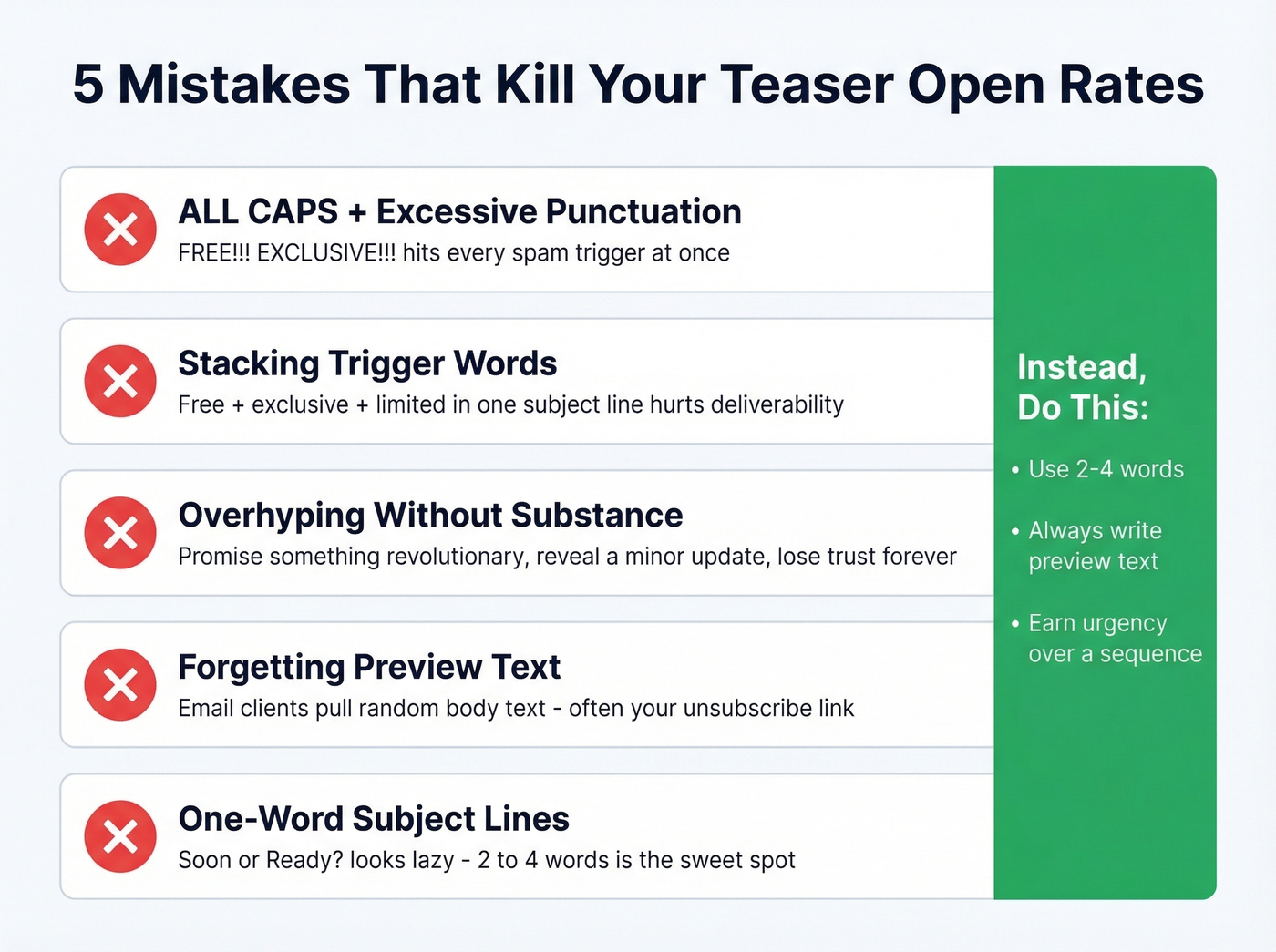
- ALL CAPS + excessive punctuation. "FREE!!! EXCLUSIVE OFFER!!!" hits every spam trigger simultaneously.
- Stacking trigger words. "Free," "exclusive," and "limited" in the same subject line will hurt deliverability.
- Overhyping without substance. We've seen teams burn their entire teaser sequence by overhyping email one - promise something revolutionary, reveal a minor feature update, and you've lost trust for the rest of the campaign.
- Forgetting preview text. Without it, email clients pull random body text - often an unsubscribe link or image alt text.
- One-word subject lines. "Soon" or "Ready?" looks lazy. Two-to-four words is the sweet spot.
Building a Teaser Sequence
A single teaser email is a missed opportunity. The best teaser email campaigns follow a deliberate cadence, and your product launch subject lines should evolve from vague to specific to urgent across the arc. If you're building multi-step outreach beyond launches, borrow structure from personalized drip campaigns.
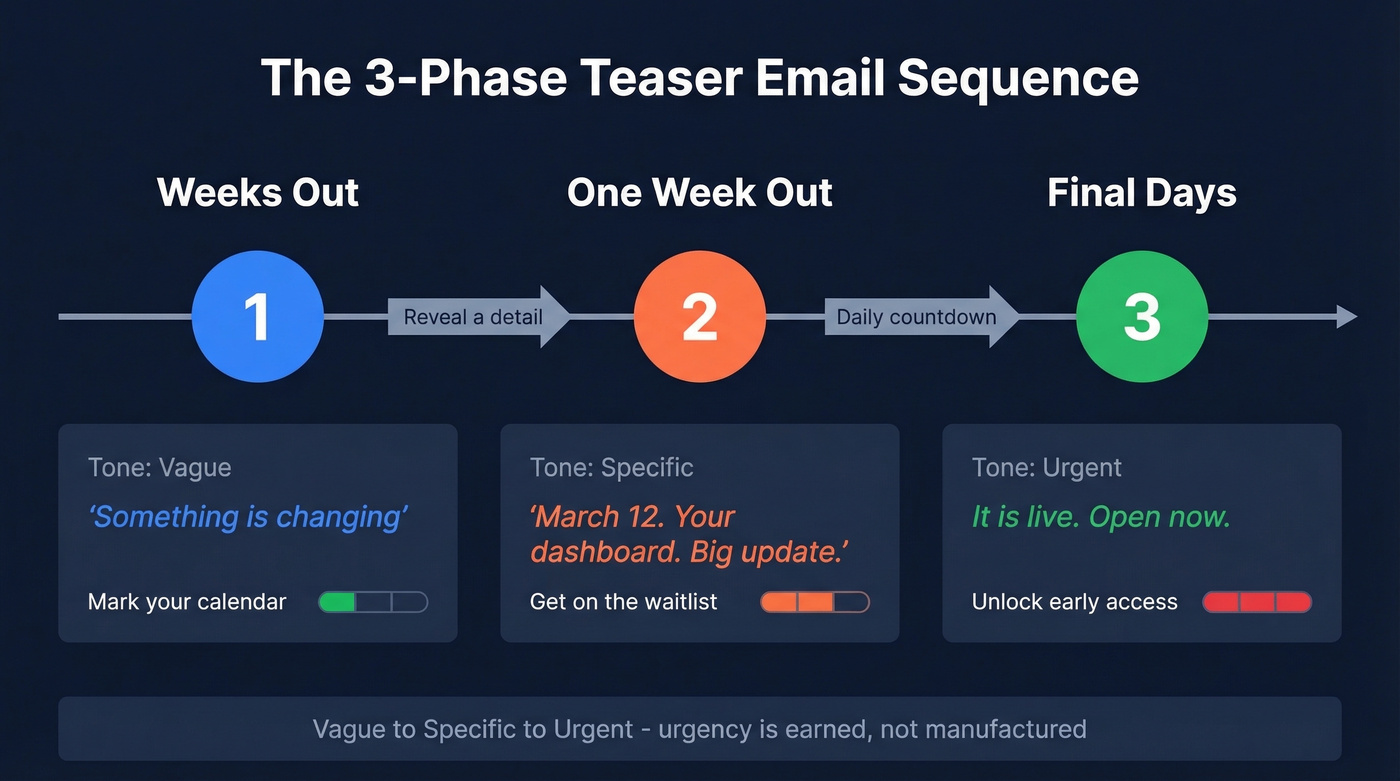
Here's how that looks for one campaign:
- Weeks out: Send a vague "something's coming" message. Low-commitment CTA like "mark your calendar." Example: "Something's changing"
- One week out: Reveal a detail - a date, a category, a benefit. Example: "March 12. Your dashboard. Big update."
- Final days: Daily countdown emails. Urgency is earned now, not manufactured. CTAs shift to "unlock early access" or "join the waitlist." Example: "It's live. Open now."
Let's be honest about something: most teaser sequences fail not because of bad subject lines, but because deliverability is broken before copy even gets a chance. If your sender reputation is shot from stale data, even perfect copy lands in spam. Verify your list before launching - tools like Prospeo check emails in real time with 98% accuracy, and the free tier covers small lists without a contract. If you're diagnosing list quality, these email bounce rate benchmarks help.
Great open rates start before the subject line - they start with clean, verified contact data. Prospeo refreshes 300M+ profiles every 7 days, so your teaser sequences hit current addresses at $0.01 per email. No bounces killing your sender reputation.
Protect your domain reputation with data that's never stale.
How to A/B Test Subject Lines
Open rate is a vanity metric for teaser campaigns - track click-through rate or reply rate instead. A subject line that gets opens but no clicks just means you wrote good bait with a bad payoff. To keep your measurement clean, use a consistent click rate formula in email marketing.
When A/B testing curiosity subject lines against direct ones, make sure you're comparing downstream conversions, not just who clicked "open."
- Use 250+ contacts per variant. Anything less and your results are noise.
- Test one variable at a time. Subject line length, formula type, or emoji - never all three at once.
- Measure downstream. Clicks, replies, and conversions tell you if the tease worked. Opens just tell you the subject line was interesting enough to tap.
In our experience, the biggest testing mistake isn't sample size or variable isolation - it's running the test once and calling it done. Run the same test across two different sends before you commit to a winner.
FAQ
How many teaser emails should I send before a launch?
Three to five emails over 2-4 weeks is the standard cadence. Start vague, send a detail-reveal one week out, then escalate to daily countdown emails in the final 2-3 days. More than five risks list fatigue and unsubscribes.
What's the ideal teaser subject line length?
Twilio SendGrid found the best-performing subject lines were 2-4 words. Keep them under 40 characters so they display fully on mobile - iPhone shows 33-41 characters, Android shows 35-50.
Do teaser emails work for B2B?
Yes - B2B teaser campaigns drive strong engagement for product launches, feature announcements, and event invitations. The key difference is that B2B teasers should lean on outcome tease and curiosity gap formulas rather than urgency or scarcity tactics, which can feel manipulative in a professional context.
How do I avoid spam filters with teaser subject lines?
Skip ALL CAPS, excessive punctuation, and stacking trigger words like "free," "exclusive," and "limited" in one line. Keep it under 50 characters, match the subject to the email content, and verify your list before sending so high bounce rates don't tank your sender reputation.