

How to A/B Test Email Preview Text (And Why 90% of Marketers Don't)
"View this email in your browser | Unsubscribe | 123 Main Street, Suite 400." That's what your subscribers see right now - because you didn't set preview text. It's the most underused lever in email marketing, and running an email preview text A/B test is the fastest way to prove it: over 90% of campaigns sent through MailerLite don't use a custom preheader. Meanwhile, a Bing headline experiment proved that a small copy change drove a 12% revenue lift - over $100M annually.
Your version of that experiment is hiding in plain sight.
What Preview Text Actually Is
Preview text is the snippet that appears next to or below your subject line in the inbox. Every client labels it differently - Gmail calls it "Snippets," Apple Mail calls it "preview," Outlook calls it "Message Preview" - but the function is identical. It's the second line of your pitch before anyone opens.
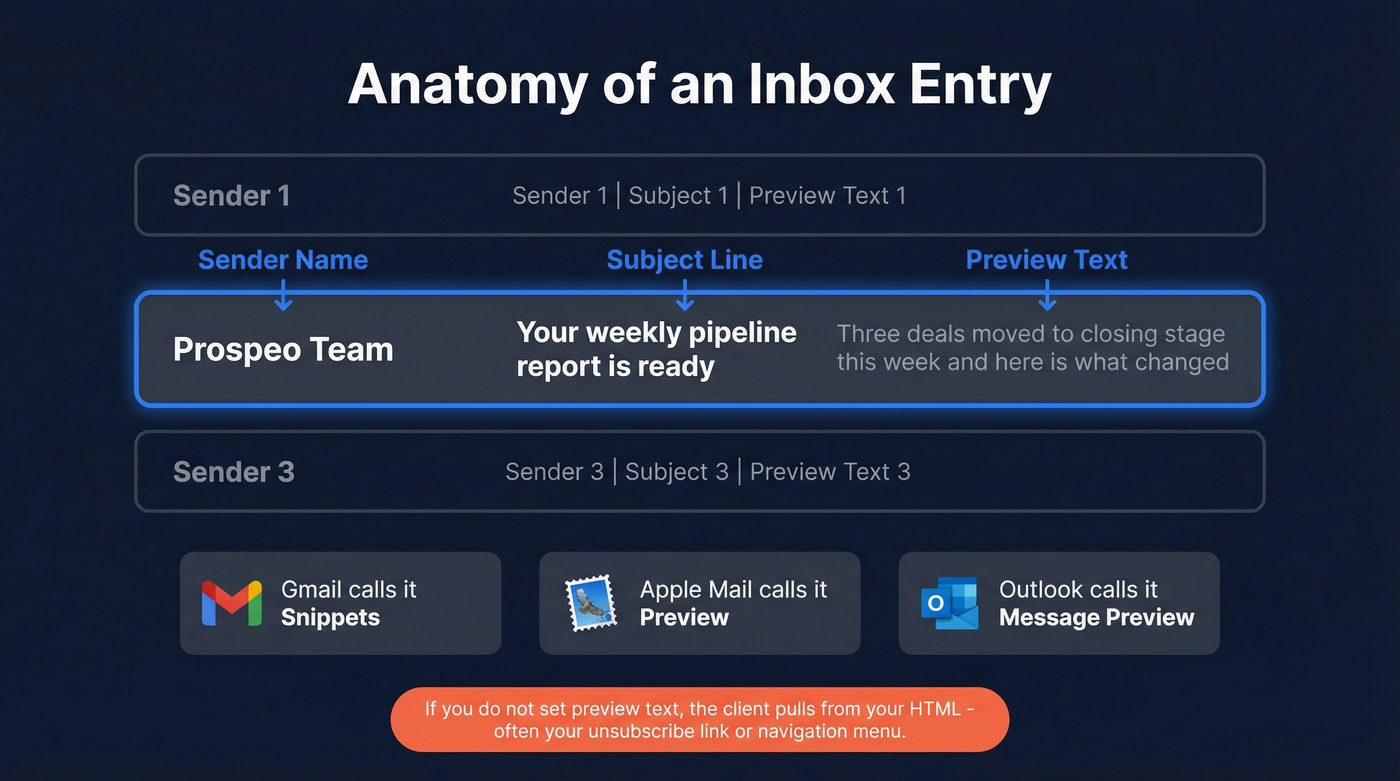
Don't confuse it with preheader text, which lives in the email body area above or near the header. Many teams use a hidden preheader so they can control what shows in the inbox without displaying extra text inside the email itself. If you don't set preview text intentionally, the email client pulls from the first HTML content it finds. That could be an image ALT tag, a navigation link, or your unsubscribe footer. Autoplicity saw roughly an 8% open-rate increase after adding preview text, and WeddingWire saw a 30% increase in click-through rate by testing it.
Fix Your Preview Text Before Testing
This is step zero. If your implementation is broken, you're A/B testing two versions of broken.
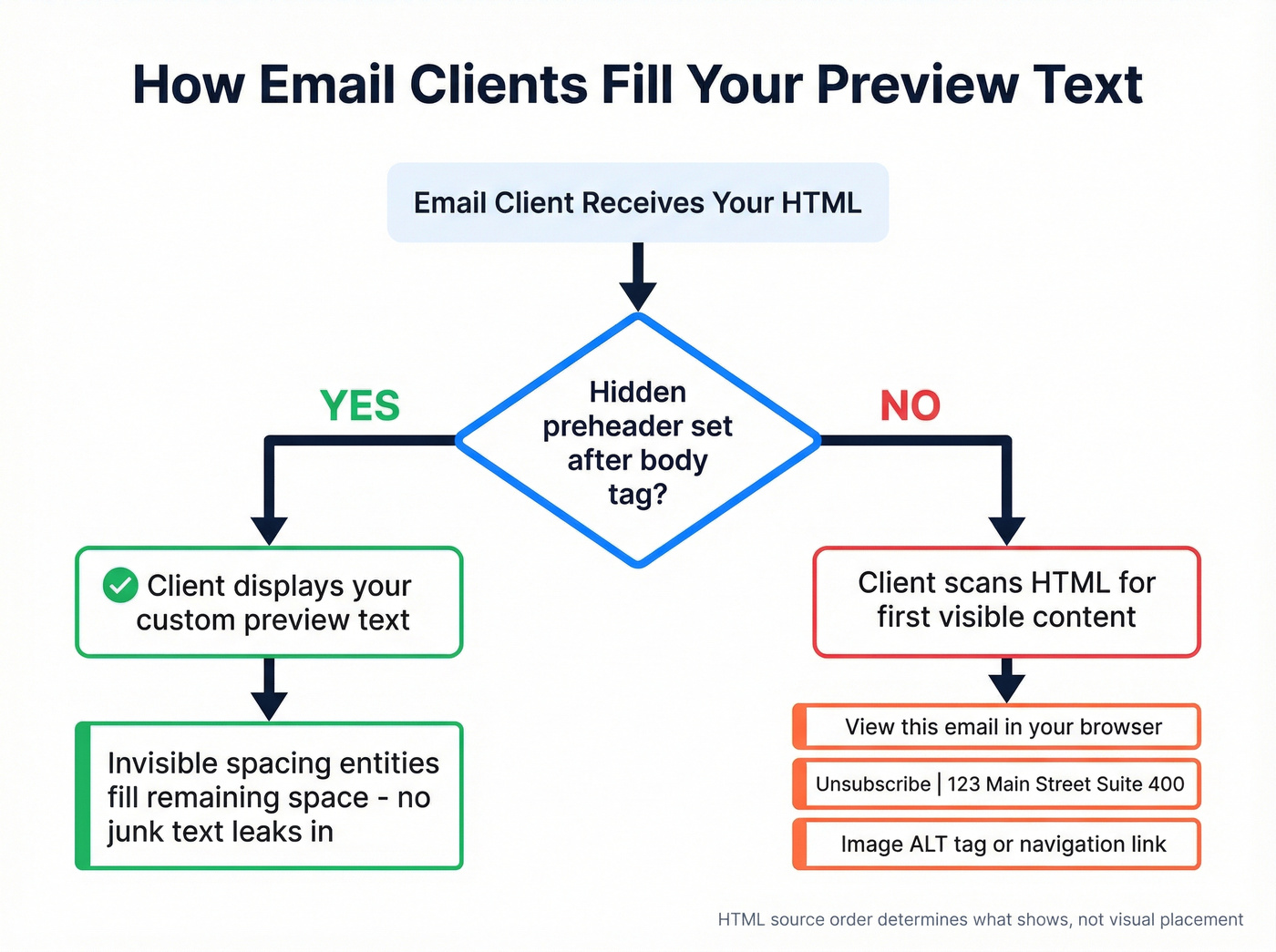
Email clients try to fill the available preview space - sometimes up to five lines. If your preheader is short ("Check out our sale!"), the client pulls whatever comes next in the HTML to pad the gap. That's how "View this email in your browser" ends up in your inbox preview.
The fix is a hidden preheader block placed directly after your opening <body> tag, followed by a chain of invisible spacing entities that prevent clients from pulling later content:
<div style="display:none;font-size:1px;color:#ffffff;line-height:1px;max-height:0px;max-width:0px;opacity:0;overflow:hidden;">
Your preview text goes here.
͏‌ ͏‌ ͏‌ ͏‌
͏‌ ͏‌ ͏‌ ͏‌
͏‌ ͏‌ ͏‌ ͏‌
 ­ ­ ­ ­ ­ ­
</div>
Litmus recommends chaining zero-width non-joiners + non-breaking spaces (͏‌ ) to fill the remaining preview space. Mark Robbins also suggested adding   and ­ to extend coverage in clients like Yahoo and iOS 16.4+. Place this block directly after <body>. HTML source order determines what shows, not visual placement.
Litmus has used this hack for years without deliverability impact. Email clients update constantly, so it's not a guarantee - but it's the most reliable way to stop random body text from hijacking your preview.
How to A/B Test Email Preview Text
Write Subject + Preview as a Pair
Your subject line and preview text are a duo, not two separate fields. Litmus explicitly advises treating them as partners - if your subject line says "Your weekly report is ready" and your preview text says "Your weekly report is ready to download," you've wasted the preview on repetition. Since 45% of subscribers decide to open based on sender name alone, your subject + preview combo is fighting for the other 55%.
Use the preview to extend the subject line's promise, add a detail, or create a curiosity gap. If you want more ideas, borrow patterns from re-engagement subject lines and adapt them to the preview field.
Create Your Test Variants
Pick one framework per send. Don't stack variables.
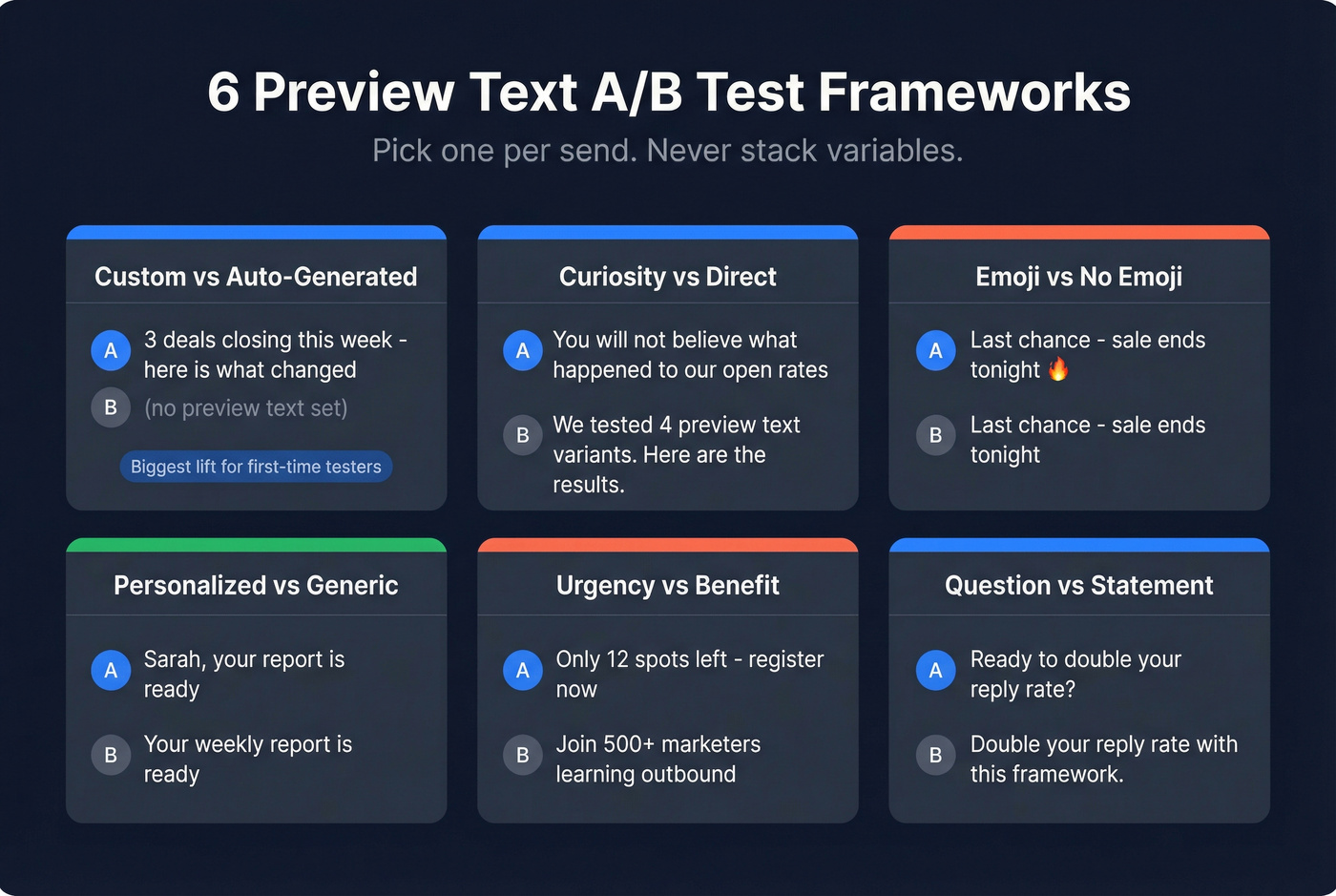
| Test Type | Variant A | Variant B | What You're Measuring |
|---|---|---|---|
| Custom vs. auto-generated | "3 deals closing this week - here's what changed" | (no preview text set) | Baseline lift from preview text |
| Curiosity vs. direct | "You won't believe what happened to our open rates" | "We tested 4 preview text variants. Here are the results." | Which framing drives clicks |
| Emoji vs. no emoji | "Last chance - sale ends tonight" | "Last chance - sale ends tonight" (no emoji) | Emoji engagement impact |
| Personalized vs. generic | "Sarah, your report is ready" | "Your weekly report is ready" | First-name personalization lift |
| Urgency vs. benefit | "Only 12 spots left - register now" | "Join 500+ marketers learning outbound" | Scarcity vs. social proof |
| Question vs. statement | "Ready to double your reply rate?" | "Double your reply rate with this framework." | Tone preference |
In our experience, the custom-vs-auto-generated test produces the biggest lift for first-time testers. That first test - where you're comparing any intentional preview text against the default inbox junk - is usually the most dramatic improvement you'll see. Everything after that is incremental.
Here's the thing: if you're only going to run one preview text experiment this year, make it custom vs. default. You'll get more signal from that single test than from six rounds of emoji-vs-no-emoji tweaking.
Choose Your Split
For large lists (50k+), run a 10/10/80 split: 10% gets Variant A, 10% gets Variant B, and the remaining 80% gets the winner after a 1-2 hour decision window. For smaller lists, go 50/50 and send to everyone - you won't have enough volume for a holdout group to matter.
If you're doing this for outbound, the same logic applies to split testing cold emails - just be stricter about list quality and deliverability.
Pick the Right Metric
This is where most marketers get it wrong. If you're measuring preview text tests by open rate in 2026, you're measuring noise. Apple Mail Privacy Protection preloads tracking pixels via proxy servers, firing "opens" even when nobody reads the email. This applies to the Apple Mail app on iPhone, iPad, and Mac - even if the underlying mailbox is Gmail.
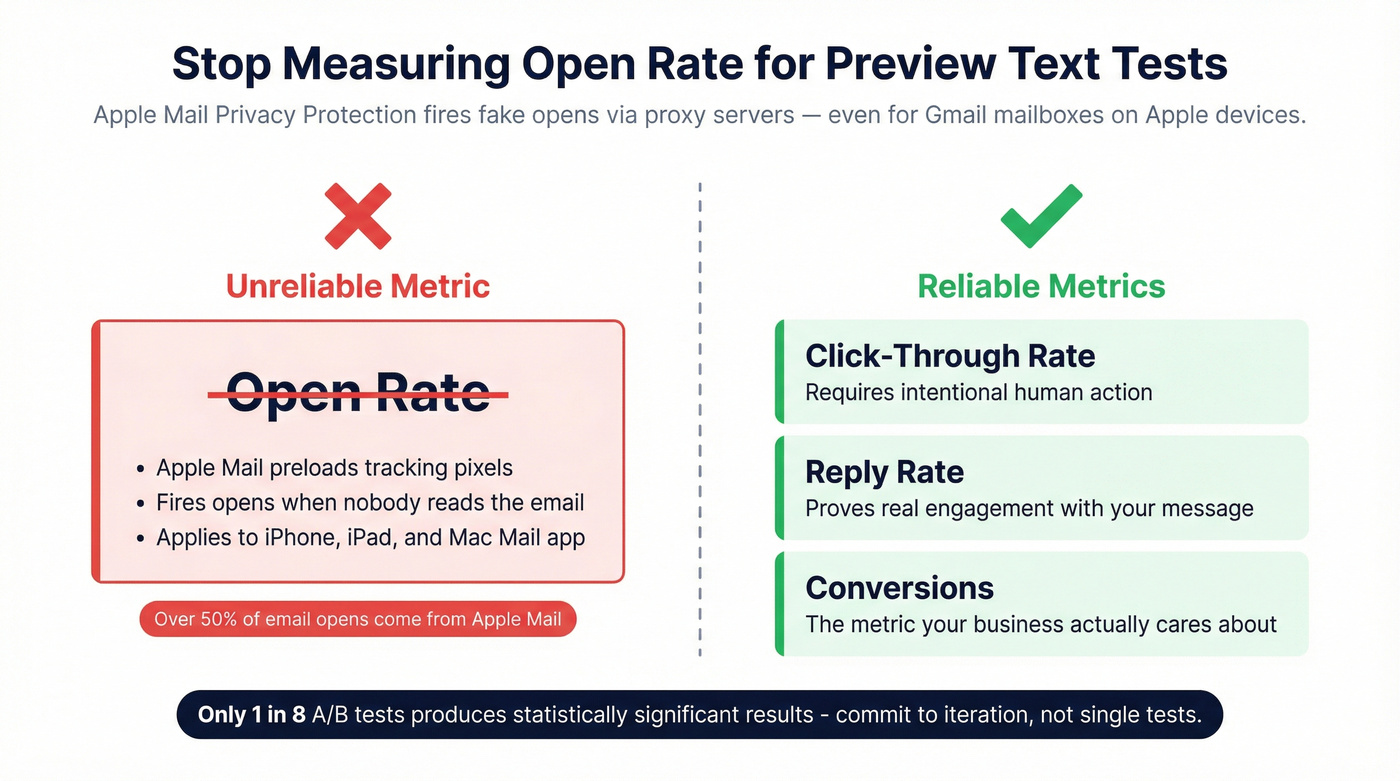
Measure click-through rate, reply rate, or conversions instead. Those require intentional human action. For a deeper breakdown, see open rate vs click rate and why opens are increasingly unreliable.
Run, Measure, Iterate
Only about 1 in 8 A/B tests produces statistically significant results. That's not a reason to stop - it's a reason to commit to iteration. Run preview text tests across multiple sends, log your results, and look for patterns over time. One test tells you almost nothing. Ten tests tell you a lot. Some ESPs now use AI to auto-select winners or predict optimal variants, which is useful if your platform supports it, but it's not a substitute for understanding what you're testing and why. If you're building a stack for this, compare email A/B testing tools before you commit.

You're optimizing preview text to lift open and click rates - but none of that matters if your emails never reach the inbox. Prospeo's 98% email accuracy and 5-step verification keep your bounce rate under 4%, so every A/B test actually reaches real people.
Stop A/B testing emails that bounce. Start with data that lands.
How Many Recipients You Need
For a 2% baseline click rate with a 20% minimum detectable effect (lifting to 2.4%), you need roughly 20,000 recipients per variation to hit 95% confidence. That's 40,000 total.
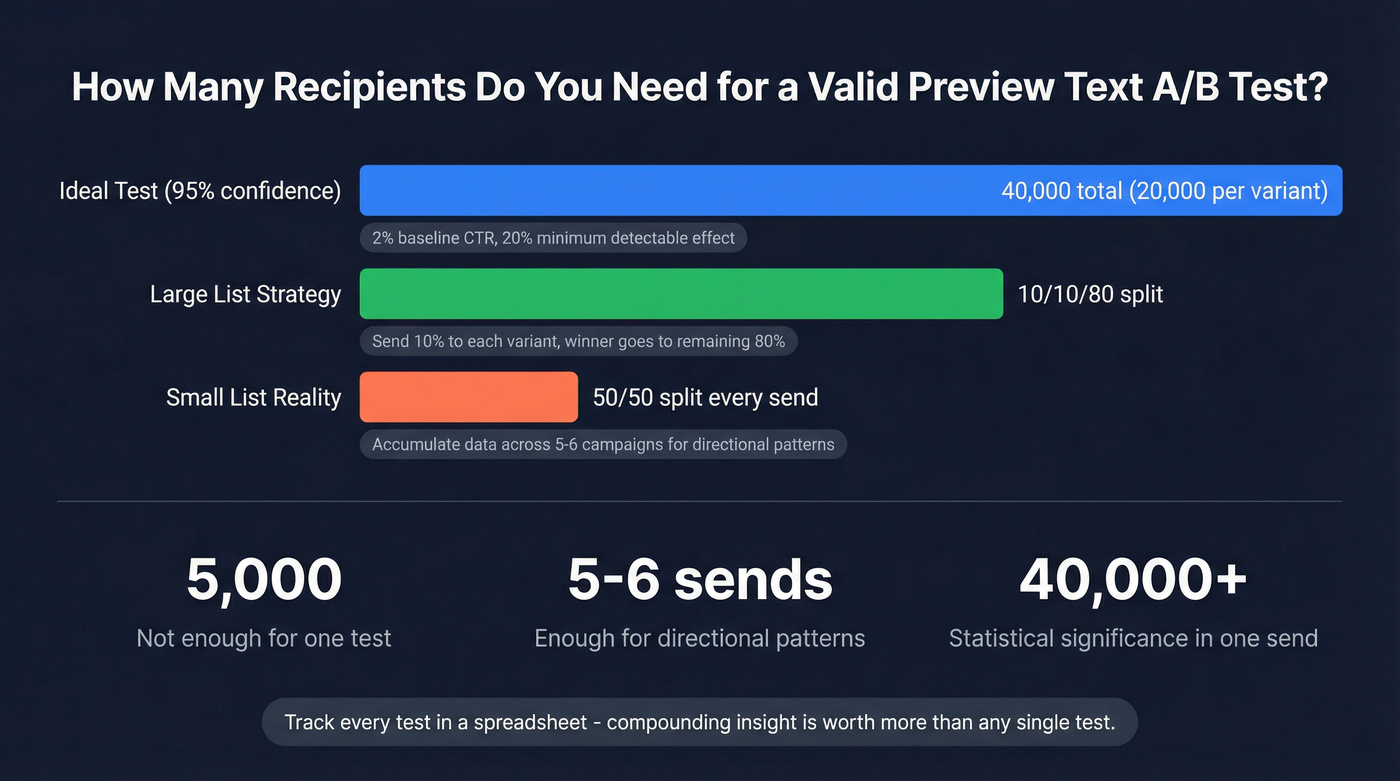
If your list is smaller - and most are - don't let that stop you. Run 50/50 splits on every send and accumulate data across multiple campaigns. You won't get significance from a single send to 5,000 people, but you'll see directional patterns after five or six sends. Track results in a spreadsheet. The compounding insight is worth more than any single test.
If reply rate is your north star, use the same sample-size thinking when you A/B test reply rates.
Character Limits by Client
Some studies suggest as much as 70% of email opens happen on mobile, so your preview text needs to work in tight spaces. Target 100-140 characters total, but write the first 50 characters as if they're the only ones anyone will see. Longer subject lines eat into preview text space on mobile, so the safest zone is always the first 40-50 characters.
Treat these as guidelines, not guarantees. Inbox rendering varies by client, device, and even user settings.
Clean Data Makes Valid Tests
Your A/B test is only as valid as your list. If a meaningful chunk of your emails bounce, you've just shrunk your test sample - and not randomly. Bounces concentrate in stale or invalid addresses, which can bias your results toward your most engaged (and least representative) subscribers.
Worse, high bounce rates damage sender reputation, which affects deliverability for the emails that don't bounce. You end up testing preview text performance inside the spam folder, which isn't useful to anyone. We've seen teams skip list verification and then wonder why their A/B test results flip-flop between sends - the answer is almost always dirty data.
Verify your list before you test. Prospeo runs a 5-step verification process - catch-all handling, spam-trap removal, honeypot filtering - at 98% email accuracy with a 7-day data refresh cycle. Upload a CSV, get clean results back, then run your preview text experiment on a list you can trust. If you need a framework for choosing a tool, start with email ID validators or a broader email checker tool comparison.
If you're troubleshooting bounces specifically, it helps to understand what a hard bounce is and how it impacts deliverability.
Running preview text tests at scale requires 40,000+ recipients per experiment. Prospeo's 300M+ verified profiles and 30+ search filters let you build targeted test segments fast - at $0.01 per email, not $1.
Build your next A/B test list in minutes, not hours.
FAQ
What's the difference between preview text and preheader text?
Preview text is the snippet subscribers see next to the subject line in the inbox before opening. Preheader text lives in the email body area near the top of the message. Hidden preheaders let you control the inbox preview without showing extra visible text inside the email itself. Most modern email marketers use hidden preheaders to set preview text intentionally.
How do I run this test in Mailchimp, HubSpot, or Klaviyo?
Most major ESPs support preview text fields and native A/B testing. Set your preview text in the campaign builder, create two variants with different preview copy, and let the ESP split traffic automatically. The workflow is nearly identical across platforms - the key difference is sample-size minimums and how each tool calculates statistical significance.
Does bad list data affect A/B test results?
Yes. High bounce rates shrink your test sample and damage sender reputation, skewing results toward your most engaged subscribers. Verify your list before running any experiment - a clean list is the foundation every valid A/B test needs.