Unverified Email: What It Really Means and the Complete Fix
You set up your domain, wrote a solid cold email sequence, and hit send. Then a prospect screenshots your message - flagged with a shield icon and "unverified sender" in bold. Open rates crater. Bounce rate spikes. And you're not sure if the problem is your authentication, your list, or both.
Here's what most guides get wrong: an unverified email means two completely different things depending on which side of the problem you're on. It can mean your outbound messages are failing authentication checks and getting flagged by Outlook or Gmail. Or it can mean you're sending to addresses that were never checked for deliverability - and your sender reputation is paying the price. After the enforcement ramp from major inbox providers, both problems will bury your outreach if you don't fix them.
What You Need (Quick Version)
If you're seeing "unverified sender" warnings on your outbound emails: Your SPF, DKIM, or DMARC records are misconfigured - or your domain/IP reputation is too low for providers to trust you. Jump to the authentication fix section.
If you're sending to unchecked addresses and seeing high bounces or spam placement: Your list needs verification before your next send. Jump to the list hygiene section (#how-to-verify-addresses-before-sending).
Authentication is necessary but not sufficient in 2026. List hygiene is the other half, and it's the half most guides skip entirely.
What "Unverified Email" Actually Means
The Sender Authentication Warning
When Outlook displays an "unverified sender" marker - a shield icon or a subtle banner at the top of your message - it's telling the recipient that Exchange Online couldn't fully verify your identity through SPF, DKIM, or DMARC checks.
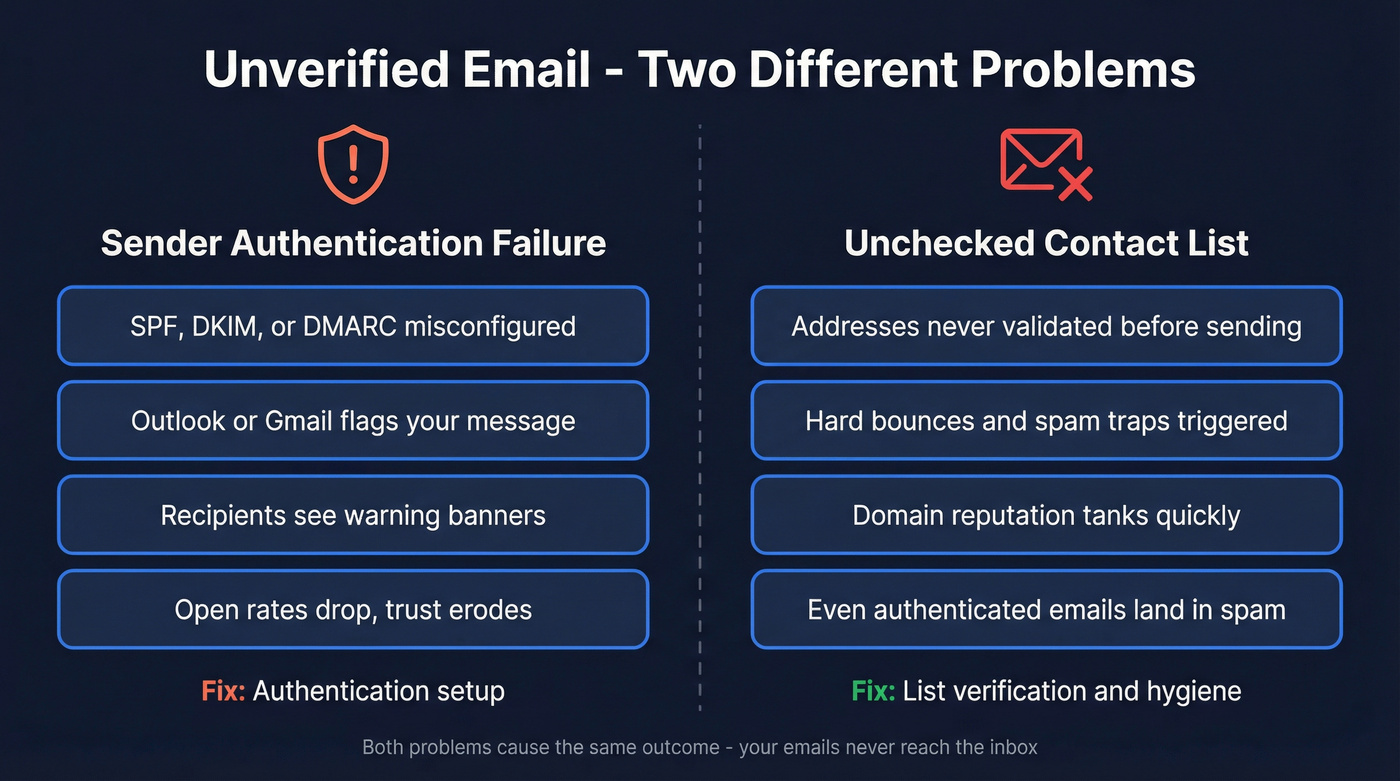
Microsoft introduced a new visual indicator in Outlook mobile (referenced as MC1112452 / roadmap item 491471), aligning with existing behavior in Outlook desktop and web. It doesn't mean your message contains malware. It means your message properties looked "unexpected" to Microsoft's authentication layer. These warnings also serve a direct security purpose: they alert recipients to potential phishing, spoofing, and business email compromise attempts, which is why providers display them so prominently and why recipients increasingly distrust messages that carry them.
The most common trigger is a DKIM misconfiguration - especially when emails route through a third-party hygiene system like Mimecast that can break DKIM signatures if not set up correctly. One Outlook quirk worth knowing: the warning only shows on the first message in a thread. Subsequent replies look clean even if the underlying issue persists.
Gmail surfaces its own authentication signals when a sender can't be confidently verified. The visual treatment differs, but the root cause is the same: the receiving server can't confirm you are who you say you are.
There's no admin toggle to disable this. The only fix is to actually pass authentication.
Bad Addresses in Your Contact List
The second meaning is simpler but equally damaging. An unverified email address is one that hasn't been checked for format, existence, or deliverability before you hit send. Maybe it was scraped from a website, exported from a stale CRM, or purchased from a list vendor who didn't bother validating.
This is a list hygiene problem, not an authentication problem - but it causes the same outcomes. Hard bounces spike. Spam traps get triggered. Your sender reputation drops. And once your domain reputation tanks, even your perfectly authenticated emails start landing in spam.
Email data decays at roughly 2-3% per month due to job changes, company closures, and abandoned accounts. A list that was 95% valid six months ago is likely 80% valid today, and every one of those dead addresses is a potential bounce waiting to happen.
"Unverified email" also has platform-specific meanings in systems like Zendesk and Salesforce, where it flags contacts who haven't confirmed their address through a verification link. The fixes in those contexts are different, but the underlying principle is the same: trust requires proof.
Why Warnings Are Surging in 2026
Most guides tell you to set up SPF/DKIM/DMARC and call it done. That was complete advice in 2022. It isn't anymore.
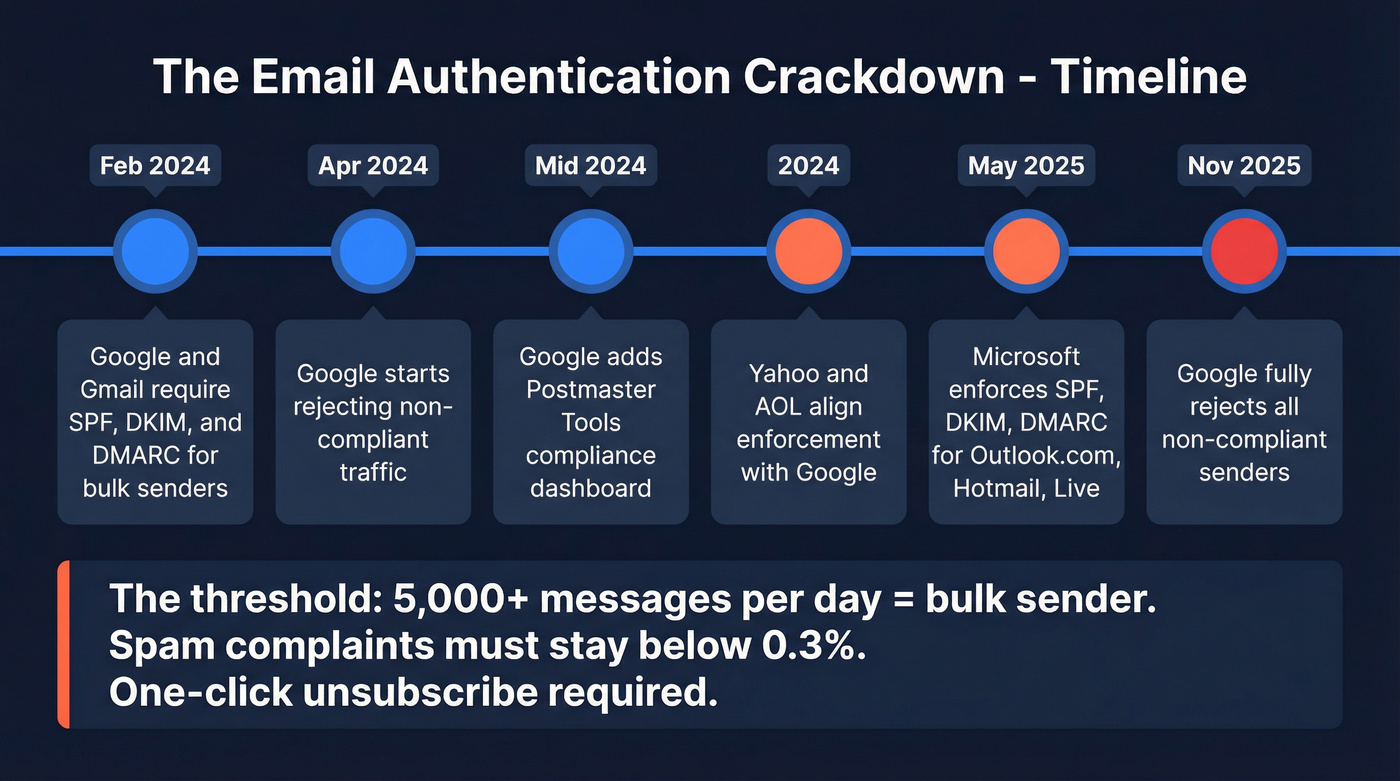
The enforcement wave started in late 2023 when Google and Yahoo announced new requirements for bulk senders. What followed was a phased crackdown that caught thousands of senders off guard:
| Provider | Date | What Changed |
|---|---|---|
| Google/Gmail | Feb 2024 | SPF + DKIM + DMARC required for bulk senders |
| Google/Gmail | Apr 2024 | Non-compliant traffic rejected |
| Google/Gmail | Mid-2024 | Postmaster Tools compliance dashboard added |
| Yahoo/AOL | 2024 | Aligned enforcement with Google |
| Microsoft | May 5, 2025 | SPF/DKIM/DMARC enforced for Outlook.com/Hotmail/Live |
| Google/Gmail | Nov 2025 | Full rejection for non-compliant senders |
The threshold that matters most: if you're sending 5,000+ messages per day, you're classified as a bulk sender. SPF, DKIM, and DMARC are mandatory. Your spam complaint rate must stay below 0.3%, ideally under 0.1%. Promotional emails need one-click unsubscribe honored within two business days.
The grace period is over.
Why "Unverified" Persists After Authentication Passes
Here's the thing - if you've set up SPF, DKIM, and DMARC perfectly and still see the warning, you're not crazy. This is one of the most common frustrations in email deliverability communities, and we've seen it trip up experienced ops teams who've done everything right on paper.
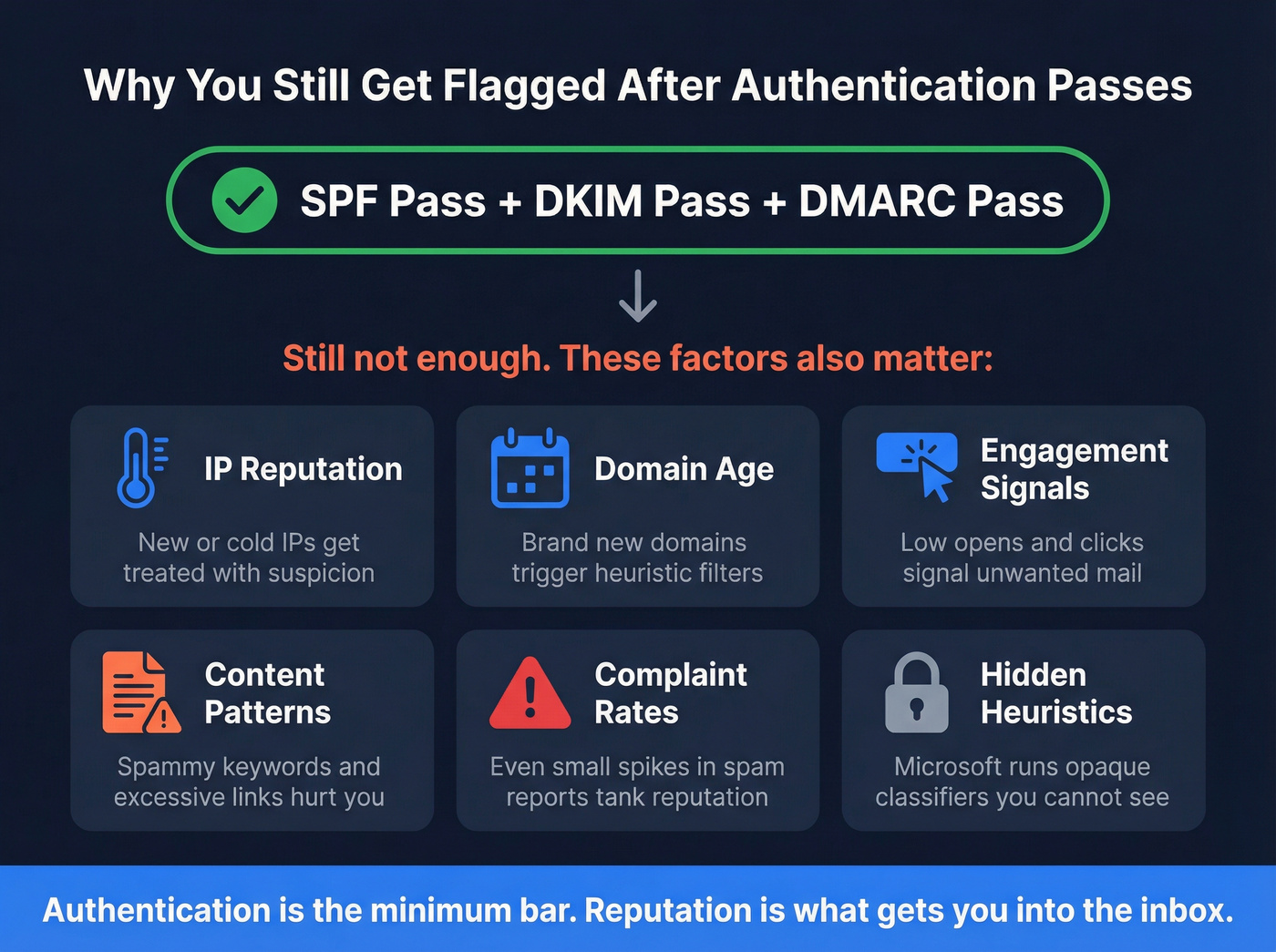
Microsoft's filtering goes well beyond authentication. Even with spf=pass, dkim=pass, dmarc=pass, and compauth=pass in your headers, the "unverified sender" flag can persist. The drivers include:
- IP reputation - New or "cold" IPs with little sending history get treated with suspicion. Vaulted IPs that haven't sent in months face the same problem.
- Domain age and history - A brand-new domain sending thousands of emails triggers every heuristic filter Microsoft has.
- Engagement signals - If recipients aren't opening, clicking, or replying, Microsoft assumes your mail isn't wanted.
- Content patterns - Certain keywords, excessive links, or formatting that matches known spam templates can trigger additional scrutiny even when authentication passes cleanly.
- Complaint rates - Even a small spike in "Report as spam" clicks can tank your reputation for weeks.
- Internal heuristics - Microsoft runs filters like the "Small Independent Sender" classifier that flag legitimate senders based on volume patterns.
The frustrating reality is that Microsoft's exact heuristics are opaque. Authentication is the minimum bar. Reputation is what actually gets you past the filter.
Let's be honest: most B2B senders obsess over authentication when their real problem is list quality. Perfect SPF, DKIM, and DMARC records don't matter if 15% of your list is dead addresses dragging your domain reputation through the mud. Fix your list first, then worry about the last 5% of authentication edge cases.

Email data decays 2-3% per month - which means your list is rotting while you read this. Prospeo refreshes 300M+ profiles every 7 days and runs every address through 5-step verification with catch-all handling, spam-trap removal, and honeypot filtering. The result: 98% email accuracy and bounce rates under 4%.
Fix your list before your next send tanks your domain reputation.
How to Fix Authentication Setup
SPF Configuration
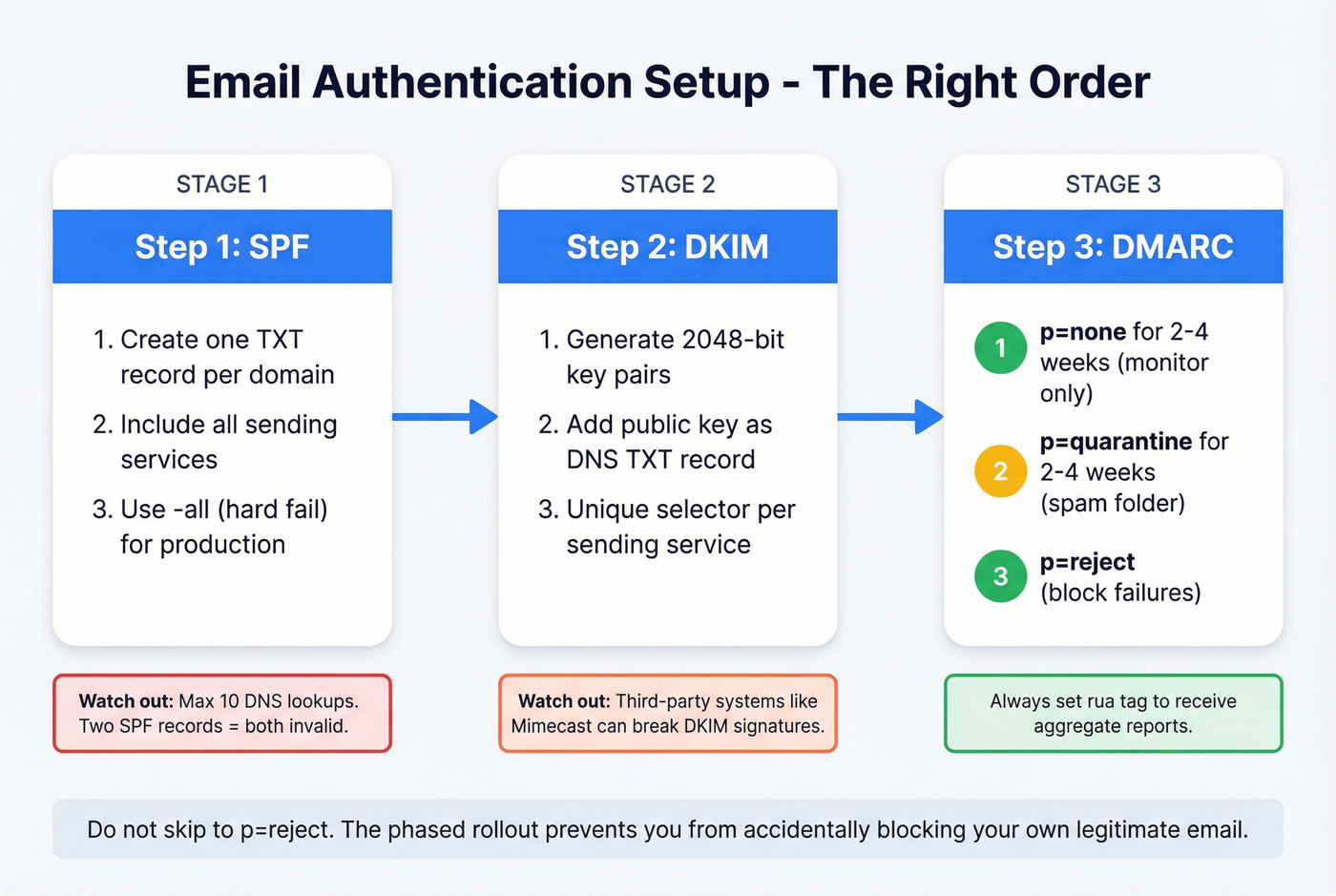
SPF tells receiving servers which IP addresses are authorized to send on behalf of your domain. Your DNS TXT record should look something like this:
v=spf1 include:_spf.google.com include:sendgrid.net -all
The qualifier at the end matters. Use -all (hard fail) for production - it tells receivers to reject anything not on your authorized list. Use ~all (soft fail) only during initial testing. Never use +all, which authorizes literally anyone to send as your domain.
SPF has a 10 DNS lookup limit. Every include: statement triggers lookups, and if you exceed 10, SPF breaks entirely - treated as if you have no SPF record at all. If you're using multiple sending services, you'll hit this limit fast. Use an SPF flattening tool to consolidate lookups.
One more mistake we see constantly: multiple SPF records on the same domain. You can only have one. Two TXT records starting with v=spf1 means both are invalid.
DKIM Configuration
DKIM adds a cryptographic signature to your outgoing messages. The public key lives in your DNS as a TXT record:
selector._domainkey.yourdomain.com TXT "v=DKIM1; k=rsa; p=..."
Use 2048-bit keys - 1024-bit is technically still accepted but increasingly flagged as weak. Rotate your keys annually. If you're sending through multiple services, each one needs its own unique selector.
If your email passes through a third-party system like Mimecast or Barracuda before reaching the recipient, that system can modify headers and break the DKIM signature. Make sure any intermediary is configured to preserve or re-sign DKIM.
DMARC Phased Rollout
DMARC ties SPF and DKIM together and tells receiving servers what to do when checks fail:
_dmarc.yourdomain.com TXT "v=DMARC1; p=reject; rua=mailto:dmarc-reports@yourdomain.com; pct=100"
Don't jump straight to p=reject. Roll it out in phases:
p=nonefor 2-4 weeks - monitoring only, no action taken on failuresp=quarantinefor 2-4 weeks - failed messages go to spamp=reject- failed messages are blocked entirely
The rua tag sends you aggregate reports showing who's sending as your domain and whether they're passing authentication. Without these reports, you're flying blind.
The Real Cost of Sending to Unchecked Addresses
Authentication gets you past the front door. List quality determines whether you stay in the inbox.
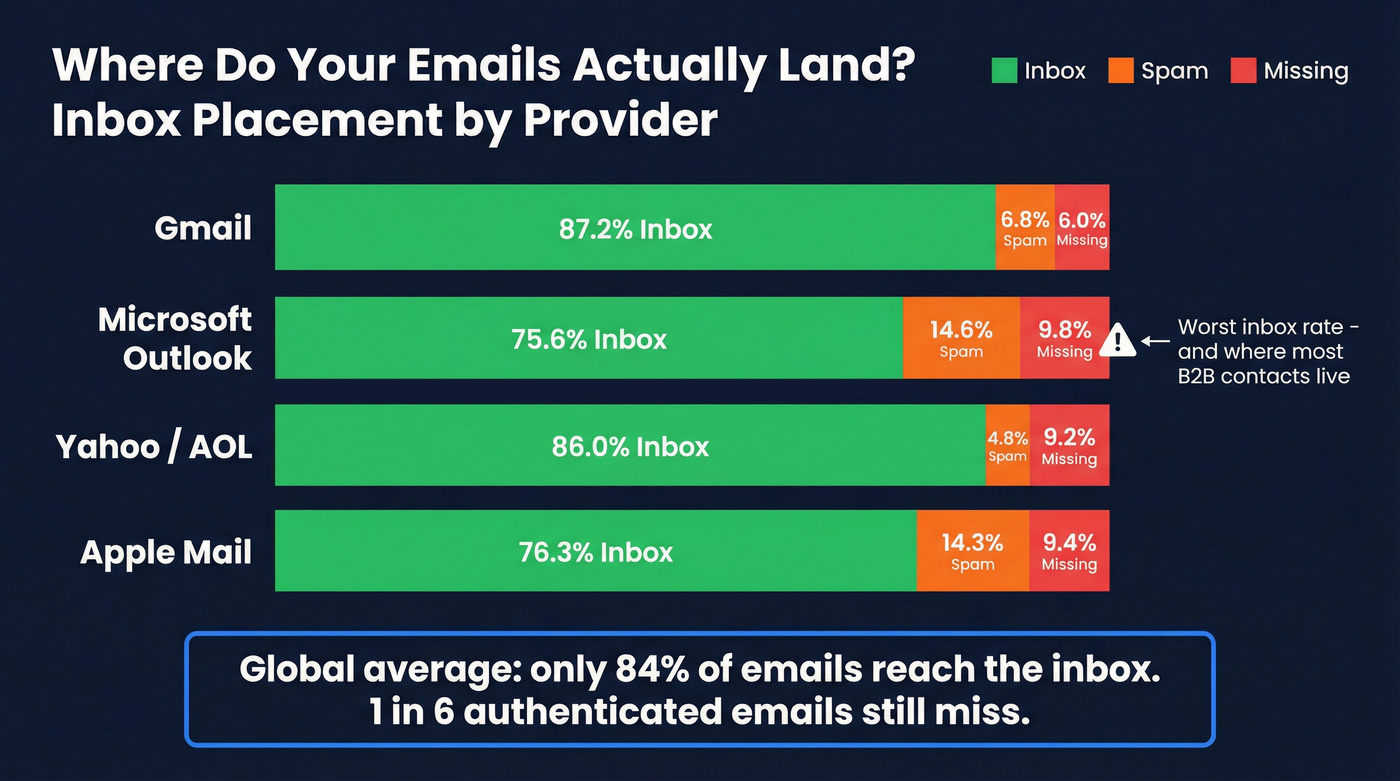
Global inbox placement sits at roughly 84% - meaning one in six emails never reaches the inbox even from authenticated senders. The breakdown by provider tells a sharper story:
| Provider | Inbox | Spam | Missing |
|---|---|---|---|
| Gmail | 87.2% | 6.8% | 6.0% |
| Microsoft | 75.6% | 14.6% | 9.8% |
| Yahoo/AOL | 86.0% | 4.8% | 9.2% |
| Apple Mail | 76.3% | 14.3% | 9.4% |

Microsoft's 75.6% inbox rate is a big reason B2B teams feel deliverability pain most sharply on Outlook mailboxes. If your list is heavy on corporate Outlook addresses - and most B2B lists are - unchecked contacts amplify this problem dramatically.
Industry bounce rate benchmarks show what "healthy" looks like:
| Industry | Avg Bounce Rate |
|---|---|
| Software & Web App | 1.04% |
| Business & Finance | 0.48% |
| Ecommerce | 0.29% |
If you're above 2%, your list has a verification problem. And here's the distinction most people miss: delivery rate isn't deliverability. Your ESP might report 97% "delivered," but "delivered" just means the receiving server accepted the message. It doesn't mean it reached the inbox. Campaigns built on unverified email lists consistently underperform on both metrics.
Most verification tools charge between $0.003 and $0.01 per address at scale, with free tiers capping at around 50-200 checks per month. That's far cheaper than the domain reputation damage from a single bad send.
How to Verify Addresses Before Sending
What Verification Checks
Email verification isn't a single check - it's a layered process where each step catches a different type of bad address:
- Syntax validation - catches typos, missing @ symbols, invalid characters
- Domain/MX DNS lookup - confirms the domain exists and has mail servers configured
- SMTP mailbox check - pings the server to confirm the specific mailbox is active
- Catch-all domain detection - identifies domains that accept all mail regardless of whether the address exists, which inflate your "valid" count artificially
- Disposable email detection - flags temporary addresses from services like Guerrilla Mail or Temp-Mail
Each layer filters a different failure mode. Skip any one and bad addresses slip through.
A quick note on terminology: verification and validation aren't the same thing. Validation checks format and character standards. Verification goes deeper - confirming the address exists, is active, and can actually receive mail. Verification is the more thorough process, and it's what you need.
Prospeo for Email Verification
Prospeo runs all five verification steps through proprietary infrastructure - no reliance on third-party email providers, which means results aren't subject to the rate limits and accuracy gaps that plague tools built on top of Gmail or Outlook APIs.
Catch-all domains get flagged rather than blindly marked "valid." Spam traps are actively removed. Honeypot addresses are filtered before they can damage your sender reputation. Across 143M+ verified emails, Prospeo maintains 98% accuracy, and every record refreshes on a 7-day cycle versus the 6-week industry average.
Real-world results back this up. Snyk's team of 50 AEs saw bounce rates drop from 35-40% to under 5% after switching, with AE-sourced pipeline up 180% and 200+ new opportunities per month. Stack Optimize built to $1M ARR while maintaining 94%+ deliverability and under 3% bounce rates across all client accounts - zero domain flags.
Pricing is straightforward: a free tier gives you 75 email verifications per month. Paid plans scale to roughly $0.01 per email with no contracts and no sales calls required. GDPR compliant out of the box.
Authentication gets you past the front door. Clean data keeps you out of spam. Prospeo's proprietary email-finding infrastructure doesn't rely on third-party providers - every address is verified in real time at $0.01 per email. Teams using Prospeo cut bounce rates from 35%+ to under 4%.
Start with data that's already verified so you never trigger that warning again.
Diagnostic Checklist
If you're troubleshooting "unverified" warnings or deliverability issues, run through this sequence:
1. Check Authentication-Results headers. Open a received message, view full headers, and look for SPF, DKIM, and DMARC pass/fail results. This tells you exactly which check is failing and should always be the first thing you do before touching any DNS records.
2. Run your domain through MXToolbox. It validates your SPF record syntax, checks DKIM selectors, confirms your DMARC policy, and scans major blacklists. It also flags the 10-lookup SPF limit problem and catches duplicate records that break authentication silently. We run every domain through MXToolbox before diagnosing anything else - it takes 30 seconds and eliminates the most common misconfigurations immediately.
3. Check Google Postmaster Tools. This free dashboard shows your domain reputation, spam rate, authentication success rates, and compliance status for Gmail specifically. If you're sending 5,000+ emails per day, this is required monitoring. It surfaces the exact percentage of recipients marking your mail as spam - the metric that matters most for staying under the 0.3% complaint threshold.
4. Verify no duplicate SPF records. Run a DNS lookup and confirm you have exactly one TXT record starting with v=spf1. Count your include: statements and make sure total DNS lookups stay at 10 or fewer.
5. Check IP reputation. If you're on a dedicated sending IP, verify it's not on any blacklists and has sufficient sending history. If you're weighing infrastructure choices, see dedicated sending IP tradeoffs.
6. Review bounce rates. Above 2%? Run your list through verification before your next send. Continuing to blast unverified addresses at that point only accelerates reputation damage. (If you’re seeing persistent failures, start with hard bounces and work backward.)
7. Monitor spam complaint rate. Must stay below 0.3%. Google Postmaster Tools and your ESP's analytics dashboard both track this.
Unverified Email FAQ
What does "unverified sender" mean in Outlook?
Exchange Online couldn't verify SPF, DKIM, or DMARC authentication for the message. It's a security indicator - not a malware warning - that appears on the first message in a thread. You can't disable it through admin settings. Fix it by configuring all three authentication protocols to pass.
Can I remove the unverified sender warning?
Yes, by ensuring SPF, DKIM, and DMARC all pass. If they already pass but the warning persists, the issue is IP reputation, domain age, or low engagement signals. Warm your domain with small, high-engagement sends of 50-100 per day before scaling volume.
What's the difference between email verification and validation?
Verification confirms an address exists, is active, and can receive mail - including SMTP mailbox pings, catch-all detection, and disposable address filtering. Validation only checks format and syntax. For protecting sender reputation, verification is the process you need.
How often should I verify my email list?
Before every major campaign, and on a rolling basis for active lists. Email addresses decay at 2-3% per month from job changes and abandoned accounts. Quarterly full-list scrubs are still best practice, though tools with weekly data refresh cycles reduce the risk of stale records between scrubs.
Does DMARC need to be set to "reject" for compliance?
Google and Yahoo require at minimum p=none for bulk sender compliance. But p=reject provides the strongest protection against domain spoofing and improves deliverability signals. Roll out gradually - none, then quarantine, then reject - while monitoring aggregate reports for legitimate sending sources you might have missed.