

Visual Prospecting: How to Use Images and Video in Outreach Without Destroying Your Domain
A RevOps lead we know ran personalized Loom outreach for a few weeks. Replies jumped - then the domain got flagged and performance cratered. Visual prospecting is one of the highest-impact tactics in outbound right now, but the gap between "doing it" and "doing it right" is where most teams wipe out.
What Is Visual Prospecting?
It means integrating images, videos, GIFs, and personalized designs into outbound campaigns. Instead of plain-text emails that blend into every other cold pitch, you use visual elements to grab attention, build rapport, and simplify your message. It's sales personalization that goes beyond merge tags and into genuinely differentiated outreach.
MIT neuroscience research confirms why this works: people can identify and process images in as little as 13 milliseconds. Your prospect's brain registers a personalized thumbnail before they've consciously decided whether to read your email. That's a massive advantage over another wall of text.
The catch? Visuals make emails heavier, more likely to trigger spam filters, and harder to deliver consistently.
What You Need Before Starting
Three things to nail before you touch a design tool:
- Sequencing matters more than the visual itself. Advanced personalization can increase reply rates by 142% when it's relevant and specific. Don't force visuals into touch one - earn the right to go "heavier" after you've established context.
- Respect the 60/40 rule. Keep emails at least 60% text, 40% images max. Anything heavier and spam filters start paying attention.
The Deliverability Trap
Here's the thing most visual prospecting guides skip: personalized image and video outreach and email deliverability are at war with each other. Every image, tracking pixel, and embedded video makes your email look more like marketing - and spam filters treat marketing emails differently than sales emails.
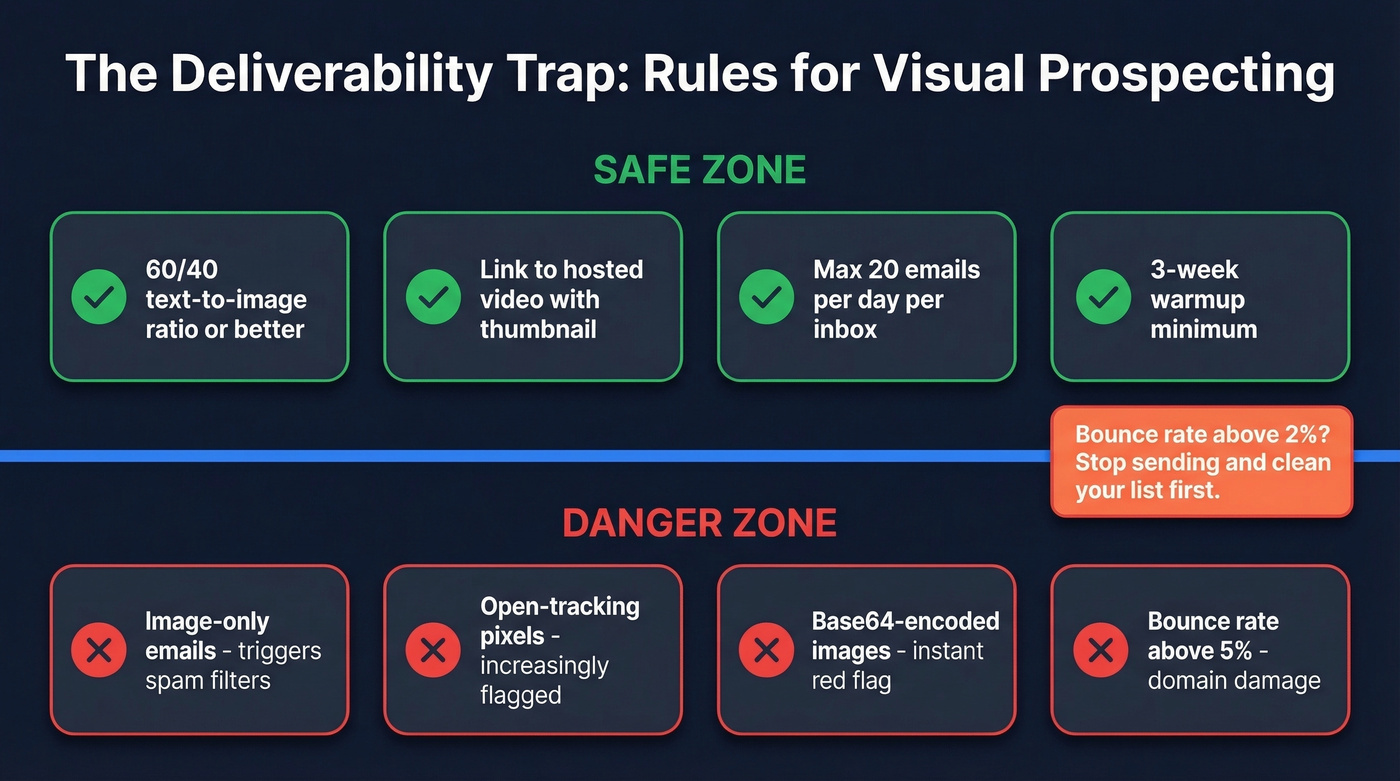
Keep your text-to-image ratio at 60/40 or better. Spammers have historically used image-only emails to bypass keyword detection, so mailbox providers flag them. Use real HTML text - don't bake your copy into images, and avoid base64-encoded images entirely.
Volume matters just as much as content. Cap sending at 20 emails per day per inbox after a minimum three-week warmup. Ditch open-tracking pixels - they're increasingly flagged and the data isn't worth the deliverability hit. We've seen teams lose months of domain reputation from a single image-heavy blast.
For video, link to hosted videos with a thumbnail rather than embedding anything. One Reddit practitioner specifically chose their video tool because "videos are much lighter," tying the decision directly to deliverability. Keep your bounce rate under 2%. Above 5%, you're actively damaging your domain - and no amount of creative personalization fixes a burned sender reputation.

Personalized videos and images are wasted on bounced emails. Prospeo verifies contacts with 98% accuracy on a 7-day refresh cycle - so you never burn time recording a Loom for someone who left the company last quarter.
Clean your list before you hit record. 75 free verifications to start.
How to Run a Personalized Prospecting Campaign
Five steps, in order. Don't skip the first one.
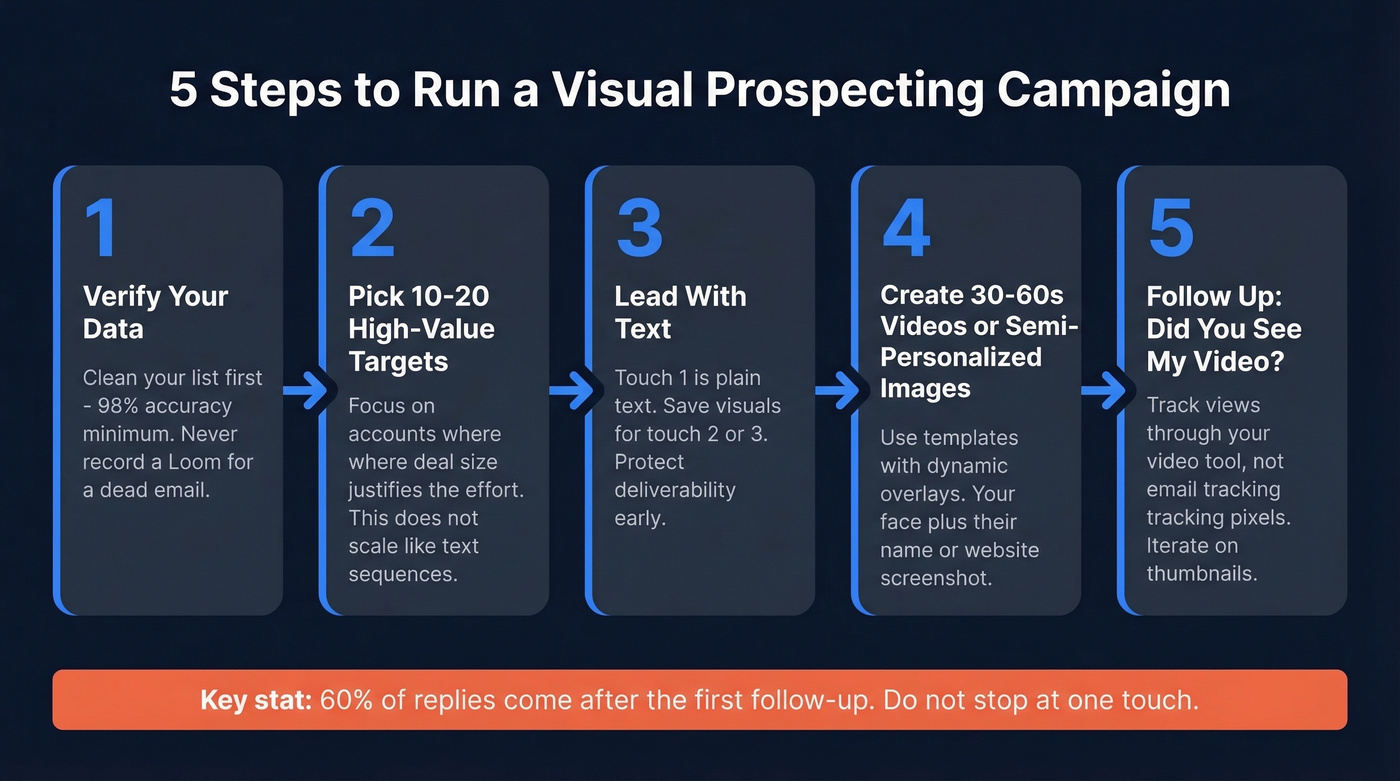
Step 1: Verify your data. Before you personalize a single image, clean your list. You don't want to spend 45 minutes on a custom Loom for someone who left the company last quarter. A tool like Prospeo checks emails in real time with 98% accuracy and refreshes data every 7 days - the free tier covers 75 emails per month, enough to test a targeted batch.
Step 2: Pick 10-20 high-value targets. Image and video personalization doesn't scale like text-based sequences. Start with accounts where the deal size justifies the effort. (If you're building a repeatable outbound motion, align this with your Ideal Customer Profile first.)
Step 3: Lead with text, layer in visuals. Your first touch should be mostly plain text - clean, personal, deliverable. Save the personalized image or video for touch two or three. A 4-7 email sequence triples response rates compared to a single send, and roughly 60% of replies come after the first follow-up. This layered approach captures prospect attention without torching your deliverability on the first send.
Step 4: Record 30-60 second videos or create semi-personalized images. Fully custom 1:1 videos are powerful but time-intensive. A smarter approach: use a template with dynamic text overlays - your face on camera holding a whiteboard with the prospect's name, or a screenshot of their website with a personalized annotation. Brief, visual, and tailored to the account.
Step 5: Follow up with "Did you see my video?" It's a reliable follow-up that fits the workflow. Track views through your video tool (not through tracking pixels in the email itself) and iterate on thumbnails and subject lines.
Five Mistakes That Kill Replies
- Surface-level personalization only. Dropping in
{{first_name}}and{{company}}isn't personalization - it's mail merge. Reference something specific: a recent hire, a product launch, a post they published.
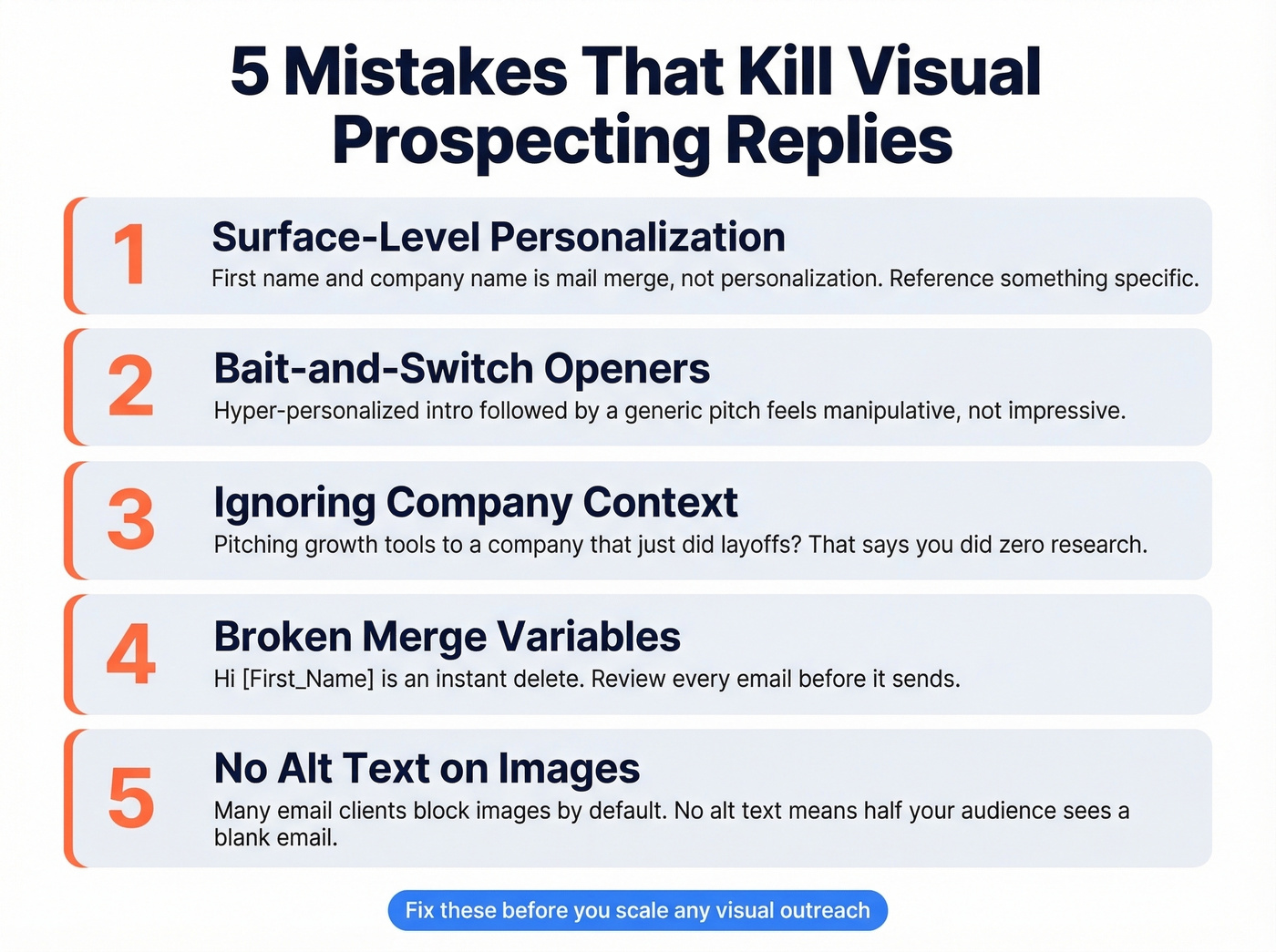
Bait-and-switch. A hyper-personalized opener followed by a generic pitch is worse than no personalization at all. The prospect feels manipulated, not impressed.
Ignoring company context. Pitching growth tools to a company that just did layoffs? That signals you didn't do any research. Check for recent news before you hit record.
Broken merge variables. "Hi [First_Name]" is an instant delete. Review every email before it sends, especially when layering dynamic image text on top of dynamic email text.
No alt text on images. Some clients block images by default. If your entire message is a personalized graphic with no supporting text and no alt attributes, half your audience sees a blank email.
Best Tools for Visual Prospecting in 2026
| Tool | Type | Starting Price | Best For |
|---|---|---|---|
| Prospeo | Data + verification | Free tier (75 emails/mo) | Verified emails before you personalize |
| Hyperise | Image personalization | $49/mo | Integration ecosystem |
| Lemlist | Outreach platform | $55/mo | Sequences + images in one place |
| PicSnippets | Image personalization | $47/mo | Simplest setup |
| Loom | Video | Free | Easiest to start |
| Vidyard | Video | Free | View tracking |
| Sendspark | Video | ~$39/mo | Template-based video |
Hyperise ($49-$149/mo) connects to almost everything - your CRM, your sequencer, your landing pages. If you're running a multi-tool stack, it slots in without friction. The dynamic image personalization is solid for scaling beyond fully custom assets, and the integration library is the deepest in this category.
Lemlist is the pick if you want images and outreach in one platform. At $55-$79/mo, you get sequences with built-in image personalization without stitching together separate tools. For teams that don't want to manage five different subscriptions, it's the cleanest path.
In our testing, Loom is where most teams should start with video outreach - free tier, zero learning curve, good enough to validate whether video moves the needle for your ICP. (If you want a deeper playbook, see our Loom video cold email strategy.) Paid plans run around $15-$20/mo when you need longer recordings and better analytics.
PicSnippets ($47/mo) is the simplest image personalization tool on the market. Vidyard (free tier, ~$30-$100/mo paid) has the best view tracking for video. Sendspark (~$39-$89/mo) excels at template-based video if you want a middle ground between fully custom and generic.
Let's be honest: most teams overthink tool selection and underthink data quality. A plain Loom with a verified email list will outperform a Hyperise masterpiece sent to stale contacts every single time.
One tool to skip: Nexweave. It carries a 1.7 out of 5 on Trustpilot across 34 reviews, with users describing a neglected product, no customer support, and a platform that's effectively shut down. We left it off the table above for that reason.
Visual prospecting eats your domain alive if bounce rates climb past 2%. Prospeo's 5-step verification catches bad emails, spam traps, and catch-all domains before they torch your sender reputation - at $0.01 per email.
Protect your domain reputation before you send a single personalized image.
Benchmarks Worth Knowing
Every rep is fighting for the same inbox real estate. The teams that hold prospect attention are the ones combining verified data with genuinely relevant visuals. Here's what the numbers say:
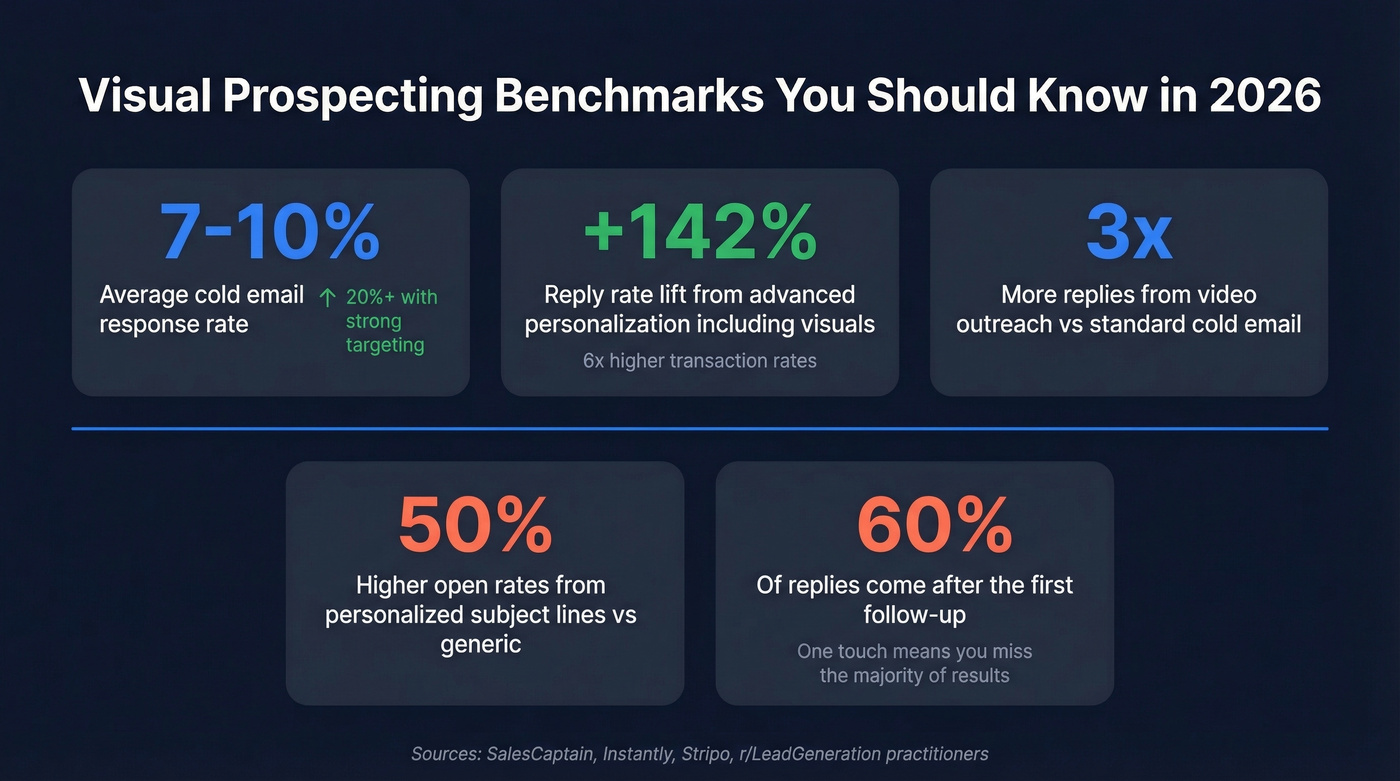
- Cold email response rates average 7-10%; with strong targeting and personalization, 20%+ is achievable.
- Personalized subject lines drive 50% higher open rates than generic ones. If you're testing hooks, pull from proven email subject lines.
- Advanced personalization including visuals lifts reply rates by up to 142% and delivers 6x higher transaction rates.
- Video outreach produces roughly 3x replies versus standard cold emails, per practitioners on r/LeadGeneration.
- 60% of replies come after the first follow-up. If you're only sending one touch, you're leaving the majority of results on the table (use these sales follow-up templates to stay consistent).
The teams running verified lists through visual sequences now will own the inbox when everyone else catches up. Visual prospecting rewards the disciplined - verify first, personalize second, and let the data compound.