

How to Build a Prospect List That Actually Converts
You spent two weeks manually researching prospects - combing through professional profiles, cross-referencing company pages, copying emails into a spreadsheet. You launched your first sequence on Monday. By Wednesday, 23% of those emails had bounced, your domain reputation took a hit, and your SDR manager wanted answers.
Here's the thing: you should be able to build a prospect list of 50 verified contacts in under an hour. The process isn't complicated, but most teams get the order of operations wrong and pay for it with bounced emails, wasted sequences, and a pipeline that looks full but converts like it's empty.
The Short Version
Define your ICP as CRM fields (not a slide deck), source prospects from a verified database, and verify every email before it touches your sequencer. If you skip verification, at least 23% of your list will be dead within a year. For tools: Prospeo for verified emails and direct dials, Apollo for an all-in-one platform with sequences, Clay for waterfall enrichment at scale.
Prospect List vs. Lead List
A lead list is a raw dump - names scraped from an event, downloaded from a webinar registration, or pulled from a purchased database with no filtering. A prospect list is ICP-filtered, enriched with context, and verified for outreach.
A lead list says "here are 5,000 people who might be relevant." A prospect list says "here are 200 people who match our ideal customer profile, have verified contact data, and show signals that they might actually buy." Every step in this guide is about building the second kind.
Define Your ICP (For Real This Time)
Most teams have an ICP. It lives on a slide somewhere from a strategy offsite six months ago. It says things like "mid-market SaaS companies" and "VP of Sales." That's not an ICP - that's a vibe.
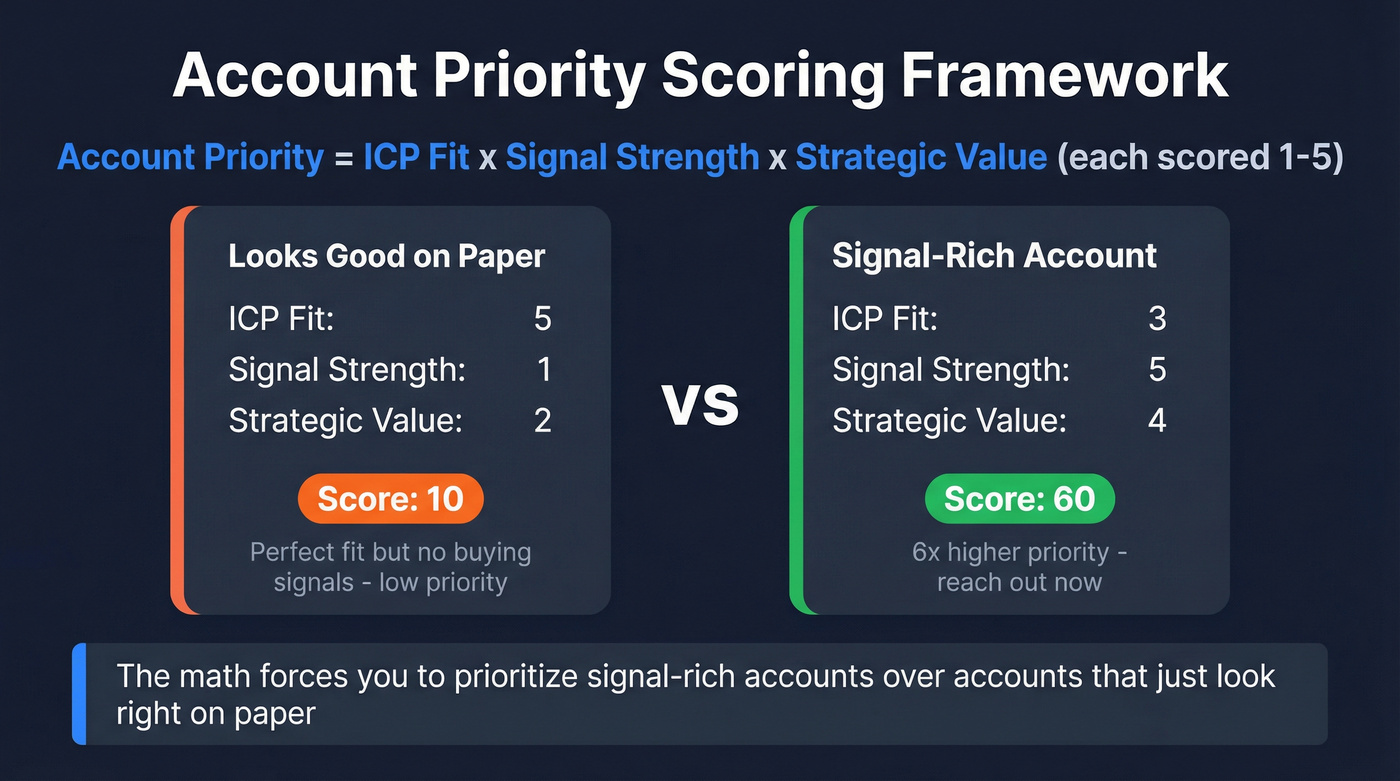
A usable ICP is a set of structured fields in your CRM that you can actually filter on. Here's the framework we use, adapted from [Topo.io's prioritization model](https://www.topo.io/blog/b2b-prospecting-101-icp-signals-strategy):
Account Priority = ICP Fit x Signal Strength x Strategic Value (each scored 1-5)
A company that's a perfect ICP fit (5) but shows no buying signals (1) and has low strategic value (2) scores a 10. A slightly looser fit (3) with strong intent signals (5) and high strategic value (4) scores a 60. That's six times higher priority - and the math forces you to prioritize signal-rich accounts over "looks right on paper" accounts.
Your ICP fields should cover these categories:
- Firmographics - industry, headcount range, revenue range, geography, funding stage
- Technographics - current tech stack, including what they're actively replacing
- Business model - B2B vs B2C, sales-led vs product-led, subscription vs transactional
- Buying committee - target titles, reporting structure, typical decision process
- Triggers - hiring patterns, funding rounds, leadership changes, tech stack shifts
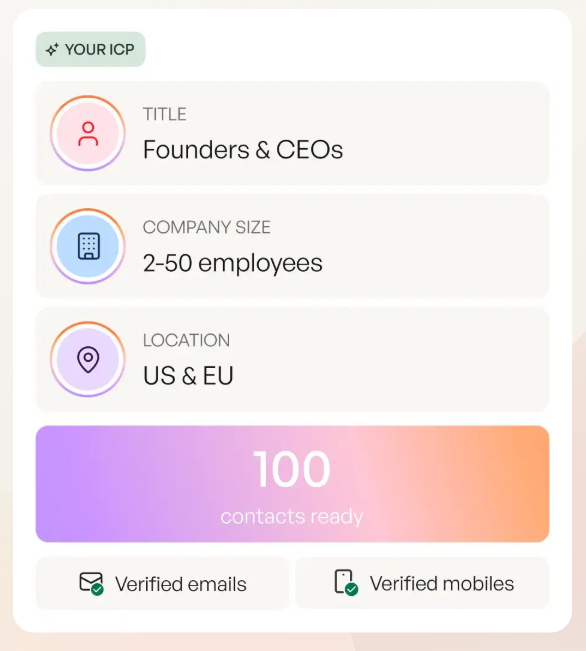
Build these as structured, filterable fields in your CRM. Not a paragraph in a Google Doc. Not a slide. Fields. If your SDR can't filter their account list by ICP score in under 30 seconds, your ICP isn't operational yet.
Choose Your Signal Sources
An ICP tells you who to target. Signals tell you when to reach out. The difference between a cold prospect and a warm one is almost always timing.
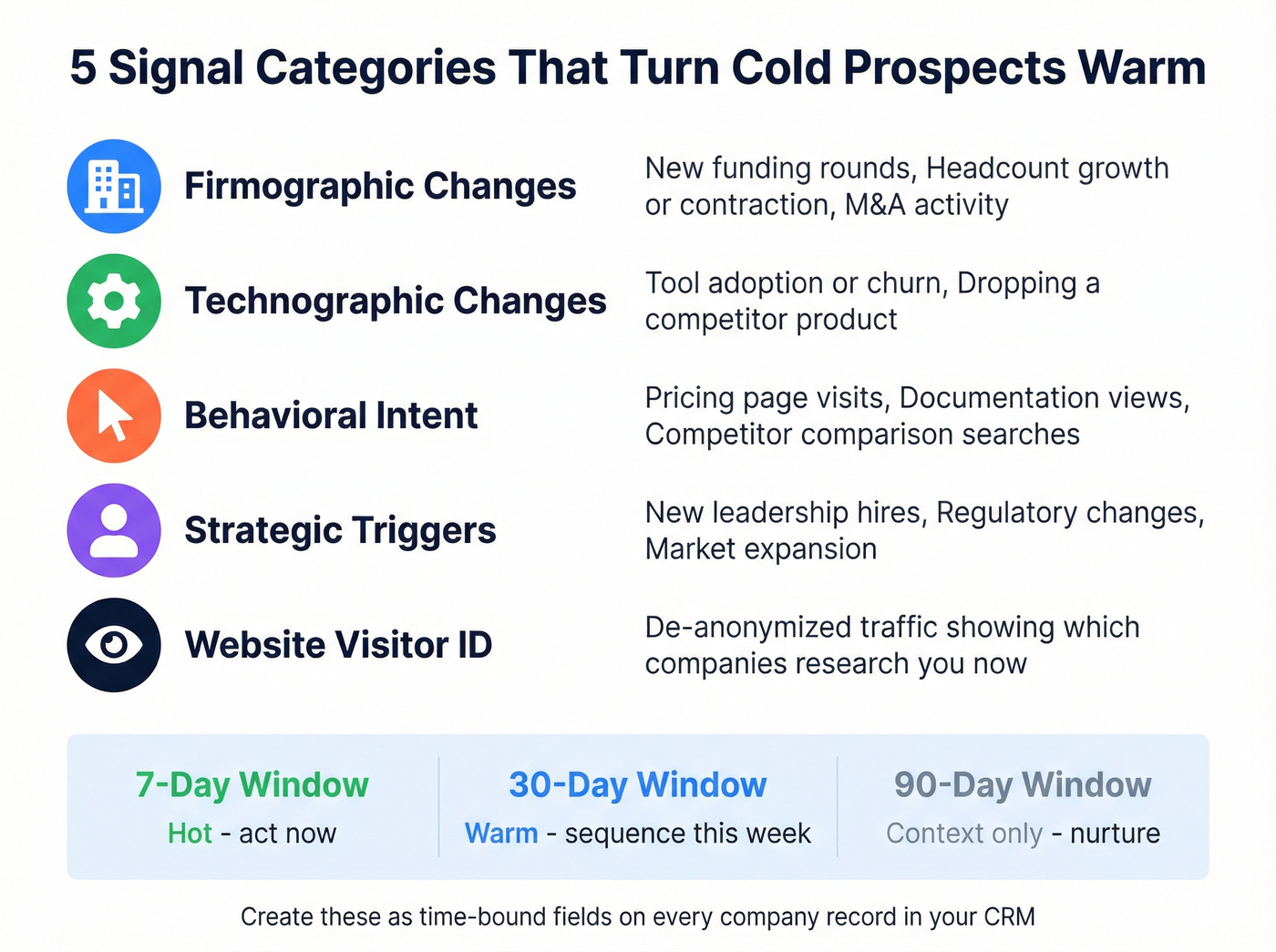
Signal categories that matter most:
- Firmographic changes - new funding rounds, headcount growth or contraction, M&A activity
- Technographic changes - tool adoption or churn (a company dropping a competitor's product is one of the strongest buying signals you'll find)
- Behavioral intent - pricing page visits, documentation views, competitor comparison searches
- Strategic triggers - new leadership hires, regulatory changes, market expansion
- Website visitor identification - de-anonymizing traffic to see which companies are researching you right now
Operationally, you want these signals living in your CRM as time-bound fields. Create 7-day, 30-day, and 90-day window fields for each signal type on the company record. That gives you nine time-bound fields that tell you not just what happened, but how recently. A funding round from last week is a signal. One from eight months ago is history.
Source and Verify Your Contacts
This is where most teams either waste hours on manual work or blow their domain reputation with unverified data. We've seen both, and the second one is worse.
The Sourcing Workflow
Instead of searching profiles one by one and guessing email formats, query a verified database with your ICP filters and get clean data back in minutes. The concept behind this is waterfall enrichment - you query multiple data providers in sequence, filling gaps that any single source misses. Clay popularized this approach, querying 150+ data sources in a cascade. But you don't need that complexity for most use cases.
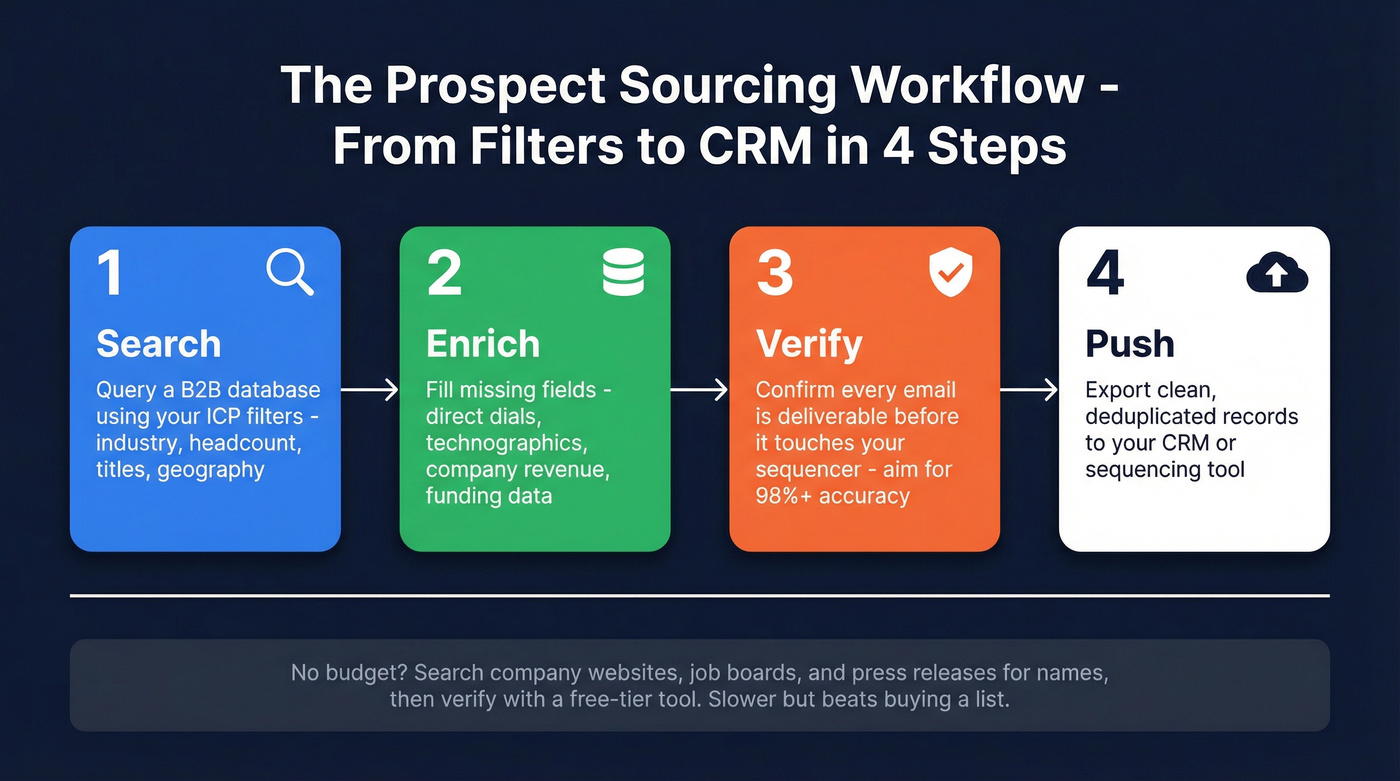
The simplest workflow:
- Search - Use your ICP filters to pull a targeted list from a B2B database
- Enrich - Fill in missing fields like direct dials, technographics, and company data
- Verify - Confirm every email is deliverable before it touches your sequencer
- Push - Export to your CRM or sequencing tool with clean, deduplicated records
No budget? You can still assemble a prospecting list without Sales Navigator or any paid tool. Search company websites, job boards, and press releases for decision-maker names, then verify emails through a free-tier tool. It's slower, but it beats buying a list. Google advanced operators and industry directories are enough to get started from zero.

Why Verification Isn't Optional
Email data decays at 2.1% per month. That compounds to at least 23% annually. And that's just the addresses that go completely dead - it doesn't account for the 9%+ that are catch-all addresses, which accept mail for any inbox including ones that don't exist.
Poor data quality costs U.S. businesses an estimated $3.1 trillion annually. At the individual team level, it shows up as bounced sequences, damaged sender reputation, and pipeline numbers that look healthy until you realize half your "contacts" are ghosts. The consensus on r/sales is consistent: bad data, not bad messaging, is the #1 killer of outbound campaigns. Your copy doesn't matter if the email never lands.


The article above shows that 23% of email data decays annually. Prospeo's 5-step verification and 7-day refresh cycle mean every prospect list you build stays current. 300M+ profiles, 30+ ICP filters, 98% email accuracy - pull 50 verified contacts in under an hour instead of two weeks.
Stop building prospect lists that bounce. Start building ones that convert.
Your Prospect List Template
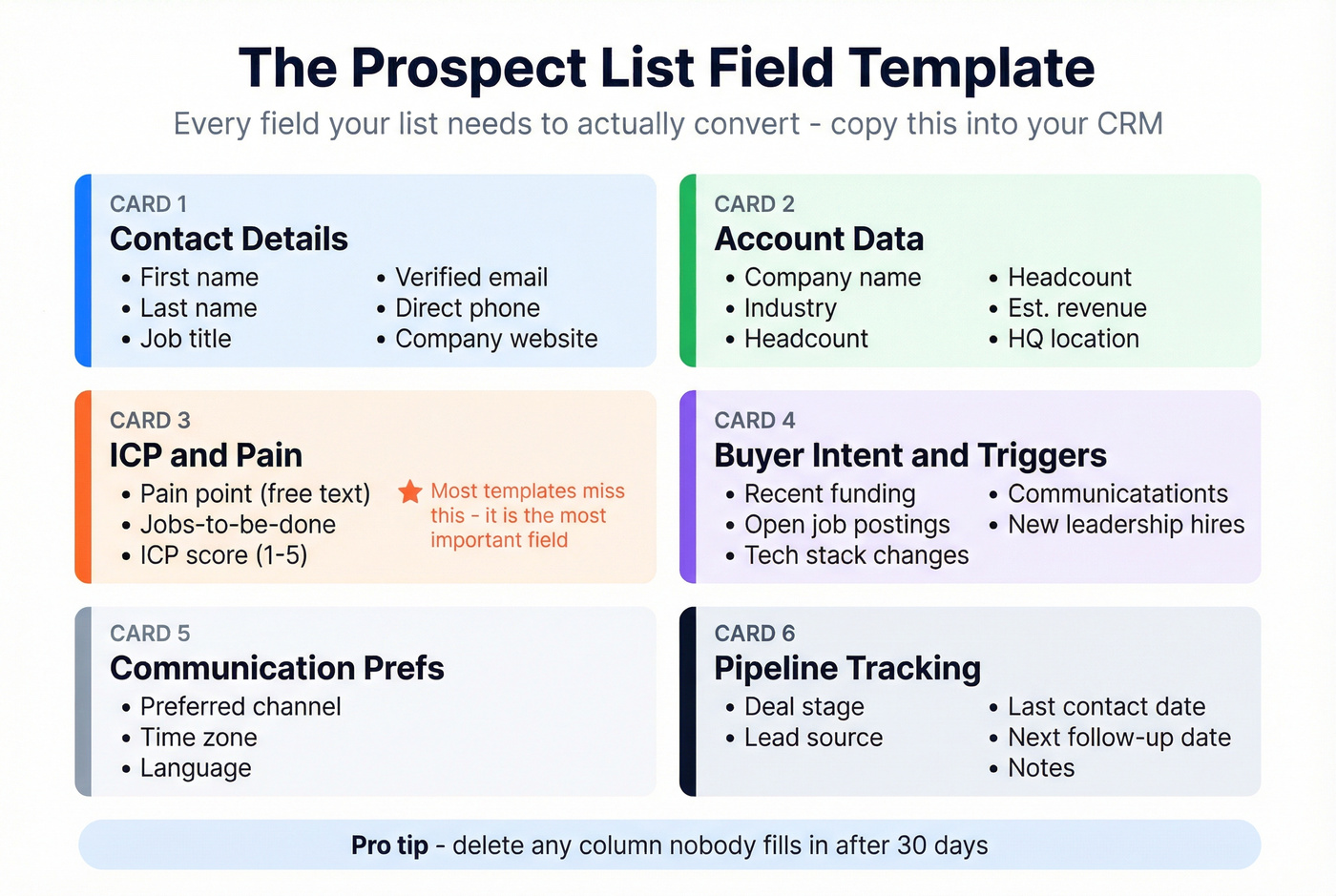
A prospect list is only as useful as its structure. Here's the field schema we recommend - you can adapt this in your CRM or start with noCRM's downloadable Excel template and customize from there.
| Category | Fields |
|---|---|
| Contact Details | First name, last name, job title, verified email, direct phone, company website |
| Account Data | Company name, industry, headcount, est. revenue, HQ location |
| ICP & Pain | Pain point (free text), jobs-to-be-done, ICP score (1-5) |
| Buyer Intent & Triggers | Recent funding, open job postings, tech stack changes, new leadership hires |
| Communication Prefs | Preferred channel, time zone, language |
| Pipeline Tracking | Deal stage, lead source, last contact date, next follow-up date, notes |
The "pain point" field is the one most templates miss, and it's the most important. It forces your reps to articulate why this specific prospect would care about your product before they write a single email. The trigger fields give your sequences a reason to exist beyond "I found your name in a database."
Don't overthink the template. Start with these fields, add columns as your process matures, and delete anything nobody fills in after 30 days.
Best Tools for List Building
Prospeo
The verification gap is the biggest problem in list building. Most databases stop at "found" - Prospeo delivers verified and fresh. With 300M+ profiles, 143M+ verified emails, and 125M+ verified mobile numbers with a 30% pickup rate, it's the tool we'd pick if we could only use one for building a prospect list. The 98% email accuracy comes from a proprietary email-finding infrastructure that doesn't rely on third-party providers, and the 7-day data refresh cycle means you're not re-verifying stale data every month while most competitors refresh on a 4-6 week cycle.
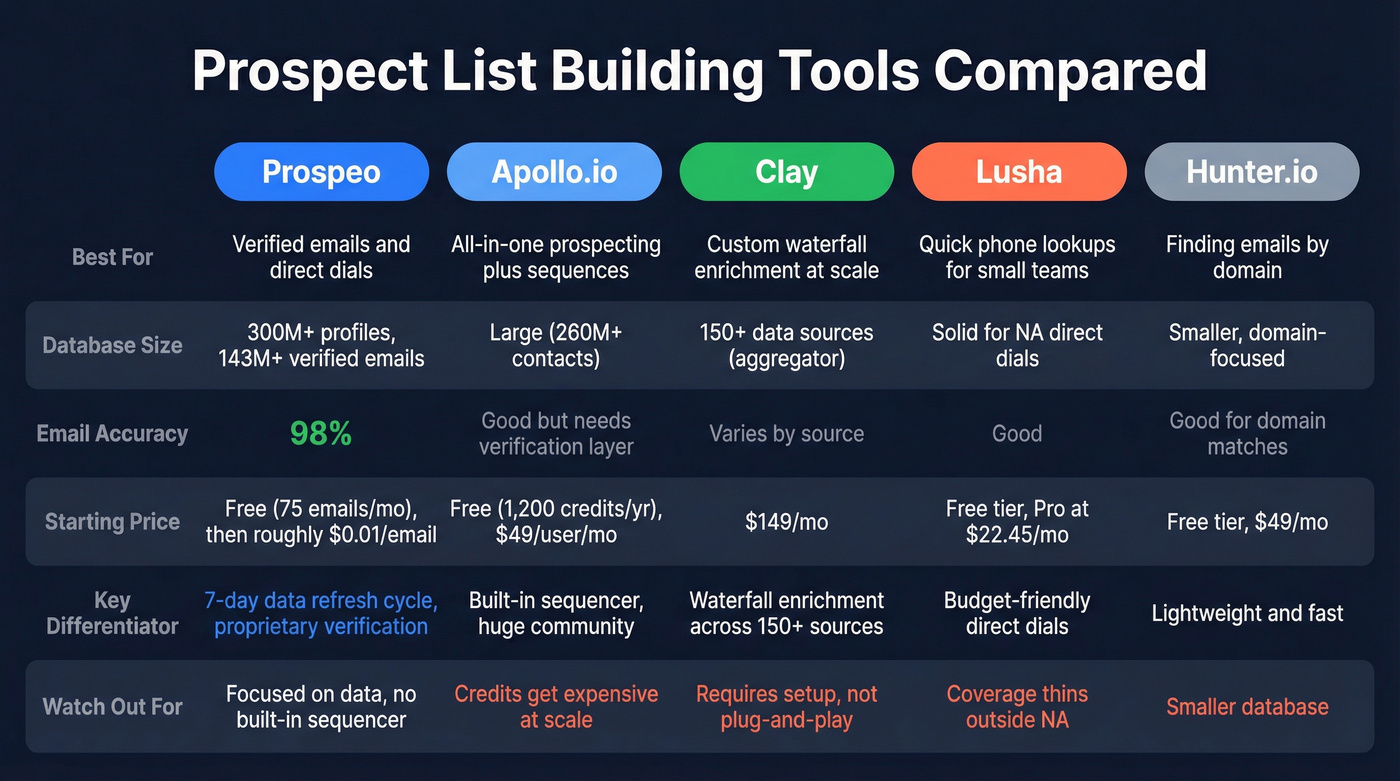
Real results: Meritt tripled their pipeline from $100K to $300K per week after switching, with bounce rates dropping from 35% to under 4%. Stack Optimize built from $0 to $1M ARR using it, maintaining 94%+ client deliverability with bounce rates under 3% and zero domain flags. Pricing starts free with 75 emails per month, with paid plans at roughly $0.01 per email. No contracts, no sales calls, self-serve onboarding.
Apollo.io
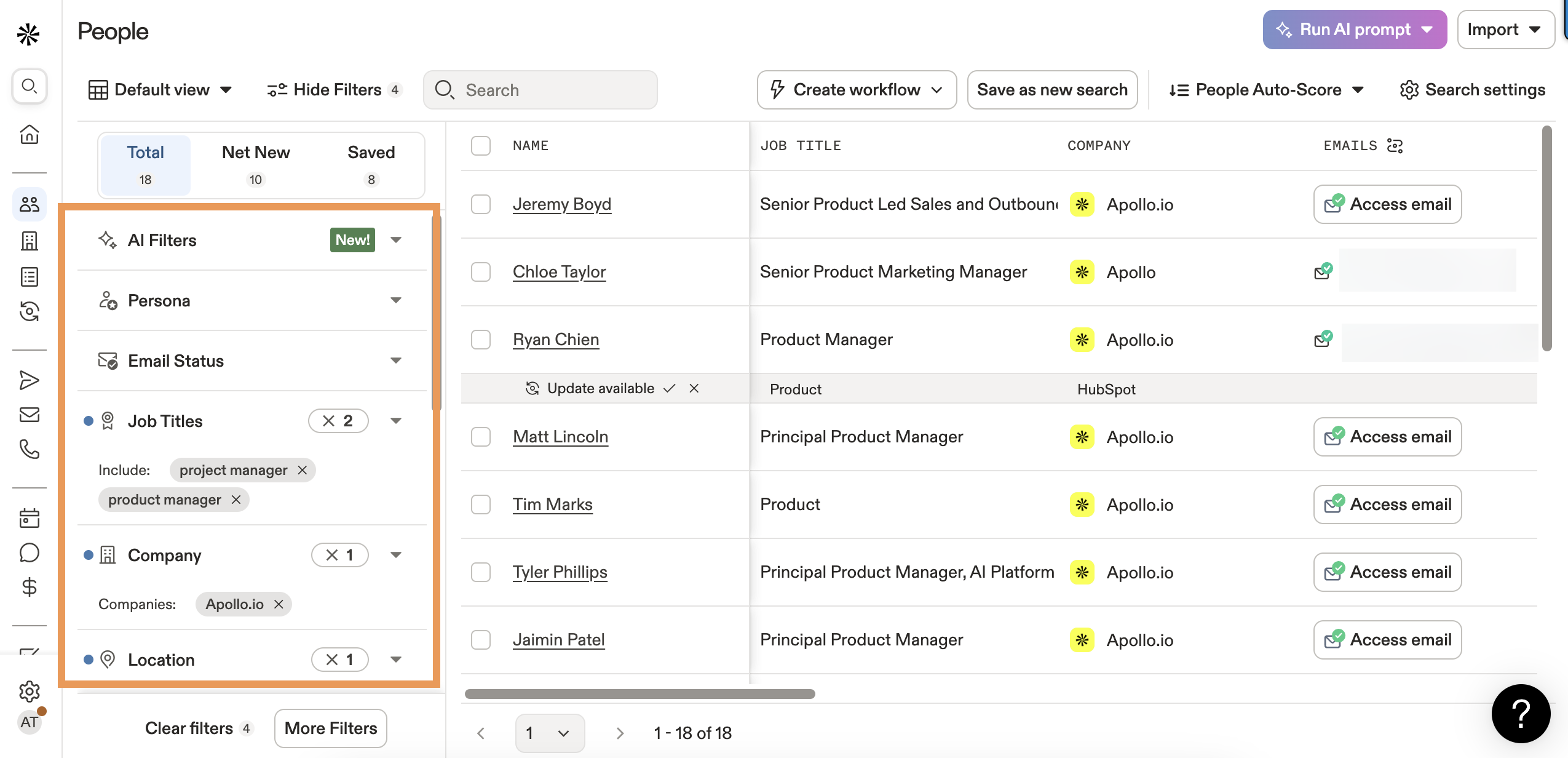
Apollo is the obvious starting point for teams that want prospecting and sequences in one platform. The free tier gives you 1,200 credits per user per year, and paid plans start around $49/user/month scaling up to $149/user/month. The database is large, the built-in sequencer is genuinely useful, and the G2 rating of 4.7/5 across 9,197+ reviews reflects real satisfaction. The tradeoff: Apollo's credit system gets expensive fast at scale, and email accuracy doesn't match dedicated verification tools. If you're running high-volume outbound, pair Apollo's database with a verification layer.
Clay
Use this if you're a RevOps team that wants to build custom enrichment workflows querying 150+ data sources in sequence. Clay's waterfall approach fills gaps that any single provider misses, and it's used by 300,000+ GTM teams. Starting at $149/month.
Skip this if you want plug-and-play simplicity. Clay requires setup - building tables, configuring enrichment waterfalls, mapping outputs. It's powerful but not a "search and export" tool. Think of it as the middleware layer between your data sources and your CRM.
Lusha
Lusha's sweet spot is quick phone number lookups for small teams. The free tier gets you started, and Pro plans start at around $22.45/month. The database is solid for direct dials in North America, though coverage thins out in EMEA. A good complement to a primary database, not a replacement for one.
Hunter.io
Hunter does one thing well: finding email addresses associated with a domain. Free tier available, paid plans start at $49/month. Lightweight, fast, budget-friendly. The limitation is that Hunter's database is smaller than dedicated B2B platforms, and verification is basic compared to multi-step systems.
Seamless.AI
From $147/month. AI-powered real-time search that's better for teams who want to search and compile lists on the fly rather than working from static exports. Accuracy varies - verify everything independently.
LinkedIn Sales Navigator
From $99/month. Strong for account-based targeting and relationship mapping, but doesn't include verified emails or phone numbers. Pair with a data provider for contact details.
ZoomInfo
Enterprise-grade, $15,000-$40,000+/year. The deepest US database and the broadest feature set - intent data, chat, workflow automation, the works. But for list building specifically, you're paying roughly $1/lead for a platform most SMB teams use as a glorified search bar. That's $1/lead vs. $0.01/lead with a dedicated verification tool.
Let's be honest: if your average deal size is under five figures, you almost certainly don't need ZoomInfo-level data. A verified database with strong accuracy and a good sequencer will outperform an enterprise platform that your team uses at 20% of its capacity.
| Tool | Best For | Starting Price | Email Accuracy | Key Differentiator |
|---|---|---|---|---|
| Prospeo | Verified emails + dials | Free (75/mo) | 98% | 7-day refresh, $0.01/email |
| Apollo.io | All-in-one + sequences | Free, $49/user/mo | ~85% | Built-in sequencer |
| Clay | Waterfall enrichment | $149/mo | Varies by source | 150+ data providers |
| Lusha | Quick phone lookups | Free, $22.45/mo | ~80-85% | Fast direct dials |
| Hunter.io | Email finding, budget | Free, $49/mo | ~85% | Domain search |
| Seamless.AI | Real-time AI search | $147/mo | ~80-85% | AI-powered search |
| Sales Navigator | Account targeting | $99/mo | N/A (no emails) | Relationship mapping |
| ZoomInfo | Enterprise GTM | ~$15K-$40K+/yr | ~87% | Deepest US database |
You just read that bad data - not bad messaging - kills outbound campaigns. Prospeo gives you the exact workflow this guide recommends: ICP-filtered search, waterfall enrichment with 50+ data points, catch-all verification, and direct push to your CRM. All at $0.01 per email, no contract required.
Your prospect list is only as good as the data behind it. Get 98% accuracy.
Mistakes That Kill Your List
Skipping verification. That 23% annual decay stat isn't theoretical. We've seen teams launch sequences with "verified" data from other providers and hit 15-20% bounce rates on day one. Every bounced email chips away at your sender reputation, which affects deliverability for every future campaign.
Giving up too early. 44% of salespeople give up after one follow-up. Meanwhile, 80% of sales happen between the 5th and 12th contact. Your list isn't broken - your persistence is. Build follow-up cadences of at least 5-8 touches before moving a prospect to cold.
Volume over quality. Blasting 5,000 unqualified contacts feels productive. It's not. A list of 200 verified, ICP-matched prospects will outperform 5,000 scraped contacts every time - ask anyone who's been through a domain reputation recovery and they'll tell you the same thing.
No personalization. 97% of marketers see better outcomes from personalization, and mentioning even one commonality with a prospect lifts acceptance rates by 46%. Your prospect list template should include prospect pain points and trigger fields specifically so reps have personalization hooks before they write a word.
Treating list building as a one-time task. At 2.1% monthly decay, a list you built in January is 6% stale by April and 12% stale by July. Monthly refresh isn't optional - it's maintenance. Automate it with a tool that refreshes data on a weekly cycle, or block time every month to re-verify and prune.
Benchmarks: What Good Looks Like
Cold calling converts at a 6.7% meeting-booked rate based on a study of 55,000+ dials, with a 16.6% connect rate. It takes an average of 8 attempts to reach a prospect, and calling between 4-5 PM yields 71% better results than the late-morning window.
On the email side, 43% of buyers say it's acceptable for sellers to contact them five or more times before getting through. That's permission to be persistent - as long as each touch adds value.
Every one of these numbers improves when your list data is accurate. A 16.6% connect rate assumes you're dialing real numbers. A 6.7% meeting rate assumes you're reaching the right person. Bad data doesn't just waste time - it makes every benchmark in your org look worse than it should.
Compliance Quick-Check
Before you launch outreach from any prospect list, run through this:
- GDPR (EU/UK): B2B outreach can rely on legitimate interest, but you need a documented basis, and the prospect must be able to opt out easily
- CAN-SPAM (US): Every email needs a clear opt-out mechanism and your physical business address
- Suppression lists: Maintain and honor opt-out/unsubscribe lists across all campaigns - this isn't optional
- Data minimization: Only collect fields you'll actually use for outreach
- DPA with vendors: Any data provider you use should offer a Data Processing Agreement
- Retention limits: Set a policy for how long you keep prospect data - if someone hasn't engaged in 12 months, purge or re-consent
Most guides on building a prospect list skip compliance entirely. That's a mistake, because GDPR enforcement can get expensive fast. If you need a practical outbound playbook, start with GDPR for Sales and Marketing.
FAQ
How many contacts should a prospect list include?
Start with 50-100 highly qualified prospects per rep per week rather than thousands of unverified contacts. Quality compounds - a tight list with 98% valid emails and strong ICP fit will generate more pipeline than a bloated list of 5,000 names with 20% bounce rates.
How often should I refresh my list?
Monthly at minimum. Email data decays at 2.1% per month, so a list older than 90 days is already ~6% stale. Tools with weekly refresh cycles handle this automatically; if yours doesn't, block time on the first of every month to re-verify.
Should I buy a pre-built prospect list?
Almost never. Purchased lists have poor ICP fit, stale data, and serious compliance risk under GDPR and CAN-SPAM. Build your own using a verified database - you'll get better deliverability and full control over targeting.
What's the difference between a lead list and a prospect list?
A lead list is raw and unqualified - names from an event, a webinar, or a purchased database. A prospect list is filtered against your ICP, enriched with context like pain points and buying signals, and verified for outreach. The distinction matters because outreach to unqualified leads wastes rep time and damages sender reputation.
Can I build a prospect list without expensive tools?
Yes. Use free professional network searches to identify decision-makers, company websites and press releases for context, and a free-tier email finder to locate addresses. Paid tools compress the timeline from days to minutes, but the workflow - define ICP, source contacts, verify emails, organize in a template - stays the same regardless of budget.