

How to Warm Up a Cold Email Account Without Wasting 3 Weeks
You warmed up for two weeks, launched your first campaign, and 40% landed in spam. Sound familiar?
Most cold email warm up guides are 3,000 words of fluff that never mention the one thing that actually tanks your deliverability: bad email data. We've watched teams follow warmup schedules to the letter, only to torch their sender reputation the moment they load an unverified list. Here's the complete playbook - schedule, tools, pricing, and the step almost everyone skips.
What You Need (Quick Version)
- Set up SPF, DKIM, and DMARC before anything else. Skipping authentication drops deliverability by up to 30%.
- Follow the 4-week ramp schedule below. Start at 5 emails/day, cap at 30-40.
- Verify your list before your first campaign. Warmup builds reputation. Bad data destroys it.
Does Email Warmup Still Work in 2026?
Yes - but only for new or inactive inboxes. It's not a long-term fix, and it won't save you from poor engagement or dirty lists. An analysis of 1M+ cold emails showed that senders following best practices hit 96-98% inbox placement. The warm-up phase gets you through the door. Everything after that depends on your data, your copy, and your cadence.
If your mailbox is already established but underperforming, skip warmup tools entirely and focus on ramping real campaign volume gradually instead.
Here's the thing: most teams obsess over warmup schedules when the real problem is they're sending to garbage data. A perfectly warmed domain sending to an unverified list will land in spam faster than a half-warmed domain sending to 200 verified contacts. We've seen this play out dozens of times across agency clients, and the pattern is always the same - the domain gets flagged within 48 hours of the first real campaign send.
Pre-Warmup Checklist
Before you send a single warmup email, nail these. This setup is what separates senders who hit the inbox from those who get flagged on day one.
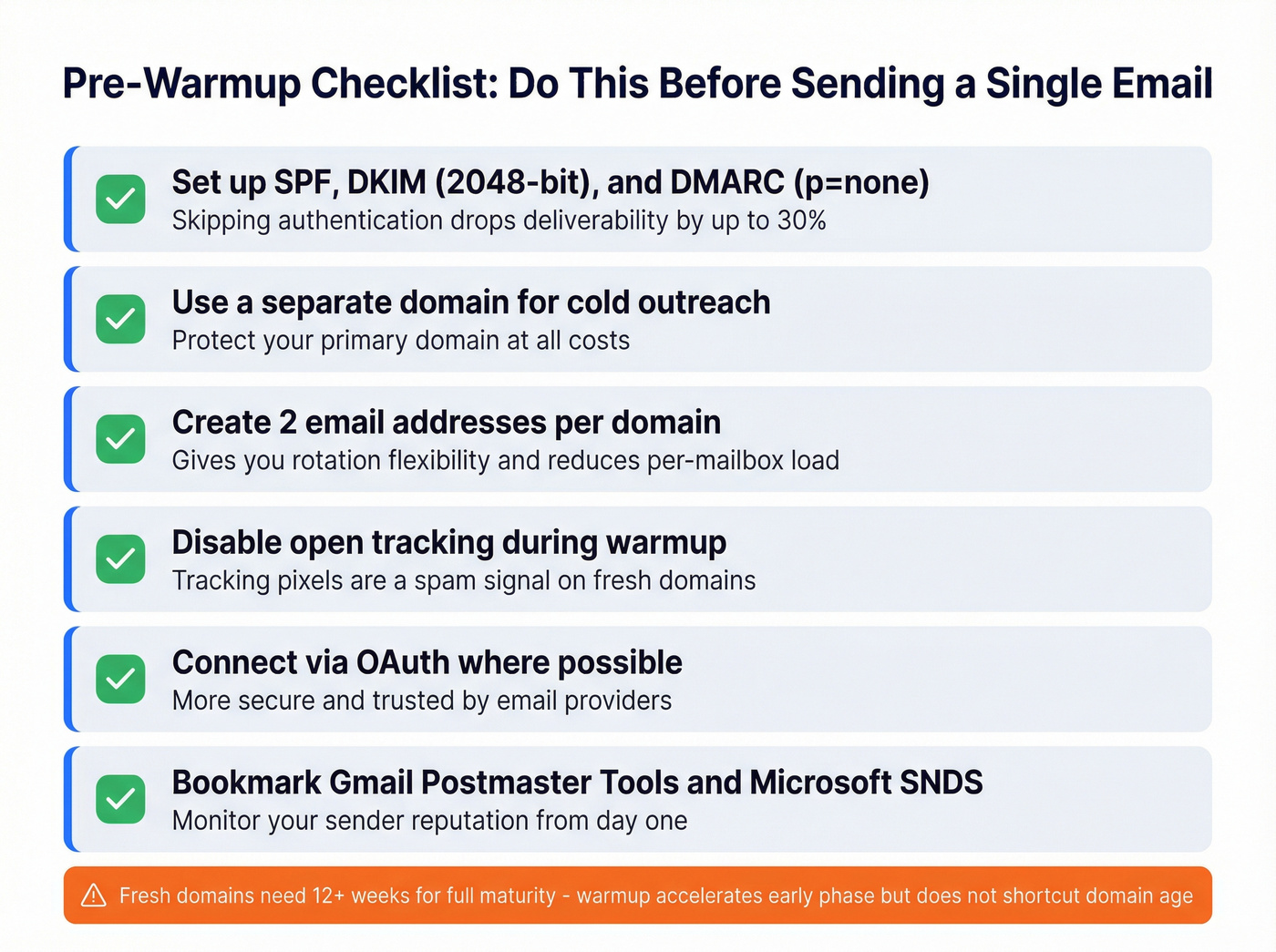
- Publish one SPF record, enable DKIM with a 2048-bit key, and start DMARC in monitor mode (p=none). Non-negotiable.
- Use a separate domain for cold outreach. Protect your primary domain at all costs.
- Set up 2 email addresses per domain. Gives you rotation flexibility and reduces per-mailbox load.
- Disable open tracking during warmup. Tracking pixels are a spam signal on fresh domains.
- Connect via OAuth where possible.
- Bookmark Gmail Postmaster Tools and Microsoft SNDS. You'll need these to monitor reputation from day one.
Fresh domains need 12+ weeks to reach full maturity. The warm-up process accelerates the early phase but doesn't shortcut domain age. Plan accordingly.
Day-by-Day Warmup Schedule
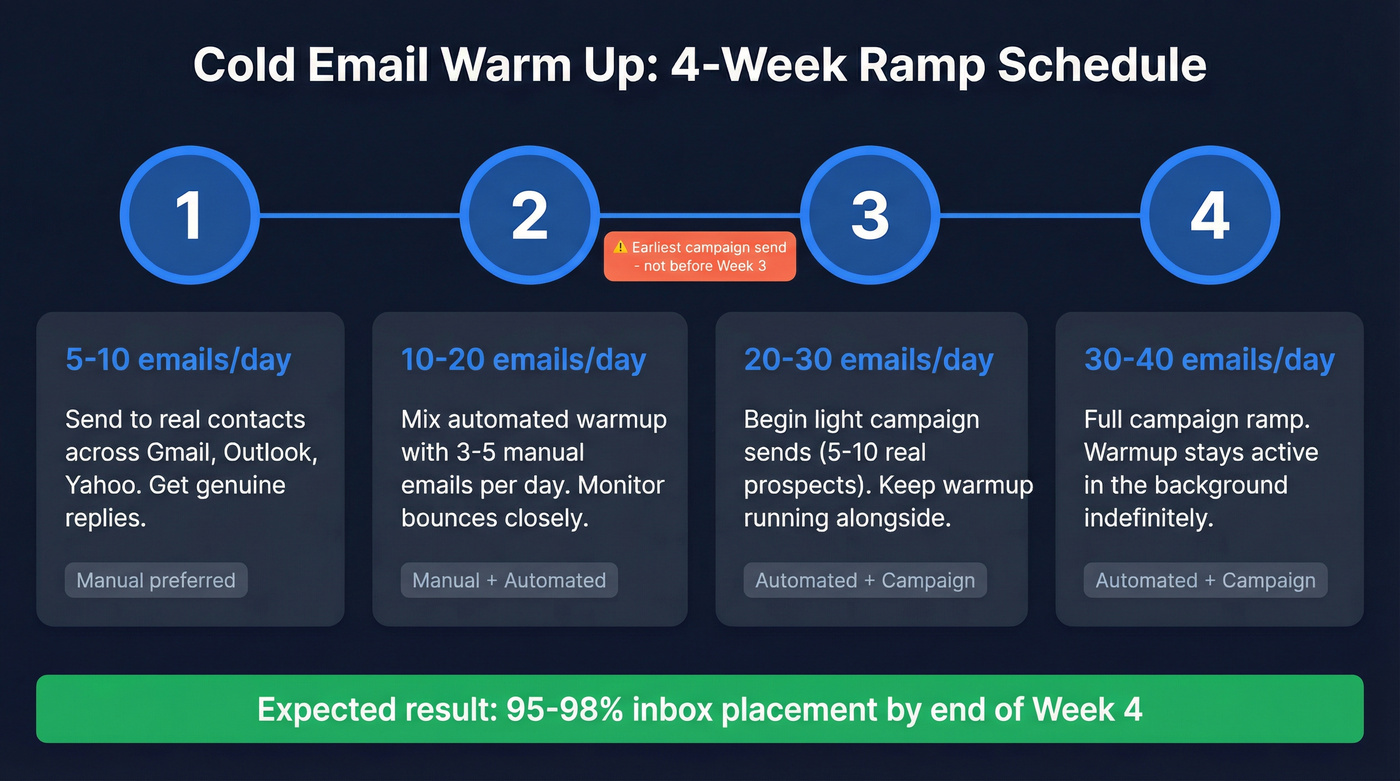
Here's the ramp we recommend. Warmup emails count toward your total daily volume - don't stack them on top of campaign sends.
| Week | Daily Volume | Actions | Manual or Automated |
|---|---|---|---|
| 1 | 5-10/day | Send to real contacts across Gmail, Outlook, Yahoo. Get replies. | Manual preferred |
| 2 | 10-20/day | Mix automated warmup with 3-5 manual emails/day. Monitor bounces. | Both |
| 3 | 20-30/day | Begin light campaign sends (5-10 real prospects). Keep warmup running. | Automated + campaign |
| 4 | 30-40/day | Full campaign ramp. Warmup stays active in background. | Automated + campaign |
Two weeks is the minimum before any campaign sends. In a 3-week test documented by Snov.io, fresh Gmail accounts started around 74-76% deliverability and ended at 95% after three weeks, with a dip during a deliberately "spammy" test in week two. Instantly recommends starting at 10 warmups daily - we've found 5-10 works fine if you're getting genuine replies.
For manual warming, send casual, human-sounding messages. No cold pitches, no links, no images. The goal is real replies from real people across different email providers.

Your warmup schedule is only as good as the list you send to. Prospeo's 5-step verification removes spam traps, honeypots, and invalid addresses before they ever hit your inbox - delivering 98% email accuracy across 143M+ verified contacts. At $0.01 per email, protecting a month of warmup work costs less than your morning coffee.
Don't let bad data undo four weeks of warmup in one afternoon.
Warmup Tool Pricing
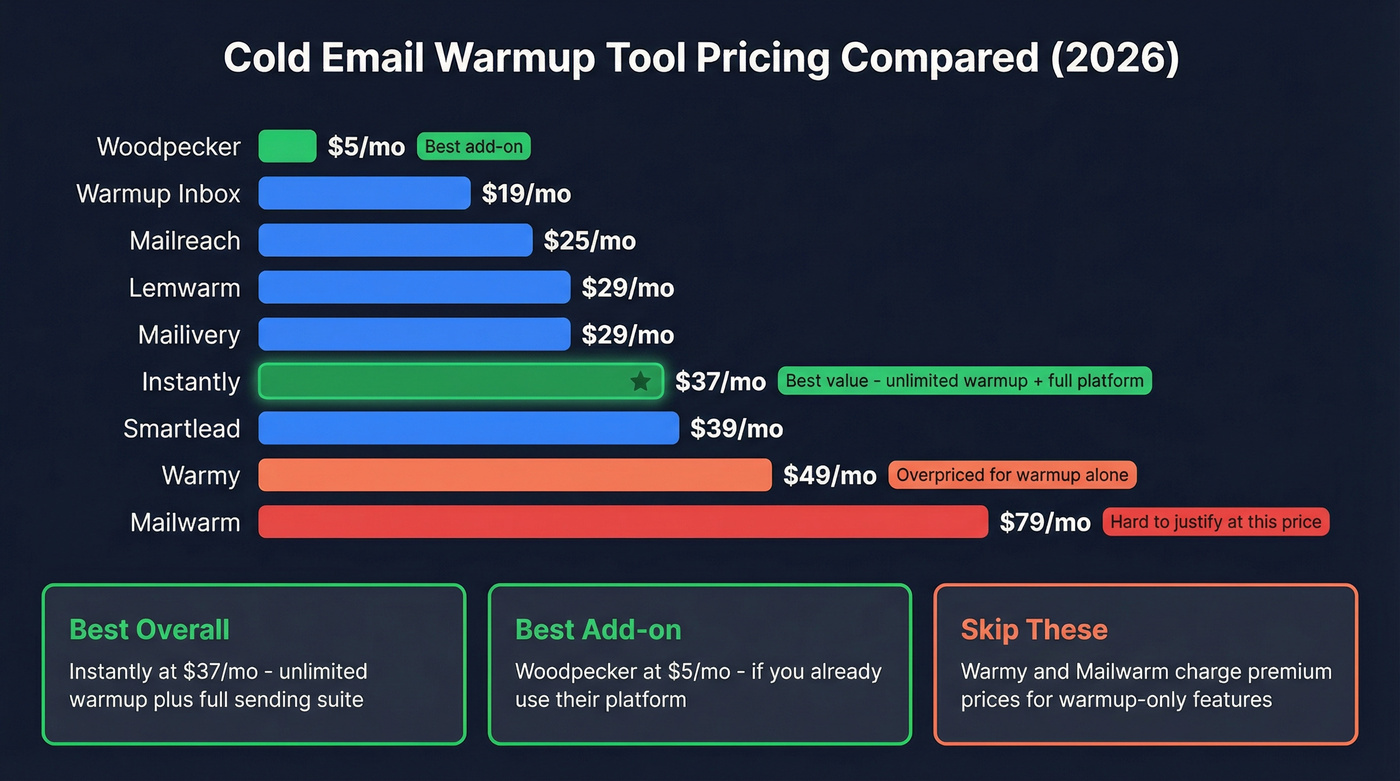
Here's what you'll actually pay. Each tool handles warmup differently, so match the model to your sending setup:
| Tool | Starting Price | Model | Includes |
|---|---|---|---|
| Warmup Inbox | $19/mo | Per mailbox | Basic warmup |
| Mailreach | $25/mo | Per mailbox | 20 spam test credits |
| Lemwarm | $29-49/mo | Per mailbox | Warmup + analytics |
| Mailivery | $29-199/mo | Unlimited mailboxes | Pool-based with per-mailbox caps |
| Instantly | $37/mo | Unlimited warmup | Full cold email suite |
| Smartlead | $39-174/mo | Per plan | Multi-channel |
| Warmy | $49-189/mo | Per mailbox | Volume tiers |
| Woodpecker | $5/mo add-on | Per mailbox | Bolt-on to existing |
| Mailwarm | $79/mo | Per mailbox | Warmup only |
Best value? Instantly at $37/mo gives you unlimited warmup plus a full sending platform. If you're already on Woodpecker, their $5/mo add-on is a no-brainer.
Skip Warmy - $49/mo per mailbox for warmup alone is hard to justify when Instantly bundles it with everything else. Same goes for Mailwarm at $79/mo for warmup alone. Unless you have a specific reason to use a standalone tool, you're overpaying.
Mistakes That Kill Your Warmup
Sending 2,000+ emails from a new domain. Sudden spikes get you throttled or blocked immediately. There's no recovering from this quickly.
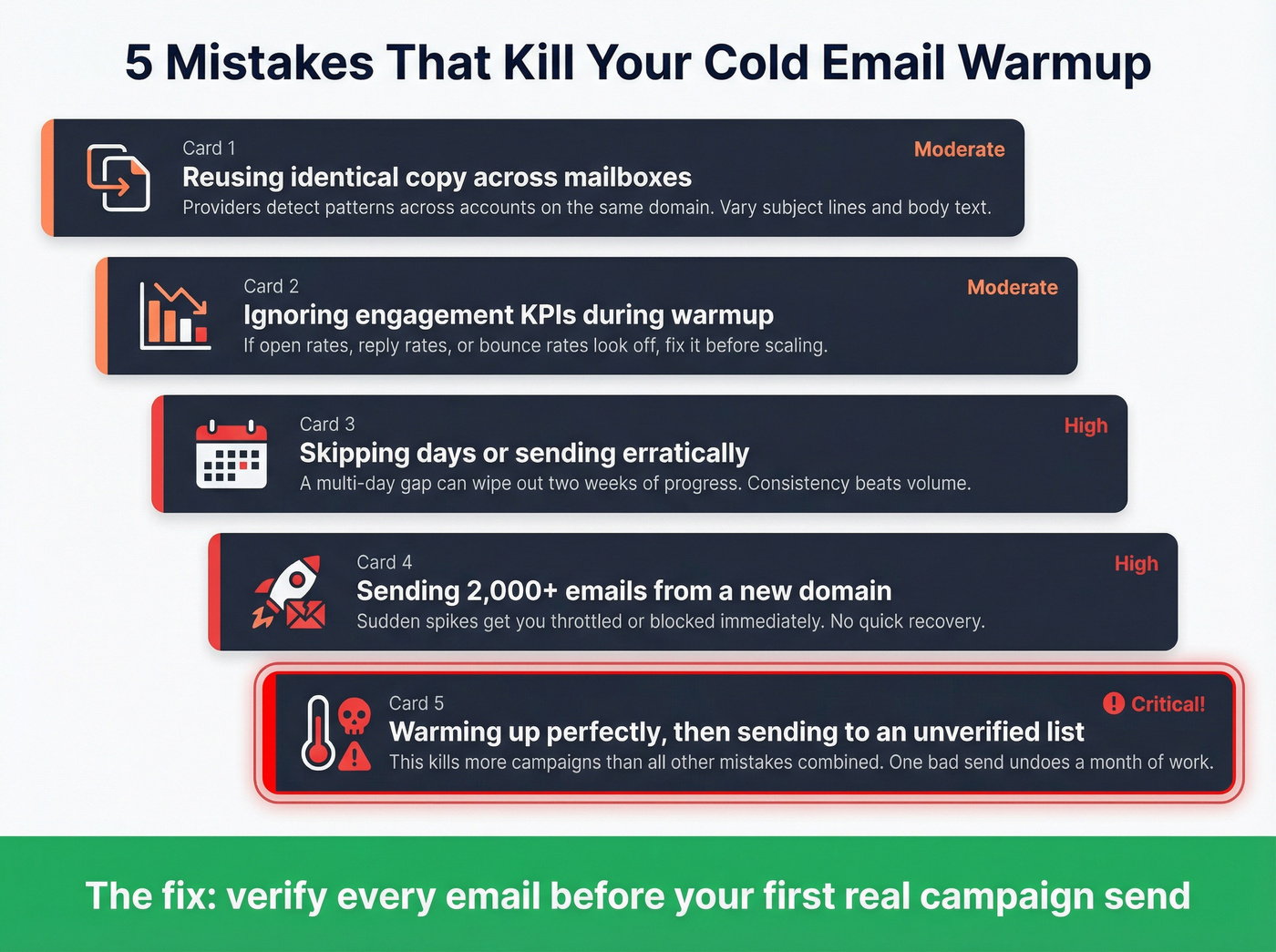
Skipping days or sending erratically. Consistency matters more than volume. A multi-day gap can wipe out two weeks of progress, and the consensus on r/coldemail is that irregular sending patterns are the number-one warmup killer people don't talk about.
Reusing identical copy across mailboxes. Providers detect patterns across accounts on the same domain. Vary your subject lines and body text.
Ignoring engagement KPIs. If your open rates, reply rates, or bounce rates look off during warmup, something's wrong. Fix it before scaling. (If you want a deeper checklist, use our email deliverability checklist.)
Warming up perfectly - then sending to an unverified list. This is the mistake that kills more campaigns than all the others combined. Let's be honest: if you nail every step above and then load 5,000 unverified emails, you've wasted a month.
The Missing Piece: Data Quality
You can execute your cold email warm up flawlessly and still land in spam on day one of your real campaign. The reason is almost always bad data. If you want the full framework, start with data quality.
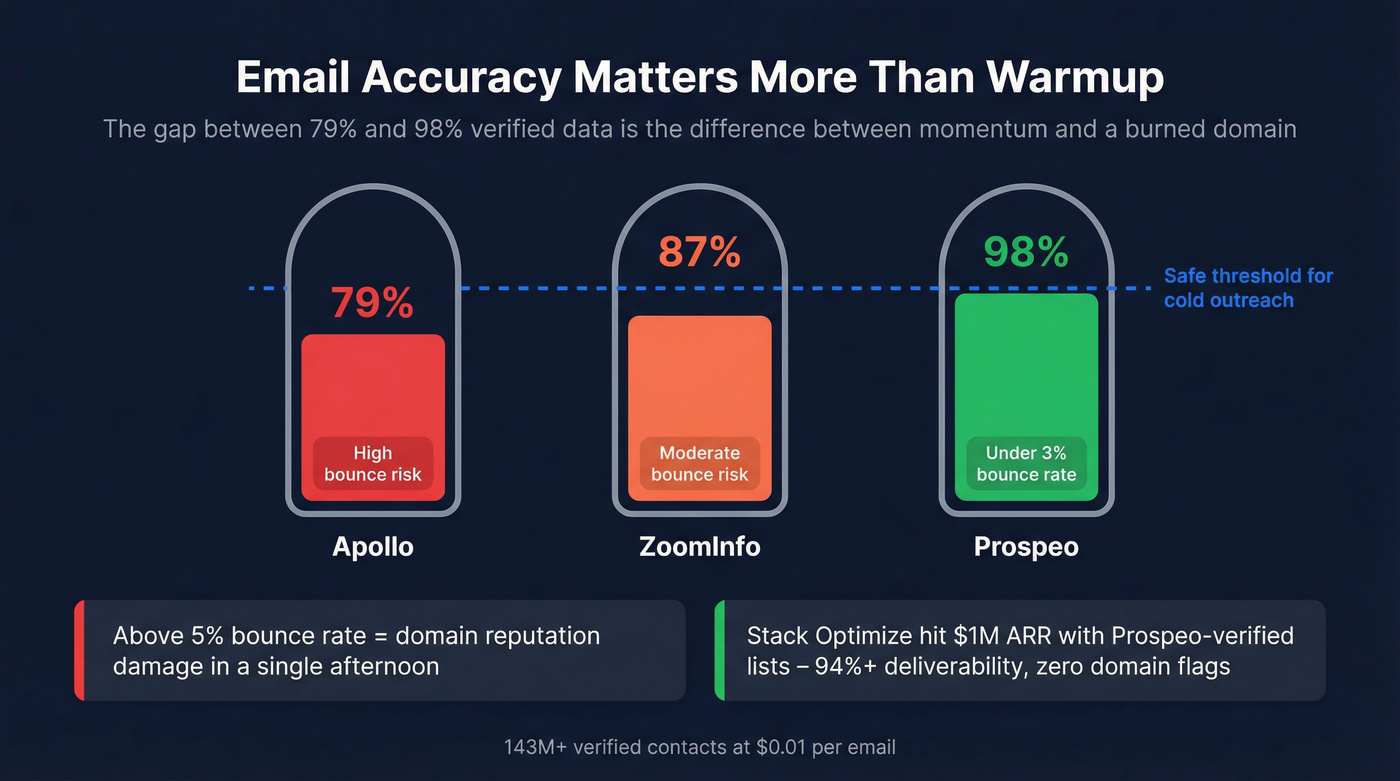
A bounce rate above 5% after warmup is a major red flag. That can undo weeks of reputation building in a single afternoon. We've seen it happen repeatedly - one agency we work with, Stack Optimize, built from $0 to $1M ARR running Prospeo-verified lists. They maintain 94%+ deliverability, under 3% bounce rates, and zero domain flags across all clients. That's what clean data looks like at scale.
Prospeo's 5-step verification catches invalid addresses, spam traps, and honeypots before they ever touch your sending infrastructure, delivering 98% email accuracy across 143M+ verified addresses. For context, ZoomInfo averages 87% email accuracy and Apollo sits at 79%. The gap between 79% and 98% verified data is the difference between a campaign that builds momentum and one that burns your domain before lunch.

Stack Optimize built a $1M agency with zero domain flags because every email they sent was Prospeo-verified. Under 3% bounce rates, 94%+ deliverability, across every client. That's what happens when your data matches your warmup discipline - 98% accuracy vs. the 79-87% you get from Apollo and ZoomInfo.
Ship your first campaign on data that won't burn your sender reputation.
Scaling After Warmup
Don't treat the end of warmup as a finish line. Cap at 30-40 emails per day per mailbox - going higher invites throttling even on a warmed account. If you need guardrails, follow cold email volume best practices.
Check Gmail Postmaster Tools and Microsoft SNDS weekly at minimum. Run multi-touch sequences of 3-5 emails over 2 weeks, which doubled reply rates compared to single-touch campaigns in the same dataset. And keep warmup running in the background. Don't turn it off after launch, because it maintains the engagement signals that got you into the inbox in the first place. (If you're building sequences, use these outreach email templates.)
For teams running 5+ mailboxes, rotate sending domains and stagger campaign launches across accounts so no single domain absorbs a volume spike. Treat warmup as ongoing maintenance, not a one-time task. If you’re scaling hard, follow the playbook on how to scale outbound campaigns without wrecking deliverability.
FAQ
How long does cold email warm up take?
Two to four weeks minimum for new domains. Full domain maturity takes 12+ weeks. Don't rush the early phase - proper warmup is what separates sustainable outreach from domains that get burned within a month.
Can you warm up a free Gmail account?
You can, but it's impractical. Gmail caps free accounts at 500 sends/day, and personal Gmail is a poor fit for cold outbound. Use Google Workspace on a separate outreach domain instead - it costs $7/mo and gives you proper authentication controls.
What's a good bounce rate after warmup?
Under 3% is excellent. Over 5% means your list needs cleaning before you send another campaign. Prospeo's free tier lets you verify a starter list at 98% accuracy - enough to protect a freshly warmed domain without spending anything.