

Email Closing Templates: 20+ Copy-Paste Endings for Every Scenario
You just drafted a cold email to a VP of Sales. The body is tight, the subject line is sharp, and now you're staring at the cursor wondering how to land the plane.
Here's the thing: your closing line has more impact on whether you get a reply than any sentence in the middle of your email. Most email closing template roundups give you 50 sign-offs and call it a day. You don't need 50. You need six closings and a decision framework for picking the right one.
Three Rules That Cover 90% of Email Closings
- End sales emails with a specific question. Question-based CTAs get 2x more replies than vague endings like "let me know your thoughts." (If you want more CTA patterns, see our guide to email call to action.)
- Use a gratitude closing for everything else. Research analyzing 350,000+ email threads found gratitude-based closings hit a 62% response rate vs. 46% without one.
- Stop writing after your CTA. Don't dilute it with extra text, a P.S., or a second ask.
That's it. Everything below is the detail behind those three rules.
Why Your Closing Line Matters More Than Your Sign-Off
Cold email reply rates dropped from 6.8% in 2023 to 5.8% in 2024 across 16.5 million emails analyzed by Belkins. Every element of your email is fighting harder for attention, and the closing line is where the reader decides whether to reply or archive.
That 350,000-thread study? It found "thanks" variations drove a 62% response rate compared to 46% without a gratitude-based closing - a 36% relative lift, enough to move a stalled pipeline. The emotional tone of your last sentence shapes whether the reader feels compelled to respond. Your sign-off ("Best regards" vs. "Cheers") matters far less than the sentence right before it.
Anatomy of a Perfect Email Ending
Every email ending has five layers. Skip one and you lose either replies or credibility.
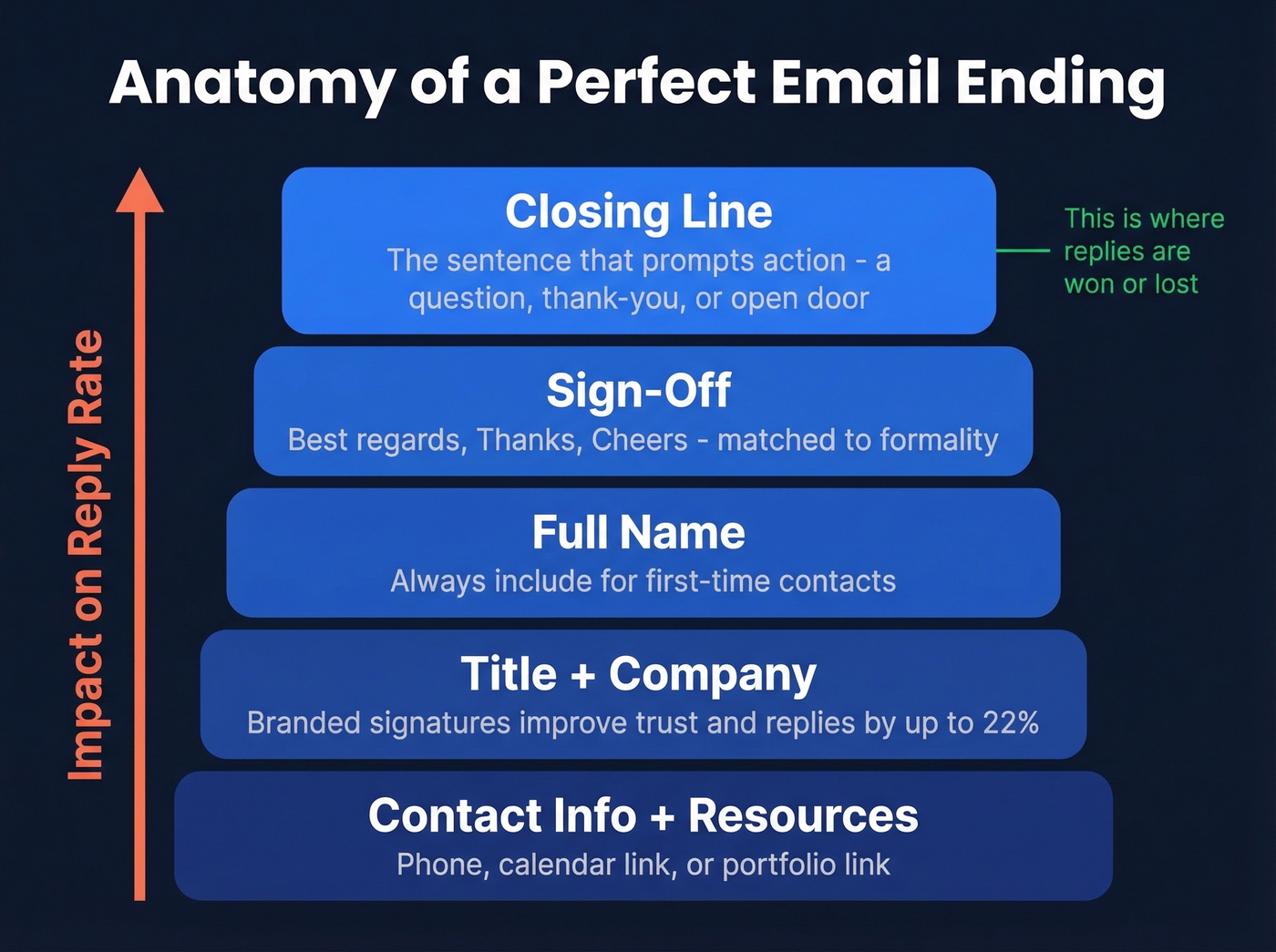
- Closing line - the sentence that prompts action: a question, a thank-you, or an open door
- Sign-off - "Best regards," "Thanks," "Cheers," matched to formality
- Full name - always include it for first-time contacts
- Title + company - especially for cold outreach; branded signatures improve trust and reply rates by up to 22%
- Contact info + resources - phone number, calendar link, or portfolio link (and if you're adding links, keep an eye on email deliverability)

A perfect closing template is worthless if your email bounces. Prospeo's 98% email accuracy means your carefully crafted sign-offs actually land in real inboxes - not spam traps or dead addresses. At $0.01 per verified email, you can A/B test every closing variant at scale.
Stop perfecting closings for emails that never arrive.
Templates by Scenario
Formal & Professional Closings
"Best regards" and "Sincerely" remain the two safest defaults for any professional context. Etiquette expert Jacqueline Whitmore recommends matching the tone of the person you're replying to - if they open with "Dear," respond in kind.
First-time outreach to a senior executive: "Thank you for your time, and I look forward to your perspective. Best regards,"
Responding to a formal introduction: "I appreciate the connection and look forward to speaking soon. Sincerely,"
Following up on a proposal: "Please don't hesitate to reach out with any questions. Kind regards,"
Simple rule: match the formality of the relationship, not the formality you wish the relationship had.
Sales & Cold Outreach Closings
This is where your closing line earns its keep. Question-based CTAs get 2x more replies than vague endings, and hyper-personalized emails see 18.3% response rates vs. 2.1% for generic ones. A personalized closing outperforms a templated one every time. (For more structure, use a B2B cold email sequence instead of one-offs.)
Keep your entire email to 6-8 sentences - that sweet spot pulls a 6.9% reply rate - and let the closing do the heavy lifting. Directors respond at about 4.2x the rate of C-suite, so tailor your closing's formality accordingly. If you're still iterating on the top of the email, borrow from these email subject line examples.
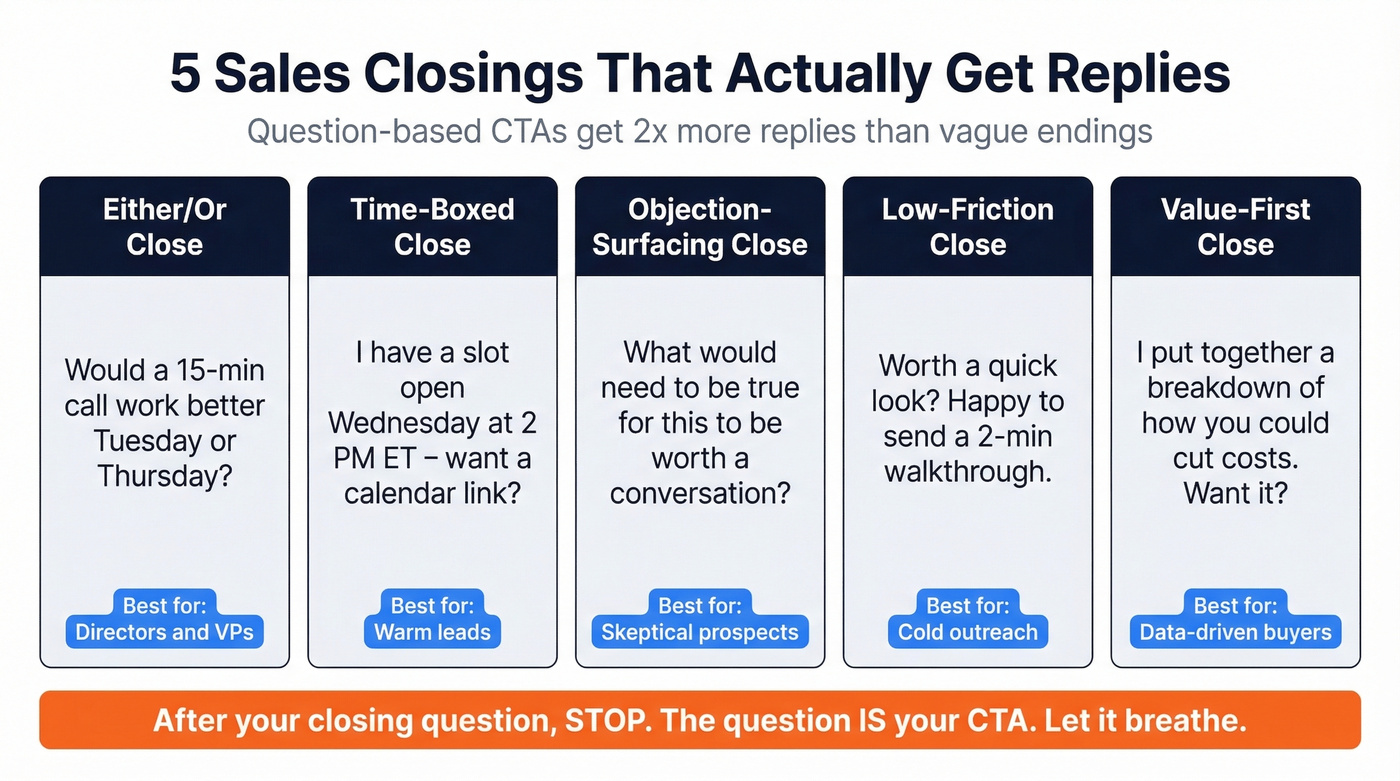
In our experience, the either/or close outperforms open-ended questions every time. Here are the five closers we keep coming back to:
- Either/or close: "Would a 15-minute call work better Tuesday or Thursday afternoon?"
- Time-boxed close: "I've got a slot open Wednesday at 2 PM ET - want me to send a calendar link?"
- Objection-surfacing close: "What would need to be true for this to be worth a conversation?"
- Low-friction close: "Worth a quick look? Happy to send a 2-minute walkthrough."
- Value-first close: "I put together a short breakdown of how [Company] could cut [X]. Want me to send it over?"
Each gives the reader a clear next step instead of leaving them to decide what to do. After your closing question, stop. Don't add "Looking forward to hearing from you" or "Let me know either way." The question is your CTA. Let it breathe.
And A/B test your closings - send each variant to 500+ emails before declaring a winner. (If you're building pipeline, these sales prospecting techniques pair well with closing tests.)
Follow-Up Email Closings
One-email sequences actually have the highest reply rate at 8.4%. Adding a third email can drop reply rates by up to 20%. Your first closing should be strong enough that you don't need a fifth follow-up. If you need ready-to-send sequences, use these sales follow-up templates.
| Follow-Up Type | Template |
|---|---|
| Gentle nudge | "Just circling back - does the timing work for a quick call this week?" |
| New value add | "Saw [relevant news about their company]. Thought this might be useful - worth 10 minutes?" |
| Permission-based exit | "If the timing isn't right, no worries. Should I check back next quarter?" |
| Direct ask | "I know inboxes are brutal. Is this still on your radar, or should I close the loop?" |
The permission-based exit is underrated. It respects the recipient's time and, counterintuitively, often triggers a reply because it removes pressure.
Customer Service Closings
Support emails have a different job: confirm resolution, invite questions, and close the loop. Zendesk benchmarks one hour as the target first-reply time, but the closing determines whether the customer comes back with a follow-up or a complaint.
- Resolution confirmation: "This should be fully resolved now. If anything looks off, just reply to this thread and we'll jump back in."
- Feedback request: "Glad we could get this sorted. If you have 30 seconds, your feedback helps - [link]."
- Escalation handoff: "I've looped in [Name] from our [team] who can help with next steps. They'll reach out within the hour." (If you do a lot of handoffs, keep a few handoff email template options saved.)
Casual & Internal Closings
The "Best fatigue" debate shows up on Reddit regularly - r/ExecutiveAssistants alone has multiple threads on alternatives. Here's the truth: if you're agonizing over whether "Cheers" is too casual for a Slack-era workplace, it isn't.
"Best" is perfectly fine for internal emails, and the discourse is overblown. For quick internal updates, "Let me know if you need anything else - thanks!" does the job. For peer collaboration, "Thoughts? Happy to jump on a call if easier" keeps things moving. And for friendly wrap-ups, "Cheers - talk soon" is all you need.
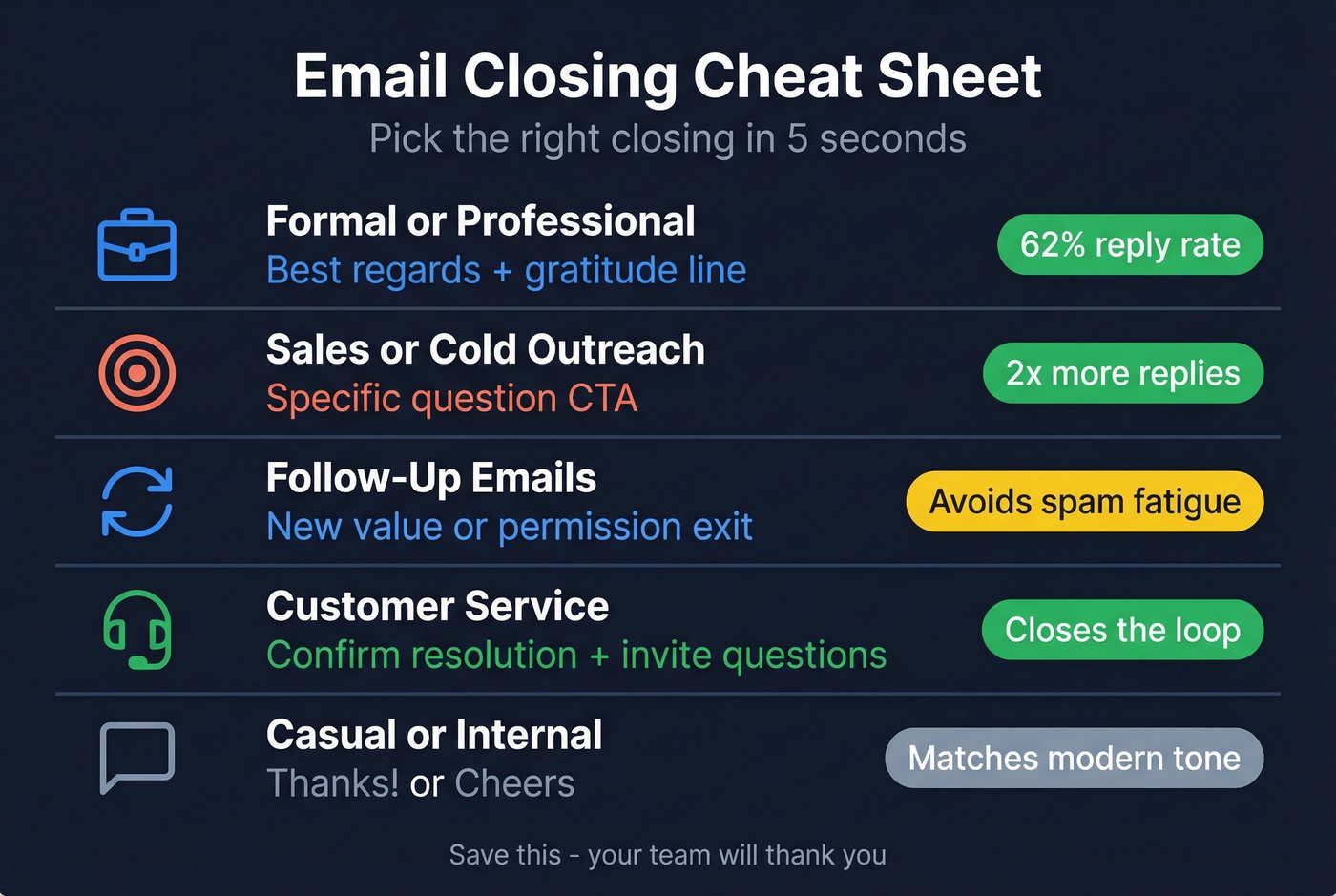
Quick Decision Cheat Sheet
| Scenario | Recommended Closing | Why It Works |
|---|---|---|
| Formal/professional | "Best regards" + gratitude | Safe, universal, +62% replies |
| Sales/cold outreach | Specific question CTA | 2x more replies than vague asks |
| Follow-up | New value or permission exit | Avoids spam fatigue, respects time |
| Customer service | Confirm + invite questions | Closes loop, gets feedback |
| Casual/internal | "Thanks!" or "Cheers" | Matches modern workplace tone |
Five Closing Mistakes That Kill Reply Rates
1. The lazy "let me know"
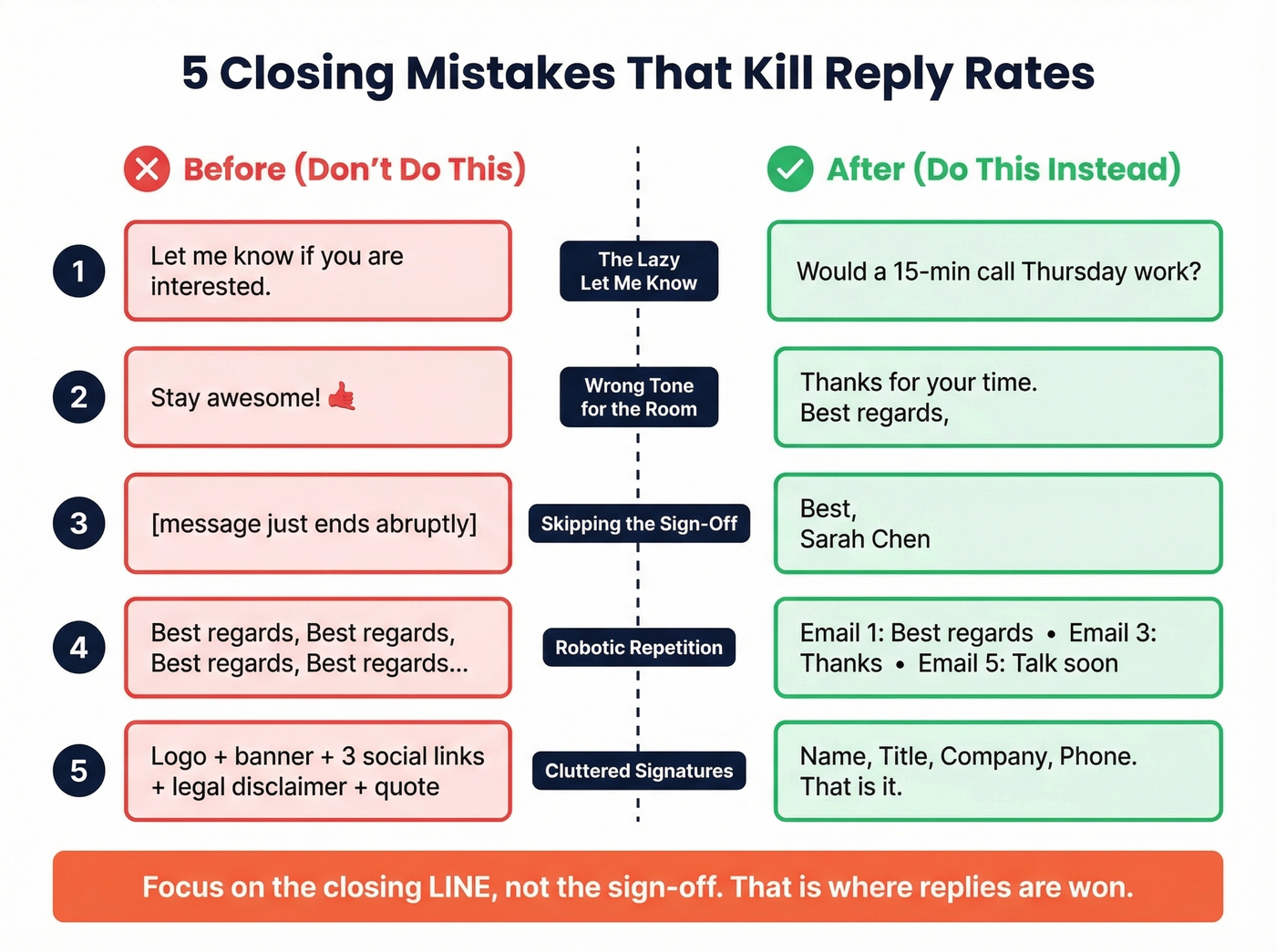
Sales forums are full of threads about this being the laziest possible closing, and the data backs it up. Before: "Let me know if you're interested." After: "Would a 15-minute call Thursday work?" Night and day.
2. Overly casual humor in formal contexts
Before: "Stay awesome! 🤙" After: "Thanks for your time. Best regards," Read the room.
3. Skipping the sign-off entirely
Add at minimum your name and "Best," - abrupt endings feel careless. This is the most common sign-off mistake, and it's the easiest to fix.
4. Repeating the same sign-off robotically
Vary between "Thanks," "Best," and "Talk soon" as a thread gets more casual. We've seen reps send "Best regards" six times in a six-email thread - by email four, it reads like a bot. Sign-offs that evolve with the conversation signal that a real human is on the other end.
5. Cluttered signatures that trigger spam filters
Logo, banner, three social links, a legal disclaimer, and a motivational quote? Strip it down to name, title, company, phone number. Visual clutter causes display issues and can trip spam filters. If you're seeing bounces or placement issues, start with email bounce rate and email spam checker.
Let's be honest about where to spend your energy. Most people obsess over the sign-off when the real difference-maker is the closing line. Swap "Best regards" for "Warm regards" and nothing changes. Swap "Let me know your thoughts" for "Does Thursday at 2 work?" and your reply rate doubles. Spend your time on the sentence that asks for something, not the two words before your name.
You just read that hyper-personalized cold emails hit 18.3% response rates. Prospeo gives you 50+ data points per contact - job title, company size, funding stage, tech stack - so your closing line references something real. Pair the right closing template with the right prospect data and watch reply rates climb.
Personalized closings need personalized data to back them up.
FAQ
What's the best sign-off for professional emails?
"Best regards" is the safest all-purpose sign-off, achieving a 62% response rate when paired with a gratitude-based closing line. Match the formality of your recipient and shift toward "Thanks" or "Cheers" as the relationship warms up.
Do email closings actually affect reply rates?
Yes - significantly. Gratitude-based closings achieve a 62% response rate vs. 46% without one. In sales contexts, question-based CTAs double replies compared to vague endings like "let me know your thoughts."
Which sign-offs should I avoid?
Skip "Sent from my iPhone" (signals low effort), "Thx" (too abbreviated for external contacts), and anything with excessive emojis in formal contexts. Also avoid "Respectfully" unless you're in government or military correspondence - in most business settings it reads as stiff or passive-aggressive.
How do I make sure my cold emails actually get delivered?
Start with verified contact data - bad addresses tank deliverability regardless of how good your closing line is. A tool like Prospeo catches invalid emails, spam traps, and honeypots through a 5-step verification process at 98% accuracy. The free tier covers 75 verifications per month.
Have email sign-offs changed in 2026?
The biggest shift is toward brevity and action. Long, formal closings are giving way to short, direct CTAs paired with a simple "Thanks" or "Best." The fundamentals haven't changed - gratitude and specificity still win - but tolerance for filler has dropped as inboxes get more crowded.