

Your Email Is Landing in Spam - Here's What to Fix First
You sent a proposal and it landed in spam. SPF, DKIM, DMARC - all configured. But Gmail keeps burying your messages. Here's the thing: most guides hand you a flat checklist of 15 items and treat every fix as equally important. They're not. We've spent years watching teams chase the wrong fixes while the real problem sits untouched.
This is the hierarchy, ranked by what actually moves the needle.
What You Need (Quick Version)
- Run a free spam test - Mail-Tester takes a minute and shows what's misconfigured.
- Fix authentication - SPF, DKIM, DMARC with actual DNS records, not just "set it up."
- Clean your list - bounce rates above 3% are a fast track to the spam folder.
- Earn engagement - replies and clicks matter more than subject line tricks.
Diagnose Before You Fix
Don't start changing things until you know what's broken.
For a quick check, Mail-Tester gives you a spam score - send one email, get a report. MXToolbox runs a blacklist check across dozens of DNSBLs in seconds. Low Mail-Tester score? You've got work to do.
For deeper diagnosis, Google Postmaster Tools shows your Gmail-facing reputation and spam-rate trends. Microsoft SNDS covers the Outlook side - IP activity, complaint indicators, spam-trap hits. GlockApps and Everest from Validity run seed tests showing provider-by-provider inbox vs. spam placement, so you can tell if the problem is Gmail-specific or universal. Modern spam filters combine scoring, fingerprinting, and machine learning. They aren't checking a keyword list.
A strong permission-based program typically lands in the 80-95% inbox placement range. Below ~70% is a serious deliverability problem.

Most spam problems start with bad data, not bad content. Prospeo's 5-step verification catches spam traps, honeypots, and catch-all domains before they torch your sender reputation. At 98% email accuracy and a 7-day refresh cycle, your list stays clean automatically.
Stop diagnosing deliverability issues caused by dirty data.
The Fix Hierarchy, Ranked by Impact
Engagement Beats Everything
Replies, opens, and clicks are among the strongest signals modern spam filters use. In our experience, getting replies matters more than any technical tweak - and it isn't close. A practitioner on r/Emailmarketing spent a year in spam hell and reported that removing "spam trigger words" did almost nothing. They called it "advice from 2015."
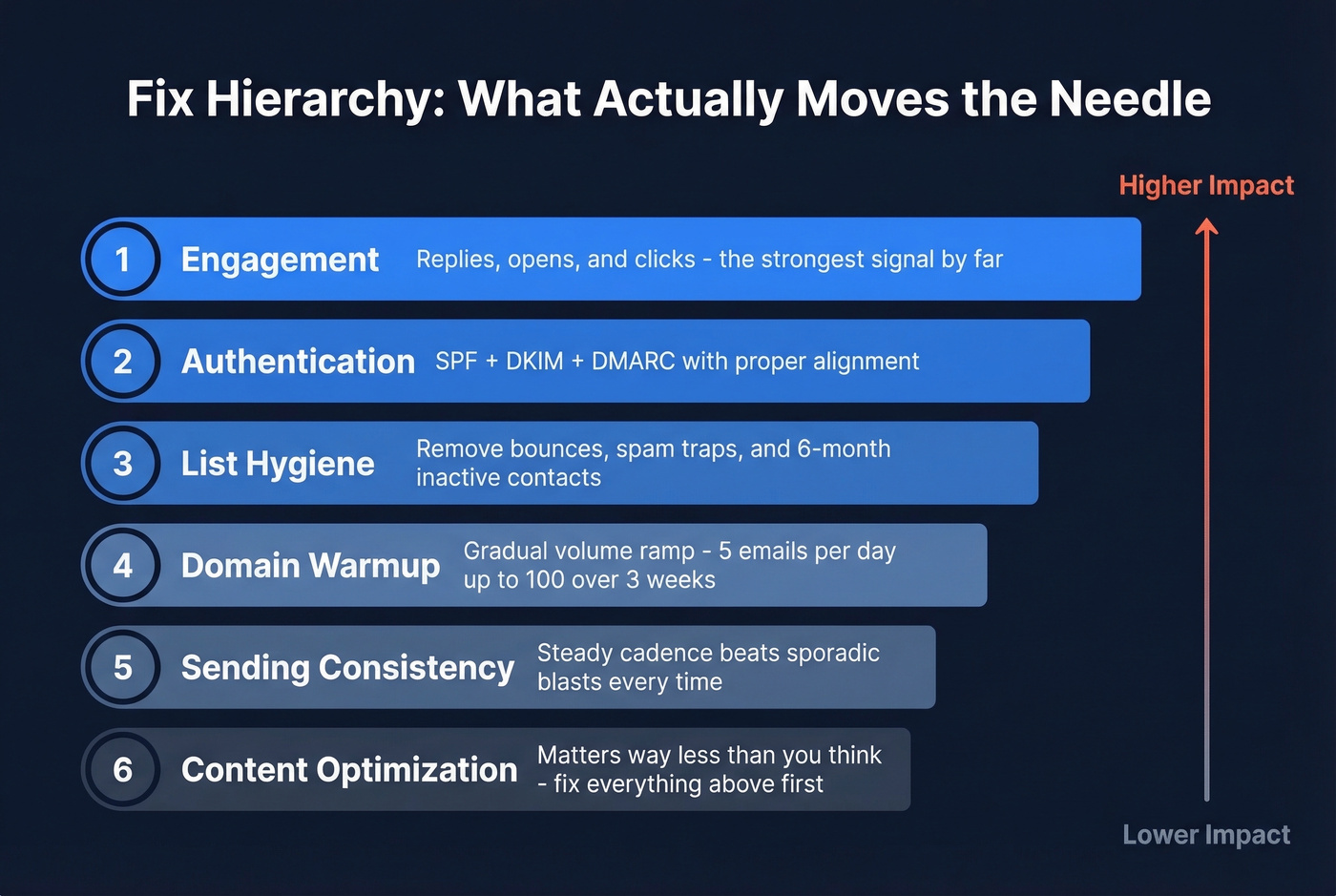
That tracks. A well-authenticated email from a reputable domain can land in the inbox even with "free" in the subject line. Rewrite your emails to be conversational. Ask questions. Make it easy to reply. If you're wondering why messages keep getting filtered despite looking perfectly fine, low engagement is almost always the culprit.
If you're sending cold sequences, the same engagement logic applies - see cold outreach benchmarks and failure modes.
Authentication Done Right
Without proper authentication, most other fixes won't stick.
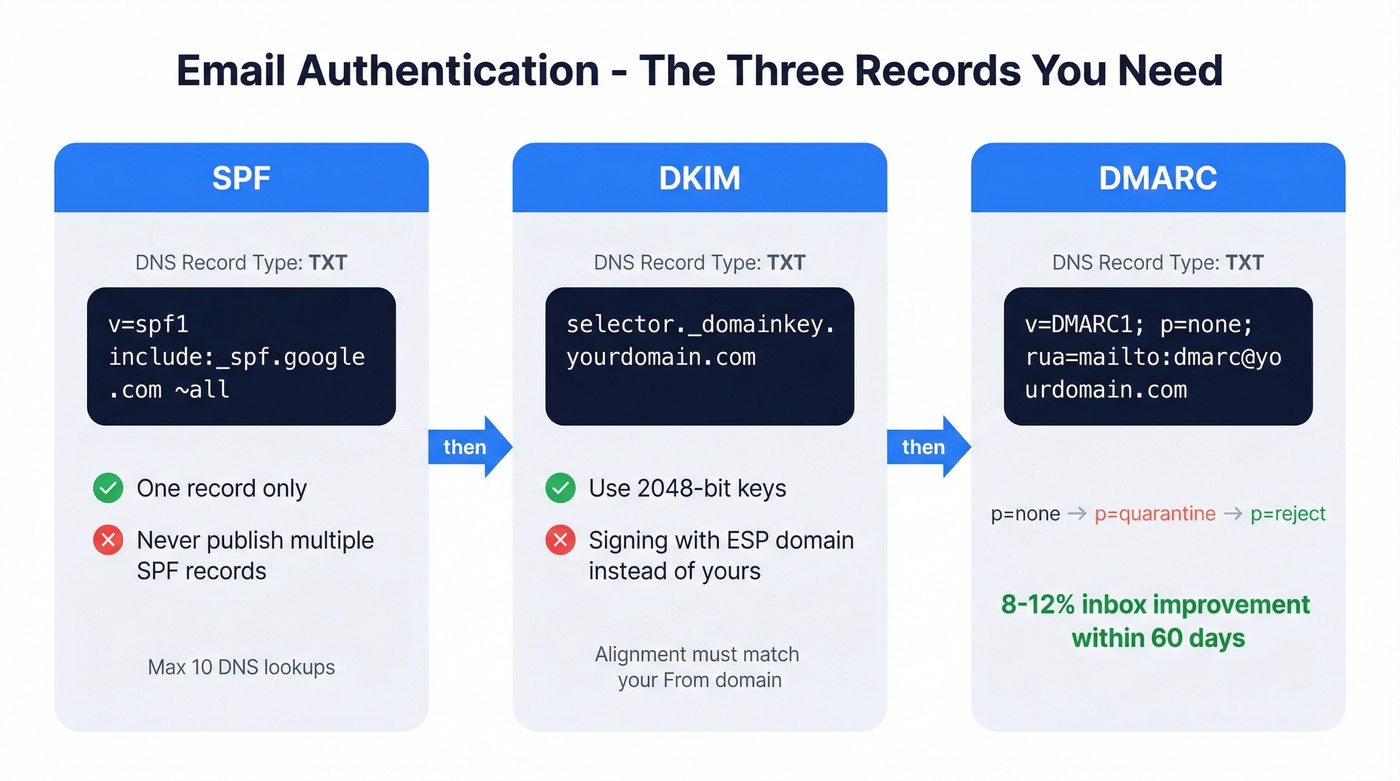
SPF: One record only. v=spf1 include:_spf.google.com ~all for Google Workspace. Never publish multiple SPF records - that causes a PermError. Keep DNS lookups at 10 or fewer. If you need syntax help, use these SPF examples.
DKIM: Publish a TXT record at selector._domainkey.yourdomain.com and enable signing. Use 2048-bit keys when supported. The silent killer here is DKIM signing with your ESP's domain instead of yours - alignment fails and DMARC reports a mismatch. If you're unsure, follow a quick checklist to verify DKIM is working.
DMARC: Publish a TXT record at _dmarc.yourdomain.com. Start with v=DMARC1; p=none; rua=mailto:dmarc@yourdomain.com. Progress to p=quarantine after 2-4 weeks, then p=reject. Moving from p=none to p=reject with proper alignment typically yields 8-12% inbox placement improvement within 60 days. This step isn't optional. If you're stuck on alignment, read DMARC alignment first.
List Hygiene and Data Quality
Bad data starts a death spiral: bad emails lead to bounces, bounces damage reputation, damaged reputation routes you to spam, and spam placement generates more bounces. If your messages are ending up in spam after a campaign to a stale list, this is almost certainly why.
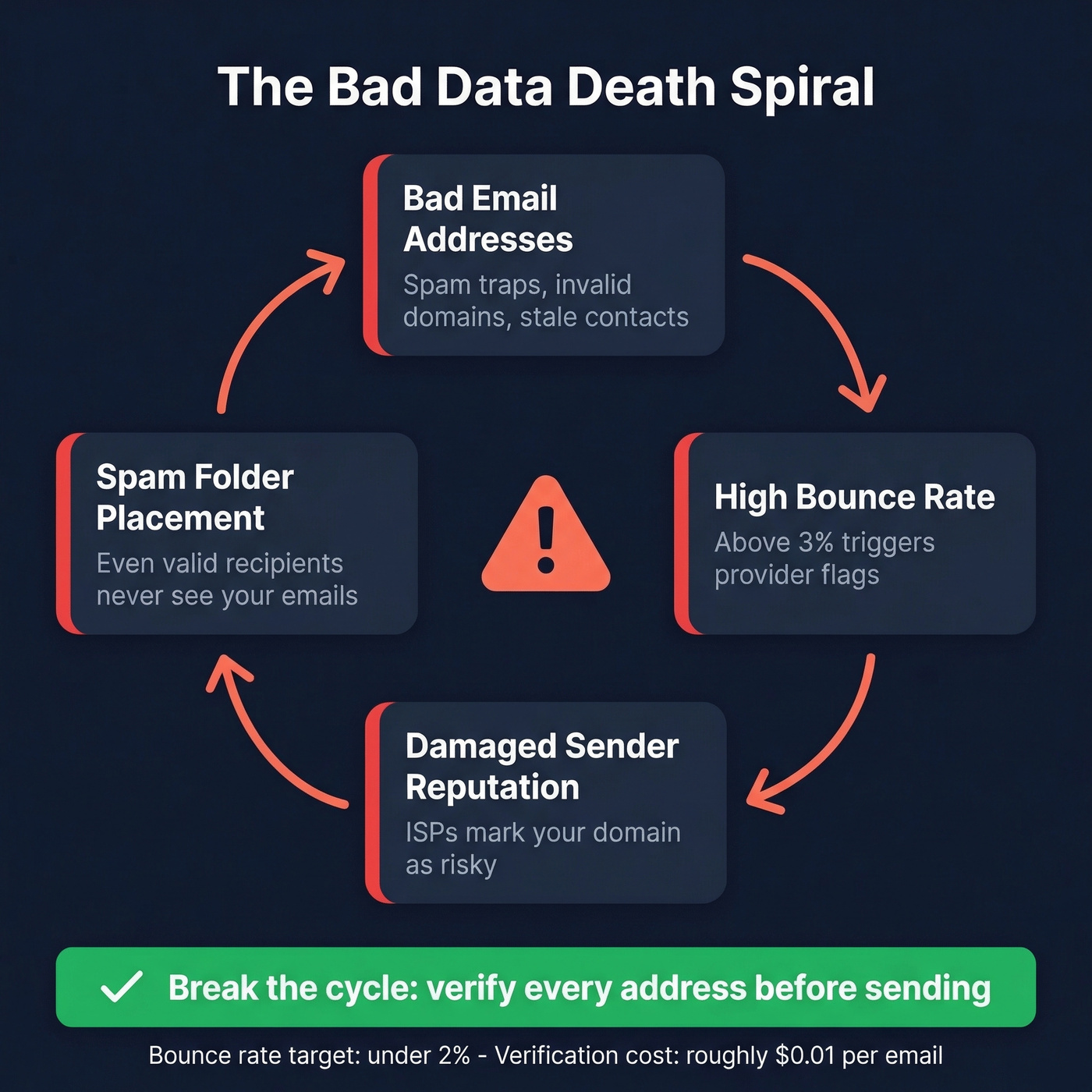
Cut anyone who hasn't engaged in 6+ months. Double opt-in reduces signups by ~30%, but it dramatically improves engagement rates and complaint ratios. If you're not tracking it, start with email bounce rate benchmarks and fixes.
Run your list through Prospeo's bulk verification before every campaign. The 5-step verification process catches spam traps, honeypots, and catch-all domains - the exact addresses that tank sender reputation. At 98% email accuracy and ~$0.01 per lead, verification is a rounding error compared to rebuilding a burned domain. If you need remediation, use this spam trap removal playbook.
You just read that bounce rates above 3% fast-track you to spam. Prospeo's bulk verification eliminates invalid addresses, spam traps, and honeypots at ~$0.01 per email - a fraction of what a burned domain costs to recover. 15,000+ companies trust it to protect their sender reputation.
Verify your entire list in minutes before your next campaign.
Domain Warmup
Warmup isn't a one-time event. It's continuous maintenance. If you're scaling, keep an eye on email velocity so you don't spike into spam.
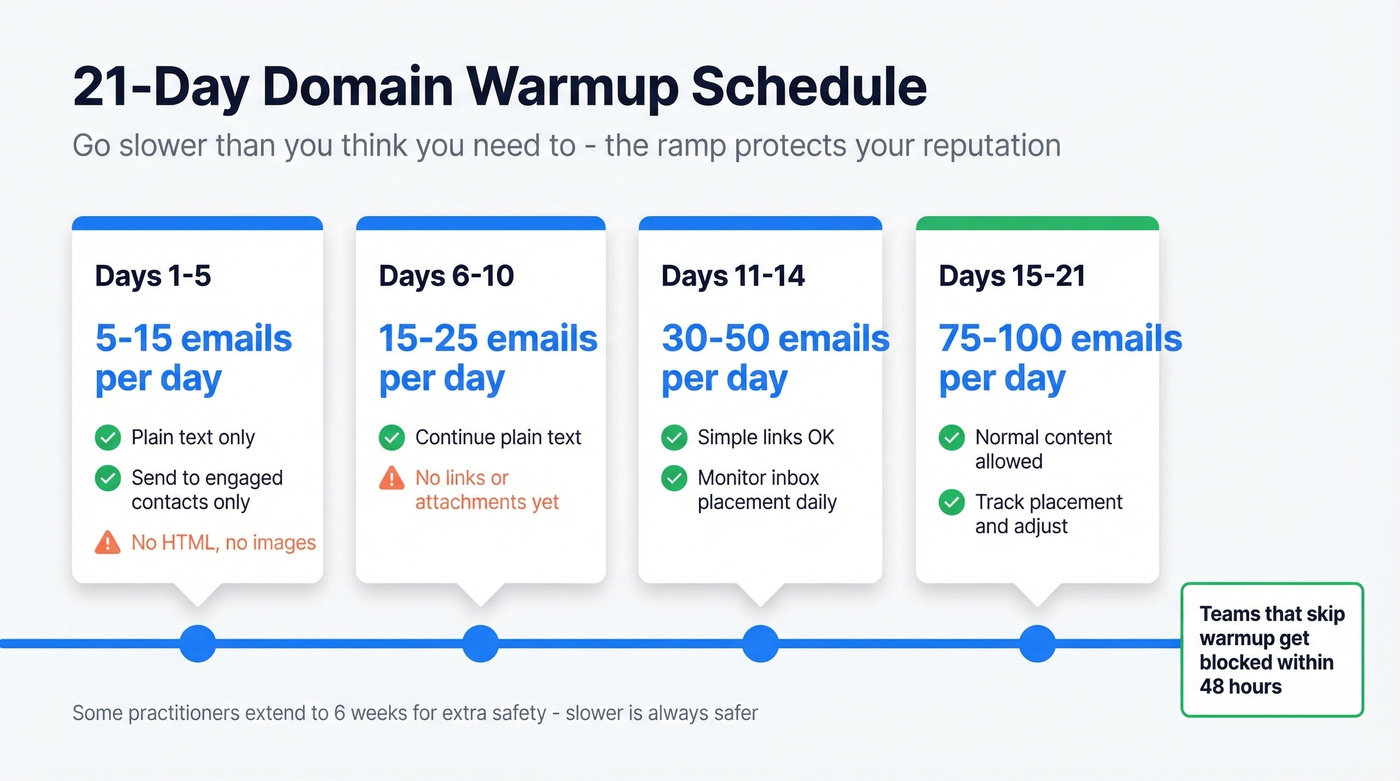
| Days | Volume/Day | Rules |
|---|---|---|
| 1-5 | 5-15 | Plain text only, engaged contacts |
| 6-10 | 15-25 | No links or attachments |
| 11-14 | 30-50 | Simple links OK |
| 15-21 | 75-100 | Normal content, monitor placement |
Some practitioners extend this to 6 weeks for extra caution - the slower the ramp, the safer. We've seen teams blast high volume from a fresh domain and get blocked within 48 hours. Respect the ramp.
Sending Consistency
Consistent cadence beats sporadic blasts every time. One sender on r/Emailmarketing moved to a consistent Tuesday/Thursday schedule and saw immediate reputation recovery. Avoid sudden volume spikes - providers interpret big jumps as spam behavior. Erratic sending patterns are a common reason messages get filtered instead of delivered, even when everything else checks out. If you're rebuilding trust, follow a structured plan to improve sender reputation.
Content Matters Less Than You Think
Keep your image-to-text ratio around 60/40 favoring text. One practitioner reported 5-8% better inbox placement just from shifting to text-heavy emails. Include a valid physical address for CAN-SPAM compliance. If you want a sanity check, use an email spam checker workflow before you send.
Let's be honest: if your authentication is solid and your reputation is clean, content barely matters. Stop obsessing over subject line words and start obsessing over whether people actually want your emails. Most teams with deliverability problems don't have a content problem. They have a data problem.
2026 Bulk Sender Requirements
Gmail, Yahoo, and Microsoft have tightened the rules for anyone sending 5,000+ messages per day:
- SPF + DKIM + DMARC required (minimum p=none, ideally p=reject)
- Spam complaint rate below 0.3% - ideally under 0.1%
- One-click unsubscribe honored within 2 business days
Microsoft Outlook began enforcing stricter rules on May 5, 2025; Google tightened further in November 2025. CAN-SPAM applies to all commercial email, including B2B - penalties run up to $53,088 per email. There's no B2B exemption, a common misconception that gets expensive fast.
Cold Outreach Going to Spam - Stop the Bleeding
If your cold outreach is ending up in spam, stop sending from your main domain immediately. Every email from a damaged domain digs the hole deeper.
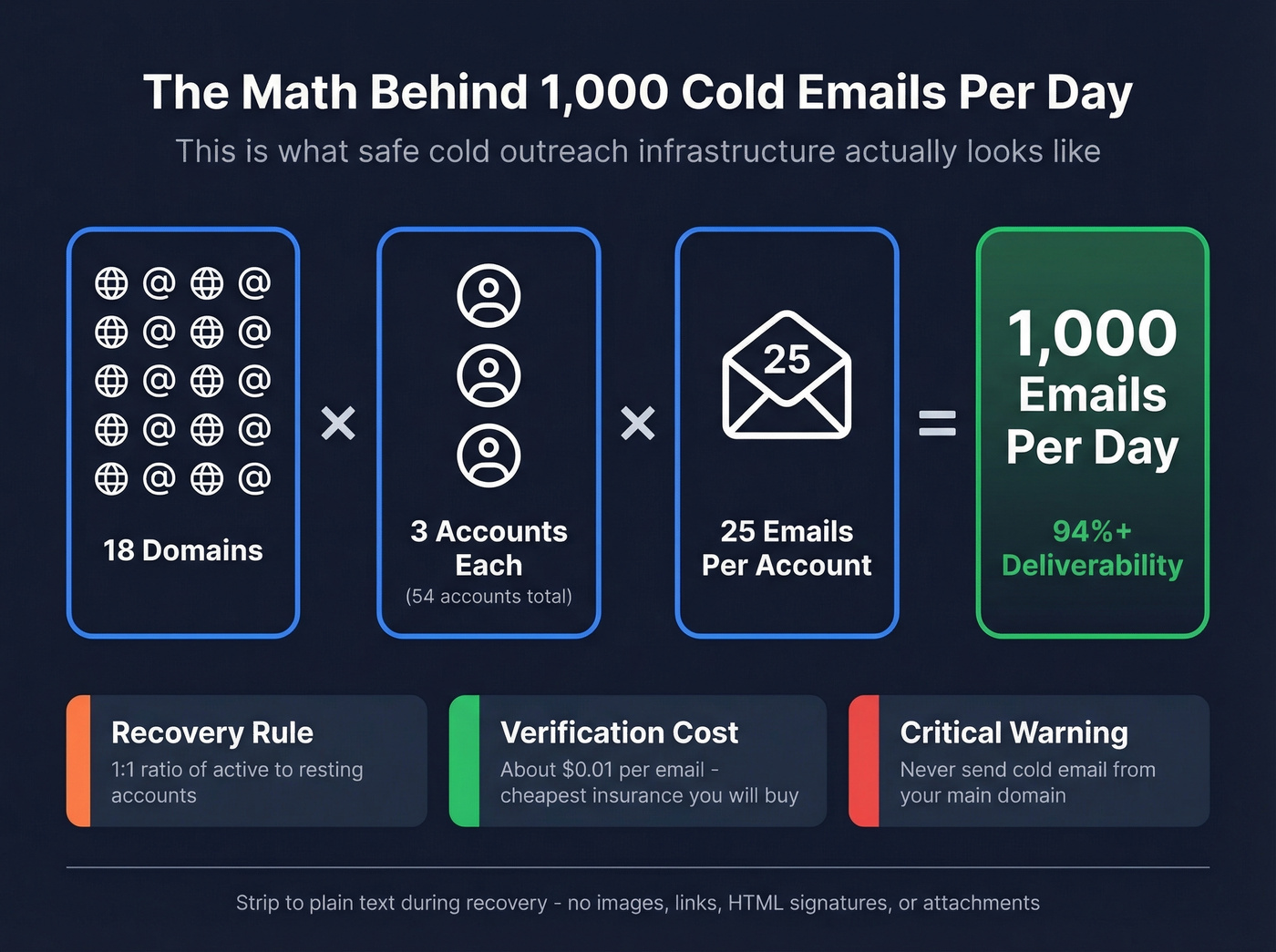
Strip to plain text during recovery - no images, links, HTML signatures, or attachments. Maintain a 1:1 ratio of active to inactive accounts so damaged ones can recover on the bench. Verify every address before sending. Bad data is a top cause of cold email deliverability collapse, and it's the easiest one to prevent. If you're building sequences, use a proven B2B cold email sequence structure.
The scaling math is straightforward: 1,000 emails per day requires roughly 18 domains, 3 accounts each, 25 emails per account per day. That's the infrastructure cost of doing cold email right. Stack Optimize, an outbound agency, maintains 94%+ deliverability and zero domain flags across all clients by verifying every address before it enters a sequence. At $0.01 per verified email, verification is the cheapest insurance against domain reputation collapse.
FAQ
How long does it take to fix emails going to spam?
With proper authentication, list cleaning, and warmup, most senders see improvement within 2-4 weeks. DMARC progression from p=none to p=reject typically yields 8-12% inbox placement improvement within 60 days. Severely damaged domains need a full warmup cycle of 4-6 weeks.
Do spam trigger words actually matter?
Not much in 2026. Modern filters rely on sender reputation, engagement signals, and authentication - not keyword scanning. The consensus on r/Emailmarketing is that trigger-word advice is outdated compared to fundamentals like DMARC and list hygiene.
Why do emails go to spam even with SPF and DKIM configured?
Authentication is necessary but not sufficient. If your sender reputation is low, your list is dirty, or recipients aren't engaging, providers will still route you to spam. Fix authentication first, then work through list hygiene and engagement - that's the sequence that works.
What's the cheapest way to verify an email list before sending?
Prospeo offers bulk verification at ~$0.01 per email with 98% accuracy, including spam-trap removal and catch-all handling. There's a free tier with 75 email credits per month - enough to test before committing. Hunter and NeverBounce are alternatives, though neither includes catch-all verification at the same price point.