

How to Find a Gmail Email Address by Name
You met someone at a conference, scribbled their name on a napkin, and now you're staring at Gmail's compose window with no idea what to type after the "@." Google doesn't run a public directory for Gmail addresses. There's no official "name to Gmail address" lookup you can use.
Let's be honest about the odds: if all you have is a name, trying to find a Gmail email address by name with a straight "Google it" approach works roughly 10% of the time. That's not great. But stacking a few methods together - search operators, social profile hunting, and a bit of creative Googling - can push those odds meaningfully higher.
Quick Orientation
Before you go down the wrong rabbit hole, figure out which situation you're actually in:
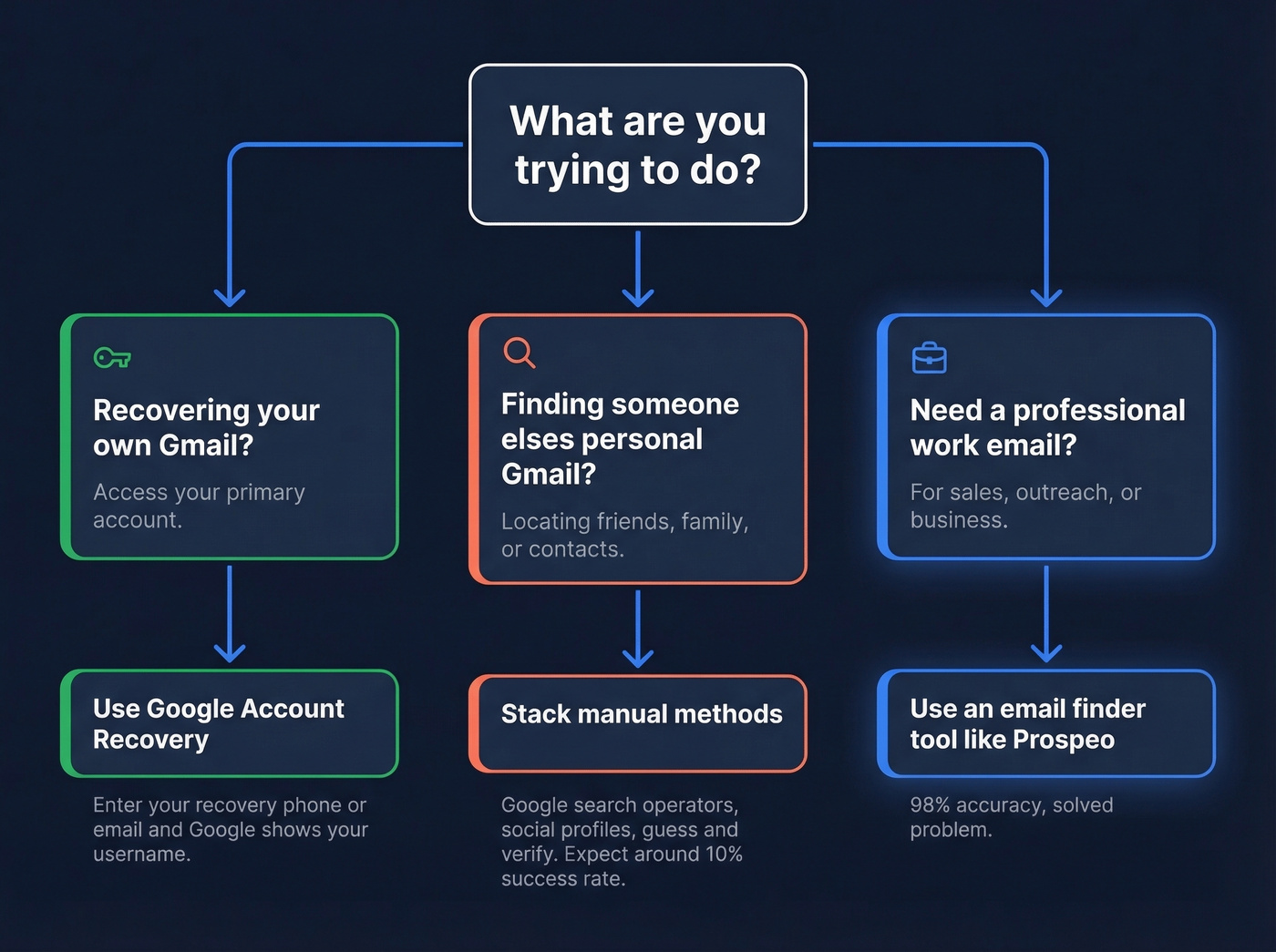
Recovering your own Gmail? Use Google Account Recovery and the "Forgot email" flow. Google built this for exactly your problem.
Finding someone else's personal Gmail? Google search operators and social profile hunting are your best bet. Keep expectations realistic.
Need a professional work email instead? Skip the Gmail guessing entirely. An email finder tool handles this with 98% accuracy - it's a solved problem. (If you’re doing B2B outreach, you’ll also want to protect email deliverability.)
Recovering Your Own Gmail
If you're trying to find your own address, Google has a built-in path that works well:
- Go to the Google sign-in page and click Forgot email?
- Enter your recovery phone number or recovery email.
- Provide your first and last name when prompted.
- Complete verification - Google sends a code to your recovery method.
- Google displays usernames tied to that recovery info.
One caveat worth knowing: Google can block recovery on devices it doesn't recognize, even when you're absolutely sure your info is correct. If you're on a new laptop or phone, the system sometimes decides it doesn't have enough signals to verify you. Frustrating, but it's a security feature, not a bug. Try again from a device you've previously used to sign in.

Guessing Gmail addresses has a ~10% hit rate. Prospeo finds verified professional emails from 300M+ profiles at 98% accuracy. Enter a name and company - get a real, deliverable work email back in seconds.
Stop guessing after the @ sign. Get verified emails instead.
Finding Someone Else's Gmail
This is the hard part. No single method is reliable on its own, but combining a few gives you the best shot.
Google Search Operators
These are your most powerful free tool. Try queries like:
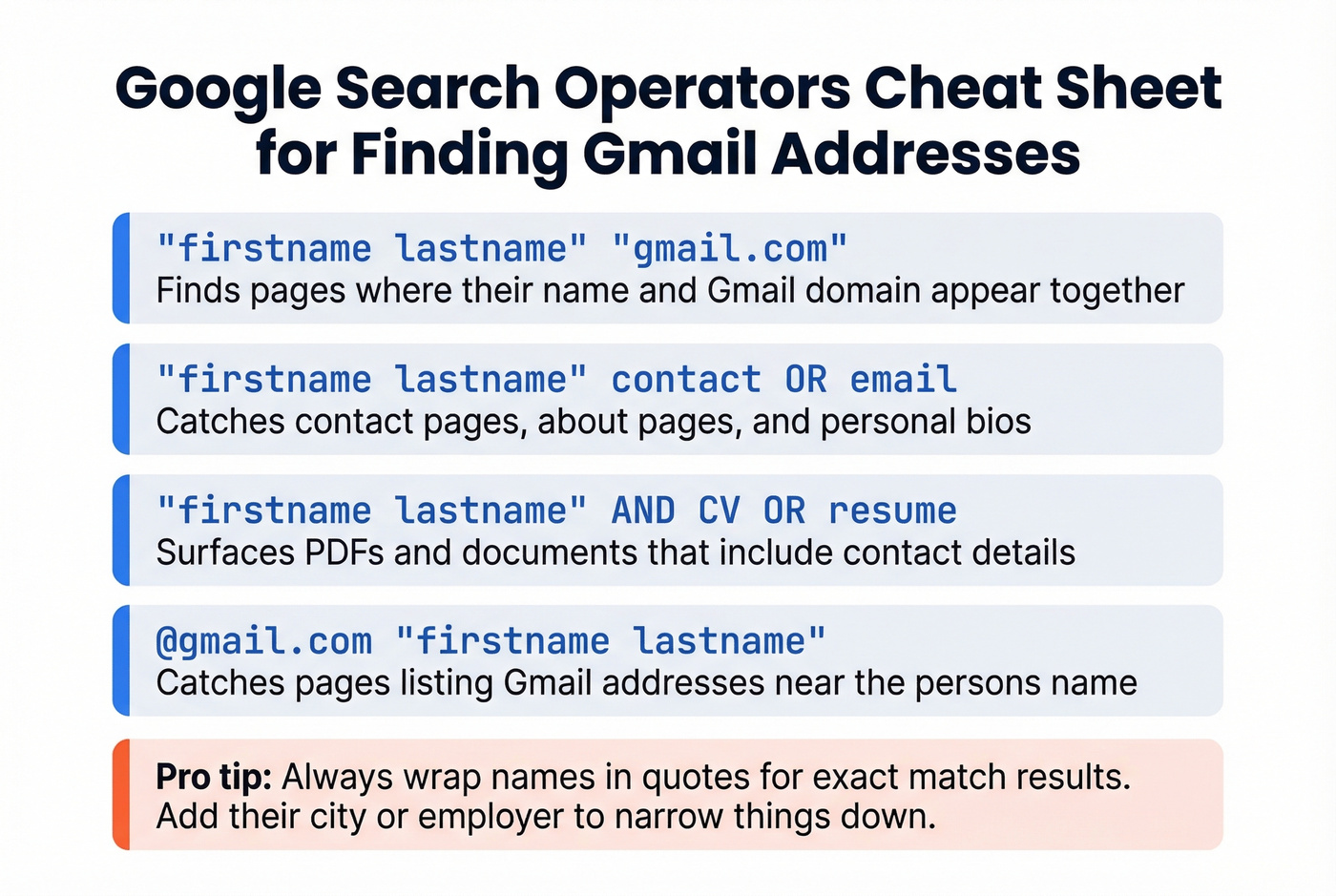
"firstname lastname" "gmail.com"- finds pages where their name and Gmail domain appear together"firstname lastname" contact OR email- catches contact pages, about pages, and bios"firstname lastname" AND CV OR resume- sometimes surfaces PDFs that include contact details@gmail.com "firstname lastname"- catches pages listing Gmail addresses near the name
Wrap names in quotes for exact-match results. Without quotes, Google splits the terms and you'll drown in irrelevant hits. We've found that combining the person's name with a known detail - their city, employer, or hobby - dramatically narrows results.
Social Profiles
People leak their email addresses in more places than they realize. Twitter/X bios, personal websites (check for mailto links in the page source), GitHub profiles, forum signatures, and conference speaker bios are all worth scanning. A five-minute sweep of someone's public profiles often turns up what search operators miss entirely.
GitHub Commits (For Developers)
If the person writes code, GitHub can be a goldmine. Email addresses sometimes appear on profiles, in commit metadata, or through the API. Other times you'll only see a noreply address. Worth a quick check, but don't count on it.
Guess and Verify
Gmail ignores dots in addresses, so jane.smith@gmail.com and janesmith@gmail.com deliver to the same inbox. Gmail also doesn't support dashes or underscores, so don't waste time guessing those patterns. Common formats to try: firstlast, first.last, lastfirst, firstlast123.
Here's the thing: never mass-email your guesses. Sending to invalid addresses creates bounces that can wreck your sender reputation. Run guessed addresses through a verification tool first - even a free one. (If you’re unsure where to start, see how to check if an email exists and how to check if email will bounce.)
A Few More Tricks
Facebook's "Forgot password" flow can sometimes show a partially masked email provider (indicating @gmail.com, for example), which helps you confirm you're guessing the right domain. It's inconsistent, but it takes 30 seconds.
Google Maps contributions occasionally reveal identity details if the person has a public Google profile with reviews or photos attached to their name.
And honestly? If you can find them on any social platform, just DM them and ask for their email. It's often the fastest path, and nobody minds a polite message.
What Doesn't Work
The Gmail hover trick. Some guides suggest pasting a guessed address into Gmail's "To" field and hovering to see if a profile photo appears. This is UI-dependent and privacy-dependent - it hasn't been a reliable validation method for years.
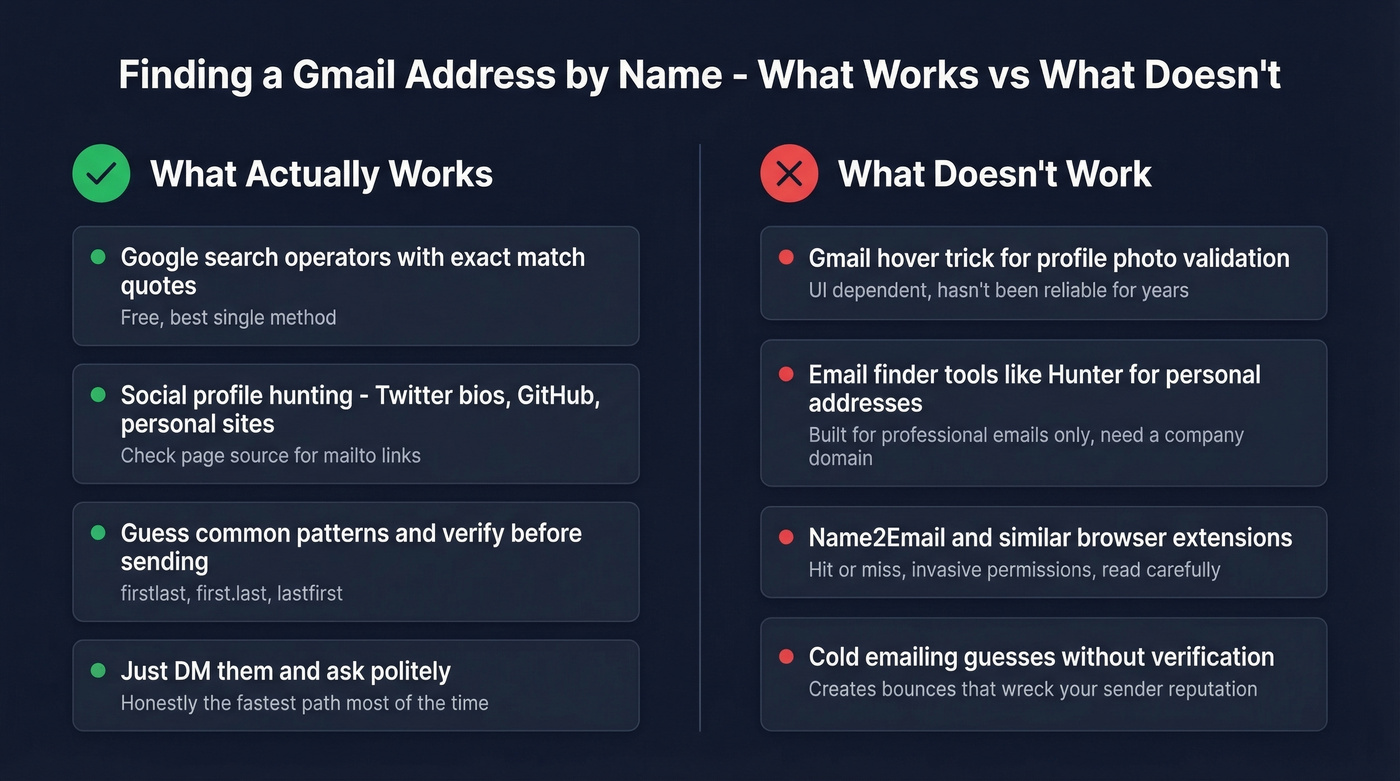
Email finder tools for personal addresses. Tools like Hunter are built for professional emails and require a company domain as input. Hunter positions itself as finding "the verified email address of any professional" - that word "professional" is the giveaway. These tools won't help you find janedoe1987@gmail.com. (If you’re comparing options for work emails, see Best Email Search Tools or Best Email ID Finder Tools.)
Name2Email and similar extensions. Name2Email is a Chrome extension that requests permissions for mail.google.com, contacts.google.com, plus browser-level access like tabs and webRequest. If you install anything like this, read the permissions carefully before you proceed. The consensus on r/sales is that most of these extensions are hit-or-miss at best for personal addresses.
When You Actually Need a Work Email
Here's our strong opinion on this: if you're trying to reach someone for business reasons, a personal Gmail is the wrong target anyway. Cold emails to personal addresses feel invasive, get ignored, and land in spam. You want their verified work email.
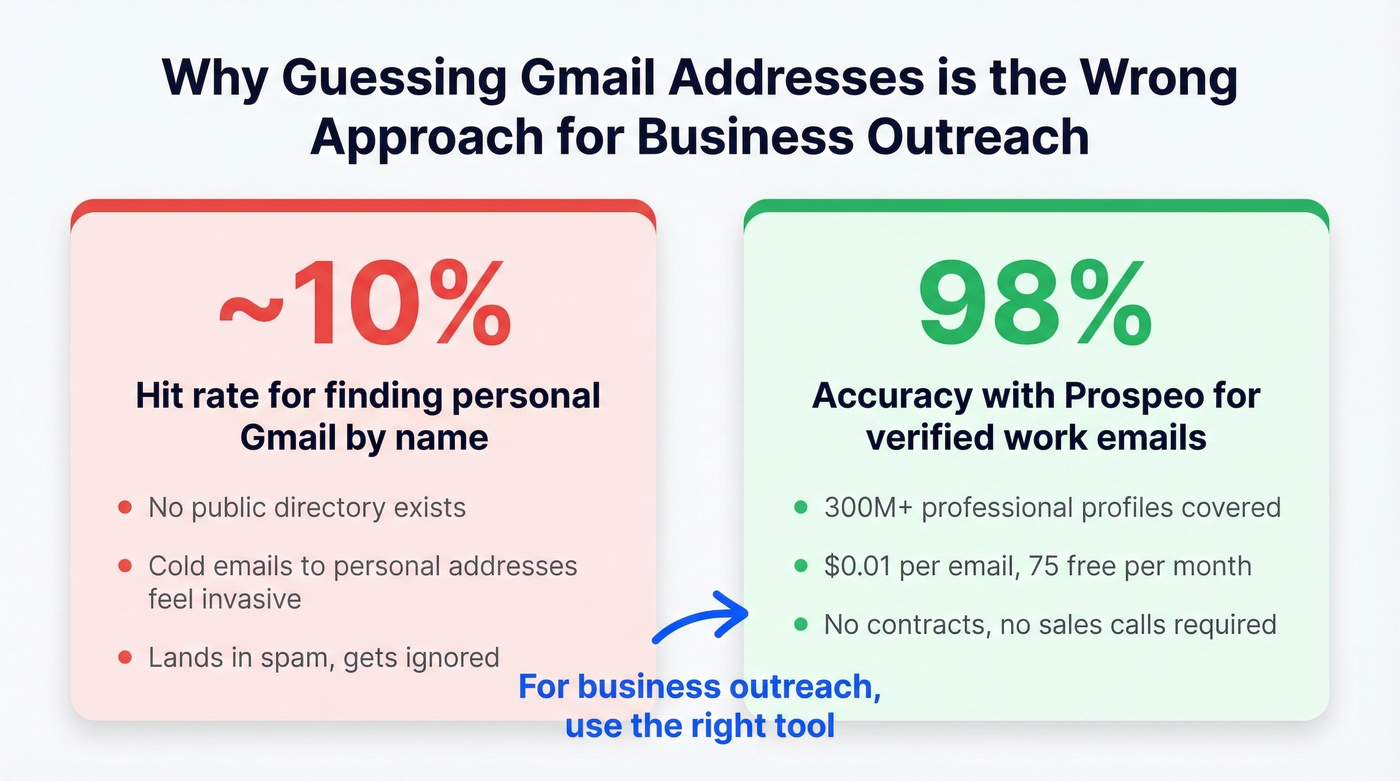
This is where the problem becomes genuinely easy to solve. Prospeo covers 300M+ professional profiles with 98% email accuracy - enter a name and company, get a verified professional email back. The free tier gives you 75 emails per month, and paid plans run about $0.01 per email with no contracts and no sales calls required. (To go deeper on the workflow, see Name to Email and Lead Enrichment.)

Skip this approach if you truly need a personal Gmail for a non-business reason (reconnecting with an old friend, for instance). But for outreach, recruiting, partnerships, or sales? Stop guessing Gmail addresses and use the right tool for the job. (You’ll also get better results with personalized outreach and proven sales prospecting techniques.)
If you're searching for someone's email for business reasons, a personal Gmail is the wrong target. Prospeo gives you verified work emails at $0.01 each - 75 free per month, no contracts, no sales calls.
Ditch the napkin. Find the right email in one click.
FAQ
Can I find someone's Gmail just from their name?
Not reliably. Google doesn't run a public directory, so no tool takes a name and returns a personal Gmail address with any consistency. Search operators and social profiles are your best options, but success depends entirely on how much the person has published online. Expect roughly a 10% hit rate for most searches.
Is it legal to look up someone's email address?
Searching publicly available information is legal in most jurisdictions. Using a found email for spam, harassment, or fraud isn't. For B2B outreach, use a GDPR-compliant tool that respects opt-outs and handles data responsibly.
Do email finders work for personal Gmail addresses?
Most don't. Tools like Hunter and Prospeo are designed for professional and corporate emails - they need a company domain to work. For personal @gmail.com addresses, stick with the manual methods described above: search operators, social profiles, and guess-and-verify.