

Gmail Sending Limits: The Complete Reference for 2026
You sent 15 emails - not 500, not 2,000, just 15 - and Gmail locked your account. The error message? "You have reached a limit for sending mail." No explanation, no counter, no timeline.
This happens even at low volume. One Reddit thread described someone sending daily reminders to around 12-15 participants using an automation tool and still getting blocked on random days. The problem isn't that Gmail sending limits are complicated. It's that Google enforces behavioral limits that don't show up as a simple "emails sent" counter anywhere inside Gmail, and the gap between the stated cap and the actual enforcement threshold is where most people get burned.
Quick Reference: Daily Caps
| Account Type | Daily Sending Limit | Recipients Per Message |
|---|---|---|
| Free Gmail | 500 | 500 |
| Google Workspace (paid) | 2,000 | 2,000 total (max 500 external) |
| Workspace trial | 500 | 500 |
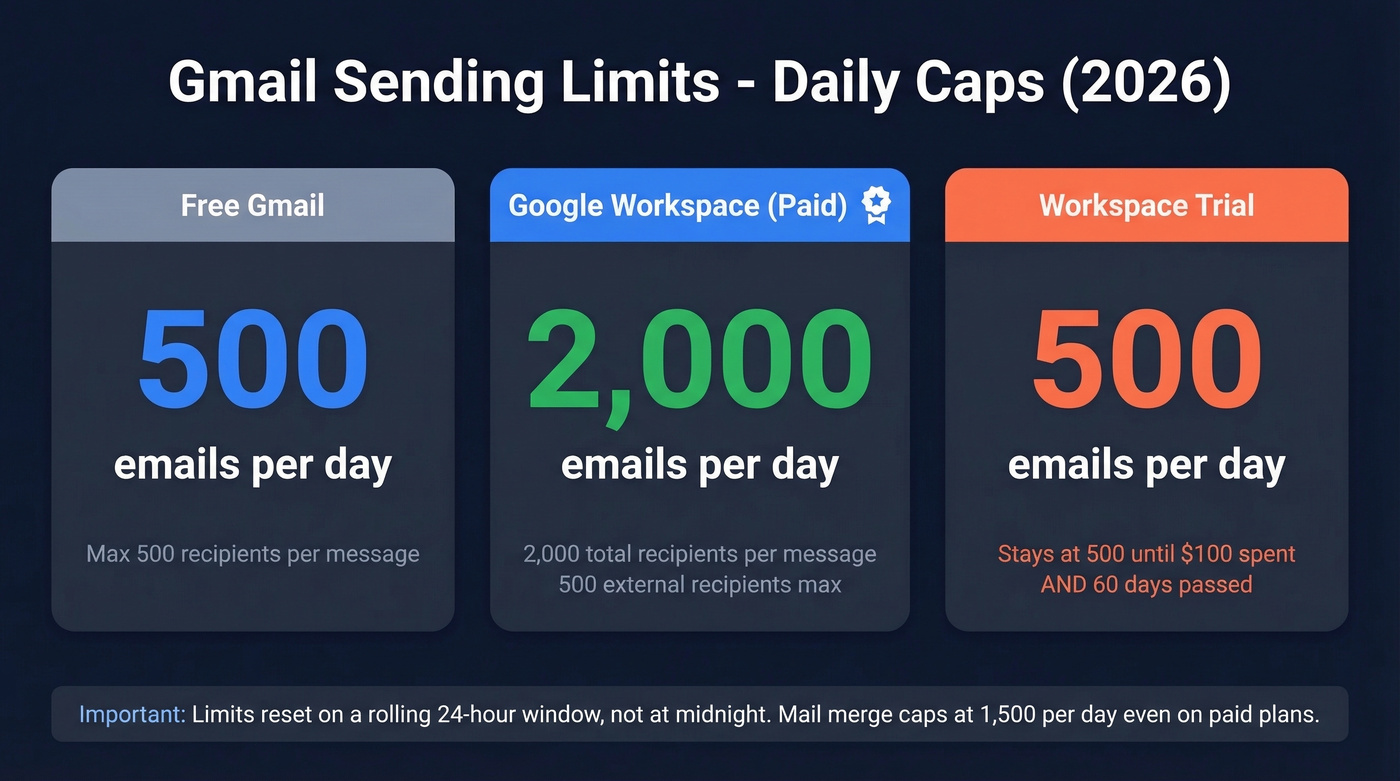
These numbers are ceilings, not guarantees. Bounces and spam signals can get you blocked at far lower volumes.
Gmail resets limits on a rolling 24-hour window, not at midnight. Send 400 emails at 2 PM Tuesday, and those 400 slots don't free up until 2 PM Wednesday. Also worth knowing: Workspace mail merge caps at 1,500 per day, even on paid plans.
How Gmail Enforces These Limits
The Rolling 24-Hour Window
Gmail doesn't reset your counter at midnight. It's a sliding window. Send 300 emails at 9 AM Monday, and those 300 slots free up at 9 AM Tuesday. You can't game the clock by sending a batch at 11:59 PM and another at 12:01 AM - Gmail sees right through that.
What Counts Toward the Limit
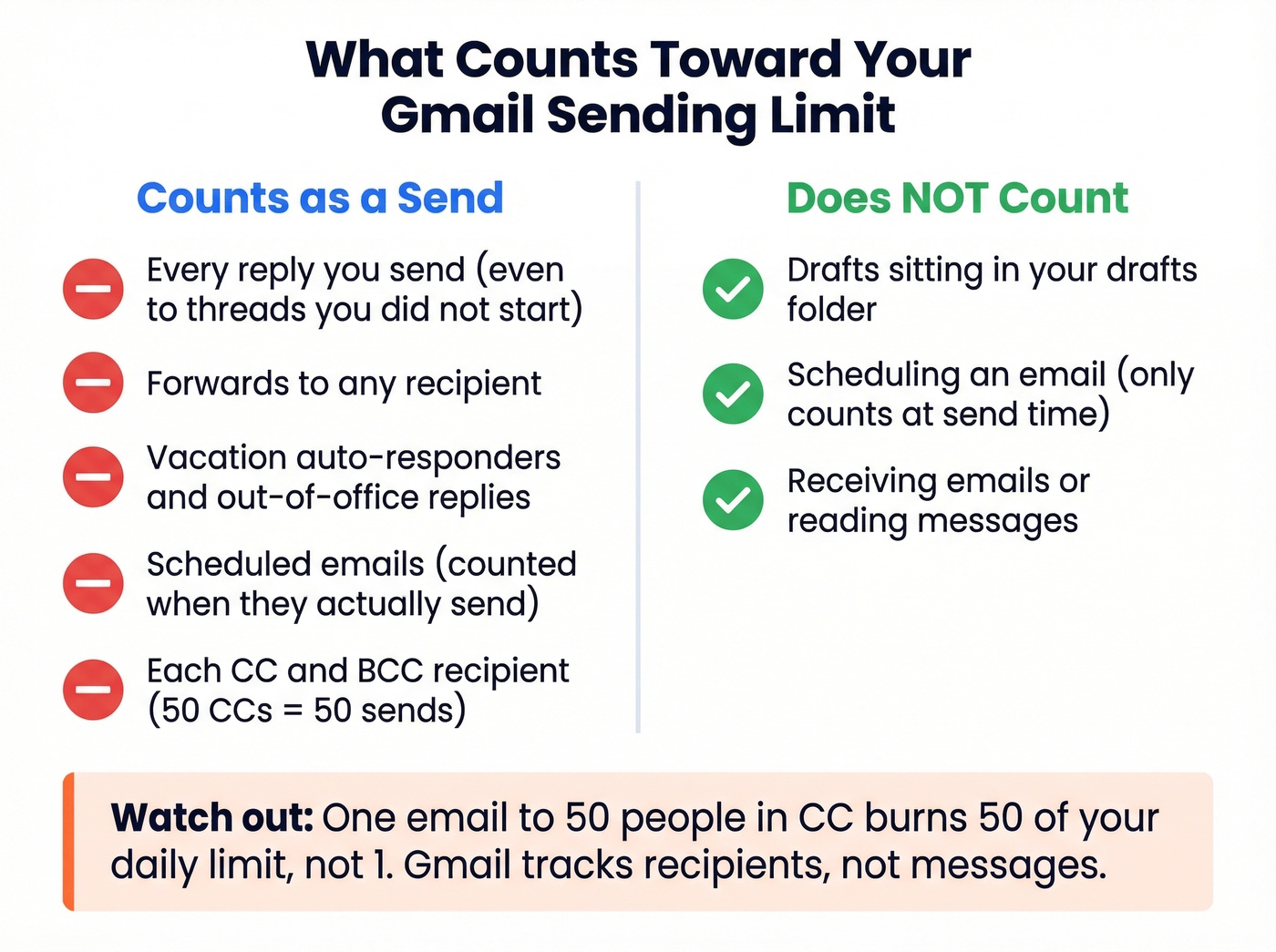
Every one of these actions counts as a sent message:
- Replies, even to threads you didn't start
- Forwards
- Vacation auto-responders (out-of-office)
Drafts and scheduled emails don't count when you create them. They count when Gmail actually sends them. Scheduling 600 emails for 8 AM tomorrow will blow past a free account's limit the moment they fire.
Recipients vs. Messages
Gmail tracks recipients, not just messages. One email to 50 CC'd people burns 50 of your daily allocation, not 1.
For Google Workspace, the per-message cap is 2,000 total recipients, but only 500 of those can be external. That detail matters a lot if you're emailing customers or prospects outside your organization.
Limits by Sending Method
The headline caps are the ones most people run into. But some sending methods have their own restrictions, especially around recipient counts per message.
Two practical takeaways. First, if you're sending through a third-party tool - extensions, CRMs, mail merge add-ons - you can hit enforcement faster than you'd expect. Second, Gmail doesn't publish an official hourly cap, but burst sending absolutely triggers throttling. We've seen accounts get temporarily locked after sending 80-100 emails in a 10-minute window, well under the daily ceiling. Spread sends across hours, not minutes. (If you want a deeper breakdown of safe pacing, see sending velocity.)
Workspace Edition Differences
Across paid Google Workspace editions, the daily per-user sending limit is a flat 2,000/day. Workspace also enforces recipient-based limits like the 2,000 total recipients per message cap and the 500 external recipients per message cap.
Here's what most new Workspace customers miss: trial accounts are gated. You don't get the full 2,000/day limit until the account is paid, has cumulatively spent at least $100, and 60 days have passed since meeting that payment threshold. Until then, you're stuck at 500/day - same as free Gmail. That catches a surprising number of teams off guard.

Gmail suspends accounts when bounce rates spike - even on small batches. Prospeo's 5-step email verification catches invalid addresses before they hit Gmail's radar. One team dropped their bounce rate from 35% to under 4% and never saw a sending block again.
Stop losing sending days to bad data. Verify before you send.
Why You Got Blocked Below the Limit
The "You have reached a limit for sending mail" error is a catch-all. It fires for both hard cap violations and behavioral enforcement, and Google doesn't tell you which one triggered it. The 500 or 2,000 number is a hard ceiling, but spam detection can suspend your sending at far lower volumes.
If you're troubleshooting whether the issue is list quality vs. content vs. reputation, it helps to understand the basics of email deliverability and what impacts sender reputation.
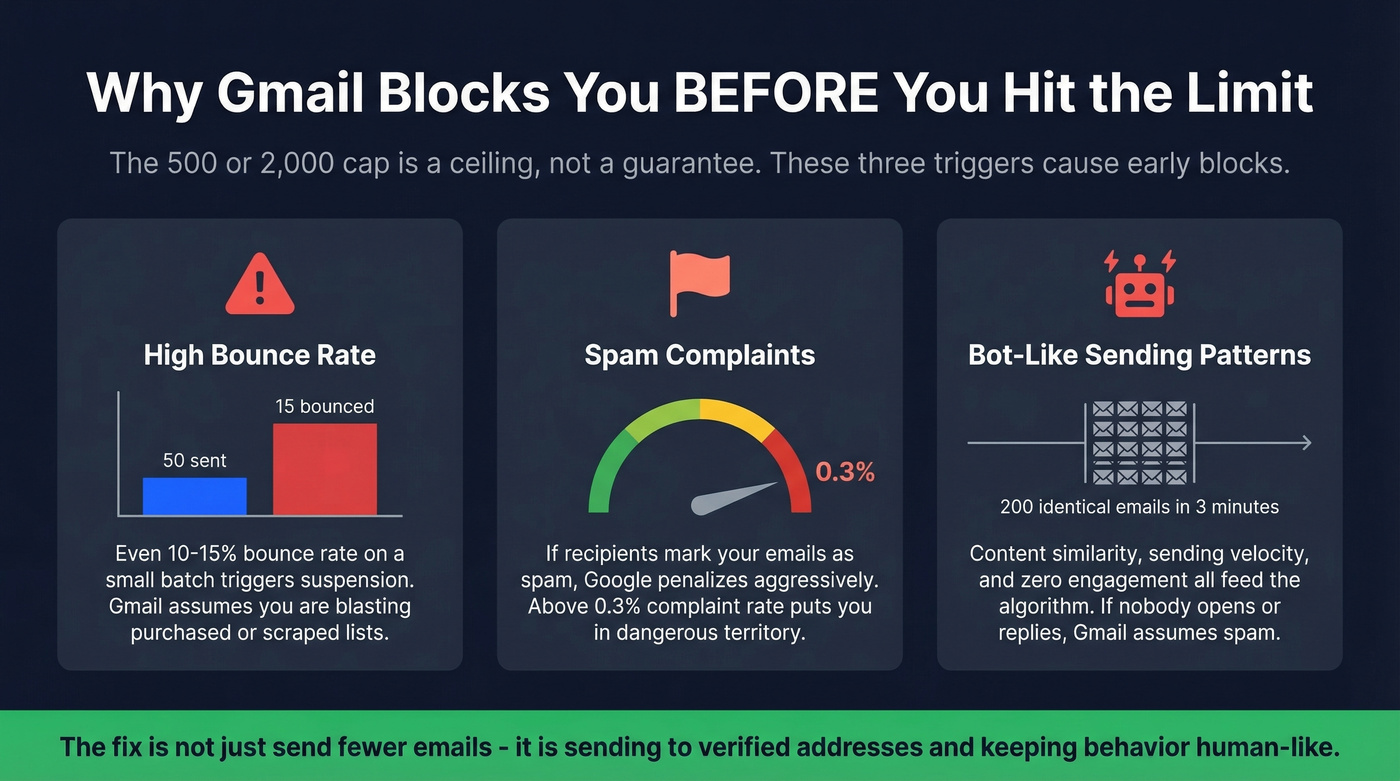
Three triggers cause premature blocks:
High bounce rate. Send to 50 addresses and 15 bounce? Gmail reads that as a sign you're blasting purchased or scraped lists. Even a 10-15% bounce rate on a small batch can trigger suspension. (Benchmarks and fixes: email bounce rate.)
Spam complaints. If recipients mark your emails as spam, Google penalizes your account aggressively. According to Google's bulk sender guidelines, a spam complaint rate above 0.3% puts you in dangerous territory.
Automated sending patterns. Sending 200 identical emails in 3 minutes looks like bot behavior. Content similarity, sending velocity, and recipient engagement all feed into the algorithm. If nobody's opening or replying, Gmail assumes you're spamming. If you're doing outbound, it’s worth tightening your cold email sequence and improving email copywriting.
Low volume doesn't guarantee safety. If you're using automation, sending very similar messages, or emailing stale addresses, Gmail can still clamp down quickly. The fix isn't just "send fewer emails" - it's sending to verified addresses and keeping your sending behavior human-like.
How to Send More Without Getting Blocked
Verify Your List First
This is the single most effective preventive measure. Bounces are the fastest trigger for account suspension, and they're entirely preventable. If you need a workflow for building cleaner lists in the first place, see how to generate an email list.
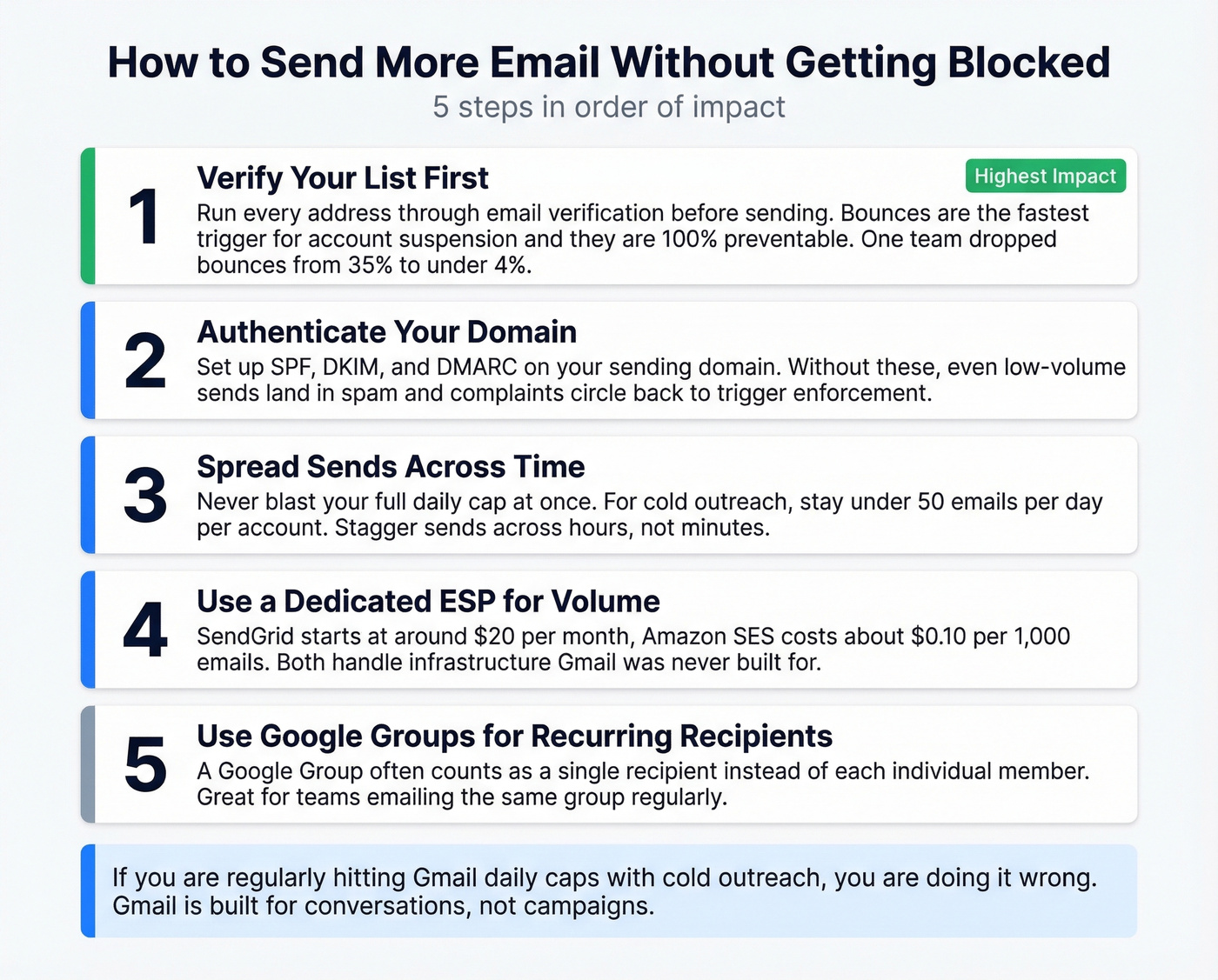
Let's be honest: most people skip verification because it feels like an extra step. Then they lose sending access for 24 hours and waste a day they can't get back. One team we worked with dropped their bounce rate from 35% to under 4% after running their list through Prospeo's 5-step verification - the difference between a healthy sending reputation and a locked account.

Authenticate Your Domain
If you're sending from a custom domain through Workspace, set up SPF, DKIM, and DMARC. These authentication protocols tell receiving servers your emails are legitimate. Without them, even low-volume sends can land in spam, and spam complaints circle back to trigger Gmail's enforcement. Google's SPF setup guide walks through the process step by step. (Related: SPF record examples and how to verify DKIM is working.)
Spread Sends Across Time
Don't blast 500 emails at 9 AM. Stagger across hours. For cold outreach, experienced senders on r/coldemail consistently recommend staying well under the ceiling - roughly 50 emails per day per account. The stated limit is what you can send. The safe limit for cold email is a fraction of that.
Here's the thing: if you're doing cold outreach and regularly hitting Gmail's daily cap, you're doing it wrong. High-volume cold email belongs on a dedicated ESP with proper infrastructure, not on your primary Gmail account. Gmail is built for conversations, not campaigns.
Use a Dedicated ESP for Volume
For true bulk sending, dedicated ESPs are the right tool. SendGrid starts at ~$19.95/mo, and Amazon SES runs about $0.10 per 1,000 emails. Both handle the infrastructure headaches that Gmail was never designed for.
Use Google Groups for Recurring Recipients
If you regularly email the same 50 people, create a Google Group. In many Workspace setups, a Google Group counts as a single recipient rather than each individual member. Be careful with contact-list style groups, though - those can still count each member separately.
Staying under Gmail's limits means every email has to count. Prospeo delivers 98% email accuracy across 143M+ verified addresses - so you're reaching real inboxes, not burning your daily cap on bounces and spam traps.
Send fewer emails that actually land instead of more that get you locked out.
Bulk Sender Requirements (5,000+/Day)
If you're sending 5,000+ messages per day to Gmail addresses - from any platform, not just Gmail itself - Google enforces strict requirements. The big ones:
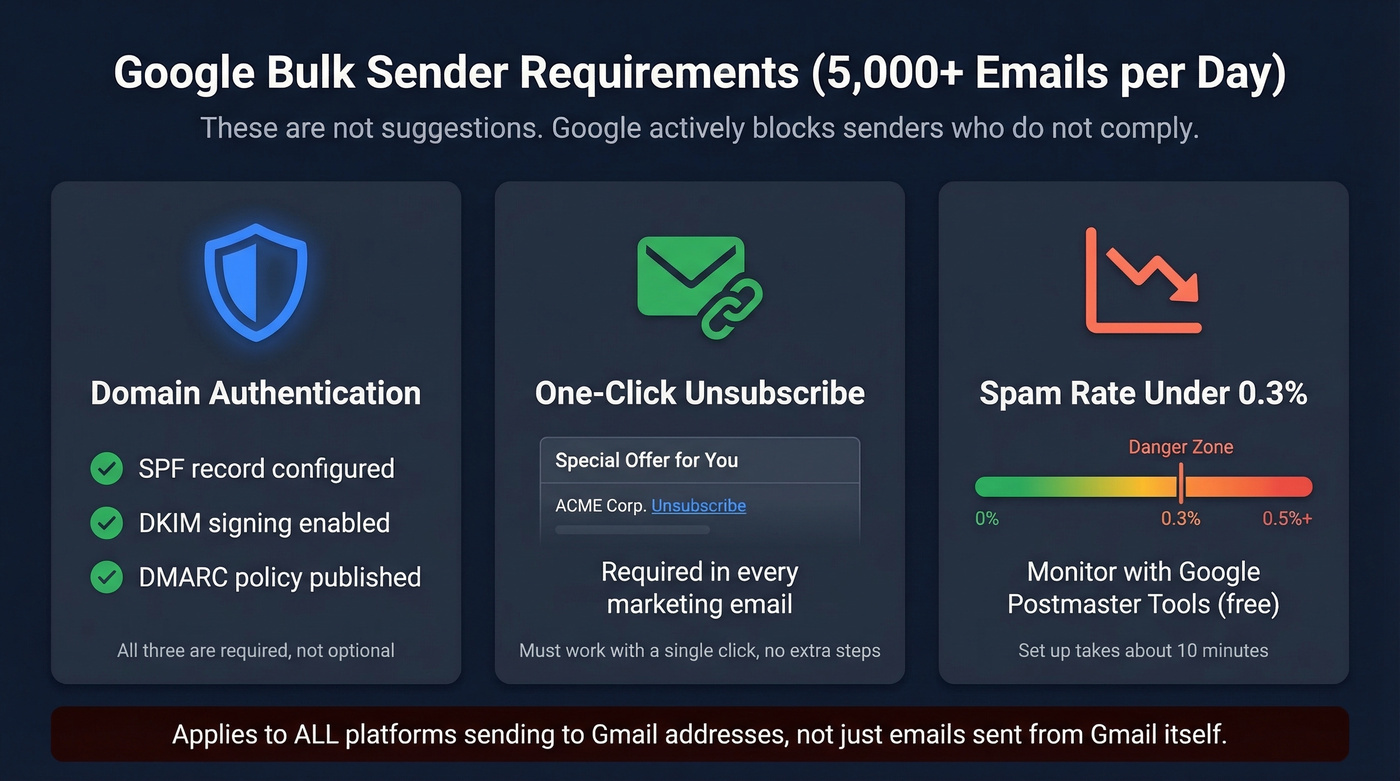
- SPF, DKIM, and DMARC authentication on your sending domain
- One-click unsubscribe in every marketing email
- Spam complaint rate under 0.3%, monitored via Google Postmaster Tools
These aren't suggestions. Google actively blocks senders who don't comply. Set up Postmaster Tools to monitor your domain's reputation and complaint rates in real time - it's free and takes about 10 minutes.
Gmail Sending Limits FAQ
How long does a sending limit suspension last?
Blocks typically clear once the rolling 24-hour window advances past your last flagged activity - usually 1-24 hours. Repeat offenses can extend restrictions to several days, and severe violations sometimes require a manual account review.
Do replies count toward the limit?
Yes. Replies, forwards, and vacation auto-responses all count as sent messages. A busy day of back-and-forth threads can eat into your daily allocation faster than you'd expect.
Does Gmail have an hourly sending limit?
Google doesn't publish one, but sending large volumes in short bursts triggers throttling. We've seen accounts get flagged after 80-100 sends in under 10 minutes. Space your sends across hours.
How do I check how many emails I've sent today?
Gmail doesn't provide a built-in counter, which is frustrating. Search your Sent folder with a date filter (e.g., in:sent after:2026/06/15 using today's date) for a rough count. Workspace admins can pull precise numbers from the Admin Console email log.
How can I avoid hitting Gmail sending limits with cold outreach?
Keep volume under 50 emails per day per account, verify every address before sending, and authenticate your domain with SPF, DKIM, and DMARC. Running your list through email verification eliminates the bounces that trigger enforcement well below the stated cap - that's the single highest-leverage thing you can do.