

How to Build an Ideal Customer Profile Slide That Doesn't Collect Dust
It's Friday morning. The VP of Sales just pinged you: "Need an ideal customer profile slide for the board deck by EOD." You search for templates and find either blank downloads with zero guidance on what to fill in, or 3,000-word essays that never show you an actual slide.
Let's fix that.
What You Need (Quick Version)
- Use Gartner's 6 attribute categories as your slide structure: firmographics, technographics, psychographics, business situation, operating model, and resources.
- Fill the key fields with real data from your CRM and customer interviews - not guesses.
- Grab a free template from Smartsheet or Slidesgo, populate it, and review at least annually. Quarterly is better if you're scaling fast.
What Is an ICP Slide (and What It Isn't)
An ideal customer profile describes the perfect company - not a person. It's an account-level portrait built from firmographics, technographics, and business context. A buyer persona, by contrast, describes an individual within that company: their role, goals, and daily frustrations.
One ICP can have many buyer personas underneath it. Gartner puts the average B2B buying committee at five decision-makers, so your ICP slide needs to account for the company those five people work at - not just the one person who replies to your cold email.
What to Include on Your ICP Slide
You need one slide with six sections, filled with real data. Here's the framework, drawn from Gartner's B2B ICP attribute categories.
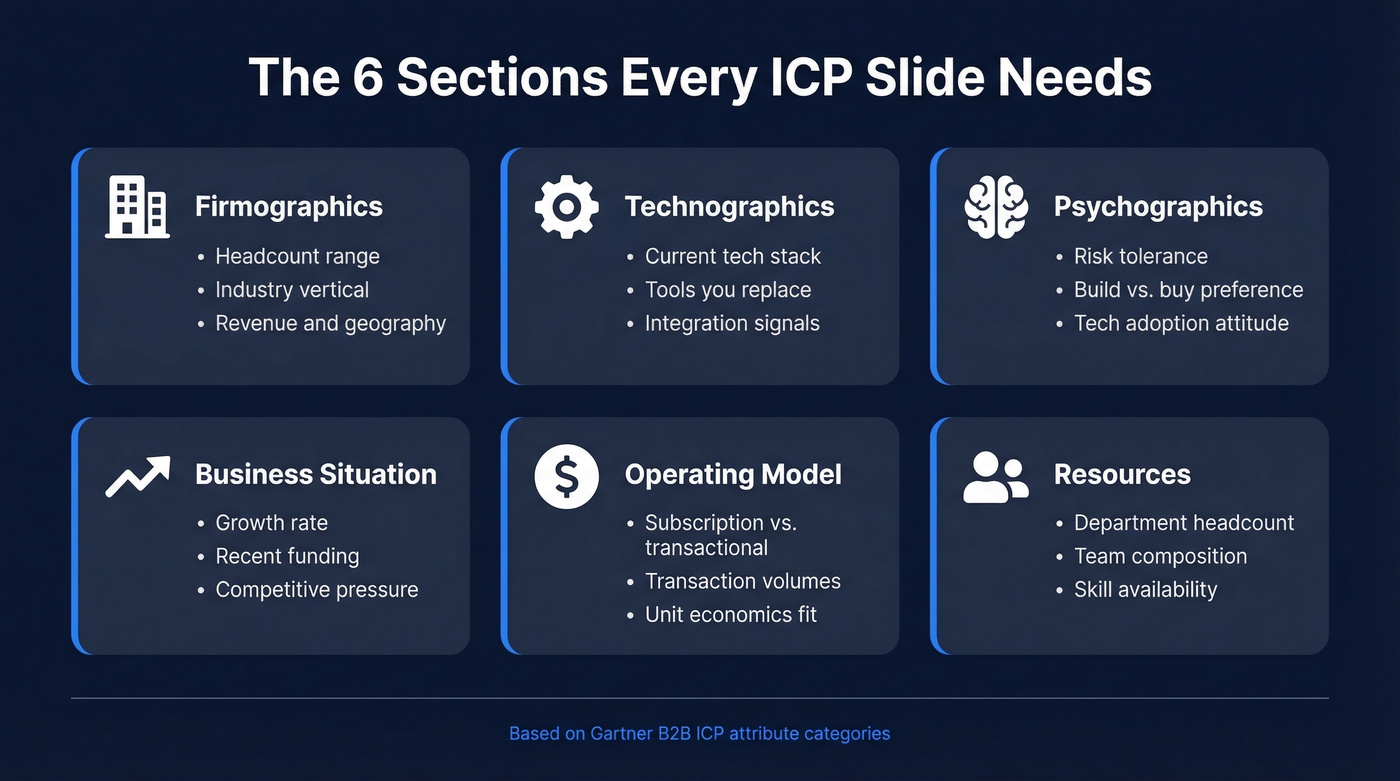
Firmographics - the basics. Company size by headcount, industry vertical, geography, revenue range, and organizational structure. This is the foundation every other section builds on. (If you want to operationalize this, start with firmographic and technographic data.)
Technographics - what they run. Tech stack signals budget, sophistication, and integration fit. If you replace a specific tool, you want companies already using that tool today.
Psychographics - how they think about buying. Risk tolerance, attitudes toward new technology, preference for build vs. buy. This section separates useful ICPs from generic ones.
Business situation - what's happening right now. Growth rate, strategic initiatives, recent funding, competitive intensity, regulatory pressure. These are your buying triggers (and they map cleanly to identifying buying signals).
Operating model - how they make money. Subscription vs. transactional pricing, transaction volumes, build-to-order vs. off-the-shelf. This tells you whether your solution fits their economics.
Resources - who they have. Department headcount matters more than total headcount. A 500-person company with 3 developers is a very different buyer than one with 50.
Two bonus fields worth adding: buying triggers like a new funding round, leadership change, or failed implementation that create urgency, and disqualification criteria - the signals that mean "don't waste your time." Also consider the deciders, payers, and users framework. These three roles often belong to different people, and your slide should acknowledge that.
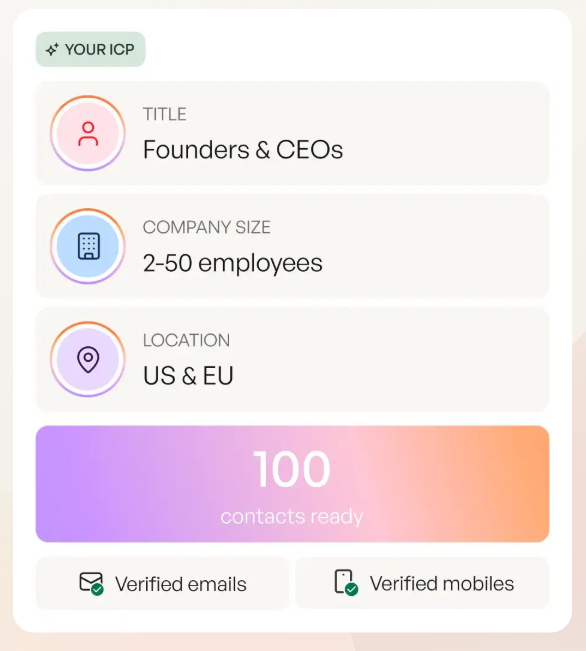
Example: A Filled-In ICP Slide
Here's what a completed slide looks like for a fictional B2B help desk software company, based on DemandScience's template approach:
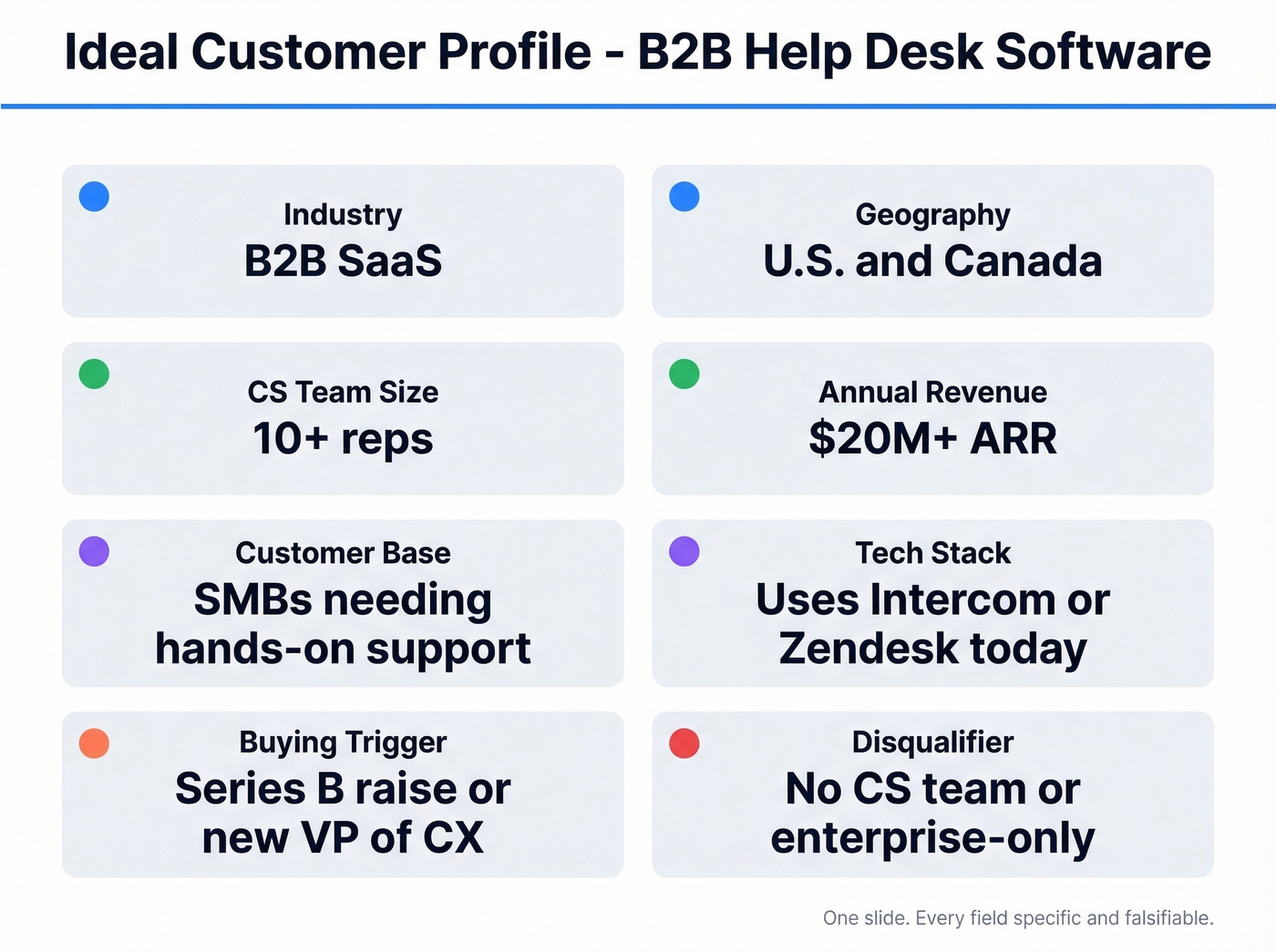
| Slide Field | Value |
|---|---|
| Industry | B2B SaaS |
| Geography | U.S. and Canada |
| CS Team Size | 10+ reps |
| Annual Revenue | $20M+ ARR |
| Customer Base | SMBs needing hands-on support |
| Tech Stack | Uses Intercom or Zendesk today |
| Buying Trigger | Series B raise or new VP of CX |
| Disqualifier | No CS team; enterprise-only |
Every field is specific and falsifiable. "B2B SaaS" isn't "technology companies." "$20M+ ARR" isn't "mid-market." The more precise each cell, the more useful the slide becomes for reps, marketers, and investors.
Design tip: Keep it to one slide. Use bold headers for each section, limit text to short phrases rather than sentences, and add a simple icon or color code per category. A scannable, visual layout helps viewers retain the information - and keeps the slide from becoming a wall of text nobody reads.

Your ICP slide lists firmographics, technographics, and buying triggers. Prospeo lets you actually act on them. Search 300M+ profiles with 30+ filters - including tech stack, headcount growth, funding, and Bombora intent data across 15,000 topics - to find accounts that match every field on your slide.
Turn your ICP slide from a static deck page into a live prospecting filter.
3 ICP Slide Mistakes That Kill Your Deck
1. Fairytale personas. Here's the thing: this is the #1 complaint on r/b2bmarketing about ICPs. Marketers build them without talking to customers or sales. The result is a pretty slide that "collects dust" because nobody recognizes the customer it describes. If your ICP wasn't validated by at least five conversations with real customers, it's fiction.
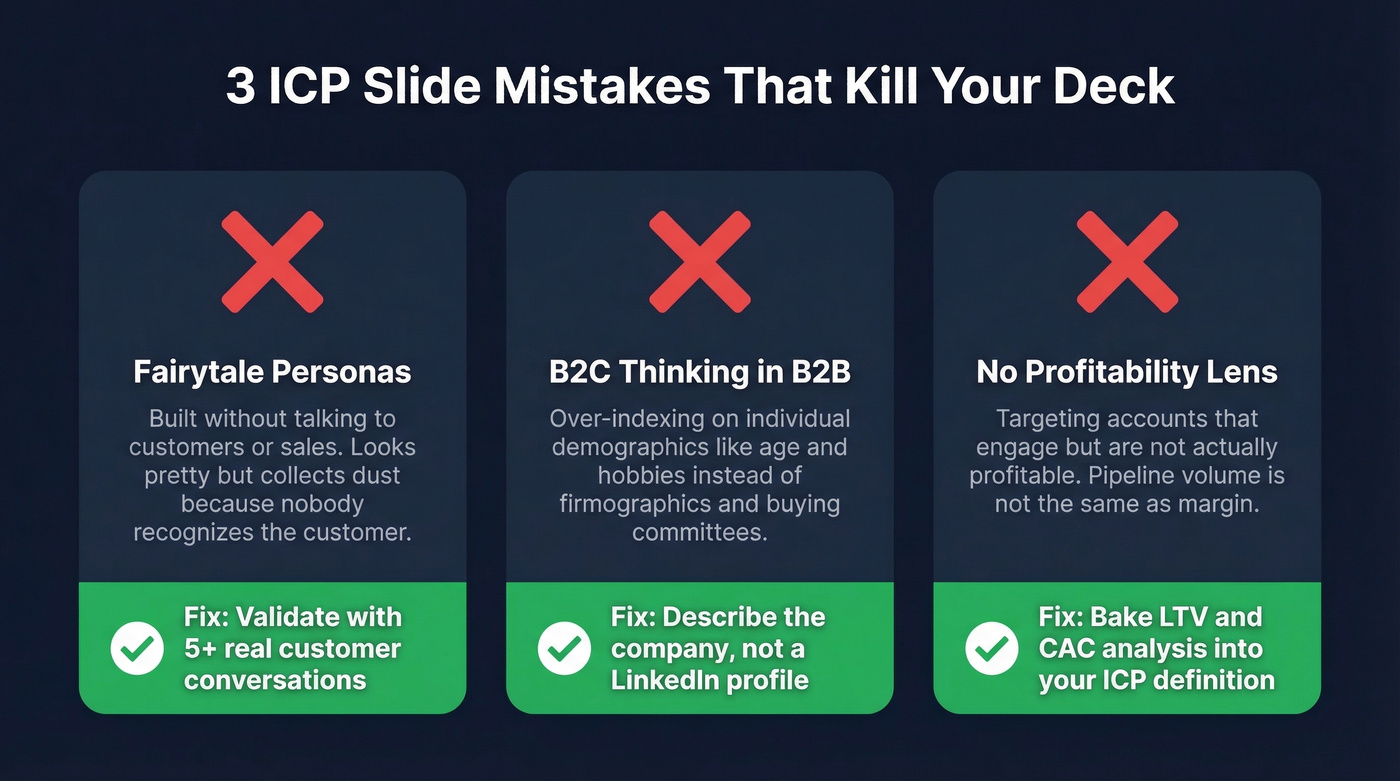
2. B2C thinking applied to B2B. Over-indexing on individual demographics - age, job title, "likes hiking" - instead of firmographics and buying committee dynamics. Your ICP slide should describe a company, not a LinkedIn profile.
3. No profitability lens. Targeting accounts that engage with your content but aren't actually profitable is a common trap. You need LTV and CAC analysis baked into your ICP definition, not just "who responds to ads." In our experience, the profitability lens is the one that changes the most minds in a room. The accounts that fill your pipeline and the accounts that drive margin aren't always the same. (If you need a refresher, start with Cost to Acquire Customer.)
Where the ICP Slide Fits in Your Deck
The ICP slide earns its place in three contexts.
Sales playbook. Salesforce lists persona content as a standard playbook component. It aligns reps on who to target before they ever open a sequencer.
Investor or board deck. An ICP slide signals GTM clarity. It tells the board you know exactly who you're building for and why.
Internal alignment deck. Gets marketing, sales, and CS on the same page. Teams with strong alignment see 36% higher retention and 38% higher win rates.
One sequencing tip worth stealing from ContentCamel's sales deck research: lead with prospect pain, not your product. The ICP slide works best after a "what we've heard" opening that shows you understand the market - then the ICP proves you've done the homework. (If you're rebuilding the whole narrative, see sales deck storytelling.)
Best Free ICP Slide Templates
Smartsheet is the fastest path to a usable slide. It includes a one-slide presentation template for PowerPoint and Google Slides, plus an ICP scorecard you can adapt for qualification. If you only grab one template, make it this one.
For the others, here's the quick breakdown:
| Template | Best For | Format | Catch |
|---|---|---|---|
| Slidesgo | Visual polish | Google Slides, Canva, PPT, Keynote | Free tier requires attribution |
| SlidesCarnival | No-friction download | PPT, Google Slides | Templates lean toward personas - adapt for ICP |
| HubSpot | HubSpot users | PPT, Word, Google Docs | Gated behind email form |
Skip HubSpot's template if you don't want to hand over your email for a download that's mostly persona-focused anyway. SlidesCarnival is the better zero-friction option.
How to Fill Your ICP Slide
A template is just a container. Three sources get you from blank to real.
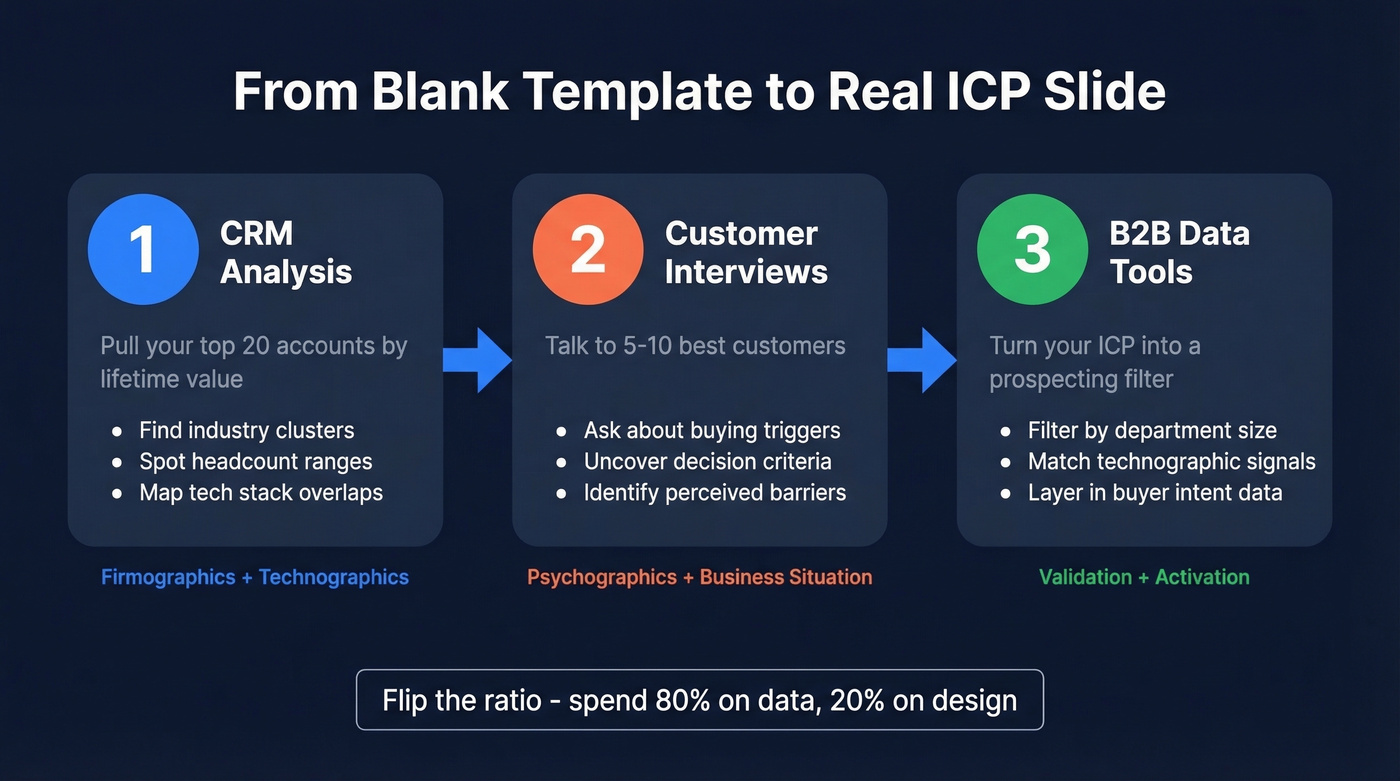
CRM analysis. Pull your top 20 accounts by lifetime value. Look for common firmographic and technographic patterns - industry clusters, headcount ranges, tech stack overlaps. We've done this exercise with teams who were shocked to find their best customers didn't match the ICP they'd been pitching to investors for two years. (If you want to turn this into a repeatable process, use data-driven selling.)
Customer interviews. Talk to 5-10 of your best customers. Ask about buying triggers, decision criteria, and perceived barriers. This is where the psychographic and business-situation fields come alive. Teams that skip this step end up with ICP slides that look right on paper but miss the actual reasons people buy.
B2B data tools. Once your ICP is defined, the slide should become a prospecting filter - not just a deck page. Prospeo's 30+ search filters map directly to ICP slide fields: industry, headcount, department size, technographics, and buyer intent across 15,000 topics. The same attributes you put on the slide become the filters you use to build a prospect list. An ICP that doesn't connect to prospecting is just a poster. (For more ways to turn ICP into pipeline, see sales prospecting techniques.)
Let's be honest about priorities: most teams spend 80% of their ICP effort on slide design and 20% on the data behind it. Flip that ratio. An ugly slide with accurate data will outperform a beautiful one built on assumptions every single time.

The #1 ICP mistake is building from guesses instead of data. Prospeo's database refreshes every 7 days - not the 6-week industry average - so the firmographic and technographic signals feeding your ICP stay current. Filter by department headcount, revenue range, tech stack, and intent signals to validate your profile against real accounts.
Stop guessing. Build your ICP on data that's never more than a week old.
FAQ
What's the difference between an ICP and a buyer persona?
An ICP describes the ideal company - firmographics, technographics, business situation - while a buyer persona describes an individual's role, goals, and pain points. One ICP typically maps to multiple personas. The average B2B buying committee involves five decision-makers, so expect several personas per profile.
How often should I update my ICP slide?
Review at least annually. Markets shift, buying committees change, and your best-fit customer last year won't necessarily match in 2026. Quarterly reviews are better if you're scaling rapidly or operating in a fast-moving market where deal sizes and segments evolve quickly.
How do I find companies that match my ICP after building the slide?
Turn each slide criterion into a search filter inside a B2B data platform - industry, headcount, technographics, intent signals - then export verified contacts directly to your sequencer. This closes the gap between strategy deck and live pipeline in minutes, not weeks.