

What Is a Lead CRM - And Why 79% of Your Leads Are Dying Without One
79% of marketing leads never convert into sales. Not because the leads are bad - because nobody followed up properly. No scoring, no routing, no nurture sequence. Just a spreadsheet with 2,000 rows and a prayer.
A lead CRM is the system that prevents this. Contacting a new lead within one hour makes you 7x more likely to qualify them, and waiting a day means you're competing against every competitor who responded first - 78% of buyers go with whoever gets there fastest. It's not a nice-to-have. It's the system that keeps leads from dying in your inbox.
Here's what it actually does, which tools are worth your money, and how to set one up this weekend without a consultant.
Quick Recommendations
If you don't want to read 2,000 words:
- Under 20 reps? Pipedrive Growth ($39/seat/mo, billed annually) - simple, fast, built for pipeline velocity.
- Zero budget? HubSpot Free - useful, but you'll outgrow it fast.
- Need deep customization? Zoho CRM - PCMag's Editors' Choice, a fraction of Salesforce pricing.
Whichever tool you pick, connect a data enrichment layer on day one. Your CRM is only as good as the data inside it - and most CRM data is terrible out of the box.
How a Lead CRM Works
Salesforce defines lead management software as the system that captures, tracks, sorts, scores, and prioritizes leads. That's accurate but clinical. In practice, a lead CRM runs a six-stage process that turns anonymous interest into revenue:
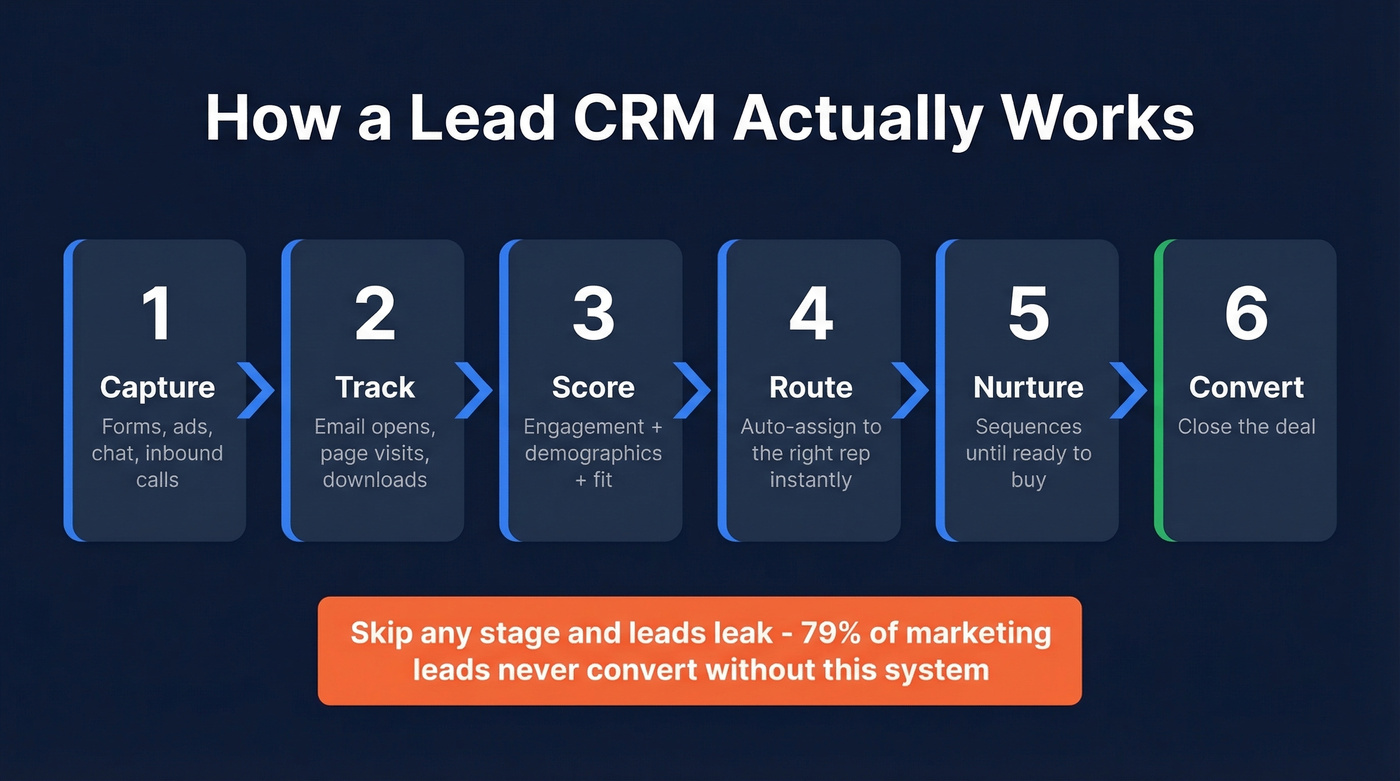
Capture -> Track -> Qualify/Score -> Route -> Nurture -> Convert.
Capture means pulling leads from forms, ads, chat, and inbound calls into one system. Tracking means logging every touchpoint - email opens, pricing page visits, content downloads - so reps know what a lead cares about before they pick up the phone. Scoring assigns a number based on engagement, demographics, and company fit. Routing sends that scored lead to the right rep instantly. Nurture keeps warm leads engaged until they're ready to buy. Conversion is where the deal closes.
Here's what makes this tricky: different channels produce leads with wildly different intent levels. Webinars convert at 11.2% while SEO leads convert at 1.8%. Your system needs to handle both and score them accordingly.
Skip any stage and leads leak. A form with 11 fields instead of 4? You're losing 160% of potential submissions. No routing rules? Your hottest inbound lead sits in a queue while a competitor calls them first.
CRM vs Lead Management Software
These terms get used interchangeably, but they aren't the same thing. noCRM.io frames it well: a lead management system is a "pre-CRM" - focused entirely on converting prospects into customers. A full CRM manages the entire customer lifecycle, including support tickets, renewals, and account management.
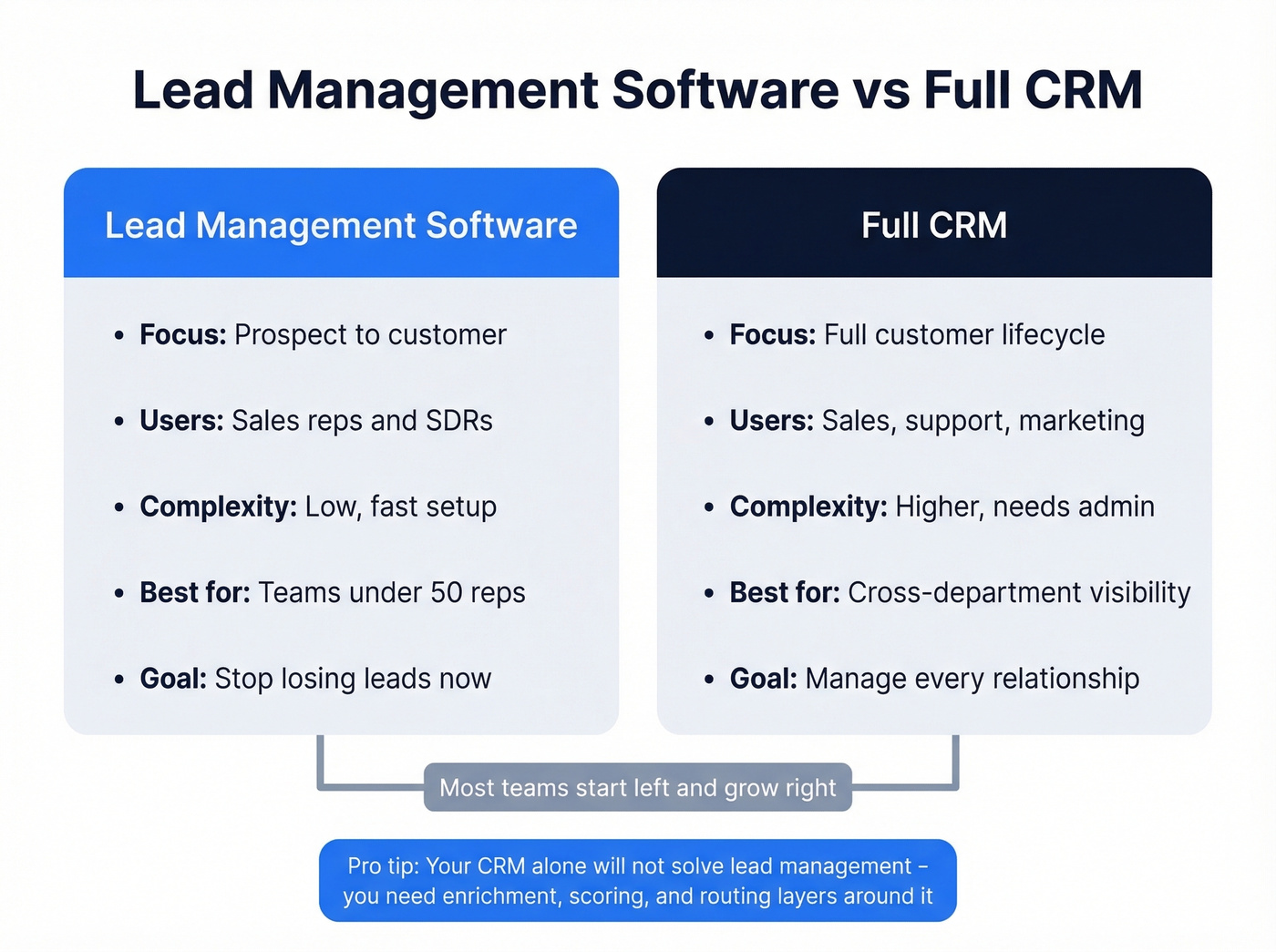
Zapier puts it more bluntly: lead management is a suite of tools - lead gen, qualification, nurturing, scoring, measurement - not a single app. That framing matters because your CRM alone won't solve lead management. You need the CRM plus the enrichment, scoring, and routing layers around it.
| Lead Management Software | Full CRM | |
|---|---|---|
| Focus | Prospect to customer | Full lifecycle |
| Users | Sales reps, SDRs | Sales, support, marketing |
| Complexity | Low, fast setup | Higher, needs admin |
| Best for | Teams under 50 reps | Orgs needing cross-dept visibility |
Most CRMs let you classify leads by temperature - cold, warm, hot - or by qualification stage: MQL, SQL, and beyond. For a 10-person sales team that just needs to stop losing leads, a dedicated lead management tool or a CRM configured for lead management is the right starting point. You don't need Salesforce's full platform to route inbound leads to three SDRs.
If you're still deciding between tools, start with a quick scan of examples of a CRM to see what “CRM” actually includes in 2026.

You read it above: a bare-bones lead with just a name and email isn't enough. Prospeo's CRM enrichment fills in 50+ data points per contact - verified emails (98% accuracy), direct dials (125M+ verified mobiles), job titles, company size, and buyer intent signals. Connect via Salesforce, HubSpot, or API and enrich your entire pipeline in minutes, not days.
Stop routing half-empty leads to your reps. Enrich them first.
Features That Actually Matter
Not every CRM feature matters for lead management. These seven do.
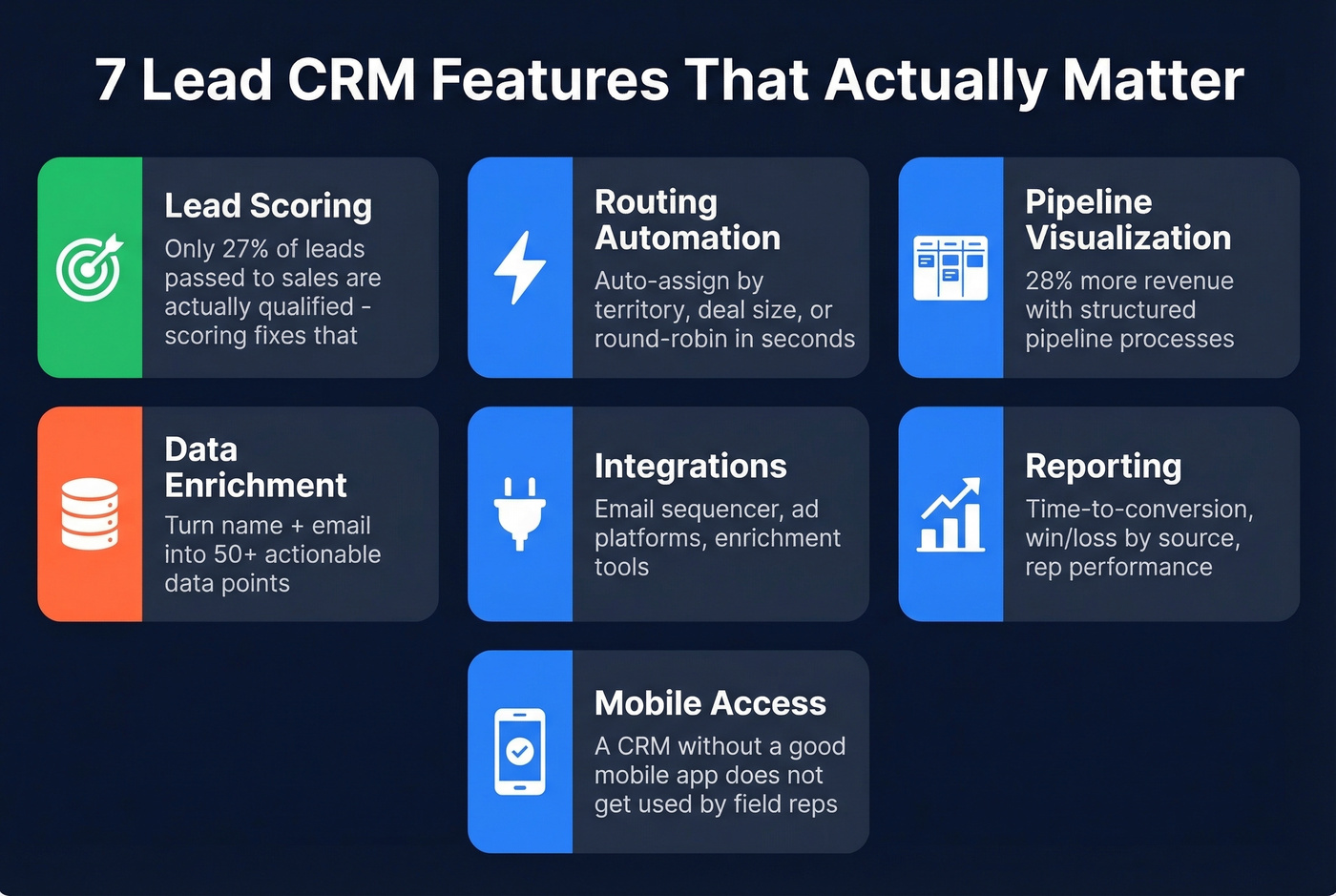
Lead scoring assigns points based on engagement signals like pricing page visits, email clicks, and event attendance, plus demographics like job title and geography, plus company attributes like revenue, headcount, and tech stack. Without scoring, reps waste time on leads that were never going to buy - only about 27% of leads passed from marketing to sales are actually qualified. (If you want a deeper setup guide, use this lead scoring framework.)
Routing automation is where speed-to-lead lives. Your CRM should auto-assign leads by territory, deal size, or round-robin within seconds. Not hours.
Pipeline visualization lets reps see where every deal stands at a glance. Kanban boards beat spreadsheets every time, and BlueprintDemand's benchmark compilation cites a 28% revenue growth difference between businesses with structured pipeline processes and those without.
Data enrichment transforms a bare-bones lead - name plus email - into something actionable. Enrichment fills in job title, company size, phone number, and buying signals automatically. We've seen teams double their connect rates just by adding verified direct dials to every inbound lead. (If you're comparing vendors, start with these data enrichment services.)
Integrations keep your CRM from becoming a data silo. It needs to talk to your email sequencer, your ad platforms, and your enrichment tools. Reporting covers time-to-conversion, win/loss by source, and rep performance. And mobile access matters more than most teams realize - a CRM without a solid mobile app is a CRM that doesn't get used by field reps and traveling AEs.
Best Lead CRM Software in 2026
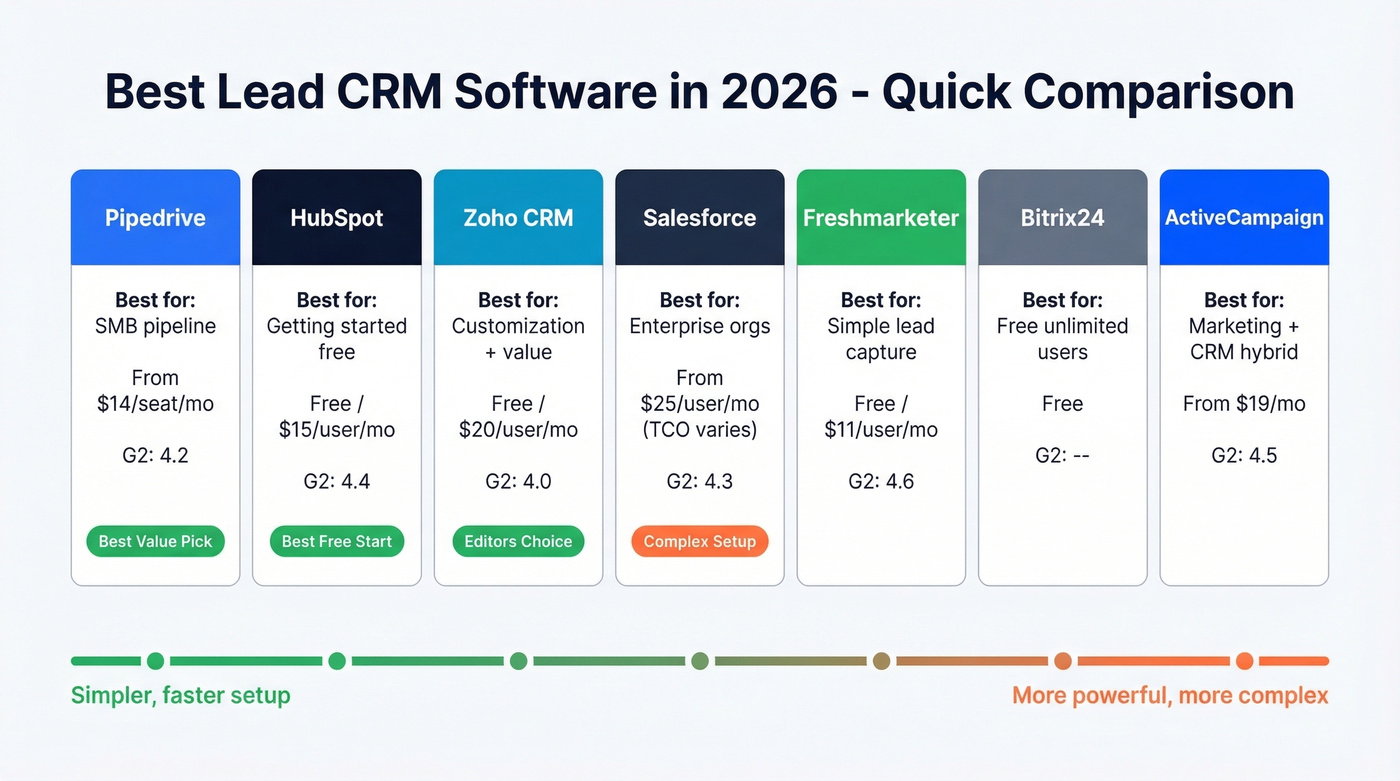
| Tool | Best For | Starting Price | G2 Rating |
|---|---|---|---|
| Pipedrive | SMB pipeline mgmt | $14/seat/mo (annual) | 4.2 |
| HubSpot | Getting started free | Free / $15/user/mo | 4.4 |
| Zoho CRM | Customization + value | Free / $20/user/mo | 4.0 |
| Salesforce | Enterprise orgs | $25/user/mo (TCO varies) | 4.3 |
| Freshmarketer | Simple lead capture | Free / $11/user/mo | 4.6 |
| Bitrix24 | Free unlimited users | Free | - |
| ActiveCampaign | Marketing + CRM hybrid | $19/mo | 4.5 |
Pipedrive
Use this if you're an SMB sales team that wants a CRM built around pipeline, not around features you'll never touch. Pipedrive restructured its plans into four tiers: Lite ($14/seat/mo), Growth ($39), Premium ($59), and Ultimate ($79) - all billed annually. The Growth plan is the sweet spot for most lead management use cases, with automation workflows and two-way email sync.

The LeadBooster add-on (starts at $32.50/mo) adds chatbots, web forms, and a prospecting tool - worth it if inbound lead capture is a priority. There's a 14-day free trial with no credit card required.
Skip this if you need heavy marketing automation or post-sale account management. Pipedrive is a sales tool, not a full GTM platform.
HubSpot
HubSpot Free is the default recommendation for teams starting from zero, and for good reason - you get contact management, deal tracking, email tracking, forms, and meeting scheduling without spending a dollar.
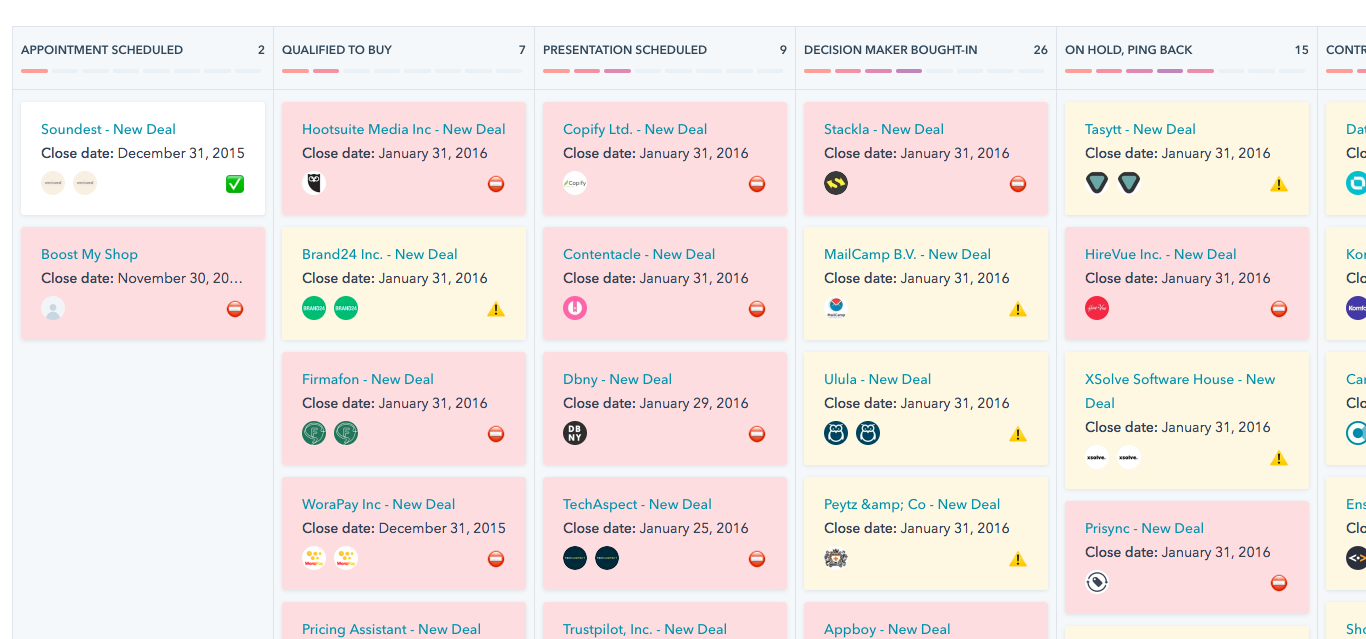
The free tier caps you at 2,000 marketing emails per month, 15 minutes of calling per user per month, one pipeline, and zero workflow automation. No lead scoring either. Paid plans start at $15/user/mo billed annually, but the jump to Marketing Hub Professional - where the real automation lives - is steep. Expect to upgrade within 3-6 months if you're serious about lead management.
Zoho CRM
Use this if you want deep customization without Salesforce pricing. Zoho earned PCMag's Editors' Choice with a 4.5 rating. Zia AI handles predictions, the workflow builder is flexible, and pricing starts with a free plan, with paid tiers from $20/user/mo.
Skip this if you need something simple out of the box. Zoho's learning curve is real - the customization power that makes it great also means you'll spend time configuring it. Teams without a dedicated ops person often underutilize it.
Salesforce
I'll be direct: Salesforce is overkill for 80% of teams reading this article.
Tier pricing runs from $25/user/mo (Starter) to $175 (Enterprise) to $350 (Unlimited). But the sticker price is misleading - a real-world 3-SDR Enterprise setup runs roughly $2,040/mo once you factor in add-ons and admin costs. Implementation can range from $5k-$15k for basic setups, $25k-$75k for mid-market, and $75k-$300k+ for enterprise rollouts. We've seen teams waste months configuring Salesforce when Pipedrive would have had them running in a weekend.
That said, if you're an enterprise org with a dedicated admin, complex approval workflows, and cross-department reporting needs, nothing else matches its depth. If you want the full cost breakdown, see our Salesforce pricing guide.
Freshmarketer
A strong pick for lightweight lead capture and marketing journeys feeding your pipeline. Rated 4.6 on G2, with plans starting at $11/user/mo. Good for teams that want journey-based nurturing without the complexity of a full marketing automation suite.
Bitrix24
Free with unlimited users, which makes it uniquely attractive for larger teams on a tight budget. It's more of an all-in-one workspace - project management, HR, CRM - than a dedicated lead management tool. The interface is busier than most competitors, but the price is hard to argue with.
ActiveCampaign
Starts at $19/mo. If your lead management strategy leans heavily on email nurture sequences and marketing automation, ActiveCampaign is the strongest hybrid on this list. Forbes Advisor named it a top marketing CRM pick. It's not a traditional sales CRM - it's an automation engine with CRM bolted on. That's either exactly what you need or completely wrong for your workflow.
Here's the thing: if your average deal size is under $15k, you probably don't need a full-featured CRM at all. Pipedrive plus a good enrichment tool will outperform an over-configured Salesforce instance every single time. The teams that win aren't the ones with the most features - they're the ones where reps actually use the system.
Why Most Implementations Fail
The tool isn't usually the problem. The data is.
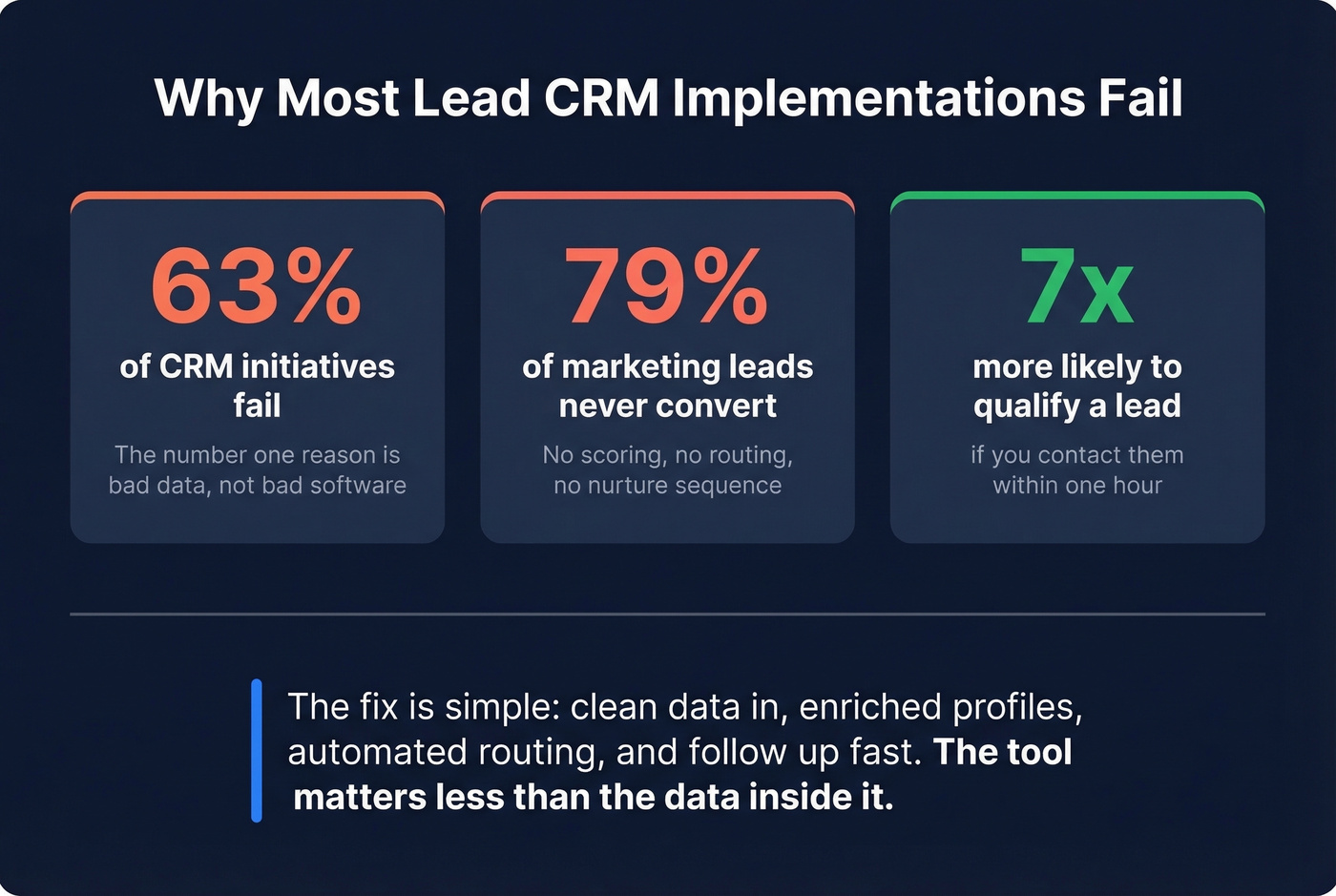
63% of CRM initiatives fail, and the #1 reason isn't bad software - it's bad data going into good software. Poor data quality wastes an estimated $32,000 per sales rep per year. And 70.3% of CRM data becomes outdated annually. By next January, nearly three-quarters of the contacts you imported this year will have wrong emails, old job titles, or disconnected phone numbers.

The downstream impact is brutal: 44% of companies lose more than 10% of annual revenue from inaccurate CRM data. And 80% of leads get mishandled or ignored - not because reps are lazy, but because they don't trust the data enough to act on it.
This is where an enrichment layer becomes essential infrastructure. Prospeo plugs directly into HubSpot and Salesforce, and you can connect it to other CRMs through Zapier, CSV enrichment, or the API. It enriches contacts with 50+ data points, including verified emails at 98% accuracy and 125M+ verified mobile numbers with a 30% pickup rate. The critical difference: a 7-day data refresh cycle, compared to the 6-week industry average. Your CRM data stays current instead of decaying into a graveyard of bounced emails and wrong numbers.
Set Up Your Lead CRM This Weekend
You don't need a consultant or a 6-month implementation. In our experience, teams that follow this checklist are fully operational by Monday morning.
Define your lead stages. Map out the journey from raw lead to closed deal. Five to seven stages is the sweet spot - more than that and reps won't update them. (Use this lead status setup as a baseline.)
Set scoring rules. Use three signal categories: engagement (page visits, email opens, content downloads), demographics (title, seniority), and company attributes (revenue, headcount, industry). Start simple. You can refine later.
Configure routing. Assign leads automatically by territory, deal size, or round-robin. Every minute a lead sits unassigned is a minute your competitor is calling them.
Connect your enrichment layer. Fill missing emails, phone numbers, and company data automatically. A lead with just a name and email address isn't actionable - enrichment makes it so. This step is what separates a functioning lead management workflow from a glorified address book.
Set up nurture sequences. Companies that nurture leads generate 50% more sales-ready leads at 33% lower cost. Even a basic 3-email drip for leads that aren't ready to talk beats radio silence. If you need copy, start with these sales follow-up templates.
Train the team. Adoption is the #1 failure point for CRM rollouts. If reps don't understand why they're logging activities, they won't do it. Keep training short, practical, and tied to their quota - reps waste an estimated 550 hours per year on manual data entry, so show them how automation eliminates that and adoption follows naturally. (This 30-60-90 day plan for sales reps helps operationalize it.)

Let's be honest: most CRM projects fail not because the team picked the wrong tool, but because they skipped the boring stuff - data hygiene, routing rules, rep training. The consensus on r/sales is that even a mediocre CRM with clean data beats a best-in-class CRM full of garbage contacts. Get the foundation right first.
78% of buyers go with whoever reaches them first - but you can't call fast if you don't have a direct dial. Prospeo adds verified mobile numbers and emails to every lead in your CRM automatically. At $0.01 per email and a 92% match rate, you'll spend less on data than on your team's coffee budget.
Turn your lead CRM into a revenue machine with data that actually connects.
FAQ
What's the difference between a lead CRM and a regular CRM?
A lead CRM focuses on capturing, scoring, and converting prospects into customers. A full CRM manages the entire lifecycle - support, renewals, account management. Most SMB teams under 50 reps start with lead management and expand later as post-sale complexity grows.
What's the best free option in 2026?
HubSpot Free for features and ease of use, Bitrix24 for unlimited users. Both have real limitations - HubSpot caps you at one pipeline with zero automation, and Bitrix24's interface is cluttered. Expect to upgrade within 3-6 months.
How much does lead CRM software cost?
From free (HubSpot, Zoho) to $14-$79/seat/mo (Pipedrive, billed annually) to $175+/user/mo (Salesforce Enterprise). A 3-SDR Salesforce setup can run over $2,000/mo all-in once you factor admin costs and add-ons.
Why do CRM implementations fail?
Bad data is the top killer - 70.3% of CRM data decays every year, costing an estimated $32,000 per rep. Low adoption is second. Connecting an enrichment tool that refreshes records on a 7-day cycle prevents the data rot that makes reps stop trusting the system.
How do I keep my CRM data accurate?
Connect an enrichment tool that refreshes contact data automatically on a weekly cycle. Manual data entry doesn't scale, and Prospeo's 92% API match rate and 50+ data points per contact keep records current without adding work for reps.