

No Code Sales Automation (2026): The SLA-Driven Playbook for Sales Ops
Most sales teams don't have an automation problem. They've got a reliability problem.
Leads get created without owners, routing rules "work" but sequences don't start, and RevOps ends up babysitting exceptions all day.
No code sales automation only pays off when you build it like an SLA-driven system: data checkpoint -> routing -> follow-up trigger -> monitoring. Anything less is just faster chaos.
What no code sales automation actually means (and what it isn't)
No code sales automation is visual, rules-based orchestration across your sales lifecycle: triggers (a lead arrives), actions (enrich, route, sequence), and guardrails (fallback queues, alerts, audit logs). It's "no-code" because you're wiring blocks together in tools like Salesforce Flow, HubSpot workflows, Zapier, or Make, not writing Apex or building a custom app.
The key is lifecycle mapping. If you don't explicitly map capture -> qualify -> route -> touch -> book -> handoff, you'll automate the easiest thing (usually routing) and ignore the thing that actually wins deals: fast, consistent follow-up with clean data.
No-code doesn't mean "no engineering thinking." It means you're expressing engineering logic in a UI, and you still need SLAs, monitoring, and failure handling. That's the difference between "we automated it" and "we can trust it on a Monday morning when 200 leads hit at once."
Myth vs reality
- Myth: "No-code automation = Zapier workflows." Reality: Zapier/Make are backbones. Automation is the end-to-end system: CRM logic + data checkpoints + sequencing + monitoring.
- Myth: "If it routes, it's automated." Reality: Routing without follow-up is just moving the problem to a different owner field.
- Myth: "We'll fix data later." Reality: Bad data gets amplified by automation. Duplicates and stale emails don't stay small; they multiply.
What you need (quick version)
If you're building no code sales automation, you need three components working together. Otherwise you're just creating a faster mess.
Checklist (minimum viable system)
- A data checkpoint: verify email + enrich missing fields before anything routes or sequences. (If you need a deeper rundown, see our guide on data quality.)
- A routing engine with a fallback queue: every lead gets an owner, even when fields are missing.
- An auto-sequence trigger + SLA alerts: the first touch starts automatically, and you get paged when it doesn't.

Minimum CRM field schema (so you can measure, not guess)
Create these fields up front. Without them, you can't debug or improve the system.
Timestamps
- Lead Captured At (datetime): when the lead entered your world (form submit/webhook/chat handoff).
- SLA Start At (datetime): when the SLA clock starts (often same as captured time, but not always).
- First Touch At (datetime): first outbound activity timestamp (email sent/call connected/meeting booked - pick one definition and stick to it).
Routing + sequencing outcomes
- Routing Outcome (picklist): Routed / Fallback Queue / Held for Repair / Suppressed / Error.
- Routing Reason (text): "EMEA + Healthcare," "Missing region," "Existing account owner," etc.
- Assigned By Automation (checkbox): prevents "who changed owner?" debates.
- Sequence Enrolled (checkbox) + Sequence Name (text) + Sequence Enrolled At (datetime).
Data hygiene + dedupe
- Deduped (checkbox) + Deduped Into Record ID (text).
- Email Validity Status (picklist): Valid / Catch-all / Risky / Invalid.
- Consent/Suppression Status (picklist): Subscribed / Unsubscribed / Do Not Contact / Unknown.
Observability
- Last Automation Run ID (text): Zap/Scenario/Flow interview ID.
- Automation Error Code (text) + Automation Error At (datetime).
Implement these 3 first (in this order)
- Verification + enrichment: stop bounces, fill routing fields (region, segment, ICP tags). (If you're choosing vendors, compare lead enrichment tools.)
- Routing with a fallback queue: catch-all owner/queue for anything that doesn't match rules.
- Auto-sequence + SLA alerts: if the lead's owned but not touched, you still failed the SLA.
My opinion: if you can't reliably do those three, don't add "AI SDR," don't add more scoring, and don't add more routing exceptions. You're stacking complexity on top of missing fundamentals.
The sales automation maturity model (Level 0 -> Level 3)
If you can't measure speed-to-lead and routing success rate, you don't have sales automation. You've got disconnected tasks.

Here's the maturity ladder I use when I'm auditing a Sales Ops stack.
| Level | What it looks like | What to automate next | Success metrics |
|---|---|---|---|
| Level 0: Manual | CSVs, inbox triage | Capture -> CRM create | % leads created |
| Level 1: Basic | Simple routing rules | Add data checkpoint | Bounce rate, dupes |
| Level 2: Connected | Route + auto-touch | Add SLA alerts | % touched <5 min |
| Level 3: Reliable | Monitored + audited | Add observability | Routing success %, queue aging |
Level 0 (Manual): Leads arrive in forms, inboxes, spreadsheets, and someone "handles it." Response times drift and attribution becomes a fight.
Level 1 (Basic): You've got assignment rules or a couple of zaps. It feels better, until you realize half the leads are missing fields and the other half are duplicates.
Level 2 (Connected): Routing triggers sequencing (or calling) automatically. This is where pipeline starts to feel predictable.
Level 3 (Reliable): You have monitoring, audit trails, and failure handling. This is where teams stop arguing about "lead quality" and start fixing the actual bottleneck: execution.
We've tested this ladder in messy real stacks, not demo accounts, and the jump from Level 2 to Level 3 is where the stress drops. The work doesn't disappear, but it stops being a daily fire drill.
Speed-to-lead SLAs (benchmarks + targets you can operationalize)
Speed-to-lead is the cleanest sales automation KPI because it's binary: you either responded fast, or you didn't. (If you want a full KPI set, see speed to lead metrics.)

A Hennessey response-time study covering 150,000 data points across 1,300+ sites across five years found:
- Median response time: 13 minutes
- 25% responded in under 5 minutes
- 26% never respond to online leads at all
- 33% respond in 10 minutes or less
- 56% respond within 1 hour
- 39% take >2 hours or don't respond
It's law-firm-heavy, but the behavior generalizes: buyers reward the first competent response. The same study also shows response modes skew heavily to phone (87%) and email (67%), which is exactly why "routing-only" automation underperforms: teams need a connected calling/sequencing trigger.
The SLA target that actually matters
Set your operational target to: first touch in <5 minutes for inbound leads during business hours.
Look, for lower-priced deals you don't need a fancy routing suite. You need <5 minutes and clean data. That's it. Most teams can double conversion without touching scoring, and it's honestly frustrating how often this gets ignored in favor of shiny dashboards.
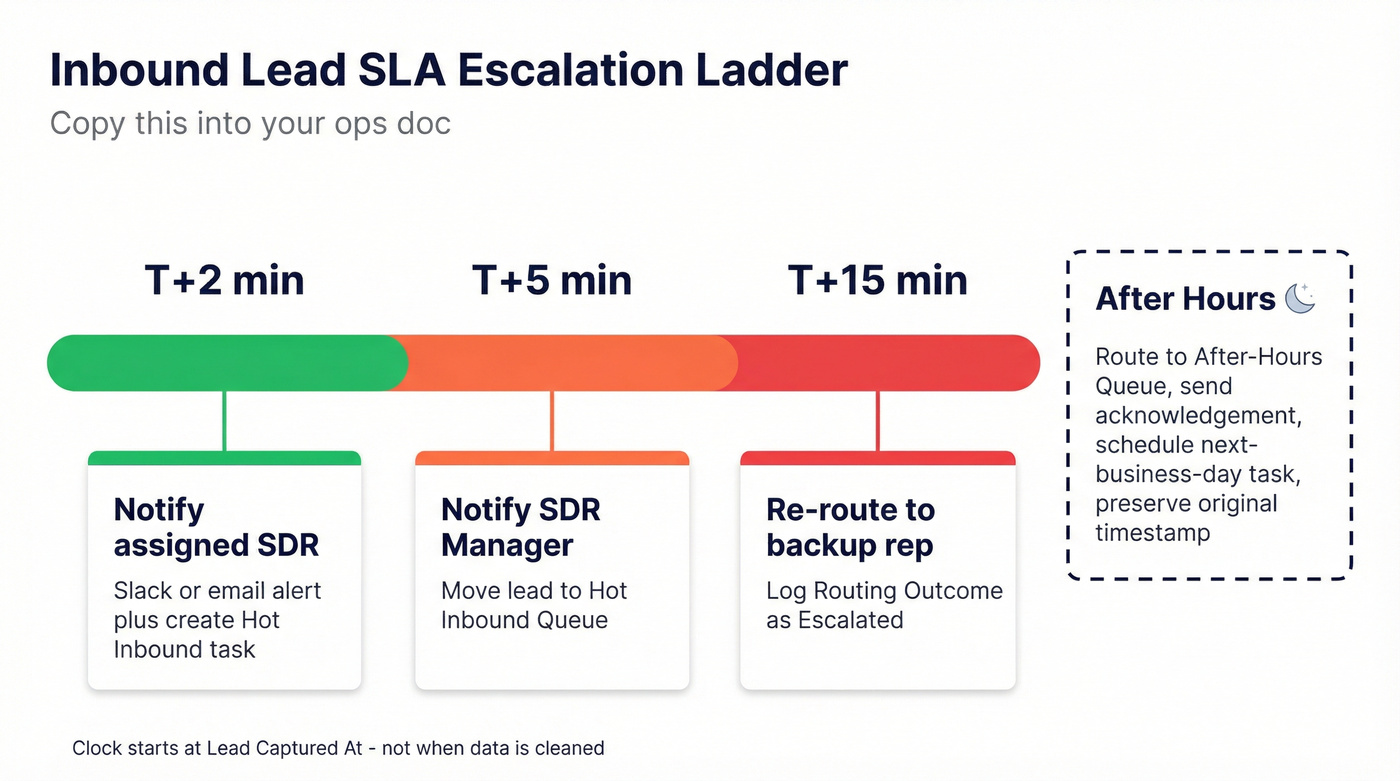
SLA spec (copy this into your ops doc)
Definition
- First touch = [choose one] call connected or email sent or meeting booked. Pick one and standardize it.
Clock start
- Start at Lead Captured At (form submit, demo request, chat handoff, partner referral).
Escalation ladder
- T+2 minutes: notify assigned SDR (Slack/email) + create "Hot inbound" task.
- T+5 minutes: notify SDR manager + move lead to "Hot Inbound Queue."
- T+15 minutes: re-route to backup rep or inbound pod + log Routing Outcome = "Escalated."
After-hours rule
- Route to an After-Hours Queue, trigger an after-hours acknowledgement, and schedule the next-business-day first-touch task with the original captured timestamp preserved.

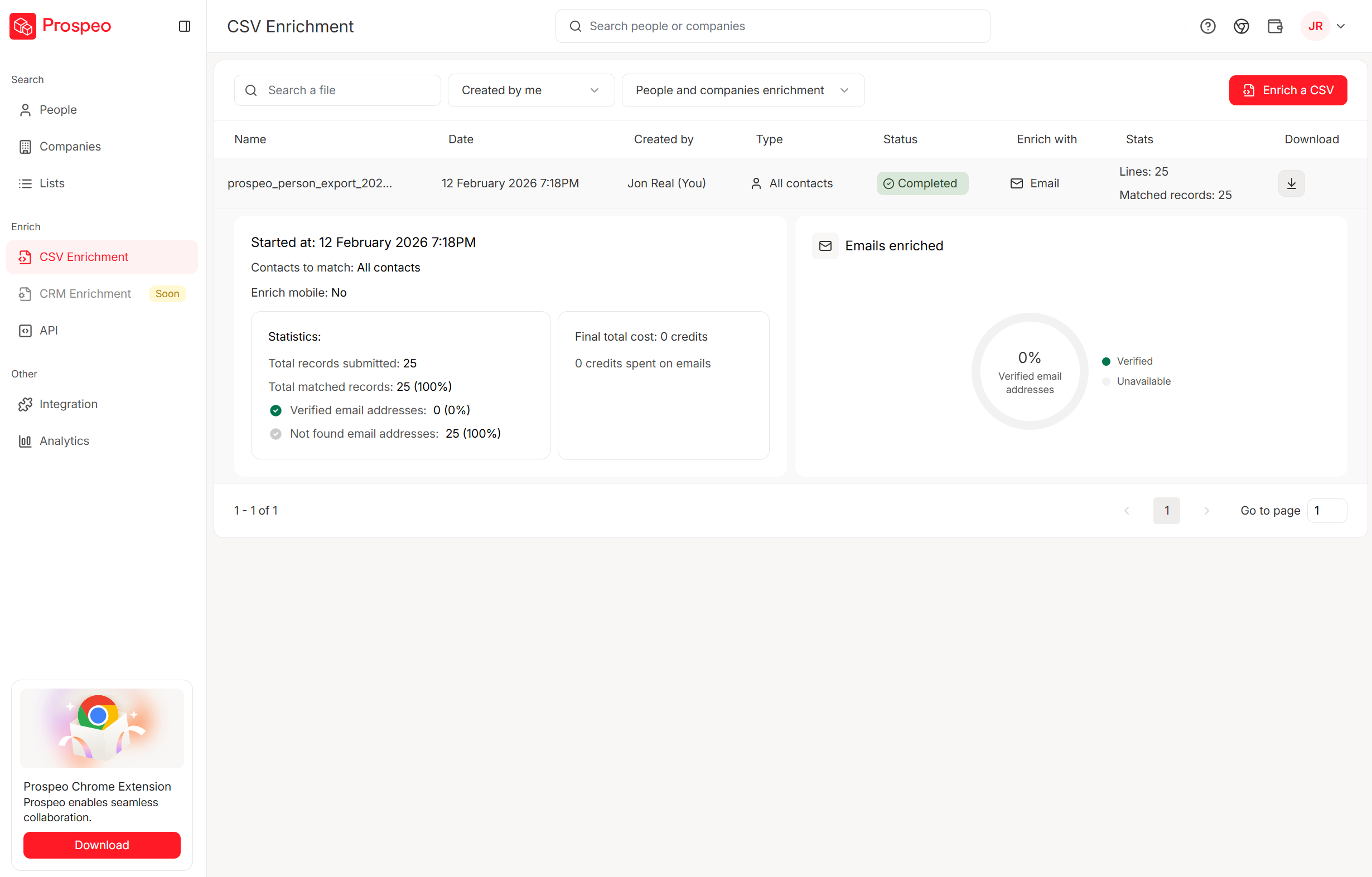
Your SLA clock starts when the lead arrives - not when you finish fixing bad data. Prospeo's 98% verified emails and 92% enrichment match rate mean your no-code workflows route clean, complete leads from the first trigger. No manual repair queues. No bounced sequences burning your domain.
Stop babysitting your fallback queue. Start with data that routes clean.
Playbook: instant inbound lead routing -> verify -> dedupe -> sequence
This end-to-end pattern works in the real world and is the core of no code sales automation: you're not just automating tasks, you're automating the SLA outcome.
webhook/lead capture -> verify/enrich -> dedupe -> repair owner -> round robin -> push to sequencing tool -> start SLA timer
Step-by-step workflow (trigger -> actions -> branches)
Trigger
- New inbound lead event (form submit, product signup, chat handoff, webinar registration). (For capture mechanics, see B2B lead capture.)
- Create/update Lead in CRM (Salesforce/HubSpot).

Action 1: Verify + enrich (data checkpoint)
- Verify email deliverability before you enroll anything into a sequence. (If you need the SOP, use how to verify an email address.)
- Enrich missing routing fields: region, industry, company size, domain, role, phone.
- Store Email Validity Status and a Data Confidence value (even a simple High/Medium/Low) so downstream steps can branch safely.
Here's a scenario I've seen more than once: a webinar list syncs in, half the emails are catch-all or stale, the sequence fires anyway, and deliverability tanks for the whole domain in a week. Nobody "broke" anything; the system did exactly what it was told to do. That's why the checkpoint comes first.
Action 2: Dedupe against CRM + MAP
- Match on email + domain + normalized company name.
- If duplicate:
- Update existing record (don't create a new one).
- Append enrichment fields with precedence rules (don't overwrite good first-party data with generic enrichment).
Also verify against your MAP (Marketo/Eloqua/HubSpot) before sequencing: reuse lifecycle status, respect suppression/unsubscribe lists, and avoid re-enrolling contacts who are already in nurture or marked "Do Not Contact."
Action 3: Lead-to-account matching (so ownership is stable)
- If the lead matches an existing account, attach it (Lead -> Account) and inherit the right owner/team rules.
- If you have multiple possible matches (parent/subsidiary), pick a deterministic tie-breaker (exact domain match beats fuzzy company name).
Action 4: Repair the owner field
- If the lead belongs to an account owner (existing customer, open opportunity, active SDR touch), keep ownership.
- If owner is blank or invalid, route via rules.
Action 5: Route (rules + round robin)
- Route by territory/segment first (region, vertical, employee band). (If your segmentation is messy, start with account segmentation.)
- Use round robin inside the team to distribute fairly.
- Always include a fallback queue if required fields are missing.
Action 6: Push to sequencing/calling
- If inbound is "hot" (demo request, high intent): trigger speed-to-lead calling.
- Otherwise: enroll in the correct inbound sequence and create a task.
The failure mode to watch: routing alone isn't enough if your follow-up app isn't connected to the CRM. You can assign leads instantly and still respond hours later because nobody's sequence started.
Copy/paste recipe (adapt in any no-code backbone)
IF Lead Created AND Lead Source in {Web, Demo Request, Chat} -> THEN Verify Email + Enrich Contact -> IF Email Validity Status in {Invalid, Risky} -> Set Routing Outcome = "Held for Repair" AND Owner = "Data Fix Queue" AND Notify RevOps -> ELSE -> IF Duplicate Found -> Update Existing Lead/Contact AND set Deduped = True -> IF Suppressed/Unsubscribed in MAP -> Set Routing Outcome = "Suppressed" AND create task "Manual review" -> ELSE -> IF Existing Account Owner Present -> Keep Owner AND enroll in "Existing Owner" sequence -> ELSE -> Assign via Territory Rules -> IF No Match -> Owner = "Inbound Catch-All Queue" AND Routing Outcome = "Fallback Queue" -> Enroll in Sequence OR Trigger Call Task -> Start SLA Timer + Alerts (T+2 / T+5 / T+15)
We've tested versions of this across different stacks, and the biggest win is simple: the data checkpoint prevents downstream chaos. When emails are valid and fields are populated, routing rules stop being brittle.
CRM-native automation (Salesforce + HubSpot): how to build routing you can trust
If you're serious about this, CRM-native logic is your source of truth. External automation backbones are great, but the CRM is where ownership, reporting, and auditability live.
Salesforce vs HubSpot (the practical difference)
- Salesforce is the standard for complex routing because Flow Builder (and Flow Orchestration) can express real logic, touch multiple objects, and leave an audit trail. It's not "easy," but it's dependable when governed well.
- HubSpot is faster for straightforward workflows, especially when your whole GTM runs inside HubSpot. For multi-object orchestration and complex territory logic, Salesforce wins.
A routing rule that's actually useful looks like: Healthcare + EMEA + score > 80 -> assign to EMEA Healthcare Sales Team.
If you outgrow native flows, add a routing/orchestration layer that provides node-level pass/fail metrics, reason codes, and SLA dashboards. That observability is what keeps routing stable when the business changes every quarter.

How to build round robin in Salesforce without code (Flow + Custom Settings)
This is the cleanest Salesforce-admin pattern for round robin without Apex. It's not glamorous, but it works.
Goal: assign leads in rotation when a condition is met (example: Lead Source = Web), using an org-wide counter stored in Custom Settings.
You'll use two record-triggered flows because of Salesforce order-of-operations:
Flow 1: Before-save (Record-triggered on Lead)
- Entry criteria: Lead Source = Web (or whatever inbound condition you want).
- Get the current counter value from a Custom Setting (org default).
- Set a Lead field like
Web_RR_Number__c= counter value. - Save the Lead.
Flow 2: After-save (Record-triggered on Lead)
- Same entry criteria.
- Increment the Custom Setting counter by 1.
- Save Custom Setting.
Rotation formula pattern Use a formula to map the counter to a user index:
MOD(counter, number_of_users) + 1
Then branch: if index = 1 assign SDR A, if 2 assign SDR B, etc.
Tradeoff to understand Uniqueness is nice, but inbound reliability is nicer. I'd rather accept the occasional retry weirdness than strand a lead with no owner while the SLA clock keeps running.
Choose your automation backbone: Zapier vs Make (a practical pick)
Zapier and Make both work. The right choice depends on complexity, volume, and how much you care about debugging.
Decision tree (fast and honest)
- Need fastest time-to-value and mostly linear workflows -> Zapier.
- Need branching, loops, iterators, JSON transforms, or anything data-pipeline-ish -> Make.
- Running high volume and tired of paying a tax on every step -> Make.
What's different in practice
- Integrations/apps: Zapier integrates with 8,000+ apps; Make has 3,000+ pre-built apps plus strong custom API support.
- Complexity: Make wins on depth. Routers, iterators, aggregators, and custom API calls are first-class.
- Pricing model: Zapier is task-based (each step costs you). Make is operations/credits-based, which stays predictable as scenarios get complex.
Mini table to anchor the choice:
| Dimension | Zapier | Make |
|---|---|---|
| Best at | Simple speed | Complex logic |
| Integrations/apps | 8,000+ apps | 3,000+ pre-built apps |
| Pricing feel | Can spike | Smoother at scale |
| Debugging | Basic | Strong scenario tooling |
If you want a category snapshot, Zapier's own no-code report is worth skimming.
Workflow automation vs AI agents (what to automate with each)
Workflow automation and AI agents aren't the same thing, and mixing them up is how teams ship unreliable systems. (For a deeper framework, see AI sales agent.)
Workflow automation is deterministic: "If X happens, do Y." It's perfect for:
- routing and round robin
- dedupe + lead-to-account matching
- SLA timers and escalations
- sequence enrollment locks
AI agent automation is probabilistic: "Given this context, decide what to do." It's great for:
- lead triage summaries (turn a messy inbound payload into a clean summary for the rep)
- enrichment validation (flag mismatches like "title says Finance but department = Engineering")
- call note routing (extract intent + next step from call notes and route to the right owner/queue)
Here's the rule I enforce: AI can recommend; workflows execute. Let AI write the summary, suggest the route, or propose the next step, but keep the actual assignment, sequencing, and suppression logic deterministic.
AI also makes bad data look plausible. A wrong company match with a confident summary is worse than a blank field, because it pushes reps to act on fiction. That's why your data checkpoint and confidence metadata matter more in 2026 than they did two years ago.
Tool stack (by job-to-be-done) + pricing reality check
No-code sales automation isn't one tool. It's a stack with clear jobs-to-be-done: data quality, routing/workflows, sequencing, and speed-to-lead.
One-view stack table (what you're actually buying)
| Job | Tool | Best for | Pricing (2026 signal) |
|---|---|---|---|
| Backbone | Zapier | Quick, linear automations | Free; from $19.99/month (annual) |
| Backbone | Make | Branching logic + iterators | Free; from $9/month |
| CRM workflows | HubSpot Sales Hub | Native workflows inside HubSpot | From $9/user/month; onboarding fees on Pro and Enterprise |
| Speed-to-lead | Callingly | Instant connect + inbound SLA | $25-$35/user/month; team plans available |
| Sequencing | Reply.io | Mid-market multichannel sequences | From $89/user/month (annual) + add-ons |
| Sequencing | Outreach | Enterprise sequencing + governance | Typically ~$100-$180+/user/month (modules) |
| Sequencing | Salesloft | Enterprise sequencing + analytics | Typically ~$100-$200+/user/month (dialer add-on) |
Data verification & enrichment (Prospeo)
If you're serious about no code sales automation, your "data checkpoint" can't be a vibe. It has to be measurable, fast, and consistent, because every downstream step (routing, suppression checks, sequence enrollment, calling) gets worse the moment you feed it junk.
Prospeo ("The B2B data platform built for accuracy") is built for that checkpoint. It gives you 98% verified email accuracy on a 7-day refresh cycle (industry average: 6 weeks), plus 83% enrichment match rate and 92% API match rate for CRM and webhook enrichment. Each enrichment returns 50+ data points, which is usually enough to power routing, segmentation, and sequencing without guessing.
The dataset is big enough to matter and fresh enough to trust: 300M+ professional profiles, 143M+ verified emails, and 125M+ verified mobile numbers, used by 15,000+ companies and 40,000+ Chrome extension users. And because it runs a 5-step verification process with catch-all handling, spam-trap removal, and honeypot filtering, you can put it in front of your sequences without feeling like you're gambling with deliverability. (If you want to compare options, see email verifier websites.)
One more practical point: Prospeo's pricing is self-serve and credit-based (free tier included; paid starts around ~$39/month), which makes it easy to plug into Zapier/Make and scale up without a procurement saga.

Automation backbone (Zapier)
Use when: you want the fastest path to "working" and your workflow is mostly A -> B -> C. A classic Sales Ops Zap is: form submit -> enrich -> create CRM lead -> Slack alert -> create SDR task.
Pricing: Free; paid starts at $19.99/month (annual) with Team plans from $69/month (annual). Watch task counts once you add branching, retries, and enrichment steps.
Automation backbone (Make)
Use when: your automation needs routers, iterators, data transforms, or custom API calls. Make is where "sales automation" starts to look like a real system instead of a chain of triggers.
Pricing: Free; Core $9/month, Pro $16/month, Teams $29/month. The killer feature is scenario-level control: routers + iterators + error handlers that keep complex flows readable.
CRM workflows (HubSpot Sales Hub)
Pick HubSpot workflows when HubSpot is your system of record and you want fewer moving parts. For deeper routing logic, use the CRM-native guidance above and keep workflows focused on lifecycle and follow-up.
Pricing: Starter $9/user/month (annual); Pro $90/user/month (annual) + $1,500 onboarding; Enterprise $150/user/month + $3,500 onboarding.
Speed-to-lead calling (Callingly)
Callingly is built for the <5-minute SLA: instant connect and simple inbound workflows that get a human on the phone fast. (If calling is part of your motion, also see our B2B cold calling guide.)
Pricing: $25/user/month (Voice) or $35/user/month (Voice+SMS), plus Enterprise from $2,000/month. It also offers a 14-day free trial (no credit card), and a Realty Team plan around $250/month for team setups.
Sequencing (Reply.io)
Reply.io is the mid-market sweet spot when you want multichannel sequences without enterprise packaging. It's strong for teams that need sequences plus optional calling/SMS and add-on automations.
Pricing: $89/user/month billed annually. Add-ons can stack (account automation, calls/SMS, AI SDR). One gotcha: some tiers price by active contacts/month, so keep an eye on that if your automations grow lists aggressively.
Sequencing (Outreach)
Outreach is enterprise-grade sequencing and governance with modular packaging (Engage/Call/Meet/etc.), which is what drives the price range.
Expect ~$100-$180+ per user/month and a real rollout. One consistent complaint I hear: contract and packaging friction, plus access risk when accounts change, so plan your admin controls and offboarding process.
Sequencing (Salesloft)
Salesloft sits in the same enterprise tier: powerful, expensive, and worth it when you'll use analytics and governance. Expect ~$100-$200+ per user/month, and remember the dialer add-on directly affects speed-to-lead if calling is part of your SLA.
The article's data checkpoint isn't optional - it's step one. Prospeo fills missing fields with 50+ data points per contact, verifies emails in real-time, and refreshes every 7 days. Plug it into Zapier, Make, HubSpot, or Salesforce and your enrichment step runs itself.
Build Level 3 automation on data that doesn't need fixing.
Why no code sales automation fails in production (and the guardrails that prevent it)
The most common no-code failure isn't "it broke." It's worse: it half-worked and nobody noticed.
Failure modes I see constantly
- No fallback owner/queue -> leads get stranded when a field is blank or a rule doesn't match.
- Missing validation checkpoints -> routing runs on incomplete data (region missing, domain malformed, score null).
- Duplicate creation paths -> the same lead enters via form + webinar + enrichment, and you sequence them twice.
- Brittle rule sprawl -> every new edge case adds another branch until nobody can reason about the system.
- No sandbox edge-case testing -> it works for "happy path" leads and fails for real-world mess (subsidiaries, typos, shared inboxes).
- No error notifications -> Make/Zapier errors sit quietly while your SLA clock keeps ticking.
- No audit dashboard -> you can't answer "what % of leads routed successfully today?" in under 30 seconds.
Guardrails (non-negotiables)
- Fallback queue / catch-all owner for every routing flow. No exceptions.
- Validation checkpoints before routing and before sequencing:
- required fields present
- email deliverable status stored
- dedupe check completed
- suppression/consent checked
- Sandbox testing with edge cases: duplicates, missing region, weird domains, existing customers, partner leads.
- Error notifications to a real channel (Slack/email) with the lead record link + run ID + failure reason.
- Enrollment lock: if a lead's already in an active sequence, don't re-enroll; create a task instead.
Skip the fancy stuff until these are true.
Enrichment governance: precedence rules + confidence metadata
Automation breaks when enrichment overwrites truth.
Use simple precedence rules:
- First-party CRM fields win (rep-entered, customer-provided, product signup).
- MAP lifecycle status wins (don't reset MQL/SQL stages because enrichment "found" something new).
- Enrichment fills blanks and appends context; it doesn't rewrite core identity fields unless confidence is high.
Then store confidence metadata:
- Data Source (first-party, MAP, enrichment, manual)
- Confidence (High/Medium/Low)
- Last Verified At (date)
This is also how you keep AI agents honest: AI can summarize and recommend, but your workflow should branch on confidence and suppression status, not on a model's guess.
Audit dashboard spec (what to put on the wall)
If you build one dashboard, build this one. These tiles catch 90% of production failures.
Speed-to-lead compliance
- Definition: % leads with First Touch At - SLA Start At <= 5 minutes
- Target: >= 80% during business hours
- Alert: drop >10 points day-over-day
Routing success rate
- Definition: % leads with Routing Outcome = Routed (not fallback/repair/error)
- Target: >= 95%
- Alert: < 90% in any 2-hour window
Fallback queue volume
- Definition: count of leads routed to catch-all queue
- Target: < 3% of inbound
- Alert: spike 2x baseline
Queue aging (catch-all + repair)
- Definition: median time in queue before owner assigned
- Target: < 15 minutes
- Alert: median > 30 minutes
Duplicate rate
- Definition: % inbound flagged Deduped = True
- Target: < 5% (varies by channel)
- Alert: > 10% (usually means multiple creation paths)
Sequence enrollment success
- Definition: % routed leads with Sequence Enrolled = True (when eligible)
- Target: >= 90%
- Alert: < 80% (integration failure or lock misfire)
Suppression violations (should be zero)
- Definition: count of leads with Consent/Suppression = DNC/Unsubscribed that were enrolled
- Target: 0
- Alert: any non-zero
Automation error count by run ID
- Definition: errors grouped by Automation Error Code + Last Automation Run ID
- Target: near-zero
- Alert: repeated errors on the same step (usually auth/field mapping)
When routing gets complex: stop adding rules (and what to do instead)
I watched a team hit the classic scaling wall: they kept adding routing rules until they had 900+ rules, then started tripping Apex CPU limit errors. Routing didn't just slow down; it failed. And when routing fails, your SLA fails.
What to measure before it breaks:
- Flow interview volume (spikes reveal loops and retries)
- CPU time / transaction time on lead create
- Fallback queue aging (it rises before Sales complains)
- Reassignment frequency (a proxy for "routing is wrong")
Do this instead:
- Collapse rules into nested logic: fewer decision points, clearer precedence.
- Separate "match" from "assign": first determine segment/territory, then assign within that bucket.
- Add routing/orchestration when needed: pick tools that provide node-level metrics, reason codes, and SLA tracking.
- Instrument everything: if you can't see pass/fail counts per node, you're flying blind.
If you're adding your 40th exception rule, you're not improving routing. You're building a system that'll punish you later.
30/60/90-day rollout plan (what to ship, in order)
A reliable rollout is a sequencing problem. Ship the foundation first, then add complexity.
Days 1-30: Make it measurable and safe
Deliverables
- Field schema implemented (timestamps, routing outcome/reason, run IDs, error codes)
- One capture path fully automated (usually web demo request)
- Fallback queue + repair queue live
- SLA spec agreed and documented
KPIs
- Routing success rate baseline
- Speed-to-lead baseline
- Fallback queue volume baseline
Days 31-60: Connect routing to follow-up
Deliverables
- Dedupe + lead-to-account matching
- MAP suppression checks enforced
- Sequence enrollment lock (no double-enroll)
- SLA escalations (T+2/T+5/T+15) wired to Slack/email + task queues
KPIs
- % touched <5 minutes (business hours)
- Duplicate rate
- Sequence enrollment success rate
Days 61-90: Make it reliable at scale
Deliverables
- Audit dashboard spec implemented (8 tiles)
- Error handling + retry strategy standardized
- Territory logic refactor (match -> assign) and reason codes normalized
- Optional: AI summaries/recommendations added without letting AI execute assignments
KPIs
- SLA compliance trend (week over week)
- Queue aging (median + 90th percentile)
- Reassignment frequency
FAQ
Is no-code sales automation the same as Zapier workflows?
No. Zapier is one backbone option, but no-code sales automation is the full SLA-driven system: data checkpoint, CRM-native routing, sequencing/calling triggers, and monitoring. If you only have zaps without auditability and fallbacks, you automated tasks, not outcomes.
What's the difference between lead routing and lead assignment?
Routing is the logic that decides where a lead should go (territory, segment, priority). Assignment is the outcome (the owner/queue/team field gets set). Routing can be logically correct and still fail assignment if required fields are missing or no fallback queue exists.
How do I prevent duplicate outreach when automations run?
Dedupe before sequencing and add an enrollment lock. Match on email + domain, update existing records instead of creating new ones, and store a "Sequence Enrolled" flag with a timestamp. If a lead's already in an active sequence, create a task instead of re-enrolling.
Do I need Salesforce Flow Orchestration, or is Flow Builder enough?
Flow Builder's enough for most routing and assignment use cases, including round robin, validation, and SLA timers. Flow Orchestration's worth it when you need multi-step, multi-team handoffs with approvals and visibility into long-running processes across objects.
What should I verify/enrich before routing and sequencing?
Verify deliverable email status, dedupe keys (email/domain), suppression/consent status, and enrich the routing fields you actually use: region, industry, company size, role, and phone. Then store confidence metadata so your workflows can branch safely.
What to do next (so this actually works)
If you take one thing from this guide, take this: build for SLA compliance, not for "automation coverage." Start with the minimum viable system - data checkpoint, routing with fallback, and an automatic first-touch trigger - then instrument it so you can see failures the same day they happen.
Your next step is simple:
- implement the field schema,
- ship one inbound path end-to-end,
- put the dashboard on the wall,
- enforce the <5-minute SLA with escalations.
Once that's stable, add complexity (territory nuance, AI summaries, advanced orchestration). Reliability first. Everything else is decoration.
In 2026, no code sales automation isn't about doing more. It's about doing the basics so consistently that "lead quality" stops being an excuse and starts being a measurable input.