

Sales Accepted Lead Criteria: Checklist, Scoring Rubric, and CRM Picklist
Your SDRs rejected a big chunk of last quarter's MQLs. When you asked why, the reasons were vague - "not a good fit," "seemed off," "couldn't reach them." That's not a lead generation problem. Most teams are drowning in leads but starving for conversions because they have a lead management problem, not a volume problem. The fix starts with defining clear sales accepted lead criteria - what "accepted" actually means.
You need three artifacts: a criteria checklist covering four acceptance gates, a lead scoring rubric with a numeric threshold for auto-routing, and a CRM disposition picklist for rejections and disqualifications. Let's break each one down.
What Is a Sales Accepted Lead?
A sales accepted lead is an MQL that sales has formally reviewed and agreed meets the criteria worth pursuing. Per Forrester's SiriusDecisions framework, acceptance is an acknowledgment step - the rep confirms the lead matches the SLA before attempting contact. Some teams call this a Universal Lead Definition (ULD): the shared, documented criteria that both marketing and sales agree defines a sales-ready lead.
The progression looks like this: MQL (marketing says "qualified") → SAL (sales says "accepted, I'll work this") → SQL (sales says "there's a real opportunity here"). Organizations should aim for lead acceptance rates of 90%+. Lower rates usually point to a breakdown between marketing and sales, not a lead quality issue. Getting this right is fundamentally an alignment problem - both teams need to agree on which accounts and personas deserve rep attention before a single lead gets routed.
The Four-Gate Acceptance Checklist
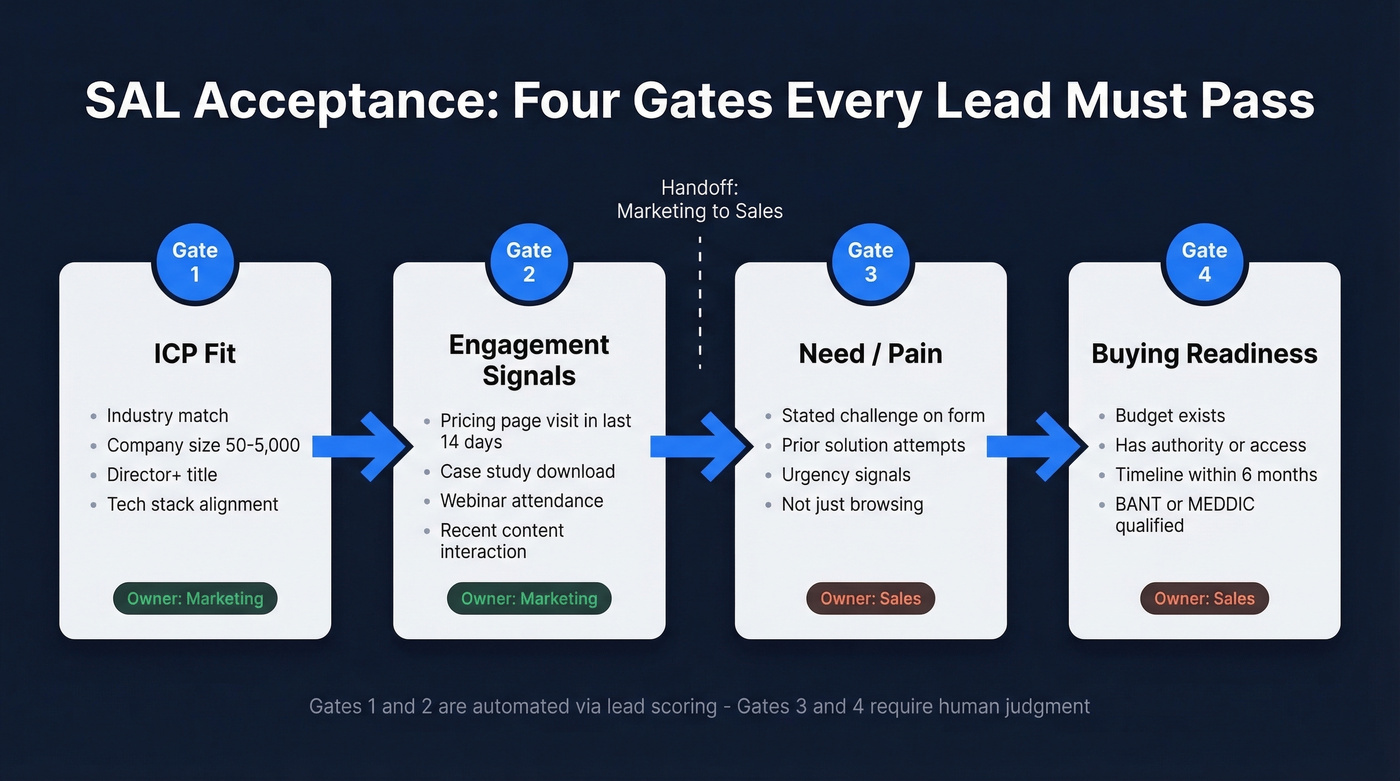
Every lead that reaches sales should pass through four gates before acceptance. This framework adapts Luru's qualification stages into concrete SAL acceptance gates with specific thresholds your team can implement today.
| Gate | Criteria | Example Threshold | Owner |
|---|---|---|---|
| ICP Fit | Industry, size, title, tech | 50-5,000 employees, Dir+ | Marketing |
| Engagement | Page visits, content, events | Pricing page in last 14 days | Marketing |
| Need/Pain | Challenge, urgency, prior attempts | Stated pain on form fill | Sales |
| Buying Readiness | Budget, authority, timeline | Decision within 6 months | Sales |
Gate 1 - ICP Fit is the binary filter. Does this person work at a company you can actually sell to? Industry, employee count, job title, and tech stack are the four core firmographic dimensions. If someone doesn't pass this gate, they shouldn't have been routed in the first place. (If you need a starting point, use an ideal customer profile template.)
Gate 2 - Engagement Signals separate the curious from the interested. A pricing page visit in the last 14 days, a case study download, or webinar attendance all signal intent. A single blog visit from six months ago doesn't. If you're formalizing this, it helps to define and document your buying signals.
Gate 3 - Need/Pain is where sales takes over. Has the prospect articulated a challenge? Have they tried solving it before? Is there urgency, or are they just browsing? This gate requires human judgment - scoring models can flag signals, but a rep needs to read between the lines.
Gate 4 - Buying Readiness is the final check. Budget exists, the contact has authority or access to it, and there's a realistic timeline. BANT handles this well for straightforward deals with clear budgets and single decision-makers. For complex, higher-value deals with longer buying cycles, MEDDIC is usually the better framework. Pick the one that matches your average deal, not the one that sounds more sophisticated. (If you're implementing it, see MEDDIC sales qualification.)
Lead Scoring for SAL Acceptance
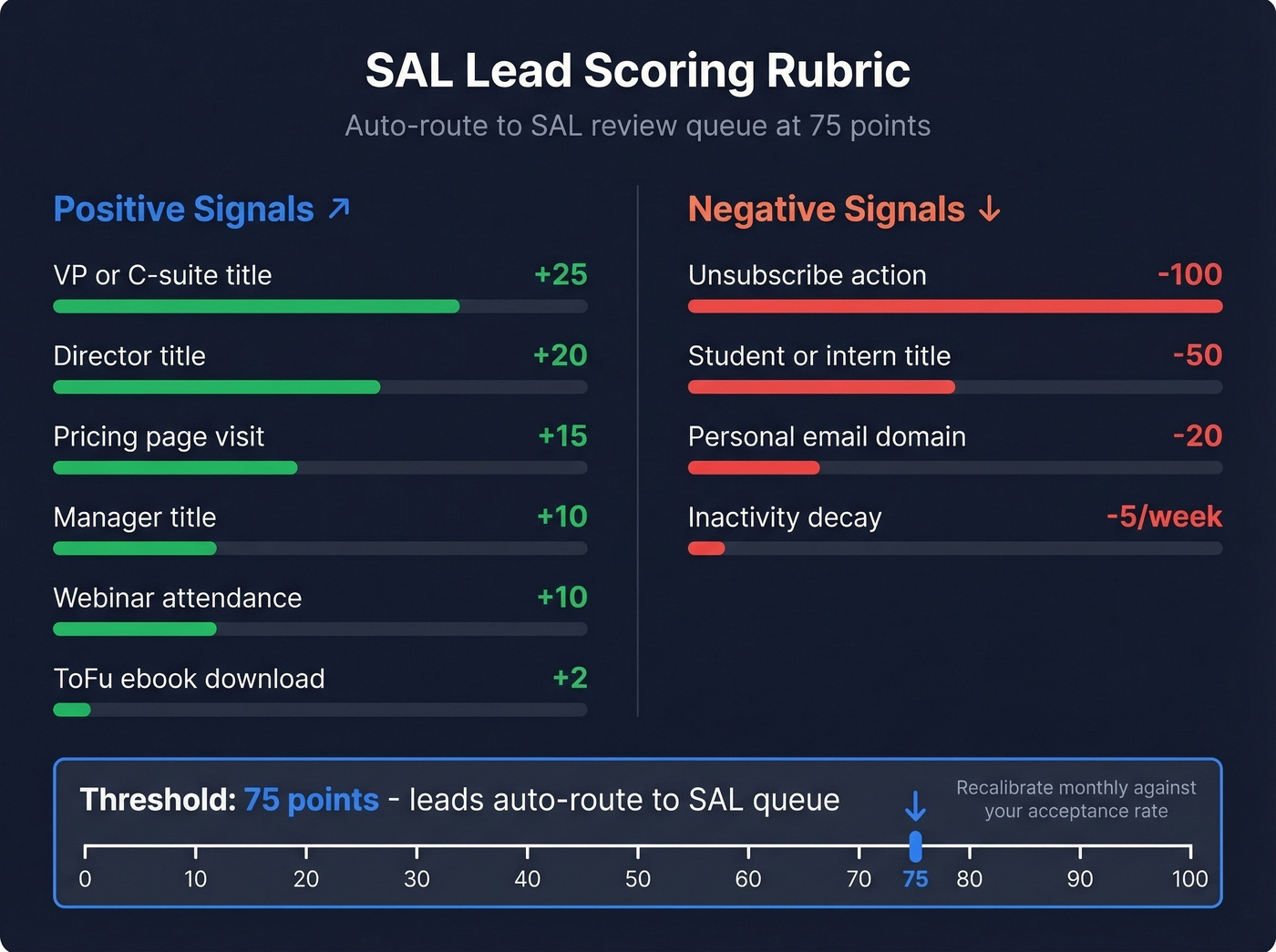
Point-based scoring automates Gate 1 and Gate 2, freeing reps to focus on Gates 3 and 4. Here's a scoring rubric adapted from Vanderbuild's model and Kubaru's framework:
| Signal | Points |
|---|---|
| VP or C-suite title | +25 |
| Director title | +20 |
| Manager title | +10 |
| Student / intern | -50 |
| Pricing page visit | +15 |
| Webinar attendance | +10 |
| ToFu ebook download | +2 |
| Personal email domain | -20 |
| Unsubscribe action | -100 |
| Inactivity decay | -5/week |
Calibrate seniority scoring to your ICP - if directors are your primary buyers, weight them higher than VPs. The table above is a starting point, not gospel.
Set your threshold at 75 points to auto-route leads into the SAL review queue. In HubSpot, use the HubSpot Score property. In Salesforce, Process Builder handles rules-based routing. In our experience, the threshold number matters far less than the monthly calibration habit. Review it against your acceptance rate and adjust.
Score decay matters more than most teams realize. A lead who hit 80 points three months ago and went silent isn't the same lead anymore. The -5 points per week of inactivity keeps your queue honest and prevents reps from chasing ghosts.

"Inaccurate data" is the #1 SAL rejection reason we see - and it's entirely preventable. Prospeo's 5-step email verification delivers 98% accuracy, so reps evaluate leads on fit and intent, not whether the contact info is real. At $0.01 per email, verifying your entire MQL queue costs less than one wasted rep hour.
Eliminate data-related rejections before they hit your SAL queue.
SAL Rejection vs. Disqualification
Here's the thing: most teams treat rejection and disqualification as the same action. They're not, and conflating them poisons your feedback loop.
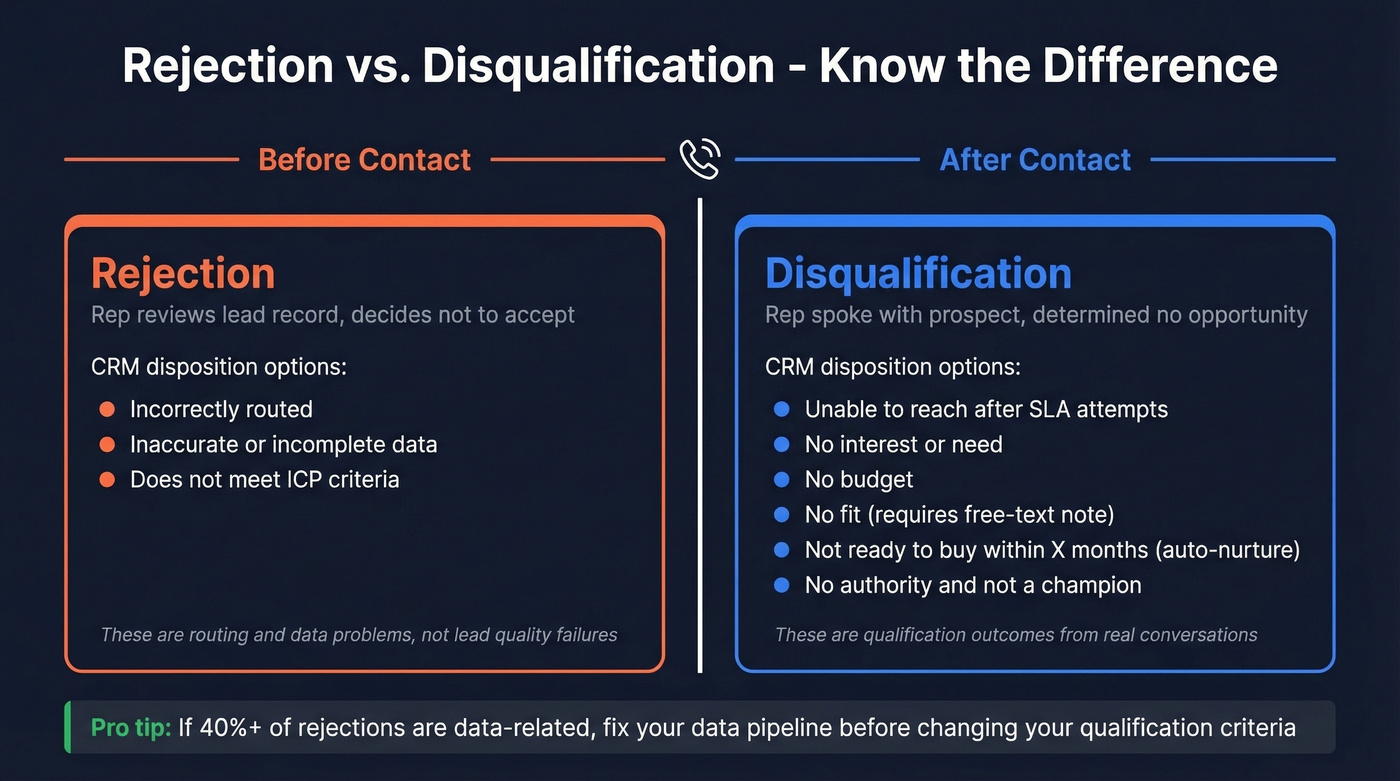
Rejection happens before contact. The rep reviews the lead record and determines it doesn't meet acceptance criteria - wrong routing, incomplete data, doesn't match the target market. Disqualification happens after contact. The rep spoke with the prospect and learned there's no budget, no authority, or no need.
Your CRM disposition picklist should include these options:
Rejection reasons (pre-contact):
- Incorrectly routed
- Inaccurate or incomplete data
- Doesn't meet ICP criteria
Disqualification reasons (post-contact):
- Unable to reach after SLA-defined attempts
- No interest or need
- No budget
- No fit - requires free-text explanation, and frequent reasons should become their own categories
- Not ready to buy within X months, auto-routed to nurture
- No authority - not a decision-maker and not an internal champion
Notice that "inaccurate data" sits in the rejection column. A lead with perfect ICP fit but a bounced email is a data problem, not a qualification failure. Catch bad contact data early so reps don't burn time on bounced emails and disconnected numbers. We've found that running records through an email verification step before routing - something like Prospeo's 5-step verification at 98% accuracy - eliminates most data-related rejections entirely.
How Criteria Differ by Segment
The biggest mistake we see: teams apply enterprise-grade qualification to every deal. Your SAL gates should flex by segment.
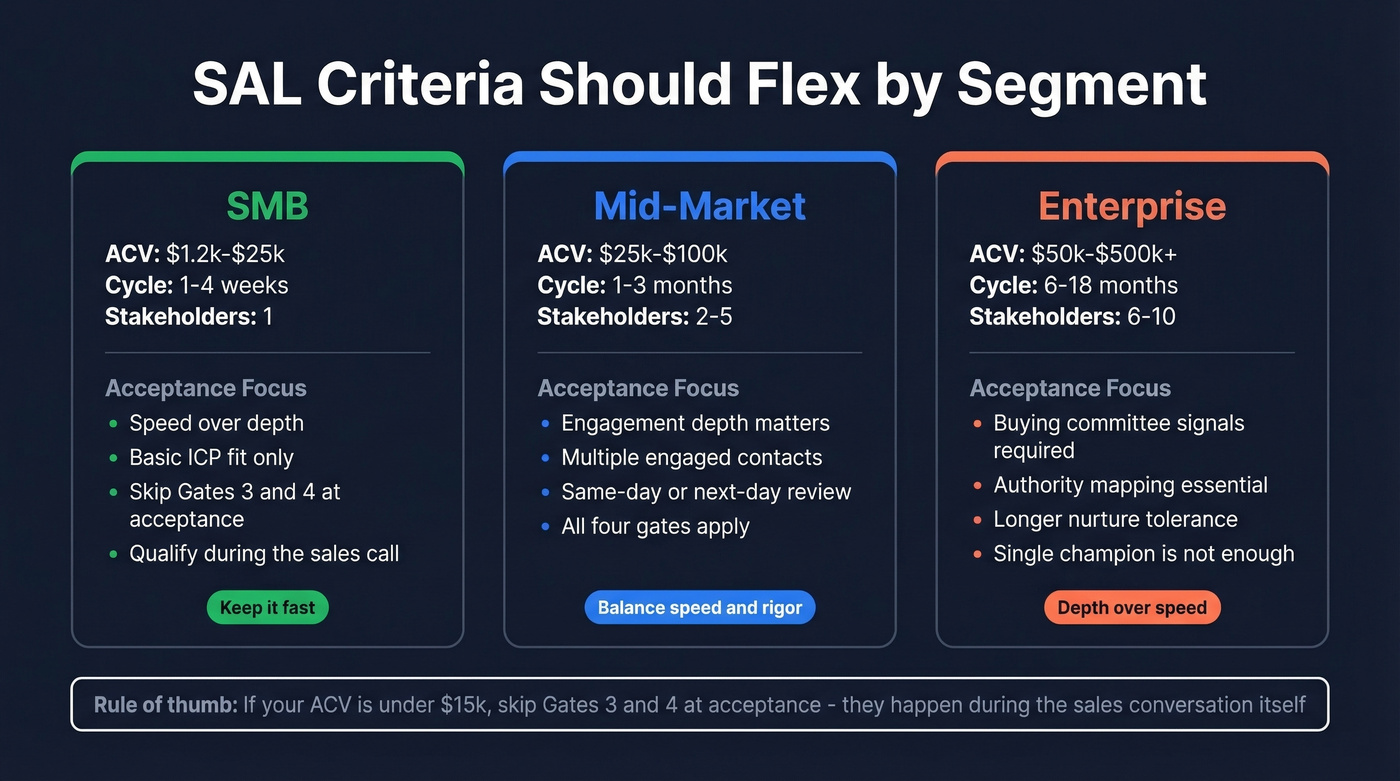
SMB deals average $1,200-$25,000 annually with 1-4 week sales cycles and typically one decision-maker. Acceptance criteria here should emphasize speed and basic ICP fit. Don't over-qualify - you'll slow down a cycle that should be fast.
Mid-market companies (Gartner defines this as $50M-$1B revenue, 100-1,000 employees) fall between. Add engagement depth and evidence of multiple engaged stakeholders to your gates, but keep the review process fast - same-day or next-day.
Enterprise contracts range $50,000-$500,000+ with 6-18 month cycles and 6-10 stakeholders. Acceptance criteria must include buying committee signals, authority mapping, and a longer nurture tolerance. A single champion isn't enough - you need evidence of organizational momentum. If you're building this motion, align it with your broader enterprise B2B sales process.
Skip Gates 3 and 4 for SAL acceptance if your average contract value is under $15k. Those gates happen during the sales conversation itself. Over-engineering the handoff costs you more deals than it saves.
Benchmarks Worth Tracking
| Metric | Benchmark |
|---|---|
| MQL → SAL | 70-90% (aligned teams); 5-30% in longer/complex cycles |
| SAL acceptance target | 90%+ |
| Follow-up SLA | 24h best / 72 business hours max |
| SAL → SQL | 30-50% |
| MQL → SQL, B2B SaaS | 13% |
| MQL → SQL, Cybersecurity | 15% |
| MQL → SQL, Business Insurance | 26% |
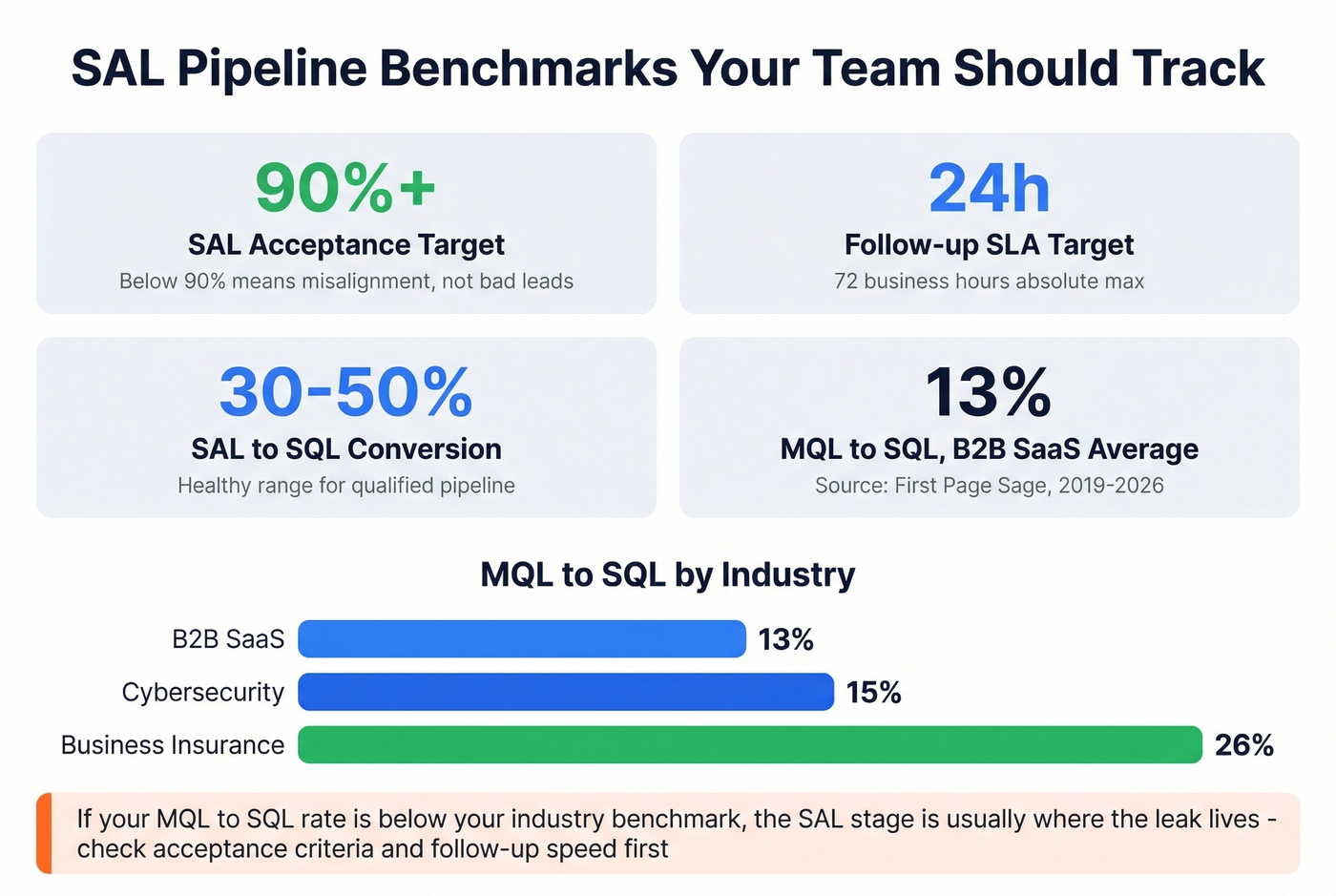
Industry conversion data from First Page Sage, 2019-2026 dataset.
If your MQL → SQL rate is significantly below your industry benchmark, the SAL stage is where the leak usually lives. Either leads are getting accepted that shouldn't be, or qualified leads are dying in the follow-up gap. The consensus on r/sales is that follow-up speed is the single biggest factor - a lead that waits 48+ hours for a response is already half-dead. (If you need copy you can deploy fast, use these sales follow-up templates.)
Building a Healthy Sales-Accepted Pipeline
Your marketing-sales SLA needs five things. Skip any and the process breaks within a quarter:
- Shared criteria definition - the checklist above, agreed upon by both teams
- Response-time commitment - 24 hours target, 72 business hours absolute maximum
- Rejection/disqualification process - required disposition reasons, no blank fields
- Feedback loop cadence - weekly or biweekly review of rejection reasons, with marketing present
- Escalation path - what happens when acceptance rate drops below 80%? Who owns the fix?
We've seen teams build beautiful qualification frameworks and then never review rejection data. Within a quarter, reps start selecting "Other" for everything and the feedback loop dies. That loop is the whole point - it's what keeps your pipeline clean and ensures every opportunity that moves forward has been properly vetted. Without it, you've just built a form that nobody reads.
One scenario we ran into recently: a mid-market SaaS team had a 62% acceptance rate and blamed marketing for sending junk leads. When we dug into the rejection data, 40% of rejections were "inaccurate data" - bounced emails and wrong phone numbers. The leads were fine. The data was stale. They started verifying contact records before routing and acceptance jumped to 88% in six weeks. The qualification criteria didn't change at all. (This is also where data enrichment services can make the biggest difference.)
Your scoring rubric is only as good as the data behind it. Prospeo enriches every record with 50+ data points - title, company size, tech stack, funding - so Gates 1 and 2 score accurately on day one. With a 7-day refresh cycle, score decay actually reflects lost interest, not stale records.
Feed your lead scoring engine data that's never more than a week old.
FAQ
What's a good SAL acceptance rate benchmark?
The target is 90%+ of MQLs accepted by sales. If you're below 90%, the issue is usually misalignment between marketing and sales on what "qualified" means - not a lead quality problem. Fix the shared definition first, then measure again.
How fast should sales follow up on accepted leads?
Twenty-four hours is best practice. Seventy-two business hours is the outer bound. Beyond that, conversion rates drop sharply and you're effectively wasting the marketing spend that generated the lead.
What's the difference between rejecting and disqualifying a lead?
Rejection happens before contact - bad data, wrong routing, doesn't meet criteria. Disqualification happens after contact - no budget, no authority, no need. Both require documented reasons in your CRM. The distinction matters because rejection signals a process or data problem, while disqualification signals a targeting or timing issue.
How do you prevent bad data from inflating rejection rates?
Run contact records through an email verification tool before routing to sales. Catching bounces, catch-all domains, and spam traps automatically keeps your rejection data clean and your reps focused on actual qualification decisions instead of data cleanup.