

How to Build a Salesforce Contact Database That Doesn't Rot
90% of Salesforce Contact records are incomplete, and 20% are entirely useless. B2B contact data decays 30-70% every year, which means the Salesforce contact database you cleaned last quarter is already degrading. Companies lose an estimated 12% of annual revenue to bad data, and most of that damage starts inside the CRM nobody's maintaining.
Salesforce won't protect you from yourself. The Contact object is only as good as the processes you wrap around it.
What You Need Before You Import Anything
Nail three pillars before a single record hits your org:
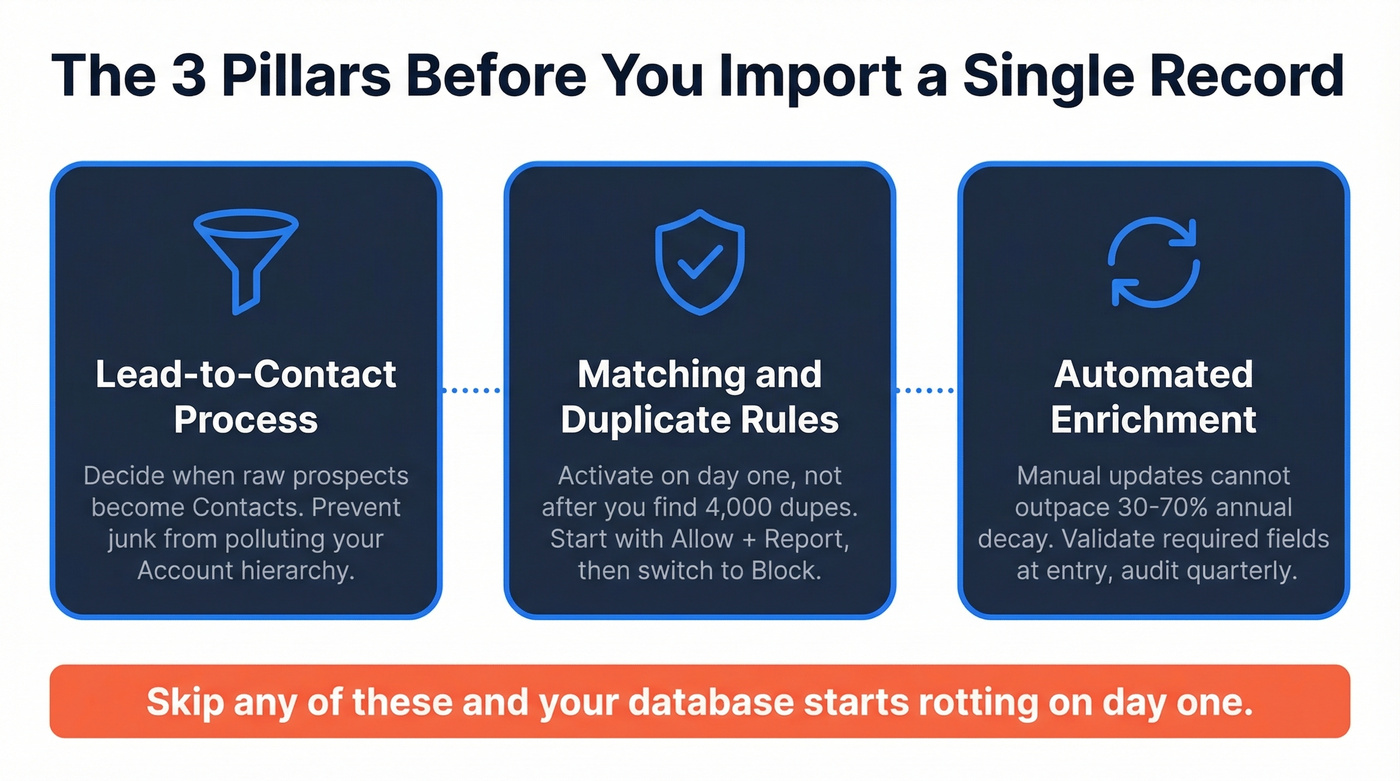
- Design your Lead-to-Contact process. Decide when raw prospects become Contacts. This prevents junk from polluting your Account hierarchy.
- Activate Matching Rules and Duplicate Rules on day one. Not after you find 4,000 dupes. Day one.
- Automate enrichment. Manual updates can't outpace 30-70% annual decay. Use Validation Rules to enforce required fields at the point of entry, and schedule quarterly audits to catch what slips through. If you’re evaluating vendors, start with data enrichment options that can refresh records automatically.
Understanding the Contact Object
A Contact in Salesforce is a person linked to an Account - someone your organization has a relationship with, tied to a company record. The six fields that matter most for data quality are Name, Email or Phone, Account Name, Title, Address, and a Unique Identification field. Get these right and your reports, automations, and AI features actually work. Clean contact data is what makes Einstein predictions and cross-department collaboration possible. Skip these fields and you're building on sand.
When a Lead converts, Salesforce maps it into an Account + Contact + optionally an Opportunity. Your Lead fields should mirror your Contact fields from the start - plan this before you import anything. If you need a tighter system, align this with your lead status definitions and your lead scoring model.
Leads vs. Contacts
Use Leads as a data quality gate. Raw prospects sit here until they're vetted, scored, and ready for sales. This keeps bad data out of your Account/Contact hierarchy. (This is also where most teams formalize their sales prospecting workflow.)
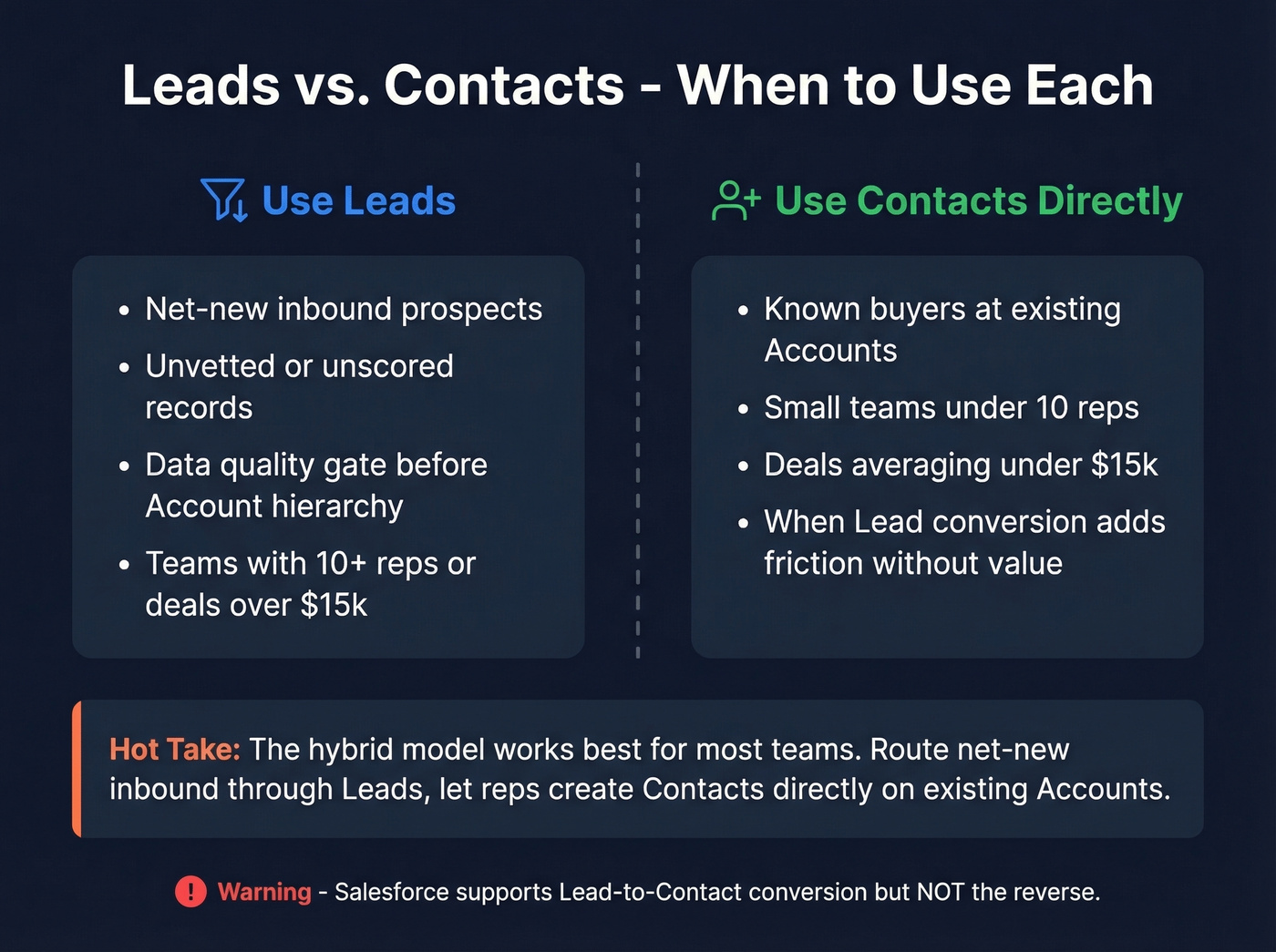
Skip straight to Contacts when you're working with known buyers at existing Accounts, or when your org is small enough that Lead conversion adds friction without value.
In our experience, the hybrid model works best for most teams: route net-new inbound through Leads, but let reps create Contacts directly on existing Accounts. One critical limitation - Salesforce supports Lead-to-Contact conversion, but not the reverse. As one frustrated admin on r/salesforce put it: "Why the hell does Salesforce have two different objects that represent human beings?"
Here's our hot take: if your team has fewer than 10 reps and deals average under $15k, skip Leads entirely. The conversion ceremony adds overhead that doesn't pay for itself at that scale.
Importing Contacts
| Tool | Record Limit | Best For |
|---|---|---|
| Data Import Wizard | Up to 50K records | Standard point-and-click imports |
| Data Loader | Up to 150M records | Large or automated loads via Bulk API |
Before you hit import:
- Export to CSV and clean for duplicates
- Verify field mapping matches your Contact object
- Create any missing custom fields or picklist values
- Deactivate workflow rules that might fire on insert
- Test with a small file first
That last step saves more headaches than everything else combined. We've seen teams nuke their entire Activity history because a workflow fired on 80,000 records at once. Don't be that team.
If you’re importing lists from outbound tools, make sure you’re not feeding in unverified addresses - use an email checker or a dedicated email deliverability workflow before the CSV ever touches Salesforce.

Importing contacts into Salesforce is only half the battle - keeping them accurate is where most teams fail. Prospeo's native Salesforce integration enriches every contact with 50+ verified data points at an 83% match rate, and refreshes records every 7 days so your database never goes stale.
Stop importing data that's already decaying. Enrich it at the source.
Preventing and Cleaning Duplicates
Salesforce's native dedup system has three parts: Matching Rules define how records are compared, Duplicate Rules decide what happens on a match, and Duplicate Jobs scan for historical dupes.
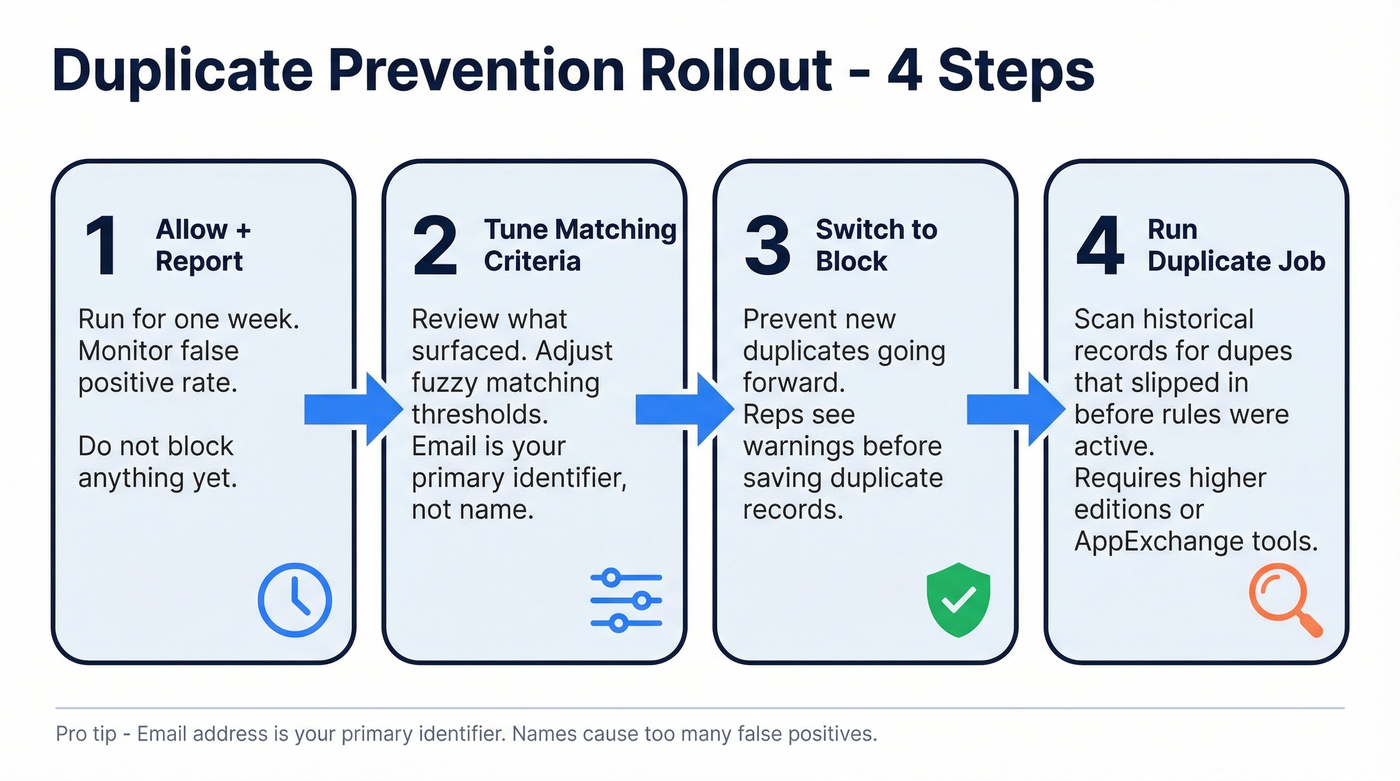
Email address is your primary identifier. Names aren't unique enough - you'll get false positives constantly. We recommend this rollout sequence:
- Start with Allow + Report for one week to see your false positive rate
- Tune your matching criteria based on what surfaces
- Switch to Block to prevent new dupes going forward
- Run a Duplicate Job to catch everything that slipped in before your rules were active
Duplicate Jobs require higher Salesforce editions. If you don't have access, AppExchange tools like DemandTools or Cloudingo handle batch dedup well.
Handling Job Changes
When a contact switches companies, use Account Contact Relationships (ACR). Update the primary Account when someone moves, and ACR preserves the historical relationship without duplicating the person. You keep one clean record with full activity history across companies.
Creating new records per move sounds clean in theory. In practice, it causes record bloat and search clutter with no native archiving to manage it. Skip that approach.
Enriching Your Contact Data
That 30-70% annual decay means a 10,000-record database loses 3,000-7,000 records' accuracy every year to job changes, company moves, and email bounces. Manual updates don't scale. Teams that previously relied on Data.com for contact enrichment lost that option when Salesforce retired the product, leaving a gap that third-party tools now fill more effectively. If you’re building a broader enrichment stack, it helps to understand firmographic and technographic data and how it impacts routing and segmentation.
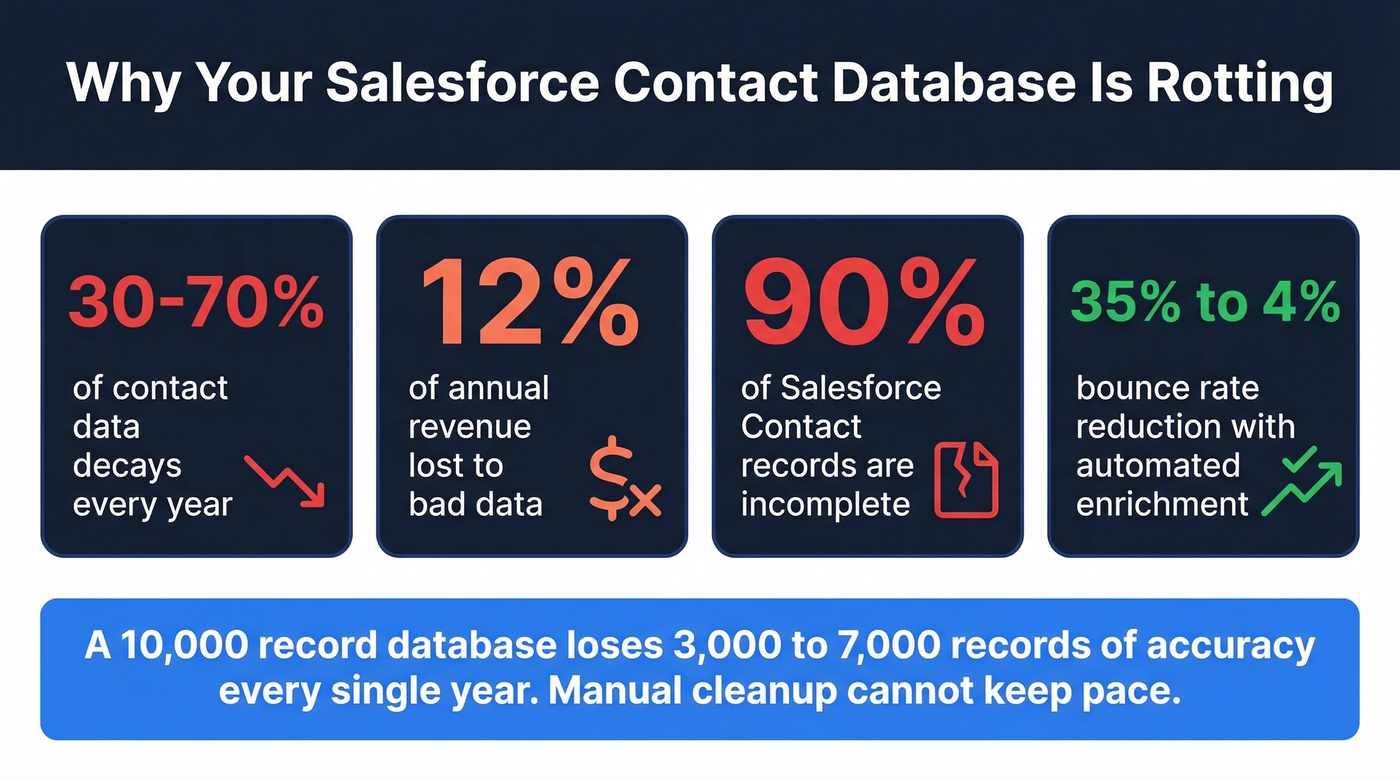
Let's be honest - if you're still assigning a junior rep to "clean up the CRM" every quarter, you're throwing money away. Automated enrichment is the only approach that keeps pace with decay at scale.
Prospeo integrates natively with Salesforce and enriches contacts with 50+ data points per record - verified emails at 98% accuracy, direct dials, titles, company data, and technographics. An 83% enrichment match rate means the vast majority of your records come back with usable data, and a 7-day refresh cycle keeps everything current instead of stale for six weeks.

One of our customers, Meritt, went from a 35% bounce rate to under 4% after plugging automated enrichment into their Salesforce workflow. That's not just cleaner data - it's pipeline they were leaving on the table. (If bounce is a recurring issue, benchmark against a healthy email bounce rate and fix the upstream causes.)
Bad Salesforce data costs companies 12% of annual revenue. Prospeo cuts bounce rates from 35% to under 4% with 98% email accuracy and automated enrichment - at roughly $0.01 per email, no contracts required.
Clean your Salesforce contact database for free - 75 emails, no credit card.
Storage Limits and Costs
| Storage Type | Base Allocation | Overage Cost |
|---|---|---|
| Data storage | 10 GB + 20 MB/user | $125/mo per 500 MB |
| File storage | Varies by edition | ~$5/mo per GB |
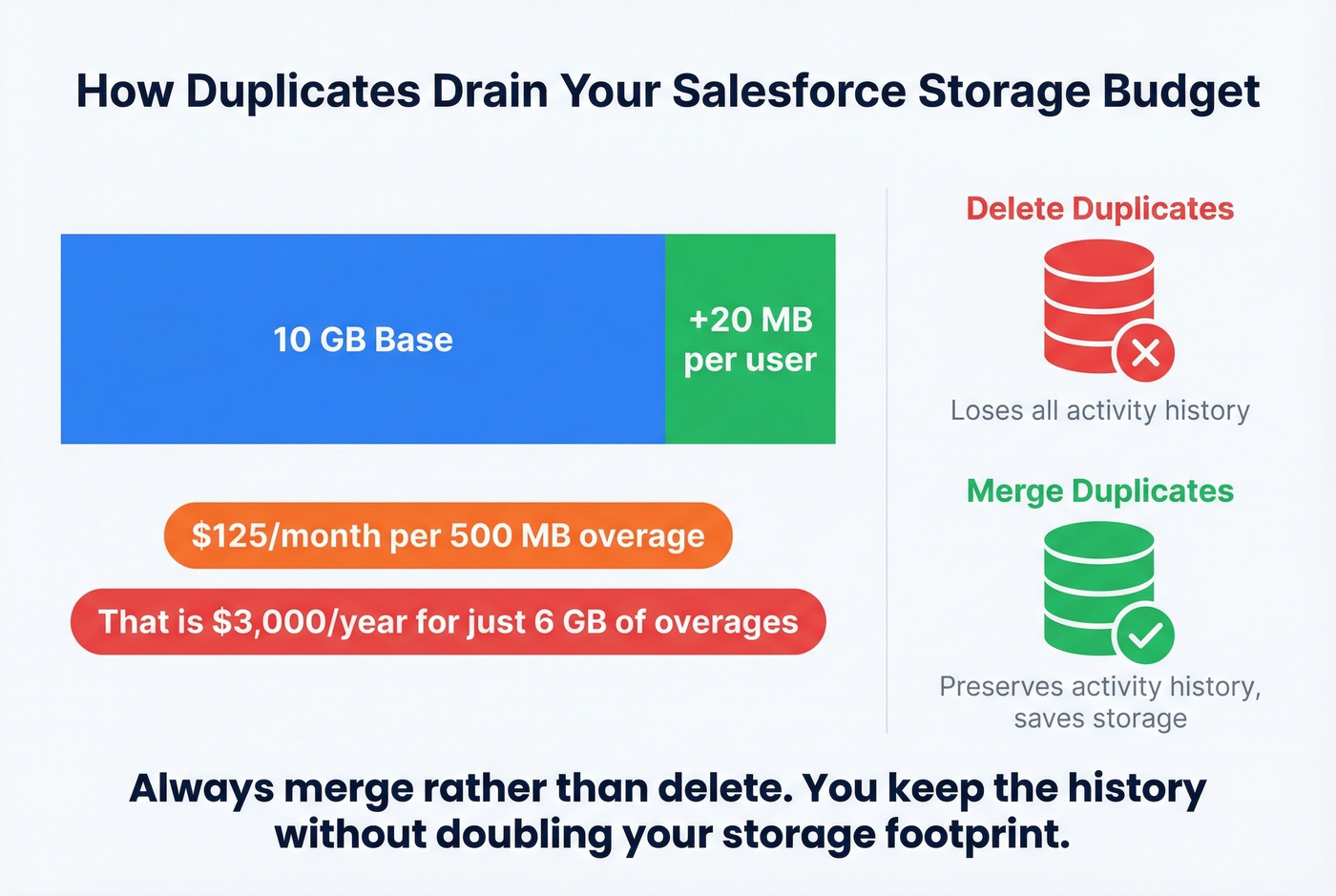
At $125/month per 500 MB of extra data storage, duplicates and orphaned attachments get expensive fast. Merge rather than delete - merging preserves activity history without doubling your storage footprint. For teams sitting on tens of thousands of records, this distinction alone can save hundreds of dollars a month.
FAQ
How many contacts can Salesforce hold?
There's no hard record cap. Storage is the constraint: 10 GB base plus 20 MB per user. Overages run $125/month per 500 MB, so keep your database lean through regular dedup and archiving unused records.
What's the fastest way to import contacts?
Under 50,000 records: Data Import Wizard. Larger datasets: Data Loader with Bulk API enabled for parallel processing. Always test with a small batch first - it catches field-mapping errors before they hit your entire org.
How do I keep my Salesforce contact data accurate?
Automate enrichment on a recurring schedule, keep Duplicate Rules active, and run quarterly audits. A 7-day refresh cycle and 98% email accuracy cover the 30-70% annual decay that manual updates can't match. Prospeo's free tier includes 75 credits per month if you want to test this without commitment.