

Using Excel as a CRM: Honest Guide for 2026
Excel is a legitimate CRM for solopreneurs and tiny teams. Anyone who tells you otherwise is probably selling you software. But there's a tipping point where using Excel as a CRM starts costing you deals instead of tracking them - and most people blow past it without noticing.
What You Need (Quick Version)
Excel works as a CRM if you've got fewer than ~100 contacts. Beyond that, grab a free CRM like HubSpot or Zoho. Either way, your CRM is only as good as your contact data - verify it before you do anything else.
When a Spreadsheet CRM Makes Sense
Around 22% of companies still rely on Excel for contact management. That's not ignorance - it's pragmatism. It genuinely works when:
- You're tracking fewer than 50-100 contacts
- Your sales cycle is simple: contact, follow up, close or lose
- You don't need automated email sequences or reminders
- Budget is zero
Excel is free or close to it, everyone knows how to use it, and the talent pool for building sophisticated spreadsheets is enormous. Millions of people can build pretty advanced solutions in Excel without any engineering cost. For a founder with 30 clients and no software budget, that's a real advantage.
Here's the thing: every "how to use Excel as a CRM" guide on page one is written by a CRM company. We're not selling you a CRM, so we'll tell you straight when Excel is enough and when it isn't.
Setting Up Your Excel CRM
Use a four-tab structure that keeps things organized:
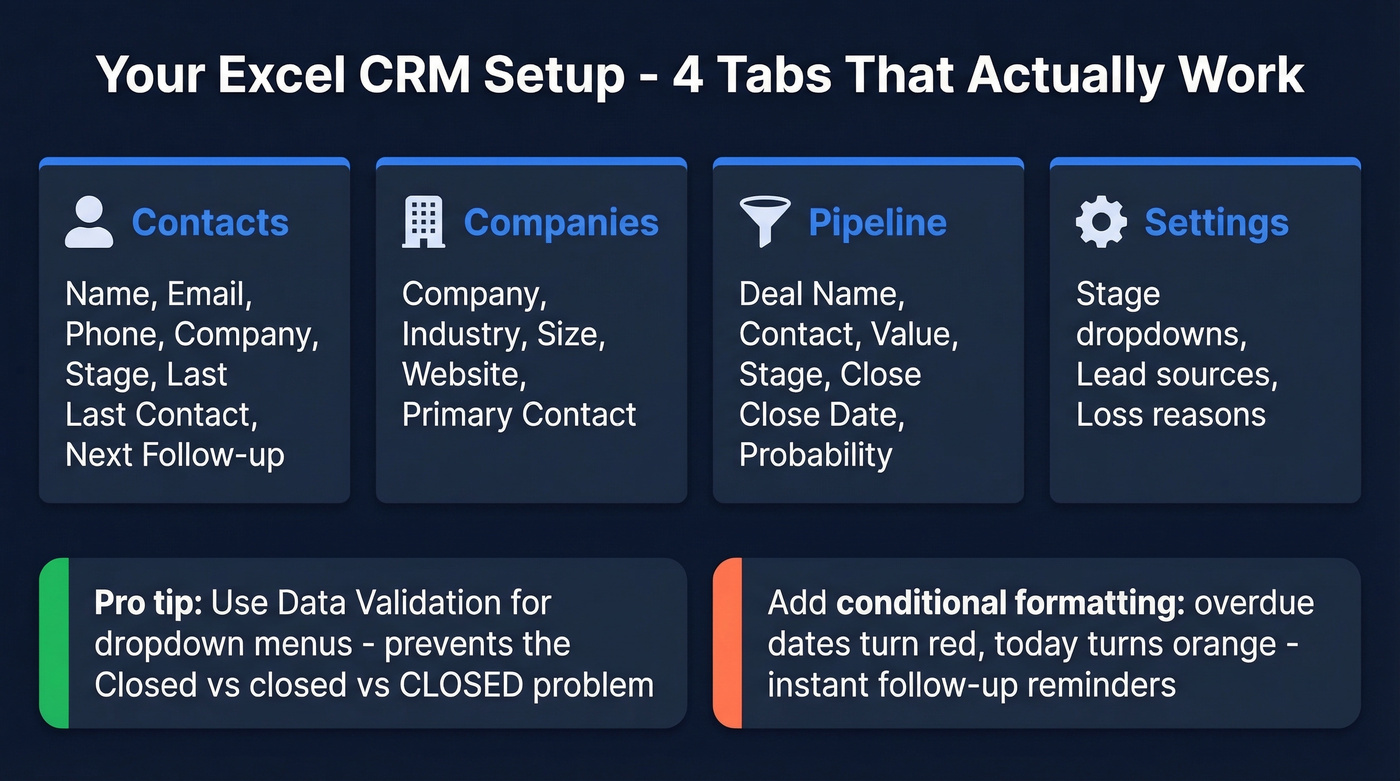
| Tab | Purpose | Key Columns |
|---|---|---|
| Contacts | People | Name, Email, Phone, Company, Stage, Last Contact, Next Follow-up |
| Companies | Accounts | Company, Industry, Size, Website, Primary Contact |
| Pipeline | Deals | Deal Name, Contact, Value, Stage, Close Date, Probability |
| Settings | Dropdowns | Stage options, Lead sources, Loss reasons |
Two things make this actually usable. First, use Data Validation to create dropdown menus for deal stages and lead sources - this prevents the "Closed," "closed," "CLOSED" problem that plagues every shared spreadsheet. Then add conditional formatting to your Next Follow-up column so overdue dates turn red and today turns orange. That simple color system replaces the reminder functionality you'd get from a real CRM.
For templates, HubSpot offers a free one but it's gated behind an email form. Salesflare's and OnePageCRM's templates are ungated and include pipeline tracking with last-interaction dates. If you're comfortable with VBA macros, you can automate Power Query refreshes to pull data from external sources - but let's be honest, if you're writing VBA macros to make your spreadsheet work like a CRM, you just need a CRM.
When Spreadsheet CRMs Break Down
Excel doesn't fail all at once. It degrades.
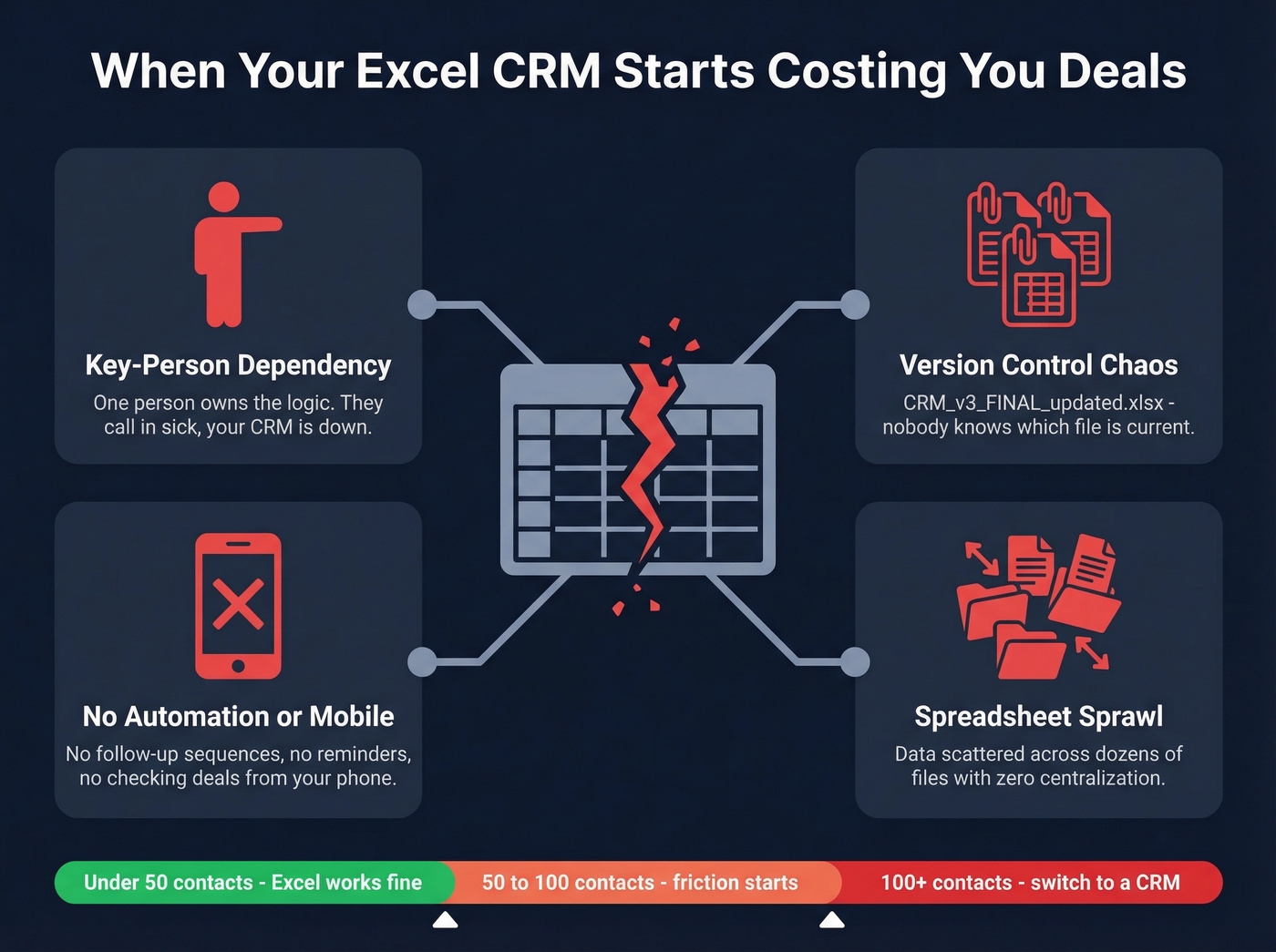
One day you're scrolling for 15 minutes trying to find the status on the Acme deal. Then someone asks about a contact and the answer is "we need Jerry for that" because Jerry built the spreadsheet and nobody else understands the formulas. We've seen this pattern repeatedly with growing teams, and the warning signs are always the same:
- Key-person dependency. One person owns the spreadsheet logic. If they're out sick, the CRM is effectively down.
- Version control chaos. Three people emailing "CRM_v3_FINAL_updated.xlsx" back and forth. Nobody knows which is current.
- No automation or mobile access. You want follow-up sequences, payment reminders, or to check a deal from your phone - Excel can't do any of that. (If you need repeatable outreach, start with sales follow-up templates.)
- Spreadsheet sprawl. A ~30-employee company described on r/CRM had analysts storing data across dozens of spreadsheets with zero centralization. The consensus in those threads is always the same: by the time you notice the problem, you've already lost data.
The 50-100 contact threshold is real. Past that, you're spending more time maintaining the spreadsheet than actually selling.

Spreadsheet CRMs break when data decays. 24% of CRM admins say less than half their records are accurate - and Excel has zero built-in way to fix that. Prospeo's CSV enrichment verifies 83% of your contact list with 98% email accuracy, refreshed every 7 days so contacts don't go stale when people change jobs.
Upload your spreadsheet. Get verified emails and direct dials back in minutes.
Excel vs Google Sheets for CRM
| Feature | Excel | Google Sheets |
|---|---|---|
| Collaboration | Clunky; needs M365 | Built-in, real-time |
| Large datasets | Faster, more stable | Slows past ~10K rows |
| Business pricing | From ~$6/user/mo (M365) | $6/user/mo (Workspace) |
Both have free options - Sheets for a single user, Excel on the web. If you're working solo, either works. With two or more people who need access, Sheets wins on collaboration. Or just switch to a free CRM and skip the headache entirely. (If you're comparing options, see examples of a CRM.)
Free CRM Alternatives Worth Testing
Before you spend hours perfecting your spreadsheet, consider that CRM returns $8.71 for every $1 spent, and firms using CRMs see 29% higher sales on average. The whole CRM vs spreadsheets debate tends to resolve itself once teams realize these free plans cost nothing to test:
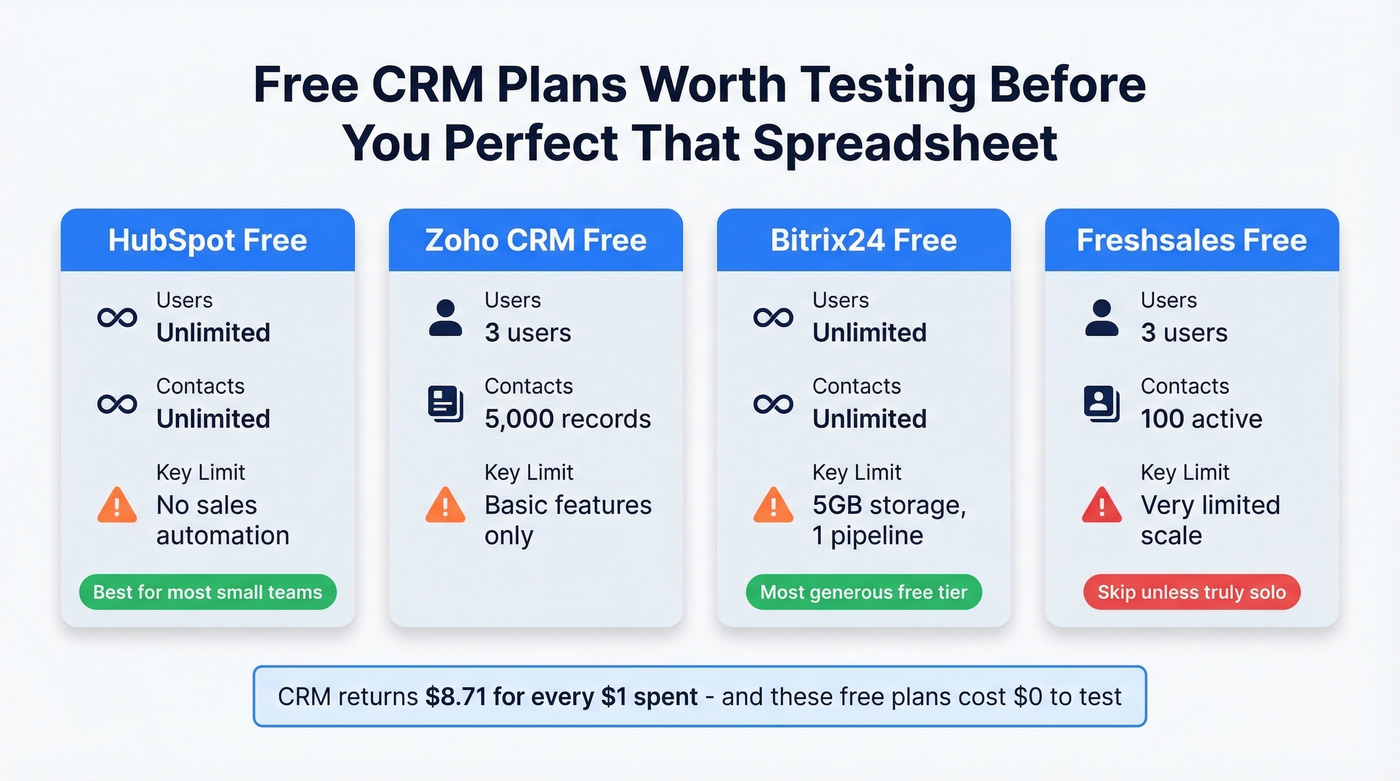
| CRM | Users | Contacts | Key Limit |
|---|---|---|---|
| HubSpot Free | Unlimited | Unlimited | No sales automation |
| Zoho CRM Free | 3 | 5,000 records | Basic features only |
| Bitrix24 Free | Unlimited | Unlimited | 5GB storage, 1 pipeline |
| Freshsales Free | 3 | 100 active | Very limited scale |
HubSpot Free is the obvious pick for most small teams. Bitrix24 is surprisingly generous if you need unlimited contacts but can live with one pipeline. Skip Freshsales unless you're truly solo - the 100-contact active limit is tight. (If you're still shopping, compare more contact management software.)
Yes, we're recommending CRM tools made by the same companies writing the "stop using Excel" articles. The difference is we're telling you when you actually need them. For many of you, that's not yet.
Fix Your Data Before Anything Else
Most people get this backwards. They obsess over the CRM tool - Excel vs Sheets vs HubSpot - while ignoring the data inside it. Research from Validity shows 24% of CRM administrators report less than half their data is accurate. Garbage in, garbage out, whether your CRM lives in a spreadsheet or a $50k platform. (If you want to go deeper, start with lead enrichment and the best data enrichment services.)

In our experience, the fastest fix is running your contact list through an enrichment tool before you do anything else. Prospeo's CSV enrichment returns verified contact data for 83% of records at roughly $0.01 per email, with a 98% accuracy rate and a 7-day refresh cycle. You're not just cleaning data once - you're keeping it clean as contacts change jobs and emails go stale. (If email quality is your bottleneck, use an AI email checker and follow an email deliverability guide.)
Migrating from Excel to a CRM? Step one isn't picking software - it's cleaning your data. Bad records imported are still bad records. Run your contact list through Prospeo first: 50+ data points per contact, 98% email accuracy, and verified mobile numbers for the contacts that matter most. At $0.01 per email, it costs less than the hour you'd spend manually Googling.
Clean your data before you migrate. Your new CRM will thank you.
How to Migrate When Ready
When you hit the wall, don't rush. Migration takes 2-4 months, not the 2-4 weeks most teams expect.
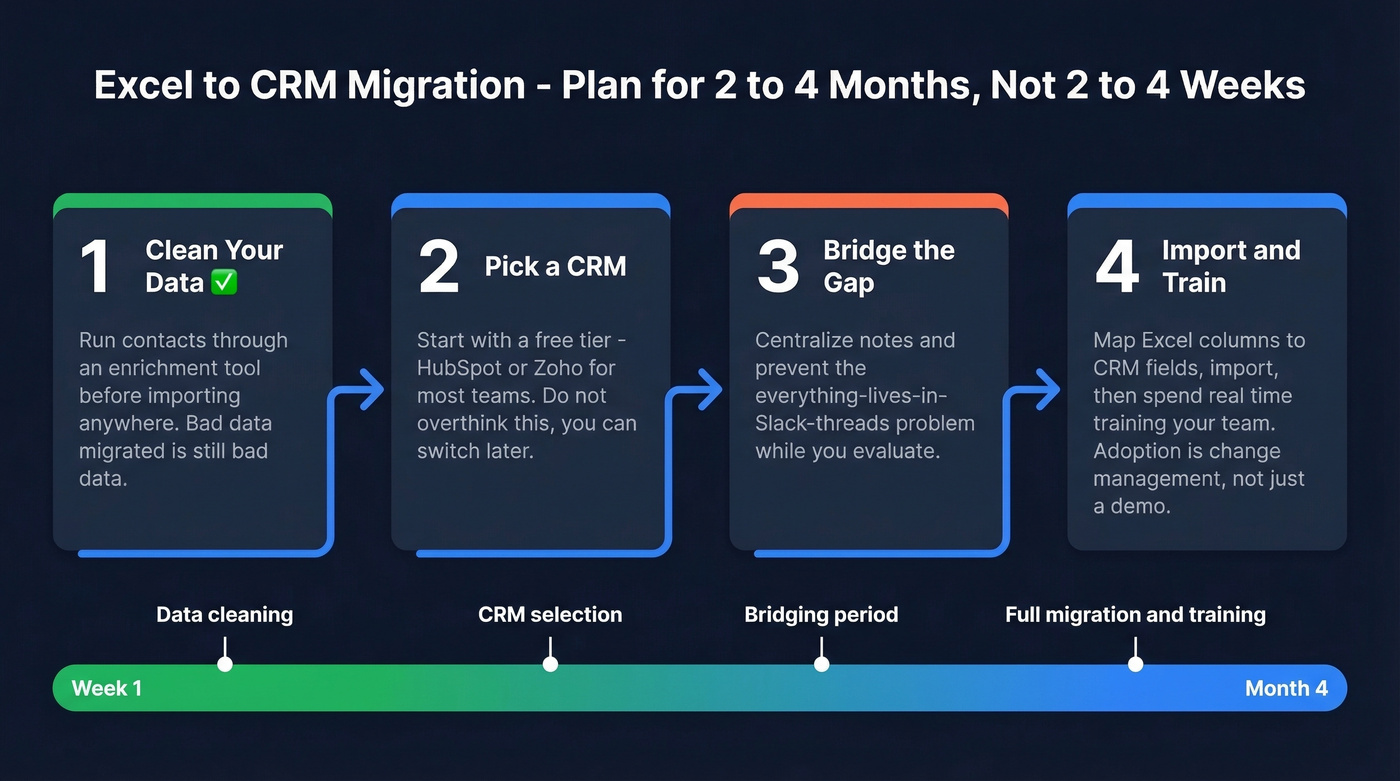
- Clean your data. Run your contact list through an enrichment tool before importing into any CRM. Bad data migrated is still bad data. (If you're building lists from scratch, use sales prospecting techniques.)
- Pick a CRM. Start with a free tier. HubSpot or Zoho for most teams. Don't overthink this - you can switch later.
- Bridge the gap. Some teams use a lightweight layer like Zite to centralize notes while evaluating a full CRM. This prevents the "everything lives in Slack threads" problem.
- Import and train. Map your Excel columns to CRM fields, import, then spend real time training your team. Adoption is change management, not just a demo. We've watched teams buy great CRMs and never actually use them because nobody spent a single afternoon on training. (If you're formalizing the role, a 30-60-90 day plan for sales reps helps.)
FAQ
How many contacts can Excel handle as a CRM?
Excel works fine for contact management up to about 50-100 records. Beyond that, manual data entry, lack of automation, and version control issues start costing more time than a free CRM would save you. Most teams hit friction around 75 contacts.
Is Google Sheets better than Excel for a CRM?
Sheets is better for team collaboration since multiple people can edit simultaneously without version conflicts. Excel handles larger datasets faster. If you're working solo, either works. With two or more people, use Sheets - or just switch to a free CRM.
How do I keep my spreadsheet CRM data accurate?
Run your list through an enrichment tool periodically to verify emails and fill in missing phone numbers. This applies whether your CRM lives in a spreadsheet or dedicated software - stale data is the silent killer of outbound campaigns regardless of the tool.