

AI Email Automation in 2026: The Complete Guide
A RevOps lead we know automated 5,000 cold emails last quarter without verifying the list first. By day three, 400 bounced. By day five, the domain was flagged. The automation worked perfectly - it just destroyed their sender reputation with ruthless efficiency.
That's the core tension with AI email automation: the tools amplify bad data just as fast as good data. Nearly 45% of U.S. workers now use AI at work, up from 40% one quarter earlier, and email is often one of the first places teams apply it. The gap between teams doing it well and everyone else is enormous - the top 10% of automated email workflows generate $16.96 in revenue per recipient versus $1.94 for the average. That's not a marginal improvement. That's a different business model.
Most teams lump all AI email tools into one category and end up buying the wrong one. Here's how to tell them apart.
What You Need (Quick Version)
One tool for sending, one for data, maybe one for inbox management. Three tools, max.
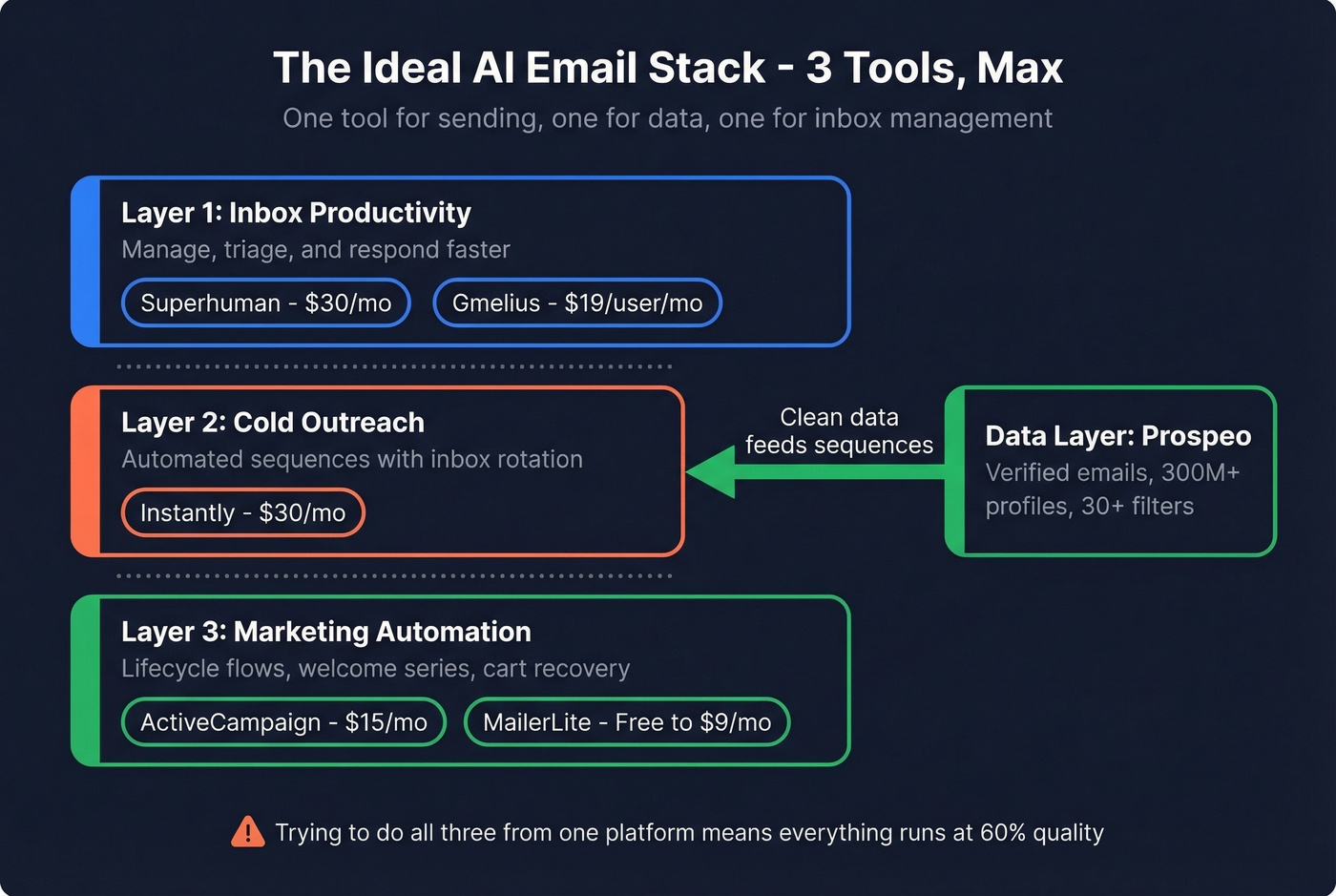
- Inbox productivity: Superhuman ($30/mo) or Gmelius ($19/user/mo for teams)
- Cold outreach: Instantly ($30/mo) paired with Prospeo for verified contact data
- Marketing automation: ActiveCampaign ($15/mo) or MailerLite (free to $9/mo)
If you're trying to do all three from one platform, you'll end up with a tool that does everything at 60% quality. Pick the category that matters most, nail it, then layer.
What AI Email Automation Actually Means
The term covers any system that uses machine learning or large language models to compose, send, sort, or respond to email with less human effort than doing it manually. Vendors have stretched the definition so far that a spam filter and a fully autonomous email agent both qualify.
The useful distinction is between assistants and agents. An assistant suggests, drafts, or rewrites - you're still the operator. An agent sends replies, creates calendar events, updates your CRM, and routes messages on its own. Think of it as the difference between a calculator and a spreadsheet: one answers the question you type, the other runs the math without you.
Most teams want automated workflows that draft and schedule, but with a human reviewing before anything goes out. That's the sweet spot.
The 4 Types of AI Email Tools
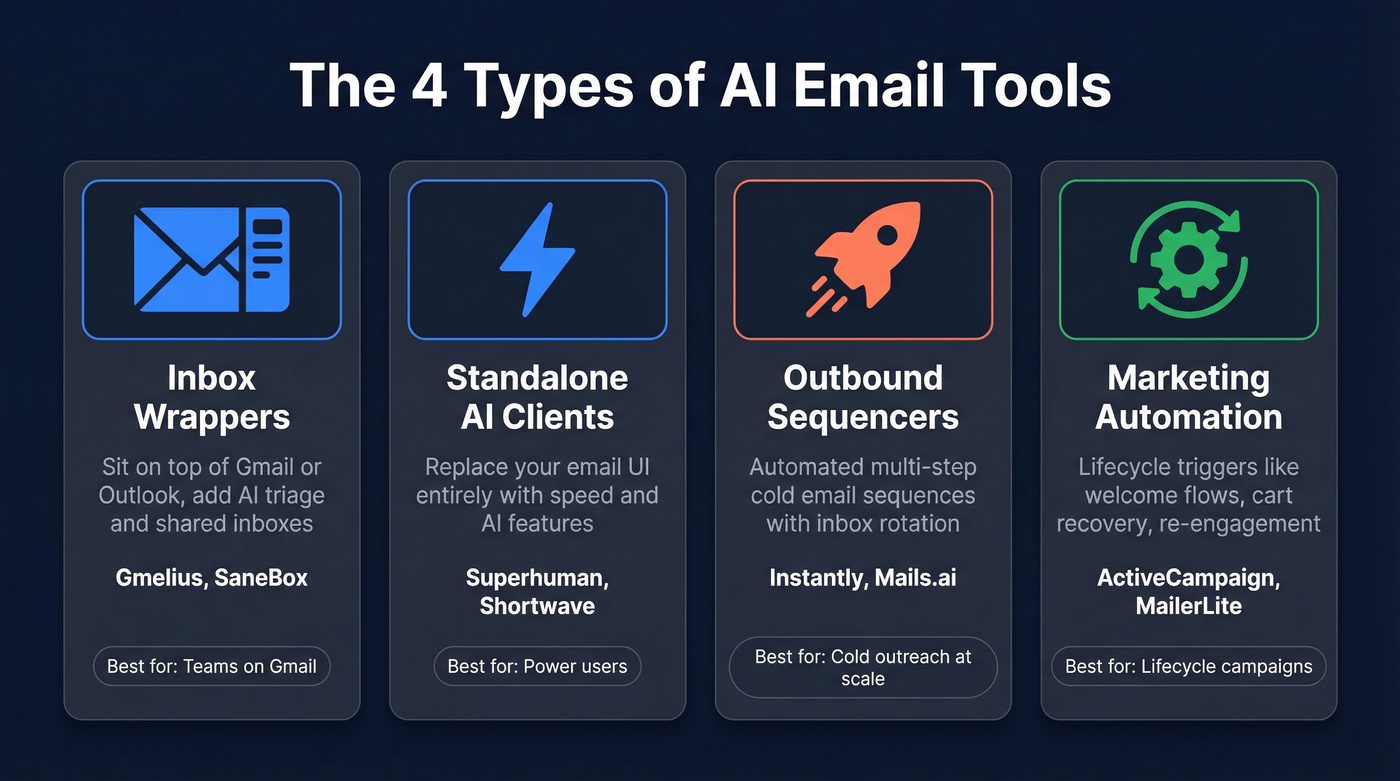
Inbox Wrappers
These sit on top of Gmail or Outlook, injecting sidebars and buttons into your existing UI. Gmelius and SaneBox are the popular picks. Best for teams that want AI triage, shared inboxes, or smart filtering without changing how anyone works.
If you're building a broader RevOps tech stack, inbox wrappers are usually the last layer you add - not the first.
Standalone AI Email Clients
Superhuman and Shortwave replace your email UI entirely. They pull mail via IMAP or API and rebuild the experience around speed and AI features - instant summaries, AI drafting, keyboard-first navigation. The tradeoff: you're committing to a new interface, and if you don't love it, switching back is painful.
Outbound Cold Email Sequencers
Instantly, Mails.ai, and similar tools send automated multi-step sequences across multiple sending accounts with inbox rotation. They're built for AI sales email automation at scale - 5,000+ emails per month across warmed-up accounts. The AI layer handles personalization, A/B testing, and send-time optimization.
If you want a deeper shortlist, see our guide to outbound email automation.
Marketing Automation Platforms
ActiveCampaign, MailerLite, and Encharge power lifecycle triggers: welcome flows, abandoned cart workflows, renewal reminders, re-engagement campaigns. The numbers justify the category. Automated welcome flows generate $21.18 per recipient versus $2.65 for non-automated sends, and abandoned cart workflows hit $28.89 versus $3.65. As one small business owner put it on Reddit, they "can't manually keep up with customer follow-ups anymore." These platforms make intelligent automation manageable for lean teams.
If you're deciding between lifecycle tools, our ActiveCampaign vs HubSpot breakdown can help.

The RevOps lead in our intro destroyed their domain because the automation outpaced the data. Prospeo's 98% email accuracy and 7-day refresh cycle ensure your AI sequences hit real inboxes - not spam traps. 143M+ verified emails, starting free.
Stop automating bounces. Start automating pipeline.
Best Tools by Category
Instantly
The dominant cold email sequencer right now. The Growth plan starts at $30/mo billed annually - 1,000 uploaded contacts, 5,000 emails/month, unlimited email accounts, and unlimited warmup. Hypergrowth jumps to $77.6/mo annually for 25,000 contacts and 100,000 emails/month.
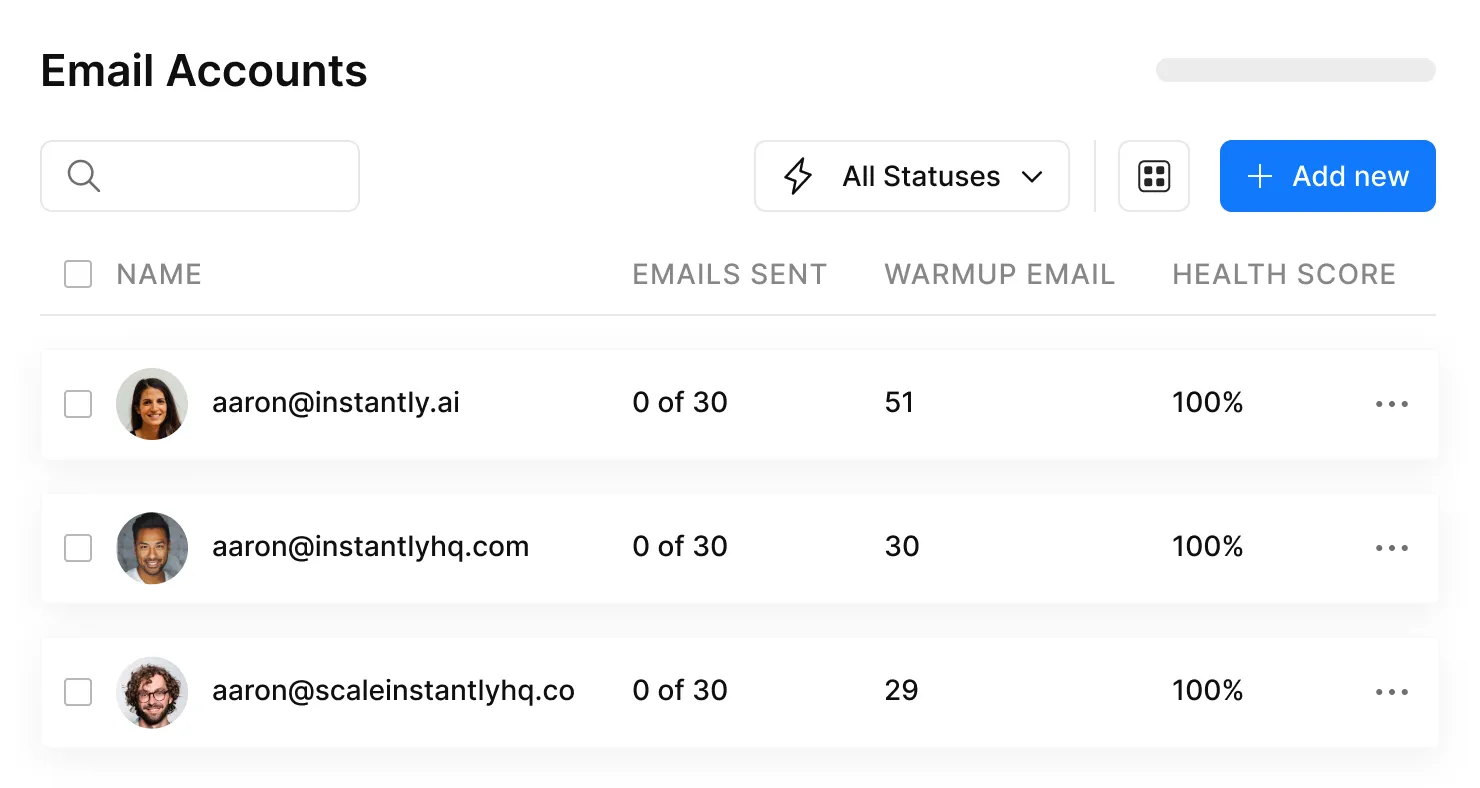
What makes Instantly work is the infrastructure. Unlimited sending accounts with built-in warmup means you can rotate inboxes and keep per-account volume low - one of the most important deliverability tactics in 2026. They also offer a lead finder starting at $47/mo and a CRM at $37.9/mo annually, but the sequencer is the core product.
We've run campaigns through Instantly for months and the warmup automation alone saves hours of manual ramp-up work. For teams sending 5,000+ cold emails/month who need inbox rotation and warmup baked in, it's the obvious choice.
If you're comparing list-building vs sending, our Clay vs Instantly guide clarifies the split.
Prospeo
The data layer that makes outbound sequencers actually work. Instantly handles sending; Prospeo handles making sure you're sending to real addresses. With 98% email accuracy across 143M+ verified emails and a 7-day data refresh cycle, it plugs directly into Instantly, Smartlead, and Lemlist. Its 300M+ professional profiles and 30+ search filters - including buyer intent powered by Bombora, technographics, and headcount growth - let you build targeted lists before verification even starts.
Meritt, an outbound agency, dropped their bounce rate from 35% to under 4% after switching, tripling their pipeline from $100K to $300K per week. Free tier starts at 75 verified emails/month.
If you're evaluating providers, start with our ranking of the best B2B database options.
Superhuman
Use this if you process 100+ emails daily and speed is your bottleneck. At $30/user/mo, the keyboard shortcuts, AI triage, and instant summaries are built for heavy email users. Skip this if you're a team of 20 - the per-seat cost adds up fast and the value is individual, not organizational.
If you're more focused on writing than inbox speed, see our roundup of AI email writer tools.
ActiveCampaign
The mid-market lifecycle workhorse. Starting at $15/mo, it handles welcome flows, abandoned cart sequences, lead scoring, and CRM-triggered automations. The AI layer optimizes send times and predicts which contacts are most likely to convert. Not flashy, but the automation builder is genuinely intuitive - we've run lifecycle campaigns through it and it just works.
Best for B2B and B2C companies running multi-step lifecycle campaigns with 5,000+ contacts.
If you're mapping this into your CRM, compare options in our CRM automation software guide.
Gmelius
A shared inbox and automation layer for Gmail teams. At $19/user/mo, you get shared labels, email assignment, SLA tracking, and AI-powered templates. It turns Gmail into a lightweight helpdesk without forcing anyone to learn a new tool.
MailerLite
The budget king. Free for up to 12,000 emails/month, paid plans from $9/mo. AI features are basic - smart send-time optimization and subject line suggestions - but for startups and solopreneurs, the value is unbeatable.
Lindy
The AI agent play. Lindy sends emails, updates your CRM, and chains multi-step workflows autonomously. At $49.99/mo, it's positioned as a virtual assistant replacement. Still best suited for power users comfortable with prompt engineering - if you aren't willing to tinker with instructions, you'll get mediocre results.
Shortwave
A Gmail replacement with strong AI summarization and search. Free tier available, paid from $14/mo. Good for individual power users who want AI-native email without Superhuman's price tag.
SaneBox
Pure inbox declutter. At around $2-3/mo, it sorts unimportant emails into a separate folder using AI trained on your behavior. It's not an automation tool. It's a noise filter.
Mails.ai
An outbound sequencer competing with Instantly on the "unlimited accounts" angle. Pricing runs roughly $30-100/mo depending on volume. We haven't tested it enough to recommend it over Instantly yet.
| Tool | Category | Starting Price | Best For |
|---|---|---|---|
| Instantly | Outbound | $30/mo (annual) | Cold email at scale |
| Prospeo | Data / Verification | Free / ~$0.01/email | Verified contact data |
| Superhuman | Client | $30/user/mo | Speed-obsessed users |
| ActiveCampaign | Marketing | $15/mo | Mid-market lifecycle |
| Gmelius | Wrapper | $19/user/mo | Gmail teams |
| MailerLite | Marketing | Free / $9/mo | Budget startups |
| Lindy | Agent | $49.99/mo | Autonomous workflows |
| Shortwave | Client | Free / $14/mo | Gmail power users |
| SaneBox | Wrapper | ~$2-3/mo | Inbox declutter |
| Mails.ai | Outbound | ~$30-100/mo | Unlimited accounts |
Data Quality Before Automation
Every tool above assumes your contact data is accurate. None of them verify it well enough to stake your domain reputation on.
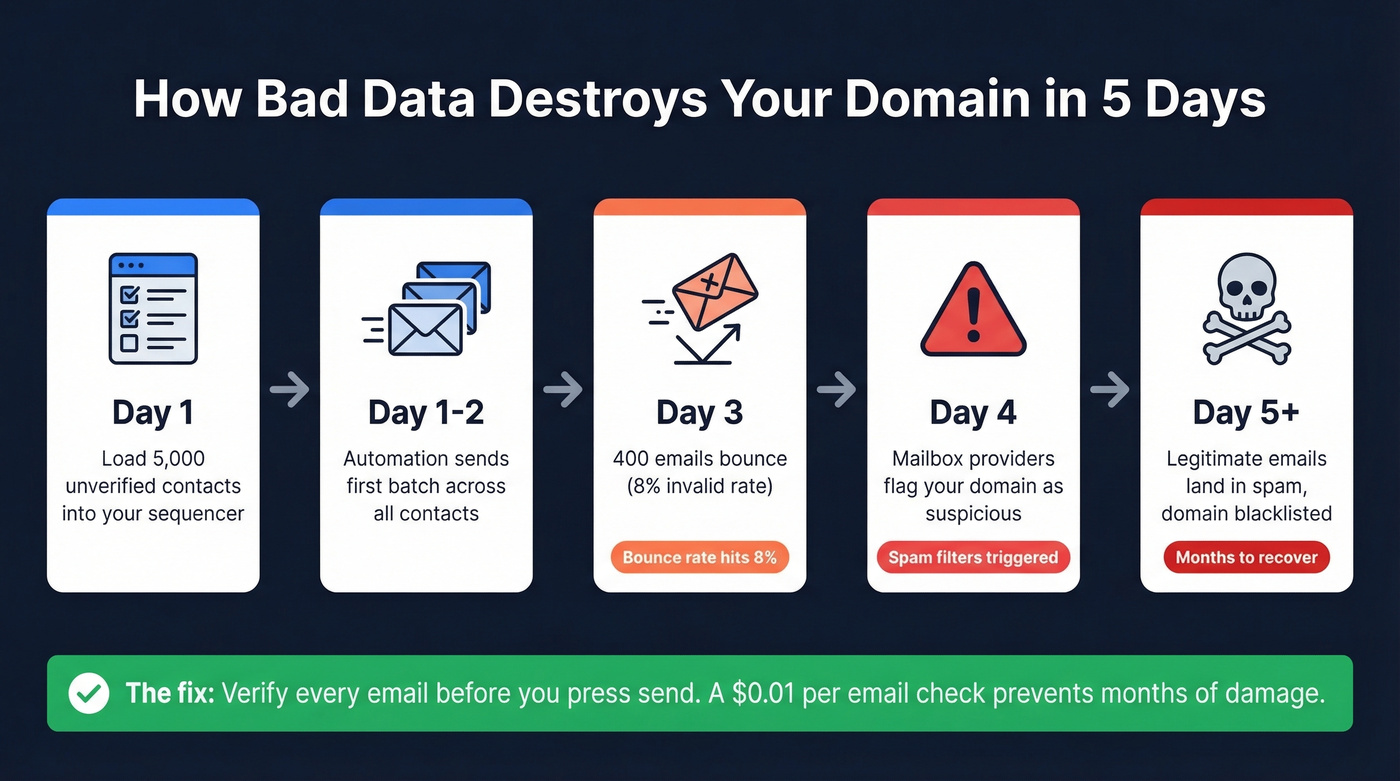
Email lists decay roughly 23% per year. If you're automating sends against a list you built six months ago, a meaningful chunk of those addresses are dead. Dead addresses bounce. Bounce rates above 2% trigger spam filters. Spam complaint rates above 0.3% can get your domain blacklisted.
If you need a step-by-step workflow, start with cold email lead list building.
Let's make this concrete. You load 5,000 contacts into Instantly and launch a 3-step sequence. If 8% of those emails are invalid - a conservative estimate for an unverified list - that's 400 bounces by day three. Your domain reputation tanks. Your legitimate emails start landing in spam. The automation didn't fail. Your data did.
Here's the thing: if you're closing deals under $10k, you probably don't need ZoomInfo-level data infrastructure. But you absolutely need verified emails before you press send. A $0.01/email verification step saves you from a domain reputation rebuild that can take months.
If you want to audit the damage, use our guide on how to check domain reputation.
Instantly handles sending. ActiveCampaign handles lifecycle. But neither can fix bad contact data. Prospeo plugs directly into your sequencer with 300M+ profiles, 30+ filters, and bounce rates under 4% - proven at scale by agencies tripling pipeline.
Your AI emails are only as smart as the data behind them.
Deliverability Rules That Matter
The compliance landscape tightened significantly. Here's what's non-negotiable:
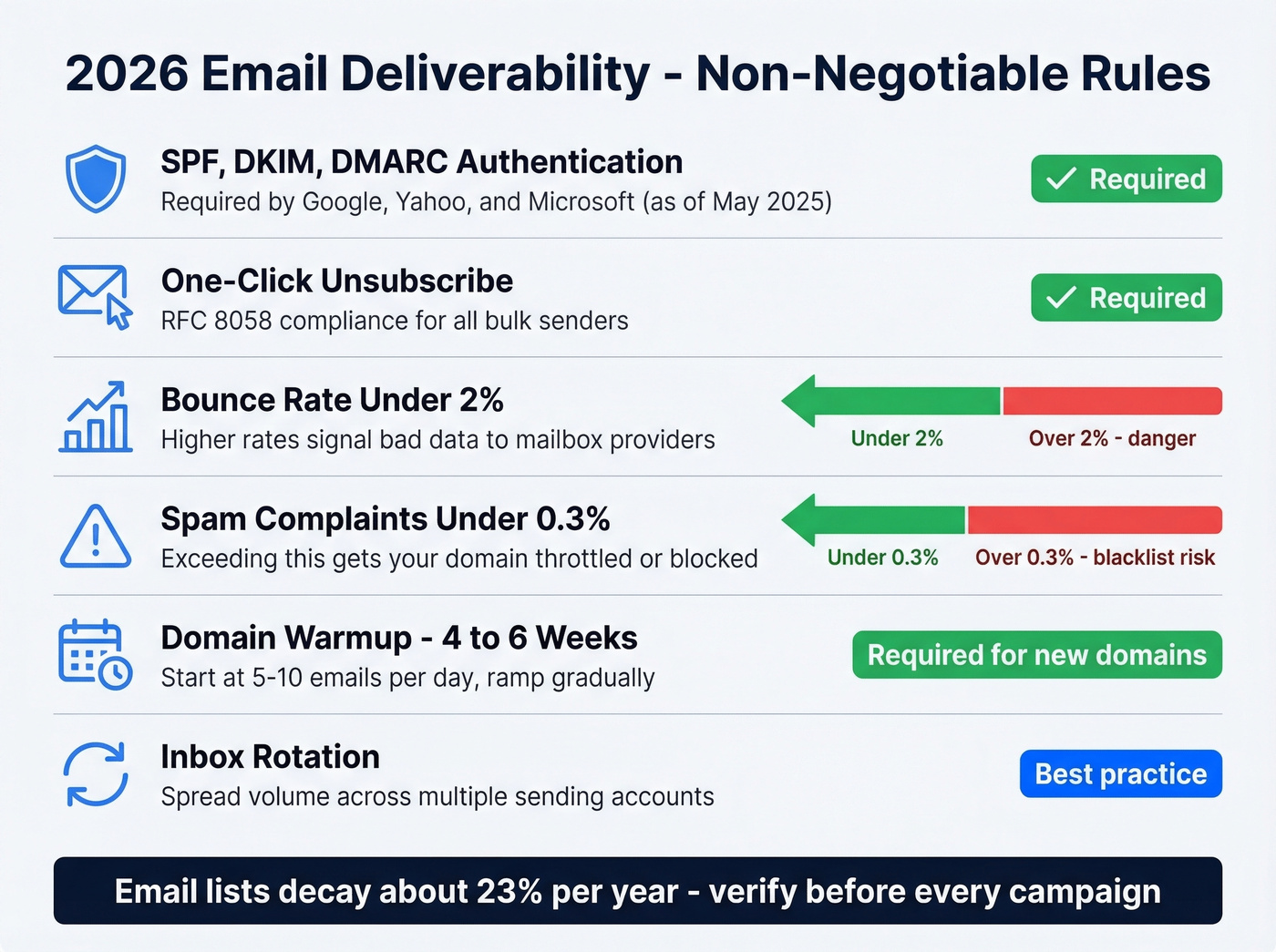
- Authentication: SPF, DKIM, and DMARC records on every sending domain. Google and Yahoo enforce this, and Microsoft joined in May 2025 for Outlook.com consumer mailboxes.
- One-click unsubscribe: RFC 8058 compliance is required for bulk senders.
- Bounce rate: Under 2%. Anything higher signals bad data to mailbox providers.
- Spam complaints: Under 0.3%. This is where domains get throttled or blocked.
- Warmup: New domains need 4-6 weeks of gradual ramp-up, starting at 5-10 emails per day.
- Inbox rotation: Spread volume across multiple warmed sending accounts.
These aren't suggestions. They're the minimum requirements to keep your emails out of spam folders. Every sequencer and marketing platform assumes you've handled this. Most don't check. We've watched teams skip warmup on a fresh domain and land in spam within 48 hours - it's the single fastest way to waste a month of campaign prep.
For a deeper playbook, see our guide to sender authentication.
Mistakes That Kill Campaigns
"Set and forget" campaigns. You launch a sequence in January with Q1 pricing. By March, the offer's expired and the sequence is still running. Review every workflow on a 2-4 week cadence.
Skipping human review. AI drafts are good, not perfect. A hallucinated detail in a cold email - a wrong job title, a made-up case study - can torpedo a deal. Spot-check before anything goes live.
Optimizing for opens instead of conversions. Open rates are a vanity metric, especially with Apple's Mail Privacy Protection inflating them. Track reply rates and booked meetings instead.
Sending to unverified lists. This one frustrates us more than any other because it's so easy to fix. Automated email tools amplify data quality problems. Verify before you send.
If you need copy that stays compliant and out of filters, start with these email blast templates.
One-size-fits-all messaging. "Hi {first_name}" isn't personalization - it's a mail merge. Segment by role, industry, and intent signal.
Ignoring compliance. GDPR requires legitimate interest for B2B outreach in Europe. CAN-SPAM requires a physical address and opt-out in the US. AI won't check this for you.
Choosing the wrong tool category. An inbox wrapper won't run your cold outbound. A sequencer won't manage your marketing lifecycle. Match the tool to the job.
FAQ
Is AI email automation legal?
Yes, with guardrails. CAN-SPAM requires a physical address, honest subject lines, and working unsubscribe links. GDPR demands legitimate interest or consent for B2B emails in Europe. Google, Yahoo, and Microsoft now require RFC 8058 one-click unsubscribe for bulk senders.
Can AI send emails completely on its own?
Agents like Lindy can send, reply, and update your CRM autonomously. Assistants like Superhuman draft responses and you hit send. Most teams prefer the middle ground - AI drafts, human approves - which cuts writing time by 60-80% while keeping quality control.
What's the best free tool to start with?
MailerLite's free tier handles 12,000 emails/month for marketing workflows. Prospeo's free tier includes 75 verified emails/month plus 100 Chrome extension credits - enough to validate a starter list. Shortwave offers free AI-powered inbox management. Together they cover sending, data, and inbox at zero cost.
How do I stop automated emails from landing in spam?
Authenticate your domain with SPF, DKIM, and DMARC. Verify your contact list before sending - bounce rates above 2% trigger filters. Warm up new domains over 4-6 weeks starting at 5-10 emails/day. Keep spam complaints under 0.3%.
Do I need separate tools for finding contacts and sending emails?
Usually, yes. Sequencers like Instantly handle sending. Data platforms handle finding and verifying contacts. Some tools bundle both, but dedicated verification delivers higher accuracy and directly protects the domain reputation your sequencer depends on.