

Automated Lead Distribution: How to Route Leads Without Losing Them
Automated lead distribution uses rules and software to assign incoming leads to the right rep instantly - no human bottleneck deciding who gets what. A sales manager on r/sales described distributing leads across 15-18 reps using a "rough mental tally." That's not a system. That's a liability.
Here's the thing most vendors won't tell you: most routing problems are actually data problems. And most teams overcomplicate this far too early.
What You Need (Quick Version)
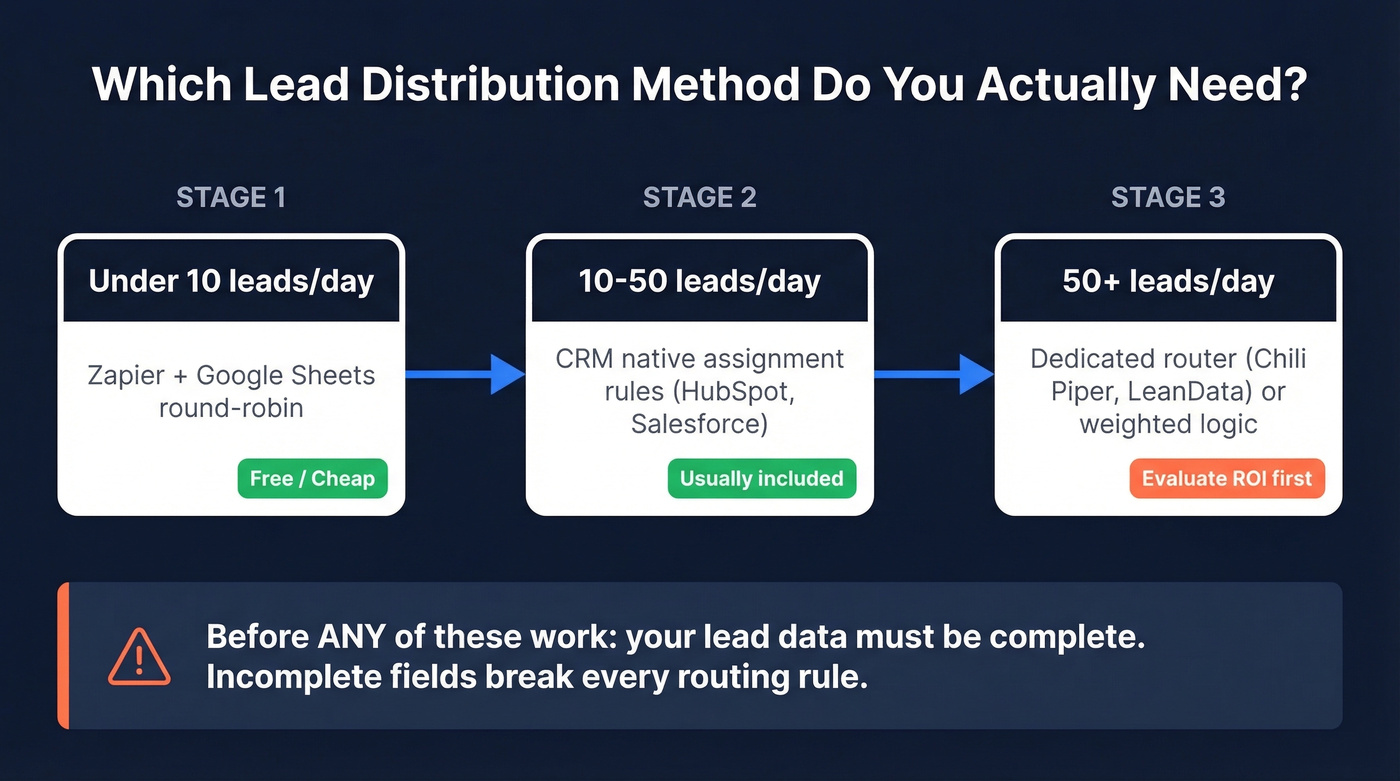
- Under 10 leads/day: Zapier + Google Sheets round-robin. Cheap and effective.
- 10-50 leads/day: Your CRM's native assignment rules, which are usually included at no extra cost.
- Before any of it works: Your lead data needs to be complete. Incomplete fields break every routing rule downstream.
Why Speed-to-Lead Matters
Leads contacted within five minutes are 21x more likely to qualify than leads contacted after 30 minutes. That speed-to-lead gap is the single biggest lever in inbound conversion, and it's not even close.
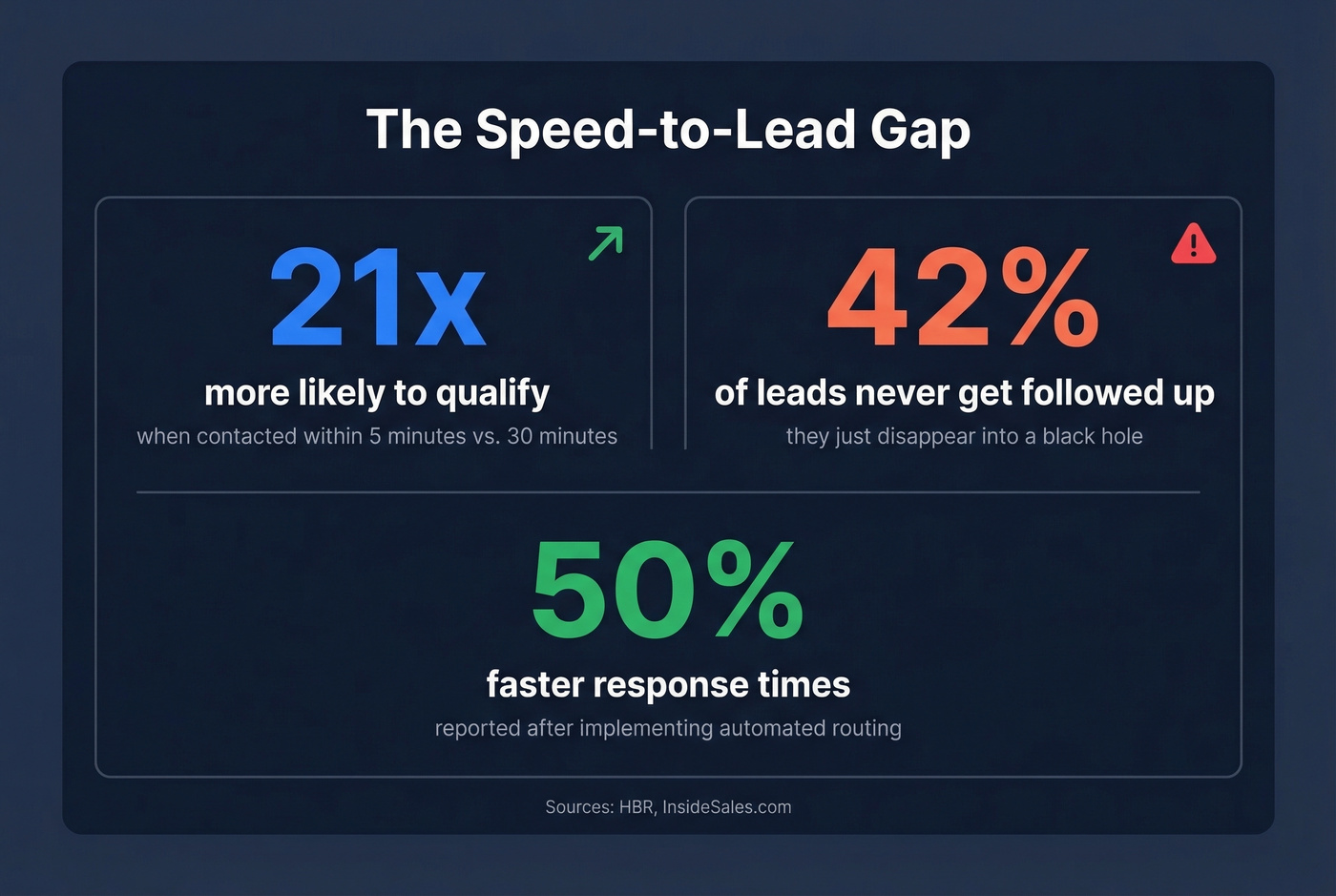
The less-cited number: 42% of leads never get followed up at all. Automated routing closes that gap. Companies report up to 50% faster response times after implementation.
When manual assignment eats 15-20% of someone's day, you've outgrown it. For most teams, that tipping point hits somewhere between 10 and 30 inbound leads per day.

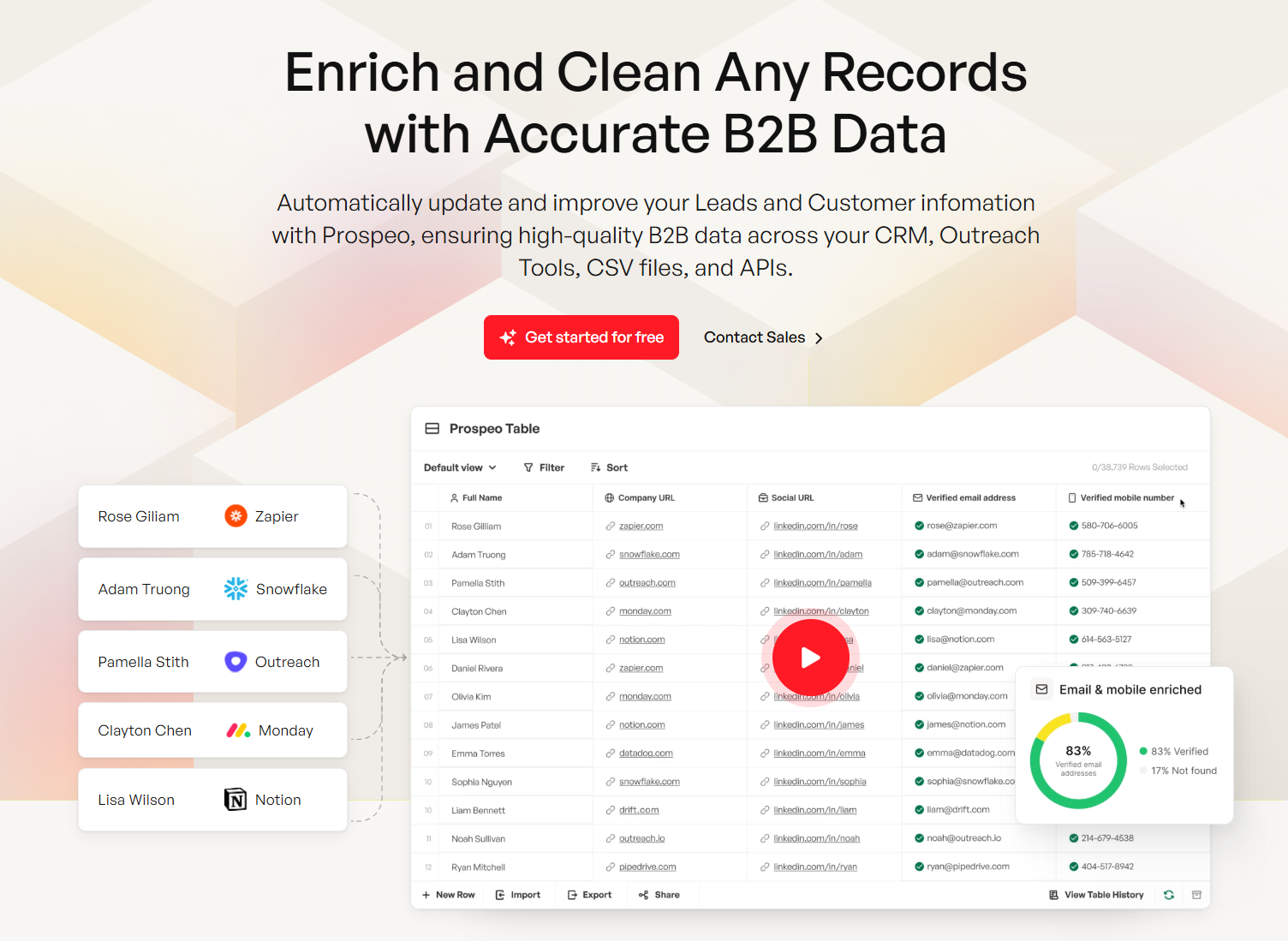
Every routing rule you build is only as good as the data feeding it. "CA" vs. "California" breaks territory logic. Missing company size kills weighted assignment. Prospeo's CRM enrichment fills 50+ data points per lead at 98% accuracy on a 7-day refresh cycle - so your distribution rules actually fire correctly.
Fix your lead data before it breaks your routing.
Core Routing Methods
Round-robin. Start here. It's fair, simple, and covers most teams. In Salesforce, build it with a MOD formula: MOD(VALUE({!Lead_Number__c}),3)+1 where 3 is your rep count. Skip this only if reps cover different territories or carry wildly different quotas.
If you're still building your process, it helps to standardize lead status first so routing and follow-up are measurable.
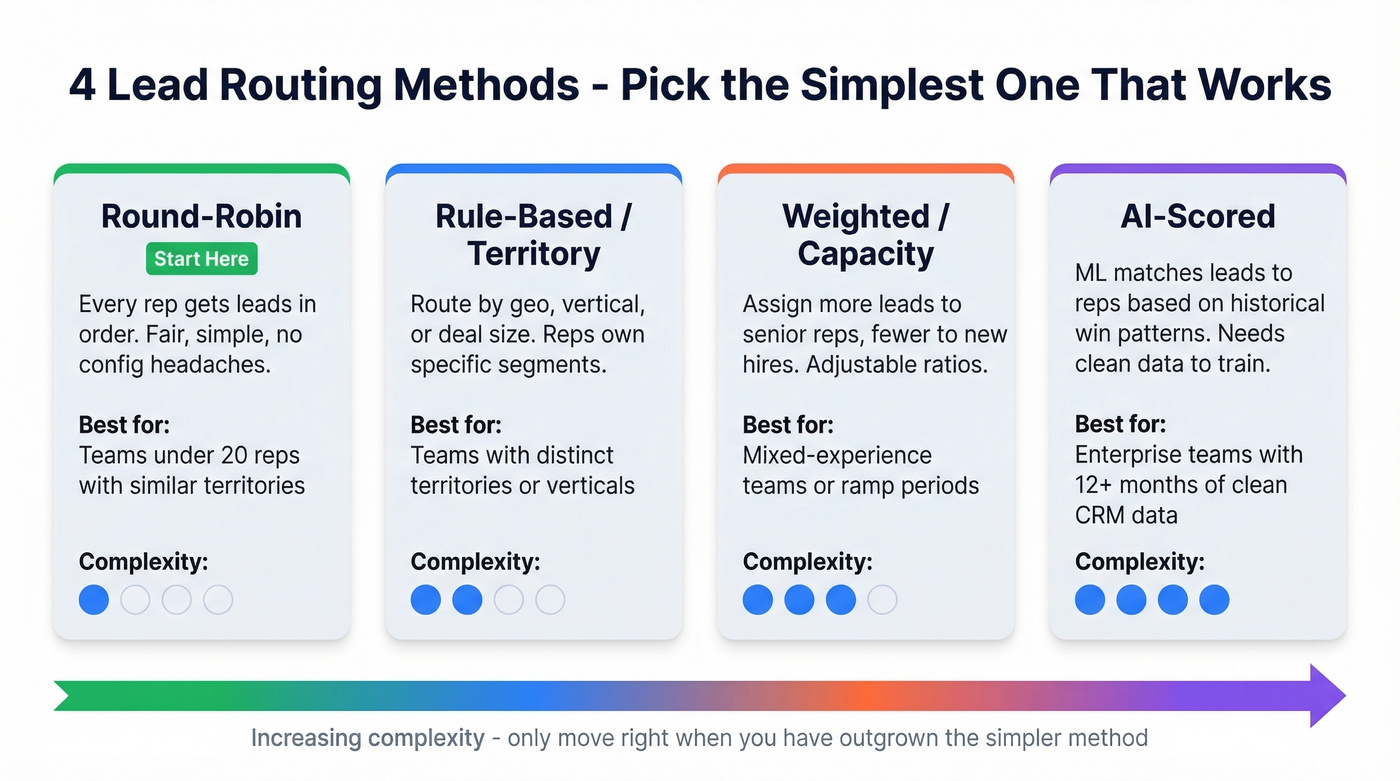
Rule-based / territory. Use this when reps own specific geos or verticals. One company routed leads alphabetically by state, and a broadly-licensed agent ended up getting every lead because they were first on each list. That's not a routing strategy - it's a bug. Territory routing works well, but only when your territory definitions are airtight and your data consistently maps to them. If you're doing geo-based assignment, sales mapping software can help you define and maintain territories.
Weighted / capacity-based. This makes sense if you're ramping new reps alongside veterans. Assign weights like 0.5 (new), 1.0 (mid), 2.0 (senior). An insurance agency on Reddit even weighted distribution by each agent's ad spend contribution - creative, and it worked. Skip this if your team is uniform in experience. For a cleaner ramp, pair weighting with a 30-60-90 day plan for sales reps.
AI-scored routing is gaining traction, but it requires clean historical data to train on. If you're not already doing it, start with lead scoring before you try to automate decisions with AI.
Let's be honest: complex routing is a reward for teams that outgrew simple routing. It's not a starting point.
Why Routing Rules Break
The #1 cause of routing failures is data inconsistency. "CA" vs. "California" breaks territory rules. Inconsistent company names kill account matching. Missing fields cause leads to hit no rule at all and vanish into a black hole.
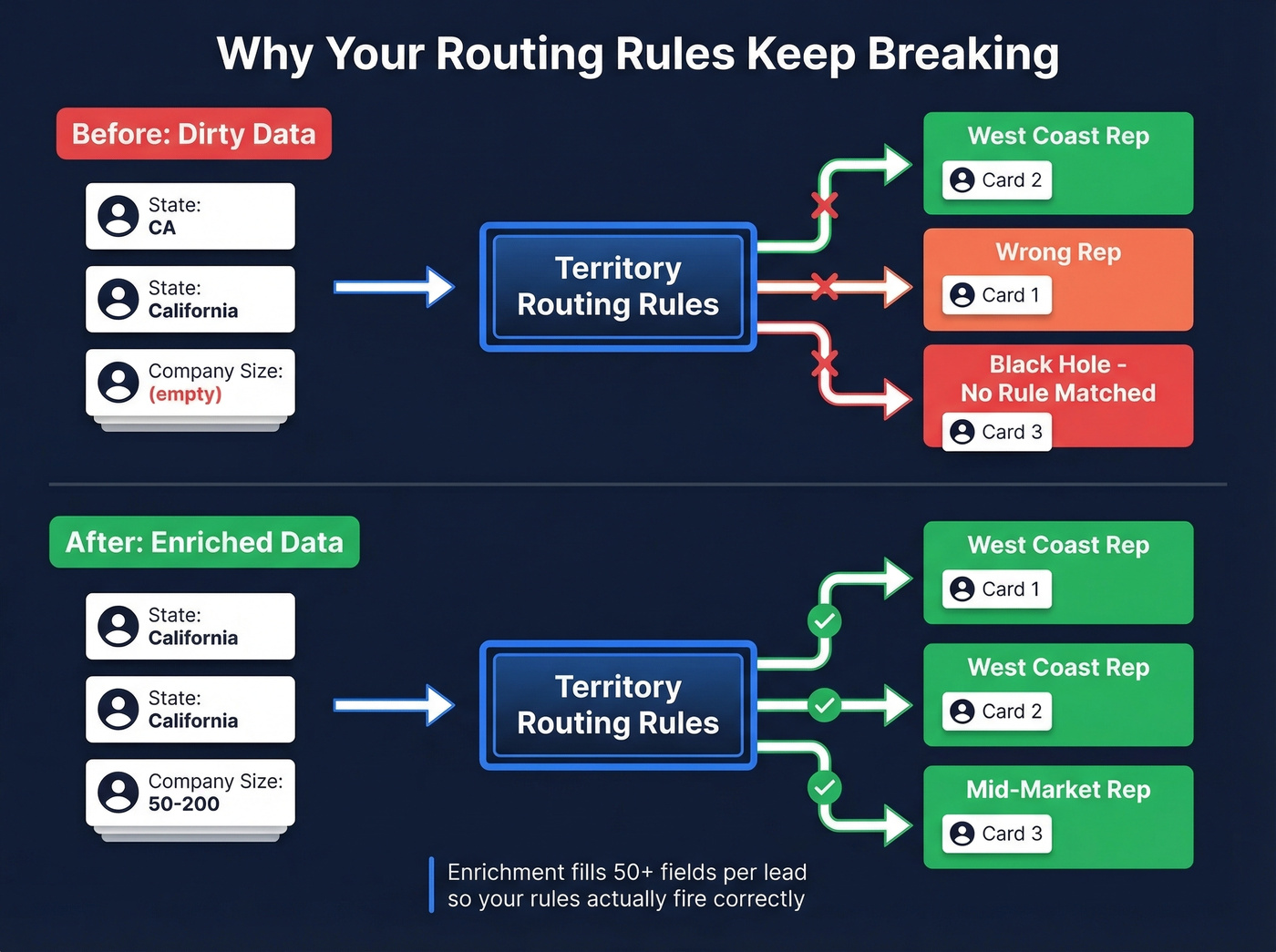
We've watched teams spend weeks building sophisticated routing logic only to have it misfire because half their leads were missing a region field. Before leads hit your rules, they need complete, accurate data. Prospeo's CRM enrichment fills 50+ data points per contact at 98% email accuracy on a 7-day refresh cycle, so routing rules have clean inputs to work with. If you're comparing vendors, see our roundup of data enrichment services and the deeper guide to lead enrichment.
Beyond data quality, apply the 80/20 principle to your rules. Isolate edge cases into separate workflows instead of building a 47-condition monster that nobody can debug six months later. Always build a manual triage queue as a catch-all for leads that match no rule. And set a 5-minute first-action SLA with auto-reassign if a rep doesn't touch the lead - because a perfectly routed lead that sits untouched for an hour is worse than a manually assigned one that gets called in three minutes. If reps struggle to respond consistently, keep sales follow-up templates ready so first touch is fast.
Lead Distribution Software Compared
The tool market is overbuilt for what most teams need. A 15-person team needs clean data and a CRM rule, not a $750/month platform fee.
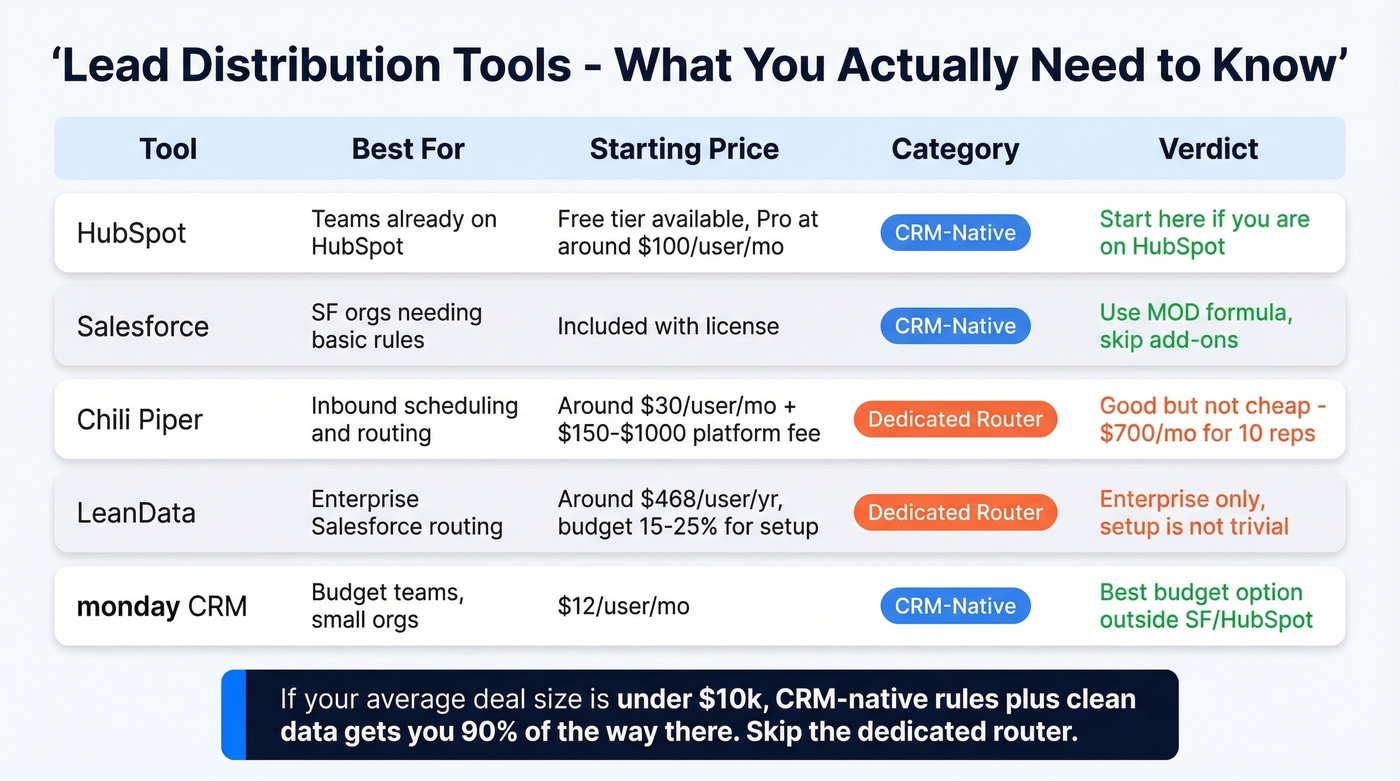
| Tool | Best For | Starting Price | CRM Compat. | Category |
|---|---|---|---|---|
| HubSpot | Teams already on HubSpot | Free (Professional: ~$100/user/mo) | HubSpot | CRM-Native |
| Salesforce | SF orgs, basic rules | Included | Salesforce | CRM-Native |
| Chili Piper | Inbound scheduling | ~$30/user/mo + platform fee | SF, HubSpot | Router |
| LeanData | Enterprise SF routing | ~$468/user/yr | Salesforce | Router |
| monday CRM | Budget teams | $12/user/mo | Native | CRM-Native |
HubSpot supports automated assignment out of the box, and paid tiers unlock workflow-based routing with branching logic. If you're already on HubSpot, start here before buying anything else. If you're still evaluating CRMs, these examples of a CRM can help you sanity-check fit.
Salesforce native assignment rules work with the MOD formula above. The limitation: it's primarily Lead-object focused unless you build additional logic for other objects, and it doesn't support weighting or availability checks out of the box. For most mid-market teams, that's fine.
Chili Piper is the dedicated router most teams evaluate first. Concierge pricing runs ~$30/user/month plus a platform fee of $150-$1,000/month on Salesforce, tiered by inbound lead volume. A 10-rep team processing 500 leads/month pays roughly $700/mo. It's good, but it's not cheap.
LeanData is enterprise Salesforce routing. Standard runs around ~$468/user/year for Lead object routing. Advanced adds Contact and Account objects at ~$588/user/year. Budget an extra 15-25% for implementation - we've heard from teams that the setup isn't trivial.
monday CRM is the budget option at $12/user/mo. Good for small teams outside the Salesforce/HubSpot ecosystem who don't need complex logic.
If your average deal size is under $10k, you probably don't need a dedicated routing platform at all. CRM-native rules plus clean data will get you 90% of the way there. If you're trying to tighten the rest of the funnel, track funnel metrics so routing improvements show up in conversion.
You don't need a $750/month routing platform. You need complete lead records. Prospeo enriches CRM and CSV data at a 92% match rate, returning verified emails, company size, region, and 50+ fields - the exact inputs your assignment rules depend on. Starting at $0.01 per email, no contracts.
Clean data routes itself. Start with 75 free enrichments.
FAQ
What's the difference between lead routing and lead distribution?
They're synonyms in practice. "Routing" emphasizes the logic and decision tree; "distribution" emphasizes fairness and balance across reps. Both describe the same automated handoff from form-fill to rep inbox.
Can I automate lead distribution without buying new software?
Yes. Zapier + Google Sheets handles round-robin and even weighted assignment for free. Your CRM's native rules are the other zero-cost option. Lead distribution automation doesn't require a new line item - it just means removing the manual step.
What data do I need before setting up routing rules?
At minimum: territory or region, company size, and lead source. Missing any routing-critical field means leads fall through your rules into a black hole. CRM enrichment tools can fill those gaps before leads ever hit your routing logic - that's the single most impactful fix we've seen teams make.
How fast should reps respond to routed leads?
Set a 5-minute first-action SLA. Leads contacted within five minutes convert at 21x the rate of leads contacted after 30 minutes. Build auto-reassignment into your workflow so untouched leads get rerouted after the SLA window expires. No exceptions.