

Blacklist Delisting: How to Get Removed in 2026
Your sales emails stopped arriving on a Tuesday. By Wednesday, the VP of Sales is in your inbox asking what happened. You run your IP through MxToolbox and see red flags - Spamhaus SBL, Barracuda, plus a handful of lists you've never heard of. Half the team's sequences are bouncing.
The panic is real, but blacklist delisting is more methodical than you'd think. We've seen this exact scenario play out dozens of times, and the fix follows the same pattern every time.
The Short Version
- Diagnose: Run your sending IP and domain through MxToolbox's blacklist check.
- Prioritize: Spamhaus SBL/XBL and Barracuda BRBL are the highest-priority for most senders. Many other lists are lower-impact or auto-expire.
- Fix the root cause first. Don't request removal until you've stopped whatever triggered the listing.
- Submit removal requests to the blacklists that actually impact delivery, with details about what you found and fixed.
- Verify within 24-72 hours that you're cleared, then monitor weekly.
If Gmail specifically is blocking you, skip the blacklist rabbit hole entirely - Gmail relies primarily on internal reputation signals, not a simple "you're on X blacklist" rule. More on that below.
Which Blacklists Actually Matter
Half the blacklists in your scan have zero impact on whether Gmail or Outlook delivers your email. Here's how to prioritize:
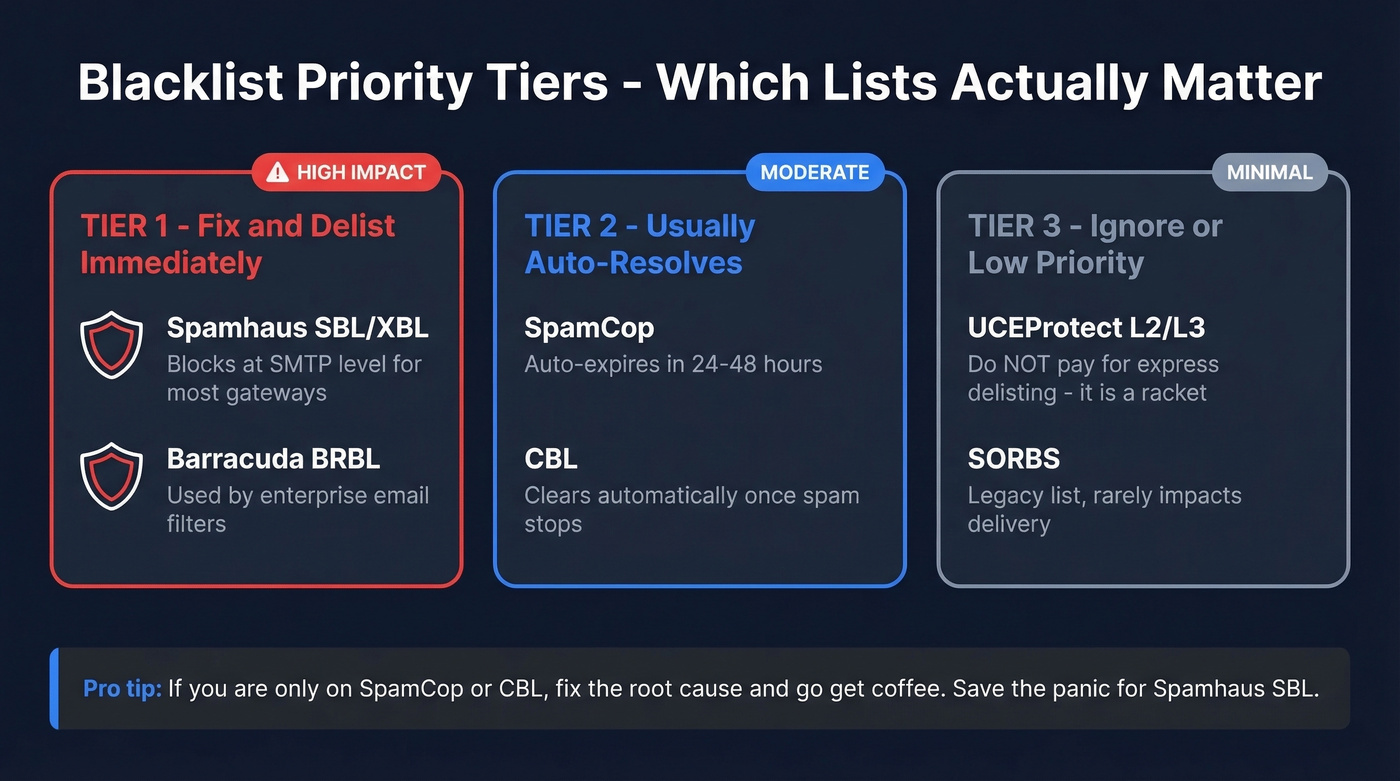
| Priority | Blacklist | Impact | Action |
|---|---|---|---|
| Tier 1 | Spamhaus SBL/XBL | High - often blocks at SMTP for many gateways | Fix + delist immediately |
| Tier 1 | Barracuda BRBL | High - enterprise filters | Fix + delist immediately |
| Tier 2 | SpamCop | Moderate | Auto-expires in 24-48h typically |
| Tier 2 | CBL | Moderate | Automatic removal once spam stops |
| Tier 3 | UCEProtect L2/L3 | Minimal | Ignore - don't pay |
| Tier 3 | SORBS | Minimal | Often legacy/low-impact |
UCEProtect deserves a special callout. L1 listings can occasionally matter, but L2 and L3 list entire provider ranges - too broad for most serious filtering stacks to use as a primary blocking signal. UCEProtect offers "express delisting" for a fee. Don't pay it. It's a well-documented racket in the deliverability community, and L1 listings have free delisting after 7 days anyway.
SORBS still appears in multi-checkers due to cached data. If you need to get off the SORBS blacklist, submit a removal request through their lookup tool - but treat it as low priority unless a bounce message explicitly cites it.
Fix the Root Cause First
Here's the thing: requesting removal before fixing the problem can actually extend your listing. Spamhaus says it directly - "do not attempt delisting if you have not found and fixed the problem."
The most common causes we see:
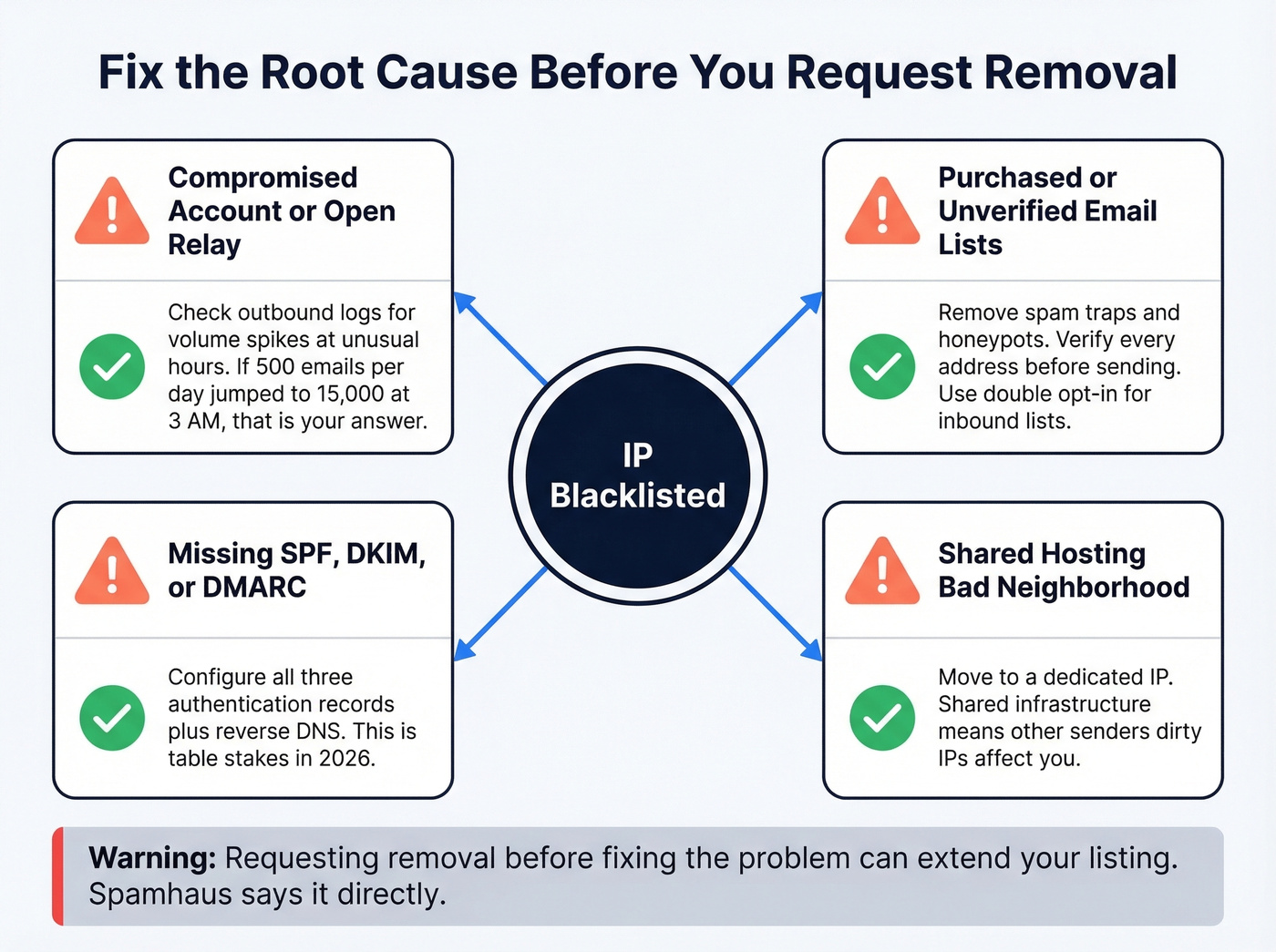
Compromised accounts or open relays. Malware on your server sending spam you don't know about. Check outbound logs for volume spikes - if you normally send 500 emails a day and suddenly there are 15,000 going out at 3 AM, that's your answer.
Purchased or unverified email lists. Spam traps and honeypots look like real addresses. One bad list can torch your IP in a single campaign. (If you need a remediation playbook, start with spam traps.)
Missing SPF/DKIM/DMARC. Without authentication, blacklists treat you harshly and spoofers exploit your domain freely. (You can also sanity-check your setup with a quick DKIM verification and review SPF record examples.)
Shared hosting "bad neighborhood." One sender on a shared host sent roughly 500 legitimate emails and dealt with cyclical deliverability issues for years because the host's IP range was dirty. If you're on shared infrastructure and keep getting relisted, that's your sign to move to a dedicated IP.
One thing operators won't tell you: they often know more about your sending behavior than you do. Being dishonest or aggressive in removal requests reduces your chances.
Delisting Timelines by Provider
| Blacklist | First Offense | Repeat | Removal Type | Delisting URL |
|---|---|---|---|---|
| Spamhaus SBL | 24-48h | 1-2 weeks | Self-service | spamhaus.org/lookup |
| Spamhaus XBL | Hours-24h | N/A | Automatic | Auto after fix |
| Spamhaus PBL | 24-48h | N/A (policy) | Self-service | spamhaus.org/lookup |
| Barracuda BRBL | 12-24h | 24-72h | Self-service | barracudacentral.org |
| SpamCop | 24-48h auto | N/A | Automatic | spamcop.net/bl.shtml |
| UCEProtect L1 | 7 days | Longer | Free after wait | uceprotect.net |
Spamhaus SBL listings for entire subnets may require your ISP to handle the removal. The XBL clears automatically once you've removed the malware or closed the open relay. PBL isn't an accusation - it's a policy list flagging IPs that shouldn't send mail directly to MX servers. If you're on it legitimately, submit the single-IP exclusion form.
Let's be honest: most teams panic over listings that would auto-resolve in 48 hours. If you're only on SpamCop or CBL, fix the root cause and go get coffee. Save the adrenaline for Spamhaus SBL.

Purchased or unverified lists are the #1 reason sales teams hit blacklists. Prospeo's 5-step email verification with spam-trap removal and honeypot filtering delivers 98% accuracy - keeping bounce rates under 4% and your IPs off Spamhaus.
Stop delisting. Start sending emails that actually land.
How to Get Off an RBL
Removal from an RBL follows a consistent pattern regardless of which specific list flagged your IP:
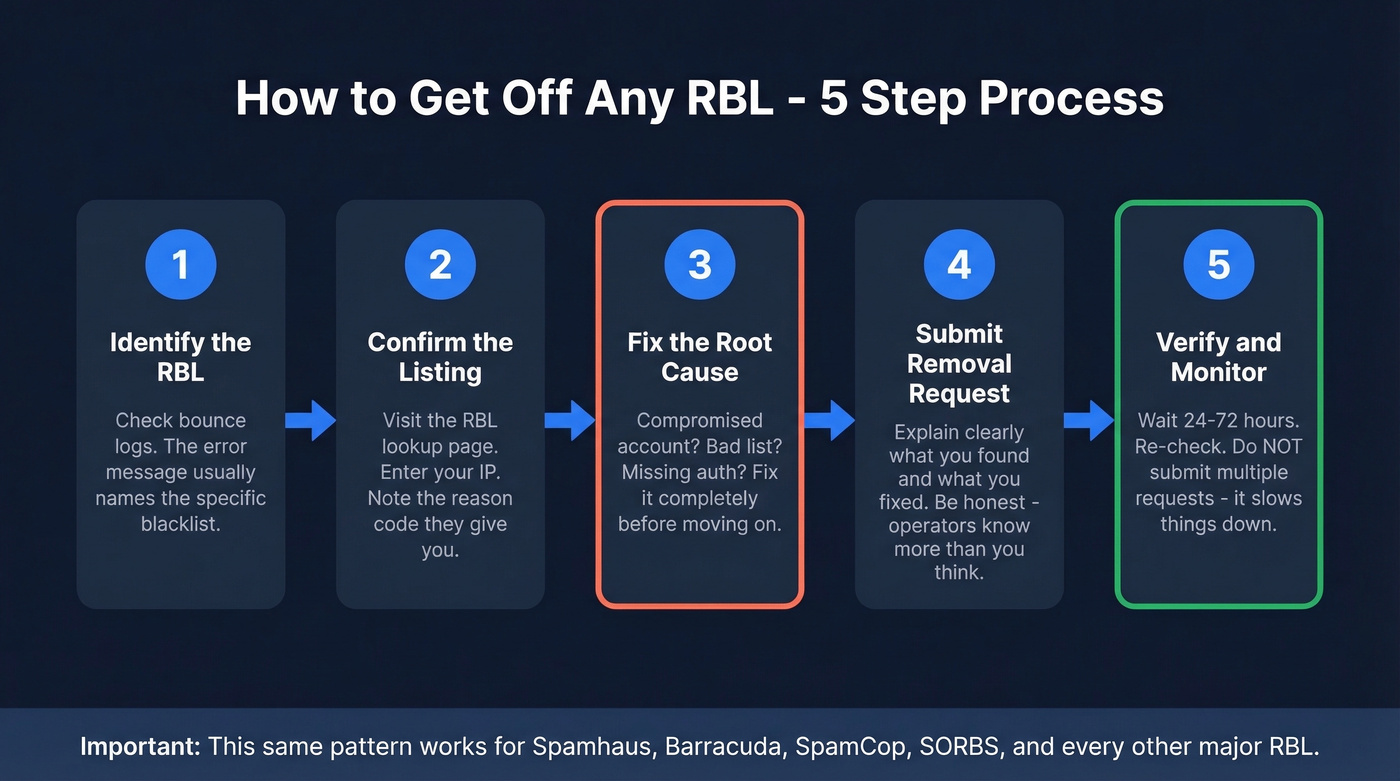
- Identify the specific RBL from your bounce logs. The error message usually names the list.
- Visit the RBL's lookup page and confirm your IP is listed. Note the reason code.
- Fix the underlying issue - compromised account, bad list, missing authentication. (If you're troubleshooting deliverability end-to-end, use an email deliverability guide and track your email velocity.)
- Submit the removal form with a clear explanation of what you found and what you fixed.
- Wait the stated processing time before re-checking. Submitting multiple requests won't speed things up and may delay the process.
For SORBS specifically, the removal process requires you to visit their DNSBL lookup, confirm the listing category, and submit a delist request. Some listing categories like the DUHL for dynamic IPs are policy-based and won't be removed unless your ISP confirms a static assignment.
Provider-Specific Removal Steps
Gmail doesn't operate a traditional delist form. Gmail lifts blocks 3-5 days after the underlying issue is resolved. If it persists, their removal form requires full message headers and a detailed description of what you fixed. Incomplete submissions get ignored.
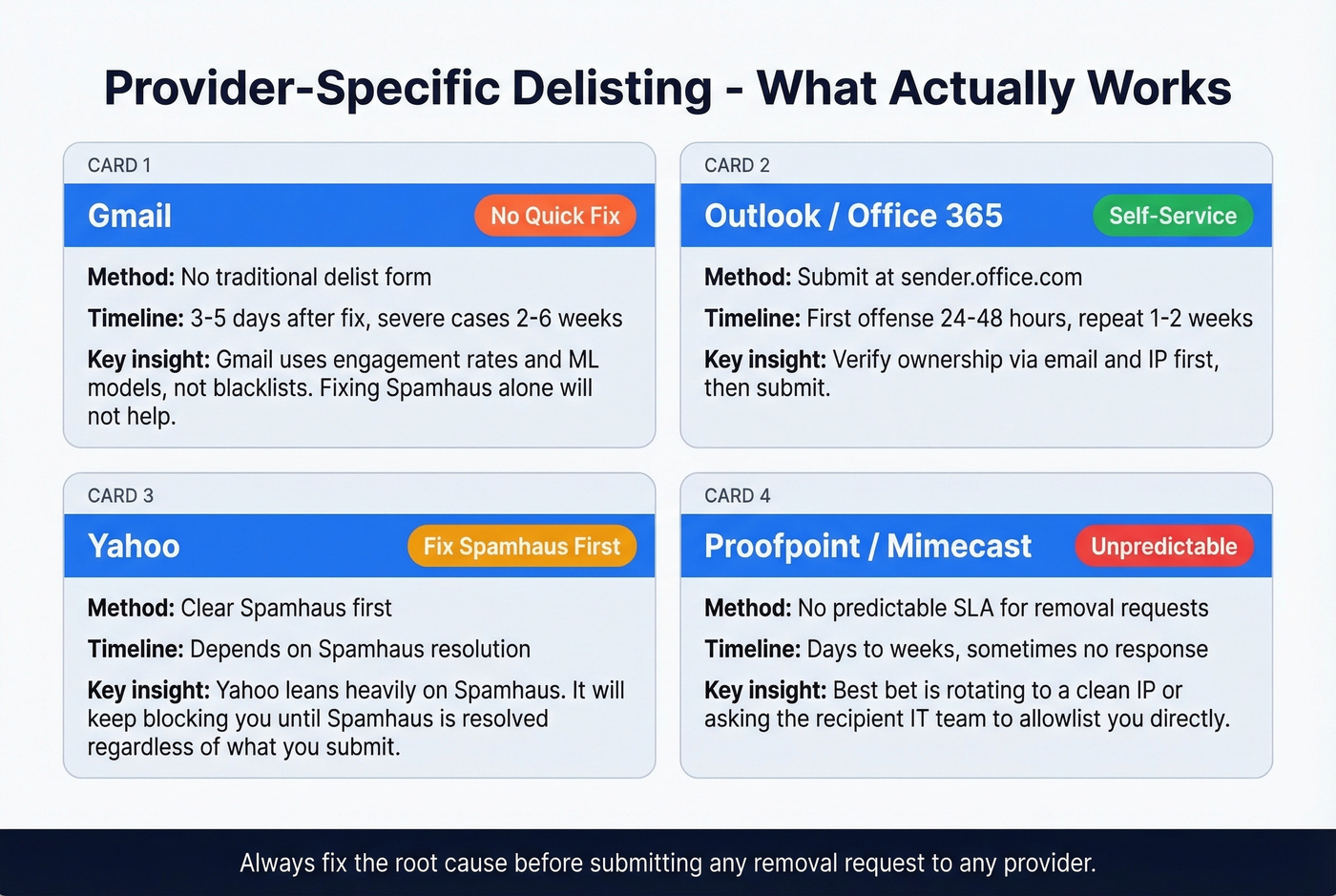
Office 365/Outlook uses the sender.office.com portal. Verify ownership via email and IP, then submit. First offenses clear in 24-48 hours; repeat issues take 1-2 weeks.
Yahoo leans heavily on Spamhaus. Clear your Spamhaus listing first - Yahoo will keep blocking you regardless of what you submit through their bulk sender form until Spamhaus is resolved.
Enterprise gateways like Proofpoint and Mimecast are a different beast entirely. One sender on r/proofpoint reported submitting multiple removal requests with no response for days. There's no predictable SLA. Your best bet is rotating to a clean IP or asking the recipient's IT team to allowlist you directly.
Why Delisting Won't Fix Gmail
Gmail doesn't work like a traditional "DNSBL in, DNSBL out" system. It filters through engagement rates, complaint rates, and machine learning models trained on massive volumes of messages. If your emails land in spam on Gmail, removing yourself from blacklists alone usually isn't the fix - you need better list quality, lower complaints, and stronger engagement. (If you're diagnosing symptoms, start with bounce rate and an email spam checker.)
The one exception: Spamhaus PBL. If you're sending from a dynamic IP directly to Gmail's MX servers, PBL can trigger a block. But for most business senders using a proper ESP, Gmail reputation recovery means improving list quality and engagement, not submitting delist forms. We've seen severe cases take 2-6 weeks to recover - plan accordingly.
Removing a Domain From a Blacklist
IP removal gets most of the attention, but domain-based blacklists like Spamhaus DBL and SURBL can be just as damaging. When your domain is listed, every IP you send from inherits the problem.
Check Spamhaus DBL, SURBL, and URIBL separately - they each maintain independent databases. Review your domain's DMARC reports for unauthorized senders spoofing your domain, then submit removal through the specific blacklist's lookup tool after fixing the issue. Domain reputation takes longer to rebuild than IP reputation, especially if the domain appeared in phishing or malware campaigns. Skip this step at your own risk. (If you need the deeper Spamhaus workflow, see Spamhaus blacklist removal.)
Prevent Future Listings
Once you've been listed and delisted, repeat offenses take longer to clear. One sender traced a deliverability dip to an old domain listed on Spamhaus; removal plus list cleanup had things looking better within days. But the real win was what they did after - building systems so it wouldn't happen again.
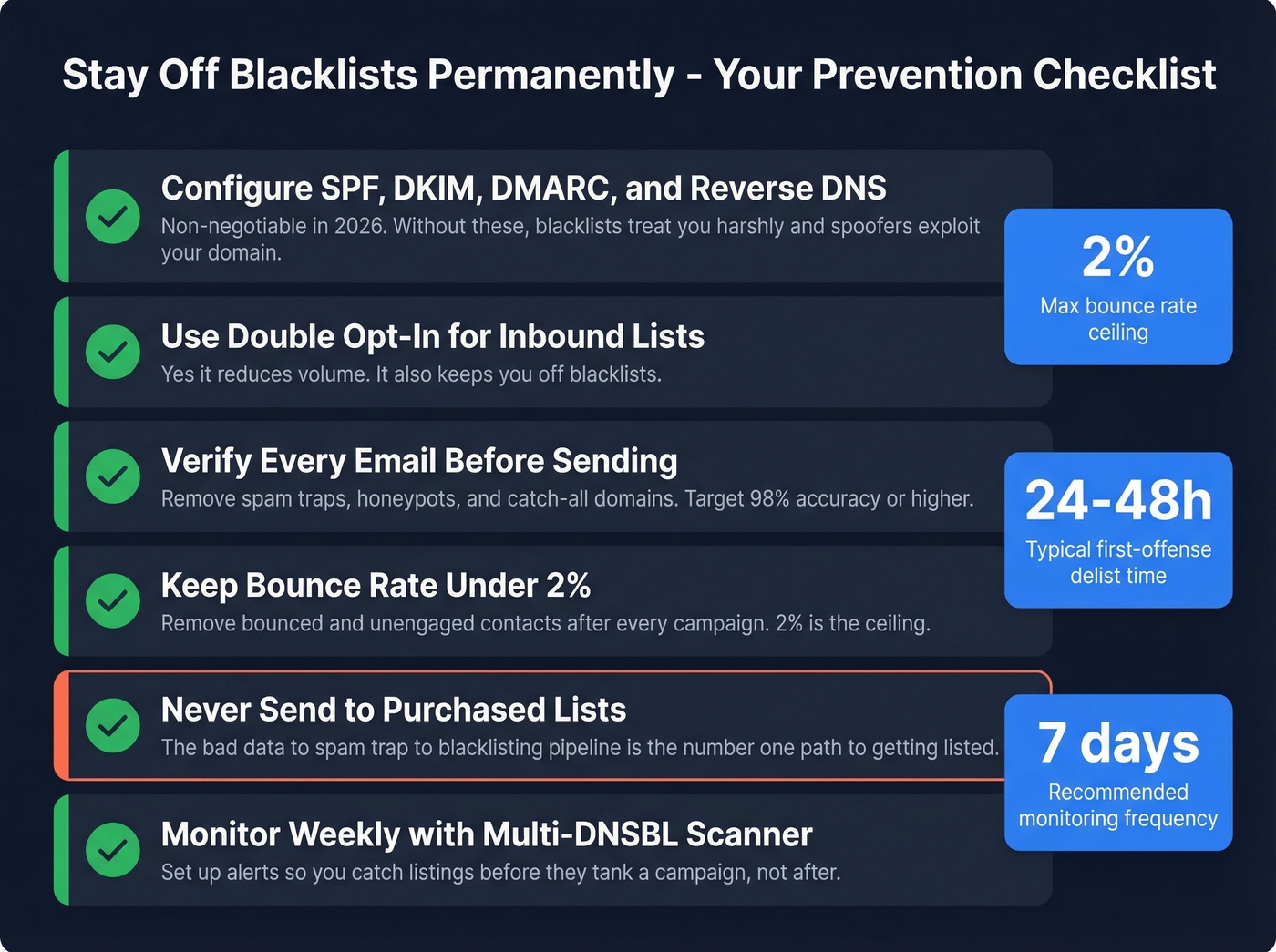
Authentication is non-negotiable. Configure SPF, DKIM, DMARC, and reverse DNS. This is table stakes in 2026.
Use double opt-in for any inbound list building. Yes, it reduces volume. It also keeps you off blacklists.
Verify every email address before sending. Most blacklistings start with bad data - spam traps and honeypots that look like real addresses but exist solely to catch careless senders. Prospeo's 5-step verification removes spam traps, honeypots, and catch-all domains before you hit send, with 98% email accuracy and a 7-day data refresh cycle. (If you're building outbound systems, this pairs well with a safer bulk email approach.)
Remove bounced and unengaged contacts after every campaign. A 2% bounce rate is the ceiling - anything above that and you're playing with fire.
Stop sending to purchased lists. Period. The bad-data-to-spam-trap-to-blacklisting pipeline is the number one path to getting listed, and we've watched it happen to teams who should know better. (If you're unsure on compliance, read is it illegal to buy email lists.)
Monitor weekly with a multi-DNSBL scanner. Set up alerts so you catch listings before they tank a campaign, not after.
Blacklist delisting is a symptom. The disease is bad data. Teams using Prospeo's 143M+ verified emails with 7-day refresh cycles see bounce rates drop from 35% to under 4% - the kind of numbers that keep you off every RBL permanently.
Replace the list that burned you at $0.01 per verified email.
FAQ
How long does blacklist delisting take?
Most blacklists process removal in 24 hours to 2 weeks. First offenses on Spamhaus SBL and Barracuda clear in 24-48 hours. Repeat offenses take 1-2 weeks. SpamCop and XBL auto-delist once the issue's fixed. Gmail reputation recovery is separate - expect 2-6 weeks for severe cases.
Can I get delisted from all blacklists at once?
No. Each blacklist operates independently with its own removal process. Start with Spamhaus and Barracuda - they have the most real-world impact on deliverability. Many smaller lists auto-expire within days. Use MxToolbox to check all lists simultaneously, then prioritize by the tier framework above.
How do I get off an email blocklist?
Visit the blocklist's lookup page, confirm your listing, fix the root cause, and submit a removal request. Spamhaus and Barracuda offer self-service forms; SpamCop and CBL auto-expire once the spam stops. For provider-specific blocks like Gmail or Outlook, follow the provider-specific steps above - they don't use traditional DNSBL removal workflows.
How do I prevent getting blacklisted again?
Configure SPF, DKIM, and DMARC. Never send to purchased lists. Verify every email address before sending to remove spam traps and honeypots. Monitor your IP weekly and remove bounced contacts after every campaign. Keeping bounce rates under 2% is the single best prevention measure.