

Best Boolean Search Generators in 2026 (Free + Paid)
Writing Boolean strings by hand feels like coding in 1997. Parentheses in the wrong spot, a lowercase "or" that breaks everything, twenty minutes burned on a string that returns garbage. You don't need to memorize Boolean syntax - you need a boolean search generator that builds the string and a workflow that turns those results into actual conversations.
Boolean is still worth learning, but only if you pair it with the right tools. Here's what's worth your time.
Our Top Picks
| Category | Tool | Verdict |
|---|---|---|
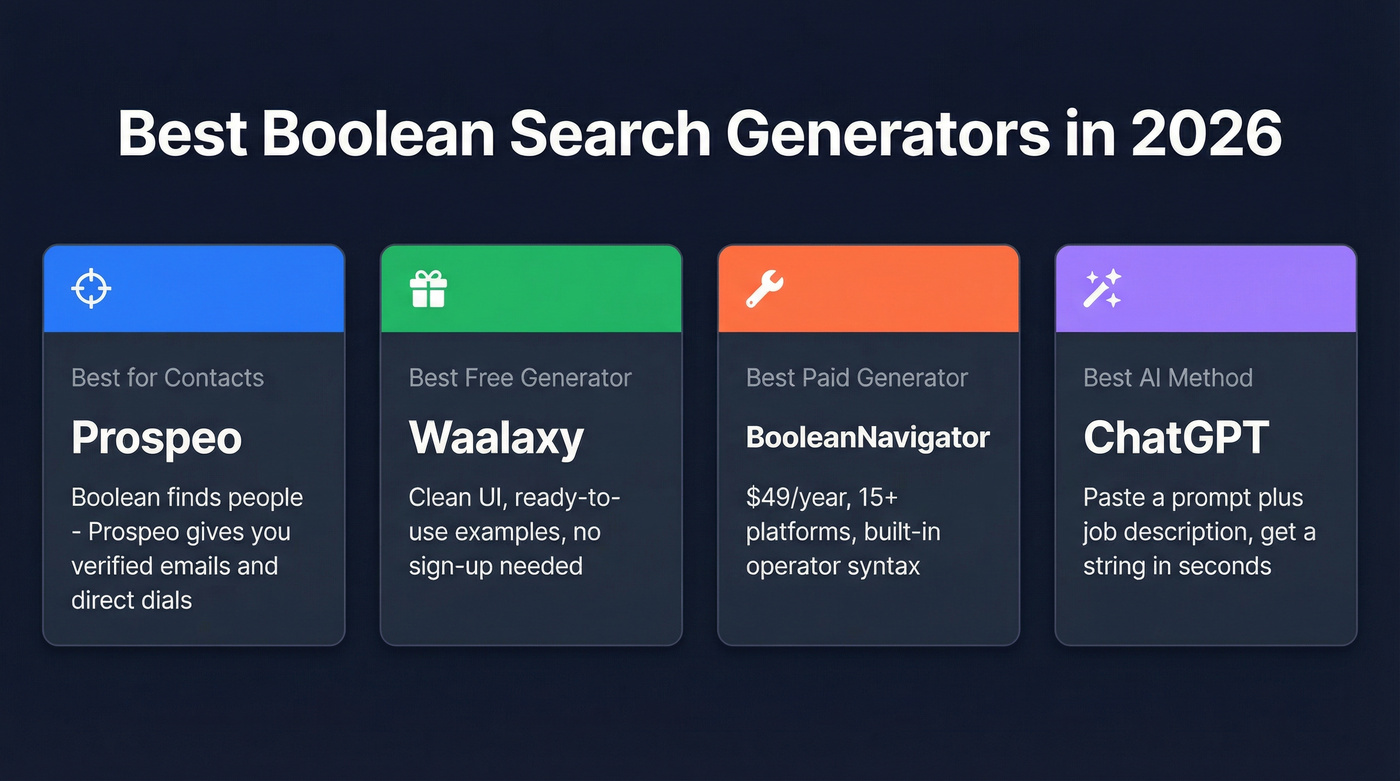
| Best for turning results into contacts | Prospeo | Boolean finds people - Prospeo gives you verified emails and direct dials |
| Best free generator | Waalaxy | Clean UI, ready-to-use examples, no sign-up |
| Best paid generator | BooleanNavigator | $49/year, 15+ platforms, built-in operator syntax |
| Best AI method | ChatGPT | Paste a prompt + job description, get a complete string in seconds |
Best Boolean Search Generators Compared
Prospeo - Turn Search Results Into Contacts
Boolean generators solve half the problem: finding the right people. Prospeo solves the other half by giving you verified contact data so you can actually reach them.
Prospeo's database covers 300M+ professional profiles, 143M+ verified emails at 98% accuracy, and 125M+ verified mobile numbers. The Chrome extension - used by 40,000+ people - lets you paste a profile URL from the web and pull a verified email and direct dial in seconds. That's the workflow: run your Boolean search, find the right profiles, then grab contact data you can trust.
We've seen teams switching to Prospeo drop bounce rates from 35-40% to under 5%, and the 30% mobile pickup rate means reps actually connect with prospects instead of leaving voicemails on office lines nobody checks. Data refreshes every 7 days, not the 6-week industry average.
Use this if: You've got Boolean search dialed in but waste hours finding emails that bounce.
Pricing: Free tier (75 emails/month), paid plans from ~$39/mo. About $0.01 per email.
BooleanNavigator - Best Paid Search Builder
BooleanNavigator is one of the few dedicated paid generators that's actually worth paying for. At $49/year - effectively $4/month - this tool supports 15+ platforms with built-in operator syntax tailored to each one. That matters because different search platforms handle Boolean differently, and a string that works on one can fail silently on another.
The tool builds simple, complex, and nested strings, with import/export and sharing built in. There's a 30-day free trial, so you can test it before committing.
Use this if: You source across multiple platforms daily and need syntax that actually works on each one. Skip this if: You only search on one platform. A free string generator handles that fine.
Pricing: $5/month or $49/year. 30-day free trial included.
Waalaxy - Best Free Boolean String Generator
Waalaxy's free Boolean generator doesn't require a sign-up, includes ready-to-use Boolean examples, and has a clean interface that won't confuse junior recruiters. It's prospecting-focused, so the templates lean toward finding decision-makers rather than academic research.
No multi-platform syntax support here. It generates generic Boolean strings, and you'll need to manually adjust operators for anything beyond a standard search bar. For most recruiters running searches on a single platform, that's fine. If you just need a free tool to get started, Waalaxy is hard to beat.
Pricing: Free. No sign-up required.
ChatGPT - Best AI Boolean Creator
Skip the explanation - just paste this prompt along with any job description:
Analyze this job posting and extract: job title + synonyms, required skills (min 5),
certifications, industries, tools/tech, jargon/acronyms, location/remote.

Then generate:
1. A main Boolean string (with parentheses, AND/OR/NOT, quotes)
2. 2-3 alternative strings (experienced / emerging talent / diversity-focused)
3. Exclusion terms list
4. Tips for using on different platforms

[PASTE JOB DESCRIPTION HERE]
You'll get a complete Boolean string with variants in under 30 seconds. We've found this method especially useful for niche roles where standard templates fall short - the AI catches synonyms and adjacent titles that generators miss. ChatGPT also handles iteration better than any static tool. Ask it to refine the string after reviewing initial results and it'll adjust on the fly.
Pricing: Free with ChatGPT's free tier. Plus plan runs $20/month.
hireEZ - Enterprise Option
$169+/user/month for a Boolean builder? Not exactly. hireEZ bundles a free Boolean builder into a broader sourcing platform. The builder itself costs nothing, but the real product - AI-powered sourcing with contact data - runs roughly $169-$250+/user/month on annual billing. The Professional plan includes about 4,000 monthly search credits.
Here's the thing: if you need to "request a demo" to find out what a tool costs, it's not built for individual recruiters. hireEZ makes sense for enterprise TA teams with budget and volume. Everyone else should use a free generator and spend the savings on actual contact data.
NoToolsNoCraft - Best Open-Source Option
The NoToolsNoCraft generator is a form-based tool with explicit logic buckets: Job Titles (OR), Mandatory Skills (AND), Nice-to-Have Skills (OR), Locations (OR), plus exclusion fields for each. In our testing, it produced cleaner strings than SmallRecruiter for multi-skill searches, especially when you're stacking three or four skill groups with different AND/OR logic. There's a Keyword Expand Mode toggle for broadening searches and one-click actions to copy to clipboard or search on Google or GitHub.
Pricing: Free. Open-source.
Hootsuite, SmallRecruiter, and Talent Sonar
Hootsuite's Boolean generator is free, but it's built for social listening - monitoring brand mentions and competitor activity, not finding candidates or prospects. Useful in its lane, irrelevant outside it.
SmallRecruiter is a free, job-board-focused generator. It handles basic AND/OR/NOT logic for Indeed-style searches. Nothing fancy, but functional for entry-level sourcing. Talent Sonar offers a free Boolean builder as part of its recruiting platform - worth trying if you're already evaluating their suite.
Pricing at a Glance
| Tool | Price | Free Tier | Best For |
|---|---|---|---|
| Prospeo | From ~$39/mo | 75 emails/mo | Verified contacts |
| BooleanNavigator | $49/year | 30-day trial | Multi-platform |
| Waalaxy | Free | Full access | Quick strings |
| ChatGPT | Free / $20/mo | Yes | AI-generated strings |
| hireEZ | ~$169+/user/mo | Free builder only | Enterprise sourcing |
| NoToolsNoCraft | Free | Full access | Open-source control |
| LinkedIn Recruiter | ~$900-$1,080/mo | None | Context only |
| LinkedIn Recruiter Lite | $170/mo | None | Context only |

Boolean search generators build the string. Prospeo closes the gap between finding someone and reaching them. 300M+ profiles, 143M+ verified emails at 98% accuracy, and 125M+ mobile numbers - all refreshed every 7 days.
Stop building perfect Boolean strings that lead to bounced emails.
Boolean Operators Cheat Sheet
| Operator | What It Does | Example |
|---|---|---|
| AND | Both terms required | "sales manager" AND "SaaS" |
| OR | Either term matches | "SDR" OR "BDR" OR "sales rep" |
| NOT | Excludes a term | "marketing" NOT "intern" |
| " " | Exact phrase match | "vice president of sales" |
| ( ) | Groups logic together | ("VP Sales" OR "Head of Sales") AND "SaaS" |
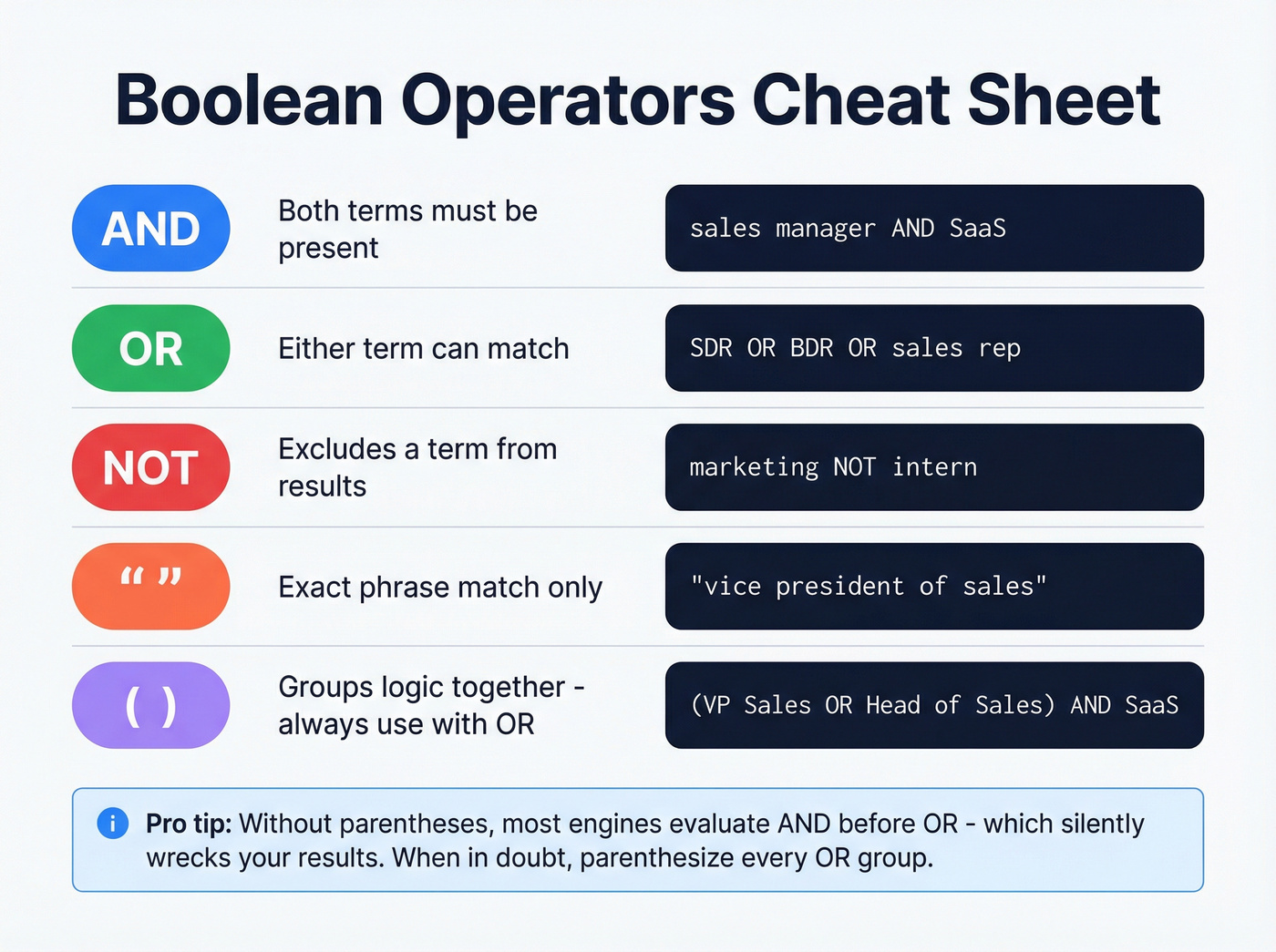
Operator precedence matters. Without parentheses, most search engines evaluate AND before OR - which silently wrecks your results. When in doubt, parenthesize every OR group.
Platform-Specific Gotchas
Before you paste any Boolean string, know these quirks:
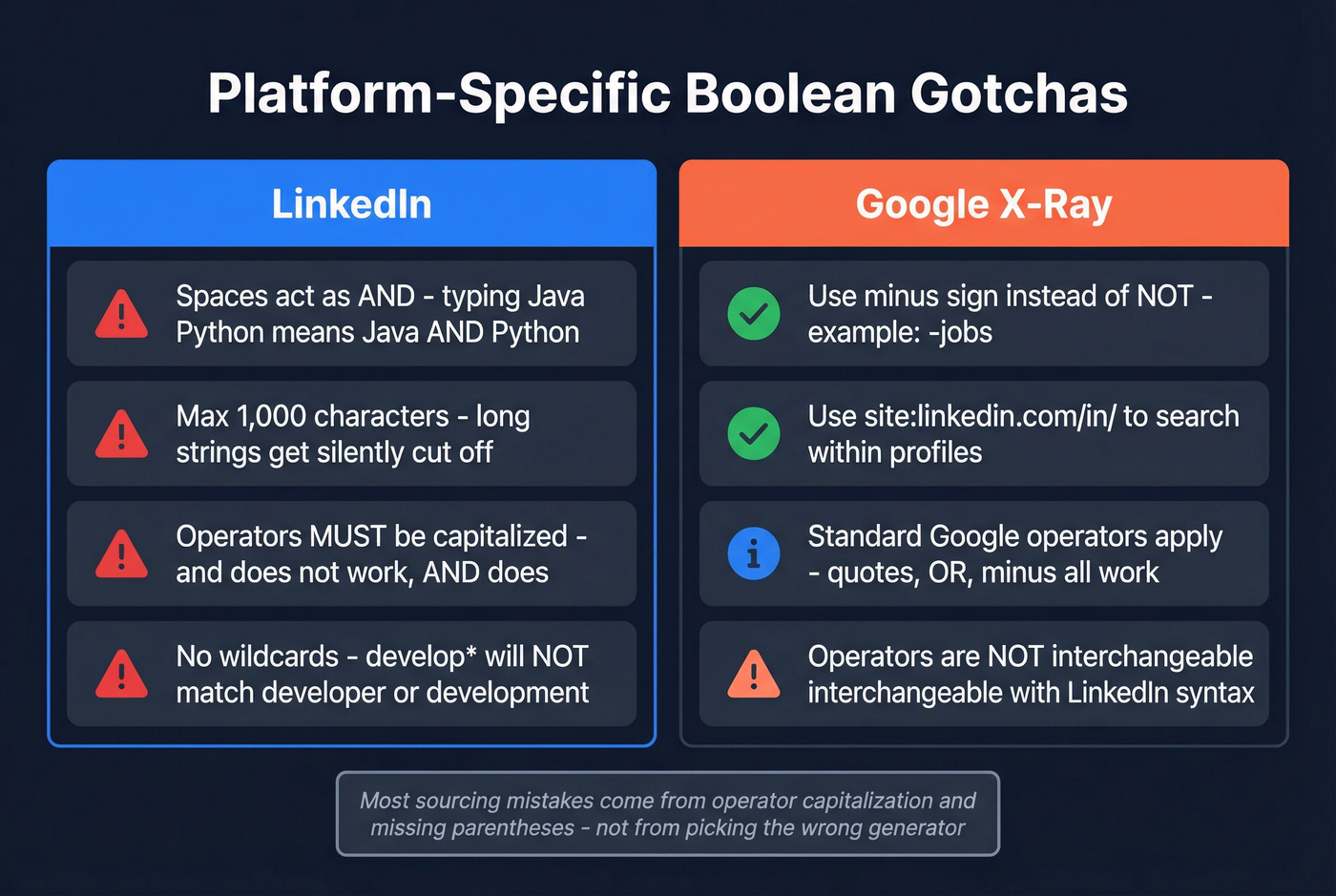
- LinkedIn treats spaces as AND. Typing
Java Pythonis the same asJava AND Python. This trips up recruiters who expect OR behavior. - LinkedIn caps queries at ~1,000 characters. Long nested strings get silently truncated. If your results look wrong, check string length first.
- Operators must be CAPITALIZED on LinkedIn.
anddoesn't work - it has to beAND. Same forORandNOT. - LinkedIn doesn't support wildcards. No asterisks.
develop*won't match "developer" and "development." - Google X-ray uses different syntax. Instead of NOT, use
-. Instead of searching within a professional network, usesite:linkedin.com/in/. The operators aren't interchangeable.
A recruiter's guide to Boolean search covers these nuances in more depth. The consensus on r/recruiting is that most sourcing mistakes come from operator capitalization and missing parentheses - not from picking the wrong generator.
Boolean Search for Sales Prospecting
Boolean search isn't just for recruiters. It's one of the most underrated tools in a sales team's stack. Using Boolean operators for sales prospecting lets you zero in on decision-makers by title, industry, company size, and tech stack without relying solely on database filters.
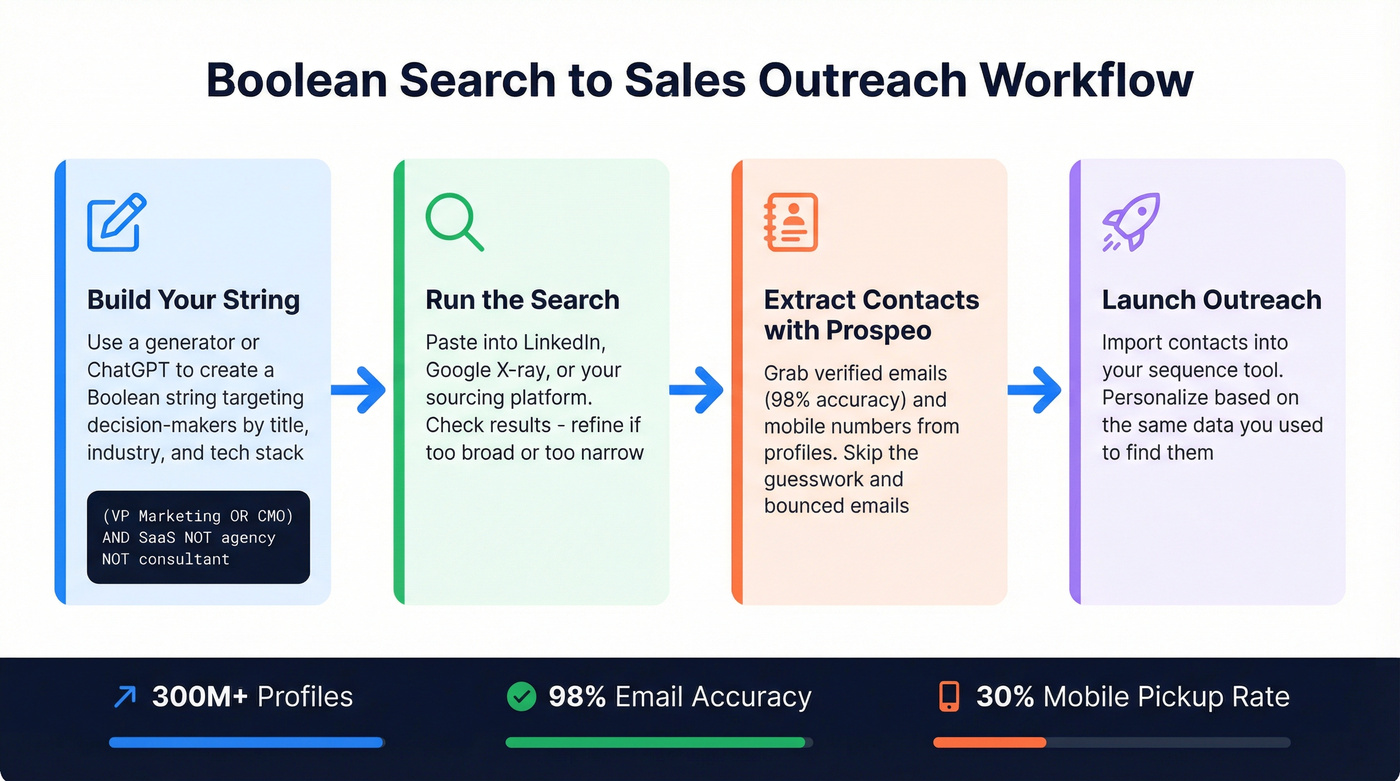
The key difference from recruiting searches: you'll want to exclude keywords prospecting teams commonly waste time on. Use NOT operators to filter out job postings, consultants, and competitors. A string like ("VP Marketing" OR "CMO") AND "SaaS" NOT "agency" NOT "consultant" NOT "hiring" keeps your results focused on actual prospects rather than noise. Let's be honest - most SDRs don't bother with this step, and they end up with lists full of agency founders and freelancers who'll never buy.
For teams that want to go deeper, HubSpot's guide to Boolean search breaks down how to combine operators for complex prospecting queries.
Copy-Paste Boolean Templates
SDR - B2B SaaS Decision-Maker Search:
("VP Sales" OR "Head of Sales" OR "Director of Sales") AND ("SaaS" OR "B2B software") AND ("Series A" OR "Series B" OR "growth stage") NOT "consultant" NOT "freelance"
Recruiter - Software Engineer Search:
("Software Engineer" OR "Backend Developer" OR "Full Stack Developer") AND ("Python" OR "Java" OR "Go") AND ("San Francisco" OR "Bay Area" OR "Remote") NOT "intern" NOT "junior"
Google X-Ray - Profile Search:
site:linkedin.com/in/ "Software Engineer" "San Francisco" "Python" -job -jobs
Google X-Ray - Broadened Title Variant:
site:linkedin.com/in/ ("Software Engineer" OR "Backend Developer") "San Francisco" "Python" -job -jobs
I keep a doc of these templates and swap in new titles and skills for each campaign. Saves about 15 minutes per search compared to building from scratch every time.
If you're turning those searches into outreach, pair your strings with a tight prospecting workflow and a repeatable outbound email campaign.
Teams using Prospeo after Boolean searches cut bounce rates from 35-40% to under 5% and connect on 30% of mobile dials. At $0.01 per email, you spend less on contacts than you do on the generator.
Turn every Boolean search result into a verified, reachable contact.
FAQ
What is a boolean search generator?
A boolean search generator builds search strings using AND, OR, NOT, quotes, and parentheses from simple form inputs. Instead of writing complex syntax manually, you type job titles, skills, and locations into fields and the tool outputs a ready-to-paste string for platforms like LinkedIn, Indeed, or Google.
Are free generators good enough?
For standard recruiting and sales searches, yes. Waalaxy and NoToolsNoCraft handle AND/OR/NOT logic well for single-platform use. You only need a paid tool like BooleanNavigator ($49/year) if you require platform-specific operator syntax across 15+ search engines.
How do I exclude irrelevant results when prospecting?
Use the NOT operator (or - on Google) to filter noise. Common exclusions for sales: "hiring," "jobs," "intern," "freelance," and "agency." Most generators include dedicated exclusion fields so you don't have to write NOT clauses manually.