How Many Emails Can You Send Per Day in Gmail? The Real Limits Explained
You just sent 15 emails - not 500, not even 100 - and Gmail locked you out. No explanation, no countdown timer, just a vague error message and a dead send button. If you've ever wondered how many emails you can send per day in Gmail, the answer isn't a single number. The published limits say 500 emails per day for free Gmail and 2,000 for Google Workspace, but your real capacity depends on factors Google doesn't advertise.
The Quick Answer
Free Gmail accounts can send 500 emails per day. Paid Google Workspace accounts get 2,000 per day. Both operate on a rolling 24-hour window - not a midnight reset.
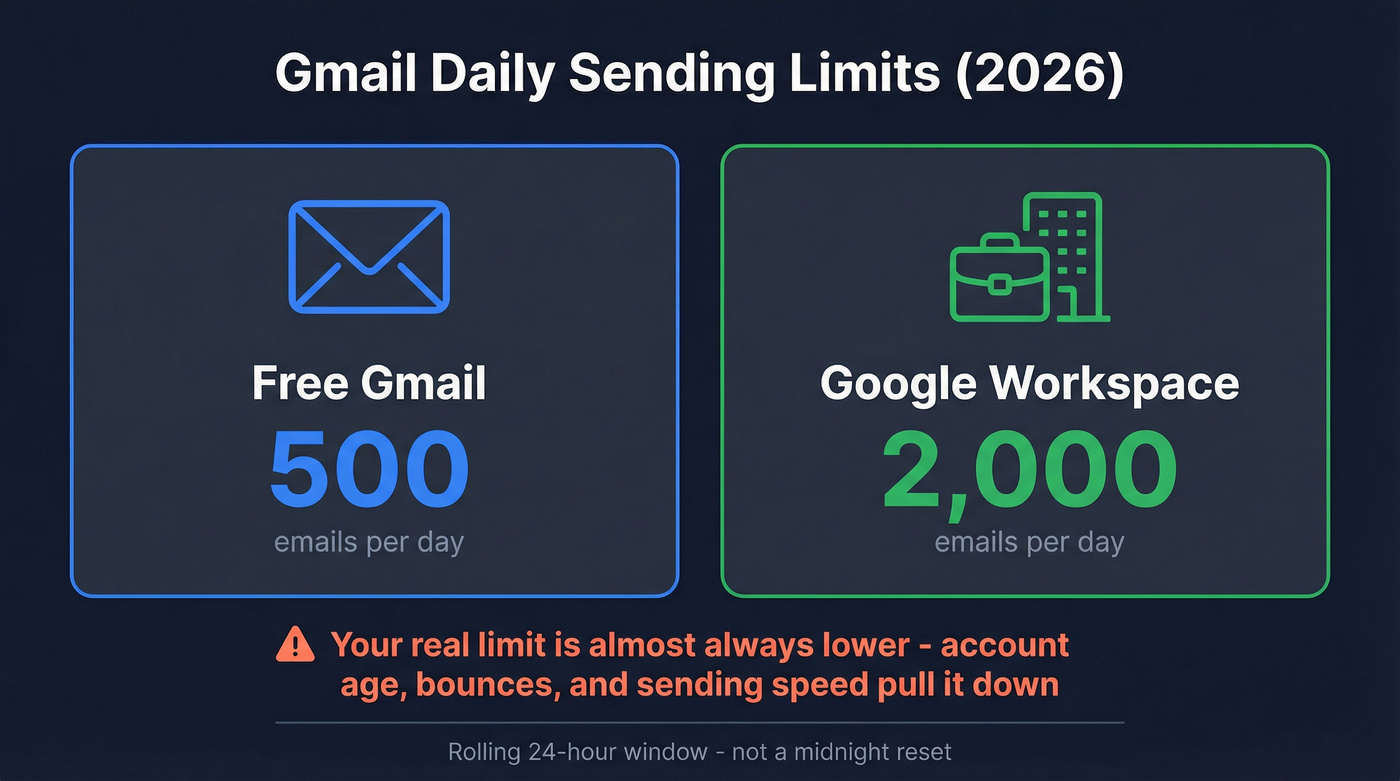
| Account Type | Daily Limit |
|---|---|
| Free Gmail | 500 |
| Google Workspace (paid) | 2,000 |
Your actual limit is almost always lower than those numbers. Account age, bounce rates, and sending speed all pull the real ceiling down - sometimes to single digits.
Limits by Account Type
The headline numbers are simple. The details aren't.
Gmail counts every individual recipient - not every email - toward your daily quota. One message sent to 10 people in BCC burns 10 of your daily sends. So the real question isn't how many messages you're composing; it's how many recipients you're addressing.
| Account Type | Daily Limit | Per-Message Recipient Limit | Notes |
|---|---|---|---|
| Free Gmail (web) | 500 | 500 (To+CC+BCC) | Rolling 24-hr window |
| External email clients (Outlook/Apple Mail) | ~100/day | Same pool | Stricter for external clients |
| Workspace (paid) | 2,000 | 2,000 (To+CC+BCC) | New domains may be gated before full limits unlock |
| Workspace mail merge | 1,500 | 1,500 | Lower cap for merge sends |
| Workspace SMTP relay | 10,000 | Varies | Requires admin configuration |
| Workspace trial | 500 | 500 | Same as free until eligibility criteria are met |
A few things most guides skip. Some Workspace domains don't unlock the full 2,000/day immediately - Google can gate new or trial-to-paid domains until you've cumulatively paid at least $100 and enough time has passed. Before that, you're treated like a free account.
Aliases count toward the same pool. Sending from yourname@gmail.com and yourname+alias@gmail.com draws from one quota. Vacation auto-responders also eat into your daily limit, which catches people off guard during holidays when they're also running campaigns. The official Google Workspace documentation confirms the headline limits, though it's frustratingly vague about the reputation-based throttling that actually governs your experience.
Why You Hit Limits Before 500
Here's the thing: people get blocked far below the published limits all the time. There are public examples of Gmail warning users they've hit a sending limit after only around 15 emails.

We've seen accounts get throttled after as few as 10 sends. GMass publishes live campaign stats that put numbers on this problem. On a recent Thursday, about 3.6% of Gmail campaigns and about 3.0% of Workspace campaigns hit limits prematurely - well before reaching their stated daily cap. That's hundreds of campaigns throttled in a single day.
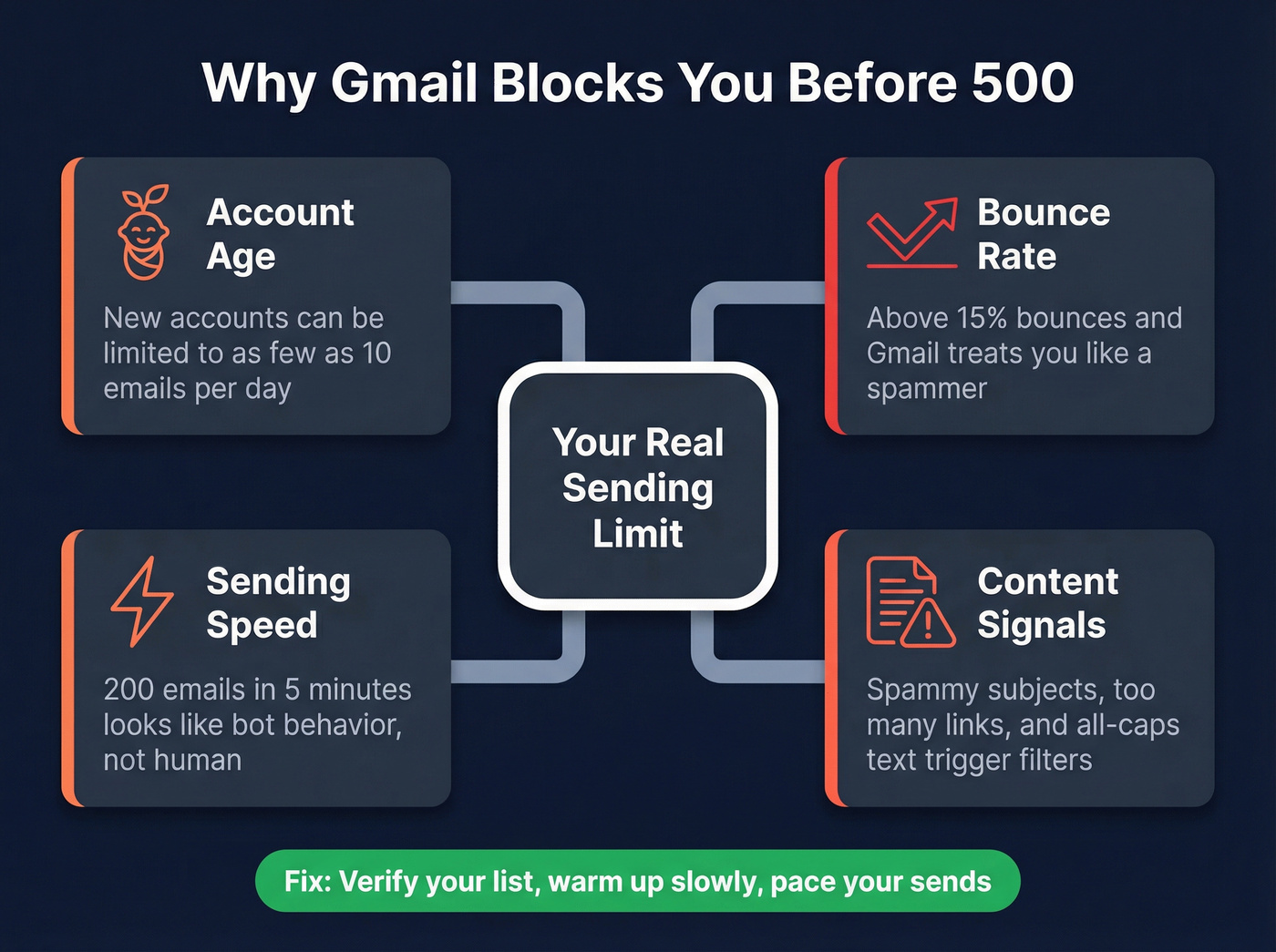
The main factors that pull your real limit below the published number:
Account age and reputation. A brand-new Gmail account can be limited to as few as 10 emails. Google gradually increases your capacity as you build sending history. New Workspace accounts in established organizations fare better and can often send near 2,000/day almost immediately, but a brand-new Workspace org with no history should expect heavy throttling for weeks.
Bounce rate. This is the big one. If a significant percentage of your emails bounce, Gmail interprets that as a spam signal and throttles you hard. If 15% of your list bounces, Gmail treats you like a spammer regardless of your daily cap. The fix is verifying your list before you send - tools like Prospeo catch invalid addresses before they trigger throttling, with 98% accuracy across 143M+ verified emails. (If you want a deeper breakdown of tools and methods, see our guide to email verification.)
Sending speed. Blasting 200 emails in 5 minutes doesn't look like human behavior. Gmail rate-limits based on velocity, not just volume, and Google doesn't publish official hourly limits. If you're ramping volume, an automated email warmup plan helps you scale without tripping early throttles.
Content quality signals. Spammy subject lines, excessive links, all-caps text, and suspicious attachments all factor into Gmail's real-time evaluation. Two identical-volume campaigns can get completely different treatment based on content alone. If you're unsure what triggers filters, review common words to avoid in email subject lines.
Let's be honest: most people who hit Gmail limits have a data quality problem, not a sending tool problem. Stop looking for ways to bypass limits. Fix your list instead. (More on the underlying issue: invalid emails.)
How the Rolling Window Works
Gmail doesn't reset your quota at midnight. It uses a rolling 24-hour window, and understanding the mechanics saves you from wasted mornings staring at error messages.
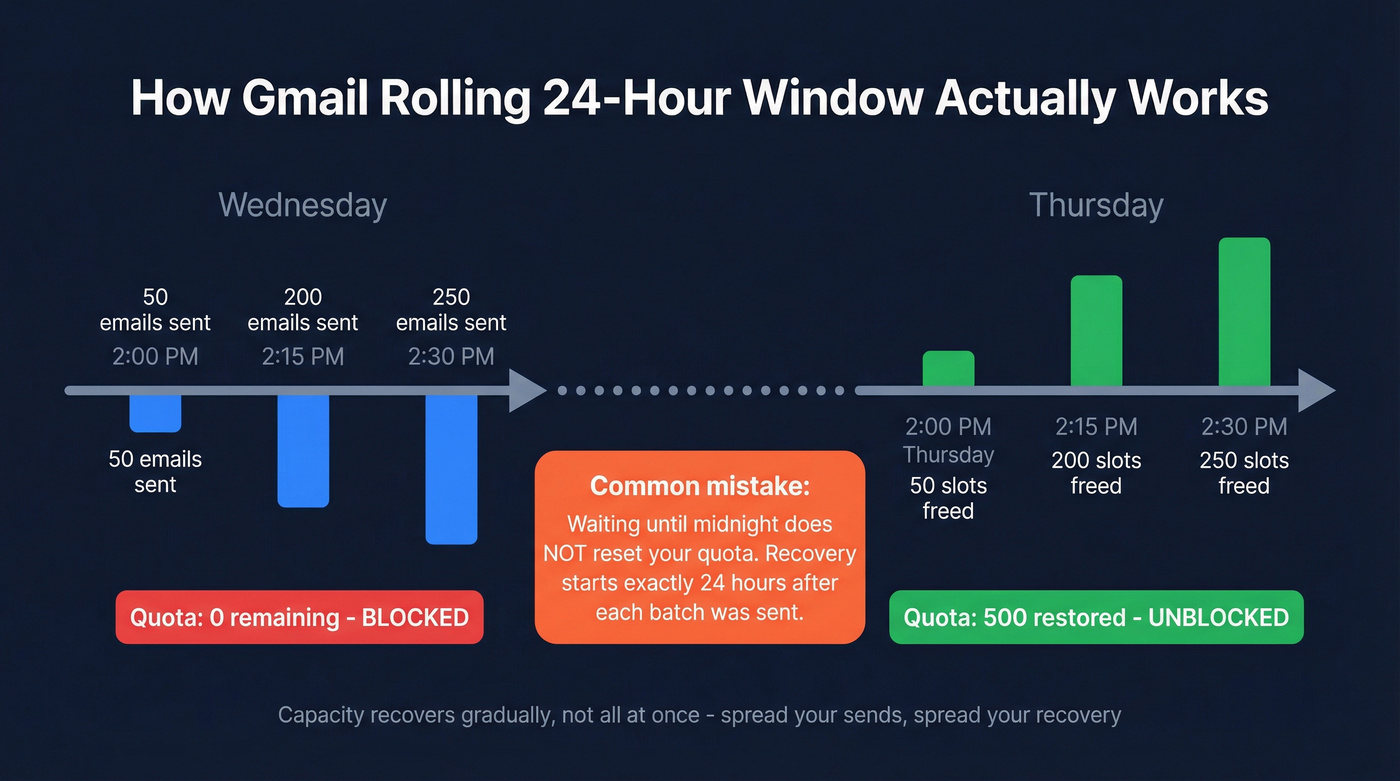
Say you send 500 emails starting at 2pm on Wednesday, finishing around 2:30pm. Your capacity doesn't magically return at midnight. Those sends start "aging out" beginning at 2pm Thursday. The first batch you sent - 50 emails at 2:00pm Wednesday - frees up 50 slots at 2:00pm Thursday. The next batch frees up proportionally as each hour passes.
Capacity recovers gradually, not all at once. If you burned through your entire quota in a 30-minute burst, you'll get it all back in a 30-minute window the next day. But if you spread sends across 8 hours, recovery spreads across 8 hours too. "Wait until tomorrow morning" only works if you finished sending before midnight - otherwise you're still locked out.

Gmail cuts your sending limit when emails bounce. The fix isn't a workaround - it's better data. Prospeo verifies every email through a 5-step process, delivering 98% accuracy across 143M+ addresses. Teams using Prospeo drop bounce rates below 4%.
Stop losing sends to bad data. Verify your list before Gmail throttles you.
What Happens When You Exceed the Limit
The consequences escalate, and they go beyond email.
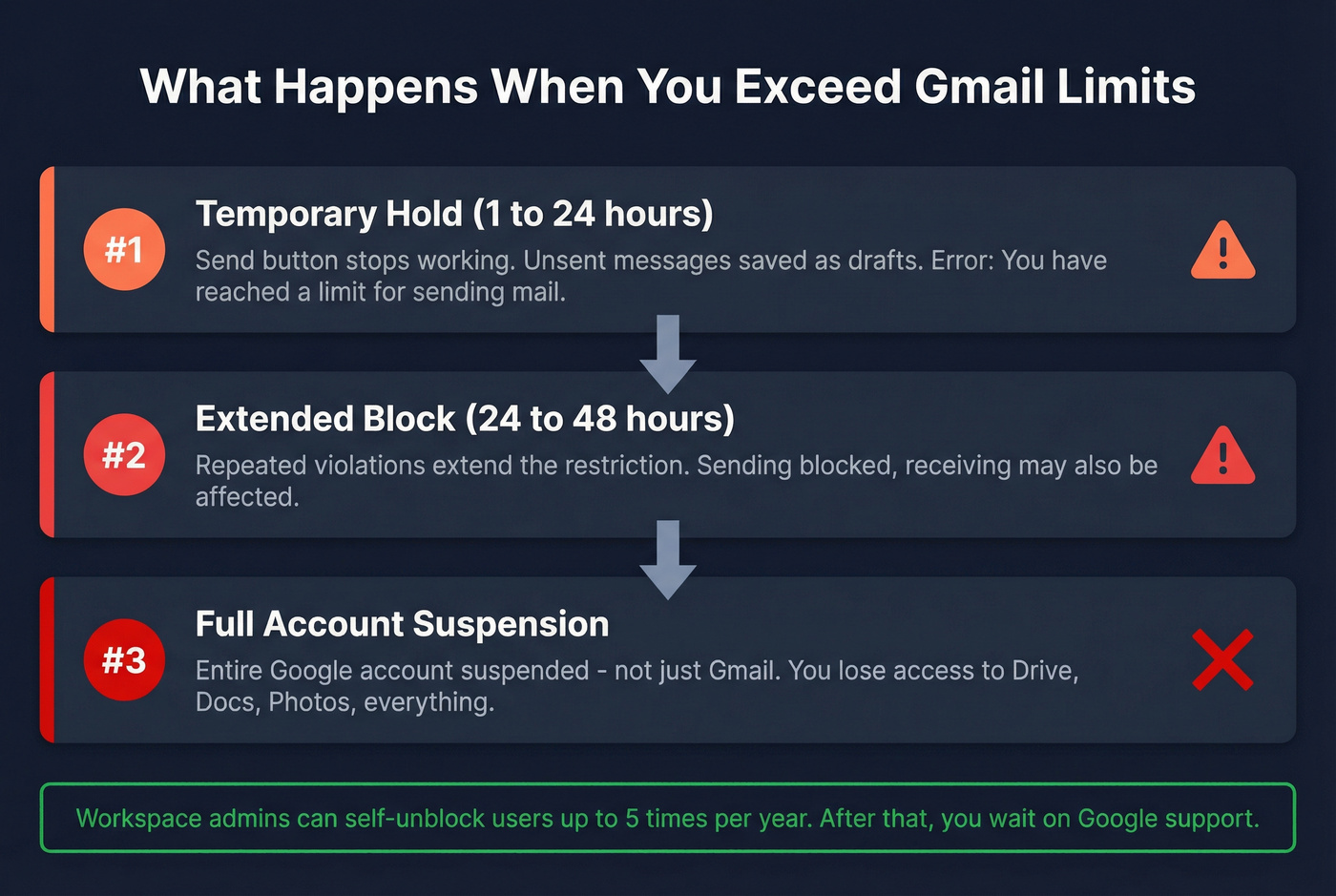
Stage 1: Temporary hold (1-24 hours). You'll see one of these error messages:
- "You have reached a limit for sending mail. Your message was not sent."
- "You have attempted to send mail to too many recipients at once."
- API users get a 429 error: "User-rate limit exceeded."
If you're sending from Gmail's web interface, unsent messages stay as drafts. From external clients like Outlook or Thunderbird, the message may appear in your Sent folder but then bounce back with a failure notification.
Stage 2: Extended block (24-48 hours). Repeated violations within a short period extend the restriction. You can't send, and sometimes receiving is affected too.
Stage 3: Full account suspension. Rare but devastating. In extreme cases, Google suspends your entire Google account - not just Gmail. That means losing access to Drive, Docs, Photos, and everything tied to that account. We've watched teams lose access to shared Drives full of client work because one person ran a sloppy email blast.
For Workspace admins, there's a safety valve: you can self-unblock suspended users up to 5 times per year. After that, you're waiting on Google support.
2026 Bulk Sender Rules
The grace period is over. Gmail now rejects non-compliant bulk email outright. Google Postmaster Tools shows a binary compliance status: pass or fail. No middle ground.
These rules kick in once you cross 5,000 messages per day to personal Gmail accounts, aggregated at the primary domain level (subdomains count toward the same total). Once you trigger bulk sender status, it's permanent.
Google requires:
- SPF + DKIM authentication on all outbound email
- DMARC alignment with at least p=none (p=quarantine or p=reject is better)
- One-click unsubscribe headers for promotional and marketing messages
- Spam complaint rate below 0.3% as measured by Google Postmaster Tools
Even if you're well under 5,000/day now, setting up SPF, DKIM, and DMARC protects your sender reputation and reduces the chance of hitting throttling limits early. (If you need the exact DNS steps, use our SPF, DKIM, DMARC explained guide.)
How to Send More Without Getting Blocked
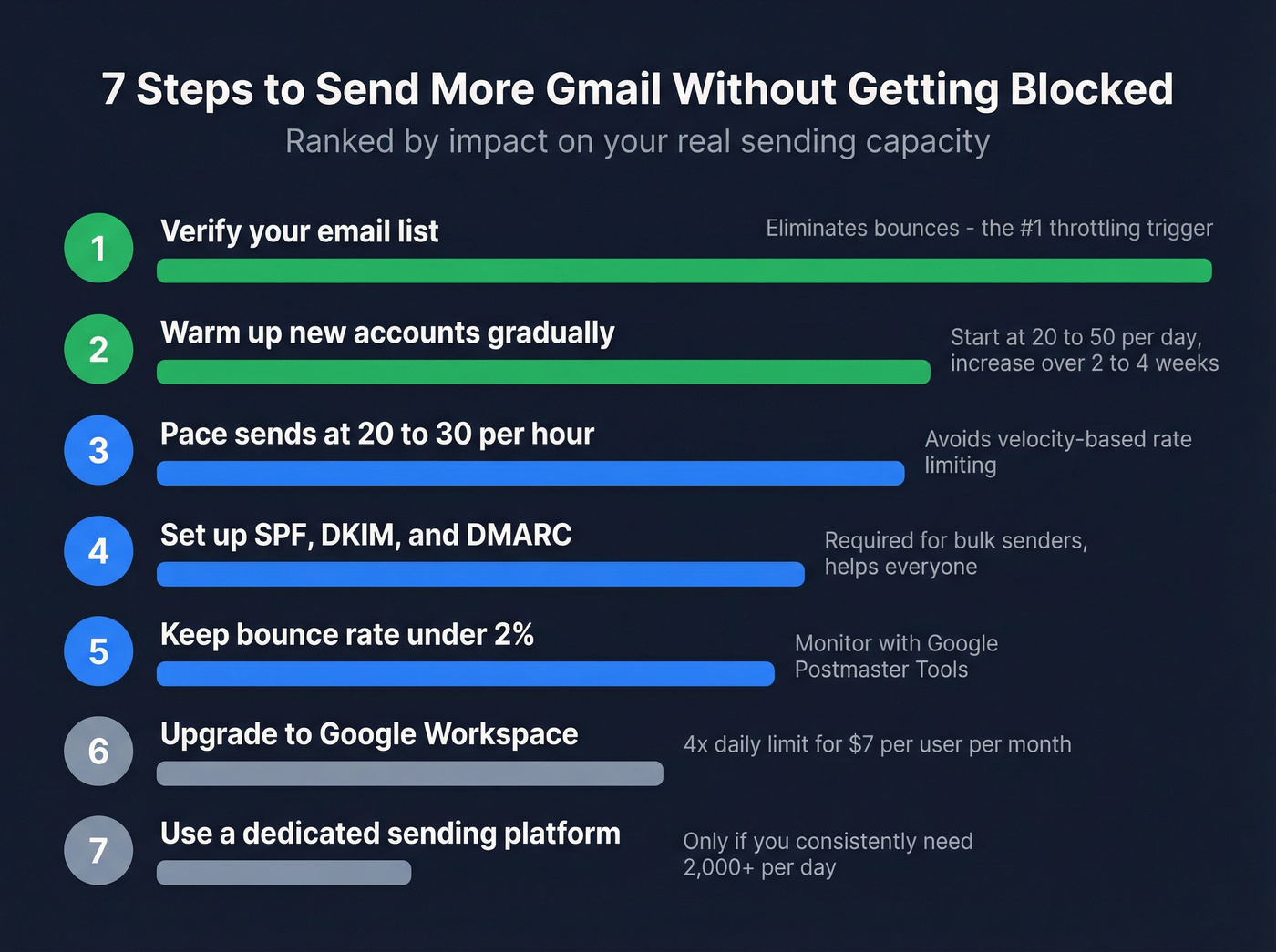
Seven steps ranked by impact.
Verify Your List First
Bad data is the #1 reason Gmail blocks you before you hit your daily limit. Every bounced email signals to Google that you're sending to addresses that don't exist - which is exactly what spammers do. Prospeo's 5-step verification process includes catch-all handling and spam-trap removal, and the free tier covers 75 verifications per month - enough to clean a small campaign list. Customer Meritt went from a 35% bounce rate to under 4% after switching their verification workflow, and their pipeline tripled. Fewer bounces means fewer throttling triggers and more of your daily sends actually reaching inboxes. (For more options, compare the best email ID validators.)
Warm Up New Accounts
Don't send 500 emails from a week-old account. Start at 20-50 per day and increase over 2-4 weeks. Google watches sending patterns closely for new accounts, and a sudden spike looks identical to a compromised account being used for spam. If you're building a system around this, follow our cold email volume best practices.
Pace Your Sends
In our testing, pacing sends at 20-30 per hour consistently avoids rate limiting on free accounts. For Workspace, you can push to 80-100 per hour safely. Burst sending is the fastest way to trigger rate limiting before you're anywhere near your daily cap.
Authenticate and Monitor
Set up SPF, DKIM, and DMARC records - without them, Gmail throttles you harder and routes more of your emails to spam. Then keep your bounce rate under 2% by checking Google Postmaster Tools regularly. Anything above 2% actively damages your sender reputation with every campaign. (Use this email deliverability checklist to audit the rest of your setup.)
Upgrade to Google Workspace
At $7/user/month, Workspace gives you 4x the daily limit - 2,000 vs 500. It's the most straightforward way to increase capacity without changing your workflow. Just remember that new or trial-to-paid domains may be gated before the full limit unlocks.
Use a Dedicated Sending Platform
If you consistently need more than 2,000 emails per day, Gmail isn't the right tool - even with Workspace. Platforms like Instantly, Smartlead, or Lemlist are built for high-volume outbound and handle deliverability, warmup, and rotation natively. Skip this if your average deal size is under five figures; you probably don't need 2,000+ daily sends anyway, and tighter targeting beats higher volume every time. (If you're evaluating options, start with our cold email marketing tools roundup.)
You don't need 2,000 sends per day. You need 200 sends that actually land. Prospeo's 7-day data refresh means every email you pull is current - not 6 weeks stale like competitors. At $0.01 per verified email, fixing your bounce rate costs less than one wasted campaign.
One cent per verified email beats losing your Gmail account to bad data.
Gmail vs. Outlook vs. Yahoo
Gmail isn't the only option, and the limits vary significantly across providers.
| Provider | Free Limit | Paid Limit | Per-Msg Recipients | Cost |
|---|---|---|---|---|
| Gmail | 500/day | 2,000/day | 500-2,000 | $7/user/mo |
| Outlook.com | 300/day | 10,000/day (M365) | 100 (free) / 500 (M365) | ~$6/user/mo |
| Yahoo Mail | 500/day | N/A | Not disclosed | Free only |
Microsoft 365 is the most generous for raw volume at 10,000/day, but that number comes with its own reputation-based throttling, and the free Outlook.com tier caps you at just 100 recipients per message. Gmail Workspace offers the best balance of deliverability and cost for most outreach teams.
Yahoo is a dead end for professional sending. No paid tier, no advanced authentication tools, and increasingly aggressive spam filtering. Yahoo adopted similar bulk sender authentication requirements in 2024, but without a paid tier offering higher limits, there's nowhere to grow.
FAQ
Do Gmail limits reset at midnight?
No. Gmail uses a rolling 24-hour window. If you hit your limit at 2pm, capacity starts returning at 2pm the next day - proportionally, as each earlier send ages out. Plan your heaviest sending windows accordingly.
Does CC and BCC count toward the limit?
Yes. Every recipient in To, CC, and BCC counts individually. One email to 10 BCC recipients uses 10 of your daily sends - it's the most common way people accidentally burn through limits fast.
How many emails can I send daily on a paid Workspace plan?
Paid Workspace accounts allow 2,000 emails per day versus 500 for free Gmail. At $7/user/month, it's the cheapest way to quadruple your capacity. New or trial-to-paid domains may be gated before the full limit unlocks.
How long does a Gmail sending block last?
Typically 1-24 hours for a first offense. Repeated violations extend to 24-48 hours. In rare cases, Google suspends your entire account - including Drive, Docs, and Photos. Workspace admins can self-unblock users up to 5 times per year.
What's the best way to avoid early throttling?
Verify your email list before sending. Reducing bounces from 15%+ to under 4% keeps you within your daily limit and protects your sender reputation. Combine clean data with proper warmup and pacing, and most accounts can safely approach the full published cap.