

Best Email Call to Action Examples That Actually Convert
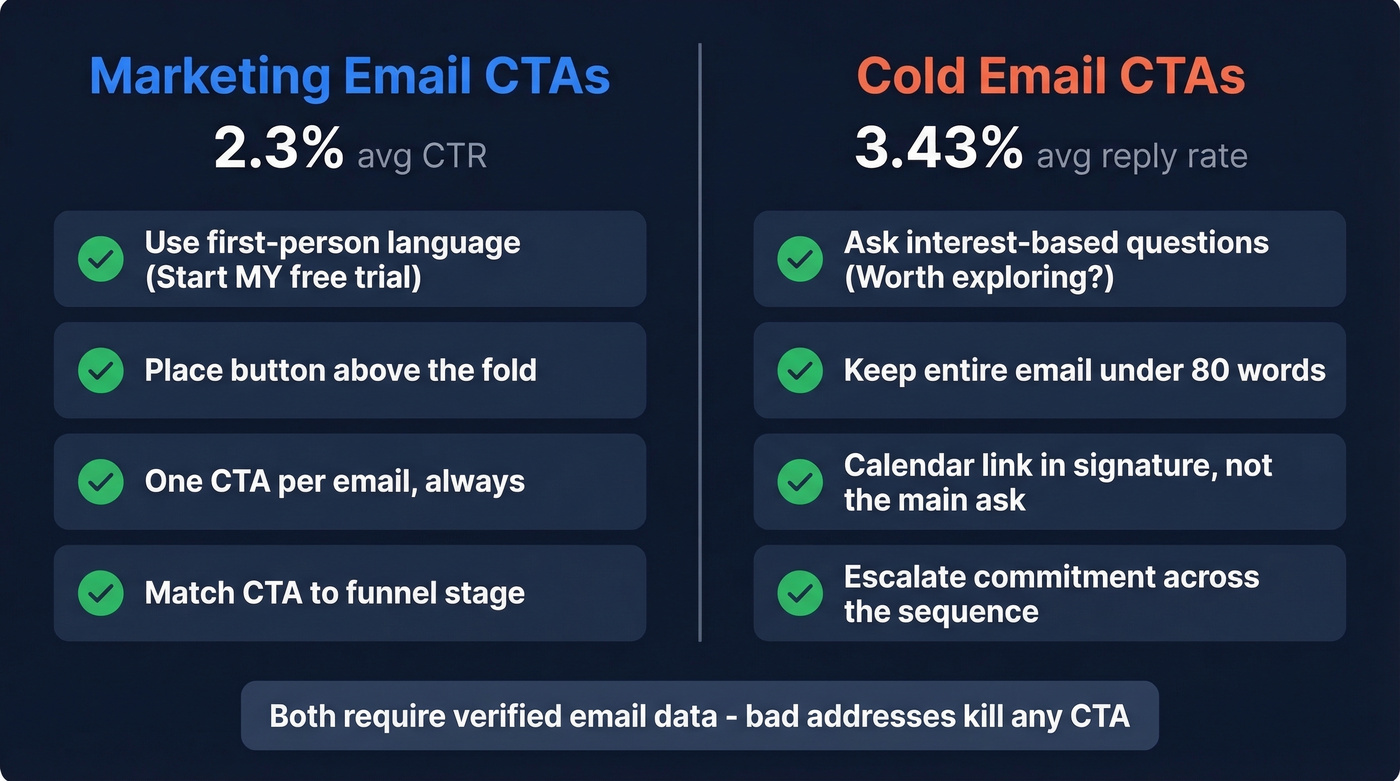
Your open rates look great - 42%, maybe higher. But Apple's Mail Privacy Protection inflated open rates by 18 points across 80,000+ accounts, so opens are vanity metrics now. The only number that proves your email worked is the click. And the all-industry average CTR sits at just 2.3%.
That means your call to action is doing all the heavy lifting. Here's what actually works - for marketing campaigns, cold outreach, and everything in between.
The Quick Version
- Marketing emails: Use first-person button CTAs ("Start my free trial"), place them above the fold, and stick to one CTA per email. First-person language lifts clicks by up to 90%.
- Cold emails: Use an interest-based question CTA ("Worth exploring?"), keep the whole email under 80 words, and put your calendar link in the signature - not the main ask.
- Before optimizing any CTA: Make sure your emails actually land. Bad data kills more CTAs than bad copy ever will. (Email deliverability is the real bottleneck.)
Marketing Email CTA Examples
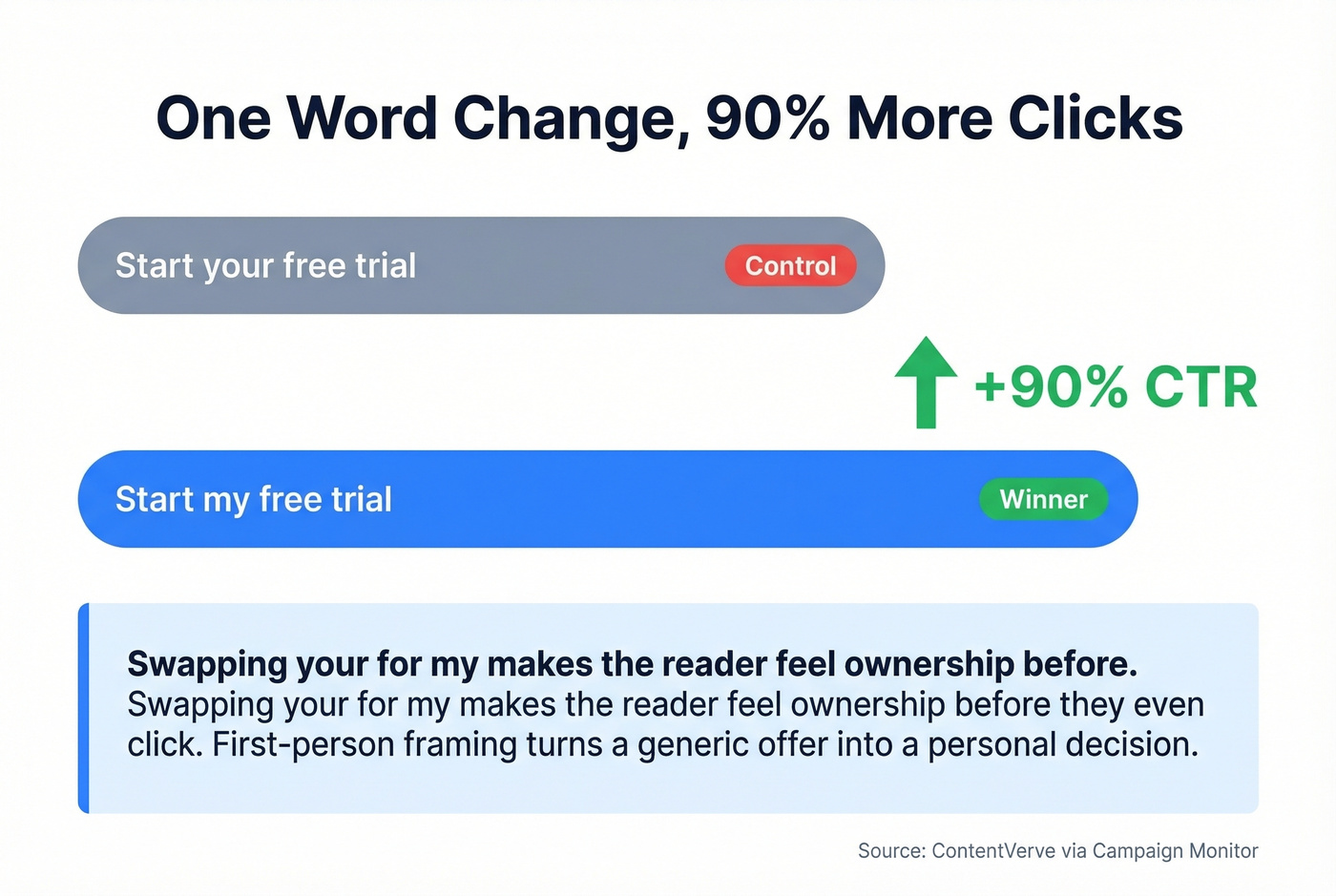
The single highest-leverage change you can make is swapping "your" for "my." A ContentVerve test found that changing "Start your free trial" to "Start my free trial" lifted CTR by 90%. One word. Ninety percent.
Friction words quietly tank your buttons:
| Friction Word | Better Alternative |
|---|---|
| Submit | Get Started |
| Download | Access Now |
| Order | Reserve Yours |
| Register | Join Free |
Social proof CTAs work for the same reason Cialdini's "77% of your neighbors" message outperformed money-saving and environmental appeals - people follow the crowd. "Join 10,000+ marketers" beats a generic button because it answers the unspoken question: am I the only one doing this?
Match your CTA to the email's funnel stage. Awareness emails need educational CTAs. Consideration emails need demo and webinar CTAs. Decision emails need purchase CTAs. Here's a cheat sheet you can copy directly:
- SaaS: "Start my free trial" · "See it in action" · "Watch the 2-min demo"
- E-commerce: "Claim my 20% off" · "Shop the drop before midnight" · "Reserve yours"
- Newsletter: "Get the Friday briefing" · "Join 14,000 readers"
- Re-engagement: "Still interested?" · "Come back for 15% off"
- Signup popups: Exit-intent popups convert at 3.8% vs. 2.4% for scroll-depth triggers - pair urgency CTAs with exit intent for the biggest lift. (If you want to go deeper on CTAs, see email call to action.)
Cold Email CTA Examples
Cold email is a completely different game. The average reply rate is 3.43%, elite performers push past 10%, and 58% of all replies come from the first email. Your first-touch CTA carries disproportionate weight.
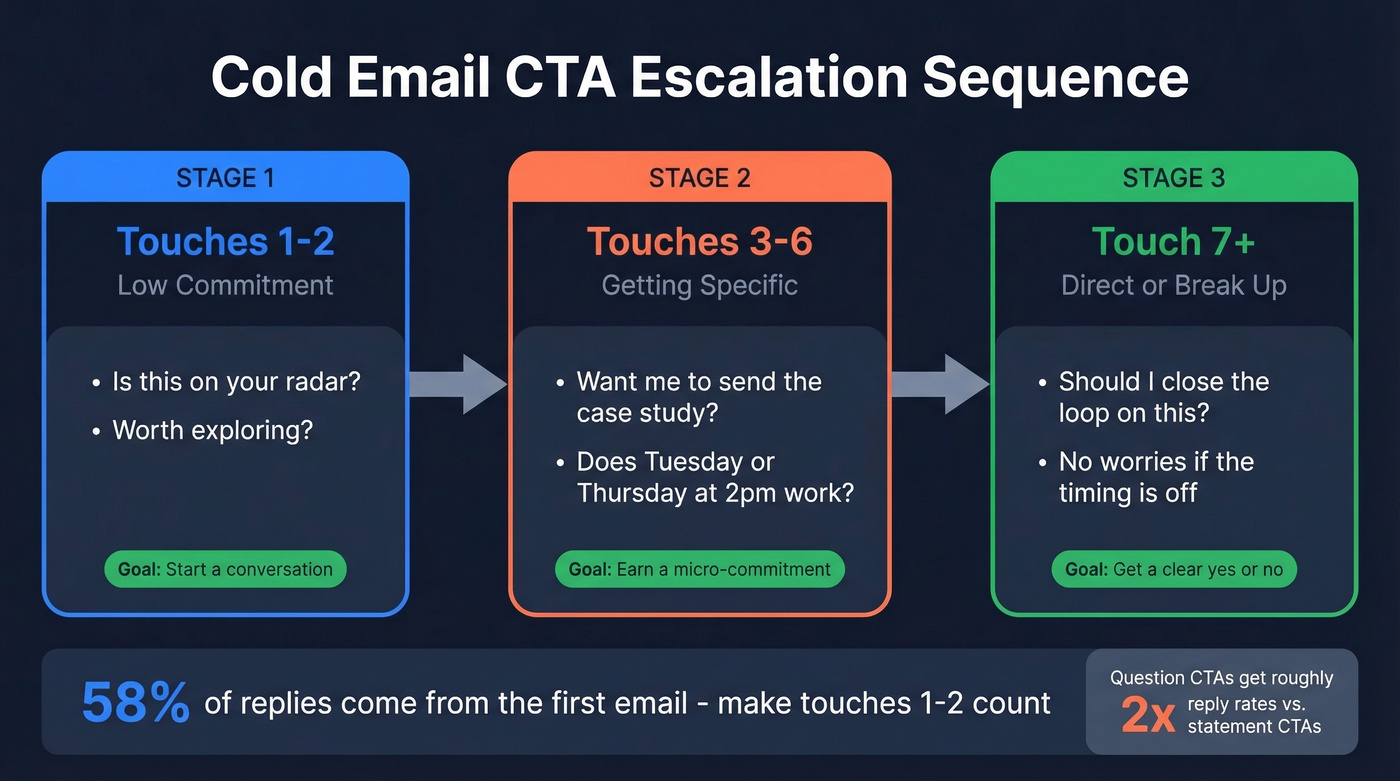
Interest-based CTAs outperform meeting asks in cold outreach. Gong's data shows question-based CTAs generate roughly 2x the reply rates of statement-based ones. "Worth a quick look?" beats "Let's schedule a 30-minute demo" every time on a cold first touch. (For full sequences, use these cold email follow-up templates.)

The staged progression we've seen work best starts low-commitment and escalates over the sequence. Touches 1-2 should feel like a conversation opener - "Is this on your radar?" or "Worth exploring?" Touches 3-6 get specific: "Want me to send the case study?" or offer 2-3 time slots instead of the dreaded "what's your availability?" By touch 7+, go direct or break up: "Should I close the loop on this?" (If you're building a full outbound motion, start with a B2B cold email sequence.)
Follow-up copy that reads like a casual reply outperforms formal follow-ups by roughly 30%, so drop the corporate tone after the first send. (More on this in sales follow-up templates.)
A thread on r/salesdevelopment compares two common cold email CTAs: "Book a Free 20-minute Discovery Call" with a booking link versus "Just reply yes." The tradeoff is real - meeting asks create friction, while micro-commitment replies make it far easier to engage. For a cold first touch, we'd pick the low-friction option every time. (If you still need a meeting ask, use proven email wording to schedule a meeting.)

The best CTA in the world gets zero clicks if your email bounces. Bad data kills deliverability, tanks sender reputation, and wastes every word you wrote. Prospeo's 98% email accuracy and 7-day data refresh mean your carefully crafted CTAs actually reach real inboxes - not spam folders.
Fix your data before you fix your copy. Start free.
A/B Tests That Moved Numbers
Going, a travel deals app, ran a straightforward test: "Sign up for free" versus "Trial for free." The result was a 104% increase in trial starts. "Trial" set clearer expectations than "sign up," which feels like a commitment with no clear payoff.
ConversionLab used dynamic text replacement for Campaign Monitor - matching the CTA verb to whatever the visitor had searched. Over a 77-day test with 1,274 visits, this produced a 31.4% conversion lift. When your CTA mirrors the language already in someone's head, friction drops. (To measure this cleanly, use the click rate formula.)
In our experience, the biggest CTA lifts come from copy changes, not design changes. One practitioner on r/Emailmarketing found a smaller button repeatedly beat a larger button over several weeks. The lesson: test assumptions, don't follow dogma. (If you're also testing opens, pair this with email preview text A/B testing.)
CTA Button Design Tips
The mechanics of your button matter more than most teams realize. A few non-negotiables:
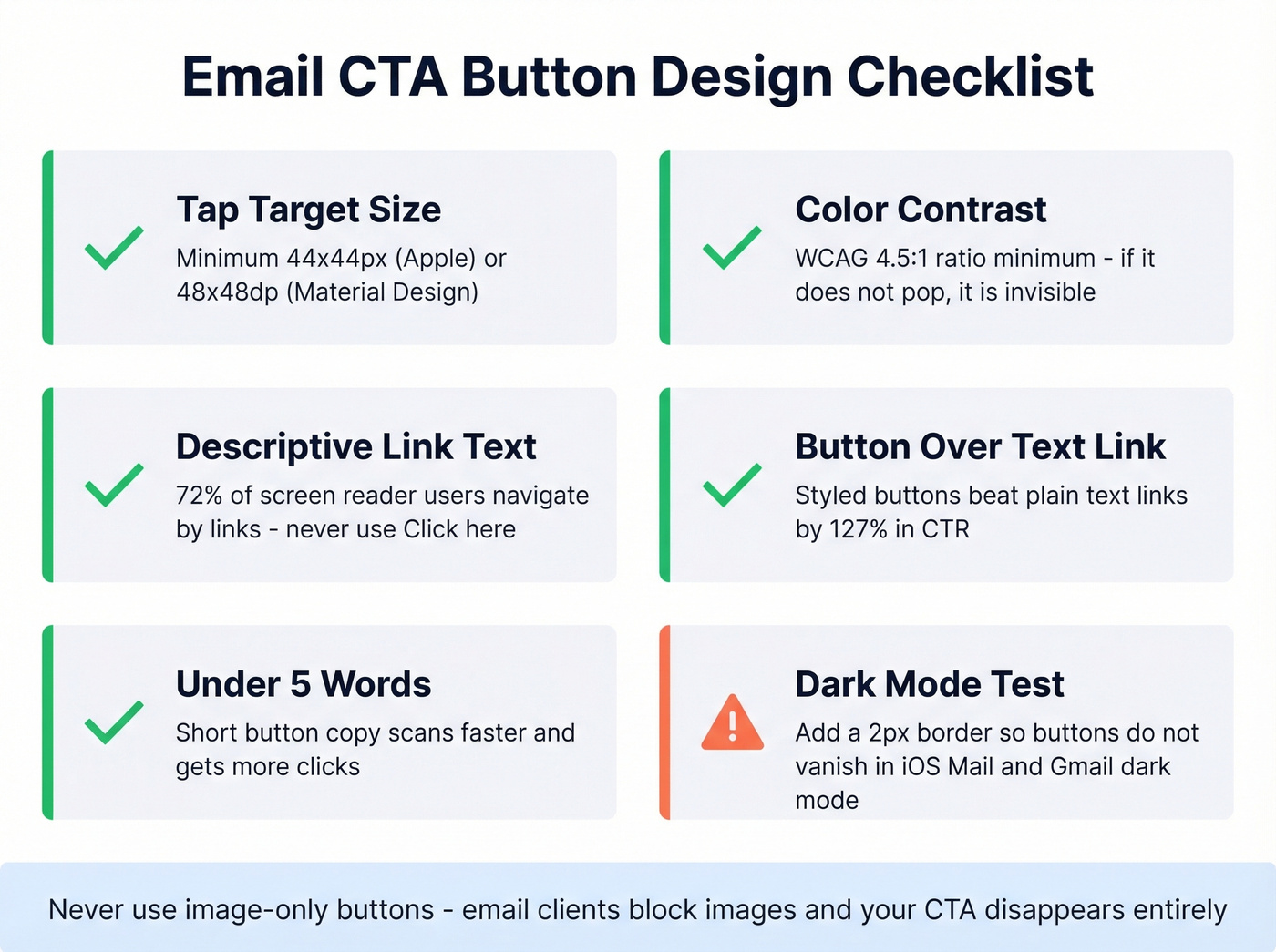
Tap targets and contrast. Minimum 44x44px per Apple HIG, or 48x48dp per Material Design. Anything smaller and mobile users miss the tap. For contrast, WCAG requires a 4.5:1 ratio - if your button text doesn't pop against the background, it's invisible to a meaningful chunk of your audience.
Descriptive link text. 72% of screen reader users navigate by links. "Click here" violates WCAG 2.4.4. "Get the report" tells people what happens next. This isn't just an accessibility box to check - it's better UX for everyone.
Button over text link. One test found switching from a text link to a styled button lifted CTR by 127%. Easiest win on this list.
Keep button text under 5 words. Left-align body copy - 32% fewer reading errors vs. centered text. Never use image-only buttons, because email clients block images and your CTA disappears entirely. And test in dark mode. Add a 2px border to buttons so they don't vanish against dark backgrounds in iOS Mail and Gmail. (If you're troubleshooting inbox placement, run an email spam checker.)
CTA Mistakes That Kill Click Rate
Multiple CTAs creating decision paralysis. One primary CTA per email. Period. If you need a secondary action, make it a text link - not a second button competing for attention.
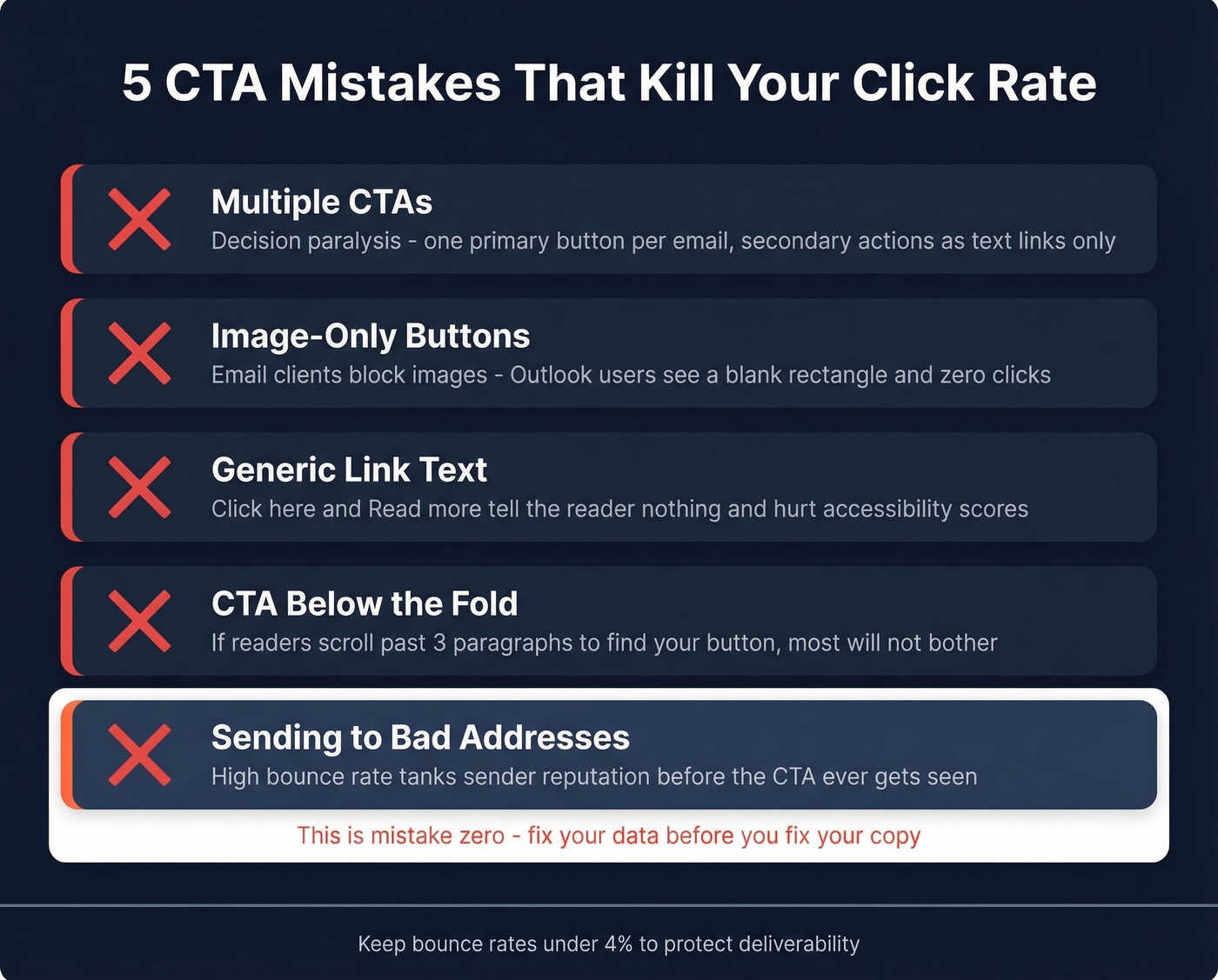
Image-only CTA buttons. When images are blocked (and they often are), your reader sees a blank rectangle. We've audited campaigns where the only CTA was an image - zero clicks from Outlook users.
Generic link text. "Click here" and "Read more" tell the reader nothing and hurt accessibility. Skip these entirely.
Burying the CTA below the fold. If someone has to scroll past three paragraphs of preamble to find your button, most won't bother.
Sending to bad addresses. This is mistake zero. A high bounce rate tanks your sender reputation before the CTA ever gets seen. If you're running cold outreach at any scale, verify your list with a tool like Prospeo before you spend another hour on copy tweaks. (Benchmarks + fixes: email bounce rate.)
Cold email CTAs only work when they land in front of real buyers. Prospeo gives you 300M+ verified professional profiles with 30+ filters - buyer intent, job changes, technographics - so your interest-based CTAs hit decision-makers who are already in-market. At $0.01 per email, bad data is no longer an excuse.
Send your best CTA to the right person. Every time.
FAQ
How many CTAs should an email have?
One primary CTA per email. Multiple buttons split attention and create decision paralysis - campaigns with a single CTA consistently outperform multi-CTA layouts. If you need a secondary action, use a plain text link below the main button.
What's a good email click-through rate in 2026?
The all-industry average CTR is 2.3%, with B2B services at 2.21% and SaaS at 1.19%. Track CTOR (click-to-open rate, 5.3% average) for a cleaner signal that isolates CTA performance from deliverability issues.
How do you improve cold email reply rates?
Use a single interest-based question CTA, keep the email under 80 words, and verify your list before sending. The average cold email reply rate is 3.43% - elite performers hit 10%+. Keeping bounce rates under 4% ensures your CTAs actually reach inboxes.
Do button CTAs outperform text links?
Yes. Switching from a plain text link to a styled HTML button lifted CTR by 127% in one widely cited test. Use a minimum 44x44px tap target, maintain WCAG 4.5:1 contrast, and keep button copy under five words for the strongest results.