

Cold Email Mistakes Costing You Replies (and How to Fix Each One)
One sender blasted 147,000 cold emails last year and booked 40 calls. A 1.2% positive reply rate - but only 40 calls that mattered. They rewrote their copy three times. The copy wasn't the problem. The data was. The infrastructure was. The timing was. Most cold email mistakes have nothing to do with subject lines or personalization tricks. The real killers are unverified lists, broken authentication, and bloated messages that never reach the inbox.
The average cold email reply rate sits at 3.43% according to 2026 benchmark data from billions of sends. If you're below 2%, your problem lives below the copy layer.
What Good Actually Looks Like
Before diagnosing what's broken, anchor on the benchmarks:
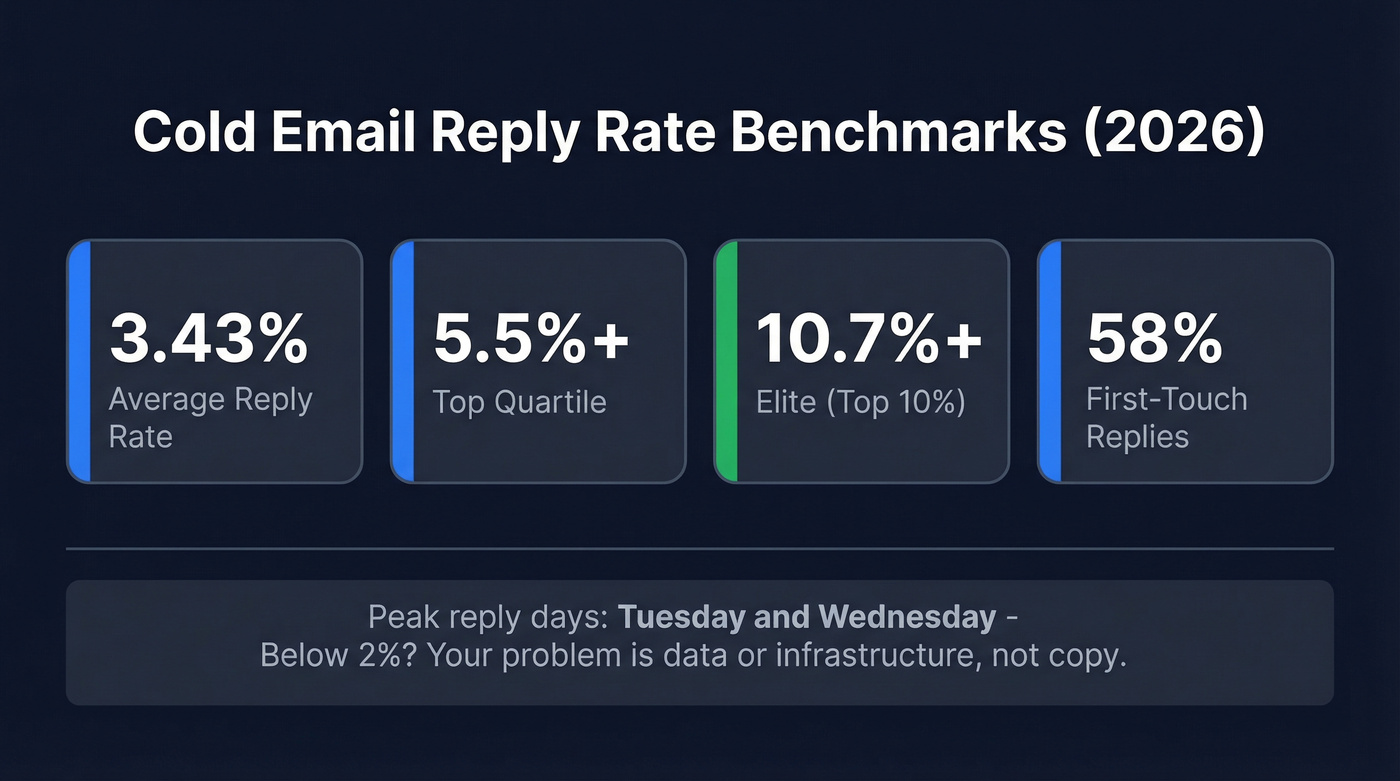
| Metric | Number |
|---|---|
| Average reply rate | 3.43% |
| Top quartile | 5.5%+ |
| Elite (top 10%) | 10.7%+ |
| First-touch replies | 58% |
| Peak reply days | Tue-Wed |
If you're in the 3-5% range, you're normal. Below 2%, something structural is broken.
The Mistakes That Actually Tank Campaigns
Sending Unverified Lists
This is the single fastest way to destroy a cold email operation - and one of the most common blunders we see. One practitioner reported their bounce rate dropping from 11% to under 2% after they stopped buying lists and started verifying every address. Another burned 145 email accounts in a single week after warming them for three weeks - all because the list was garbage.
The fix is verification before every send. Prospeo's 5-step verification catches the edge cases that kill deliverability - catch-all domains, spam traps, and honeypots - with 98% email accuracy on a 7-day data refresh cycle. For context, the industry average refresh is six weeks, plenty of time for contacts to change jobs and emails to go stale. Stack Optimize built to $1M ARR using that data with 94%+ client deliverability and zero domain flags.

Skipping Warmup and Infrastructure
You can't buy a domain and start sending 200 emails a day. Here's the math: 3-5 mailboxes per domain, 15-25 sends per mailbox per day once warmed, minimum 14-day warmup period. Never turn warmup off.
Diversify across 2-3 domain registrars and at least 2 ESPs. One practitioner scaled from 3 domains to 7, each capped at 26 emails per day, and doubled their reply rate. When a domain gets flagged, you need redundancy - not a scramble to set up new infrastructure from scratch.
One detail most guides skip: if you're sending fewer than 50,000 emails per month, don't bother with a dedicated IP. You won't generate enough volume to build a reputation on it, and a cold dedicated IP performs worse than a good shared one.
No SPF, DKIM, or DMARC
Google and Yahoo started enforcing SPF, DKIM, and DMARC for bulk senders in February 2024. Microsoft followed in May 2025 (https://redsift.com/guides/how-email-authentication-requirements-are-changing-business-communications-in-2026). Non-compliant mail gets rejected or routed straight to spam. Only 16% of domains have implemented DMARC.
If you haven't set these up, nothing else in this article matters. Implementation takes 6-8 weeks from zero, so every day you delay extends the damage.
Using Shared Tracking Domains
Most cold email tools default to a shared tracking domain for open and click tracking. Your reputation gets tied to every other user on that domain - including the ones sending garbage.
Set up a custom tracking domain like track.yourdomain.com and isolate your reputation. It takes five minutes and it's one of the highest-leverage fixes you can make. (If you want the technical setup details, see our guide on tracking domains: tracking domain.)
Writing Emails That Are Too Long
Here's the thing: data from a 908-email dataset showed emails under 50 words performed best. Over 100 words tanked. One team cut their emails from 141 words to under 56 and watched their reply rate double from 3% to 6%.
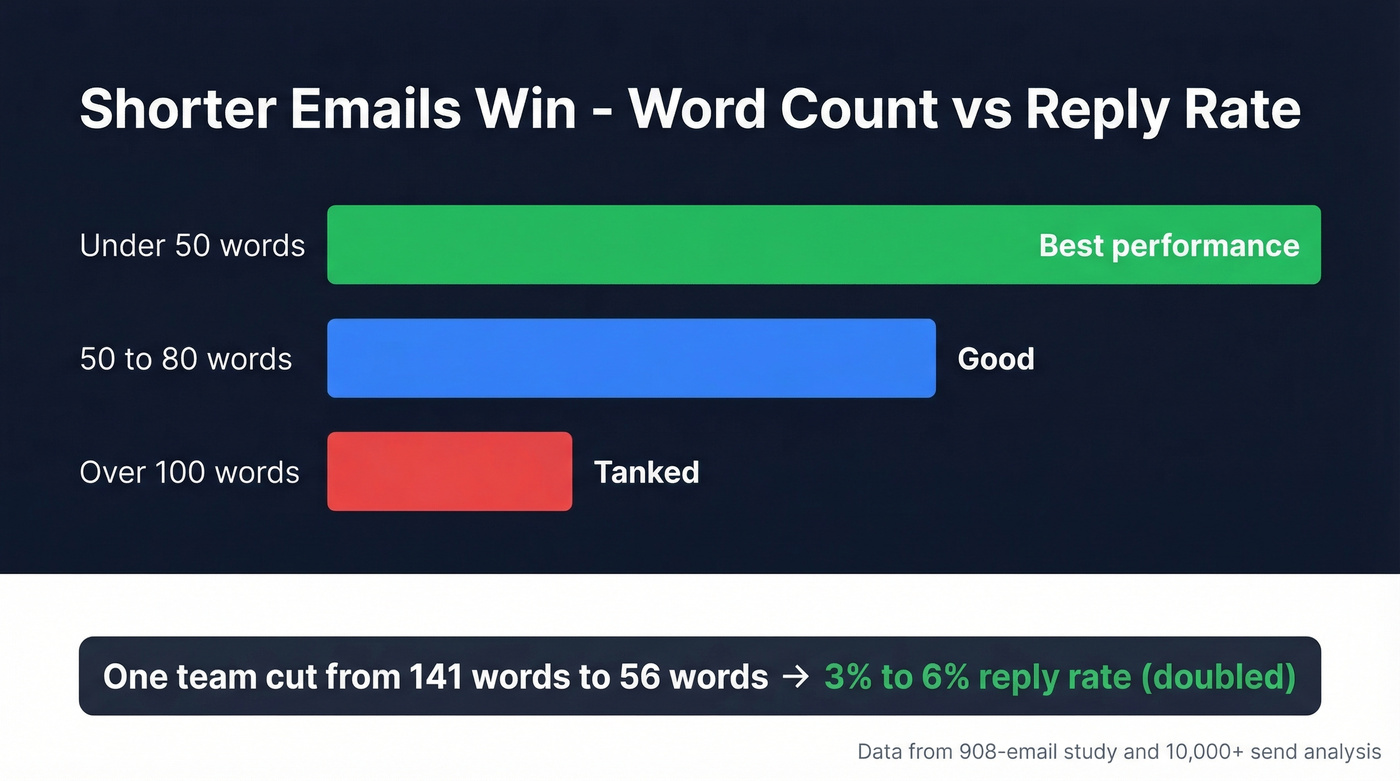
We've seen the sweet spot land around 40-60 words - enough to name the trigger, state the value, and ask one soft question. "Worth a conversation?" beats a three-paragraph pitch every time. If you need a tighter framework, use a proven email call to action pattern.
Ignoring Trigger Events
"Same email, no trigger - garbage results." That's a direct quote from a practitioner who tracked conversions across 10,000+ cold emails. Emails sent within 48 hours of a trigger event - a new hire, a funding round, a relevant job posting - converted at dramatically higher rates than identical emails sent cold.
The consensus on r/Entrepreneur is clear: timing beats personalization. You don't need to reference someone's latest post. You need to reach them when they're actively thinking about the problem you solve. (More on operationalizing this: How to Track Sales Triggers.)
Most teams would get better results sending 50 perfectly timed emails per week than 500 untriggered ones. Volume is a crutch for bad targeting.
Giving Up After One Email
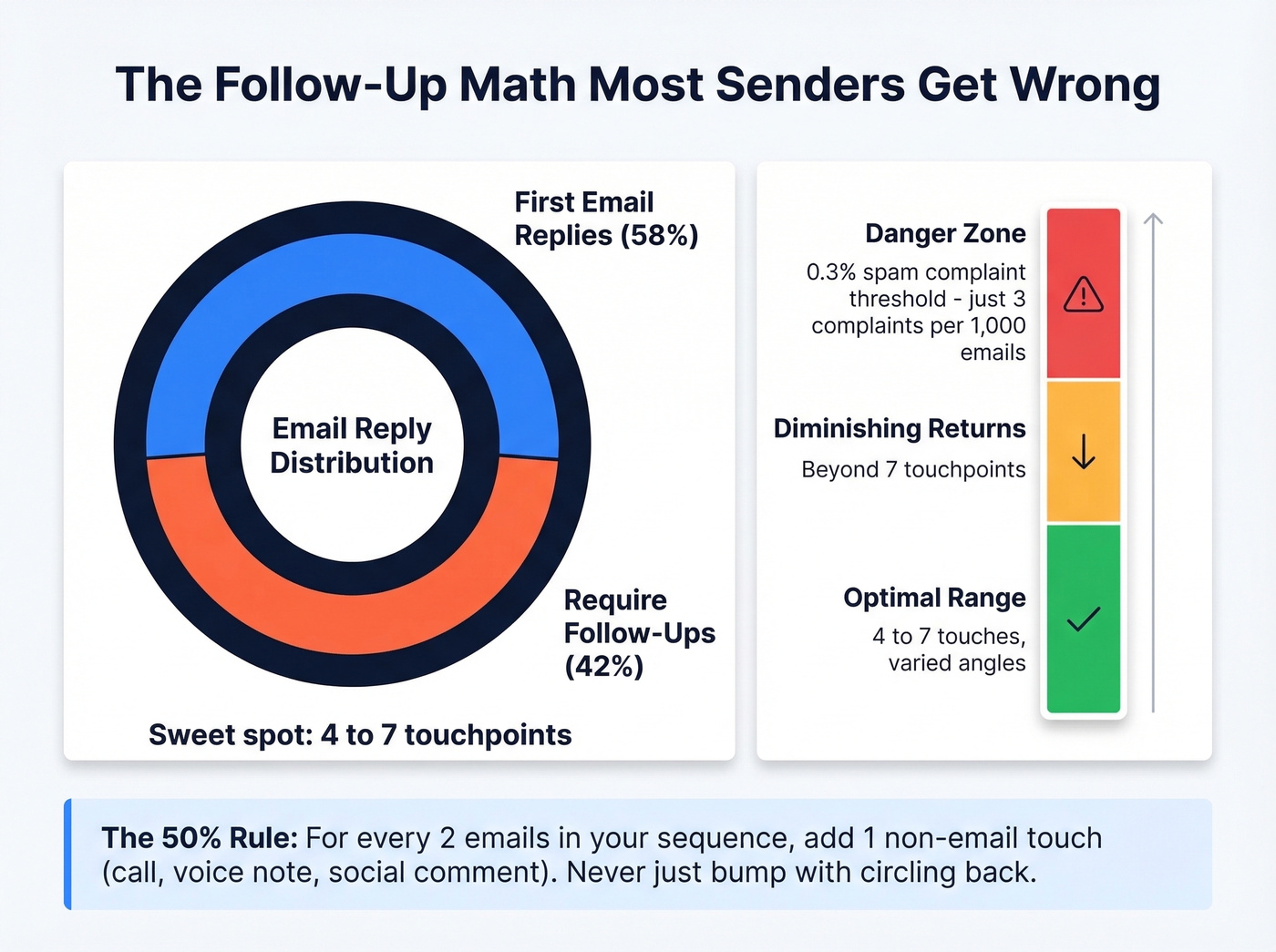
58% of replies come from the first email, but 42% require follow-ups. The sweet spot is 4-7 touchpoints. Beyond that, you hit diminishing returns and risk the 0.3% spam complaint threshold - just 3 complaints per 1,000 emails - which can trigger inbox throttling, spam folder routing, or outright rejection by Gmail, Yahoo, and Outlook.
Watch out for template fingerprinting too. Modern spam filters detect when thousands of emails share identical structure with only merge fields swapped. Vary your sentence patterns across sequences, not just the personalization tokens.
Space your follow-ups and vary the angle. Don't just bump the thread with "circling back" - each touch should add something new. The 50% Rule works well here: for every two emails in a sequence, add one non-email touch like a call, a voice note, or a brief comment on their company's recent news. If you want plug-and-play options, start with these cold email follow-up templates.
Ignoring Compliance
CAN-SPAM penalties run up to $53,088 per email. The requirements aren't complicated: accurate sender info, non-deceptive subject line, a functioning unsubscribe link honored within 10 business days, and a valid physical address in the footer.
For EU prospects, you need either consent or documented legitimate interest for B2B outreach. Skip the deceptive "Re:" subject lines that fake a reply chain. They boost opens for a week, then they get you flagged and erode trust with every recipient who notices. (If you're unsure where the line is, read: Is It Illegal to Buy Email Lists?.)

Unverified lists are the fastest way to burn domains and tank reply rates. Prospeo's 5-step verification - with catch-all handling, spam-trap removal, and honeypot filtering - delivers 98% email accuracy on a 7-day refresh cycle. Stack Optimize built to $1M ARR with under 3% bounce rates and zero domain flags using Prospeo data.
Stop sending to dead emails. Start at $0.01 per verified address.
Pre-Send QA Checklist
Run through this before every campaign launch:
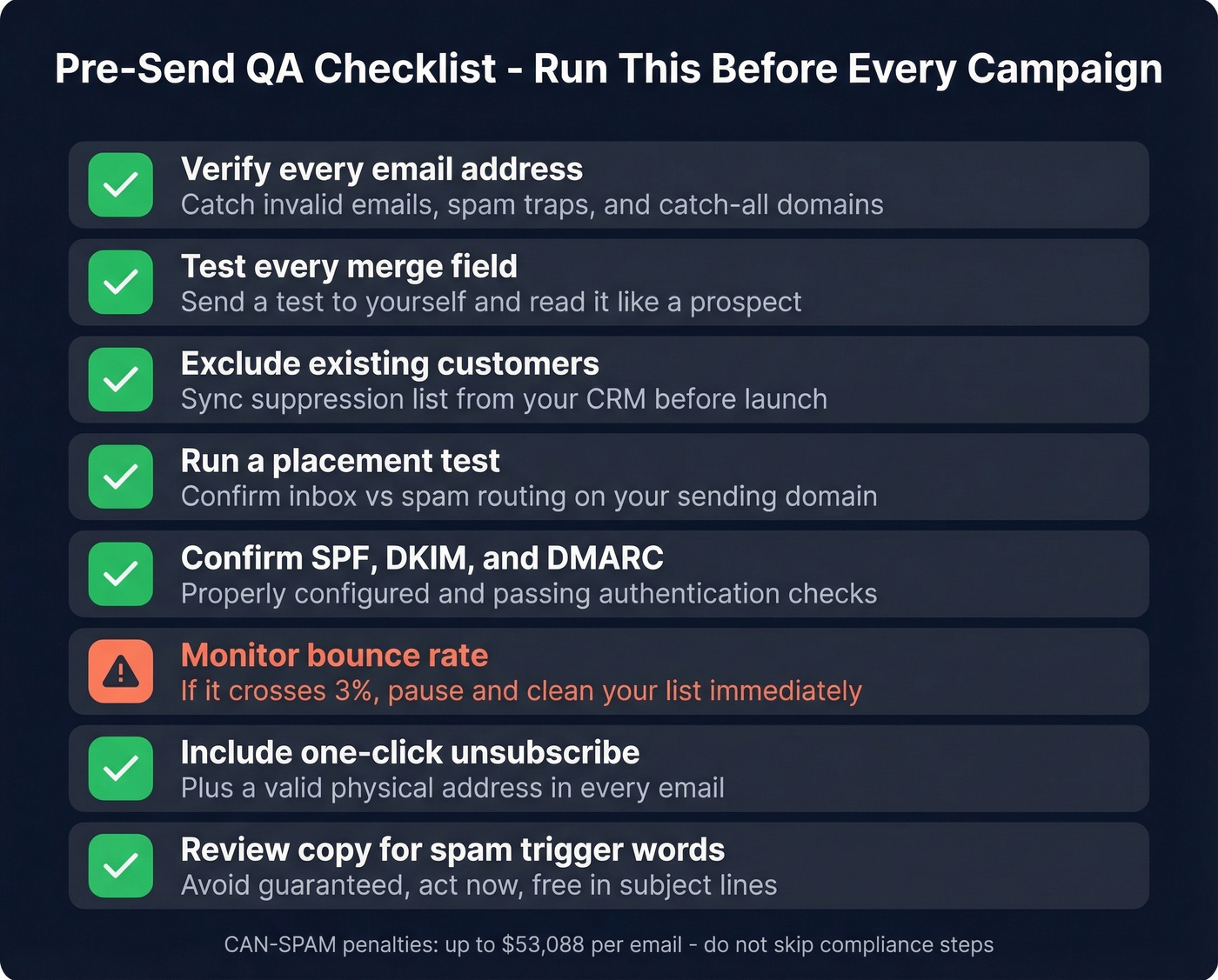
- Verify every email address - catch invalid emails, spam traps, and catch-all domains that inflate your bounce rate (see: email bounce rate)
- Test every merge field - send a test to yourself and read it like a prospect would
- Exclude existing customers - sync your suppression list from CRM before launch
- Run a placement test on your sending domain to confirm inbox vs. spam routing (use an email deliverability guide if you're troubleshooting)
- Confirm SPF, DKIM, and DMARC are properly configured and passing (quick checks: How to Verify DKIM Is Working)
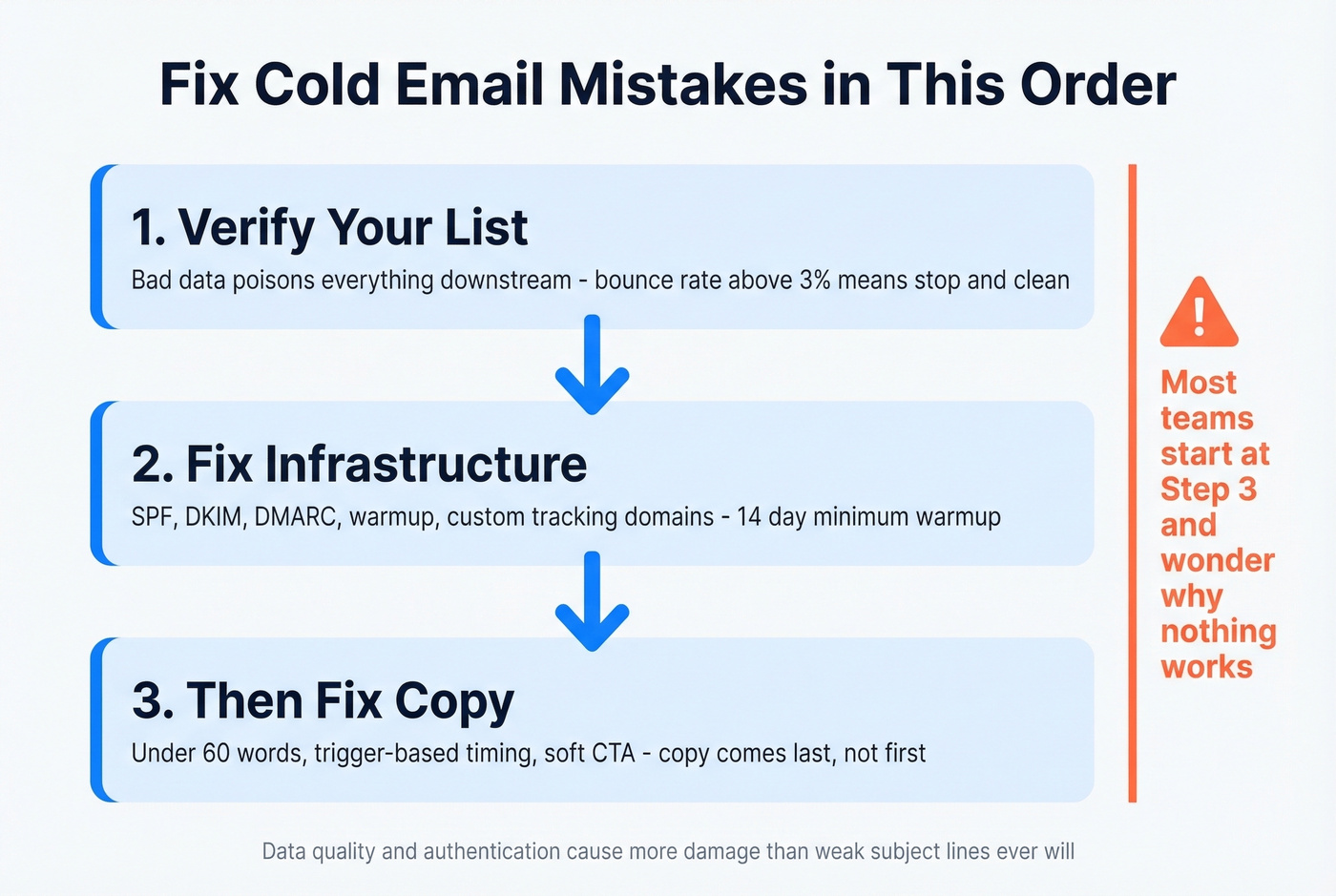
- Monitor bounce rate - if it crosses 3%, pause and clean your list immediately
- Include a one-click unsubscribe and valid physical address in every email
- Review copy for spam trigger words like "guaranteed," "act now," or "free" in subject lines

Fix Cold Email Mistakes in the Right Order
When reply rates are broken, fix things in this sequence:
- Verify your list. Bad data poisons everything downstream. If you're comparing vendors, start with data enrichment services.
- Fix your infrastructure. Warmup, authentication, custom tracking domains. (For safe sending limits, see email velocity.)
- Shorten your emails. Cut to under 60 words, add a trigger, use a soft CTA.
Copy comes last. You don't need 20-step sequences and AI-generated first lines. You need clean data, a warmed domain, and a 40-word email sent within 48 hours of a trigger event. That's it. Everything else is decoration. If you want a full system, build a B2B cold email sequence around these constraints.
Let's be honest - we've audited dozens of campaigns where teams spent weeks A/B testing subject lines while their bounce rate sat at 12%. Fixing these problems in the right order is what separates senders who book meetings from those who burn domains.
Trigger-based outreach only works when you reach real inboxes. Prospeo combines 300M+ profiles with 30+ filters - including buyer intent, job changes, and funding signals - so you send fewer emails to better-matched prospects with data refreshed every 7 days, not every 6 weeks.
Send 50 perfectly targeted emails instead of 500 that bounce.
FAQ
What's a good cold email reply rate?
The average is 3.43% per 2026 benchmark data. Top-quartile senders hit 5.5%+, and elite senders exceed 10.7%. If you're below 2%, your problem is almost certainly data quality or infrastructure - not copy.
How many cold emails should I send per day?
Cap each mailbox at 15-25 sends after a 14-day warmup. Use 3-5 mailboxes per domain across multiple providers. Pushing volume per inbox instead of adding domains is a sure path to getting flagged by Gmail and Outlook.
How do I keep cold emails out of spam?
Set up SPF, DKIM, and DMARC. Use a custom tracking domain. Verify your list before sending - Prospeo's 5-step verification catches spam traps and catch-alls that other tools miss. Keep emails under 80 words and avoid trigger words in subject lines.
What should I fix first if my reply rate is low?
Start with data quality and authentication. Unverified lists and missing SPF/DKIM/DMARC cause more damage than weak subject lines ever will. Once deliverability is solid, focus on copy length, trigger-based timing, and follow-up cadence. The deadliest problems almost always live below the surface, in systems you can't see from the compose window.