

How to Address an Email Without a Name (2026 Guide)
You're drafting an email to someone you've never met, and the cursor is blinking after the greeting line. No name. No clue who's reading it. Knowing how to address an email without a name is one of those small skills that matters more than you'd think - 69% of people flag emails as spam based on the subject line alone, and a clunky salutation only makes things worse. (If you’re also stuck on the subject line, use these professional subject line examples.)
5 Professional Greetings That Work
Five safe greetings, ranked from most to least formal:
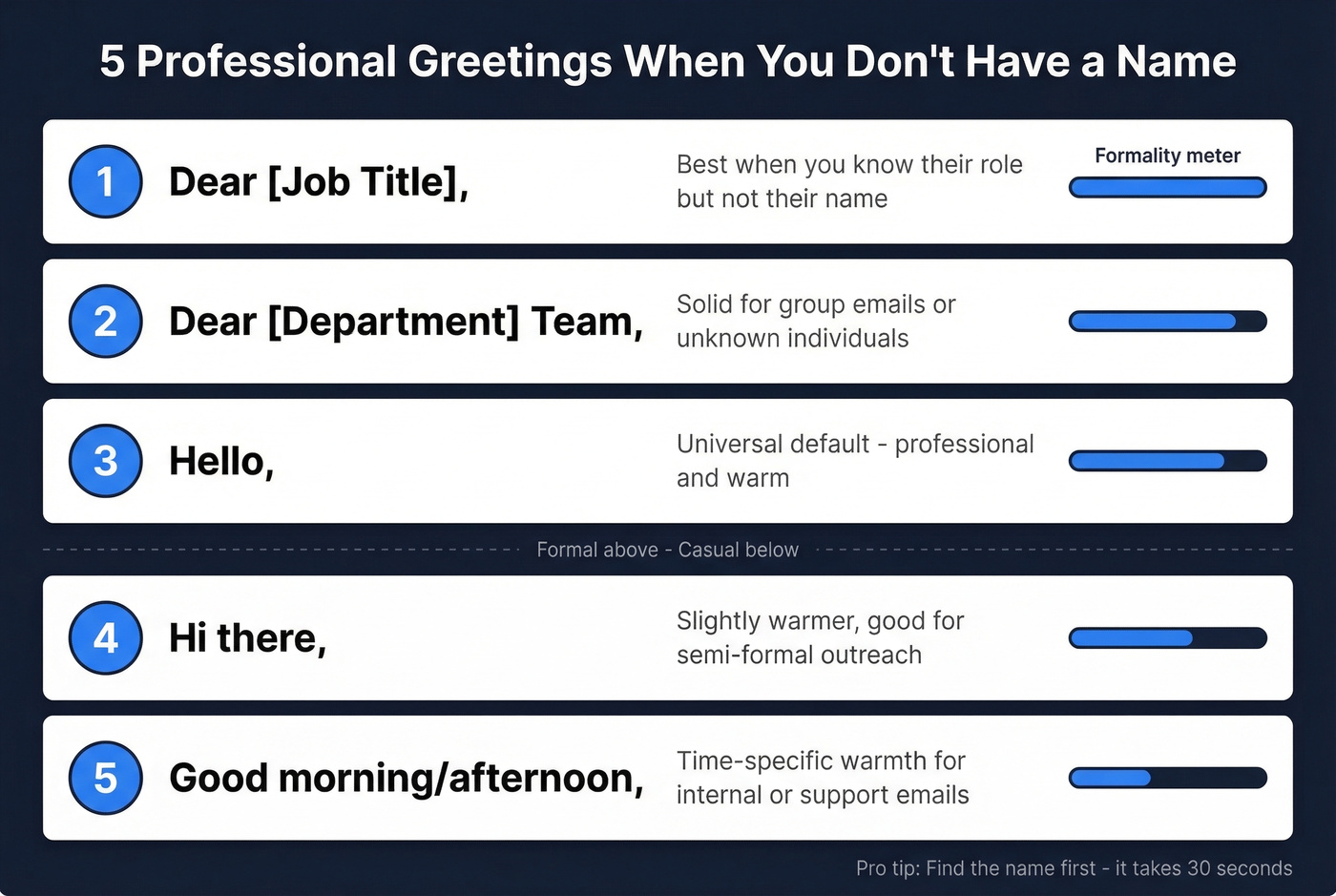
- "Dear [Job Title]," - best when you know their role but not their name. "Dear Marketing Director" works.
- "Dear [Department] Team," - solid for group emails or when you can't identify one person.
- "Hello," - the universal default. Professional enough for any context, warm enough to not feel robotic. (More options in our guide to professional email greetings.)
- "Hi there," - slightly warmer. Good for semi-formal outreach where you want to sound approachable.
- "Good morning/afternoon," - time-specific warmth. Works well for internal emails and customer service.
Better yet - find the name first. It takes 30 seconds with the right tool.
What NOT to Write
"To Whom It May Concern" - this phrase is increasingly outdated. It signals you didn't spend five seconds trying to find the right person. (Here are better “To Whom It May Concern” alternatives.)
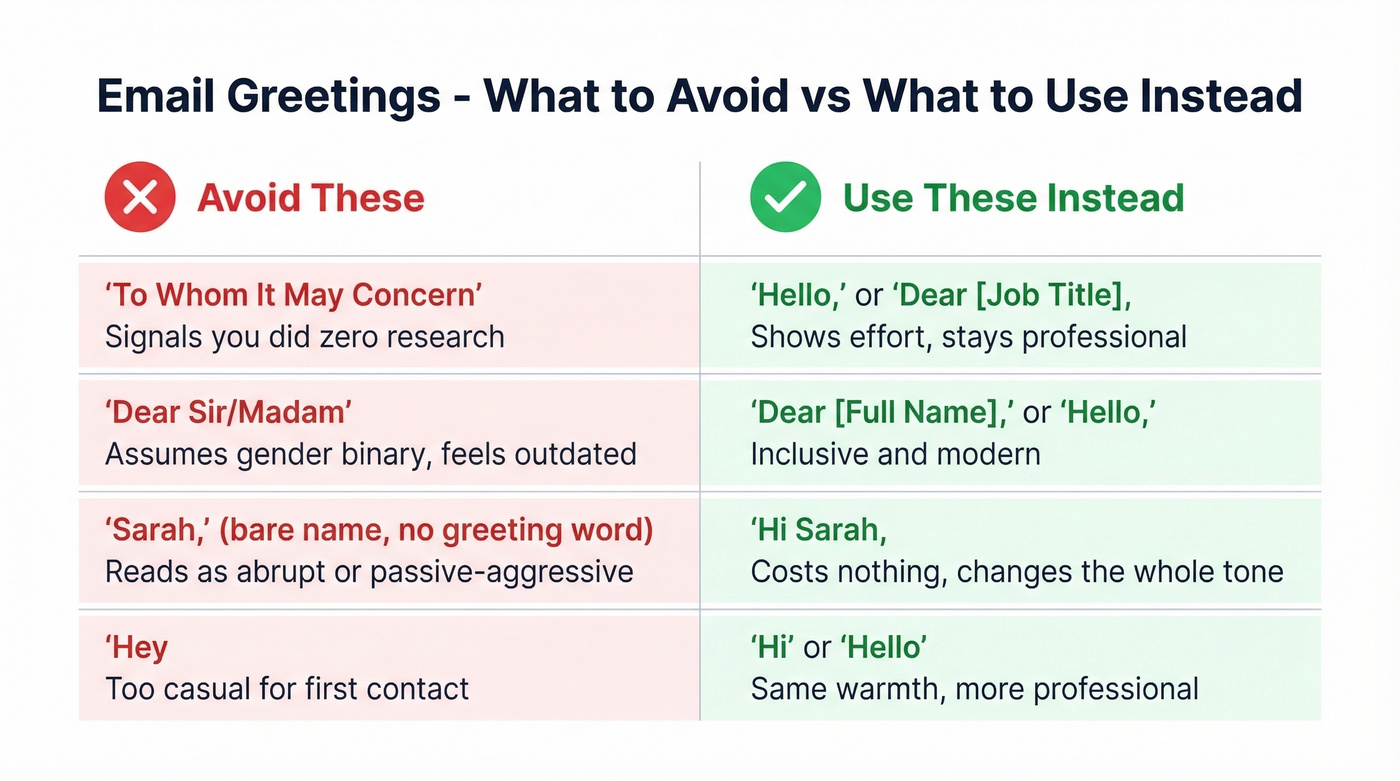
"Dear Sir/Madam" - beyond sounding stiff, it's exclusionary. It assumes a gender binary that doesn't reflect modern workplaces. Serchen's analysis puts it bluntly: the phrase is often viewed as outdated and impersonal, and in many contexts it's just inappropriate.
Just the recipient's name with no greeting - writing "Sarah," with nothing before it reads as abrupt. A Reddit thread on r/work captured this perfectly: people perceive bare-name openers as rude or passive-aggressive. "Hi Sarah," costs you nothing and changes the tone entirely. (If you want a stronger first line, borrow from these email opening sentences.)
"Hey" - fine for a colleague you grab coffee with. Not fine for a first email to someone you've never met.
Addressing an Email by Scenario
| Scenario | Greeting | Formality | Example |
|---|---|---|---|
| Job application | Dear Hiring Manager | Formal | "I'm writing to apply for..." |
| Cold outreach (name unknown) | Hello | Neutral | "Quick question about..." |
| Customer support | Hello [Company] Support | Neutral | "I have a question about..." |
| Internal/workplace | Hi everyone | Casual-professional | "Quick update on..." |
| Group (unknown) | Hello everyone | Neutral | "I'm reaching out because..." |
Job Application or Cover Letter
"Dear Hiring Manager" is the standard. "Dear [Department] Hiring Team" works for larger organizations. But before you default to either, check the job posting and the company's team page - the hiring manager's name is often right there. (If you’re emailing them directly, see how to email the hiring manager.)
Cold Sales or Outreach Email
Here's the thing: if you're sending cold outreach and you don't know the recipient's name, you haven't done enough research. The best move is always to find the name and open with "Hi [First Name]." If you truly can't, "Hello" is the cleanest fallback - simple beats clever every time. (For full examples, use a sample outreach email.)
Go beyond the greeting when you can. Openers like "Hi Sarah - quick question about your Q2 hiring push" or "Hello - I caught your talk at SaaStr" signal real effort. Role- or team-based greetings like "Dear [Job Title]" or "Dear [Department] Team" also show you know who you're writing to, which puts you miles ahead of the "To Whom It May Concern" crowd.
Customer Service or Support Request
"Hello [Company] Support Team" or just "Hello." This is the one scenario where a generic greeting is perfectly fine. Support teams expect it, and nobody's judging your salutation when you're reporting a billing issue.
Internal or Workplace Email
"Hi everyone" or "Hello team" for groups. "Hi" for individuals. Lead with your ask - the first 140 characters are all most people see on mobile. 90% of employees blame workplace misunderstandings on communication started via email, so add warmth markers like "Thanks for the quick reply" or "Appreciate the heads-up" to prevent your message from sounding cold.
Group Email to Unknown Recipients
"Hello everyone" or "Hi team" are your safest bets. Skip "Hey guys" - it's exclusionary and reads as unprofessional in mixed groups. "Folks" and "Hello everyone" strike the right balance. (If you’re emailing multiple people, see how to address multiple people in an email.)

You're reading this because you don't have a name. Prospeo's Email Finder pulls verified names, titles, and emails from 300M+ profiles at 98% accuracy - so you never default to "Hello" again. 75 free lookups/month.
Skip the generic greeting. Get the name in 10 seconds flat.
Inclusive and Gender-Neutral Greetings
When you know someone's name but aren't sure about their title, "Ms." is the safest default for women - it doesn't imply marital status. "Mx." is the gender-neutral) honorific gaining traction, though adoption varies by industry.
The practical move: check their public profiles for listed pronouns before defaulting to an honorific. If you can't find pronouns, drop the title entirely. "Dear Jordan Chen" works perfectly and sidesteps the issue - using the full name also avoids assumptions about name order, since in some cultures the family name comes first. When emailing across borders, err toward formality. (If you’re debating tone, see Dear vs Hi in email.)
How to Find the Name First
Let's be honest - the greeting isn't where you differentiate yourself. Stop overthinking the salutation and start overthinking your ask. But if you can personalize the greeting, you absolutely should. Here's the workflow we recommend:
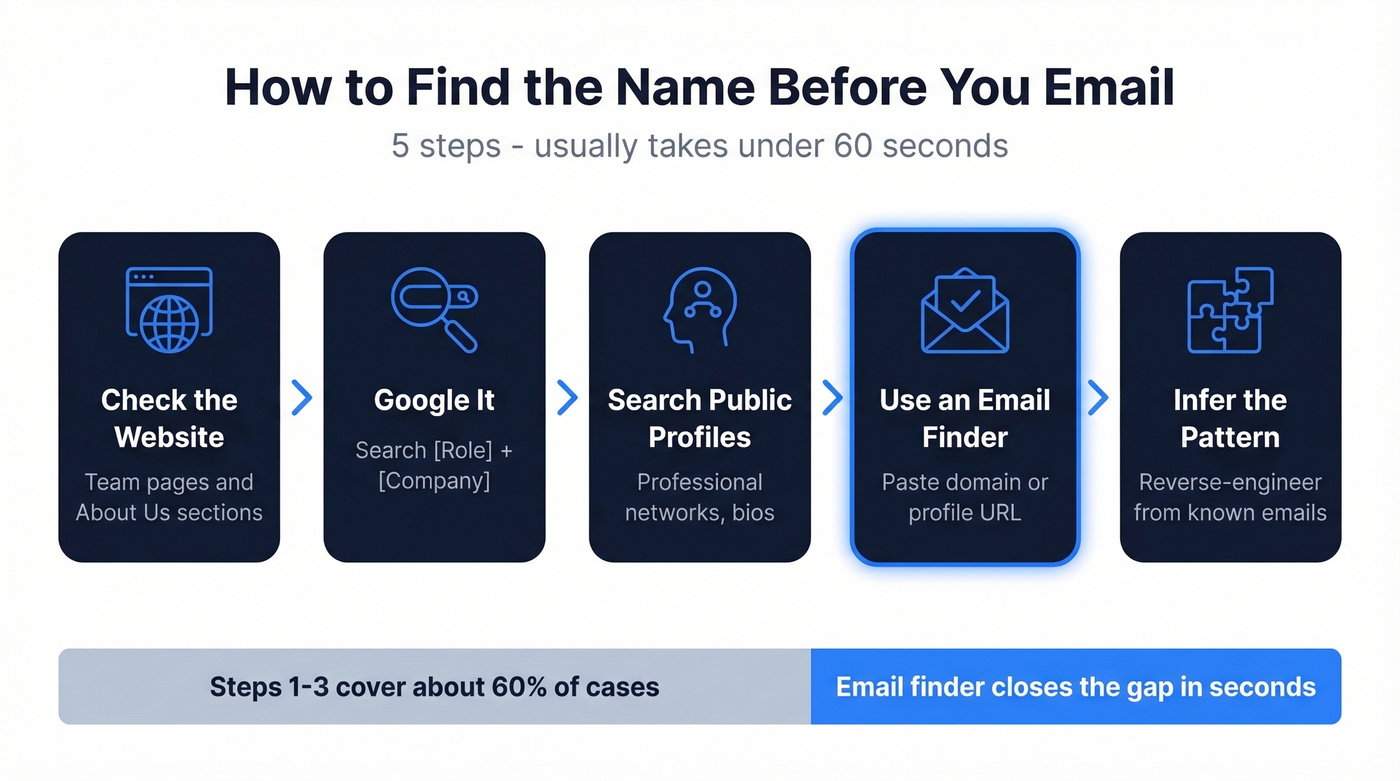
- Check the company website. Team pages and "About Us" sections often list names and roles.
- Google it. Search "[Role] + [Company]" - press releases, podcast appearances, and conference speaker lists surface names fast.
- Search public professional profiles. Most decision-makers list their name, title, and sometimes direct contact info.
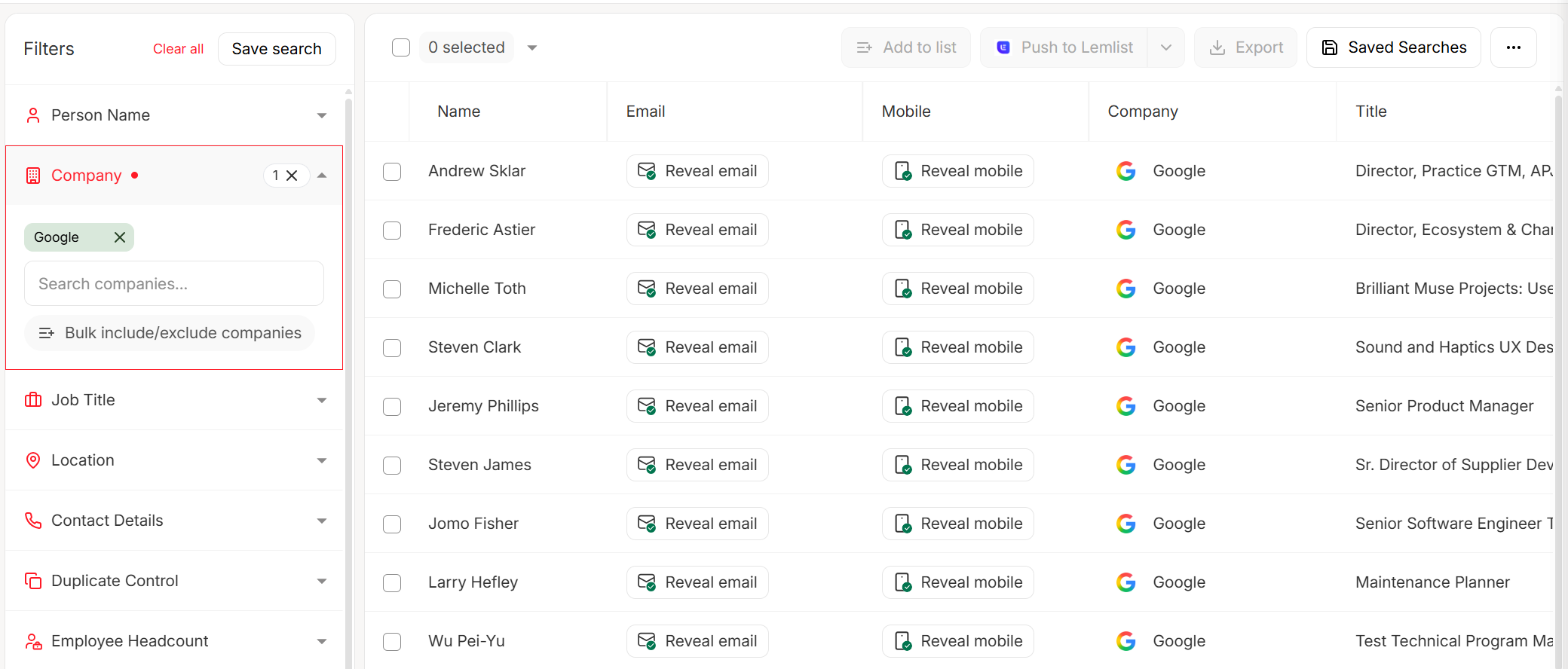
- Use an email finder. Paste a company domain or a profile URL into Prospeo's Email Finder and get a verified email with the contact's name in seconds. The free tier gives you 75 email lookups per month at 98% accuracy.
- Infer the pattern. If you know one valid email at the company, reverse-engineer the format. If it's john.smith@company.com, try the same pattern for your target contact. (If you’re validating patterns at scale, use CRM Verify.)
In our experience, steps 1-3 cover about 60% of cases. For the rest, an email finder closes the gap in seconds rather than minutes of manual digging.
Every "Dear Hiring Manager" or "Hello" is a signal you didn't do your homework. Prospeo finds the right person - name, role, and verified email - for $0.01 per contact. Data refreshed every 7 days, not 6 weeks.
Personalized greetings start with knowing who you're emailing.
Why Personalization Matters
The data here isn't subtle. Average cold email response rates sit at roughly 1% to 5%. Personalized subject lines see 50% higher open rates, and 63% of people say they never respond to non-personalized outreach at all. Personalized emails also pull 29% higher open rates and 41% higher click-through rates. (For a full system, see email marketing personalization.)
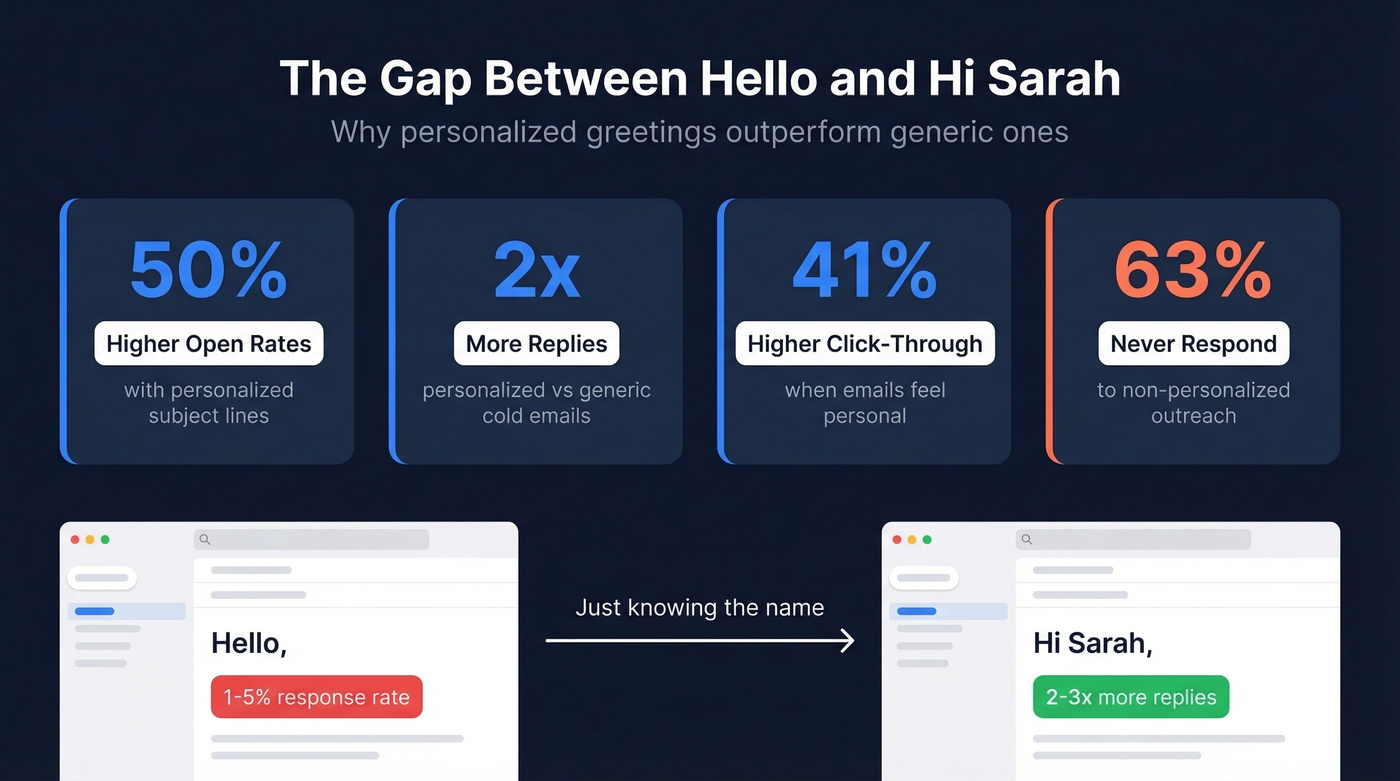
That's the gap between "Hello" and "Hi Sarah." It's not just politeness - it's performance. Personalized cold emails consistently pull more than twice as many replies as generic ones. If you're sending more than a handful of cold emails per week and still guessing at greetings, you're leaving replies on the table.
FAQ
Is "Hey" professional enough for a business email?
"Hey" works for colleagues you already know, but it's too casual for first contact. Default to "Hi" or "Hello" - same warmth, more professional. Save "Hey" for after you've established rapport.
Can I use "Dear Team" if I don't know anyone?
Yes. "Dear [Department] Team" - like "Dear Marketing Team" - is a strong choice when you know the department but not the individual. It shows you've done at least some research, which puts you ahead of anyone writing "To Whom It May Concern."
What's the fastest way to find a recipient's name before emailing?
Paste the company domain into an email finder - it returns verified names, titles, and emails in seconds. You can also check team pages, press releases, or conference speaker lists for the contact's name.
How do I address an email when the recipient's name is unknown?
Use "Hello" and move on. A clean greeting paired with a strong subject line and a clear ask will outperform five minutes of agonizing over the salutation. For cold outreach specifically, spending 30 seconds finding the name with a lookup tool will always beat defaulting to a generic opener.