

How to Build an IT Sales Presentation That Actually Wins the Room
Your champion forwarded the deck to the CIO. Forty-seven slides of feature screenshots, a company timeline nobody asked for, and a pricing slide buried at the end. The CIO replied with five words: "What problem does this solve?"
That moment - the one where your IT sales presentation dies in someone else's inbox - is where most deals fail. And it's entirely preventable.
Why Most IT Presentations Fail
The IT buyer's conference room isn't like any other sales environment. You're presenting to people who evaluate technology for a living, who've sat through hundreds of vendor pitches, and who can smell a generic deck from the title slide. The fastest way to kill momentum is always the same: too many slides, not enough story.
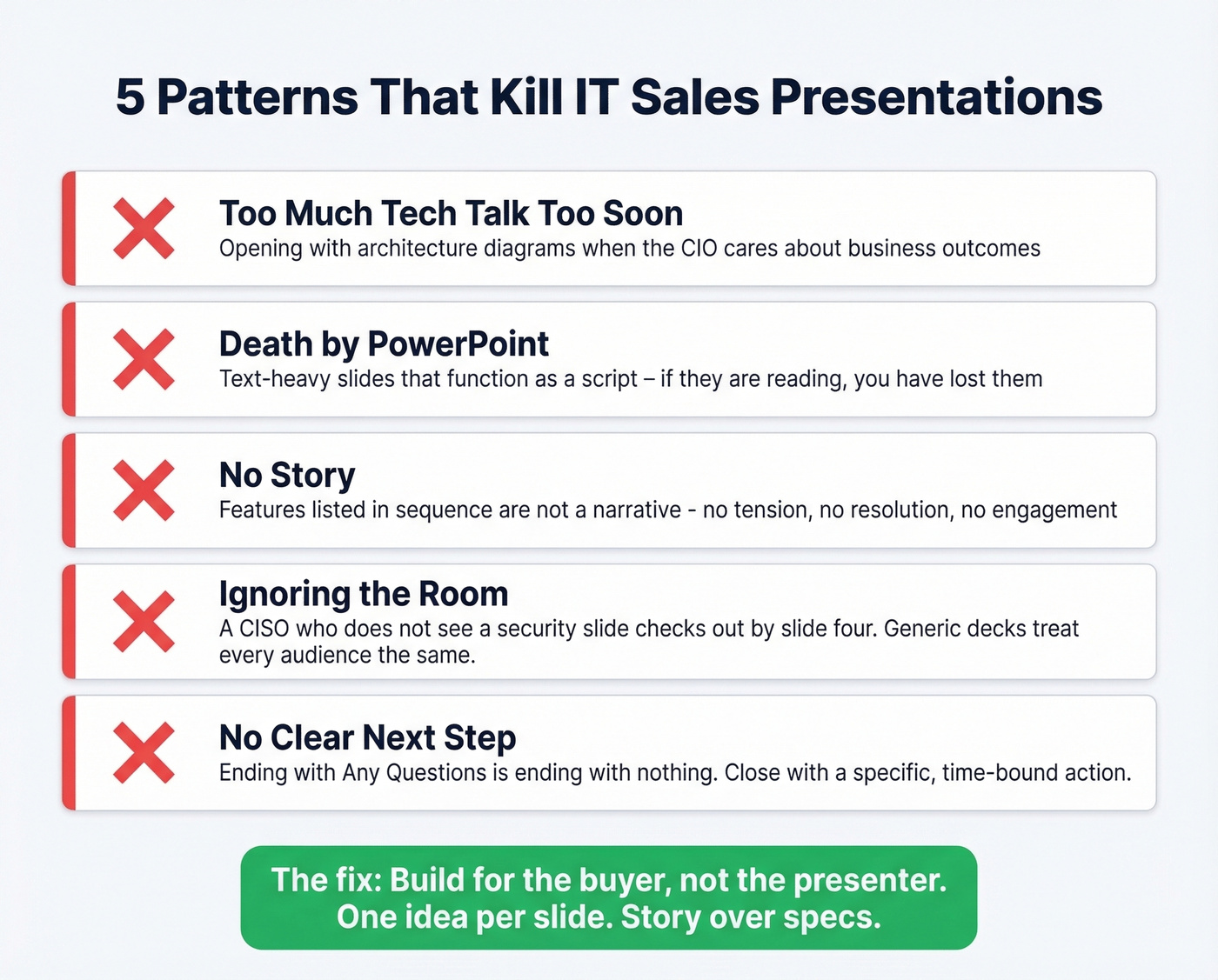
Five patterns kill these presentations before they start.
Too much tech talk too soon. You open with architecture diagrams and API specs when the CIO cares about business outcomes. The CTO might want that depth - but not in the first five minutes, and not before you've established why any of it matters.
Death by PowerPoint. Text-heavy slides that function as a script for the presenter. If your audience is reading paragraphs while you're talking, you've lost them. One idea per slide. That's it.
No story. Features listed in sequence aren't a narrative. If your deck doesn't create tension and resolution, it's a spec sheet with animations. (If you want a deeper framework, see Sales Deck Storytelling.)
Ignoring the room's real concerns. A CISO who doesn't see a security slide will mentally check out by slide four. A CIO who doesn't see ROI will wonder why they're in the meeting. Generic decks treat every audience the same, and every audience notices.
No clear next step. Ending with "Any questions?" is ending with nothing. The best presentations close with a specific, time-bound action - a POC scope, a security review kickoff, a follow-up with the technical team.
In our experience, the decks that die fastest are the ones built for the presenter, not the buyer. A pitch to IT decision-makers isn't a product brochure with a voiceover. It's a strategic conversation with people who have budget authority and technical veto power - often in the same room.
What You Need (Quick Version)
Three things separate winning IT sales presentations from decks that get forwarded and forgotten:
- Persona-specific messaging. CIOs, CTOs, and CISOs care about fundamentally different things. One deck doesn't fit all three.
- A security and compliance slide. If you're selling to IT and you don't have one, you're not ready for the meeting. Full stop.
- Pre-meeting research deep enough that the buyer feels known, not pitched. CIOs expect you to understand their tech landscape, org structure, and priorities before you open your mouth.
The rest of this guide gives you the slide-by-slide template, demo tactics, objection talk tracks, and tools to execute all three.
Where Presentations Sit in the Sales Cycle
Your presentation isn't the beginning or the end of the deal. It's the hinge point - the moment where interest either converts to momentum or quietly dies.
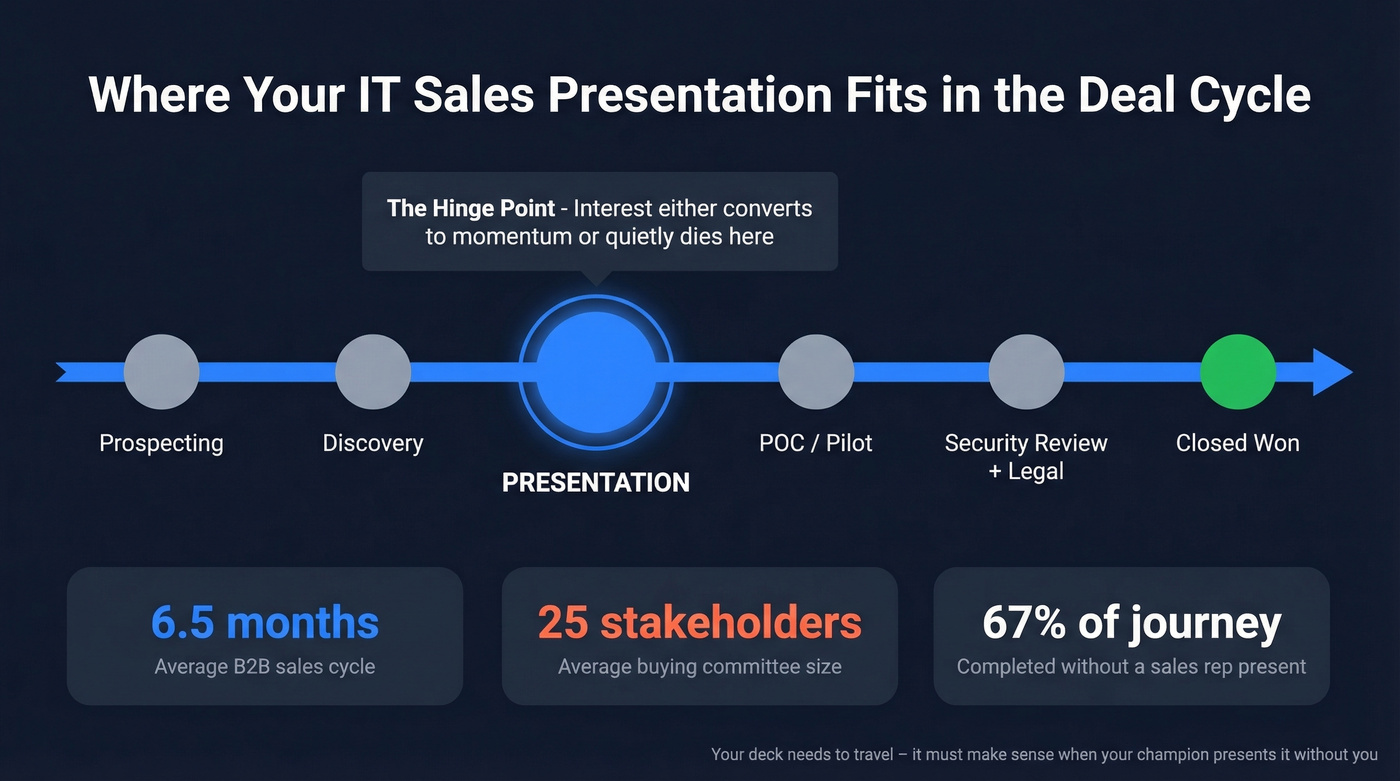
B2B sales cycles have gotten longer and more complex. The average cycle now runs about 6.5 months, up from 4.9 months in 2019. Buying committees average 25 stakeholders. Win rates hover around 20-21%. Only 16% of reps hit quota. (For more benchmarks, see B2B Sales Explained.)
| Segment | Total Cycle | Discovery to Proposal | Negotiation to Close |
|---|---|---|---|
| Software | 90 days | 44 days | 46 days |
| Technology | 121 days | 58 days | 63 days |
| Enterprise (10K+ seats) | 185 days | - | - |
| ACV >$500K | 270 days | - | - |
Sales presentations typically happen after discovery, once a lead has been qualified. Everything that follows - the POC, security review, procurement, legal redlines - depends on what you said in that room. And 67% of the buyer's journey is completed independently. Your deck needs to travel. It needs to make sense when your champion presents a condensed version to stakeholders you'll never meet.
Here's the tension: your presentation deck should require your narration. If it works as a standalone PDF, it's a brochure. But your follow-up materials - executive summary, champion deck - must stand alone. Build for both moments.
Know Your Room - CIO vs CTO vs CISO
If you're using the same deck for a CIO meeting and a CTO deep-dive, you're losing deals you don't even know about.
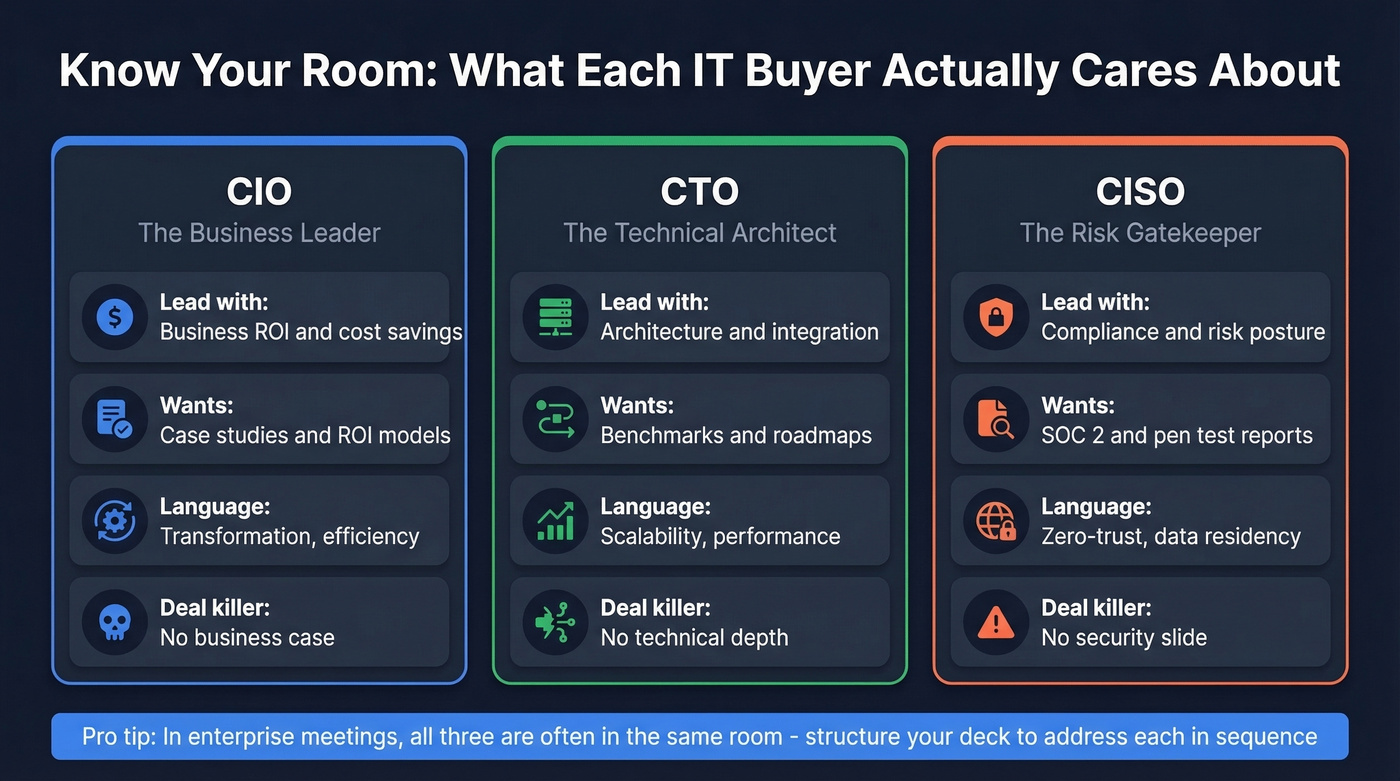
81% of CIOs now identify as "changemakers" and half see themselves as business leaders first, technologists second. The CIO doesn't want to hear about your microservices architecture. They want to know how you'll accelerate their digital transformation roadmap, reduce operational risk, and deliver measurable ROI within a fiscal year. (If you need a clearer persona split, see Technical Buyer vs Economic Buyer.)
The CTO operates in a different register entirely. Integration details, architectural implications, scalability under load, system integrity, and speed of innovation - that's the currency of trust. Show roadmaps. Share performance benchmarks. Bring your engineering team if the meeting warrants it.
The CISO? They're looking for reasons to say no. Not because they're obstructionist, but because their job is risk reduction. If you can't speak fluently about your compliance posture, threat model, data residency, and incident response plan, you've already lost them.
| Priority | CIO | CTO | CISO |
|---|---|---|---|
| Lead with | Business ROI, cost savings | Architecture, integration | Compliance, risk posture |
| Evidence they want | Case studies, ROI models | Benchmarks, roadmaps | SOC 2, pen test reports |
| Language to use | Transformation, efficiency | Scalability, performance | Zero-trust, data residency |
| What kills the deal | No business case | No technical depth | No security slide |
In enterprise IT sales, you'll often have two or three of these personas in the same room. The play is to structure your presentation so the first 10 minutes speak to the CIO, the next 15 go deeper for the CTO, and you've got a security appendix ready the moment the CISO asks. Flag the transitions explicitly: "Now let's look under the hood."
Pre-Meeting Research That Wins Deals
CIOs sit through dozens of vendor presentations. The generic ones get deleted. The ones that demonstrate genuine understanding of the buyer's world get second meetings.
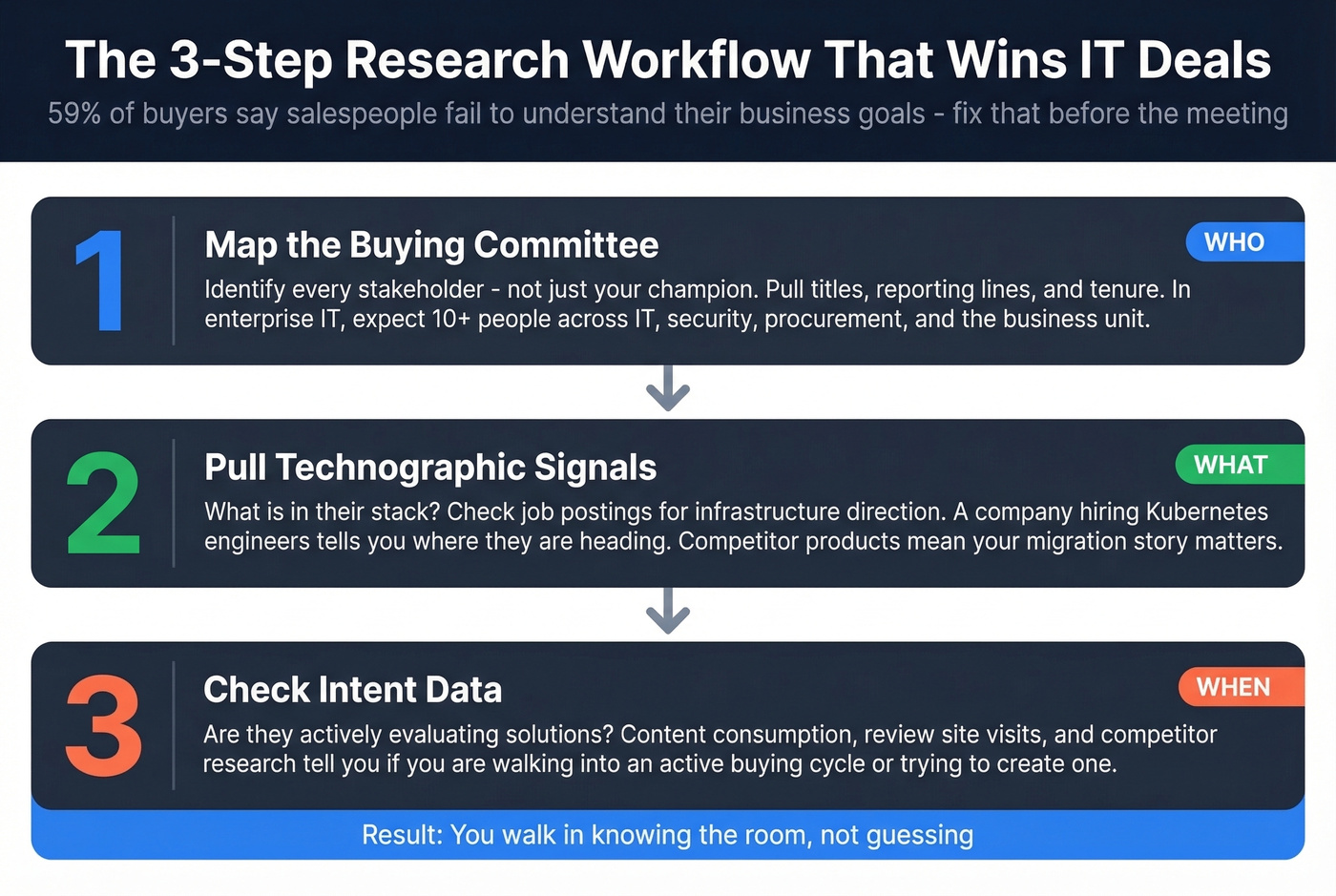
59% of buyers say salespeople fail to understand their business goals. That's not a data problem. It's a preparation problem. CIOs on panel discussions consistently say the same thing: they expect you to know their tech landscape, org structure, and budget priorities before the call. Showing up with "So tell me about your current challenges" is a fast way to lose credibility. (If you want a tighter discovery foundation, use these Discovery Questions.)
The research workflow that actually works has three steps.
Map the buying committee. Identify every stakeholder who'll influence the decision - not just your champion. In enterprise IT, that's often 10+ people across IT, security, procurement, and the business unit. Pull their titles, reporting lines, and tenure. Someone who joined three months ago has different priorities than a 10-year veteran.
Pull technographic signals. What's in their stack? If they're running a competitor's product, your migration story matters. If they just adopted a complementary tool, your integration narrative gets stronger. Job postings are gold - a company hiring for "Kubernetes engineers" tells you where their infrastructure is heading. (More on this in Firmographic and Technographic Data.)
Check intent data. Are they actively evaluating solutions in your category? Intent signals - content consumption, review site visits, competitor research - tell you whether you're walking into an active buying cycle or trying to create one. That changes your entire deck strategy. (Related: Identifying Buying Signals.)
A B2B data platform collapses these three steps into a single workflow. Prospeo lets you search by job title, company size, and technographic filters, pull verified emails and direct dials at 98% accuracy, and layer in intent data across 15,000 Bombora topics to spot which accounts are actively researching your category. With a 7-day data refresh cycle, you're working with current org charts, not stale ones.


You can't personalize an IT sales presentation without knowing who's in the room. Prospeo gives you 30+ filters - job title, department, tech stack, buyer intent - across 300M+ profiles so you walk in knowing every stakeholder's role, priorities, and contact data.
Stop guessing who has veto power. Know the full buying committee before slide one.
Slide-by-Slide Deck Structure
Most deck frameworks are built for generic SaaS sales. IT buyers need something different - a narrative that moves from business context to technical depth to compliance proof, with clear transitions between each layer.
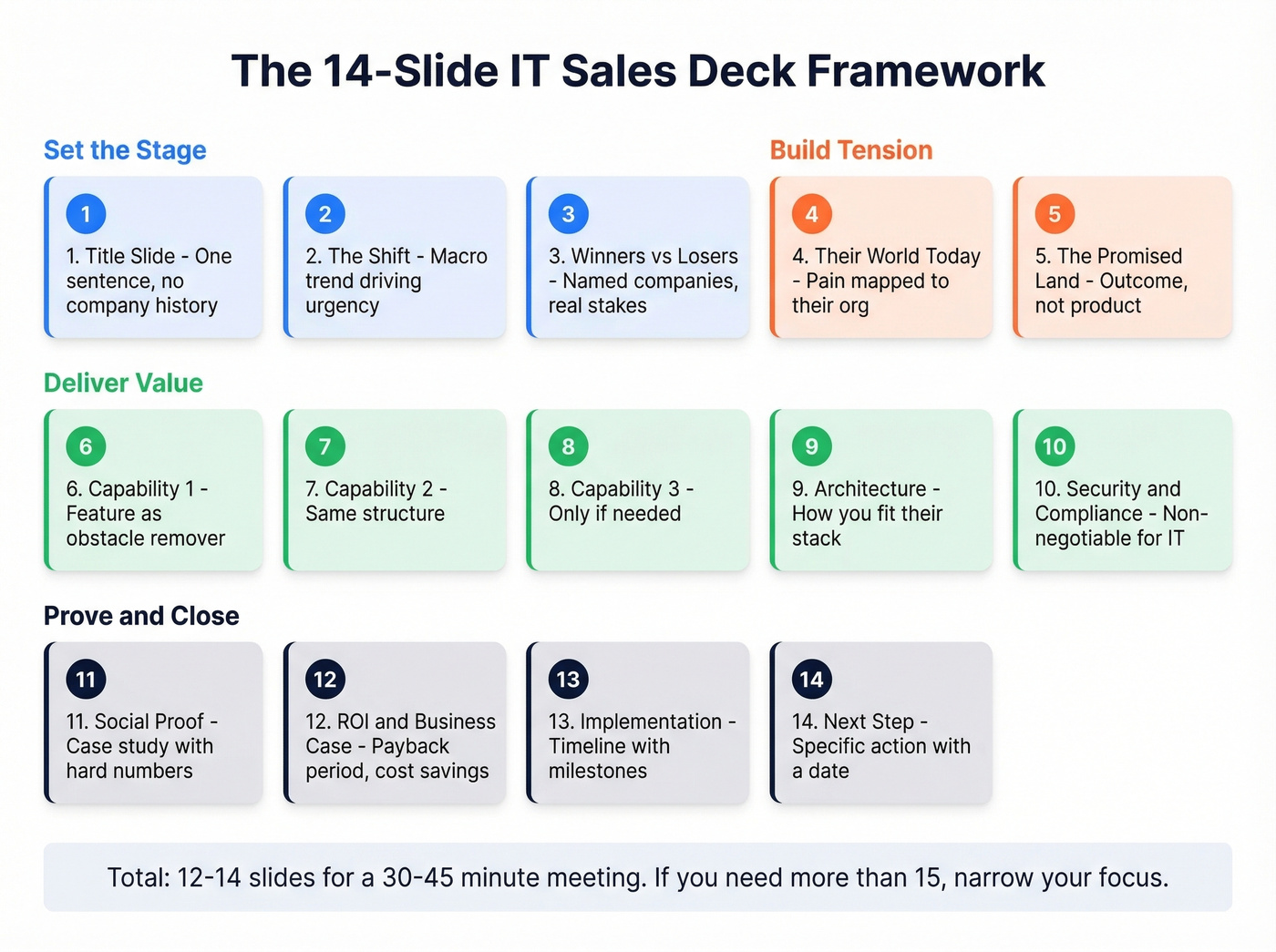
The best framework we've seen for IT sales is a modified version of the Zuora five-part narrative structure: name a big shift, show winners and losers, paint the promised land, introduce your capabilities as "gifts" that get the buyer there, then prove it with evidence. Starting with a world shift rather than "you have a problem" avoids putting the prospect on the defensive.
Here's the slide-by-slide template, adapted for IT:
| Slide | Title | Core Content | Time |
|---|---|---|---|
| 1 | Title | One sentence. No history. | 30s |
| 2 | The Shift | Macro trend driving urgency | 2 min |
| 3 | Winners vs Losers | Named companies, real stakes | 2 min |
| 4 | Their World Today | Pain mapped to their org | 3 min |
| 5 | The Promised Land | Outcome, not product | 2 min |
| 6 | Capability #1 | Feature as obstacle-remover | 3 min |
| 7 | Capability #2 | Same structure | 3 min |
| 8 | Capability #3 | Only if needed | 3 min |
| 9 | Architecture | How you fit their stack | 3 min |
| 10 | Security & Compliance | Non-negotiable for IT | 2 min |
| 11 | Social Proof | Case study, hard numbers | 2 min |
| 12 | ROI / Business Case | Payback period, cost savings | 3 min |
| 13 | Implementation | Timeline with milestones | 2 min |
| 14 | Next Step | Specific action with a date | 1 min |
That's 12-14 slides for a 30-45 minute meeting. If you need more than 15, you're trying to cover too many solutions in one session - narrow your focus. One CIO panelist put it bluntly: don't sell everything. Keep the pitch focused on the one or two capabilities the buyer actually cares about.
A few design principles that matter more than aesthetics: one idea per slide, minimal text, and build the deck so it requires your narration. The standalone version is the executive summary you send after, not the deck itself. The Splunk sales deck gets cited as a strong example because it walks through how the product actually performs on real data - that's the right instinct. Show the product doing something meaningful in the buyer's context, not in a vacuum.
The Security and Compliance Slide
You're 10 minutes into a demo with the CTO and VP of Engineering. The CTO asks about data residency. Your SE freezes because the deck doesn't have a security slide. The meeting doesn't recover.
The fact that most sales presentation guides don't mention security tells you they were written by people who've never sold to an IT department. In enterprise IT, the security slide isn't optional - it's often the slide that determines whether you advance to a POC or get filtered out by the CISO's team before you ever present again.
What belongs on it:
- Certifications: SOC 2 Type II with audit date, ISO 27001, HIPAA if applicable, FedRAMP if selling to government
- Data handling: Residency options, encryption at rest and in transit, DPA availability, subprocessor list
- Access controls: SSO/SAML support, RBAC, audit logs
- Testing: Most recent penetration test date and firm name, vulnerability management cadence
- Privacy: GDPR compliance posture, data retention policies, opt-out mechanisms
Don't bury this in an appendix. Put it in the main deck flow, right after your architecture slide. If the CISO is in the room, they'll look for it. If they're not, your champion will need it when they present internally to the security team.
Bring a pre-filled security questionnaire to the meeting. Most enterprise IT buyers will send you one anyway - having it ready signals that you've done this before and you take their process seriously.
Running the Room - Demo Tactics
Speaker + Driver Model
Enterprise IT demos rarely work as a solo act. The most effective format is the speaker + driver model: one person narrates the story and manages the room, while another operates the product live. Both people need to train together early and practice in chunks.
For a 2-3 person IT demo team, assign a clear run-of-show: who opens (usually the AE with business context), who drives the product (the SE), and who handles technical deep-dives. When the room is heavily technical - especially when the buyer brings their own engineers - consider running an engineer-to-engineer format. Some of the best sales meetings CIOs report are ones where the vendor's engineering team presents directly. (More: What Is Team Selling?.)
Timeboxing and Attention
No one should present longer than an hour. Presentations under an hour are almost always better. That's consistent feedback from CIO panels and presales leaders.
Structure your time: 5 minutes of context-setting, 15-20 minutes of narrative and demo, 10-15 minutes of Q&A, and 5 minutes for next steps. If you're running long, cut capability slides - never cut the security slide or the next-step close.
Demo Risk Management
Live demos fail. Sandboxes go down, APIs time out, test data looks fake. The Presales Collective's guidance is straightforward: have backup videos and screenshots for every critical flow. (Also useful: a Product Demo Checklist.)
We've seen demos recover from live failures - the ones that don't are the ones where the SE apologizes for three minutes instead of switching to the backup. Your pre-demo checklist: verify the environment one hour before the meeting, confirm test data looks realistic, have screenshots of every critical workflow saved locally, and pre-record a backup walkthrough video. If the live demo fails, switch to the recording without ceremony. The buyer cares about the capability, not whether it loaded live.
Handling Objections Mid-Presentation
Objections in IT sales presentations aren't roadblocks - they're buying signals wrapped in caution. If you don't know the buyer's vendor evaluation framework, you'll get stuck in legal review for months.
Here are the five objections you'll hear most, with talk tracks that work:
| Objection | Talk Track |
|---|---|
| "No budget this quarter." | Don't argue the budget - reframe the cost of inaction. "What's the cost of a single day of downtime? We can scope a POC that fits this quarter and build the business case for a full rollout in Q2." |
| "We need to see your SOC 2." | This is a process step, not an objection. "It's in the appendix - SOC 2 Type II, audited [month/year] by [firm]. I also brought a pre-filled security questionnaire. Want me to send it to your security team today?" |
| "We already have a solution." | Don't trash the incumbent. Quantify the switching cost of staying. "What's it costing you to maintain? Most teams we talk to spend 15-20 hours a month on workarounds. Let's compare that against what a migration would look like." |
| "Not the right time." | Anchor to their calendar, not yours. "When does your current contract renew? If it's Q3, let's scope a POC now so you have a validated alternative ready when procurement opens up." |
| "I need to loop in [stakeholder]." | "Who else needs to weigh in? If it's the CISO, I have a pre-filled security questionnaire ready. If it's procurement, I can send our standard MSA and DPA. Let me build a 3-slide summary tailored to their role." |
Tools for IT Sales Presentations
Interactive Demo Platforms
Consensus is the standout for enterprise IT. Persona-based demo personalization means your CIO sees a different walkthrough than your CTO, and the viewer analytics tell you exactly which sections each stakeholder engaged with. A detailed r/SalesOperations comparison of four platforms chose Consensus specifically for the personalization and analytics depth. Enterprise pricing typically runs ~$1,500-5,000/mo depending on seats and usage.
Navattic is strong for top-of-funnel marketing demos - easy no-code tours that embed on your website. Less useful for sales handoff because the engagement data is thinner. Typically ~$500+/mo.
Storylane offers similar no-code capabilities with a free tier. Paid plans run ~$40-100/mo per user. Good for teams testing interactive demos without a big commitment. Arcade is lightweight - think "stories"-style walkthroughs for PLG and marketing use cases. Free tier available, paid from ~$32+/mo. Skip it if you're running complex enterprise sales motions.
Slide and Video Tools
PowerPoint isn't the problem. Lazy PowerPoint is the problem. Google Slides and Keynote work fine too - the tool matters far less than the structure and design discipline behind it.
Beautiful.ai uses AI-assisted design to keep slides clean, typically ~$12+/mo. Worth it if your team consistently produces text-heavy decks. Loom handles async video presentations - record your walkthrough once, share it with stakeholders who couldn't attend live. 82% of customers say video has convinced them to buy. Free tier available, paid plans start around ~$12.50/mo.
Sales Enablement and Proposals
Highspot, Showpad, and Seismic are the enterprise content management platforms - they track which slides get used, which get skipped, and how prospects engage with shared materials. Enterprise pricing typically runs ~$30-60/user/mo.
PandaDoc handles proposals and e-signatures with a free eSign tier and paid plans from ~$19-49/mo. Useful for getting the POC agreement signed before momentum fades.
After the Presentation - Follow-Up That Closes
The meeting went well. The CIO nodded at the ROI slide. The CTO asked good questions about your API. Now what?
Look, the meeting is only 20% of the deal. Most reps send a thank-you email and attach the full deck. That's the bare minimum, and it's not enough for enterprise IT deals with 25-person buying committees. (If you need a starting point, use these Sales Follow-Up Templates.)
Send a 1-page executive summary, not the full deck. The full presentation without your narration loses context and gets forwarded to people who'll misinterpret it. The executive summary distills the business case, the key technical differentiators, and the proposed next step into something a busy CIO can forward with confidence.
Proactively send a pre-filled security questionnaire. Don't wait for the CISO's team to send you theirs. Having it ready signals maturity and shaves a week off the security review timeline.
Scope a POC document. Define success criteria, timeline, and resource requirements before the buyer asks. This turns "interesting presentation" into "active evaluation" faster than any follow-up email. (Related: Sales POC.)
Build a champion enablement deck. Your champion met with 3 people in that room. The buying committee has 25. Create a 3-5 slide version your champion can present internally without you - focused on business outcomes, not product features. This is how deals survive the internal selling process.
Map the rest of the buying committee. After the meeting, identify the stakeholders you haven't reached yet. Prospeo's enrichment workflow fills in the gaps - 83% match rate, 50+ data points per contact. The people who kill deals are often the ones you never presented to. (More: Lead Enrichment.)
The article says 59% of buyers think salespeople don't understand their business. Prospeo's intent data tracks 15,000 topics so you know exactly what your CIO prospect is researching right now - and tailor your deck to the problems already on their mind.
Present to what they're already buying, not what you're selling.
FAQ
How many slides should an IT sales presentation have?
Twelve to fifteen for a 30-45 minute meeting, with one idea per slide. If you need more than 15, narrow your focus to the one or two capabilities the buyer actually cares about - don't try to cover your entire product suite.
Should I send the deck before or after the meeting?
After - and not the full deck. Share a 1-page executive summary with the key business case and proposed next steps. The full presentation without narration loses context and confuses stakeholders who weren't in the room.
How do I present to both technical and non-technical buyers?
Lead with business outcomes for the first 10 minutes for the CIO, then go deeper on architecture and integration for the next 15 for the CTO and engineers. Flag the transition explicitly: "Now let's look under the hood." Keep a security appendix ready for the CISO.
What's the biggest mistake in tech sales presentations?
Opening with your company history and product features instead of the buyer's problem. CIOs spot a self-centered deck from the title slide. Lead with their world, their pain, their opportunity - your product enters the story as the solution, not the protagonist.
How do I research prospects before presenting to IT buyers?
Use a B2B data platform to pull verified contact data, technographic signals, and intent data on the account. Cross-reference with recent press releases and job postings, which reveal technology investments and hiring priorities. Tools like Prospeo offer 30+ search filters and weekly data refreshes so you're working with current org charts, not stale ones.