



Salesgear pricing in 2026: Official plans, credit math, and hidden terms
Salesgear pricing looks simple until you realize you aren't buying "contacts"--you're buying credits that convert into emails, phone numbers, and deep research at different rates. Budget it wrong and you won't get a surprise overage bill - you'll hit a hard stop mid-month.
That's the whole story: credits, conversion rates, and the terms that decide what happens when you want out.
I've watched teams pick a tier based on the monthly price, then burn through it in two weeks because they quietly shifted from email-first to phone-first prospecting.
Salesgear pricing: quick version (Data plans only)
Use this as a budgeting checklist for Salesgear Data plans only (the credit-based data product). It doesn't include Salesgear's Outreach/engagement pricing, which is packaged separately and is usually quote-based (see sales engagement platform alternatives if you're comparing categories).
- Data plans (monthly): Free $0, Basic $49, Pro $99, Pro Plus $199
- Credits included: 50 / 1,200 / 4,000 / 10,000
- Credit conversion: 1 email = 1 credit, 1 phone = 10 credits, 1 deep research = 20 credits
- Credits reset monthly (no rollover)
- Run out of credits -> upgrade or wait for the next billing cycle
- Annual billing advertises "Save 20%" on paid tiers
Mini table (Data plans only):
| Plan | Price (mo) | Credits | Best for |
|---|---|---|---|
| Free | $0 | 50 | Testing |
| Basic | $49 | 1,200 | Light data pulls |
| Pro | $99 | 4,000 | Weekly prospecting |
| Pro Plus | $199 | 10,000 | Higher volume |
If you're seeing "emails/day," "inboxes," "minutes," or "actions" in a directory listing, you're looking at Outreach/engagement packaging (or legacy tiers)--not the current Data credits table. That's the #1 reason pricing looks inconsistent online.
Official Salesgear pricing in 2026 (Data plans + what's included)
Salesgear's Data plans are:
| Data plan | Monthly price | Monthly credits |
|---|---|---|
| Free | $0 | 50 |
| Basic | $49 | 1,200 |
| Pro | $99 | 4,000 |
| Pro Plus | $199 | 10,000 |
Annual discount: the pricing toggle advertises "Save 20%" on paid tiers (Basic/Pro/Pro Plus). Free isn't an annual-billed product.
Here's what matters for budgeting - and what Salesgear's really selling on these Data tiers:
- Feature-complete tiers; credits are the main difference. The experience is broadly similar across tiers, with the practical limiter being how many credits you get per month.
- One credit pool that buys outcomes. You're paying for access to emails, phone numbers, and deep research, all metered from the same monthly credit balance.
- Monthly reset, no rollover. Credits refresh each billing cycle. If you have a slow month, you don't bank credits for later.
- Hard stop when credits hit zero. You don't drift into surprise overages. You either upgrade or wait for the reset.
What each plan is really for (plain English):
- Free ($0 / 50 credits): sanity-check the UI and spot-check data on a tiny sample.
- Basic ($49 / 1,200 credits): one person building lists, mostly emails, with occasional phones.
- Pro ($99 / 4,000 credits): consistent outbound where you're pulling contacts every week.
- Pro Plus ($199 / 10,000 credits): higher volume, or any workflow that leans heavily on phones and research (the two fastest ways to burn credits).
In our experience, Salesgear's Data pricing is clean - as long as you treat credits like a budget, not like "unlimited contacts." The plan names don't matter; your email/phone mix does.
How Salesgear credits work (the only math that matters)
Salesgear's exchange rate is the whole game:
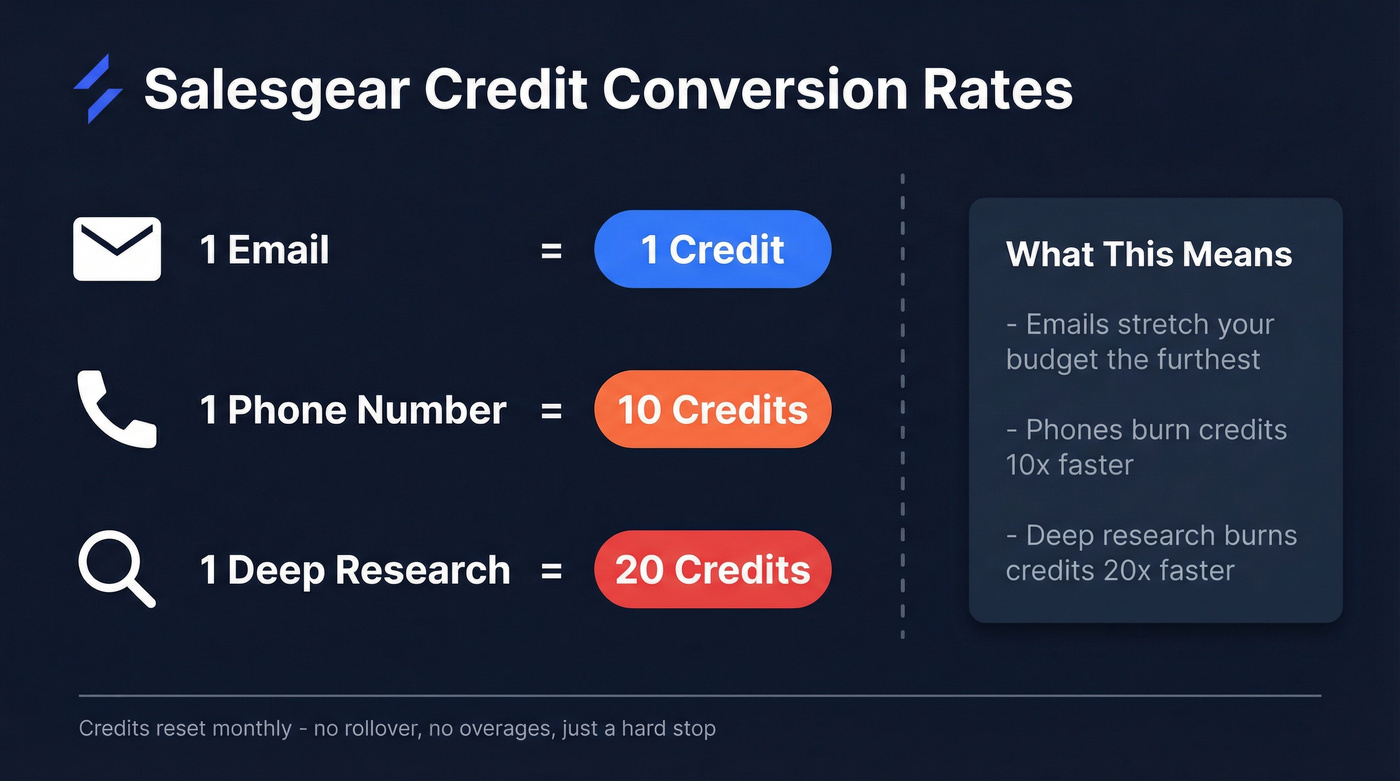
- 1 email = 1 credit
- 1 phone number = 10 credits
- 1 deep research = 20 credits
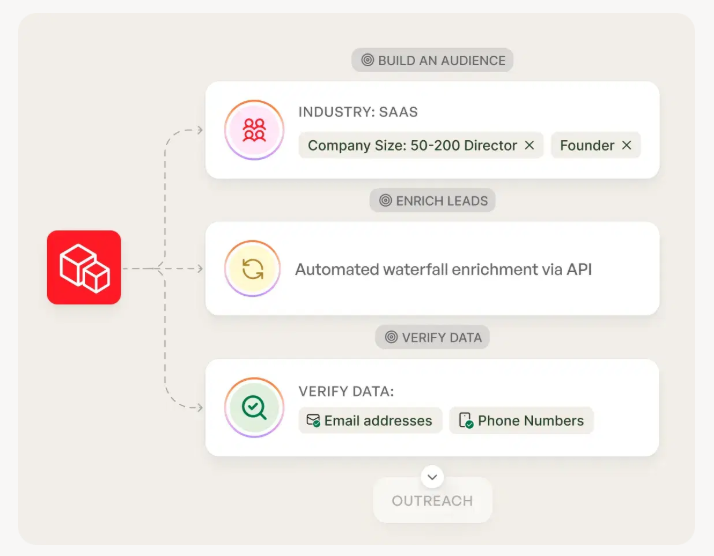
Practical implications:
- Email-heavy prospecting stretches credits far.
- Phone-first prospecting burns credits 10x faster (compare with this B2B phone number guide if you're building a direct-dial motion).
- Deep research burns credits 20x faster.
When you hit zero, Salesgear blocks credit-consuming actions and pushes you to upgrade. No sneaky overage line item - just a wall.
One procurement rule I stick to: never model "a contact" as one unit. Model three buckets (emails, phones, research), because the moment your reps start asking for direct dials or "just do research on these accounts," your forecast breaks.

Salesgear charges 10 credits per phone number and 20 per deep research - burning through your budget before month-end. Prospeo gives you 98% verified emails at ~$0.01 each with no credit conversion games. One email costs one credit. One mobile costs ten. Simple, transparent, and 90% cheaper than legacy platforms.
Stop doing credit math and start booking meetings.
What $49 / $99 / $199 actually gets you (credit-to-outcome calculator)
Stop thinking in plan names. Think in monthly outcomes.
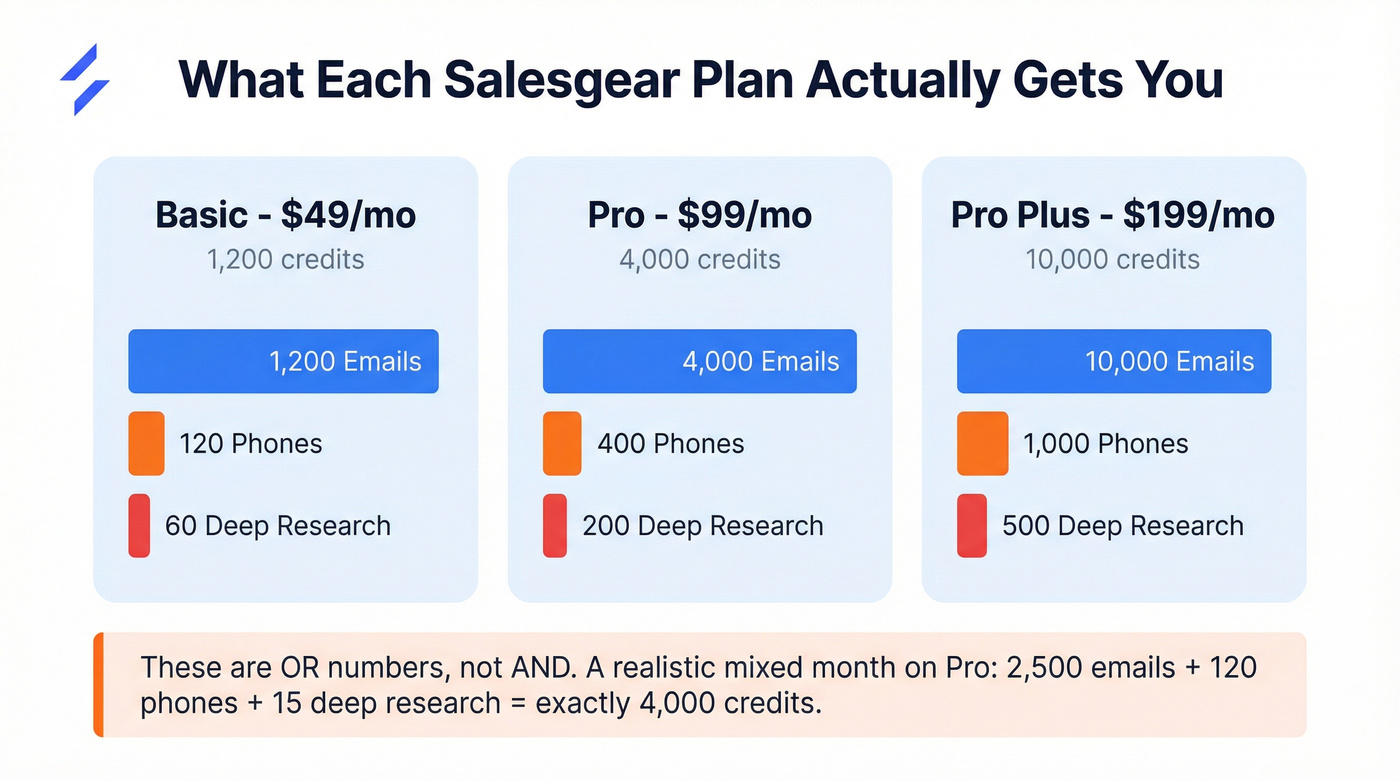
| Plan | Credits | Emails (1x) | Phones (10x) | Deep research (20x) |
|---|---|---|---|---|
| Basic | 1,200 | 1,200 | 120 | 60 |
| Pro | 4,000 | 4,000 | 400 | 200 |
| Pro Plus | 10,000 | 10,000 | 1,000 | 500 |
Concrete takeaways:
- $49 = 1,200 emails OR 120 phones OR 60 deep research
- $99 = 4,000 emails OR 400 phones OR 200 deep research
- $199 = 10,000 emails OR 1,000 phones OR 500 deep research
A realistic "mixed month" example on Pro (4,000 credits):
- 2,500 emails = 2,500 credits
- 120 phones = 1,200 credits
- 15 deep research = 300 credits
- Total = 4,000 credits
Two sanity checks before you pick a tier:
Scenario A: email-heavy outbound You build lists for sequences and reserve phones for priority accounts. Basic works; Pro feels comfortable.
Scenario B: phone-first outbound If your motion is "call first, email second," Pro Plus is the first tier that feels stable for a small team.
Look, Pro Plus is usually overkill if you're not call-heavy.
If your average deal size is in the low five figures and your team isn't living on the phone, spend the extra budget on deliverability and list hygiene before you buy more phone credits. I've seen too many teams pay for "more data" while their domains are quietly getting cooked (use this email deliverability playbook as your baseline).
Skip this if you're only trying to send more sequences; data credits won't fix a sequencing problem.
Data vs Outreach: why the pricing feels incomplete
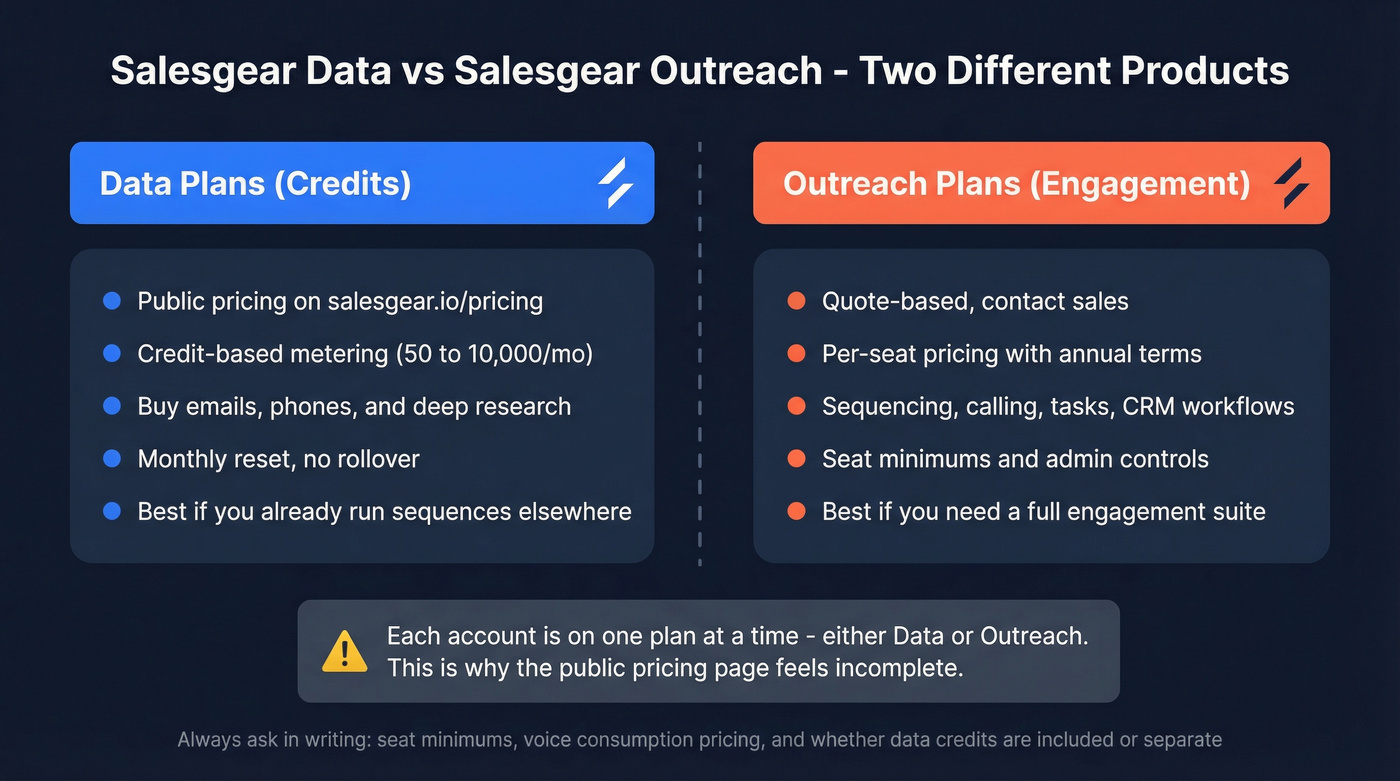
Here's the clean split that prevents bad purchases:
| Buy Data (credits) when... | Buy Outreach (engagement) when... |
|---|---|
| You mainly need emails/phones/research and can meter usage by credits. | You need sequencing, calling, tasks, governance, and CRM workflow as the primary purchase. |
| You already run sequences elsewhere and just need data fuel. | You're standardizing a team workflow (not just pulling contacts). |
| You're comfortable with a monthly credit reset and planning usage. | You want per-seat access, admin controls, and a full engagement suite. |
Packaging rule that trips people up: each account is on one plan at a time - either Data or Outreach. That's why the public pricing table feels "incomplete": it's the Data side.
Budget expectation for Outreach: quote-based, per-seat pricing, annual terms, and minimum seats are common. When you request a quote, ask three questions in writing: (1) seat minimums, (2) whether calling/voice is consumption-based, and (3) whether any data credits are included or sold separately.
Why pricing differs on G2/GetApp/SpotSaaS
If you've searched this topic, you've seen conflicting numbers because directories mix different product packages and different eras of pricing.
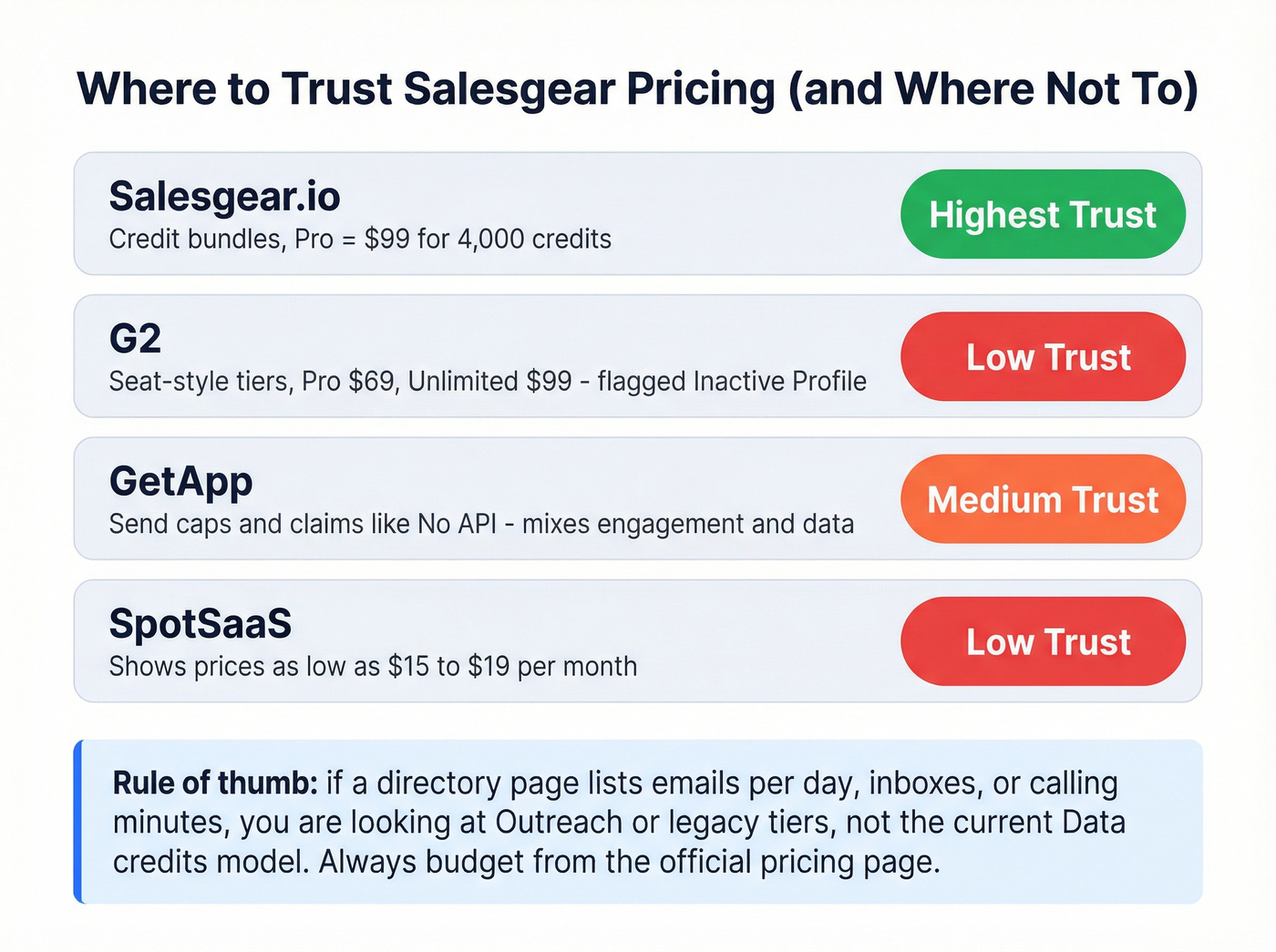
One obvious red flag: G2's Salesgear pricing page is flagged Inactive Profile and shows pricing last updated Oct 10, 2026.
A quick contradiction table:
| Site | What it shows | Example mismatch | Trust level |
|---|---|---|---|
| Salesgear | Credit bundles | Pro = $99 / 4,000 | Highest |
| G2 | Seat-style tiers | Pro $69, Unlimited $99 | Low (stale) |
| GetApp | Send caps + API claim | "No API" + send limits | Medium |
| SpotSaaS | Very low prices | $19 / $15 annual | Low |
The reconciliation that makes this make sense:
- If a page lists emails/day, inboxes per user, calling minutes, or action limits, that's Outreach/engagement packaging (or legacy tiers)--not the current Data credits model.
- If it conflicts with the vendor pricing page or is older than 12 months, treat it as stale and budget from the official table.
And yes, directory drift is frustrating. It's also predictable: those pages don't get maintained, and they often mash together "engagement tool pricing" with "data pricing" like it's one product.
One more example beyond price: some listings claim "no API." Salesgear doesn't confirm that on the Data pricing table, so treat it as directory noise until you see it in product docs or a signed order form.
Credit mechanics in real workflows (Discover, enrichment, and limits)
Credits get deducted in the two workflows that burn budgets fastest:
- Discover purchases: unlocking contact info inside Salesgear's prospecting experience.
- Enrichment: uploading a CSV (or syncing records) and filling missing emails/phones.
Two watch-outs that save real money:
- Bulk enrichment can wipe a month in one upload. If you're enriching a CRM backlog, start with a small batch and measure hit rate before you go wide (this lead enrichment tools breakdown can help you sanity-check options).
- Phones need governance. Phones are the silent credit killer. Set a rule like "phones only for late-stage accounts" and your burn becomes predictable.
This is boring ops work.
It's also the difference between "Salesgear is affordable" and "we ran out of credits on the 17th."
If your main workflow is enrichment (not list building), tools like Prospeo tend to fit better because they're built around verified contact data and enrichment at scale: 300M+ professional profiles, 143M+ verified emails, 125M+ verified mobile numbers, a 7-day refresh cycle, and a 92% API match rate with 83% enrichment match rate.
Worried about hitting a hard credit wall mid-campaign? Prospeo's 300M+ profiles refresh every 7 days - not 6 weeks - so you're never paying for stale data. With 143M+ verified emails and 125M+ verified mobiles, your budget goes further without sacrificing accuracy.
Fresh data weekly, 98% accuracy, no surprise stops.
Hidden costs & contract terms (read this before you buy)
Salesgear's Terms are where the real procurement constraints live. Read them before finance gets involved: https://www.salesgear.io/terms-of-service
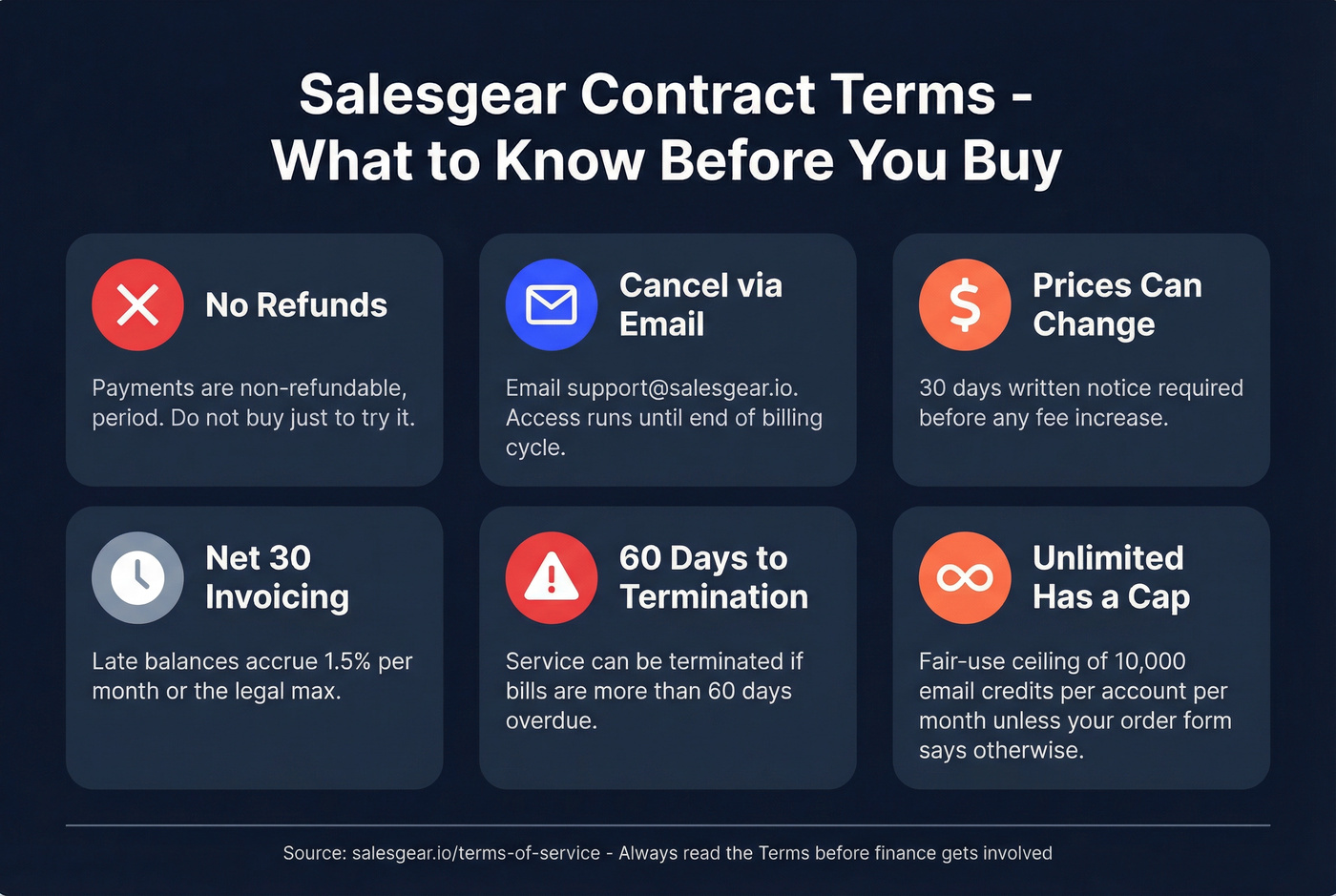
Here's the checklist version:
- Refunds: no refunds. The Terms language is blunt: payments are non-refundable.
- Cancellation: cancel by emailing support@salesgear.io; access continues until the end of the billing cycle.
- Fee changes: fees can change with 30 days' written notice.
- Invoicing: invoices are net 30; late balances can accrue 1.5% per month (or the legal maximum).
- Non-payment: service can terminate if bills are more than 60 days overdue.
- "Unlimited" cap: "Unlimited" still has a ceiling unless your order form overrides it. The Terms spell out a fair-use cap of 10,000 email credits per account per month on an Unlimited plan.
Plain-English translation:
- Don't buy "just to try it" unless you're fine eating the month.
- If someone internally sells leadership on "Unlimited," make them put the cap and any exceptions in the order form.
What users like / dislike (so you can budget for reality)
On G2, Salesgear is rated 4.8/5 from 42 reviews.
What comes through consistently in review themes:
- Straightforward UI (teams get running without weeks of enablement).
- Responsive support (important when integrations or deliverability issues hit).
What impacts cost and workload:
- Integrations come up as recurring friction in review summaries. That usually means more manual work, more Zapier/ops glue, or more time spent keeping systems in sync (see CRM integration for sales automation if you're trying to reduce ops drag).
- Data freshness/accuracy is the other budget reality. Woodpecker's write-up includes complaints about outdated contacts, and that risk is real in any credit system: you pay once in credits and then you pay again in deliverability damage if you don't verify (use a repeatable email verification list SOP).
My recommendation: build a buffer into your model. Not every credit turns into a usable outreach attempt, even with good providers, and the fastest way to make "cheap data" expensive is bouncing into spam folders.
If you're comparing Salesgear to Outreach/Salesloft-style tools
Salesgear Data pricing is self-serve and transparent. Outreach-style platforms are quote-based, modular, and priced per seat.
Outreach's own pricing page is request-only, with modules like Engage/Call/Meet/Forecast. Typical market ranges cited in industry write-ups look like this: $120-160/user/month for many SMB setups, $12k-25k/year for smaller teams, and $50k-80k+/year for enterprise with add-ons, usually on annual terms with seat minimums and sometimes onboarding fees.
Don't compare $99 to $160 and declare a winner. Compare the full stack: Salesgear Data credits plus your existing engagement tool versus an engagement platform plus whatever you'll use for data, because that's where the real total cost shows up (this cost of sales tech stack guide helps model it).
Final recommendation
Budget Salesgear pricing off the official Data table and the 1/10/20 credit math. Treat directory pricing as stale unless it matches the vendor page and is current.
Two actions prevent most pricing mistakes:
- Pick your tier based on your email vs phone mix (phones are 10x the burn).
- Confirm whether you're buying Data or Outreach before procurement - they're different products with different pricing mechanics.