What to Say to Get Past the Gatekeeper: Scripts, Tone, and the Smarter Bypass
It's 9:15 AM. You've made 12 dials, left 8 voicemails, navigated 2 phone trees, and gotten 1 hang-up. The one human you actually reached - a receptionist named Karen - asked "What is this regarding?" and you fumbled a half-pitch that got you transferred to a voicemail box nobody checks. If you've ever frozen in that moment, wondering what to say to get past the gatekeeper, the problem isn't your courage. It's your playbook.
Most gatekeeper advice hasn't caught up with 2026 realities: AI receptionists screening calls before a human even picks up, spam-labeled caller IDs that tank your credibility before you say a word, and IVR systems designed to exhaust you into hanging up. "Just be friendly and persistent" doesn't cut it anymore.
The 30-Second Verdict
Three moves, ranked by effectiveness:
- Call the mobile directly. No gatekeeper, no IVR. Problem solved at the source.
- Call before 8:30 AM or after 5:30 PM. Executives arrive early and stay late. Gatekeepers don't.
- Use a no-oriented question. "Would it be a terrible idea if I spoke with John for two minutes?" beats any yes-seeking opener.
Scripts are your backup plan, not your primary strategy.
Tone Beats Scripts Every Time
The exact words matter less than how you deliver them. The team at 30 Minutes to President's Club puts it bluntly: tone is 80% of the battle. Gatekeepers decide whether to route or block you in 3-5 seconds. They aren't analyzing your sentence structure - they're reading your energy.
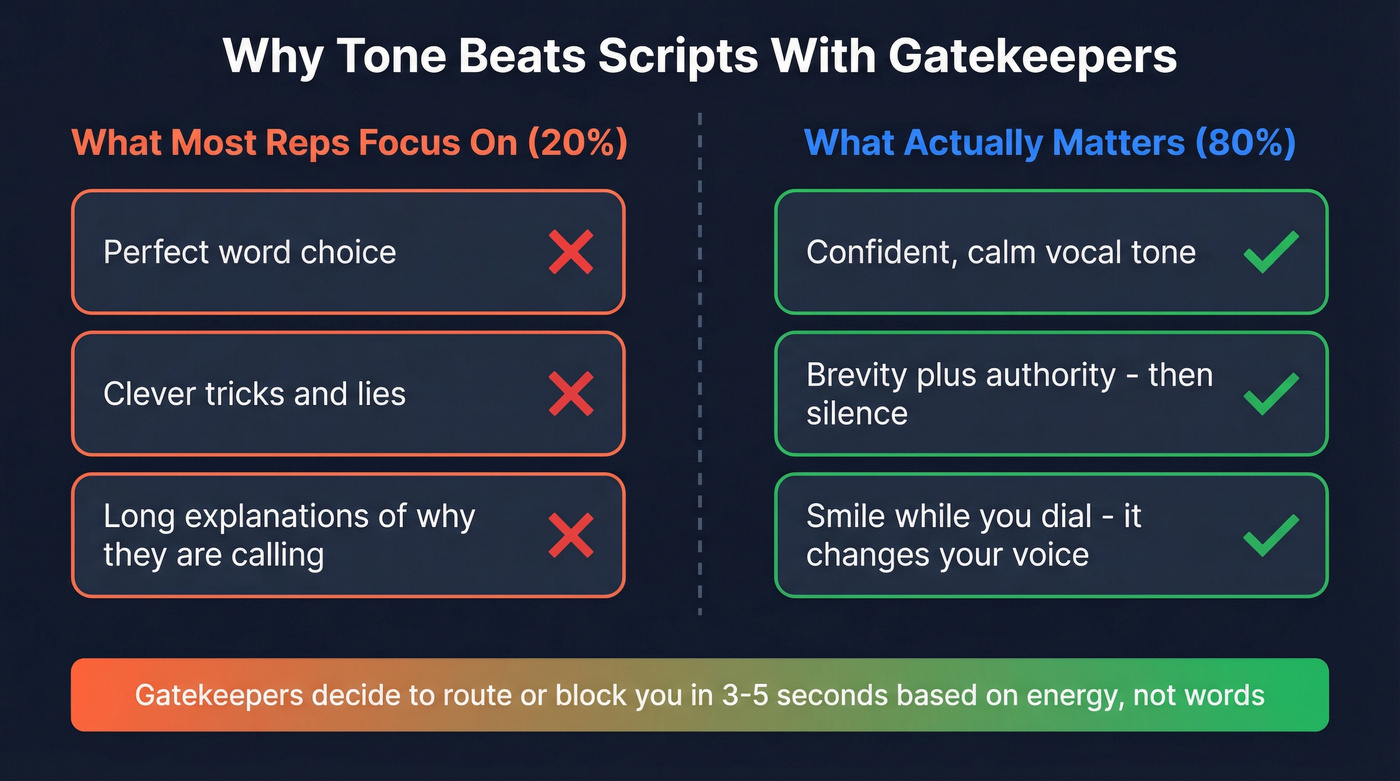
Here's a trick that sounds too simple to work: smile while you dial. Your vocal cords physically produce a warmer, more confident tone when you smile. The Black Swan Group calls this "the single cheapest sales hack that nobody uses." It costs nothing and changes how you sound in the first syllable.
The highest-performing opener we've seen is the "seniority tone" script:
GK: "Acme Corp, this is Sarah." You: "Hi Sarah. It's Emily Bennett calling for John."
Then you stop talking. No "How are you today?" No "Is he available?" No filler. Brevity plus authority signals an expected call, not a sales call. The silence forces the gatekeeper to respond - and their default response is usually to put you through.
Drop the last name for an even cleaner variant:
"Hi Sarah. It's Emily calling for John."
Using just your first name creates a reciprocity dynamic: it sounds like you already know the decision-maker personally.
Scripts for Every Gatekeeper Scenario
When You Know the Decision-Maker's Name
The seniority tone opener (your default):
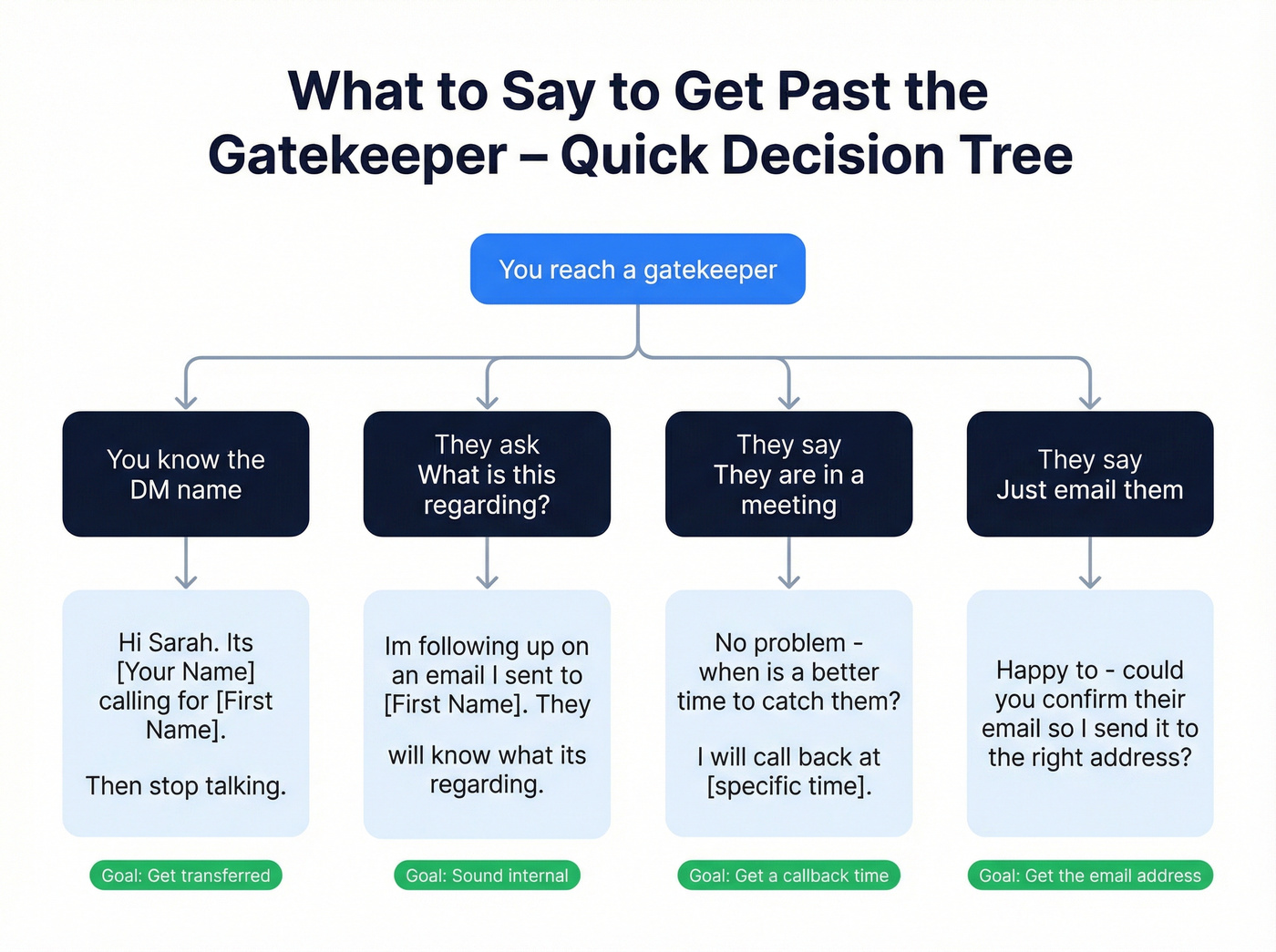
"Hi Sarah. It's [Your First Name] calling for [First Name]." (Silence.)
This mirrors how internal colleagues and known contacts introduce themselves. No company name, no title, no reason. Just a name calling for a name.
The time-boxing variant (if they hesitate):
"Have you got 30 seconds for me to explain the nature of my call?"
Cognism includes this time-boxing line as part of the cold-calling script framework it used to grow from $0 to $4M ARR. Asking for 30 seconds feels low-risk and reframes you from "unknown caller" to "reasonable person."
The warm-referral opener (if you have any connection):
"Hi Sarah - [Mutual Contact's Name] suggested I give [First Name] a ring. Is he around?"
Even a loose connection works. A shared conference, a mutual colleague, a comment on the same post. The gatekeeper hears a name they might recognize and defaults to connecting you.
"What Is This Regarding?"
This is the most common gatekeeper question, and it's where most reps blow it by launching into a pitch. Here's the thing: don't pitch the gatekeeper. They can't buy, they can't evaluate your solution, and the moment you start selling, you've identified yourself as someone to block. Give context instead.
"I'm sending over some information regarding their Q3 hiring plans and just needed to check one detail. Is he around?"
Or, if you've already sent an email:
"I'm following up on an email I sent to [first name]. They'll know what it's regarding."
Both answers give the gatekeeper something to relay without making them feel like they're letting a salesperson through.
The department-level deflection (when you have no prior contact):
"It's about the [department] budget review - I just need two minutes to confirm a few details."
Vague enough to sound internal, specific enough to sound legitimate.
"They're in a Meeting"
"No problem - when's a better time to catch them? I'll call back at [specific time]."
Asking for a specific time signals you'll actually call back (most reps won't) and gives you a callback reference. "Sarah told me to try back at 2" is a powerful opener on your next dial.
The persistence variant:
"Totally understand. I'll try again at 3 - if they free up before then, could you let them know [Your First Name] called?"
This plants your name with both the gatekeeper and the decision-maker. Even if they don't call back, you've created a touchpoint.
If you get voicemail, use the voicemail-then-confirm tactic: leave a voicemail, call back five minutes later, and say:
"I just left [first name] a voicemail - maybe best if I emailed the documents too. Could you confirm their email address?"
This is one of the most underrated moves in cold calling. You get the email, the email format for the entire company, and a reason to follow up - all from a "failed" call.
"Can You Just Email Them?"
"Happy to - could you confirm their email so I send it to the right address?"
If the gatekeeper won't share it, offer to email them directly and have them forward it. This feels cooperative, and it reveals the company's email format - intel you can use for every other contact at that company.
The message-taking variant (when they offer to take a message instead):
"Sure - could you let them know [Your First Name] called about [one-sentence context]? And what's the best email to send the details to?"
Always pivot a message offer into an email request. Messages get lost. Emails create a paper trail.
When You Don't Know the DM's Name
Never ask "Who's in charge of...?" It screams cold call. Use a direction-seeking question instead:
"I was hoping you could help me out for a second. I'm trying to find the person who manages sales enablement - would that be [Name A] or someone else?"
For teams that have zero names to work with, try the direction-seeking approach:
"I have an idea that could help [company] reduce [X], but I'd need a little more information first. Normally I speak with someone in [department] - could you point me in the right direction?"
Direction-seeking triggers helpfulness. Asking "who's in charge" triggers defensiveness.
The No-Oriented Question
This comes from Chris Voss's negotiation framework, and it's devastatingly effective on gatekeepers:
"Would it be a terrible idea if I spoke with [Name] for two minutes?"
In a fundraising example Voss cites, switching from yes-oriented to no-oriented framing produced a 23% increase in donations. The psychology is simple: saying "no" makes people feel safe and in control. When someone says "No, it wouldn't be terrible," they've just agreed to connect you - and it felt like their idea.
Industry-Specific Adjustments
Gatekeeper dynamics shift dramatically by industry. In healthcare, gatekeepers are trained to shut down any call that hints at patient data or sounds like it's fishing for internal information - lead with compliance-aware language and reference specific departments, not people. In tech, you're increasingly likely to hit an AI receptionist or automated directory before reaching a human; the seniority tone opener still works, but you'll need to navigate a voice menu first. Financial services gatekeepers screen aggressively for regulatory reasons, so referencing a specific compliance topic or industry event gives you more credibility than a generic opener.

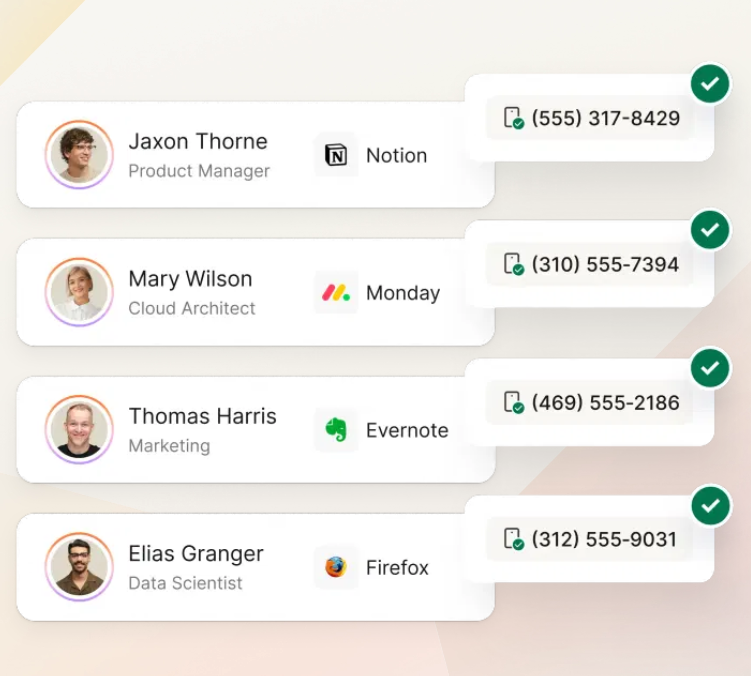
The article's #1 tip: call the mobile directly. Prospeo gives you 125M+ verified mobile numbers with a 30% pickup rate - no gatekeeper, no IVR, no "What is this regarding?" Just a direct line to the decision-maker.
Skip the gatekeeper entirely. Dial decision-makers direct.
Phrases That Get You Blocked
Four things that guarantee you never reach the decision-maker:
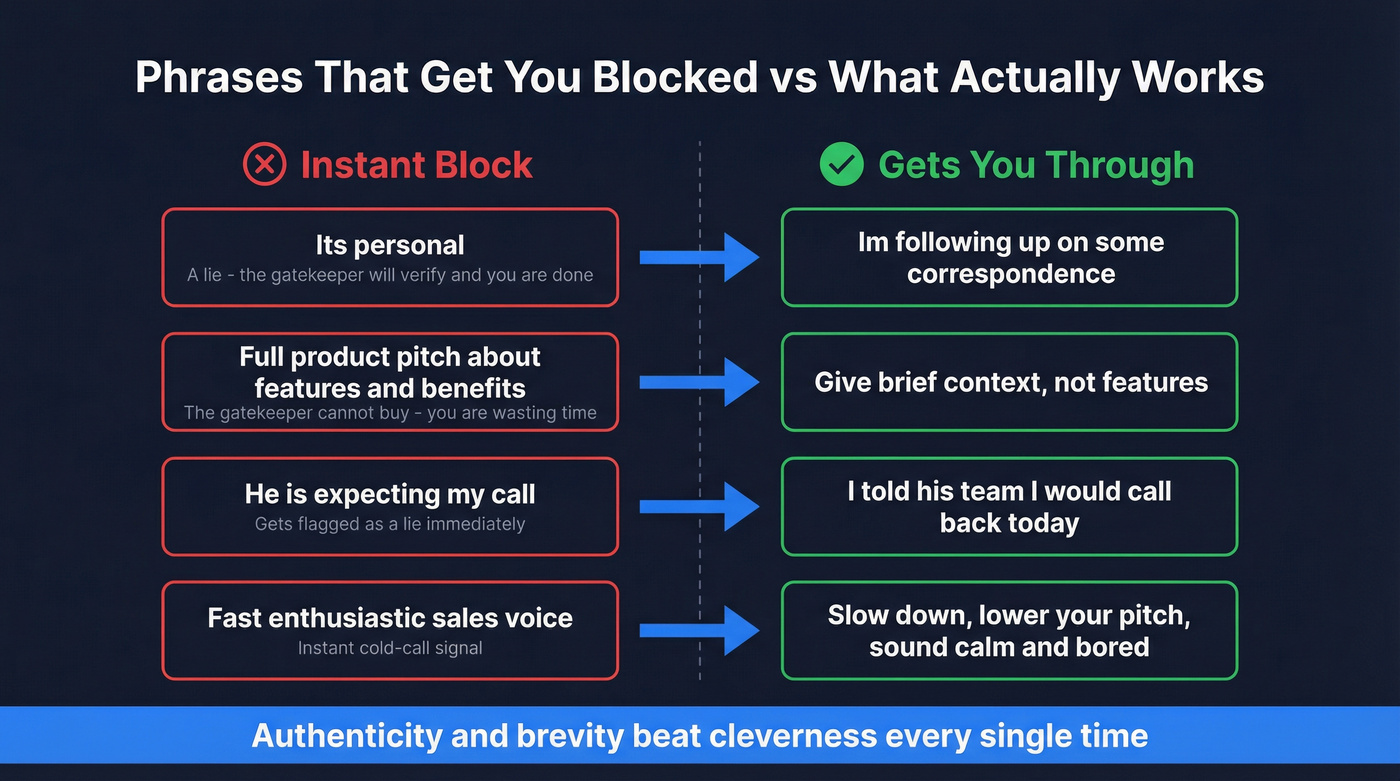
| Don't Say | Why It Fails | Say Instead |
|---|---|---|
| "It's personal" | A lie. The GK will verify. You're done. | "I'm following up on some correspondence." |
| A full product pitch | The GK can't buy. You're wasting everyone's time. | Give context, not features. |
| "He's expecting my call" | Another lie. Gets flagged immediately. | "I told his team I'd call back today." |
| Fast, enthusiastic sales voice | Instant cold-call signal. | Slow down. Lower your pitch. Sound bored. |
Gatekeepers have heard every trick. Authenticity and brevity beat cleverness every time.
Plan B: When the Gatekeeper Won't Budge
A "failed" gatekeeper call isn't wasted if you treat it as a data-gathering opportunity. Even a blocked call reveals the gatekeeper's name for next time, the DM's schedule patterns, org chart structure, and the company's email format.
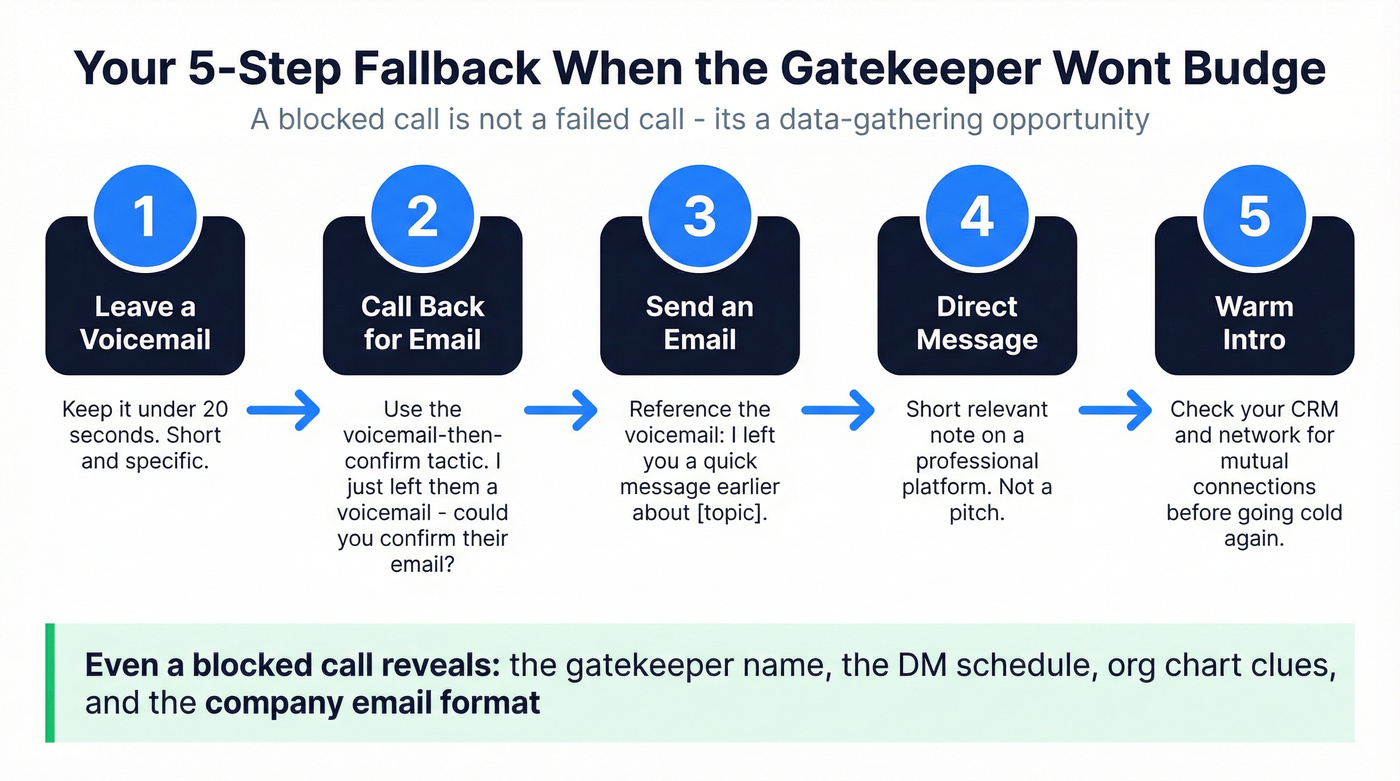
Let's be honest - most reps give up after one blocked call. Don't. Every dial is a fresh start until you've actually spoken to the prospect. Here's the fallback sequence:
- Leave a voicemail for the decision-maker. Keep it under 20 seconds. (If you need a template, use this voicemail playbook.)
- Call back and confirm the email via the gatekeeper using the voicemail-then-confirm tactic.
- Send an email referencing the voicemail: "I left you a quick message earlier about [topic]."
- Direct message on a professional platform. A short, relevant note - not a pitch. (Build this into a multi-channel sequences workflow.)
- Warm intro via a mutual connection. Check your CRM and network before going cold again.
For step 3, you need a confirmed email - not a guess. Prospeo's email finder returns 98%-accurate addresses when you paste a URL or upload a CSV, so you're not burning your domain reputation on bounced messages.
Skip the Gatekeeper Entirely
Look - if you're spending more than 20% of your call time talking to gatekeepers, your data is the problem, not your delivery. The best gatekeeper script is no gatekeeper at all. When you're dialing main office lines and fighting through receptionists and IVRs, you're playing the game on hard mode.
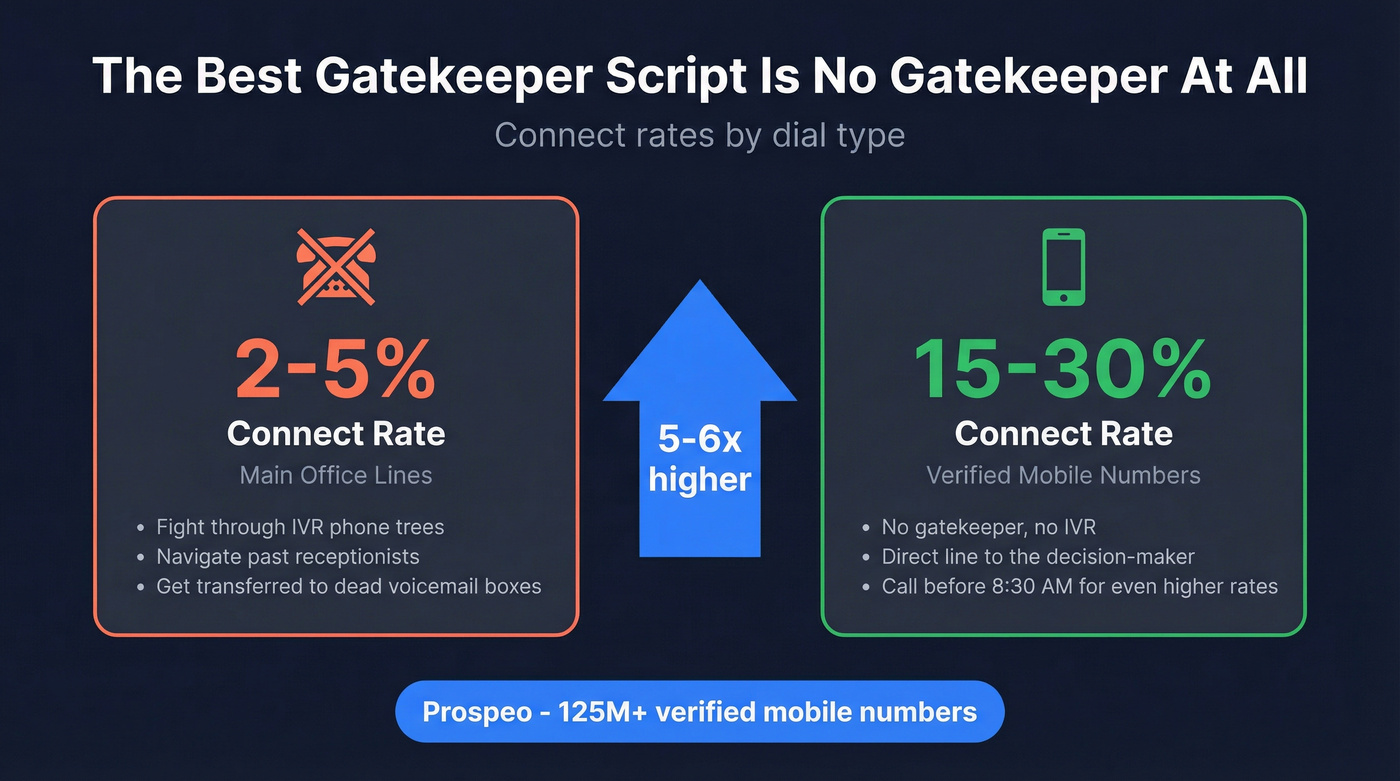
On main office lines, connect rates typically land in the low single digits. On confirmed mobile numbers, connect rates jump to the mid-teens and mid-20s. That's not a marginal improvement. It's a completely different game.
Calling before 8:30 AM or after 5:30 PM helps too - executives are at their desks and gatekeepers aren't. For pre-call research, try this Google search pattern: "TITLE + @COMPANY.com" - for example, "CFO + @salesforce.com". You'd be surprised how often email addresses appear in conference speaker lists, press releases, and PDF directories. (If you want a tighter workflow, use this pre-call research guide.)
We've found that the single biggest lever for our team's connect rates wasn't better scripts - it was better numbers. Prospeo has 125M+ verified mobile numbers with a 30% pickup rate, refreshed every 7 days. The free tier gives you enough credits to test whether mobile-first changes your connect rates before you commit. (If you're building a full system, start with an outbound calling strategy and a clean direct dial process.)
That voicemail-then-confirm trick to get the DM's email? You don't need it. Prospeo has 143M+ verified emails at 98% accuracy for $0.01 each. Search by company, title, department, or intent signals - and start your outreach without ever talking to a receptionist.
Stop asking gatekeepers for email addresses you already have.
FAQ
What's the best opening line to get past a gatekeeper?
Use the seniority tone opener: state your first name, say "calling for [first name]," then stop talking. Gatekeepers decide in 3-5 seconds based on tone and confidence, not your word choice. Silence after your opener signals an expected call, not a sales call.
How do you reach a decision-maker without knowing their name?
Ask for help, not information: "I'm trying to find the person who manages [function] - could you point me in the right direction?" Direction-seeking triggers helpfulness. Asking "Who's in charge of..." triggers defensiveness and instantly flags you as a cold caller.
Does calling at off-peak times help bypass gatekeepers?
Yes. Calling before 8:30 AM or after 5:30 PM often reaches the decision-maker directly because gatekeepers work standard hours while executives arrive early or stay late. Pairing off-peak timing with a confirmed mobile number virtually eliminates the gatekeeper problem.
What's a realistic gatekeeper pass-through rate?
On main office lines, expect connect rates in the low single digits. On confirmed mobile numbers, rates jump to the mid-teens and mid-20s. The biggest variable isn't your script - it's whether you're dialing a direct number.
Is it better to call or email to reach a decision-maker?
Both. Call the mobile first. If blocked, send a verified email referencing your voicemail. Multi-channel sequences - phone, email, direct message - consistently outperform single-channel attempts because each touchpoint reinforces the others.