

Business Email Subject Lines That Actually Get Opened
You spend 45 minutes writing the perfect cold email - sharp value prop, clean formatting, strong CTA. Then roughly 72% of your list never sees it because the subject line didn't earn the open. Cold email open rates have dropped from 36% to 27.7% over the past two years, and most business email subject lines advice floating around is recycled from 2019 blog posts that still recommend "Quick question" as a go-to opener.
That phrase is dead. Let's talk about what actually works.
The Short Version
The real character limit is 33 characters, not 50 - that's the Gmail Android cutoff, and it's where most of your audience reads email. A GetResponse analysis of 7 billion emails found non-personalized subject lines actually outperformed personalized ones on both opens and clicks. Specificity beats cleverness every time.
And none of this matters if your email bounces. A perfect subject line sent to an invalid address is just noise. Verify your list before you optimize your copy.
Open Rate Benchmarks in 2026
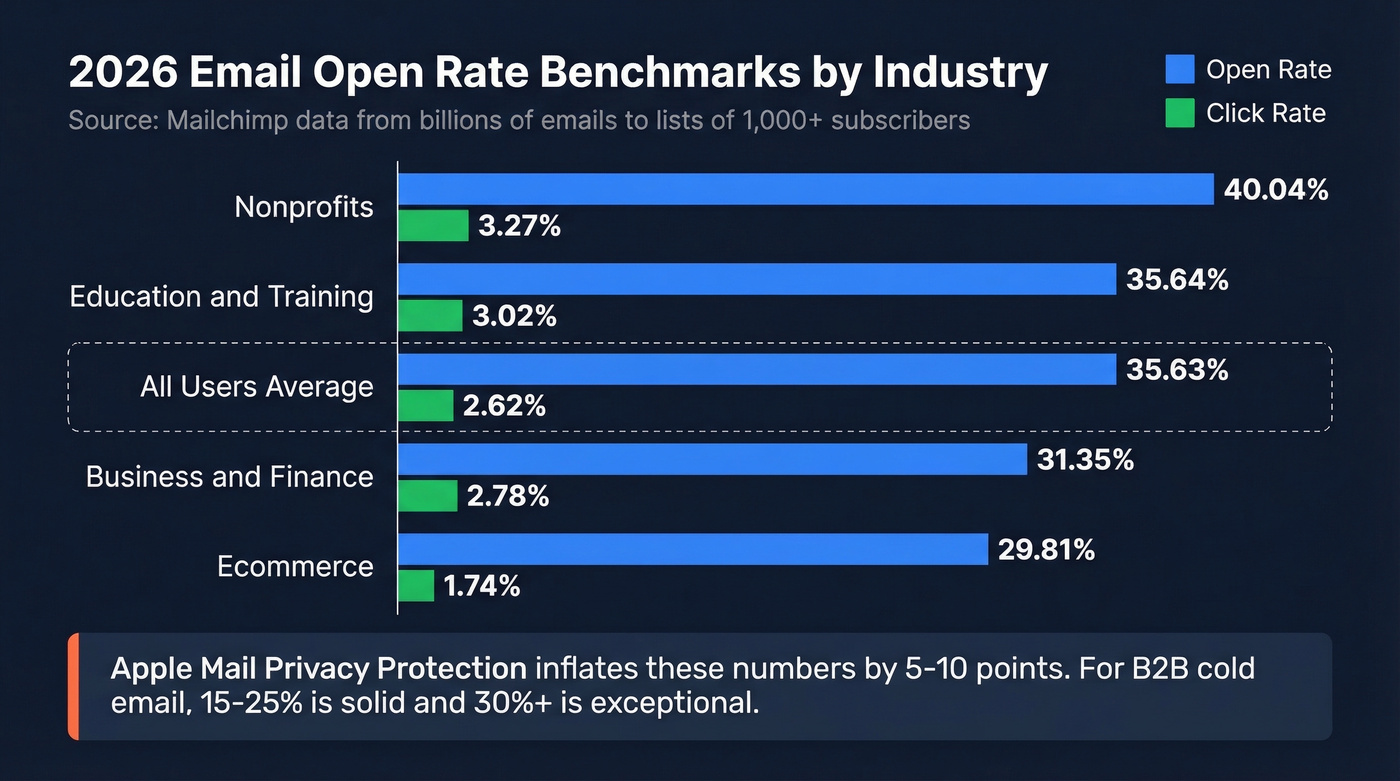
Before you can improve your subject lines, you need to know what "good" actually looks like. Mailchimp's benchmark data - pulled from billions of emails sent to lists of 1,000+ subscribers - gives us the clearest picture.
| Industry | Open Rate | Click Rate |
|---|---|---|
| All users | 35.63% | 2.62% |
| Business & Finance | 31.35% | 2.78% |
| Education & Training | 35.64% | 3.02% |
| Ecommerce | 29.81% | 1.74% |
| Nonprofits | 40.04% | 3.27% |
These numbers look healthy, but there's a catch. Apple Mail Privacy Protection pre-loads tracking pixels, which inflates open rates across the board. Your real human open rate is typically 5-10 points lower than what your ESP reports. For B2B cold email specifically, 15-25% is solid and 30%+ is exceptional.
Don't benchmark against newsletter averages if you're running cold outbound. Different games, different scorecards.
The Real Character Limit
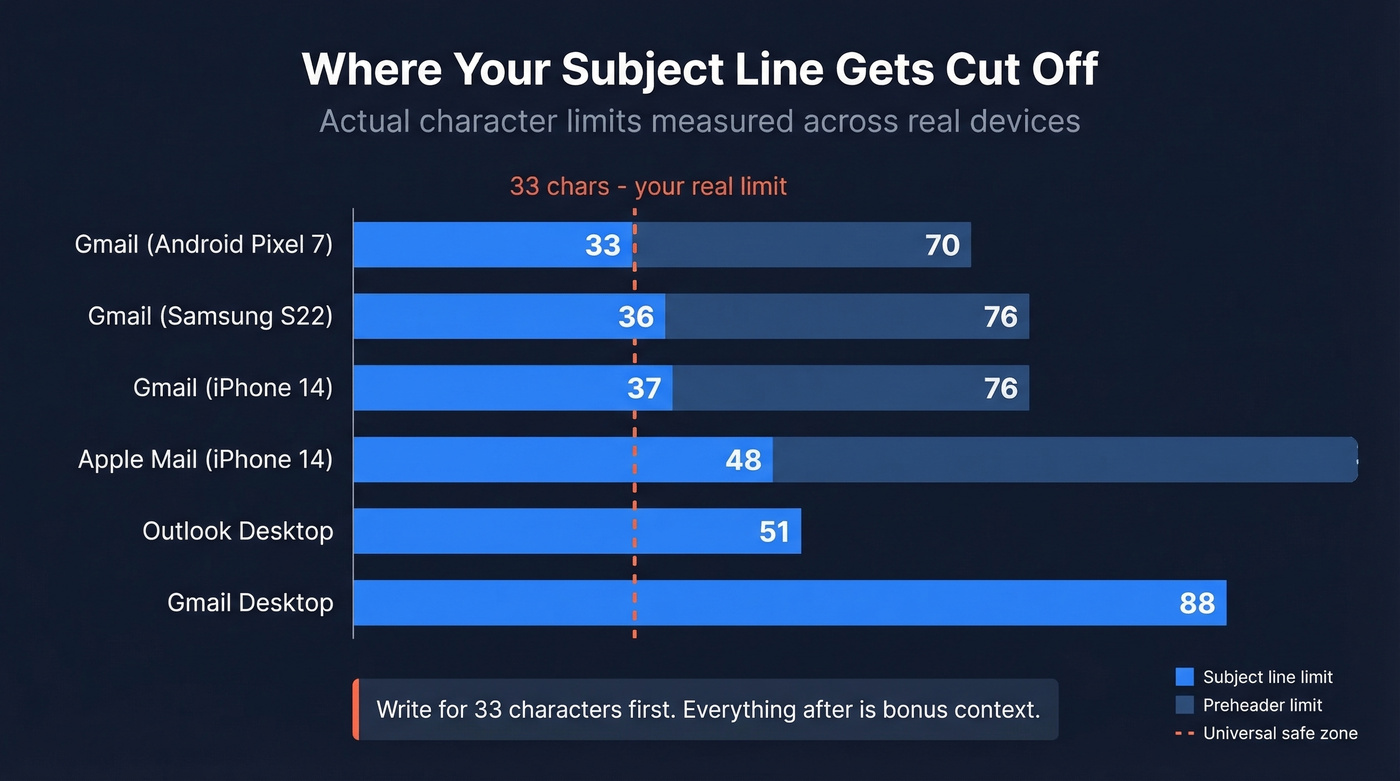
Every "best practices" post says keep subject lines under 50 characters. That advice is wrong - or at least dangerously incomplete. EmailToolTester measured actual devices and found exactly where subject lines get cut off.
| Device / Client | Subject Line Limit | Preheader Limit |
|---|---|---|
| Gmail (Android Pixel 7) | 33 chars | 37 chars |
| Gmail (iPhone 14) | 37 chars | 39 chars |
| Gmail (Samsung S22) | 36 chars | 40 chars |
| Apple Mail (iPhone 14) | 48 chars | 99 chars |
| Outlook desktop | ~51 chars | varies |
| Gmail desktop | ~88 chars | varies |
The universal floor is 33 characters. That's your real constraint.
If the most important words in your subject line fall after character 33, a huge chunk of your audience sees a truncated mess. The framework we use is simple: write your subject line for 33 characters first, making sure the core message lives in those opening words. Then extend to 50-70 characters for desktop readers who'll see the full version. Treat everything after character 33 as bonus context, not essential information.
The preheader follows the same logic. You've got 37 characters of guaranteed visibility across devices. Use them to extend the subject line's promise, not repeat it.
The Personalization Myth
Here's the thing - personalization is supposed to be the silver bullet. Every email marketing course says "add {first_name} to your subject line." But that 7-billion-email dataset tells a different story.
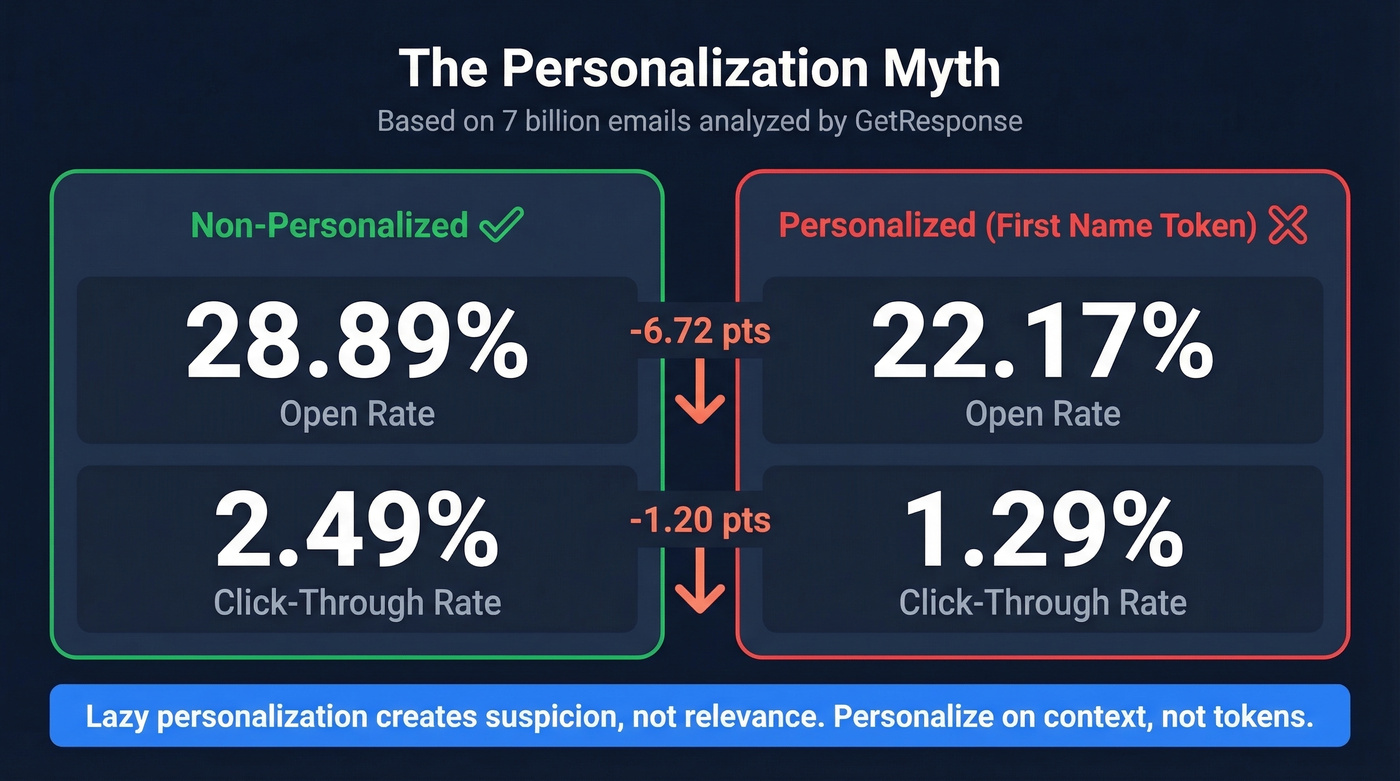
Non-personalized subject lines averaged a 28.89% open rate and 2.49% CTR. Personalized subject lines? 22.17% open rate and 1.29% CTR. That's not marginal. Personalized emails performed noticeably worse on both metrics.
The explanation isn't that personalization is bad. Lazy personalization is bad. When a stranger emails you with "Hey Sarah, quick question" - you know it's automated. The first name doesn't create relevance; it creates suspicion. Personalization works when it's specific and earned: referencing a recent funding round, a job change, a conference talk, a mutual connection. A first name token pulled from a purchased list isn't personalization. It's a tell.
We've seen this across dozens of outbound campaigns. Teams that personalize on context - trigger events, shared connections, specific pain points - consistently outperform teams that personalize on tokens. The gap isn't small. Context-based personalization routinely doubles reply rates compared to token-based approaches.

Context-based personalization requires real data - funding rounds, job changes, tech stacks. Prospeo's 300M+ profiles with 30+ search filters give you the trigger events and buyer signals that turn generic subject lines into opened emails.
Stop personalizing with first-name tokens. Start personalizing with real context.
7 Rules for Writing Effective Subject Lines
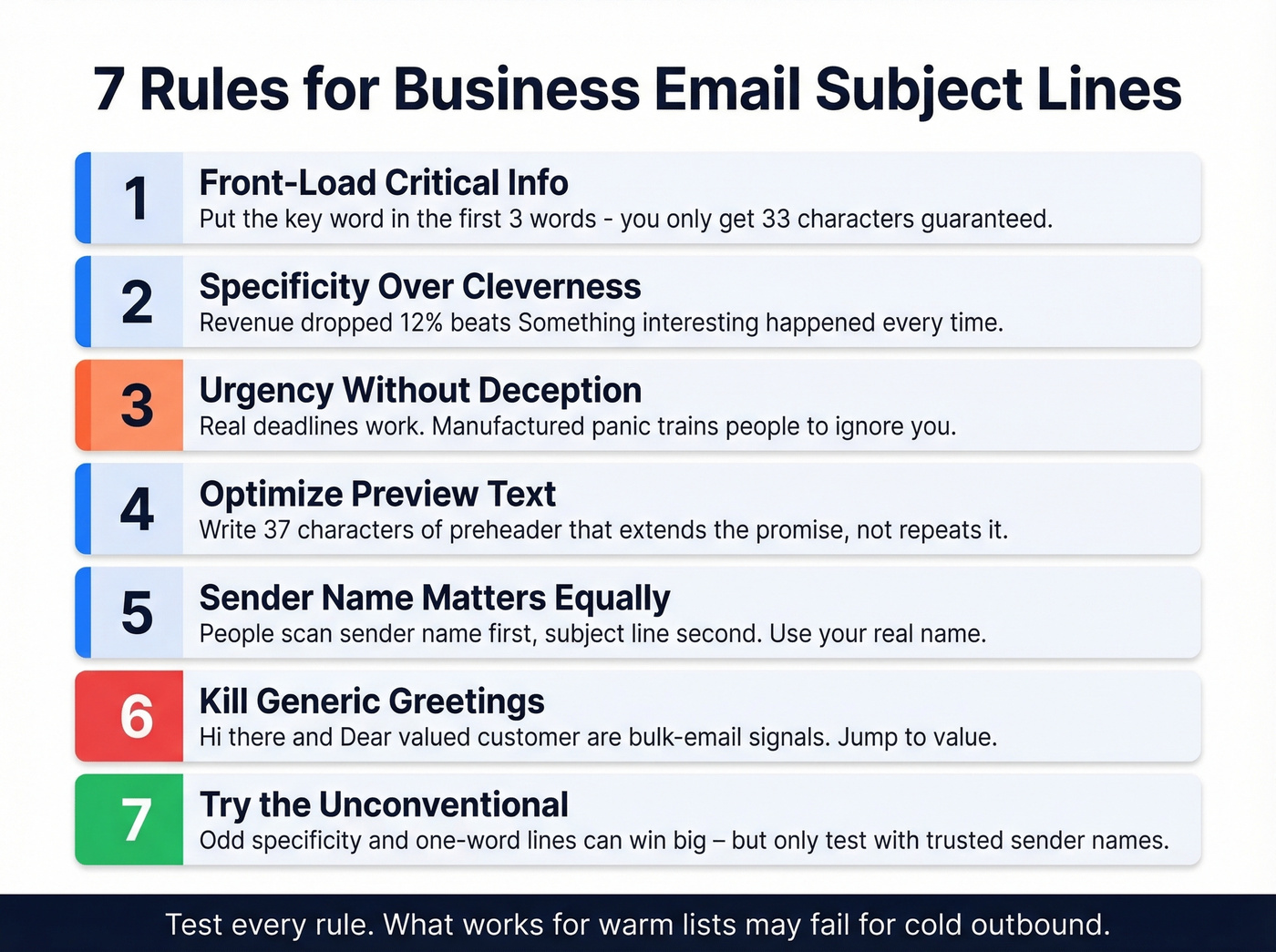
1. Front-Load the Critical Info
Your subject line has 33 guaranteed characters. Put the most important word - the topic, the number, the name - in the first three words.
Bad: "I wanted to let you know that the Q3 budget was approved"
Better: "Q3 budget approved"
2. Specificity Over Cleverness
"Revenue dropped 12% in March" gets opened. "Something interesting happened..." gets deleted. 47% of recipients decide to open based solely on the subject line. Give them a concrete reason.
If you want more data-backed patterns, see effective subject lines and subject line templates.
3. Urgency Without Deception
Real deadlines, real consequences, real scarcity - these work. Manufactured panic doesn't, and it trains recipients to ignore you permanently.
Bad: "URGENT: Don't miss this!!!"
Better: "Contract expires Friday - renewal options inside"
If you're writing urgency for outbound, urgency email templates can help.
4. Optimize Your Preview Text
The preheader is your subject line's wingman. Don't waste it on "View this email in your browser" or let it auto-pull the first line of your email body. Write it deliberately - aim for ~37 characters of visible preheader - to extend the subject line's promise.
Subject: "Q4 pipeline review" → Bad preheader: "Hi there, I hope this email finds you well..."
Subject: "Q4 pipeline review" → Good preheader: "Three deals need attention this week."
If your first line still starts with that classic opener, use these "I hope this email finds you well" alternatives.
5. Sender Name Matters Equally
People scan sender name first, subject line second. "John Smith" or "Sarah @ Acme" gets more trust than "noreply@company.com" or "The Acme Team." For cold outreach, use your real name. For internal emails, your name is already trusted - so the subject line carries more weight.
6. Kill Generic Greetings in Preview Text
Phrases like "Hi there," "Dear valued customer," and "To whom it may concern" are bulk-email signals that can hurt inbox placement. If your preview text starts with one of these, you're telling spam filters exactly what you are. Jump straight into the value - "Your usage jumped 40% last month."
For more options, see cold email greetings and mass email greeting.
7. Try the Unconventional Approach
Most advice tells you to be clear and direct. That's usually right. But some of the highest-performing subject lines we've tested break the rules deliberately - oddly specific details ("The 11:47 AM problem with your pipeline") create curiosity without being clickbait, and one-word subject lines ("Thoughts?") work when you have an existing relationship. Deliberate vagueness can outperform clarity, but only when the sender name already carries trust. Test these against your standard approach. They won't always win, but when they do, the margin is significant.
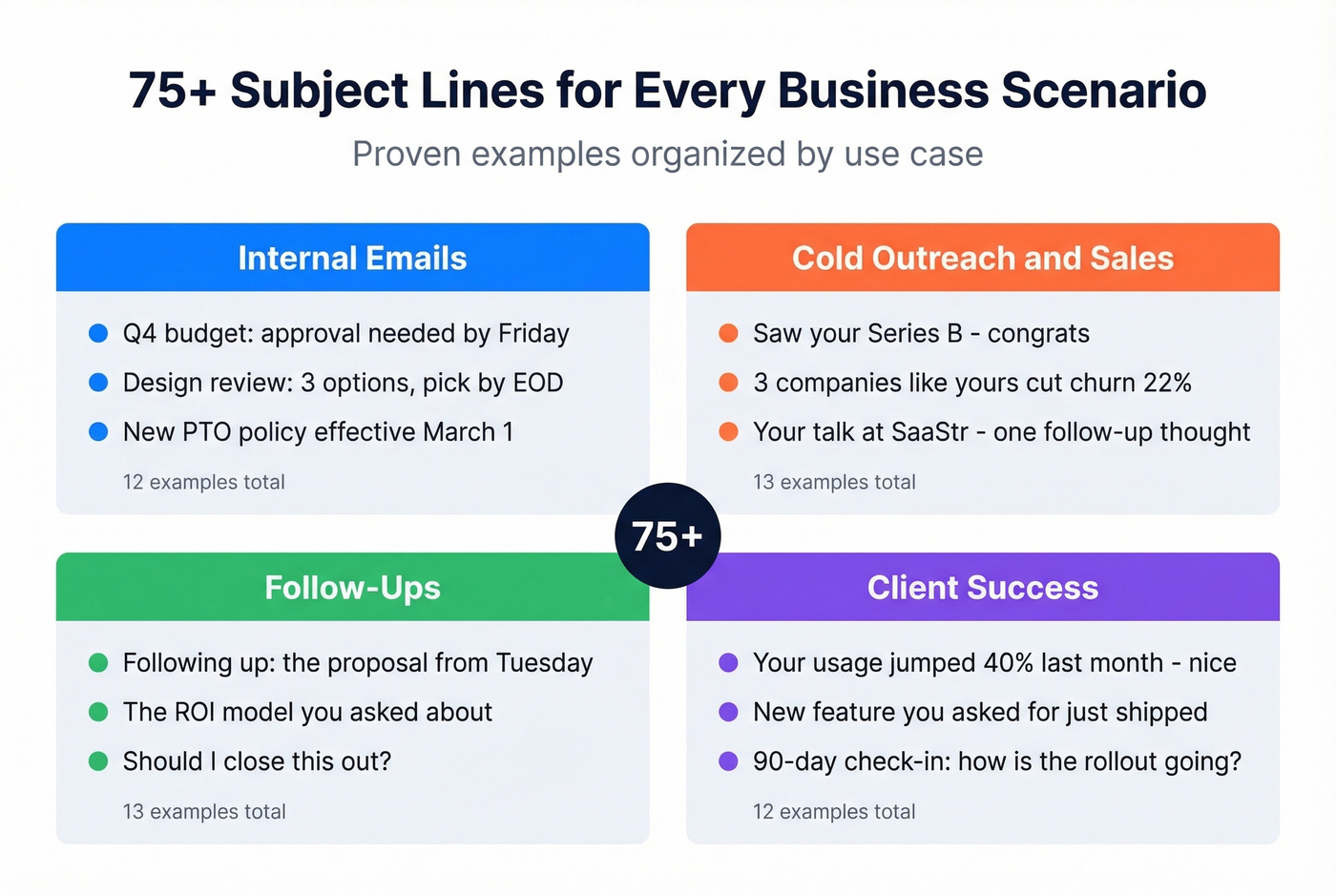
75+ Examples by Scenario
Internal Emails
- Q4 budget: approval needed by Friday
- Design review: 3 options, pick by EOD
- New PTO policy effective March 1
- Engineering sync moved to 2pm Tuesday
- Hiring update: 2 offers accepted this week
- Server migration: 30-min downtime Saturday
- Sales kickoff agenda - review before Monday
- Expense report deadline extended to the 15th
- Org chart changes effective next month
- Benefits enrollment closes December 8
- Quarterly all-hands: Thursday 3pm EST
- IT security training: mandatory by the 20th
Cold Outreach & Sales
- Saw your Series B - congrats
- [Mutual connection] suggested I reach out
- Your job posting for VP Sales caught my eye
- 3 companies like [prospect's company] cut churn 22%
- Quick math on your outbound cost per meeting
- Noticed you're hiring 5 SDRs - relevant timing
- [Prospect's company] + [your company]: 2-min idea
- Your talk at SaaStr - one follow-up thought
- Replacing [competitor] saved [similar company] $40K
- We help [industry] teams book 30% more demos
- Not "just checking in" - have actual data
- [Trigger event]: how it changes your outbound math
- Your [competitor] contract is up in Q2
If you're building full sequences (not just subject lines), start with a sample outreach email or these cold email B2B templates.
Some teams use deceptive subject lines designed to look like inbound leads - things like "Re: your demo request" when no request was made. They get opens, but they destroy trust and can tank reply rates. The short-term open rate bump isn't worth the long-term reputation damage.
And if you're still using "Quick question" or "Touching base," you're competing with every other lazy template in the inbox. Recipients have been ignoring these for years. Here are better touching base email alternatives.
Follow-Ups
- Following up: the proposal from Tuesday
- Any questions on the pricing breakdown?
- Missed you yesterday - here's the recording
- Quick recap: 3 action items from our call
- The ROI model you asked about
- Checking in on the pilot timeline
- Haven't heard back - should I close this out?
- Updated proposal attached (revised pricing)
- Next steps after the demo
- Your team's feedback on the trial?
- Bumping this - decision timeline still Q1?
- One more thing I forgot to mention Thursday
- The case study you asked for on Thursday
Client & Customer Success
- Your renewal is coming up - let's talk options
- Onboarding checklist: 4 steps left
- Your usage jumped 40% last month - nice
- New feature you asked for just shipped
- 90-day check-in: how's the rollout going?
- Quick feedback request (2 questions, 30 seconds)
- Your account review is scheduled for the 12th
- Upgrade option that fits your current usage
- Case study draft - need your approval
- Your support ticket (#4521) is resolved
- Training session available Thursday at 2pm
- We fixed the export bug you flagged
Marketing & Newsletters
- [Product name] 2.0 is live
- You're invited: [Event name] on March 15
- The metric most teams track wrong
- 3 templates that outperformed last quarter
- [Industry] trends report - just published
- Early access: new integration with HubSpot
- Last chance: workshop seats close tonight
- What 500 outbound teams taught us about reply rates
- Your monthly pipeline digest - February
- Spring pricing: 20% off annual plans through April
- The one dashboard view that changed our Q1
Why "Avoiding Spam Words" Isn't Enough
There's a persistent myth that spam filters work like keyword scanners - avoid "free," "guaranteed," and "act now," and you're safe. That hasn't been true for years. Modern spam filtering operates on at least five layers: content analysis, sender reputation scoring, recipient engagement history, blacklist/database checks, and domain authentication (SPF, DKIM, DMARC).
Roughly 160 billion spam emails are sent every day. Filters have evolved far beyond word lists to handle that volume. Your sender reputation - built on bounce rates, complaint rates, and engagement patterns - matters more than any individual word in your subject line.
Here's my honest take: if your deal sizes sit below five figures, you probably don't need to obsess over subject line copywriting. Fix your deliverability infrastructure first - authentication, list hygiene, sending volume - and a mediocre subject line will still outperform a brilliant one sent from a damaged domain.
A few things that will actually hurt you:
- Fake Re: or Fwd: prefixes. Deceptive and a CAN-SPAM compliance risk. Don't do it.
- ALL CAPS and excessive punctuation. "FREE OFFER!!!" is a content-level red flag, but it's the pattern that triggers filters, not the individual words.
- High bounce rates. If a large share of your emails bounce, even perfect subject lines land in spam. Your sender reputation depends on list quality - and that's an upstream problem no amount of copywriting can fix. Prospeo's 5-step verification catches invalid addresses, spam traps, and honeypots before they do damage, which is the fastest way to stop that downward spiral.
If you're troubleshooting deliverability, start with domain warm-up for cold email and email warm up tools for B2B campaigns.
How to A/B Test Subject Lines
Don't guess. Test. Send variant A and variant B to 20% of your list, splitting 10% to each. Wait 1-2 hours for statistically meaningful open data, then auto-send the winner to the remaining 80%. Most ESPs - Mailchimp, MailerLite, ActiveCampaign - support this workflow natively.
Skip this if your list is under 1,000 contacts. The sample sizes are too small for reliable results, and you're better off just following the rules above.
Test one variable at a time. Subject line length, personalization vs. none, question vs. statement, emoji vs. no emoji. If you change three things at once, you learn nothing. This is how you find the best email subject lines for business in your specific market - not by copying someone else's swipe file, but by running controlled experiments against your own audience.
If you want a faster starting point, use a subject line checker before you run tests.
One testable hypothesis from the data: that same 7-billion-email dataset found subject lines of 61-70 characters averaged a 32.1% open rate and 3.62% CTR - higher than shorter alternatives. That directly contradicts the "shorter is always better" advice. Worth testing against your own audience, especially if your recipients skew toward desktop email clients where longer subject lines display fully.
For send timing, recent data shows open rates peak between 8 AM and 11 AM. Start there, then test afternoon sends against your baseline.
Verify Your List Before Sending
Subject line optimization is wasted effort if your emails bounce. A high bounce rate doesn't just mean fewer opens - it tanks your sender reputation, which means the rest of your emails start landing in spam too. It's a downward spiral that accelerates fast.
Before your next campaign goes out, run your list through verification. It takes minutes and it's the single highest-ROI step between "draft done" and "send." Upload a CSV, paste addresses one at a time, or run verification through an API - the point is to catch bad addresses before they catch you.
If you're comparing tools, see our guide to the best email verifier.
None of these 75+ subject lines matter if your emails bounce. Bad data tanks your sender reputation and kills future deliverability. Prospeo's 5-step verification delivers 98% email accuracy - under 4% bounce rates across 15,000+ companies.
Protect your domain reputation at $0.01 per verified email.
FAQ
How long should a business email subject line be?
Aim for 33 characters to guarantee full visibility on Gmail Android - the most restrictive major client. Up to 50 characters works for most desktop clients. Front-load the important words so even truncated versions communicate the core message. Treat anything past character 33 as bonus context.
Do personalized subject lines get more opens?
Not always. An analysis of 7 billion emails found non-personalized subject lines averaged 28.89% open rates versus 22.17% for personalized ones. Context-based personalization - trigger events, mutual connections - outperforms first-name mail merge by a wide margin.
What subject lines trigger spam filters?
Modern filters evaluate sender reputation, engagement history, and domain authentication - not just keywords. Fake Re:/Fwd: prefixes, ALL CAPS, excessive punctuation, and high bounce rates cause more deliverability damage than any individual "spam word." Fix authentication and list hygiene first.
How do I know if my open rate is good?
The all-industry average is 35.63% per Mailchimp's benchmark data. For B2B cold email, 15-25% is solid and 30%+ is exceptional. Subtract 5-10 points from your ESP's reported rate to account for Apple Mail Privacy Protection inflation.
How can I make sure my emails reach real inboxes?
Verify your list before every campaign. Remove addresses that bounce, rotate sending domains if volume is high, and make sure SPF, DKIM, and DMARC are properly configured. These infrastructure steps matter more than any subject line trick.