

How to Write a Company Introduction Email to a Prospective Client That Gets Replies
You sent 200 company introduction emails to prospective clients last quarter and got one reply - an unsubscribe request. The instinct is to rewrite the copy. But the copy probably isn't the problem. Deliverability, list quality, and email length are the three invisible killers, and most teams never look past the words on the screen.
2026 Benchmarks
| Tier | Reply Rate |
|---|---|
| Average | 3.43% |
| Top quartile | 5.5%+ |
| Elite (top 10%) | 10.7%+ |
58% of replies come from the first email. Best-performing campaigns keep emails under 80 words. As a sanity check, GMass puts the widely accepted range at 1-5% - so if you're above 3%, you're already beating most teams.
If you want a deeper breakdown of what drives replies, start with cold email marketing benchmarks and then map your sequence to a proven B2B cold email sequence.
The 5-Part Framework
Every high-performing introduction email to a potential client follows the same skeleton:
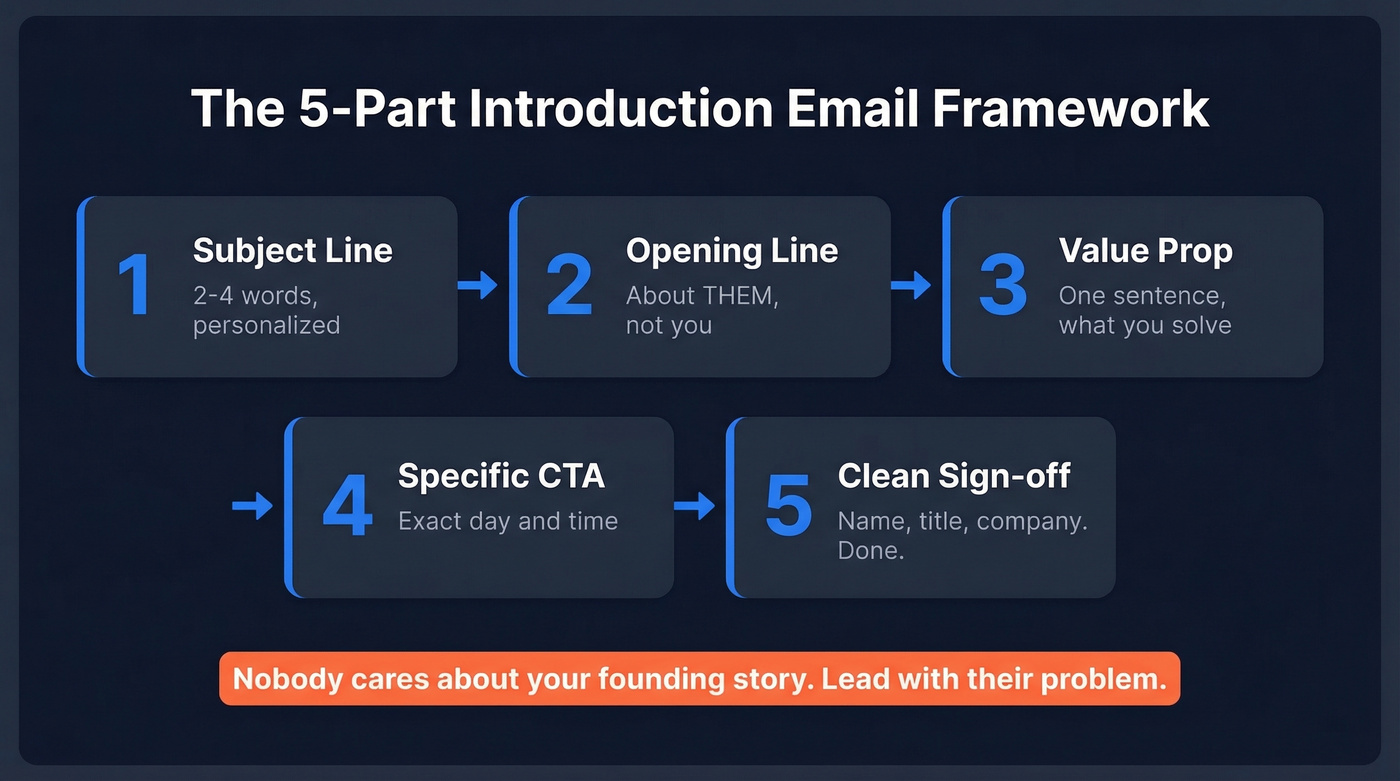
- Subject line - 2-4 words. Personalize when it's natural. (If you need ideas, pull from these email subject line examples.)
- Opening line about them - not your company history. A recent hire, a product launch, a funding round. This is the core of personalized outreach.
- One-sentence value prop - what you solve, for whom. That's it. If you're struggling to compress it, borrow structure from sample elevator pitches.
- Specific CTA - "Do you have 15 minutes Thursday?" beats "Let me know if you'd like to chat" every time. (More rules in this email call to action guide.)
- Clean sign-off - name, title, company. No six-line signature with inspirational quotes.
Nobody cares about your founding story. Lead with their problem.
Subject Lines That Work
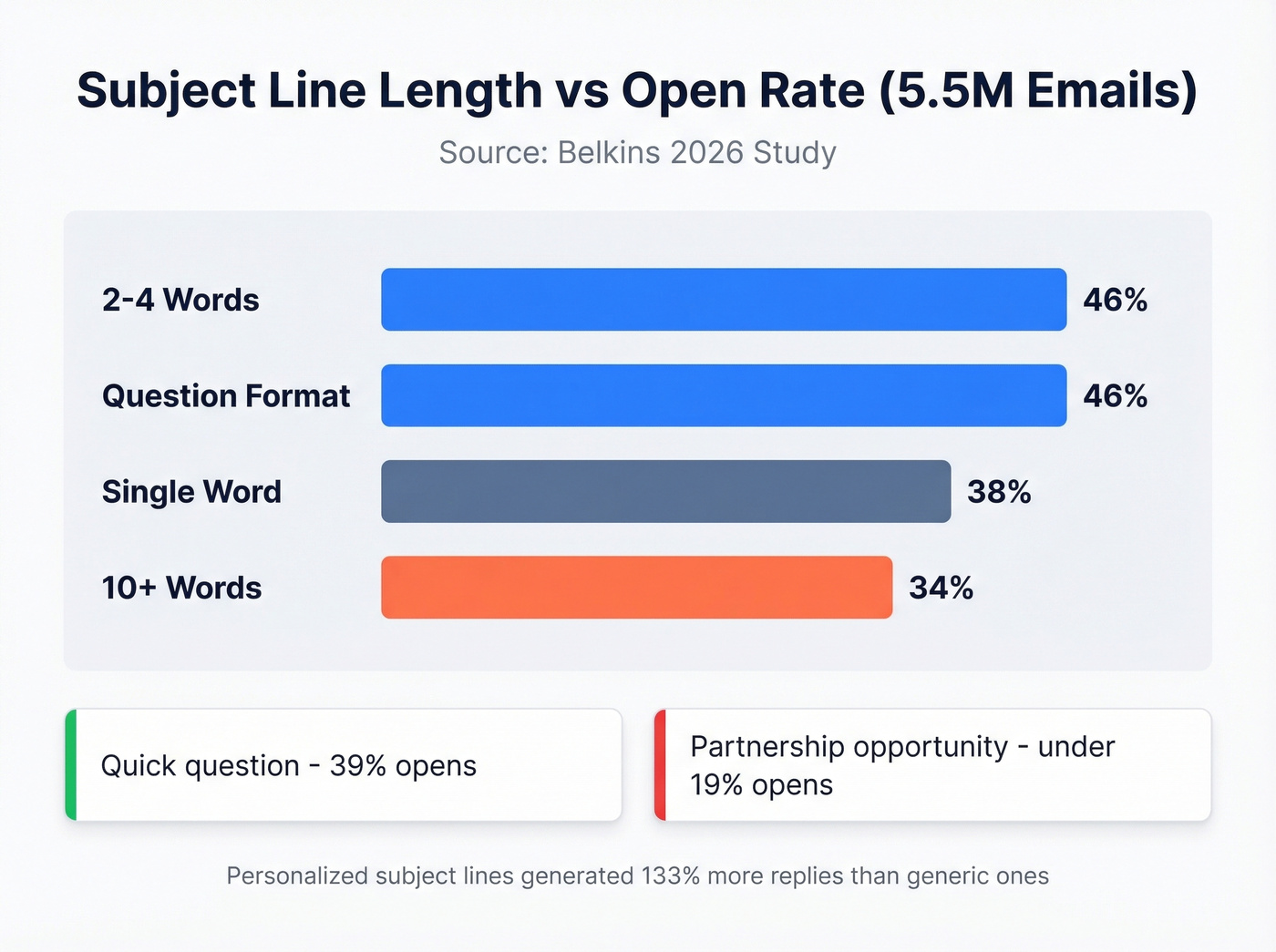
The Belkins study across 5.5 million emails gives us hard numbers:
| Subject Line Style | Open Rate |
|---|---|
| 2-4 words | 46% |
| Question format | 46% |
| Single word | 38% |
| 10+ words | 34% |
One practitioner on r/Entrepreneur reported that "Quick question" pulled 39% opens while "Partnership opportunity" cratered below 19%. Personalized subject lines generated 133% more replies than generic ones. Keep it short, make it about them, drop the salesy language.
If you want more data-backed angles, these prospecting email subject lines are a solid next read.

Trigger-based emails only work if you're reaching the right person. Prospeo's 300M+ profile database lets you find verified emails for decision-makers using 30+ filters - job changes, funding rounds, headcount growth - so every introduction email lands with context that gets replies.
Find the prospect. Verify the email. Send with confidence.
4 Templates You Can Send Today
The goal is always the same: make the message about their problem, not your credentials.
Template 1: Cold outreach (problem-first)
Subject: [Prospect's pain point]?
Hi [First name],
Noticed [specific observation about their company]. Most [role/industry] teams we work with struggle with [problem]. We helped [similar company] [specific result].
Worth a 15-minute call Thursday?
[Your name]
Template 2: Mutual connection
Subject: [Mutual contact] suggested we talk
Hi [First name],
[Mutual contact] mentioned you're working on [initiative]. We helped their team [result]. Happy to share what worked.
Free for 15 minutes next week?
Template 3: Trigger-based
This one works best as a contrast. Most reps send "Congrats on the funding!" and leave it there. Instead, tie the trigger to a specific pain you solve:
Saw [Company] just closed your Series B - congrats. Teams at this stage usually hit [scaling pain]. We solve that for [similar companies]. Worth a quick conversation?
The difference is connecting the event to a problem, not just acknowledging the event.
Template 4: Follow-up (reply-style)
Send this 3-4 days after your first email. Style it as a reply to your original thread, not a fresh message - reply-style follow-ups outperform formal ones by 30%. Add one new data point or angle. Keep it under 40 words.
If you want more variations, use these sales follow-up templates to expand your library without bloating your sequence.
Follow-Up Cadence
| Day | Action |
|---|---|
| Day 1 | Initial email |
| Day 3-4 | Follow-up 1 (reply-style) |
| Day 7-10 | Follow-up 2 (new angle) |
| Day 14-21 | Follow-up 3 (social proof) |
| Day 30 | Breakup email |
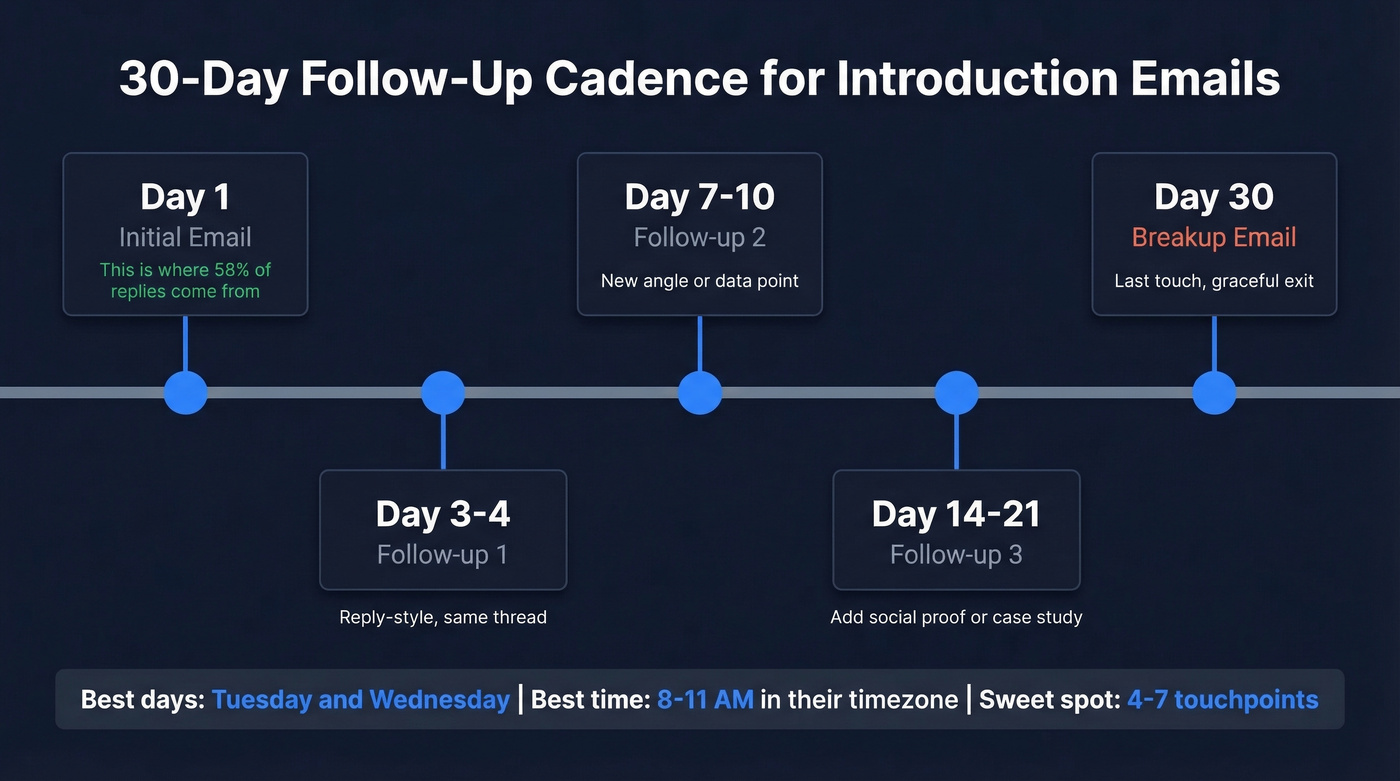
The sweet spot is 4-7 touchpoints. Each touch needs to add something new - a case study, a different angle, a relevant stat. Don't just "circle back."
Tuesday through Wednesday performs best, with Wednesday highest. Aim for 8-11 AM in the prospect's timezone. We've seen opens jump 16% from timing adjustments alone, which lines up with broader data on the best time to send cold emails.
Deliverability Checklist
Your templates are ready. Now make sure they actually land in inboxes.
If you need a full technical walkthrough, follow this email deliverability guide before you scale volume.
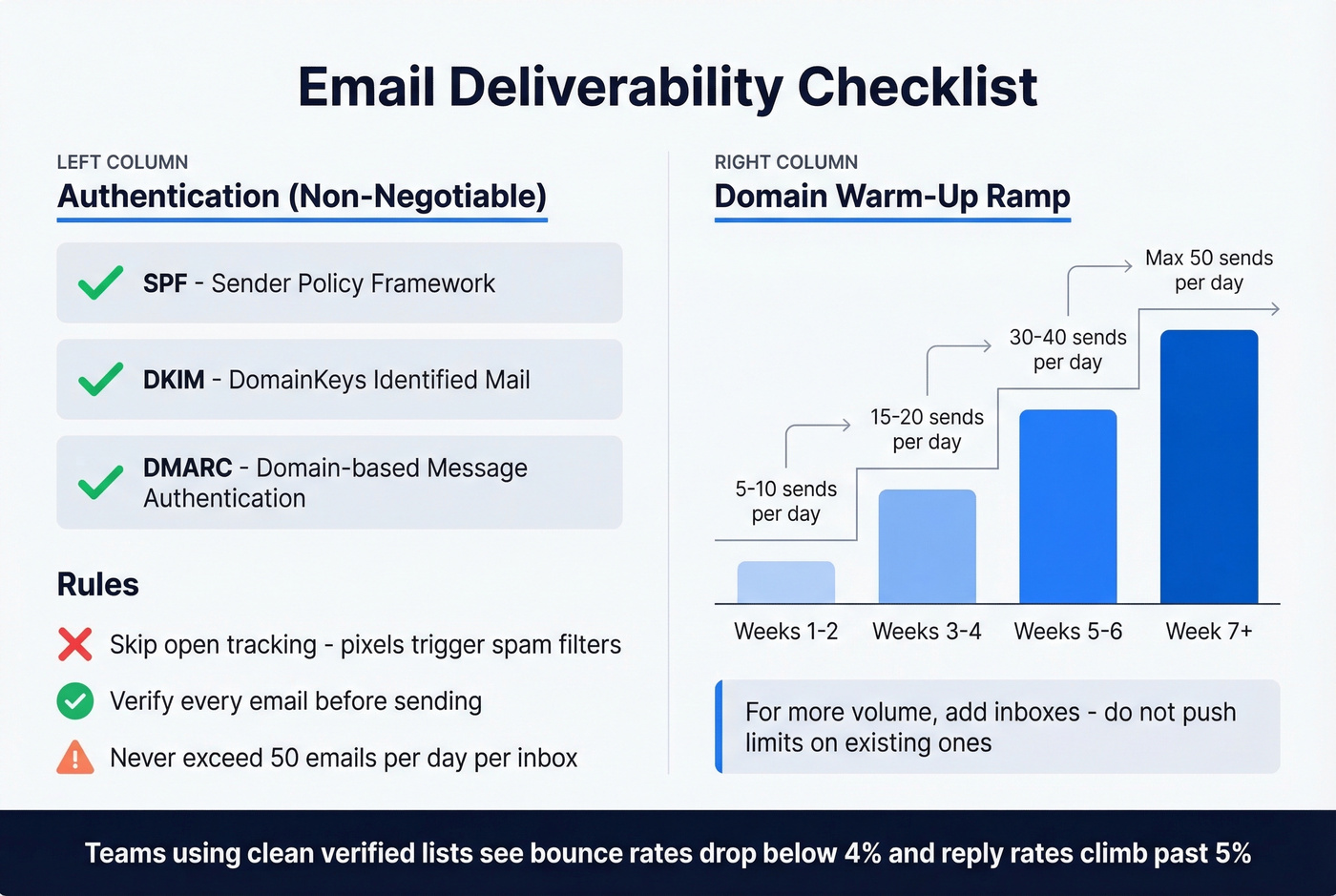
Authentication is non-negotiable. Set up SPF, DKIM, and DMARC on every sending domain. Gmail filters 99.9% of spam - without proper authentication, you're invisible. (If you're troubleshooting, this DMARC alignment explainer helps.)
Domain warm-up ramp:
| Week | Sends/Day |
|---|---|
| 1-2 | 5-10 |
| 3-4 | 15-20 |
| 5-6 | 30-40 |
| 7+ | Max 50 |
Never exceed 50 emails/day per inbox. One practitioner runs 7 domains at ~$420/month and generates 16 qualified leads - that's about $26 per lead. For more volume, add inboxes rather than pushing limits on existing ones. (Related: safe email velocity limits.)
Skip open tracking. Tracking pixels trigger spam filters. Focus on reply rate instead. If you want the technical why, see email tracking pixels.
Verify every email address before sending. This is the step most people skip, and it's the one that destroys domain reputation fastest. We've seen teams go from sub-2% reply rates to 5%+ just by cleaning their lists. Run your addresses through Prospeo before launching any campaign - its 5-step verification catches spam traps, honeypots, and catch-all domains at 98% accuracy, and the free tier covers 75 emails per month. (More on diagnosing issues in email bounce rate.)
Bad data is the invisible killer this article warns about. Prospeo's 5-step verification catches spam traps, honeypots, and catch-all domains at 98% accuracy - refreshed every 7 days, not 6 weeks. Teams using clean lists see bounce rates drop below 4% and reply rates climb past 5%.
Clean your list for ~$0.01/email. No contracts, cancel anytime.
Mistakes That Kill Reply Rates
Here's the thing: most of these aren't copy problems. They're infrastructure problems.
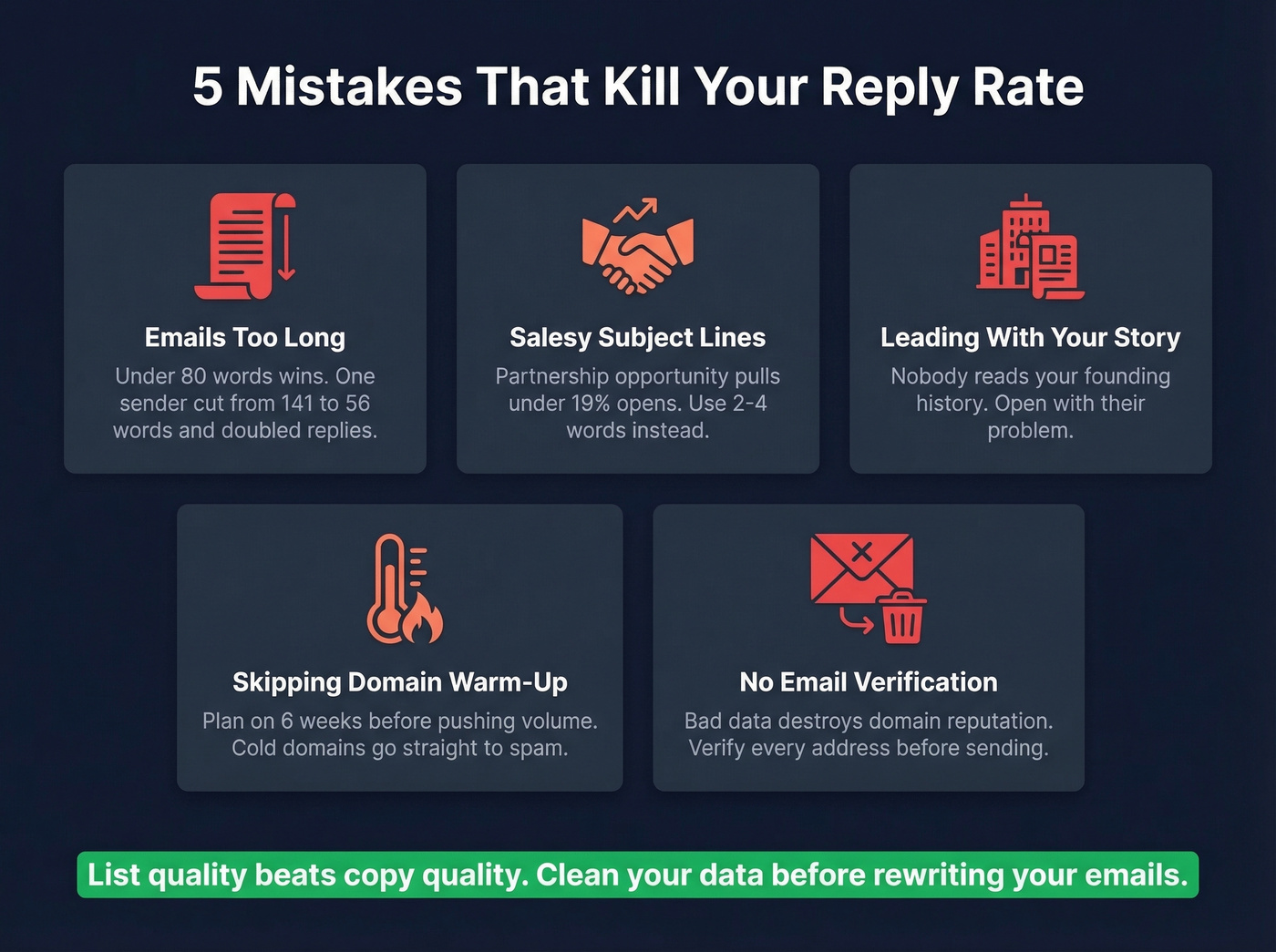
Long emails are a common offender - data says under 80 words wins, and one sender cut from 141 words to under 56 and doubled their reply rate. "Partnership opportunity" subject lines pull under 19% opens, so just don't. Leading with your company history, sending from domains that haven't been warmed up (plan on ~6 weeks before pushing volume), and skipping email verification will each independently tank your campaigns.
Let's be honest about something: if your average deal size is under five figures, you don't need a 14-touch multichannel sequence. Three tight emails with verified addresses will outperform a bloated cadence sent to bad data every single time. In our experience, list quality beats copy quality. Skip the elaborate sequences until your data is clean.
FAQ
How long should a business introduction email be?
Under 80 words. Both Instantly's 2026 data and practitioners who've doubled reply rates converge on brevity. Cut your company backstory - prospects skim, they don't read.
What's a good reply rate for cold introductions in 2026?
Average is 3.43% across all industries. Above 5.5% puts you in the top quartile. Elite senders who combine verified data, short copy, and proper warm-up push past 10%.
How do I keep introduction emails out of spam?
Authenticate your domain (SPF, DKIM, DMARC), warm up over ~6 weeks, verify every address before sending, and cap sends at 50/day per inbox. Skip tracking pixels - they're spam-filter bait.
Should I attach a company profile PDF to my prospecting email?
No. Prospects don't open PDFs from strangers, and attachments trigger spam filters. Use the problem-first template above and link to a one-page overview only if they ask for more detail in their reply.