

The Go to Market Launch Plan Template That Tells You What to Write
Your VP just asked for the launch plan by Friday. You open a blank doc, type "Go to Market Plan," and stare at the cursor. You know the ICP. You've read the strategy decks. But turning all of that into an execution doc with dates, owners, and dependencies - that's where most PMMs get stuck, and it's why fewer than 33% of companies have a formal GTM playbook. The ones that do see 3x revenue growth.
A solid go to market launch plan template closes that gap.
One PMM on r/ProductMarketing put it bluntly: they had the strategy but needed a "wireframe or template" to turn it into actionable items with dates. That's exactly what this article delivers - a complete GTM launch plan you can adapt to any product, any tier, any timeline.
What Separates Plans That Ship
Three things:
- Define your launch tier to scope the plan. Not every launch needs a press release and analyst briefings.
- Build a Launch BOM - the single doc with every asset, owner, and deadline.
- Run three phases: pre-launch (8-12 weeks), launch week, post-launch (4-8 weeks).
Let's break each one down.
Define Your Launch Tier First
A T1 new-product launch and a T3 bug-fix release need fundamentally different coordination. Defining the tier upfront prevents over-engineering a minor release and under-resourcing a major one.
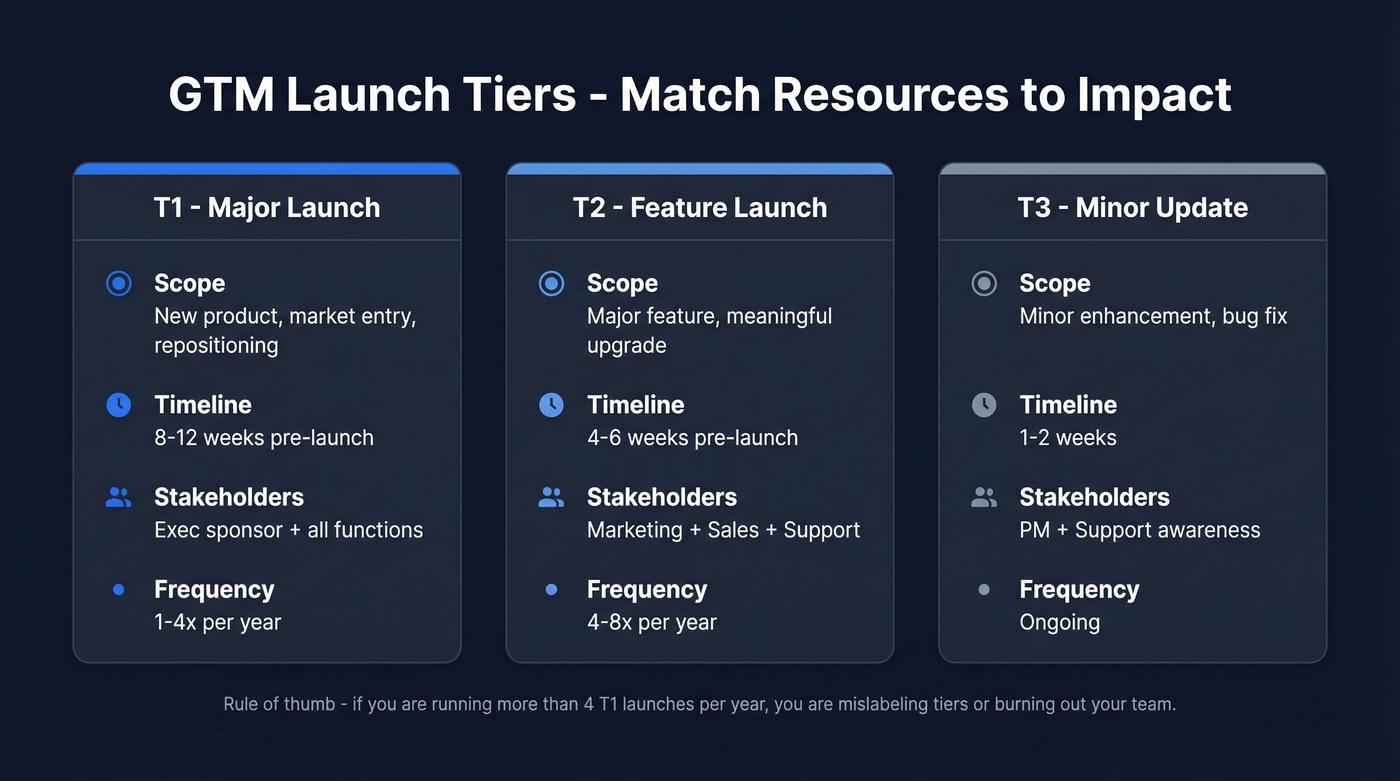
| Tier | Scope | Timeline | Stakeholders |
|---|---|---|---|
| T1 | New product, market entry, repositioning | 8-12 weeks pre-launch | Exec sponsor + all functions |
| T2 | Major feature, meaningful upgrade | 4-6 weeks pre-launch | Marketing + Sales + Support |
| T3 | Minor enhancement, bug fix | 1-2 weeks | PM + Support awareness |
T1 launches happen 1-4 times per year. If you're running more than that, you're either mislabeling tiers or burning out your team. Every T1 needs a VP or C-level champion - no exceptions.
This tiering step is especially critical for a B2B product launch, where cross-functional alignment across sales, marketing, and customer success determines whether the launch lands or fizzles. We've seen teams skip tiering entirely and end up throwing T1 resources at a minor feature update, then scrambling when the actual flagship launch comes around two months later.

Your launch plan has tiers, timelines, and owners. Now you need the prospect data to match. Prospeo's 30+ filters - buyer intent, technographics, headcount growth, funding - let you build T1 account lists that align perfectly with your ICP map. 98% email accuracy means your launch outbound actually lands.
Ship your GTM plan with verified contacts, not guesswork.
The Template, Section by Section
Market Sizing (TAM/SAM/SOM)
Use three calculations: top-down (industry reports narrowed to your addressable slice), bottom-up (potential customers multiplied by average deal size), and value theory (willingness to pay multiplied by reachable accounts). Cross-validate all three. If top-down says $2B and bottom-up says $200M, investigate that gap before launch week - not during it. The ZoomInfo Pipeline worksheets have a solid fill-in-the-blank starting point for this exercise.
If you need a refresher on definitions and math, start with addressable slice and then go deeper on TAM/SAM/SOM.
ICP and Buyer Mapping
Your ICP isn't one monolithic profile. It's tiered. Tier 1 accounts have the highest fit and strongest intent signals. Tier 2 accounts fit the profile but aren't showing buying behavior yet. Tier 3 accounts are adjacent markets worth testing but not worth heavy investment at launch.
For each tier, map the buying committee. B2B purchases involve 6-10 decision-makers, and each one has different priorities. Build a persona template for each role covering goals, pain points, and buying behavior. Skip this step and your messaging will be generic enough to ignore.
Once your ICP tiers and buyer map are locked, the next step is building the actual prospect list. Prospeo's database covers 300M+ profiles with 30+ filters - buyer intent, technographics, headcount growth - so you can build a T1 account list in hours instead of weeks.
If you want a scoring rubric to make tiers objective, use an Ideal Customer Profile Template and layer in Identifying Buying Signals.

A launch BOM without accurate contact data is just a spreadsheet of good intentions. Prospeo gives you 300M+ profiles with verified emails and direct dials, refreshed every 7 days - so your sales team hits launch week with live data, not stale lists from last quarter's research phase.
75 free emails per month. No contract. Start before Friday's deadline.
Positioning and Messaging
Your positioning doc answers three questions: What do we do? Why are we different? Why should this buyer care?
Build messaging variants by persona and tier. The CTO cares about architecture. The VP of Sales cares about pipeline impact. The CFO cares about ROI payback period. A strong positioning doc follows a natural sequence: customer insights first, then positioning and messaging, then GTM tactics. If your positioning can't survive that sequence, it's not ready for market.
If you need a tighter framework for this section, borrow from B2B Brand Positioning.
Channel and Sales Motion
Map your sales motion to your ICP tier. The four standard motions are self-serve (PLG), inside sales (SDR/AE), field sales (enterprise), and channel (partners/resellers).
T1 accounts warrant field sales or high-touch inside sales. T3 accounts should convert through self-serve or low-touch channels. Here's the thing: sending a high-touch sales motion after a low-ACV self-serve account is a fast way to blow up your unit economics. Match the motion to the tier, and your cost-per-acquisition stays sane at every level.
If you're building outbound sequences for launch week, keep a set of sales follow-up templates handy.
The Launch BOM
The Launch BOM - Bill of Materials - is the single most important artifact in your GTM launch plan. It's a living doc listing every asset, channel, owner, deadline, and dependency in one place. Blue Seedling's framework nails this concept.
Typical BOM categories: assets (one-pagers, decks, demos), website updates, blog content, email sequences, social posts, paid ads, and PR. Update the BOM during every standup with the doc open. Owners update their own rows. The moment the BOM goes stale, it becomes fiction - and we've watched that happen more times than we'd like to admit.
Use Google Sheets or Notion. Collaborative, real-time, no vendor lock-in.
If you want to operationalize enablement deliverables inside the BOM, map them to Marketing Enablement and Sales Battle Cards.
Timeline - Three Phases
| Phase | Timeline | Key Activities |
|---|---|---|
| Pre-launch | 8-12 weeks | Market research, positioning, exec alignment, beta, enablement, press pre-briefs |
| Launch week | 5-7 days | Press release, email + social, paid ads, sales training, blog + case studies, internal all-hands |
| Post-launch | 4-8 weeks | KPI tracking, win/loss analysis, sales feedback, adoption analytics, retrospective |
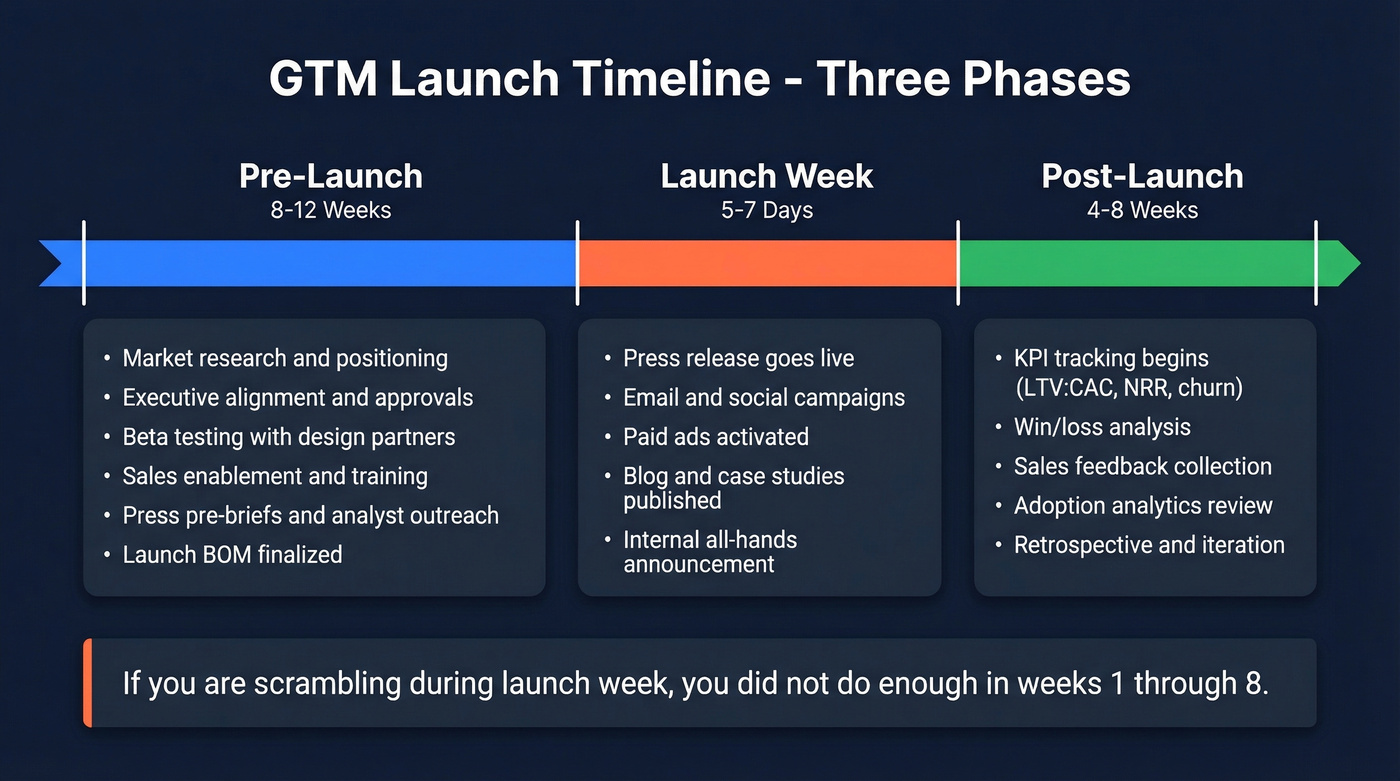
The pre-launch phase is where most plans fall apart. If you're scrambling during launch week, you didn't do enough in weeks 1-8. Full stop.
Cross-Functional Readiness
Before you flip the switch, every function needs a green light:
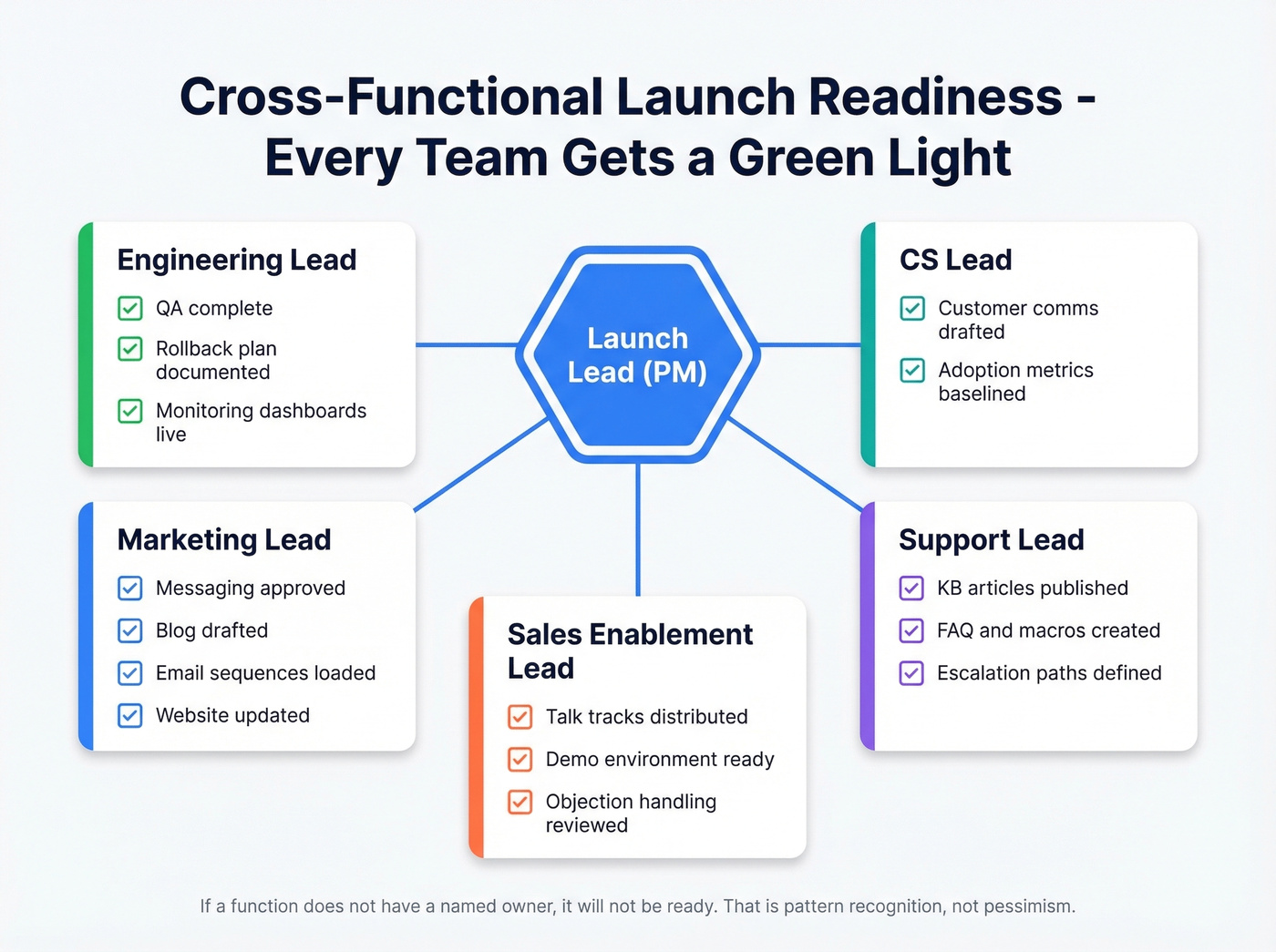
- Engineering: QA complete, rollback plan documented, monitoring dashboards live
- Marketing: Messaging approved, blog drafted, email sequences loaded, website updated
- Sales: Talk tracks distributed, demo environment ready, objection handling reviewed
- Support: KB articles published, FAQ/macros created, escalation paths defined
- CS: Customer comms drafted, adoption metrics baselined
Assign explicit owners for each: launch lead (PM), engineering lead, marketing lead, sales enablement lead, support lead, CS lead. If a function doesn't have a named owner, it won't be ready. That's not pessimism - it's pattern recognition from watching dozens of launches stumble on exactly this point.
KPIs and Measurement
Launch-day revenue tells you almost nothing. You need 4-8 weeks of data before you can call a launch successful.
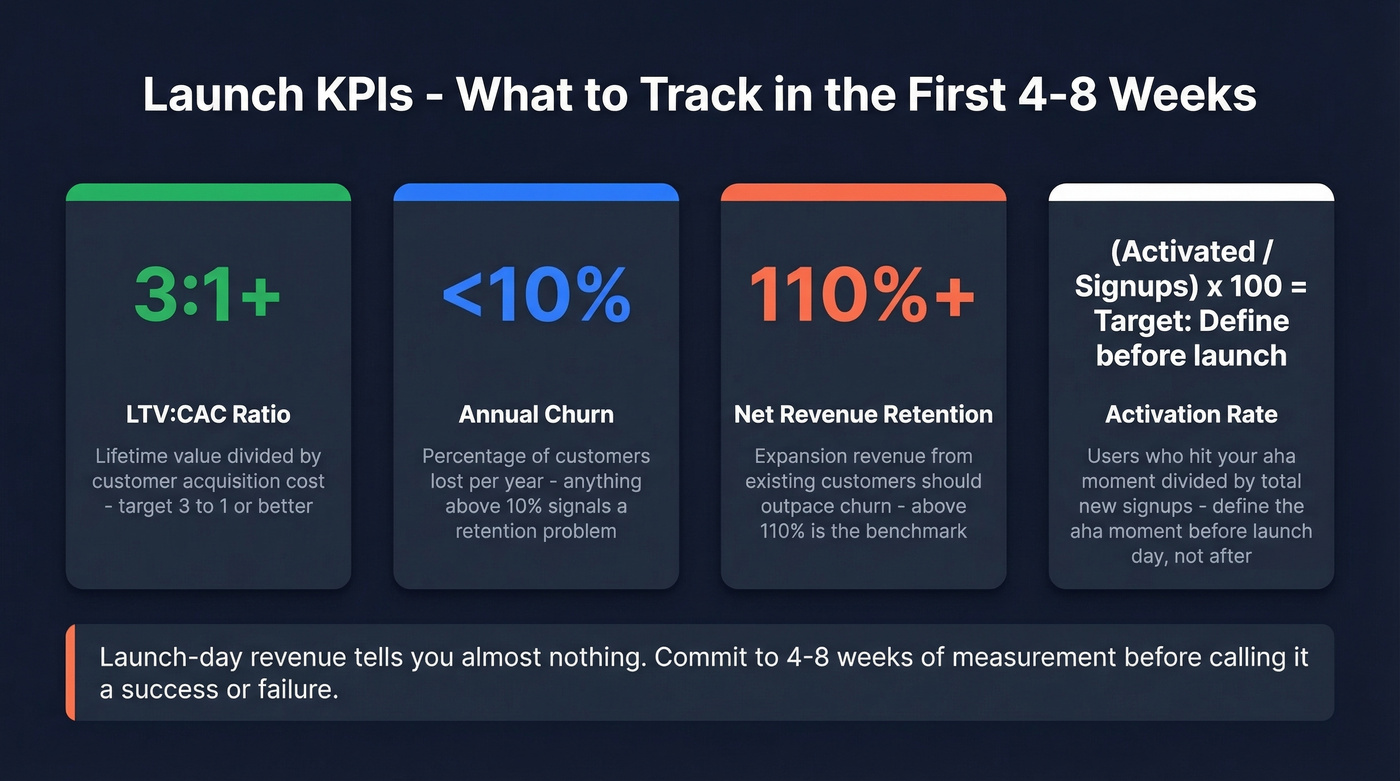
Track LTV:CAC ratio (target 3:1 or better), annual churn (under 10%), NRR (above 110%), and activation rate: activated users divided by new signups, times 100. Define your "aha moment" before launch - not after. Teams that wait until post-launch to figure out what success looks like almost always end up rationalizing mediocre results.
If you want a deeper measurement layer, align launch reporting to Funnel Metrics and keep an eye on Churn Analysis.
Five Launch Mistakes That Kill Momentum
1. Internal readiness gaps. Sales and CS learn about the launch from the press release. We've watched teams skip internal enablement and pay for it on launch day with confused reps and angry customers. Fix: launch internally first, at least 48 hours before external go-live.
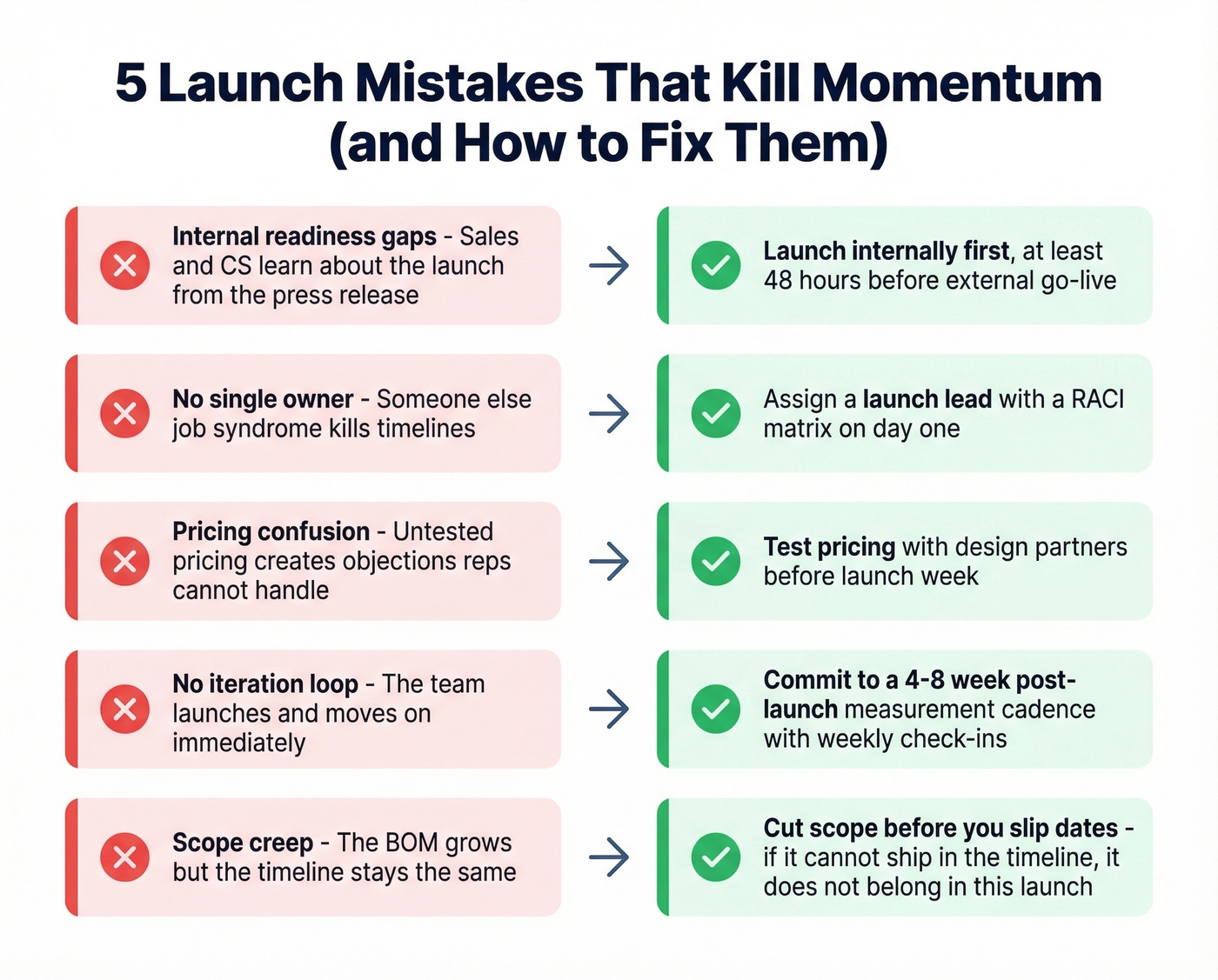
2. No single owner. "Someone else's job" syndrome kills timelines. Fix: assign a launch lead with a RACI matrix on day one.
3. Pricing confusion. Untested pricing creates objections your reps can't handle. Fix: test pricing with design partners before launch week.
4. No iteration loop. The team launches and moves on. Fix: commit to a 4-8 week post-launch measurement cadence with weekly check-ins.
5. Scope creep. The BOM grows but the timeline doesn't. As Highspot's launch guide puts it, launch week should be "the final 10%, not scrambling at 110%." Fix: cut scope before you slip dates. If you can't ship it in the timeline, it doesn't belong in this launch.
GTM Launch Planning Tools
The template matters less than the operational discipline of maintaining a single source of truth. A BOM updated in every standup ships launches. A PDF downloaded once collects dust.
Google Sheets and Notion remain the best options for most teams - collaborative, real-time, and free to start. For prospect list building, Prospeo handles the data layer so you can focus on execution rather than manually hunting for contact info.
If your go to market launch plan template doesn't have owners and dates, it's a wishlist - not a plan.
FAQ
What's the difference between a GTM strategy and a launch plan?
A GTM strategy defines your market, positioning, and value prop. A launch plan is the execution doc with dated tasks, owners, and dependencies that turn strategy into a shipped product. You need both, but the launch plan is what keeps people accountable week over week.
How long does a T1 launch take end to end?
Plan for 8-12 weeks of pre-launch prep, one launch week, and 4-8 weeks of post-launch measurement - roughly 3-5 months total. Compressing below 8 weeks of pre-launch almost always means cutting enablement or testing, which shows up as launch-day chaos.
What tool should I use for my launch plan?
Google Sheets or Notion. Collaborative, real-time, no tool lock-in. Skip PDFs or slide decks - they go stale immediately. For the prospect list itself, Prospeo's database lets you filter by intent and technographics to build target account lists, with 75 free verified emails per month to get started.
What KPIs should a GTM launch plan track?
At minimum: LTV:CAC ratio (3:1 or better), annual churn (under 10%), NRR (above 110%), activation rate, and traffic by channel. Measure for 4-8 weeks post-launch before declaring success or failure. Launch-day numbers are noise.