

How to Research a Company for Sales: A 15-Minute Workflow
Sales reps spend roughly 6 hours per week researching prospects and only 2 hours a day actually selling. Meanwhile, 96% of prospects research your company before they'll take a call. The math is brutal. If you're burning a quarter of your week on pre-call prep, the answer isn't more tactics - it's a tighter process.
You don't need 30 research tactics. You need 5 steps you can repeat 50 times a week.
What You Need Before Starting
Three things:
- A repeatable 5-step process you can run in 15 minutes per account. No more.
- A one-page account brief you compile before writing a single word of outreach. If you can't fill it in 15 minutes, you're over-researching.
The 15-Minute Prospect Research Workflow
The order matters. Start with what you already have, then layer external intelligence. Budget 10-20 minutes for mid-market accounts and 20-45 minutes for enterprise. Spending longer than that on a mid-market target? You're procrastinating, not prospecting.
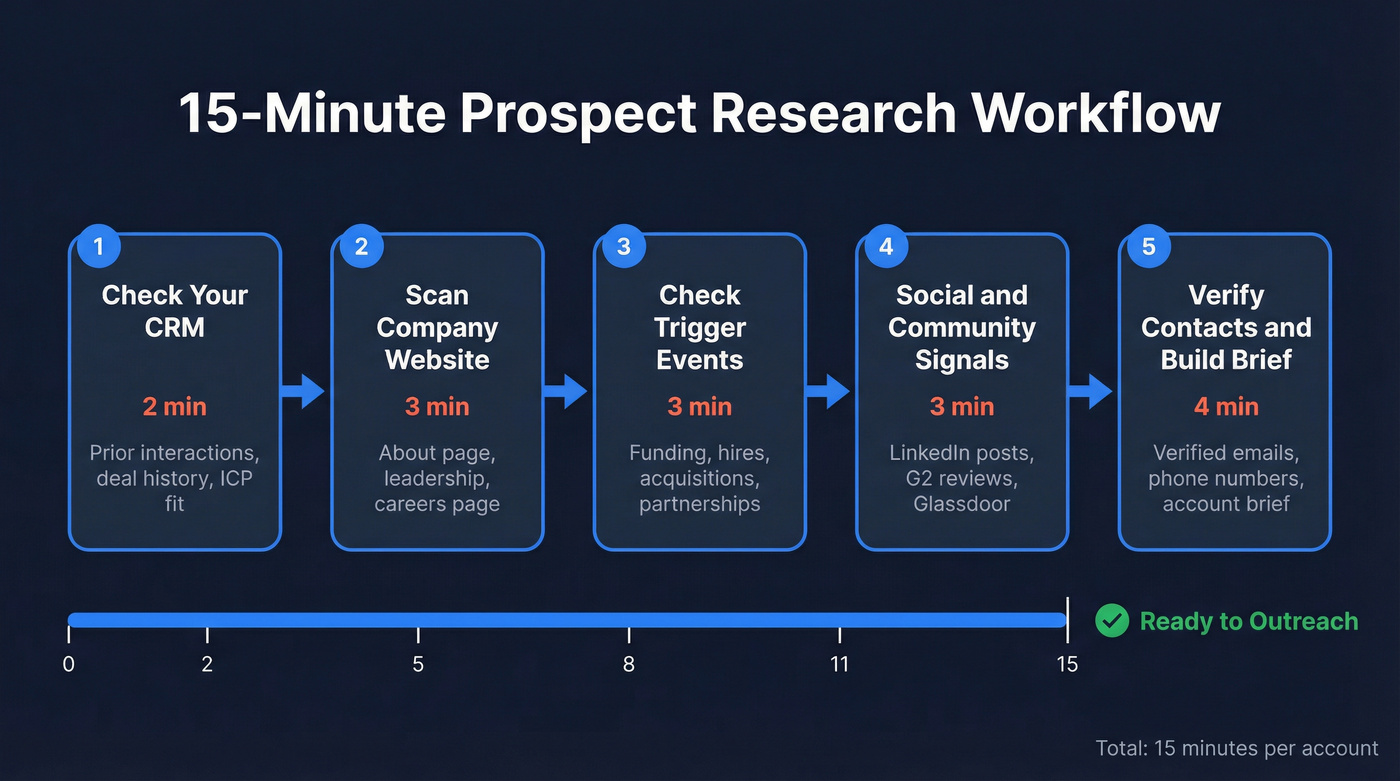
Step 1: Check Your CRM First (2 min)
Before you open a single browser tab, search your CRM. Look for prior interactions, marketing engagement history, past deals won or lost, and any notes from colleagues. First, confirm the account fits your ideal customer profile - if it doesn't, stop here.
We've seen reps spend 20 minutes researching an account that a teammate already had a relationship with. Two minutes in Salesforce or HubSpot saves you from looking uninformed.
Step 2: Scan the Company Website (3 min)
Go straight to the About page, leadership team, and press/news section. But here's the move most reps skip: check the careers page.
Job postings are public declarations of priorities. If a company is hiring multiple CRM admins, it's investing in CRM infrastructure. If it's hiring a VP of Security, security is a board-level initiative. The consensus on r/sales is that the careers page is the single highest-ROI research source - it takes 30 seconds and tells you more than a 10-K filing. This step alone can transform your pre-call preparation from generic to genuinely informed, because you're reading what the company is doing, not just what it says it does.
Step 3: Check Trigger Events (3 min)
Funding rounds, leadership changes, acquisitions, and hiring surges are the highest-signal research inputs. Set up Google Alerts with queries like "Company Name" + funding OR acquisition OR partnership -jobs to filter noise and catch events as they happen.
Crunchbase's free tier helps you quickly understand a company's funding history, stage, and key people. Trigger events matter because they change priorities, budgets, and vendor openness - and they give you a real reason to reach out now. For target account research, trigger events are the difference between "interesting timing" and "why are you emailing me?" (If you want to operationalize this, see trigger events and signal-based outbound.)
Step 4: Review Social and Community Signals (3 min)
Check the professional profiles of the decision-makers you've identified. Look at what they're posting about, commenting on, and sharing - these are real-time pain signals. Pay special attention to whether they're engaging with content related to your solution category. That kind of intent signal tells you whether the account is passively aware or actively evaluating.
Then scan G2 and Glassdoor reviews. G2 reviews reveal what tools they use and what frustrates them. Glassdoor reviews surface internal pain points no press release will mention. A company with a string of negative reviews about "outdated tech stack" is telling you exactly what pain to lead with.
Step 5: Verify Contacts and Build Your Brief (4 min)
All that research is worthless if your email bounces or your phone number connects to someone who left six months ago.
Use a contact data platform to pull verified emails and mobile numbers for the decision-makers you've identified. Prospeo's Chrome extension lets you grab contact data from any website or CRM in one click, returning 40+ data points per contact - and its data refreshes every 7 days, which matters when you're reaching out to people who change roles constantly. (If bounces are a recurring issue, use an email checker tool and a dedicated email ID validator.)
Compile everything into a one-page account brief: company context, trigger event, pain hypothesis, and verified contact for your champion and the broader buying committee. Structure it like a pre-call research checklist - ScaleVP publishes a solid template if you want a starting point.
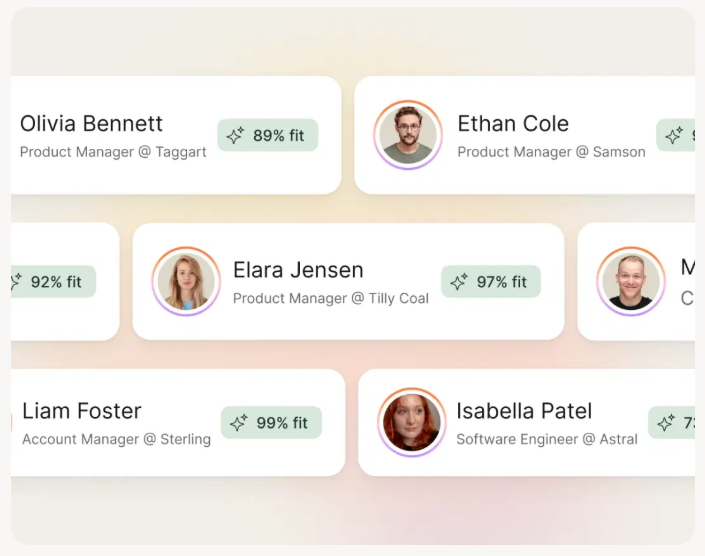

Your 15-minute research workflow ends with verified contacts - or it ends with bounced emails. Prospeo's Chrome extension pulls 40+ data points per contact from any website or CRM, with 98% email accuracy and a 7-day data refresh cycle. No more reaching out to people who left six months ago.
Finish your account research with contacts you can actually reach.
Map Research to MEDDIC
MEDDIC isn't just a qualification framework - it's a research checklist disguised as a methodology. Every element maps directly to a source you can check in your 15-minute workflow.
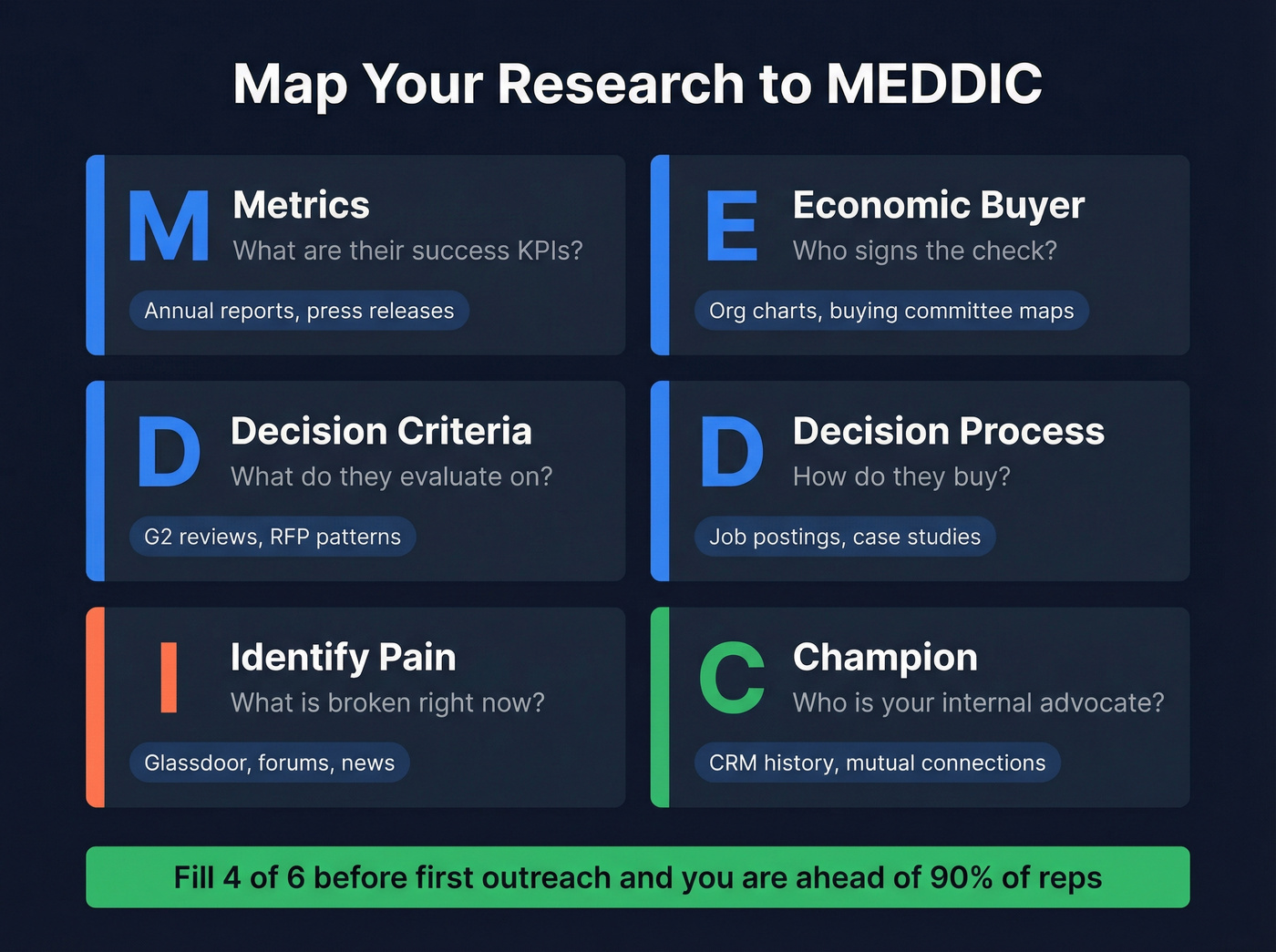
| MEDDIC Element | What to Research | Where to Find It |
|---|---|---|
| Metrics | Their success KPIs | Annual reports, press releases |
| Economic Buyer | Who signs the check | Org charts, buying committee maps |
| Decision Criteria | What they evaluate on | G2 reviews, RFP patterns |
| Decision Process | How they buy | Job postings, case studies |
| Identify Pain | What's broken | Glassdoor, forums, news |
| Champion | Internal advocate | CRM history, mutual connections |
If you can fill in at least four of these six before your first outreach, you're ahead of 90% of reps who lead with a generic "I noticed your company is growing" opener. (For a tighter qualification layer, pair this with account qualification.)
Research Mistakes That Kill Deals
Here's the thing: most reps don't have a research problem. They have a doing-something-with-the-research problem. Companies with effective prospecting processes generate 50% more sales-ready leads at 33% lower cost. The workflow only works if it changes your outreach.
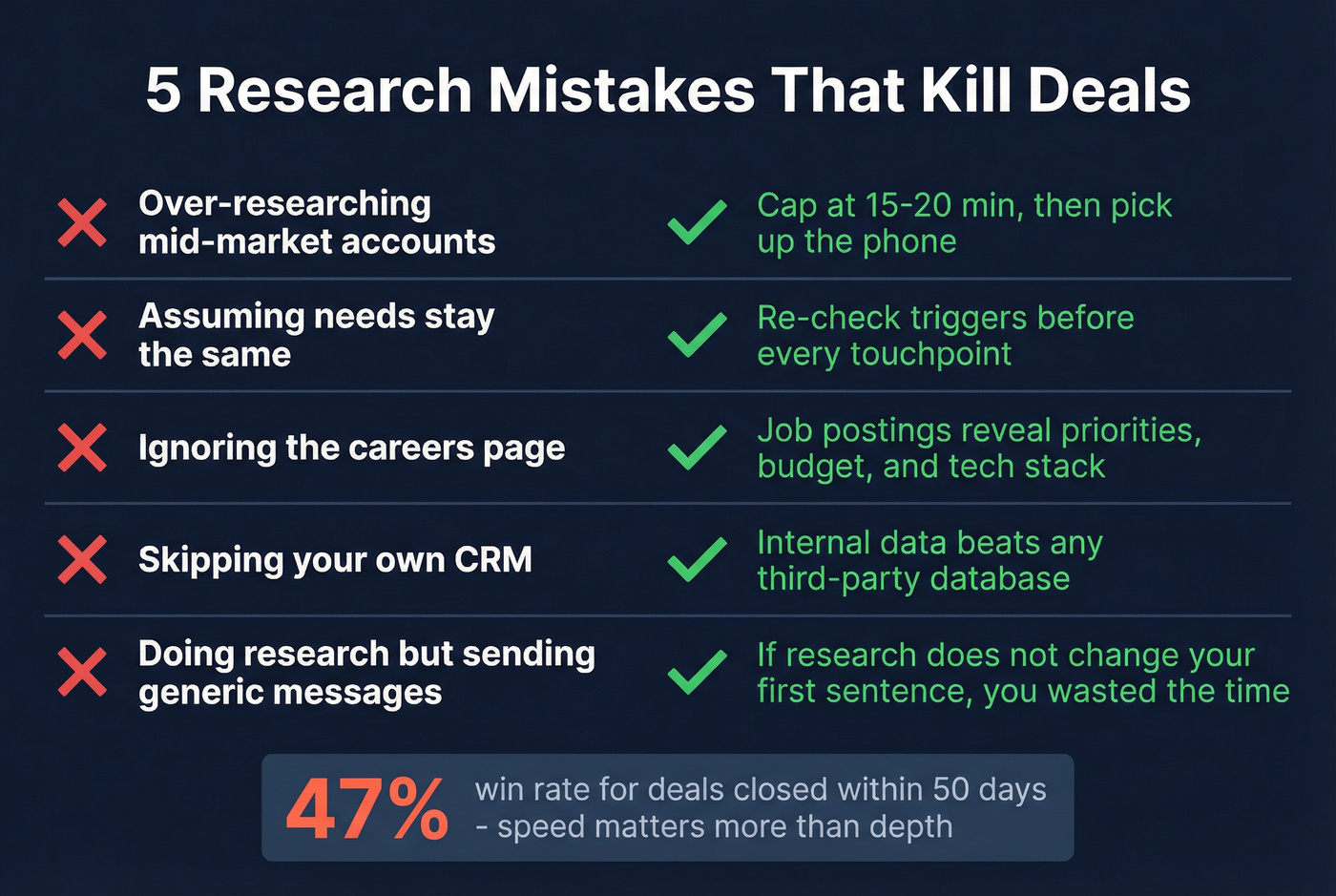
Over-researching at the expense of volume. If you're spending 45 minutes on a mid-market account, you're avoiding the phone. Opportunities closed within 50 days have a 47% win rate - speed matters more than depth.
Assuming needs are static. A prospect's pain in January isn't their pain in June. Re-check trigger events before every touchpoint.
Ignoring job postings. We keep coming back to this because it's that good. The careers page tells you priorities, budget, tech stack, and growth trajectory - all for free. (You can also treat hiring as a first-class signal: hiring signals for sales.)
Skipping your own CRM. Your internal data is the highest-quality intelligence you have. Prior interactions and deal history beat any third-party database. (If your CRM is messy, fix the foundation with CRM hygiene.)
Doing research but sending generic messages anyway. Look - it takes an average of 8 touches to reach a prospect. If your pre-call research doesn't change your first sentence, you wasted the time. (Use a proven outreach email template to translate insights into copy.)
Free and Paid Research Tools
| Category | Tool | Cost | Best For |
|---|---|---|---|
| News & Triggers | Google Alerts | Free | Funding, acquisitions, partnerships |
| Funding & Firmographics | Crunchbase | Free; Pro ~$49/mo | Rounds, company size |
| Tech Stack | BuiltWith | Free basic | Technologies in use |
| Pain Signals | G2 / Glassdoor | Free | Reviews, sentiment |
| AI Summarization | ChatGPT | Free; Plus $20/mo | Earnings calls, press |
The free tiers across these tools cover most mid-market research needs. For enterprise accounts with larger buying committees, paid tiers on Crunchbase and Prospeo pay for themselves on the first deal. Prospect research doesn't need to be expensive - it needs to be systematic.
You just mapped trigger events, job postings, and MEDDIC elements in 15 minutes. Don't waste that research on a bad phone number. Prospeo gives you 143M+ verified emails and 125M+ verified mobiles - at $0.01 per email - so every account brief you build connects to a real conversation.
Turn pre-call research into booked meetings, not bounced emails.
FAQ
How long should you spend researching a company before outreach?
Budget 10-20 minutes for mid-market accounts and 20-45 minutes for enterprise deals with multiple stakeholders. Anything beyond that for accounts under $50K ACV is over-researching at the expense of outreach volume - speed correlates more strongly with win rates than research depth.
What's the most underrated source for company research?
Job postings. A company's careers page reveals priorities, budget allocation, tech stack, and pain points - all publicly available and updated frequently. A company hiring for a role that your product supports is practically self-qualifying as an opportunity.
How do you research a company with little public information?
Start with professional profiles of employees to understand team structure and growth signals. Check G2 or Glassdoor for reviews, then use a contact data platform to identify decision-makers and pull verified contact details even when the company website is thin. Smaller companies leave fewer public breadcrumbs, so contact-level research matters more than firmographic data.
What's the difference between prospecting and prospect research?
Prospecting is finding potential buyers who fit your ICP. Prospect research is the prep work on a specific company before reaching out - understanding their business, pain points, trigger events, and decision-makers so your outreach is relevant rather than generic. Research without action is just reading. Prospecting without research is just spam.
Why is pre-call research important in B2B sales?
Researching prospects before a sales call lets you lead with relevance instead of a generic pitch. When you understand a company's recent trigger events, tech stack, and pain points, your discovery questions are sharper and your prospect trusts you faster. Pre-demo research follows the same logic - reviewing the buyer's specific use case means you tailor the walkthrough to their actual workflow rather than running a canned presentation.