

Automated Email Warmup: The Honest Guide (Including Why It Might Not Work)
You ran GlockApps on your freshly warmed inbox. The dashboard says 84% inbox placement. Your warmup tool's dashboard says 95%. Then you launch your first campaign and watch your reply rate flatline - because the 84% was generous. A Reddit user in r/coldemail put it bluntly: "Gmail is AWFUL, like 12% delivery rate. Everything going to spam." Meanwhile, your automated email warmup tool keeps sending you cheerful daily reports.
98.16% of B2B emails technically "deliver." Only 84.3% actually land in the inbox. That 14-point gap is where campaigns go to die, and it's the gap warmup tools promise to close. Some do. Most don't. And the ones that work only work when everything else is already in place.
Here's the thing most people get wrong: teams obsessing over warmup tools would get better results spending that same hour verifying their email lists. A 5% bounce rate from bad data destroys sender reputation faster than a cold domain ever could, and no warmup tool on earth can undo that damage.
What You Need (Quick Version)
If your domain is new: Yes, warm up - but authentication and infrastructure matter more. Wait 7-10 days after purchasing the domain before sending anything. Start manual for a week, then layer in a tool like Instantly or Warmbox. Warmup is step 5, not step 1.
If you're already landing in spam: Warmup alone won't save you. Check your bounce rate first - bad data destroys reputation faster than a cold domain. Verify your list before touching a warmup tool.
If you just want a tool: Instantly (Growth plan $37/mo, warmup included), Warmbox ($15/mo standalone), or TrulyInbox (free tier to start). Pick one and move on - the tool matters less than everything around it.
What Automated Email Warmup Actually Is
An automated email warmup service sends and receives emails on your behalf to build sender reputation with inbox providers like Gmail and Outlook. The goal: make your mailbox look like it belongs to a real human who sends real emails that real people engage with.
That's the theory. Here's how it actually works.
How the Warmup Process Works Mechanically
Every warmup tool operates on the same basic principle - a peer-to-peer network of email accounts that send messages to each other and simulate engagement.

Your mailbox joins a pool. Could be 10,000 accounts, could be a million. The tool sends emails from your account to others in the pool. Those accounts open your emails, reply to them, mark them as important, and - critically - move them out of spam if they land there. This generates positive engagement signals that inbox providers use to evaluate your sender reputation.
The replies aren't random. Good tools vary subject lines, response timing, and thread formatting to mimic human behavior. Bad tools send the same template across thousands of mailboxes at predictable intervals. Gmail can tell the difference.
The "move from spam" action matters most for new accounts. When a recipient manually drags your email out of their spam folder, it tells Google: "This sender is legitimate. I want their emails." Enough of those signals, and your inbox placement improves. At least, that's how it's supposed to work.
Email Warmup vs. Domain Warmup vs. IP Warmup
These three terms get used interchangeably, but they're different processes with different timelines.

Email warmup builds trust for a specific email account. Timeline: 2-4 weeks. Start at 10-20 emails per day and ramp up. This is what most cold emailers need. (If you want the full mechanics and templates, see how to warm up an email address.)
Domain warmup establishes credibility for your entire domain (yourcompany.com). Timeline: 4-8 weeks. Requires SPF, DKIM, and DMARC to be configured first. Necessary for new or dormant domains.
IP warmup builds reputation for a dedicated sending IP. Timeline: 30-60 days, sometimes up to 90. Start at 50-100 emails per day and double every few days. This only matters if you're sending 50,000+ emails per month on a dedicated IP. Most cold emailers on shared IPs don't need it - your ESP's shared IP already has an established reputation. (More context in dedicated IP vs shared IP cold outreach.)
Does Email Warmup Automation Actually Work in 2026?
The evidence is genuinely mixed, and anyone who tells you warmup tools definitively work (or definitively don't) is selling something.
The Case Against Warmup Tools
Google explicitly told GMass founder Ajay Goel that warmup tools violate Gmail's terms of service. That was November 2022. By February 2023, Google forced GMass to not even mention warming up Google accounts on their site. GMass shut down their entire warmup service - after sending 1,295,152,830 warmup emails for 236,084 accounts over two years.
Read that again. 1.3 billion emails. Google noticed.
Folderly's founder - who runs a deliverability company that sells warmup - stated on video that warmup tools don't work. That's like a gym owner saying treadmills are pointless. When the person selling the thing tells you it doesn't work, pay attention.
Postbox Services tested nearly all major warmup tools and found none demonstrated meaningful improvements in deliverability or reputation. Users reported no measurable improvement in open rates, and Google Postmaster Tools showed no significant lift in domain or IP reputation. Sean (@seanb2b) tweeted in July 2024 that reply rates actually improved when he stopped using warmup. Others in his community confirmed the same pattern.
The Case For (With Caveats)
WarmySender's data tells a different story: domains maintaining warmup alongside campaigns held 73% inbox placement, compared to 52% for domains that stopped warmup entirely. That's a 21-point gap - significant enough to matter.
New domains genuinely benefit from gradual volume ramps. A brand-new mailbox that starts blasting 50 cold emails on day one will get flagged. A mailbox that sends 5 emails on day one, 10 on day five, and 30 by week three looks organic. Whether you need a tool for that ramp is the real question.
Mailpool frames it well: warmup tools are training wheels. They help you get started, but they're not what keeps you balanced long-term. Mailpool also estimates over 57% of emails never reach the inbox, which puts the whole conversation in perspective. The tools that actually work use large networks of real Google Workspace and Office 365 accounts, not throwaway SMTPs hosted on cloud servers.
The Balanced Take
Here's where we've landed after watching dozens of teams go through this: warmup is useful for new domains when combined with proper authentication and infrastructure. It's not a silver bullet. It's not even a bronze bullet if your SPF records are broken, your bounce rate is 8%, or your emails read like they were written by a committee.

The tools that deliver results share three traits: large networks (10,000+ real mailboxes), varied engagement patterns, and real inbox provider accounts (not cloud-hosted SMTPs). If your warmup tool can't check those boxes, it's probably doing more harm than good.
How Email Providers Detect Warmup Tools
Gmail and Outlook aren't stupid. They process billions of emails daily and have pattern recognition specifically designed to identify artificial engagement.

1. Closed-loop communication patterns. When Account A only emails Account B, and Account B only emails Account A, and both accounts are in the same warmup pool - that's a signal. Real humans email dozens of different people. Warmup accounts email the same rotating pool.
2. Unnatural engagement timing. Replies that consistently arrive 2-3 hours after every send. Real people reply in 30 seconds or 3 days. The consistency is the tell.
3. Identical behavioral fingerprints. When 500 accounts all open emails at similar intervals, reply with similar lengths, and mark messages as important at similar rates - that's a pattern, not a coincidence.
4. The engagement cliff. This one's brutal. When you stop your warmup tool and engagement drops off a cliff overnight, that sudden decline becomes a negative signal. It can damage your reputation more than never warming up at all.
5. Spam trap contamination. Warmup pools sometimes contain reclaimed email addresses that now function as spam traps. Send to one, and you're flagged instantly.
Beyond behavioral signals, most warmup tools use automated openers hosted on cloud services like Heroku or AWS. These share IP addresses and predictable fingerprints that Google can identify as non-human. Google's response is essentially: "This mailbox shows bot-like activity. Ignore it for reputation signals."
That last part is the killer. If Google decides your warmup activity is artificial, it doesn't just ignore the positive signals - it flags your mailbox as suspicious. Your warmup tool's dashboard still shows 95% inbox placement (because it's testing against its own controlled network), while your actual campaigns land in spam.

A 5% bounce rate destroys sender reputation faster than a cold domain. Prospeo's 5-step email verification delivers 98% accuracy - so your warmup actually sticks instead of fighting bad data the whole way.
Fix your list before you fix your warmup. Start free with 100 credits.
Google and Microsoft Crackdown - What Changed and What's Coming
Both major inbox providers tightened enforcement significantly, and the trend is accelerating into 2026 with increasingly aggressive AI-driven filtering.

Gmail now blocks over 99.9% of spam and has reduced scam emails by 35%. The spam complaint threshold dropped from ~0.3% to 0.1% - meaning just one complaint per thousand emails puts you in danger. Gmail's AI evaluates engagement and trust signals together: reply rates, open rates, interaction history, and sending patterns. High-volume campaigns with low engagement get flagged; smaller, relevant campaigns get rewarded. (Related: spam rate threshold.)
Microsoft followed suit. Domains sending over 5,000 emails per day to Outlook.com addresses must have SPF passing, DKIM passing, and DMARC at minimum p=none with alignment. Non-compliant messages get routed to Junk, and Microsoft reserves the right to reject them entirely.
| Requirement | Gmail | Microsoft Outlook |
|---|---|---|
| SPF/DKIM/DMARC | Required | Required (5K+/day) |
| Volume threshold | All senders | 5,000+ emails/day |
| Complaint limit | Below 0.1% | Not published |
| Consequence | Spam/blocked | Junk, then rejected |
| AI engagement scoring | Yes | Partial (SCL/BCL) |
DMARC adoption surged 75% among top domains between 2023 and 2025 - the bar for deliverability is rising for everyone. And here's the stat that should worry the rest: 84.24% of B2B sending domains remain completely unprotected by DMARC. If you haven't set up authentication yet, warmup is the least of your problems.
Before You Warm Up - The Authentication Checklist
This takes 15-30 minutes to set up and 24 hours to propagate. Do it before you touch any warmup tool. (If you want a deeper walkthrough, see SPF DKIM & DMARC explained.)
Step 1: SPF record. Add a TXT record to your DNS that specifies which servers can send email on behalf of your domain. Keep it under 10 DNS lookups and 255 characters. Include your mailbox provider and any sending platforms. (More detail in SPF record.)
Step 2: DKIM key. Use a 2048-bit key (not 1024 - the shorter keys are increasingly rejected). Each sending service needs its own DKIM record. Rotate keys yearly.
Step 3: DMARC policy. Start with p=none (monitor mode). Don't jump to p=reject on day one - you'll block legitimate emails while you're still figuring out your sending infrastructure. Move to quarantine, then reject, over weeks. (Operationally, DMARC monitoring helps here.)
Step 4: Verify everything passes. Send an email to a Gmail account. Open it, click the three dots, select "Show Original." Check for SPF: PASS, DKIM: PASS, DMARC: PASS. If any show FAIL, fix it before proceeding.
Step 5: Set up your sending domain. Use a dedicated alternative domain (not your primary company domain). Configure MX records. Use a professional "From" name - a real human name, not "Sales Team" or support@. Wait at least 7-10 days after purchasing a new domain before sending any emails, even warmup emails. Fresh domains with immediate activity look suspicious.
The setup order matters: SPF, then DKIM, then DMARC, then wait, then warmup. Skip authentication and your warmup tool's positive signals never get credited to your domain. You're warming up into a void.
The Right Way to Warm Up Emails Automatically (If You're Going to Do It)
Manual vs. Automated - Which First?
Manual warmup builds real trust signals. You're sending actual emails to actual people who actually reply. No algorithm can fake that. The downside: it's time-consuming and doesn't scale.
Automated tools save time but carry detection risk. The engagement is simulated, and inbox providers are getting better at spotting it.
Our recommendation: manual for 1-2 weeks, then layer in automated. During the manual phase, send to contacts across diverse providers - Gmail, Outlook, Yahoo, AOL. Don't just email other Google Workspace accounts. Diversity of recipients signals legitimacy. After the manual foundation, add a warmup tool to maintain volume and engagement while you ramp into campaigns. Keep tracking pixels off during warmup - open tracking and link redirects look unnatural at low volume.
Day-by-Day Warmup Schedule
Here's the ramp that works without triggering filters:
| Phase | Days | Daily Volume | Actions |
|---|---|---|---|
| Foundation | 1-3 | 5-10 emails | Manual sends only |
| Early ramp | 4-7 | 10-20 emails | Add automated tool |
| Mid ramp | 8-14 | 20-30 emails | Monitor Postmaster |
| Late ramp | 15-21 | 30-40 emails | Run GlockApps test |
| Campaign ready | 22+ | 30-50 total | Start campaigns |
The 30-50 total emails per day per mailbox cap is non-negotiable. That's warmup plus campaign emails combined. Push past it and you're asking for trouble.
Monitor daily during the first two weeks using Google Postmaster Tools (free) and Microsoft SNDS. Don't trust your warmup tool's dashboard - it's testing against its own network, not the real world. (For volume rules, see email pacing and sending limits.)
Domains that start campaigns before day 14 see 34% lower inbox placement compared to those that wait until day 21. Patience isn't optional here.
Seven Warmup Mistakes That Kill Your Deliverability
1. Starting campaigns before day 14. The data is clear: 34% lower inbox placement for domains that jump the gun. Two weeks minimum. Three is better.
2. Stopping warmup when campaigns begin. Domains maintaining warmup alongside campaigns hold 73% inbox placement; domains that stop drop to 52% within 30 days. Keep it running - just count warmup emails toward your daily total.
3. Using low-quality warmup networks. Red flags: generic email addresses (info@, admin@), instant engagement (real humans don't reply in 30 seconds every time), identical templates across the network, and small pools under 10,000 mailboxes. If your tool's network is small, you're sending to the same accounts repeatedly. Gmail notices.
4. Ramping too aggressively. Going from 0 to 50 emails on day one is a flag. Follow the schedule: 5-10, then 10-20, then 20-30. Boring? Yes. Effective? Also yes.
5. Skipping SPF/DKIM/DMARC. Without authentication, positive engagement signals from warmup don't get credited to your domain. You're warming up into a void.
6. Overloading a single mailbox. Keep each mailbox at 30-50 total emails per day. If you need more volume, add mailboxes and domains - don't push a single account harder.
7. Treating warmup as a silver bullet. This is the big one. Warmup won't fix bad lists, spammy content, missing unsubscribe links, or blacklisted domains. The biggest deliverability killer isn't a cold domain - it's bounces from unverified data. Verify every email before sending. Email verification costs roughly $0.01 per address, a fraction of what a burned domain costs you. (If you need a repeatable process, use an email verification list SOP.)
Best Email Warmup Tools in 2026 - Honest Assessment
I've watched teams agonize over warmup tool selection for weeks. Don't. The tool matters less than your infrastructure, authentication, and data quality. That said, some tools are clearly better than others.
| Tool | Monthly Price | Network Size | Reported Deliverability | Verdict |
|---|---|---|---|---|
| Instantly | $37/mo | 1M+ accounts | High | Best all-in-one |
| Warmbox | $15/mo | 35K+ accounts | High | Best value |
| TrulyInbox | Free-$79/mo | Not public | Moderate | Best free option |
| Lemwarm | $24-$40/mo | 20K+ domains | Moderate-High | Ecosystem play |
| MailReach | $25/mo/inbox | 30K+ accounts | High (4.9 Capterra) | Best network quality |
| Mailivery | $29/mo | Not public | Moderate | Volume play |
| Woodpecker | $5/mo/mailbox | Mailivery network | Moderate | Cheapest add-on |
| Smartlead | Built-in | Not public | Moderate-High | No extra cost |
| Warmy.io | $49-$189/mo | Not public | Moderate | Overpriced |
| Warmup Inbox | $15-$79/mo | 30K+ accounts | Moderate | Unremarkable |
| Folderly | $96/mo/inbox | Not public | Unverified | Ironic |
| InboxAlly | $149-$645/mo | Not public | High (agency reports) | Niche |
| MailToaster | $29/mo | Not public | Moderate | Basic |
Instantly - The Default Choice
Instantly made standalone warmup tools mostly irrelevant for cold emailers. On the $37/mo Growth plan, you get warmup included alongside a full outreach platform - sequences, lead management, inbox rotation, the works. The warmup network runs over 1 million accounts, one of the largest in the space.
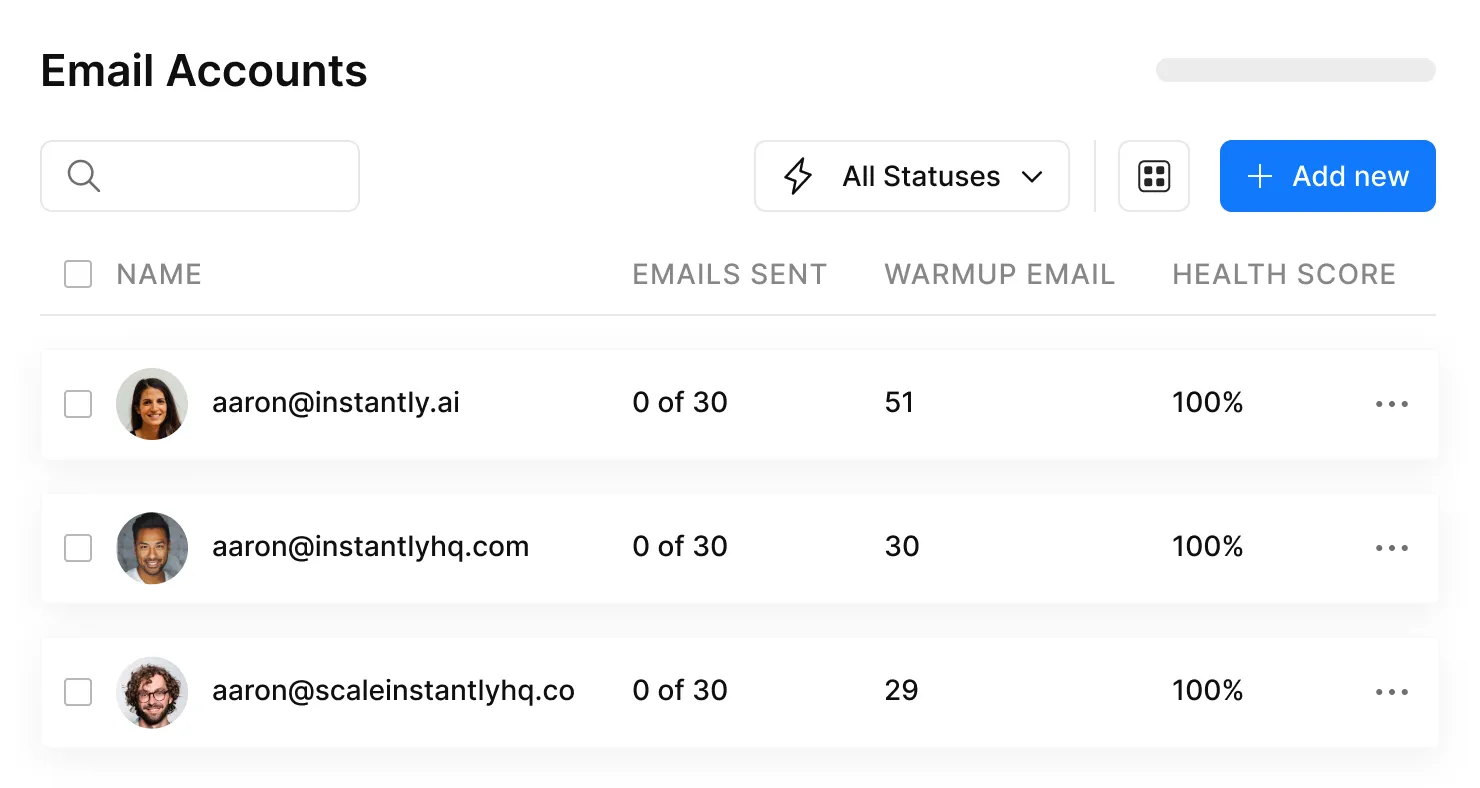
The deliverability dashboard shows inbox vs. spam placement, which is more transparent than most competitors. Warmup runs automatically in the background while you build and send campaigns. If you need both warmup and outreach in one platform, Instantly is the obvious choice for most cold email teams. (If you’re comparing platforms, see 12 best cold email outreach tools.)
Skip it if you're already locked into Lemlist, Woodpecker, or Smartlead - paying $37/mo for warmup alone when you won't use the outreach features is wasteful.
Warmbox - Best Bang for Your Buck
Warmbox is the best standalone warmup tool for teams that already have their outreach platform sorted. $15/mo for a single inbox (Solo plan) or $69/mo for three inboxes (Startup plan). The network runs 35,000+ private email accounts, and in controlled testing, Warmbox maintained deliverability even after deliberate spam tests - meaning it recovered reputation effectively, not just built it.
At $15/mo, just try it. If it doesn't move your GlockApps scores in two weeks, cancel and try something else. The switching cost is basically zero. I've seen teams waste hours comparing Warmbox to MailReach to Warmy.io when the answer is: pick the cheapest one, test it, move on.
TrulyInbox - Bootstrapping? Start Here.
TrulyInbox is the only warmup tool with a genuinely usable free tier - 10 warmup emails per day at no cost. That's enough to maintain a single mailbox you're not actively campaigning from. Paid plans go up to $79/mo with unlimited mailbox connections, which is unusual in a space where most tools charge per inbox.
The trade-off: they don't publish their network size, which usually means it's smaller than competitors who do. For high-volume operations, Instantly or Warmbox's larger networks are safer bets. But if you're testing whether warmup moves the needle before committing budget, the free tier is a legitimate starting point - not a crippled trial.
Lemwarm - For Lemlist Loyalists Only
Lemwarm makes sense if you're already in the Lemlist ecosystem. At $24/mo (Essential) or $40/mo (Smart), it's tightly integrated with Lemlist's outreach platform and runs on a 20,000+ domain network. If you're not using Lemlist, there's no reason to pick Lemwarm over cheaper alternatives - the network is smaller and per-inbox pricing adds up fast.
MailReach - When Network Quality Is the Priority
MailReach's differentiator is network quality. Their 30,000+ accounts are real Google Workspace and Office 365 inboxes - not throwaway SMTPs. At $25/mo per inbox, it's mid-range pricing, but the machine learning engine that adjusts warmup patterns based on your reputation signals is a genuine advantage. The downside: per-inbox pricing gets expensive at scale. Five mailboxes = $125/mo, at which point Instantly's unlimited model wins on pure economics.
The Rest - Quick Verdicts
Mailivery ($29/mo, unlimited mailboxes, 100 warmup emails/day total): Powers Woodpecker's warmup under the hood. Compelling if you're managing 10+ mailboxes and want predictable costs. Just watch the daily caps - 100/day split across 10 mailboxes is only 10 warmup emails each.
Woodpecker ($5/mo per mailbox add-on): The cheapest warmup option available. Runs on Mailivery's network. If you're already using Woodpecker for cold email, adding warmup for $5/mailbox is a no-brainer. Don't buy Woodpecker just for the warmup.
Smartlead (built-in, no extra cost): Includes warmup in its base outreach plans. If you're already using Smartlead, you don't need a standalone warmup tool.
Warmy.io ($49-$189/mo per inbox): Overpriced. At 3x the cost of Warmbox with an unpublished network size, the value proposition doesn't hold up.
Folderly ($96/mo per inbox): Ironic, given that its founder publicly stated warmup tools don't work.
InboxAlly ($149-$645/mo): Enterprise agencies with big budgets and lots of client domains might find value. Everyone else should look elsewhere.
What Matters More Than Warmup - Data Quality and Infrastructure
I've watched teams spend weeks optimizing their warmup setup while ignoring the two things that actually determine whether their emails land.
The Infrastructure Stack
The boring technical setup separates people who get replies from people who get filtered:
- 3-5 mailboxes per domain. More than 5 raises flags. Fewer than 3 limits volume.
- 15-25 sends per mailbox once warmed. That's your ceiling per account per day.
- 2-3 domain registrars minimum. If one registrar gets flagged, all your domains go down together.
- Domain rotation strategy. Rotate sending across domains so no single domain takes all the volume.
- Multiple ESPs. Don't put all your mailboxes in one place. Mix providers to spread risk.
Open rates are useless with Apple Mail Privacy Protection and image proxy caching. Placement tests - actual inbox vs. spam measurements - are what matter. (For the bigger picture, see email sending infrastructure.)
Why Data Quality Is the Real Deliverability Lever
The biggest deliverability killer isn't a cold domain. It's bounces from bad data.
Industry benchmark: keep total bounces below 2%. Top performers target hard bounces under 1%. A 5% bounce rate from unverified data destroys sender reputation faster than any warmup tool can rebuild it. Every bounce tells Gmail: "This sender doesn't know who they're emailing. They're probably spam." (More on the underlying issue: B2B contact data decay.)
Stack Optimize built from $0 to $1M ARR running cold email for clients. Their deliverability sits at 94%+, bounce rate under 3%, zero domain flags across all clients. The secret isn't a magic warmup tool - it's verifying every email before it enters a sequence.
This is where Prospeo fits into the stack. It's not a warmup tool - it's the upstream fix that warmup tools can't replace. The 5-step verification process checks every email through proprietary infrastructure, removes spam traps and honeypots, handles catch-all domains, and refreshes data every 7 days (the industry average is 6 weeks). At 98% email accuracy across 143M+ verified addresses, that's the difference between a 1% bounce rate and a 5% bounce rate.

No warmup tool can save you from emailing dead addresses. Prospeo refreshes 300M+ contacts every 7 days - not every 6 weeks like competitors - so you send to real people at real companies.
Stop warming up emails that bounce. Start with data that's already clean.
How to Verify Your Warmup Is Actually Working
Don't trust your warmup tool's dashboard. It's testing against its own network - of course the numbers look good. You need independent verification.
GlockApps is the gold standard. It tests deliverability across all major ISPs, shows inbox vs. spam vs. promotions placement, and monitors your domain against 50+ blocklists. You get 2 free deliverability tests to start, with paid plans from $59/mo for ongoing monitoring. Run a test before warmup, then again at day 14 and day 21. If inbox placement hasn't improved, your warmup tool isn't working.
Google Postmaster Tools is free and shows your domain reputation, spam rate, and authentication status directly from Google's perspective. If Postmaster Tools shows no lift after two weeks of warmup, that's your answer.
Microsoft SNDS (Smart Network Data Services) provides similar data for Outlook delivery.
The metrics that matter: inbox placement rate (not delivery rate - they're different), domain reputation trend, and spam complaint rate. Open rates are unreliable with Apple MPP.
If your GlockApps scores haven't moved after 21 days of warmup, stop the tool. You're either dealing with a detection issue or a deeper infrastructure problem that warmup can't solve.
B2B Deliverability Benchmarks - What "Good" Looks Like in 2026
Before you panic about your numbers, here's what the benchmarks actually say:
| Metric | Target | Danger Zone |
|---|---|---|
| Delivery rate | 98%+ | Below 95% |
| Inbox placement | 85%+ | Below 70% |
| Bounce rate | Under 2% | Above 3% |
| Spam complaints | Under 0.1% | Above 0.3% |
| Open rate (B2B) | 36-42% | Below 25% |
| Cold reply rate | 3-6% | Below 2% |
| Email ROI | $36-42 per $1 | - |
Cold outreach reply rates dropped from 6.8% in 2023 to 5.8% in 2025 - inbox fatigue is real and getting worse. Top performers still exceed these averages, but the floor is dropping.
The delivery rate vs. inbox placement distinction is critical. A 98% delivery rate means your emails aren't bouncing. An 84% inbox placement means 14% of those "delivered" emails are sitting in spam or promotions. Warmup tools affect the second number, not the first. Data quality affects both.
FAQ
Is automated email warmup against Gmail's terms of service?
Yes. Google explicitly told GMass that warmup tools violate Gmail's TOS and forced them to shut down their warmup service in 2023. Using these tools on Google Workspace accounts carries real risk - Google can flag your mailbox as bot-like and ignore engagement signals entirely.
How long should I warm up a new domain before sending campaigns?
Minimum 14 days, ideally 21. Domains that start campaigns before day 14 see 34% lower inbox placement. Start with 5-10 emails per day and ramp gradually to 30-50. Wait 7-10 days after purchasing a new domain before starting any warmup activity.
Can I warm up and send campaigns at the same time?
Yes, but warmup emails count toward your daily total. Keep combined volume at 30-50 emails per mailbox per day. Domains maintaining warmup hold 73% inbox placement; those that stop drop to 52% within 30 days.
What's more important - warmup or email verification?
Email verification, and it's not close. A 5% bounce rate from unverified data destroys sender reputation faster than a cold domain ever could. Verification costs roughly $0.01 per email - fix your data before you fix your warmup.
Do I need a standalone warmup tool if I use Instantly or Smartlead?
No. Both platforms include warmup in their base plans. Adding a separate warmup service would mean warming up through two different networks simultaneously, which can create conflicting engagement patterns and actually hurt deliverability.