

Cold Mailing: The 2026 Operator's Playbook for Emails That Actually Land
You sent 500 cold emails last week. Three replies. Forty-seven bounces. Your sending domain's reputation is circling the drain, and your CEO's investor updates are landing in spam. Here's the thing most cold email guides won't tell you: the companies writing them are the same ones selling you cold email software. They skip the infrastructure and jump straight to templates. But most cold mailing success is decided before you write a single word.
What Is Cold Mailing?
Cold mailing is sending an unsolicited email to someone you have no prior relationship with, typically to start a business conversation. No warm intro, no inbound lead, no existing thread. You'll also hear it called cold email or cold outreach - it's the same practice. The core difficulty is twofold: there's no relationship to lean on, and there's no real-time feedback. You can't read the room and adjust mid-pitch.
Cold email isn't spam. Spam is unsolicited bulk messaging with no targeting, no opt-out, and no legitimate business purpose. This also isn't email marketing - you're not sending newsletters to subscribers. You're reaching out one-to-one to specific people you've identified as potential buyers, partners, or collaborators. Think of it less like a broadcast and more like a cold letter delivered to a specific desk.
About 46% of global emails were categorized as spam in 2023. That single stat explains why every mailbox provider treats unknown senders as guilty until proven innocent - and why the infrastructure section below matters more than your subject line.
The distinction between cold outreach and spam matters because the rules, tools, and tactics are completely different. Email marketing optimizes for open rates across thousands. Cold emailing optimizes for reply rates across hundreds. And cold email vs. cold calling isn't either/or. Email works best for mid-market and enterprise where gatekeepers screen calls; phone works better for SMB where decision-makers answer directly. Most serious outbound teams run both, sometimes combining call-and-mail sequences where a voicemail references the email and vice versa.
What You Need Before Sending
Before you touch a template, nail these three pillars:
- Verified data. Bad emails bounce. Bounces kill your domain reputation. Domain reputation determines whether anything you send reaches an inbox.
- Proper infrastructure. Secondary domains, DNS authentication, warmup. Skip any of these and you're sending into a void.
- Realistic math. The average cold email reply rate is 3.43% across billions of emails. Plan your pipeline around that number, not the 15% someone bragged about on Twitter.
Pipeline Math for Cold Email
Say you're sending 400 emails per day - roughly 12,000 per month. At a 3% reply rate, that's 360 replies. About half will be positive or neutral, with the rest being "not interested" or "remove me." Of the positive replies, roughly half convert to booked meetings. That gives you around 90-100 meetings per month.
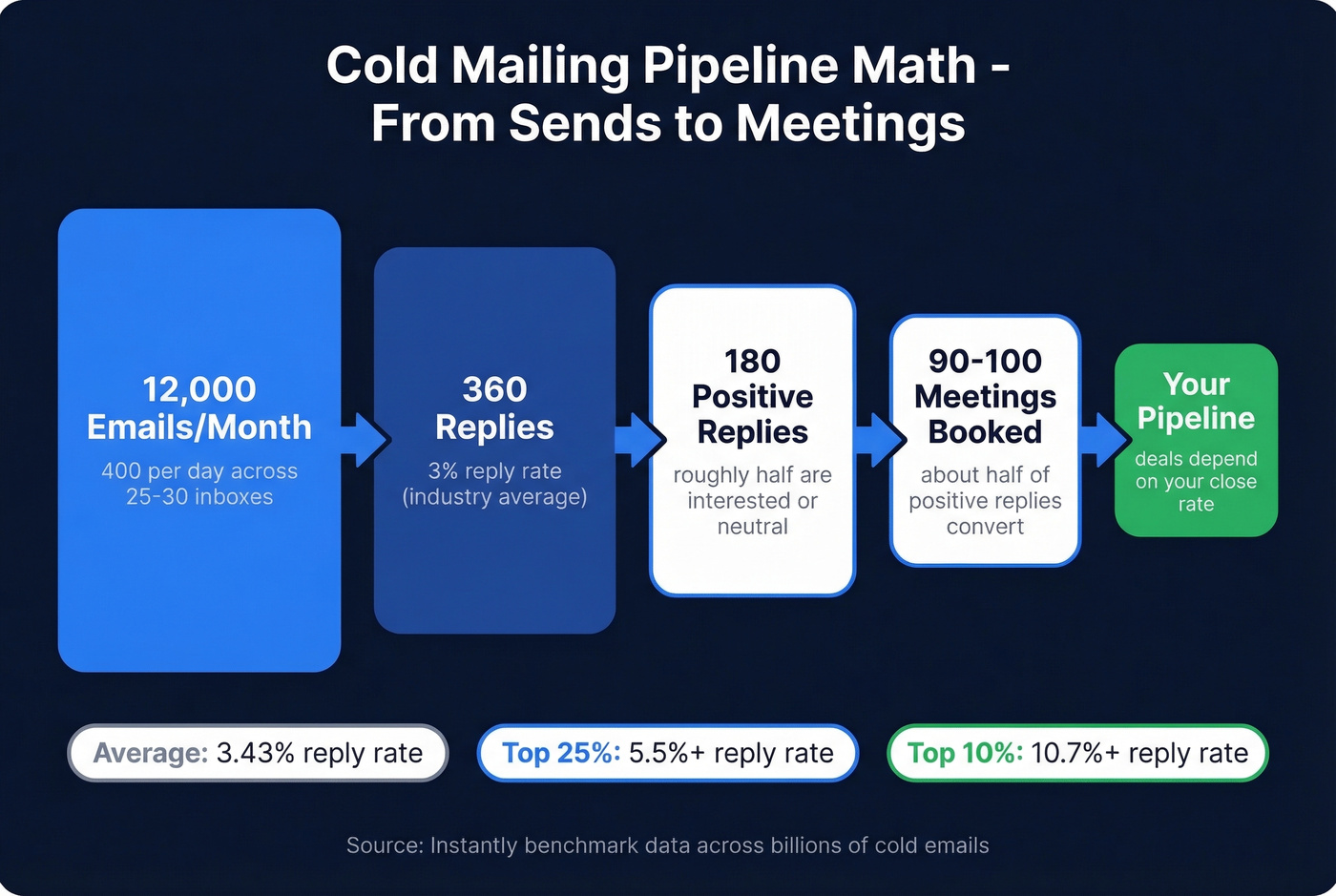
Those numbers come from practitioners running campaigns at scale on r/coldemail, and they align with Instantly's benchmark data:
- Average: 3.43% reply rate
- Top quartile: 5.5%+
- Elite (top 10%): 10.7%+
Anyone claiming consistent double-digit reply rates at volume is either cherry-picking their best campaign or running very small lists. At scale, 2-4% is genuinely good. Build your pipeline model around that range, and anything above it is upside.
If your deal sizes sit below $10k, you probably don't need a $500/month data stack or 12 sending domains. A single verified list of 2,000 well-targeted prospects and one sending tool will outperform a 50,000-contact spray-and-pray setup every time. This channel rewards precision over volume.
The math also tells you how much infrastructure you need. Four hundred emails per day requires 10-12 secondary domains, each running 2-3 inboxes at 10-15 emails per day per inbox. That's not a nice-to-have - it's the physics of deliverability.
Infrastructure Nobody Talks About
This is where campaigns live or die. Copy doesn't matter if you're in the spam folder. The consensus on r/coldemail is unanimous: deliverability and infrastructure are the gating factors. Everything else is a tiebreaker.
Domains and Inboxes
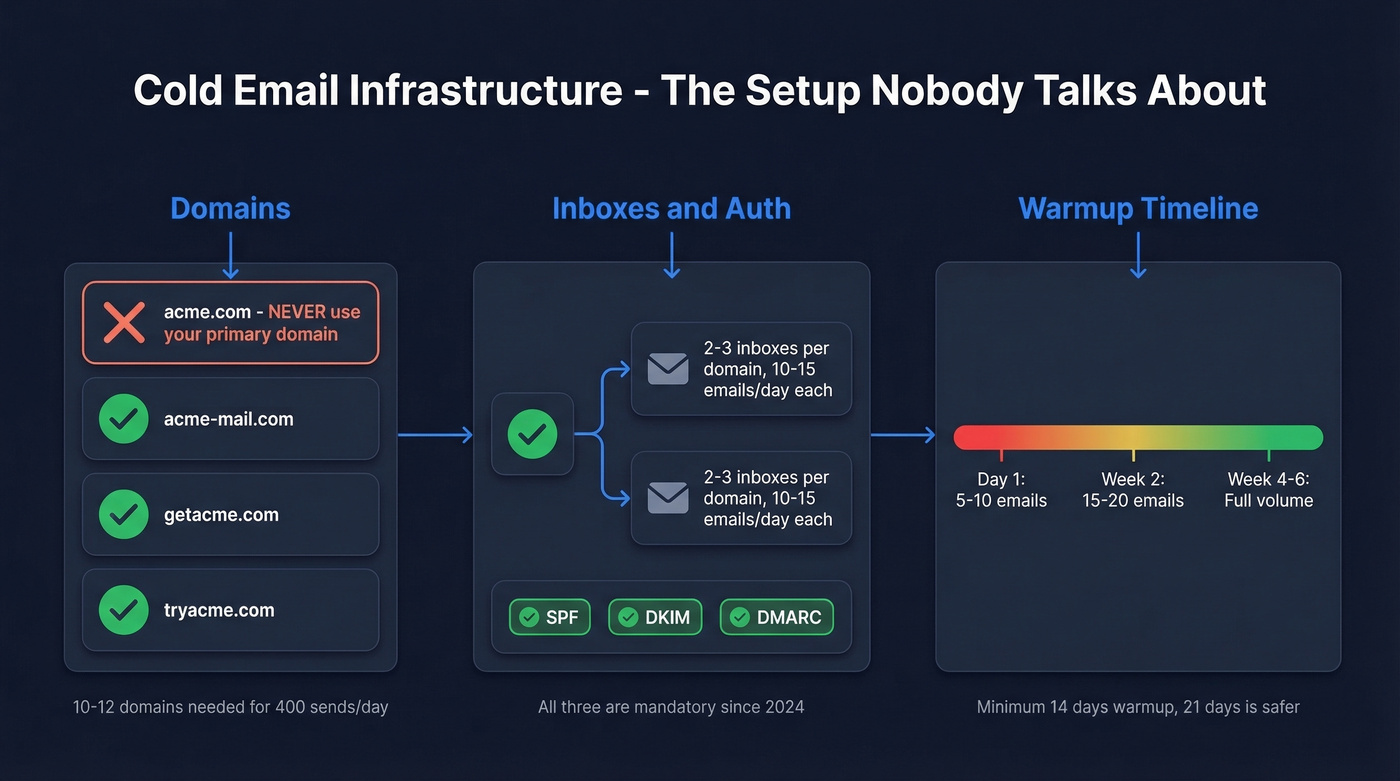
Never send cold emails from your primary domain. If your company is acme.com, buy variations - acme-mail.com, getacme.com, tryacme.com. If one gets burned, your CEO's emails to investors still land in the primary inbox.
The scaling math: 2-3 inboxes per domain, 10-15 emails per day per inbox. To hit 400 sends per day, you need roughly 10-12 domains with 25-30 total inboxes. That sounds like a lot. It is. But spreading volume across many inboxes is what keeps each one healthy.
DNS Authentication
Every sending domain needs three records configured correctly:
- SPF - tells receiving servers which IPs can send on your behalf
- DKIM - cryptographically signs your emails so they can't be spoofed
- DMARC - at minimum set to p=none for monitoring without enforcement
These aren't optional. Gmail and Yahoo require them, and Microsoft has aligned with similar enforcement. Missing any one is an instant credibility hit with mailbox providers. Also set up valid PTR (reverse DNS) records for your sending IPs - Microsoft specifically checks for this.
Warmup and Ramp
New domains have zero reputation. Sending 50 emails on day one from a fresh domain is like a brand-new restaurant trying to seat 200 people on opening night - the system isn't ready.
Start at 5-10 emails per day. Increase gradually over 4-6 weeks. Use a warmup tool to simulate real email conversations that build your sender reputation. The minimum warmup window is 14 days; 21 days is safer. Keep warmup running between campaigns - reputation decays when a domain goes quiet.
One caveat: Google has cracked down on some automated warmup services that use shared account networks. If your warmup tool relies on a shared pool, verify it hasn't been flagged. Or supplement with manual warmup by sending real emails to colleagues and contacts who reply.
What Changed in 2024-2026
Gmail and Yahoo rolled out bulk sender requirements that fundamentally changed the game. Microsoft followed with enforcement starting May 2025. The rules shift fast, so staying current matters. Here's what you need to know:
- SPF, DKIM, and DMARC are mandatory
- Spam complaint rate must stay under 0.3% - that's 3 complaints per 1,000 emails
- One-click unsubscribe required via RFC 8058 headers
- Unsubscribe requests must be honored within 2 days
- Custom tracking domains are strongly recommended - shared tracking domains can get blacklisted because you're sharing reputation with every other sender on that domain
The 0.3% complaint threshold is the one that catches people. If you're sending 400 emails per day and even 2 people hit "report spam," you're already at risk. Some operators pause campaigns at 0.1% to build in a safety margin. This is why verified data matters so much: sending to bad addresses generates bounces and complaints that compound fast.
Data Quality Determines Everything
Here's the cascade that kills campaigns: bad data leads to bounces, bounces trigger spam complaints, complaints damage domain reputation, reputation drops tank inbox placement, and then even your good emails stop landing. It's a death spiral, and it starts with a single bad list.
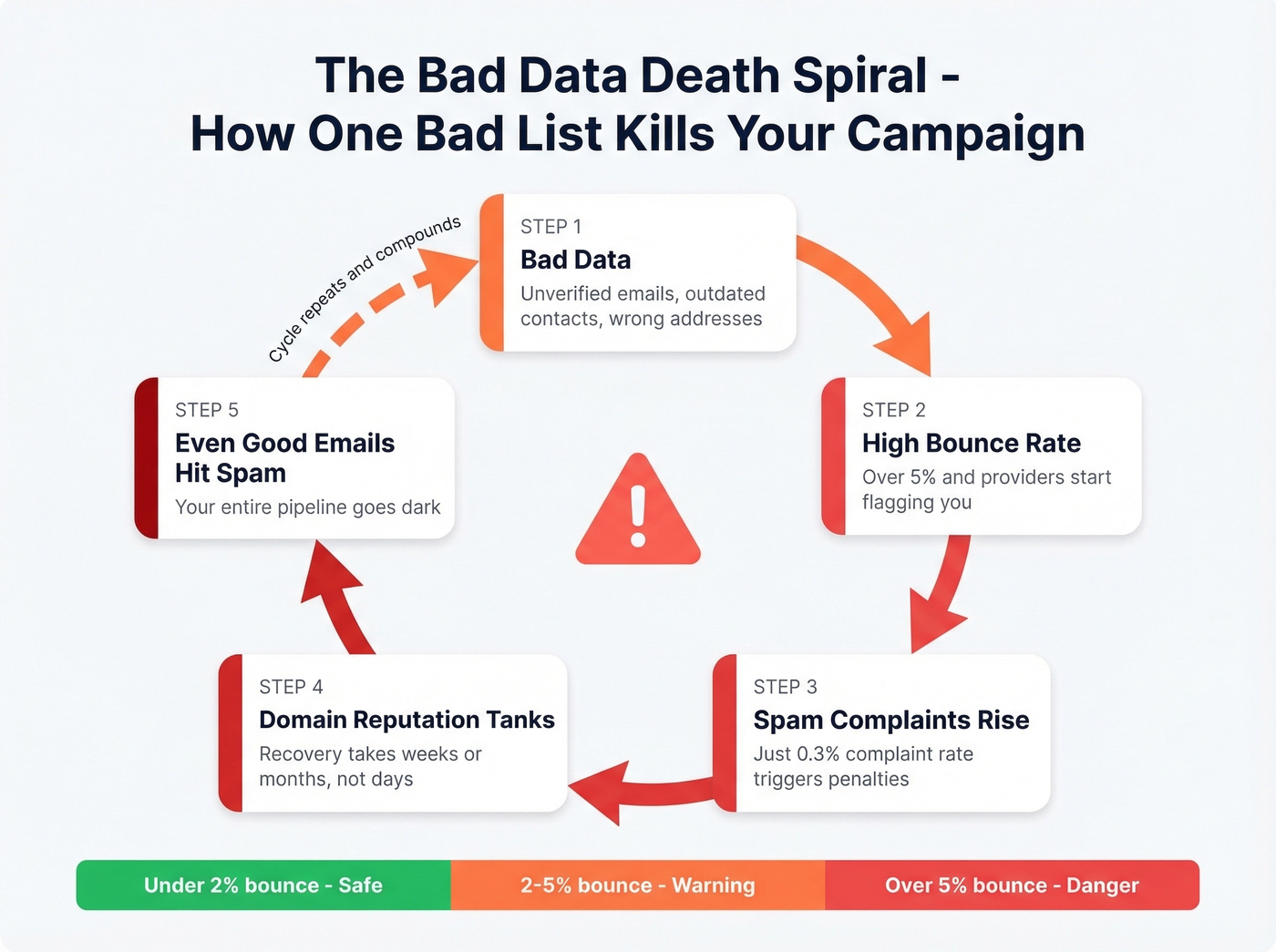
The thresholds are unforgiving. Keep bounce rates under 2% to stay in the safe zone. Hit 5% and mailbox providers start flagging your domain. Cross 10% and you're looking at throttling, blocks, and blacklists. We've seen teams go from "everything's working" to "nothing lands" in a single week because they imported an unverified list.
If you want a deeper technical breakdown, start with an email deliverability guide and keep an eye on email velocity as you scale.

You just read the math: 47 bounces out of 500 emails tanks your domain. Prospeo's 5-step verification delivers 98% email accuracy - cutting bounce rates below 4% for teams like Snyk and Meritt. At $0.01 per verified email, bad data stops being your bottleneck.
Stop sending cold emails into the void. Start with data that actually connects.
Legal Compliance by Jurisdiction
Cold mailing is legal in most jurisdictions. The rules vary, and the penalties for getting it wrong are steep enough to care about.
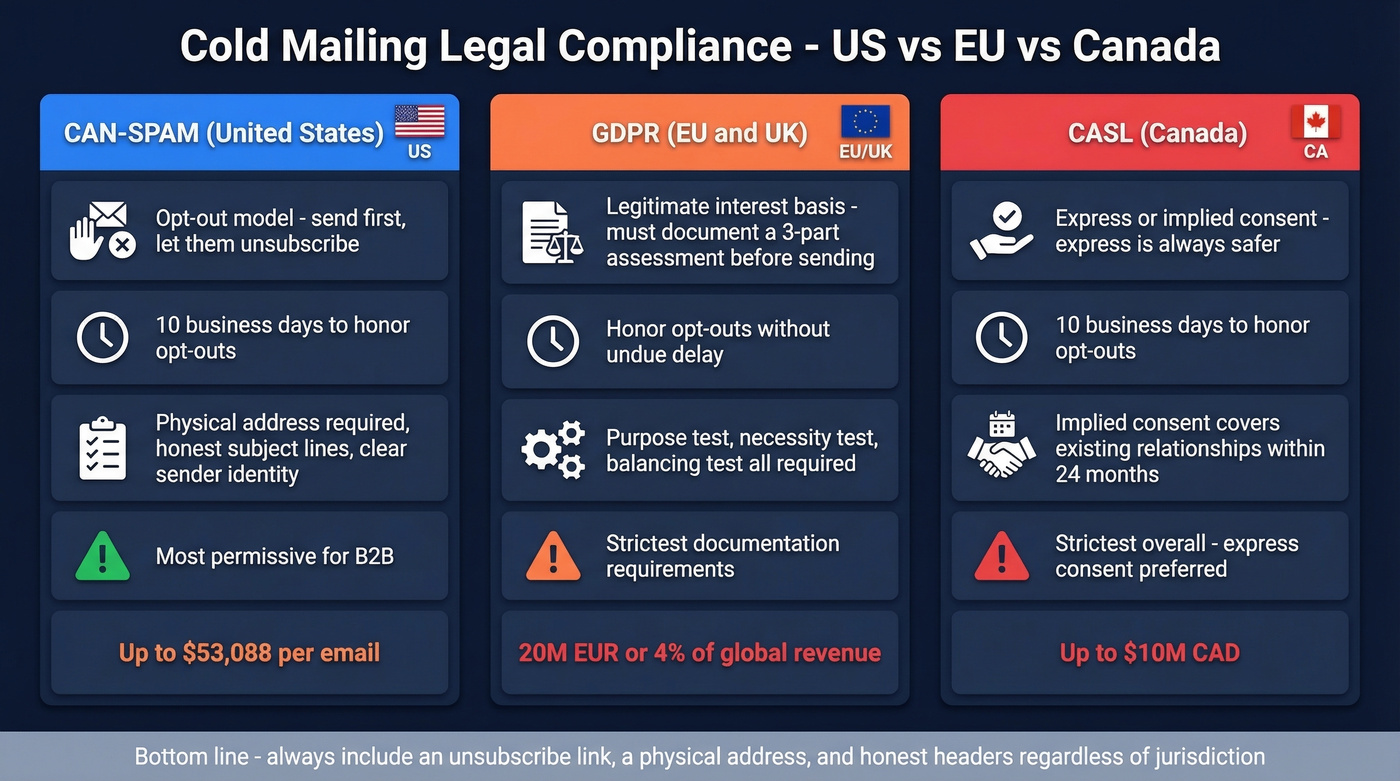
| Jurisdiction | Consent Model | Opt-Out Timeline | Key Requirement | Max Penalty |
|---|---|---|---|---|
| CAN-SPAM (US) | Opt-out | 10 business days | Physical address, honest headers | $53,088/email |
| GDPR (EU/UK) | Legitimate interest | Without undue delay | LIA documented, DPO contact | 20M EUR or 4% revenue |
| CASL (Canada) | Express or implied | 10 business days | Express consent preferred | $10M CAD |
For GDPR, the mechanism that makes B2B cold email legal is Article 6(1)(f) - legitimate interest. This requires a three-part Legitimate Interest Assessment: a purpose test (is there a genuine business reason?), a necessity test (is email the least intrusive way to reach them?), and a balancing test (does the recipient's privacy outweigh your interest?). Document this before you send. It's not a checkbox - it's a defensible rationale.
CASL is the strictest. Implied consent covers existing business relationships within 24 months and conspicuously published contact info, but express consent is always safer for Canadian prospects.
Most B2B cold emailers in the US operate under CAN-SPAM, which is relatively permissive. Include a physical address, don't use deceptive subject lines, and honor opt-outs. The GDPR piece matters if you're emailing anyone in the EU or UK - and the penalties aren't theoretical. An unsolicited proposal email to an EU prospect requires a documented legitimate interest assessment just like any other cold outreach.
If you're unsure about list sourcing, read up on is it illegal to buy email lists before you scale.
Pros and Cons of Cold Emailing
Let's be honest about where this channel shines and where it falls short.
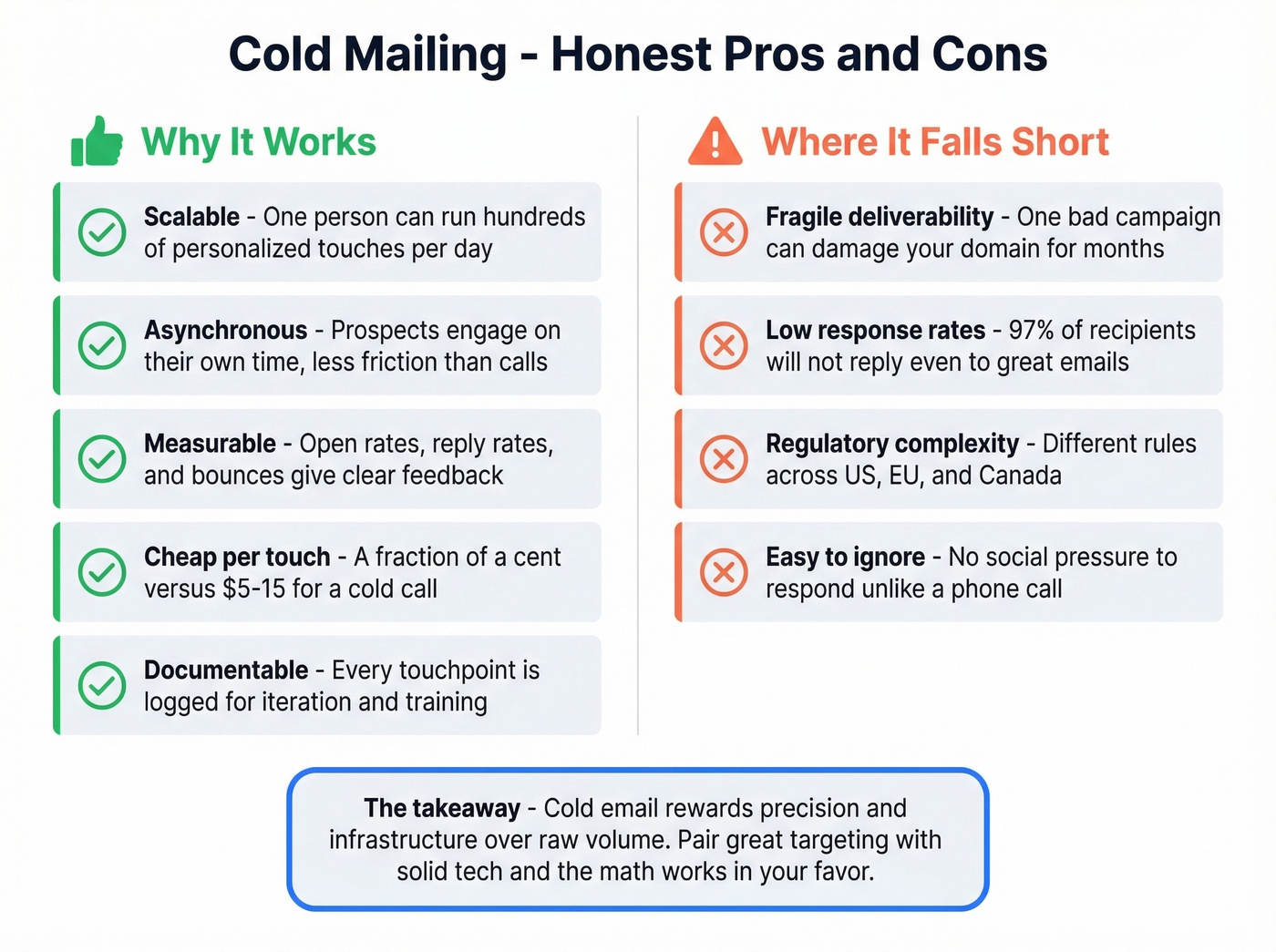
Advantages:
- Scalable - one person can run hundreds of personalized touches per day with the right tooling
- Asynchronous - prospects engage on their own schedule, reducing friction compared to cold calls
- Measurable - open rates, reply rates, and bounce rates give you clear feedback loops
- Cheap per touch - a single email costs a fraction of a cent versus $5-15 for a cold call
- Documentable - every touchpoint is logged, making it easy to iterate and train new reps
Downsides:
- Deliverability is fragile - one bad campaign can damage your domain for months
- Low response rates at scale - 97% of recipients won't reply even to a well-crafted email
- Regulatory complexity across US, EU, and Canada adds compliance overhead
- Easy to ignore - unlike a phone call, there's no social pressure to respond
Understanding these tradeoffs helps you set realistic expectations. The advantages are strongest when you pair precise targeting with solid infrastructure - volume alone won't save a poorly built campaign.
Writing Emails That Get Replies
Copy matters. It's just not the "most of the work" that most guides pretend it is. It's the tiebreaker between a campaign that gets 2% replies and one that gets 5%.
Subject Lines That Work
An analysis of 85M+ cold emails found clear patterns behind high open rates. One to four words is the ideal length - shorter subject lines outperform longer ones consistently. All lowercase beats title case and sentence case, except for proper nouns. Salesy language kills opens: words like "exclusive," "limited time," or "opportunity" reduce open rates by up to 17.9%. The empty subject line trick? It gets +30% opens but -12% replies. It's a gimmick. Skip it.
Good subject lines look like: "quick question," "london office," "saw the funding round." They read like a colleague wrote them, not a marketer.
If you want a bigger swipe file, pull ideas from these cold email subject line examples and prospecting email subject lines.
Email Body Rules
Keep it under 80 words. The best-performing campaigns in Instantly's dataset are short, plain-text, and focused on one ask. Use PAS (Problem-Agitation-Solution) or AIDA as your framework, but don't overthink it. The structure is simple: relevant observation, bridge to your value, single clear CTA. Plain text outperforms HTML. Every time. No images, no fancy formatting, no multiple links.
Some teams experiment with the "thumbs up" method - ending with a simple "thumbs up if you're open to chatting" instead of a formal CTA. It lowers the commitment threshold and can lift reply rates on follow-ups, though it works best for casual, founder-to-founder outreach rather than enterprise selling.
What Is a Basho Email?
A Basho email is a hyper-personalized cold email that references something deeply specific about the recipient - a recent podcast appearance, a post, a company initiative - to prove you've done your homework. The term comes from sales trainer Jeff Hoffman, and the approach trades volume for relevance. Where a standard cold email personalizes the company name and role, a Basho email opens with a genuine, researched insight that couldn't apply to anyone else. It's time-intensive, so reserve it for high-value targets where a single meeting justifies 15-20 minutes of research.
This style overlaps heavily with personalized outreach when you're targeting smaller, higher-value lists.
Templates You Can Steal
Cold intro to VP Sales:
Hi Sarah, I saw Acme just opened a London office - congrats. We helped a similar SaaS company staff their first 20 EMEA hires in 6 weeks without a local recruiting team. Worth a 15-min call to see if we can do the same for you?
Follow-up after no reply (Day 4):
Hey Sarah - just bumping this up. The London hiring timeline tends to compress fast once the office is live. Happy to share the playbook we used with [similar company] if it's useful.
Link-building outreach:
Hi Alex, I just published a study on cold email deliverability benchmarks for 2026. Your guide on sender reputation is one of the best I've read - would you be open to linking to the study as a resource for your readers?
Breakup email (Day 14):
Sarah - I'll assume the timing isn't right. If EMEA hiring becomes a priority later this quarter, I'm easy to find. Closing the loop for now.
Notice there are no generic {first_name} placeholders, no "I noticed {company} is {trigger}." Every template has a specific, believable context. That's what gets replies.
For more variations, see these cold email follow-up templates and sales follow-up templates.
Follow-Up Sequences
58% of all replies come from the first email. That means 42% come from follow-ups - nearly half. If you're sending one email and moving on, you're leaving almost half your replies on the table.
The sweet spot is 4-7 touchpoints per sequence. Space them out: Day 1, Day 4, Day 9, Day 14, Day 21 is a solid starting framework. Don't follow up daily - that's how you get reported. Tuesday and Wednesday are peak days for replies, with Wednesday consistently performing highest. Monday works well for launching new sequences because it catches people planning their week. Avoid Friday afternoons and weekends entirely.
One pattern we see repeatedly: teams front-load their sequence with long, detailed emails and save the short ones for follow-ups. Flip that. Your first email should be the shortest and most direct. Follow-ups can add context, social proof, or a different angle - but keep every touch under 80 words. Each follow-up costs almost nothing to send, so the economics favor persistence as long as you respect spacing and relevance.
If you want to systematize this, build a repeatable B2B cold email sequence and track follow-up email reply rate by step.
Cold Mailing Tools and Pricing
You need two things: a data provider and a sending tool. Everything else is optional.
| Tool | Category | Starting Price | Best For |
|---|---|---|---|
| Prospeo | Data | Free (75 emails/mo) | Verified data, no bounces |
| Apollo | Data + Sending | $59/user/mo | All-in-one on a budget |
| Hunter.io | Data | From $49/mo | Quick email lookups |
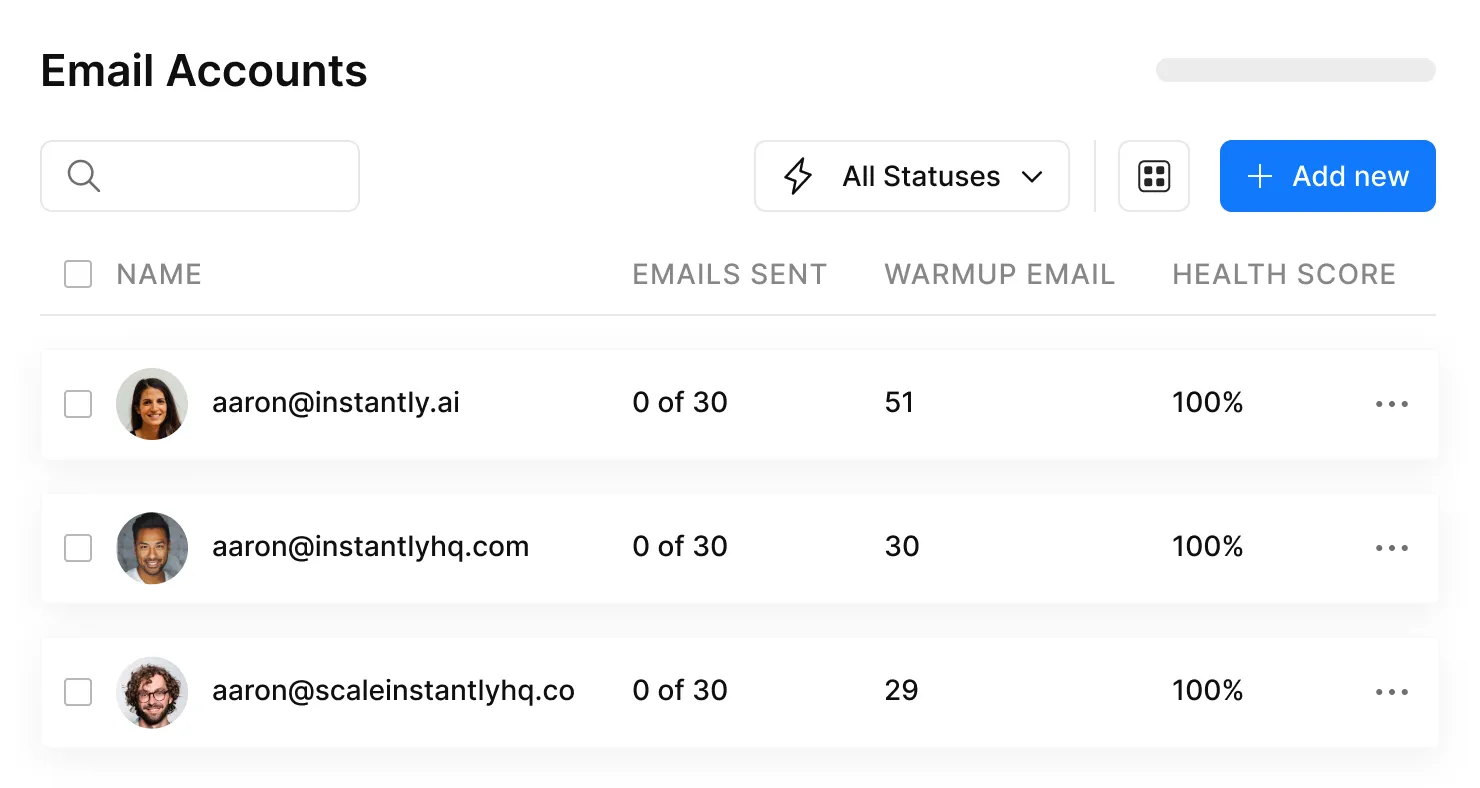
| Instantly | Sending | $97/mo | High-volume, agencies |
| Saleshandy | Sending | $25/mo (annual) | Budget entry point |
| GMass | Sending | $25-55/mo | Gmail-native users |
| Lemlist | Sending | $32/user/mo | Multi-channel sequences |
| Woodpecker | Sending | $29/mo (500 prospects) | SMB teams |
Skip Apollo if you need best-in-class accuracy or best-in-class sending. The data accuracy falls short of a dedicated verification provider, and the sending features can't match Instantly. It works for solo founders who want one login and one bill, but teams running serious volume outgrow it fast.
Instantly is the pick for agencies and high-volume operators. Unlimited sending accounts at $97/month means you can scale domain rotation without per-seat costs eating your budget. Saleshandy at $25/month is the budget alternative - a solid entry point with a 7-day trial, though you'll feel the feature gaps at higher daily volume.
GMass is underrated for teams already living in Gmail. At $25-55/month it turns your inbox into a sending platform. The ceiling is lower than Instantly, but the learning curve is basically zero.
If you're comparing stacks, start with free cold email software and then evaluate SDR tools based on your volume and workflow.
The article says it: deliverability is the gating factor. Prospeo refreshes 300M+ profiles every 7 days - not the 6-week industry average. That means your cold mailing lists stay current, bounces stay low, and your sending domains stay healthy.
Build cold email lists that won't burn your domains. Free tier included.
Mistakes That Kill Campaigns
These aren't theoretical. Each one has a direct, measurable consequence:
- Sending from your primary domain - your CEO's emails to investors start landing in spam. The single most common and most damaging mistake.
- Skipping warmup - immediate spam folder placement. New domains have zero reputation.
- Using shared tracking domains - you inherit the blacklist status of every other sender on that domain. Set up a tracking domain via CNAME. It takes 10 minutes.
- Heavy HTML formatting - images, fancy templates, and multiple links trigger spam filters. Plain text wins.
- Ignoring bounce rates above 2% - sender reputation damage compounds with every campaign. By the time you notice deliverability dropping, the damage is already done. (If you need benchmarks and fixes, see email bounce rate.)
- Buying unverified lists - bad data cascades into bounces, complaints, reputation damage, and burned domains. One bad list can take months to recover from.
Every one of these is preventable with 30 minutes of setup and a verified data source.
FAQ
Is cold mailing legal?
Yes, in most jurisdictions with the right safeguards. CAN-SPAM (US) requires a physical address, honest subject lines, and opt-out honoring within 10 business days. GDPR allows B2B outreach under Article 6(1)(f) legitimate interest with a documented assessment. CASL (Canada) requires express or implied consent. Always include an unsubscribe mechanism.
What's a good reply rate?
The average across billions of emails is 3.43%. Top-quartile campaigns hit 5.5%+, and elite senders reach 10.7%+. At scale, 2-4% is genuinely good - anyone claiming consistent double-digit rates at high volume is cherry-picking.
How many follow-ups should I send?
Four to seven touchpoints is the sweet spot. 42% of all replies come from follow-ups, not the first email. Space them 3-7 days apart, and keep each one under 80 words with a different angle or piece of social proof.
How do I keep emails out of spam?
Set up SPF, DKIM, and DMARC on every sending domain. Use secondary domains - never your primary. Warm up for 2-3 weeks minimum. Cap sends at 10-15 per inbox per day. Verify every email address before sending, and use a custom tracking domain.
What tools do I need to start?
A data provider for verified contacts and a sending tool. Prospeo's free tier (75 emails/month) plus Instantly ($97/mo) or Saleshandy ($25/mo) gives you a production-ready stack under $150/month - enough to run real campaigns from day one.