

Email Outreach in 2026: Strategy, Deliverability, and Tools That Actually Work
You sent 200 emails last Tuesday. 47 bounced. Your domain reputation dropped overnight, and now even your legitimate customer emails are landing in spam. That's not a copy problem - it's a data problem. Most email outreach fails before the prospect ever sees your subject line, and the fix starts way earlier in the stack than most guides will tell you.
What Email Outreach Actually Is (And Why Most Campaigns Fail)
Email outreach is the practice of sending targeted, one-to-one emails to prospects who haven't opted in - with the goal of starting a business conversation. It's not a newsletter blast. It's not spam. The difference is specificity: spam hits a million inboxes with the same generic pitch, while good outreach reaches 200 people with messages tailored to their role, company, and pain points.
Most campaigns fail not because the copy is bad, but because the infrastructure underneath is broken. Teams buy a list, load it into a sending tool, and blast away - then wonder why 15% of emails bounce and their domain ends up on a blocklist. The average reply rate in 2026 is 3.43%. Elite campaigns exceed 10.7%. That gap isn't talent. It's plumbing: verified data, authenticated domains, proper warmup, and disciplined sending.
Here's the thing: if your average deal size is under $5K, you probably don't need a $20K/year data platform. You need clean emails, a $30/month sender, and the discipline to send 150 emails a day instead of 1,500. The rest of this guide walks you through exactly how to do it right.
What Separates Top Performers
Top-quartile campaigns hit 5.5%+ reply rates. Three things separate them from the 3.43% average:
- Clean data first. If your bounce rate is above 2%, you're actively damaging your sender reputation. Start with 98%+ verified emails before you ever hit send. (If you need the numbers and fixes, see bounce rate.)
- Deliverability infrastructure before volume. Separate sending domains, proper DNS authentication, and a 4-6 week warmup. Skip this and nothing else matters. (More detail: email deliverability.)
- Short emails, 4-7 touchpoints, value on every touch. Under 80 words. No "just checking in" follow-ups. Every message earns the next open. (Use these follow-up templates.)
You don't need 10 tools. You need clean data, a sending platform, and discipline.
2026 Cold Email Benchmarks
Here's what good actually looks like, based on Instantly's 2026 benchmark report analyzing billions of cold email interactions:
| Metric | Average | Top Quartile | Elite (Top 10%) |
|---|---|---|---|
| Reply rate | 3.43% | 5.5%+ | 10.7%+ |
| Optimal email length | <80 words | <80 words | <60 words |
| Best send days | Tue-Wed | Tue-Wed | Tue-Wed |
| Sequence sweet spot | 4-7 touches | 4-7 touches | 4-7 touches |
58% of replies come from the first email. That means your opener carries the campaign - but the remaining 42% from follow-ups is too much to leave on the table. Beyond 7 touchpoints, returns diminish sharply unless each touch introduces new value. Personalized emails see a 29% higher open rate than generic ones, so even small touches of relevance compound across a sequence.
Wednesday consistently outperforms other days. Tuesday is a close second. Monday works as a launch day, but engagement peaks mid-week when prospects have cleared their inbox backlog. (If you're optimizing timing, use this best time to send breakdown.)
ICP, List Quality, and Data
Before you write a single subject line, build one persona per role you're targeting. That means company profile (industry, headcount, funding stage), title, pain points, likely objections, and the specific outcome your product delivers for that role. A CTO cares about different things than a VP of Sales. Treat them differently. (Start with an ideal customer profile template.)
List quality matters more than anything else in your outbound process. A practitioner on r/Entrepreneur documented their journey from a 3% reply rate to 6% - and the biggest change wasn't copy or timing. It was stopping purchased lists and manually verifying contacts. Their bounce rate dropped from 11% to under 2%, and reply rates doubled.
Bad data doesn't just waste sends. It triggers a cascade: bounces spike, mailbox providers flag your domain, spam complaints rise, your sender reputation craters, and even good emails to good addresses stop reaching inboxes. One bad list can take weeks to recover from. (If you're building lists from scratch, see how to generate an email list.)

This article says keep bounces under 2%. Prospeo's 98% email accuracy makes that automatic - not aspirational. 143M+ verified emails, refreshed every 7 days, so your outreach hits real inboxes instead of destroying your domain.
Stop recovering from bad lists. Start with clean ones.
Deliverability Setup Checklist
None of this works if your emails land in spam. We've watched teams spend weeks perfecting copy only to discover their authentication was broken. Here's the infrastructure you need before sending a single cold email:
Authenticate your domain. Set up SPF, DKIM, and DMARC records. Gmail expects From-domain alignment with SPF or DKIM. Skip this and you're dead on arrival. (If you want the technical deep dive, read DMARC alignment.)
Use separate sending domains. Never send cold email from your primary domain. Set up something like outreach.yourcompany.com. If that domain gets burned, your main domain stays clean.
Warm up gradually. Start at 5-10 emails per day on new domains. Increase slowly over 4-6 weeks. The Reddit case study that doubled reply rates used 7 domains sending max 26 emails/day each - about 180 emails/day total. (Tools and process: email warmup.)
Keep spam complaints under 0.3% (target under 0.1%). The 0.3% threshold gets all the attention, but deliverability degradation starts around 0.1%. That's just 1 complaint per 1,000 emails.
Keep bounces under 2%. Non-negotiable. Above 2%, mailbox providers start throttling you.
Add RFC 8058 one-click unsubscribe. Google, Yahoo, and Microsoft enforce this for bulk senders. (Also understand the bulk email threshold rules.)
Skip open-rate tracking on cold sends. Counterintuitive, but tracking pixels are a spam signal. Email providers detect them and route messages to spam. Track replies instead - that's the metric that matters. (More context: email tracking pixels.)
Avoid links and images in your first email. They trigger spam filters. Save them for follow-ups once you've confirmed inbox placement.
Set up a custom tracking domain. Use a branded CNAME to isolate your tracking reputation from shared infrastructure. (Setup guide: tracking domain.)
In our experience, following these steps is what separates teams with 94%+ inbox placement from those watching their domains get blacklisted within weeks.
Writing Cold Emails That Get Replies
Prospects decide in 3 seconds whether to keep reading. Three sentences max - that's the frame that works.
The Reddit case study that went from 3% to 6% reply rates cut email length from 141 words to under 56. Their subject line "Quick question" pulled 39% opens, while "Partnership opportunity" came in under 19%. Specificity and brevity win.
Write at a 6th-grade reading level - practitioners on Reddit report +67% performance when they simplify language. Personalize in the P.S. line for a +35% lift. Use a single, low-friction CTA. And optimize for mobile - 85% of emails get read on phones first, so anything over 150 words feels like a wall on a 6-inch screen. Frameworks like AIDA or Jobs-to-Be-Done can structure your opener, but don't overthink it. Brevity matters more than framework purity. (If you want a structure, see the AIDA framework.)
| Do | Don't |
|---|---|
| Under 80 words | 150+ word essays |
| One clear CTA | Multiple asks |
| Specific subject lines | "Partnership opportunity" |
| 6th-grade reading level | Jargon-heavy copy |
| P.S. personalization | "Hope this finds you well" |
AI-generated personalization is everywhere now, and prospects can spot it. Referencing someone's company niche or recent funding round works. Scraping their latest social post and parroting it back feels creepy. Test the line carefully.
Sequencing and Follow-Up Strategy
60% of replies come after the second follow-up. If you're sending one email and moving on, you're leaving the majority of your results on the table.
The sweet spot is 4-7 touchpoints, spaced 3-4 days apart. Each touch needs to add new value - a different angle, a relevant case study, a specific insight about their company. "Just bumping this to the top of your inbox" is the fastest way to get marked as spam. (More on building sequences: B2B cold email sequence.)
Multi-channel sequences outperform single-channel consistently. The pattern that works: email, then a social touchpoint, then another email. Practitioners report 80% of replies coming after the 3rd touchpoint in multi-channel sequences. The 2026 trend is adaptive sequences - instead of linear "send email 1, wait 3 days, send email 2," the sequence reacts to behavior. If someone opens but doesn't reply, the next step might be a social touch instead of another email.
Compliance and Legal Rules
Cold email is legal in most jurisdictions, but the rules vary. This isn't legal advice - these are the frameworks you need to understand.
| Requirement | CAN-SPAM (US) | GDPR (EU) | CASL (Canada) |
|---|---|---|---|
| Model | Opt-out | Legitimate interest | Consent required |
| Max penalty | $53,088/email | EUR 20M or 4% revenue | CAD $10M |
| Physical address | Required | Controller ID required | Required |
| Opt-out window | 10 business days | Without undue delay | 10 business days |
CAN-SPAM is the most permissive - you can email anyone as long as you include a physical address, identify the message as commercial, and honor opt-outs within 10 business days. Penalties are steep: up to $53,088 per non-compliant email.
GDPR allows B2B cold email under Article 6(1)(f) legitimate interest - but you need to document a Legitimate Interest Assessment. This isn't optional paperwork; it's your legal defense if someone complains.
CASL requires express or implied consent. Implied consent covers existing business relationships within the past 24 months and conspicuously published email addresses if your message relates to the recipient's role. Staying compliant isn't just about avoiding fines - a clean sender reputation depends on it.
Best Tools for Email Outreach in 2026
The consensus on r/coldemail is clear: the features that matter are timezone sending, multichannel drips, deliverability infrastructure, and the ability to manage multiple sending domains cleanly. Everything else is nice-to-have.
For teams starting from scratch, pair Prospeo for data with Instantly for sending. If personalization is your edge, Lemlist. If budget is tight, Saleshandy. Teams often pair Instantly with Clay for enrichment workflows - that combo shows up constantly in Reddit threads. (If you're comparing enrichment options, see data enrichment services and Clay list building.)
| Tool | Best For | Starting Price | Key Strength | Key Limitation |
|---|---|---|---|---|
| Prospeo | Data accuracy | Free / ~$39/mo | 98% email accuracy | Data-focused (BYO sender) |
| Instantly | High-volume sending | ~$30/mo | Unlimited senders | CRM costs extra |
| Lemlist | Personalization | ~$55/user/mo | Image personalization | Per-seat adds up |
| Apollo | Database + outreach | ~$59/user/mo | Massive lead DB | Deliverability not as strong as dedicated senders |
| Saleshandy | Budget teams | $25/mo (annual) | Unlimited senders | Fewer integrations |
| Smartlead | Scale ops | ~$32-39/mo | Modular add-ons | Learning curve |
| GMass | Gmail simplicity | $25/mo | Minimal setup | Gmail limits apply |
| Woodpecker | EU-based teams | ~$24/mo/slot | Clean UI, GDPR focus | Smaller feature set |
Instantly - The Default for Volume
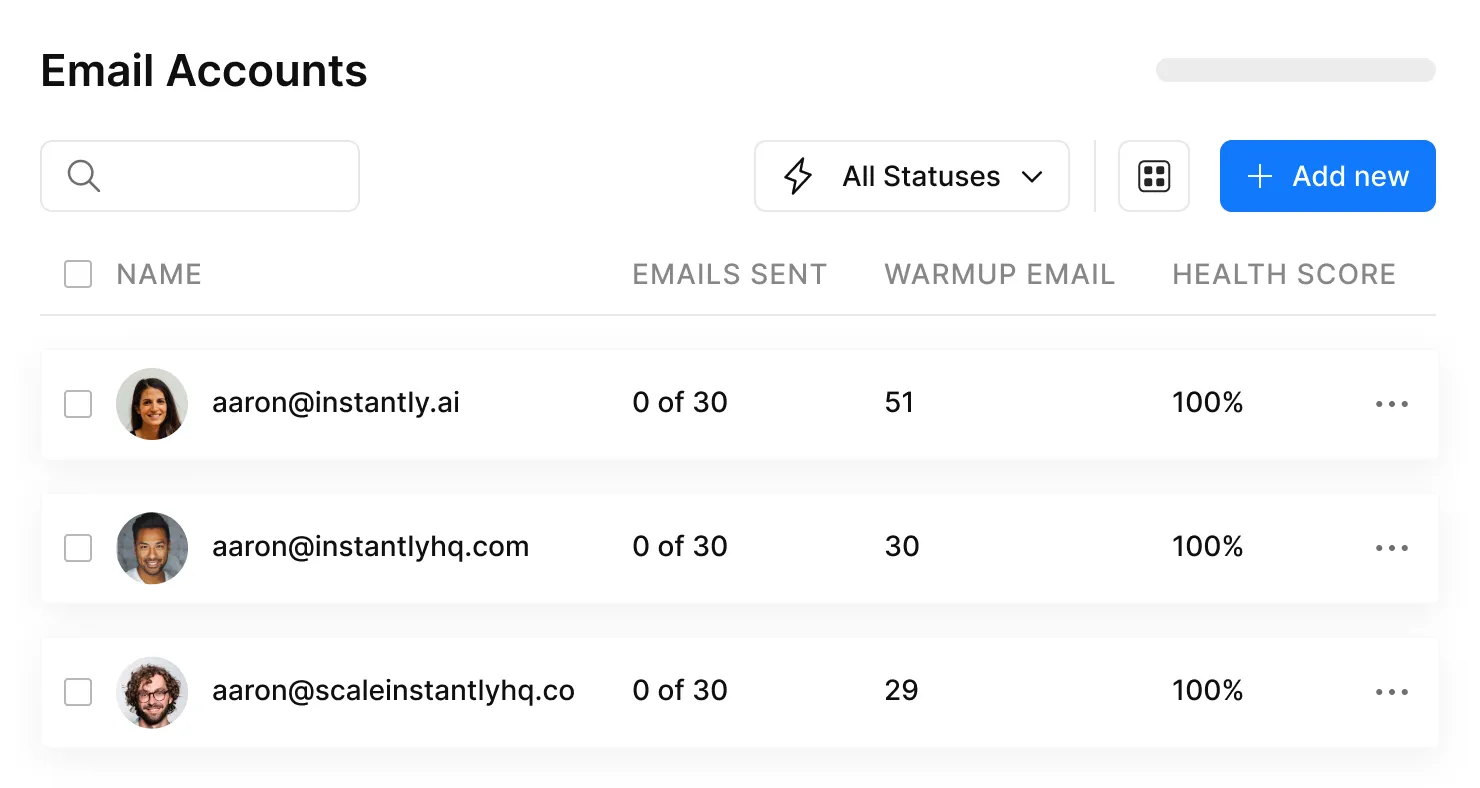
Instantly is the go-to for teams running high-volume cold email. Unlimited sending accounts, built-in warmup, inbox rotation, and strong deliverability controls out of the box. The Growth plan starts at about $30/month, and it's hard to beat for pure sending volume.
The tradeoff: Instantly's CRM and lead database features cost extra. For pure sending at scale, though, it's the default for a reason.
Lemlist - Worth It for Personalization
Lemlist's image personalization is unique - dynamic images with the prospect's name, company logo, or website screenshot embedded directly in the email. On r/coldemail, users consistently praise the active community and solid deliverability. Email Pro starts at about $55/user/month billed annually. Per-seat pricing gets expensive for agencies, but for in-house teams where creative personalization drives pipeline, it pays for itself.
Apollo - Database Meets Outreach
Apollo's lead database is massive, and the free tier with 100 credits/month lets you test before committing. Paid plans start at about $59/user/month. The all-in-one pitch is appealing - search, sequence, and send from one platform. The catch: deliverability controls aren't as strong as dedicated cold email tools. We've seen teams get better results pairing Apollo's database with a dedicated sender like Instantly.
Saleshandy - Budget Pick
Unlimited sender email accounts starting at $25/month billed annually, plus a 7-day free trial. If you're watching costs and need to scale sending across multiple inboxes, Saleshandy delivers the basics without per-seat pricing eating your budget.
Smartlead, GMass, and Woodpecker
Smartlead is modular and scale-focused - basic plans start around $32-39/month depending on billing, with add-ons for extra features. Good for teams that want to customize their stack without paying for things they don't use. GMass is Gmail-native cold email at $25/month Standard or $35/month Premium. If your team lives in Gmail and you want the simplest possible setup, it works - but you're bound by Gmail's sending limits. Woodpecker is EU-based, GDPR-focused, with a clean UI starting around $24/month per email slot. Skip it if you need a big feature set, but for small European teams that want compliance baked into the platform, it's a solid fit.
That Reddit case study doubled reply rates by manually verifying contacts. Prospeo's 5-step verification does it automatically - catch-all handling, spam-trap removal, honeypot filtering. 300M+ profiles at $0.01 per email. No list cleanup needed.
Skip the manual verification. Send with 98% confidence from day one.
FAQ
How many cold emails can I send per day?
Keep it to 25-30 emails per domain per day. Scale by adding more sending domains - not by increasing volume on a single domain. The practitioner who doubled their reply rate used 7 domains at 26 emails/day each for ~180 daily sends.
How long does warmup take?
Plan for 4-6 weeks minimum. Start at 5-10 emails per day and increase gradually. Sending 200 emails from a fresh domain on day one is the fastest way to land in spam permanently.
What's a good reply rate?
The 2026 average is 3.43%. Top-quartile campaigns hit 5.5%+. Elite campaigns exceed 10.7%. If you're under 1%, fix your data and deliverability before blaming the tool.
What's the best free tool to start with?
Prospeo's free tier includes 75 verified emails per month - enough to test a small campaign with clean data. Pair it with a free warmup tool and a dedicated sending domain. Senders like Instantly and Saleshandy also offer free trials to get started.
Is cold email outreach legal?
Yes, in most jurisdictions. CAN-SPAM requires an opt-out mechanism and physical address. GDPR allows B2B cold email under legitimate interest (Article 6(1)(f)) if you document a Legitimate Interest Assessment. CASL requires implied or express consent.