

Prospect Research Before Outreach: The Operator's Playbook (2026)
Most outbound fails for boring reasons: you're targeting the wrong people, you're late to the moment, or your list quietly wrecks deliverability.
Fix those three and "good copy" suddenly starts working again.
This playbook is the system we've used (and seen teams use) to keep research fast, repeatable, and tied to outcomes: one insight + one CTA, backed by a simple 2/5/15-minute workflow and a hard "verify before send" gate. (If you want the deeper mechanics, pair this with an Email Deliverability 2026 refresher.)
Why prospect research matters more in 2026
Gartner's numbers are the gut punch: 73% of B2B buyers actively avoid suppliers who send irrelevant outreach, and 61% prefer an overall rep-free buying experience. Your email isn't competing with other reps. It's competing with "do nothing" and "self-serve it."

6sense's Buyer Experience research (sample size ~4,000) shows the window's tightening: buying cycles compressed from 11.3 months to 10.1 months, and first supplier contact moved earlier from 69% to 61% - roughly 6-7 weeks earlier in the journey. That's why trigger SLAs matter: show up late and you're not "starting a conversation," you're interrupting a decision.
It gets worse (and clearer): the "pre-contact favorite" wins about 80% of the time, and the winning vendor is already on the Day One shortlist 95% of the time. You're trying to displace a default.
Here's the uncomfortable implication: your first message has to do three jobs at once - prove relevance fast, hit timing with a real trigger, and actually land in the inbox without bouncing or tripping spam filters, which means research and deliverability are the same workflow whether your team admits it or not. (This is also why B2B contact data decay quietly kills outbound.)
I've watched "good copy" lose to "boring copy" simply because the boring team verified, segmented catch-alls, and kept bounces under control.
One more operator note: Gartner also found 69% of buyers see inconsistency between what a supplier's website says and what sellers say. Research isn't just "personalization." It's alignment. If your outreach promises something your site doesn't back up, you create instant distrust.
This is a flywheel: relevance + timing + deliverability -> replies -> better data -> better targeting.

What you need (quick version)
If you implement only three things this week, make it these:
- The 2/5/15 workflow: time-box research so reps don't disappear into tabs.
- A 24-48h trigger SLA: when a real signal hits, you move before the window closes. (If you want a full system for signals, see Automate sales signals.)
- Deliverability guardrails: bounce <2% and complaints <0.1% (treat >5% bounce as an emergency).
Operational checklist (copy/paste into your SOP):
- Define ICP "hard filters" (industry, size, geo, tech, buying roles).
- Define your "one insight + one CTA" output (every prospect gets both). (CTA mechanics: sales CTA.)
- Build a trigger library (funding, hiring, tech change, exec change, etc.).
- Set routing: who works which triggers, and how fast.
- Add a verify + enrich gate before sending. (For the SOP, use an email verification list workflow.)
Look, if your team can't explain who owns the gate, you don't have a gate. You have a hope.
The 2/5/15-minute workflow for prospect research before outreach (by segment)
Time-boxing is the whole game. The goal isn't "know everything." The goal is one insight + one CTA that's defensible.

Rule: if you can't explain your insight in one sentence, you didn't find an insight - you found trivia.
Time tiers (use these as defaults):
| Segment | Research time | What you're optimizing for |
|---|---|---|
| SMB / high volume | 2-5 min | speed + relevance |
| Mid-market | 5-10 min | pattern match + light signals |
| Enterprise / ABM | 10-20 min | stakeholder map + initiative story |
Output definition (non-negotiable):
- 1 insight: "why now / why you / why this matters"
- 1 CTA: a low-friction next step (not "book a demo" by default)
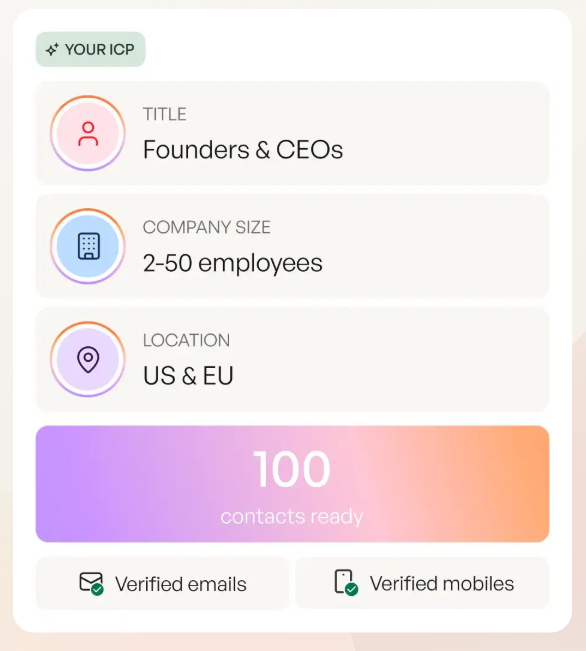
2-minute (high-volume SMB): ICP fit + one trigger check + role relevance
You're doing triage, not detective work.
Step 1 (30 seconds): ICP fit hard check
- Company size band (is it even plausible?)
- Industry fit (don't force it)
- Geo/time zone (for calling + compliance)
Step 2 (45 seconds): one trigger check
Pick one: recent hiring, new product page, pricing change, new integration, new location, new review spike, new job post for your category.
If you can't find a trigger in 45 seconds, don't invent one. Use a pattern-based angle (common pain for that role + segment).
Step 3 (45 seconds): role relevance
- Confirm the persona actually owns the problem.
- Translate your value prop into their KPI language (pipeline, churn, security posture, time-to-close, etc.).
- Keep a simple "listening" note: what the role's measured on and what they're trying to avoid.
Message output
- Insight: "Teams like you usually hit X when Y happens."
- CTA: "Worth a 10-min sanity check?" or "Want a 2-line teardown?"
5-minute (mid-market): add technographics + hiring/initiative + stakeholder guess
This is where you earn your keep. Mid-market buyers hate generic outreach, but they'll respond to "you're probably doing X because you're on Y stack."
Step 1 (90 seconds): technographics
- What tools are they running?
- Any obvious gaps or overlaps?
- Any "switch risk" signals (new platform rollout, migration roles, revamp initiatives)?
Step 2 (90 seconds): hiring + initiative
- Open roles that imply a project (RevOps, data engineering, security, demand gen ops).
- Headcount growth in a department that correlates with spend.
Step 3 (60 seconds): stakeholder guess You don't need a full org chart. You need a hypothesis:
- Economic buyer (budget)
- Champion (day-to-day pain)
- Blocker (security, IT, procurement) (More on committees: B2B decision making.)
Step 4 (60 seconds): write the insight One sentence. No fluff. Tie it to the trigger, and tie it to likely buying motives (risk reduction, speed, cost control, revenue growth), not "cool feature" benefits.
CTA Offer something that matches their stage:
- "Want a benchmark?"
- "Want a quick deliverability audit?"
- "Want a 3-step plan to do this without breaking your CRM?"
15-minute (enterprise/ABM): stakeholder map + existing vendor + initiative narrative + risk/objection
Enterprise research isn't "more tabs." It's better structure.
Step 1 (4 minutes): stakeholder map
- 3-6 names across functions (business owner, ops, IT/security, finance).
- Who's likely to care, who's likely to block, who's likely to ignore. (If you're building this into your process, use ABM multi-threading.)
Step 2 (4 minutes): existing vendor + contracts
- Identify likely incumbents (tools, agencies, platforms).
- Look for signs of dissatisfaction: job posts mentioning migrations, "rebuild," "consolidation," "data quality," "deliverability," "attribution."
Step 3 (4 minutes): initiative narrative
Write a mini-story:
- What changed (trigger)
- What they're trying to achieve (initiative)
- What breaks (risk)
- Where you fit (specific wedge)
Step 4 (3 minutes): pre-handle one objection
Pick one: security, switching cost, "we already have X," bandwidth, budget cycle. (For scripts, see we already have a solution objection.)
Hot take: for smaller deals, you probably don't need a giant "all-in-one" data suite. You need clean targeting, a fast trigger loop, and deliverability discipline. Most teams buy complexity to avoid fixing basics.

Your prospect research workflow has a verify-before-send gate. Prospeo makes it bulletproof: 98% email accuracy, 125M+ verified mobiles with 30% pickup, and a 7-day data refresh cycle so your triggers never hit stale contacts. Keep bounces under 2% without the manual work.
Research the prospect. Let Prospeo verify the contact. Send with confidence.
Minimum viable research brief (copy/paste template + example)
Two frameworks are worth stealing from - then simplifying:
- From SalesEnablementCollective: keep it one page and reusable so reps actually use it.
- From Intellisell-style account plans: include stakeholders + objections + timeline - but trim it to what's needed before outreach.

You need a brief you can fill in in under 5 minutes. Otherwise it turns into busywork and reps stop doing it.
Template (fields)
Copy/paste this into your CRM note, Notion, or a Clay table column:
ACCOUNT:
- Company:
- Segment (SMB/MM/ENT):
- ICP fit (1-3 bullets):
- Data confidence (High/Med/Low):

TRIGGER (pick one):
- Trigger:
- Where found:
- Why it matters now (1 sentence):

PROBLEM HYPOTHESIS:
- Likely pain (role-specific):
- Why current approach breaks:

PROOF POINT:
- Relevant customer pattern / benchmark / result:

CTA (one):
- Ask:
- "Yes" should take <10 minutes:

STAKEHOLDERS (guess is fine):
- Economic buyer:
- Champion:
- Blocker:

OBJECTION TO PRE-HANDLE:
- Objection:
- One-line response:

NEXT STEP:
- Channel (email/call/social):
- Follow-up date:
Example (filled): trigger -> message angle -> CTA chain
This is the kind of entry we'd actually let an SDR ship.
ACCOUNT:
- Company: NorthBridge Logistics
- Segment: Mid-market
- ICP fit: 250-500 employees; multi-location ops; hiring RevOps + SDR Manager
- Data confidence: Medium

TRIGGER:
- Trigger: Hiring SDR Manager + RevOps Analyst
- Where found: Careers page + job descriptions
- Why it matters now: They're scaling outbound and will feel data quality + deliverability pain fast.

PROBLEM HYPOTHESIS:
- Likely pain: SDR team burning time on bad contacts + low connect rates.
- Why current approach breaks: Manual research + unverified lists -> bounces and spam flags.

PROOF POINT:
- Pattern: Teams that verify + segment catch-alls keep bounces under  2% and protect domain reputation.

CTA:
- Ask: "Want me to run a quick list health check and send back a 'safe-to-send' segment?"
- Yes should take <10 minutes.

STAKEHOLDERS:
- Economic buyer: VP Sales
- Champion: SDR Manager
- Blocker: RevOps / IT (tooling + data governance)

OBJECTION:
- "We already have a database."
- Response: "Totally - this is about deliverability + freshness, not buying another suite."

NEXT STEP:
- Channel: Email + follow-up call
- Follow-up date: +2 business days
Trigger events library + the 24-48 hour SLA (your research shortcut)
Triggers are your shortcut because they answer "why now?" without you writing a novel.

Two good ideas to borrow and operationalize:
- From Growthlist-style trigger taxonomies: group triggers by type (financial, leadership, expansion, tech, competitive, regulation, dissatisfaction) so routing's easy.
- From UserGems' approach: always include a "how to track it" source so reps don't guess.
Here's the part most teams miss: triggers decay. If you don't have a 24-48 hour SLA, you're doing historical research.
Growthlist (citing Lantern research) notes new executives often evaluate vendors within the first 90 days - treat that as your highest-priority trigger window.
Trigger library table: trigger, where to find it, message angle, safe CTA, use/skip rules
| Trigger | Where to find it | Message angle | Safe CTA | Use when / Skip when |
|---|---|---|---|---|
| New exec (VP/C-level) | announcements, bios | "new leader = new baseline" | 10-min intro | Use: first 90 days. Skip: role is interim/consultant. |
| Funding | news, filings | "growth plan needs systems" | benchmark | Use: clear growth stage. Skip: tiny seed with no hires. |
| Hiring surge | careers page | "scale exposes bottlenecks" | teardown | Use: multiple roles in one function. Skip: evergreen postings. |
| Layoffs | news, posts | "do more w/ less" | 2-step plan | Use: cost/efficiency offer. Skip: tone-deaf urgency or jokes. |
| New product launch | site, press | "new motion = new ops" | quick audit | Use: launch changes GTM. Skip: minor feature release. |
| Tech stack change | technographics | "migration risk" | checklist | Use: migration roles/posts. Skip: stack data is stale/unclear. |
| New region/office | news | "new market = new playbook" | local insight | Use: real expansion. Skip: vanity address/PO box. |
| Compliance change | regulator sites | "risk + deadlines" | readiness guide | Use: clear deadline. Skip: speculative "maybe applies." |
| Competitor move | news | "category shift" | POV | Use: impacts their ICP. Skip: gossip-level updates. |
| Bad reviews spike | review sites | "fix the root cause" | diagnostic | Use: pattern across many reviews. Skip: 1-2 outliers. |
| Partner/integration | partner pages | "ecosystem expansion" | use-case map | Use: partner fits your wedge. Skip: irrelevant integration. |
| Website reposition | homepage changes | "new ICP = new pipeline" | ICP sanity check | Use: messaging clearly changed. Skip: cosmetic redesign. |
SLA rules: what qualifies as "high-value trigger," routing, and follow-up cadence
High-value trigger criteria
- It changes priorities (new exec, funding, layoffs, compliance, migration).
- It implies budget or urgency.
- It's public and job-relevant.
Routing
- New exec + funding -> AE/strategic SDR within 24h.
- Hiring surge + tech change -> SDR within 48h.
- Soft triggers (blog post, generic webinar) -> batch weekly.
Cadence
- Day 0: trigger-based email (short, specific).
- Day 2: follow-up with one additional proof point.
- Day 7: "close the loop" message with an alternate CTA.
I've watched teams build beautiful trigger dashboards and still lose because nobody owned the SLA. If it's everyone's job, it's nobody's job.
Signals boundary: avoid "creepy" triggers; prefer public, job-relevant signals
Don't cross the line into "I saw you liked a post at 11:07pm." That's not personalization. That's surveillance cosplay.
Use signals a buyer would reasonably expect a vendor to know:
- public announcements
- job postings
- product/tech stack indicators
- market/regulatory changes
Personalization that backfires (and what to do instead)
Gartner's personalization stat should scare you straight: 53% of customers say personalized marketing creates negative experiences. When personalization hits, customers are 2x more likely to feel overwhelmed and 2.8x more likely to feel time pressure.
It also has real revenue consequences: buyers are 3x more likely to regret a purchase and 44% less likely to purchase again after negative personalization experiences. That's why I push the "one insight" rule - anything beyond that usually turns into noise or creepiness. (Related: AI cold email personalization mistakes.)
Do: "one relevant insight" personalization
Good personalization's about the job, not the person.
- "Noticed you're hiring RevOps + adding outbound headcount - usually that's when data quality starts hurting reply rates."
- "Looks like you're running X + Y. Teams on that stack often struggle with Z during scale."
Keep it to one insight, then move to a simple CTA.
Don't: hyper-specific personal details, wrong timing, "token" personalization
Anti-patterns that burn trust:
- "Loved your post..." (then you pitch anyway)
- Mentioning personal life details
- Over-assuming intent ("you must be struggling with...")
- Using stale info (old role, old company)
- Token personalization that doesn't change the message
Buyers don't reward effort. They reward relevance.
Deliverability-first research (the "verify + enrich + segment" gate)
If you skip this gate, you're gambling with your domain reputation.
Operational thresholds:
- Bounce <2% (target)
- Complaints <0.1% (target)
- >5% bounce = emergency (pause sends, clean list, fix process)
Belkins' large dataset (5.5M emails) shows why this matters on bounce rates by provider: Gmail averages 1.96% bounce while Outlook averages 6.95% bounce. Seasonality's real too: deliverability peaks in January (99.19%) and bottoms in November (92.53%).
Operator translation: if your list skews Outlook/Microsoft, you need stricter verification, slower ramping, and tighter segmentation. Otherwise you'll learn the hard way.
And catch-alls are everywhere. Dropcontact's benchmark puts 15-28% of B2B domains as catch-all, especially in enterprise. Treating catch-all as "invalid" is a strategic mistake - you'll delete a chunk of your best accounts.
Pre-send checklist (copy/paste)
Run this before every cold email launch:
- Verify every address (no exceptions for "trusted sources"). (If you need the full workflow, see how to verify an email address.)
- Remove hard bounces immediately (don't "try again next send").
- Dedupe across lists and sequences (avoid double touches).
- Segment catch-all into a separate stream with lower volume.
- Suppress: past opt-outs, competitors, existing customers (if policy), and "do-not-contact" roles/regions.
- Spot-check 25 random rows: role/title match, company domain match, no obvious junk.
- Throttle volume increases (see ramp below).
- Consider disabling open tracking for cold email (it can create deliverability issues and false signals).
Ramp guidance (per inbox) + bounce handling
A simple ramp that works:
- Days 1-3: 5-10 emails/day per inbox
- Days 4-7: 15-20/day
- Week 2: 30-40/day
- Week 3+: cap at 50/day per inbox for cold outbound
Bounce handling rules:
- Hard bounces: remove immediately and investigate the source list.
- Soft bounces: pause after 3 attempts; move to a review queue.
- If bounces rise above 2%, stop increasing volume.
- If bounces hit 5%+, pause the campaign and rebuild the list gate.
Catch-all handling: "verify + segment," don't discard
Catch-all means the domain accepts mail for any address. It doesn't mean the mailbox exists.
So the move is:
- verify
- segment catch-all
- send catch-all addresses in a separate, lower-volume stream with safer copy and tighter targeting
- watch bounces and complaints closely
The gate workflow (step-by-step): verify -> enrich missing fields -> dedupe -> segment risky domains -> only then send
This is where Prospeo fits cleanly into the workflow: as the "safe-to-send" gate between list building and sending.
Prospeo is "The B2B data platform built for accuracy": 300M+ professional profiles, 143M+ verified emails, and 125M+ verified mobile numbers, refreshed every 7 days (industry average: 6 weeks). Verification runs at 98% email accuracy with a 5-step process that includes catch-all handling, spam-trap removal, and honeypot filtering. It's GDPR compliant with opt-out enforced globally, and it uses proprietary email-finding infrastructure (not third-party email providers).
Mini-workflow: how to run the gate (fast)
- Upload a CSV or pull from your CRM (or feed it from Clay).
- Run email verification and flag: valid, invalid, catch-all, risky.
- Run enrichment to fill missing fields you need for segmentation (role, company size, tech, location).
- Dedupe before export so you don't create CRM mess or double-email people.
- Segment:
- Segment A: verified, low-risk -> normal volume
- Segment B: catch-all -> lower volume + tighter targeting
- Segment C: risky/unknown -> holdout or manual review
- Export into your sending tool or CRM.
What you're looking for is a control panel: verification status per contact, enrichment fields filled in, and export/segmentation options so you can route catch-all domains into a separate sequence.
The 2-minute SMB check needs fast ICP filtering. Prospeo's 30+ search filters - buyer intent, technographics, headcount growth, funding - let you run the entire triage in seconds, not tabs. 300M+ profiles enriched with 50+ data points, so your 'one insight + one CTA' is always backed by real signals.
Stop disappearing into tabs. Filter, enrich, and verify in one platform.
What to automate vs keep human (real-world stacks)
The best automation wins aren't about writing. They're about removing the busywork around research: verifying contact info, checking websites, confirming tech stack, reading job descriptions, and routing the right prospects into the right sequences.
Over-automation has diminishing returns because it produces more facts than insights. Your goal's still "one insight + one CTA."
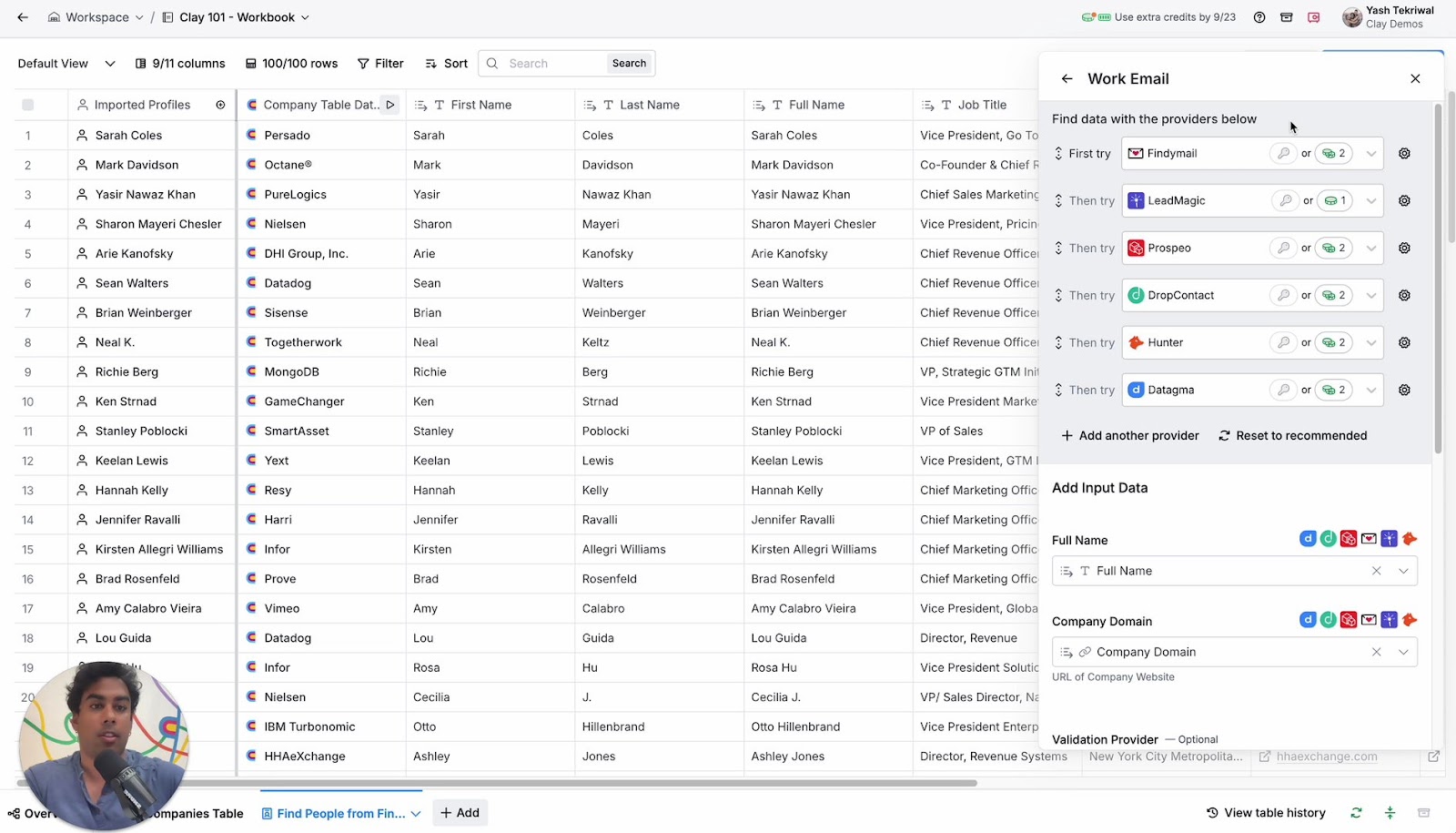
Automate: firmographics, technographics, enrichment, trigger monitoring
Automate repeatable lookups:
- Firmographics (size, industry, location)
- Technographics (what they run)
- Enrichment (fill missing fields) (Tooling overview: lead enrichment tools.)
- Trigger monitoring (news, funding, job posts)
Stack pattern that works in practice:
- Clay as the workflow hub
- A verification/enrichment gate before sending
- A sending tool (Instantly/Smartlead/Lemlist) for execution (See: cold email outreach tools.)
- CRM (HubSpot/Salesforce) as the system of record
Human-only: problem hypothesis, relevance check, CTA choice, tone
Don't automate judgment calls:
- "What's the likely problem here?"
- "Is this actually relevant to this role?"
- "What's the lowest-friction CTA?"
- "What tone fits this segment?"
- "What did we learn from their language and constraints?"
I've seen teams ship "AI-personalized" emails that were technically accurate and still got zero replies because the CTA was wrong for the moment.
Compliance-by-design (GDPR/UK GDPR + legitimate interest workflow)
If you're prospecting in the UK/EU, treat compliance like an ops workflow, not a legal footnote. Business emails and direct dials are still personal data. (If you need the outbound-specific interpretation, use GDPR for sales and marketing.)
The ICO's legitimate interests guidance boils down to a three-part test you must pass before processing:
- Purpose test: do you have a legitimate reason?
- Necessity test: is processing necessary for that purpose?
- Balancing test: do the individual's rights override your interest?
Operationally: record an LIA before processing. Don't backfill it after you've already built lists.
UK note: GDPR vs PECR (what changes for outreach)
GDPR/UK GDPR governs processing personal data. PECR (UK e-privacy rules) governs electronic marketing. In practice, your outreach system should assume:
- you need a clear lawful basis to process and contact
- you must provide an easy opt-out
- you must honor opt-outs fast and permanently (suppression)
If you sell into both the UK and EU, build one strict standard and run it everywhere. It's simpler, and it prevents region-by-region mistakes.
LIA in 5 steps: what to document
- Purpose: what you're selling and why outreach is relevant.
- Necessity: why you need this data (and why less data won't work).
- Balancing: why your outreach won't surprise or harm the person.
- Safeguards: opt-out, suppression lists, frequency caps, data minimization.
- Review: when you'll revisit the assessment.
Where this lives (mini SOP): ownership, storage, review cadence
Make compliance auditable without slowing reps down:
- Where it lives: Notion/Drive as the source of truth; link the LIA in your CRM (one link field on accounts/segments).
- Owner: RevOps owns the workflow; legal signs off; Sales leadership enforces usage.
- Review cadence: quarterly, plus any time your ICP, regions, or data sources change.
- Training: one 20-minute enablement session + a one-page "do/don't" sheet.
Suppression list SOP (non-negotiable)
If you do nothing else, do this:
- Maintain one global suppression list (email + domain + company when needed).
- Sync it to every sending tool and CRM.
- 24-hour removal SLA for opt-outs and "do not contact" requests.
- Never re-import suppressed contacts from enrichment tools or list uploads.
- Add a "suppressed reason" field (opt-out, legal, customer, competitor, wrong region) so you can audit patterns.
This is the difference between "we try to be compliant" and "we're compliant."
Research & enrichment tools (by job-to-be-done)
My rules of thumb (so you don't overbuy tools)
- If you send cold email at volume, you need a verification gate. Non-negotiable.
- Use Apollo to build lists fast; never trust it as your final send list.
- Use Clay when your ICP's weird; don't force Clay on teams without an ops owner.
- If you can't enforce a trigger SLA, don't pretend you're doing trigger-based outbound.
- A professional network research tool is for role/stakeholder confirmation, not for writing "look how much I stalked you" openers.
Comparison table (job map with decisive picks)
| Job | Winner (best for) | Output | Automation level | Typical pricing (2026) |
|---|---|---|---|---|
| Verify + enrich before sending | Prospeo (best deliverability gate) | clean, enriched list + segmentation | High | Free (75 emails + 100 ext credits) / ~$0.01 per email / 10 credits per mobile; self-serve, no contracts |
| Workflow hub for "weird ICP" lists | Clay (best for chained enrichment) | enriched tables + routing | High | ~$149-$800+/mo (credits-based, team-dependent) |
| Fast list building + basic sequencing | Apollo (best for speed) | quick prospect lists | Med | Free; ~$59-$149/user/mo typical paid tiers |
| Signals + outreach in one platform | Amplemarket (best for integrated outbound) | intent + sequences + workflows | High | ~$10k-$40k+/year (typical mid-market contracts) |
| Stakeholder/role confirmation | Professional network research tool (best for org context) | titles, tenure, reporting lines | Low | ~$99-$199+/seat/mo typical |
| Technographics | BuiltWith (best for deeper web tech intel) | stack signals | Med | Free; ~$295+/mo for pro plans |
| Technographics (lightweight) | Wappalyzer (best quick checks) | stack snapshot | Med | Free; ~$250+/mo for teams |
| Company events | Crunchbase (best funding/exec signals) | funding + growth events | Med | Free; ~$29-$99/user/mo typical |
Prospeo (Tier 1)
Prospeo is the accuracy-first choice when you care about deliverability and data freshness more than suite bloat. It's built for accuracy: 300M+ professional profiles, 143M+ verified emails, and 125M+ verified mobile numbers, refreshed every 7 days (industry average: 6 weeks). Verification runs at 98% email accuracy with 5-step checks that include catch-all handling, spam-trap removal, and honeypot filtering.
It's also built for ops workflows: 83% enrichment match rate, 92% API match rate, and 50+ data points returned per enrichment. It's GDPR compliant with opt-out enforced globally, and it runs on proprietary email-finding infrastructure (not third-party email providers).
Pricing is self-serve and transparent: expect ~$0.01 per email, 10 credits per mobile, plus a free tier with 75 emails + 100 extension credits/month. No contracts.
Clay (Tier 1)
Clay is the "LEGO for data" tool. When you need a weirdly specific list - "VP Ops at logistics firms hiring RevOps, using X stack, in Y region" - Clay's flexibility is hard to beat.
The tradeoff's simple: Clay rewards builders. If nobody on your team likes configuring workflows, it becomes shelfware. If you have one ops-minded person, it pays for itself by automating the research prep that eats SDR days: enrichment chaining, trigger pulls, scoring, and routing prospects into the right sequences.
Typical pricing: roughly $149-$800+/month depending on credits and team usage.
Apollo (Tier 1)
Apollo is the default starting point when you need to go from zero to a workable prospecting list quickly. It's fast, straightforward, and most SMB teams can be productive the same day.
The downside is also straightforward: data quality varies by industry and region. Treat Apollo as list generation, not list truth. Build your list there, then run verification, dedupe, and catch-all segmentation before you send real volume.
Typical pricing: free tier available; paid is commonly ~$59-$149 per user/month depending on features.
Amplemarket (Tier 2)
Amplemarket is for teams that want signals and personalization tied closely to execution. It's more "system" than "database," and it can connect data, enrichment, outreach, and deliverability in one place.
Skip it if you don't have process discipline. If you're already struggling with segmentation, suppression, and list hygiene, a heavier platform won't save you - it'll slow you down while you learn it.
Typical pricing: market-standard mid-market contracts, often ~$10k-$40k+/year depending on seats and scope.
Professional network research tool (Tier 2)
A professional network research tool is still the fastest way to confirm role scope, tenure, and reporting lines. Use it for stakeholder mapping and "who owns this?" clarity.
Skip it as a personalization crutch. If your opener depends on personal trivia, you're solving the wrong problem.
Typical pricing: usually ~$99-$199+/seat/month depending on plan.
BuiltWith / Wappalyzer (Tier 2)
Technographics tools answer one question quickly: "What are they running?" That's often the difference between a generic pitch and a relevant wedge ("we integrate with X" or "we replace Y").
My take:
- Use BuiltWith when you need deeper coverage and reporting.
- Use Wappalyzer when you just need a fast check during research.
Typical pricing: free tiers exist; paid is commonly ~$250-$295/month for team/pro plans.
Crunchbase (Tier 2)
Crunchbase is your cleanest "company events" layer: funding, acquisitions, leadership moves, and growth signals. It's especially useful for trigger-based routing and prioritization.
Skip it if your ICP rarely raises money or announces changes publicly. In that case, job posts + website changes will outperform it.
Typical pricing: free tier exists; paid is commonly ~$29-$99/user/month.
Lusha (Tier 3) + quick mentions
Lusha is a utility: quick contact lookups and phone numbers, with regional hit-or-miss. It's handy when a rep needs one missing number right now, not when you're building a research system.
Typical pricing: usually ~$39-$99/user/month depending on credits.
Other quick mentions (with pricing signals):
- Hunter / RocketReach: email finding and lookups (~$49-$149/mo typical).
- Clearbit: enrichment for product-led stacks (~$20k-$100k+/year common for B2B SaaS).
- Google Alerts / Google News: lightweight trigger monitoring (free).
- HubSpot / Salesforce: system of record (~$20-$150/user/mo for HubSpot seats; Salesforce commonly ~$25-$330/user/mo depending on edition).
- Instantly / Smartlead / Lemlist: sending (~$37-$99/mo typical per account/seat).
FAQ
How long should prospect research take before cold outreach?
Prospect research should take 2-5 minutes for high-volume SMB, 5-10 minutes for mid-market, and 10-20 minutes for enterprise/ABM, with a strict output of one insight + one CTA. If you're spending 30 minutes per prospect, your workflow's broken or your ICP filters are too loose.
What's the minimum information you need to personalize without being creepy?
The minimum is ICP fit + role relevance + one public, job-relevant trigger (hiring, funding, tech change, initiative). Skip personal-life details and "I saw you liked..." signals. Good personalization makes the buyer think "this is relevant," not "why are you watching me?"
What's bounce rate is acceptable for cold email, and what should you do if it's high?
Acceptable cold email bounce rate is under 2%, and over 5% is an emergency. Pause sending, remove hard bounces, re-verify the list, segment catch-all domains, and reduce volume until bounces stabilize. High bounces damage domain reputation and make every future campaign harder.
How do you handle catch-all domains without hurting deliverability?
Handle catch-alls by verifying and segmenting, not discarding. Put catch-all contacts into a separate, lower-volume sequence with tighter targeting and safer copy. Monitor bounces and complaints closely. Catch-alls are common (15-28% of B2B domains), especially in enterprise.
What's a simple way to verify and enrich contacts at scale (using a CSV or CRM)?
Export a CSV (or pull from HubSpot/Salesforce), run it through a verification + enrichment gate, dedupe, then export two segments: verified-safe and catch-all. That one habit saves domains.
If you want a north star: prospect research before outreach isn't "more personalization." It's faster relevance, faster timing, and cleaner lists - so your best message actually gets a chance to land.
Outbound still works in 2026.
Sloppy outbound doesn't.